Talking Head Videos: Examples, Cost & Setup
A talking head video features a single speaker — founder, executive, or subject-matter expert — talking directly to camera with no slides or screenshares filling the frame. For B2B SaaS marketing teams, it is the highest-trust video format available: a real human builds credibility with buyers in ways animated explainers and AI avatars simply cannot replicate.
This guide covers five real B2B talking head video examples worth studying, a full production cost breakdown from $0 to $8,000+ per video, and an equipment setup guide for teams at every budget level.
Key Takeaways
- $200–$8,000 is the typical per-video cost range, from a well-executed DIY shoot to full agency production.
- 5 formats dominate B2B talking head: thought leadership, founder demo, customer interview, sales outreach video, and training or onboarding content.
- Audio is the #1 variable — viewers tolerate imperfect lighting, but abandon videos with poor audio immediately. Invest $50–$250 in a microphone before anything else.
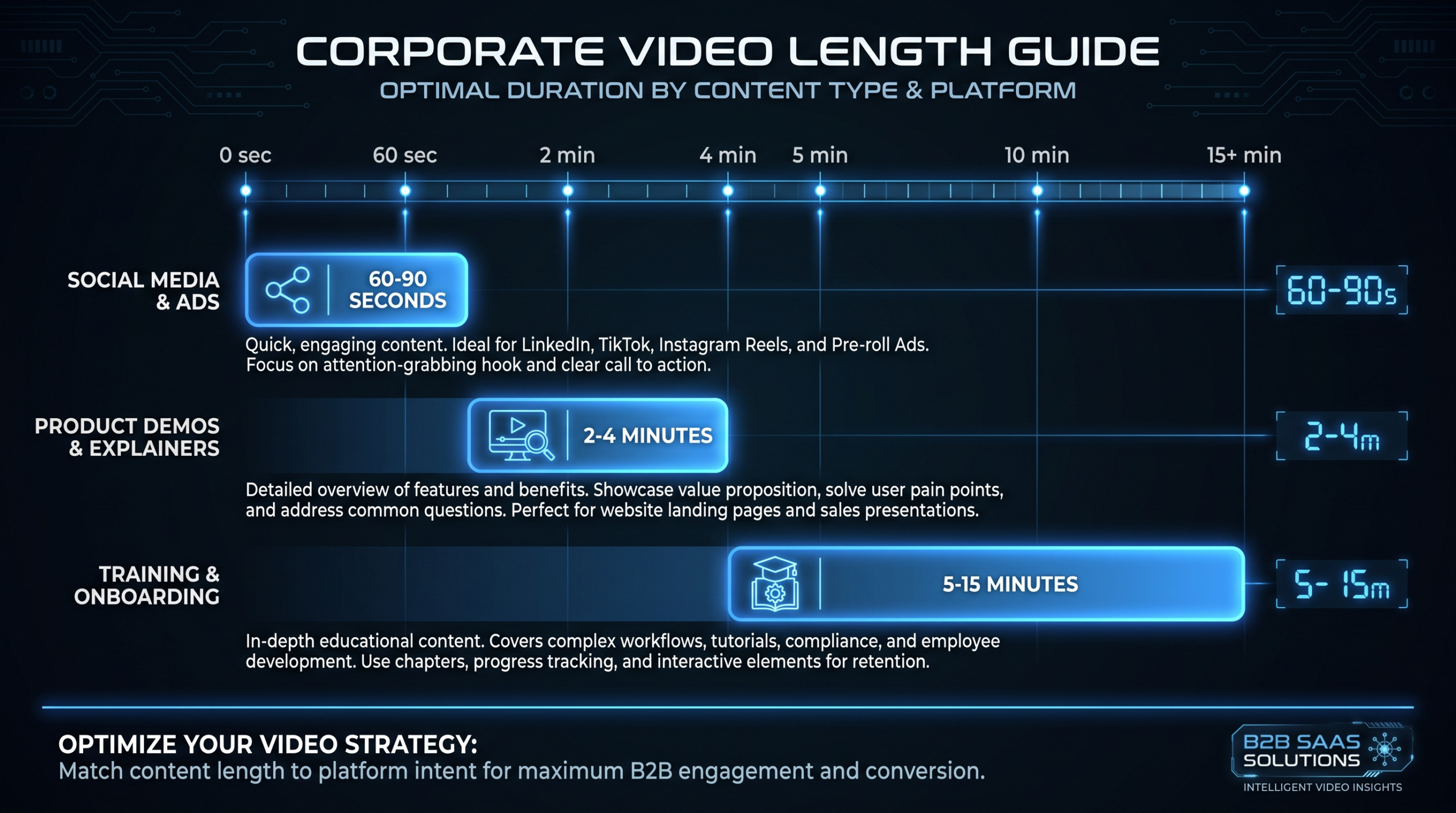
- Under 3 minutes for social and LinkedIn; 5–10 minutes for YouTube and website assets if the content earns every second.
- AI avatars start at $30/month but consistently underperform real talking heads on trust and conversion for B2B deals above $5,000 ACV.
TL;DR
Talking head videos are the most cost-effective trust-building format in B2B SaaS. A $200 DIY setup and a credible speaker can outperform a $10,000 animated explainer if the content is sharp. The format scales: shoot once, extract 10–15 clips, and distribute across every channel. The bottleneck is almost never production — it is consistency and commitment to being on camera.
Table of Contents
What Is a Talking Head Video?
The term originates from broadcast news, where a single speaker fills most of the frame — just head and shoulders against a background. In B2B video marketing, it describes any format where a person speaks directly to camera without the crutch of slides, screenshares, or heavy animation overlays doing the persuasion work.
Talking head videos appear across the full funnel. At the top, founders publish thought leadership on LinkedIn and YouTube to build an audience. In the middle, product leaders explain positioning on the website's how-it-works or pricing page. At the bottom, sales reps record personalized outreach or proposal walk-through videos. Post-sale, CS teams deliver onboarding content, training, and QBRs on camera.
What unites all of these is the mechanism: a specific, credible human making a direct case to a specific viewer. That mechanism converts attention into trust faster than virtually any other video format, which is why Wyzowl's 2026 video marketing survey consistently shows talking-head formats at the top of buyer preference for awareness and consideration stages. For the SaaS video production context specifically, the format dominates because it scales naturally with a founder or executive content program.
How Much Does a Talking Head Video Cost?
Production costs vary by an order of magnitude based on how you approach them. Here is the full range by hiring model — including what you actually get at each tier:
Talking Head Video Cost by Production Approach
| Production Approach | Cost Per Video | Quality Level | Best For |
|---|---|---|---|
| DIY (webcam + basic lighting) | $0–$200 (editing only) | Good with effort | Founder content, LinkedIn, quick demos |
| Freelance videographer (on-site) | $300–$1,200 per video | Strong | One-off shoots, small teams |
| Mid-range production agency | $1,500–$4,000 per video | Premium | Quarterly hero content, product launches |
| Full-service agency | $4,000–$8,000+ per video | Broadcast-quality | Flagship brand assets, investor content |
| Dedicated editing team (VEC) | From $5,000/mo (Growth plan) | Consistent + Scalable | Teams producing 6–20+ videos/month |
See pricing: VEC plans start at $5,000/mo (Growth), $9,500/mo (Core), and $16,000/mo (Scale), all backed by a 90-day output guarantee. View full plan details.
What Drives the Cost Difference?
Five factors account for most of the price gap between a $300 and a $5,000 talking head video:
- Crew size. A solo videographer vs. director + DP + audio engineer adds $500–$2,000 per day in crew costs alone.
- Location. Studio rental in a major market typically runs $150–$500 per day; a client location shoot adds travel and setup time.
- Edit complexity. A single-camera clean cut vs. a multi-angle edit with lower thirds, graphics overlays, and color grading are different products. See what video editing services include for a full breakdown.
- Turnaround time. Rush delivery (48 hours vs. two weeks) typically adds 25–50% to project cost.
- Volume. Per-video cost drops sharply at scale. A dedicated editing team at volume can bring effective per-video cost to $200–$400 vs. $1,500+ on a per-project basis.
For a full view of how agencies structure their pricing, see our video production agency pricing models guide, video editing hourly rates by country, and our video editing day rates breakdown.
5 Real Talking Head Video Examples for B2B
These five examples come from well-known B2B founders and SaaS executives. Each demonstrates a distinct structural variant of the talking head format. Study what each one does architecturally, not just the content — the structural lesson is what you can replicate.
1. Jason Lemkin (SaaStr) — High-Density Metrics Talking Head
In this video, Lemkin speaks directly to camera for under 10 minutes about the three SaaS metrics that matter most. No slides. No graphics overlays. A single camera, good audio, and extremely specific insight. Credibility comes entirely from knowledge density, not production polish — which is the point.
Jason Lemkin (SaaStr): "The 3 SaaS Metrics That Matter in 2024" — pure talking head, zero production extras, maximum information density.
What to take: Specificity beats production value at any budget level. Three named metrics, clear numbering, no hedge-phrases in the opening. This format works when the speaker has genuine authority — it falls flat when they do not. Do not attempt to fake the authority with better cameras.
2. Adam Robinson (RB2B) — Founder-Led Growth Story
Adam Robinson's LinkedIn-first content strategy built RB2B from $0 to $5M ARR in 13 months. This stage presentation at the Founderpath conference shows the classic founder talking-head structure: a direct story arc, uncomfortable honest numbers, and a clear conclusion the audience can act on.
Adam Robinson (RB2B): "$0–$5M ARR in 13 months using founder-led video on LinkedIn" — a specific number in the first sentence, honest arc, clear conclusion.
What to take: Open with the most interesting thing you are about to say, not a warm-up. Every talking head video should earn the viewer's attention in the first five seconds — a specific number, a provocative claim, or a direct answer. For the full framework behind this approach, see our guide on founder-led video for SaaS and our collection of founder-led video examples.
3. Adam Robinson — Long-Form Interview Variant
The same speaker, a different structural format: a long-form interview produced by Wes Bush (ProductLed). This is the "interview talking head" variant — two cameras, an interviewer just off-frame, cut-to reaction shots. More polished production, but still fundamentally one person on camera driving the insight.
Adam Robinson: "How RB2B Scaled to $5M ARR in 13 Months" — the long-form interview talking head, same speaker, different structural format.
What to take: The interview format removes the pressure of monologue delivery. If your CEO struggles with talking directly to camera, structuring the shoot as a Q&A (the interviewer is cut out in post, the CEO's answers become a monologue) is a reliable workaround. You need a skilled edit to make this seamless — see how we approach this in our outsourced video editing guide.
4. Rand Fishkin (SparkToro) — Expert Opinion Format
Rand Fishkin's video on Google zero-click search is a textbook expert-opinion talking head. The speaker has unquestioned domain authority in the SEO and marketing space. The production is minimal — a seated interview, simple background — but credibility is at maximum. This is the format that punches furthest above its production budget.
Rand Fishkin (SparkToro): "On Google, zero-click content, and why loyalty is the key to marketing" — expert-opinion talking head, minimal production, maximum authority.
What to take: Design every answer to be self-contained as a 60–90 second clip. Fishkin's answers are engineered to stand alone — each one has a premise, a point, and a conclusion, without requiring the prior question for context. This single habit is what makes a half-day shoot generate 15–20 social clips. For understanding what goes into editing this kind of content down, see video editing cost per minute.
5. Jason Lemkin — Annual "State of Market" Format
A stage presentation at the Pavilion CEO Summit. Lemkin delivers a structured annual perspective on SaaS. The "state of the market" format is highly shareable and positions the speaker as the authoritative voice on a market moment. The production includes some slides, but the camera stays on the speaker — the slide is referenced, never the center of the frame.
Jason Lemkin at Pavilion CEO Summit: "2025 State of SaaS: Trends and Predictions" — annual market perspective, highly shareable at the start of the year.
What to take: An annual "state of [your market]" video gives a non-product reason for buyers to share your executive's content. If your CEO has a credible point of view on the market you serve, this is a reliably high-engagement format regardless of production budget. For the full SaaS video production context, see how we support product demo video production and SaaS video strategy.
What Equipment Do You Need for a Talking Head Video?
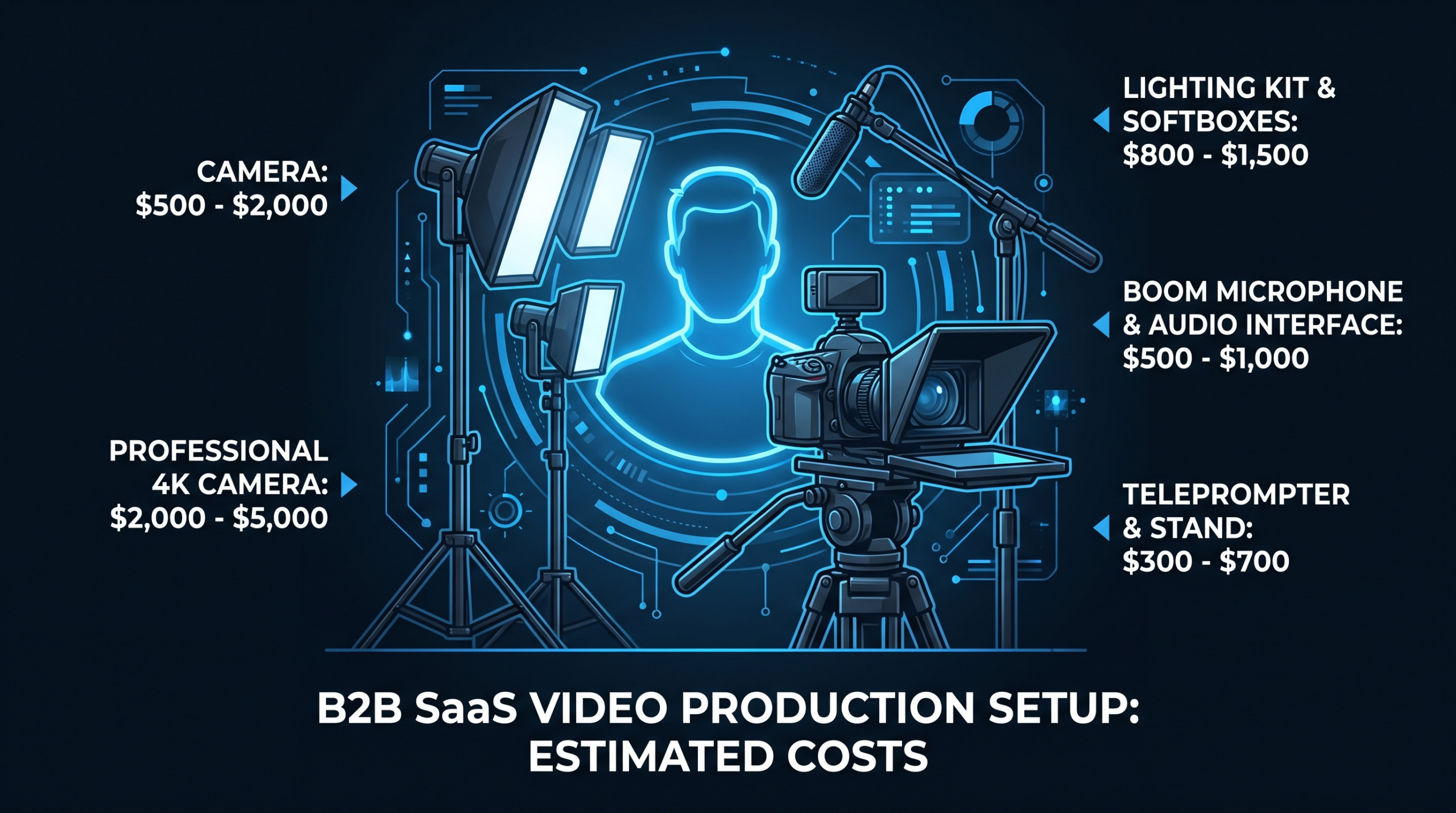
The honest rule: audio first, everything else second. Viewers tolerate mediocre video quality far longer than they will tolerate poor audio. If you have $150 to spend on a single equipment upgrade, spend it on a cardioid USB mic, not a camera lens.
Talking Head Video Equipment by Budget Tier
| Equipment | Budget ($160–$500 total) | Mid ($800–$1,800 total) | Pro ($3,000+ total) |
|---|---|---|---|
| Camera | Logitech 4K webcam ($80–$180) | Sony ZV-E10 or A6400 ($600–$900) | Sony FX3 or Canon R5C ($3,500+) |
| Microphone | USB desk mic ($50–$150) | Rode NT-USB or lavalier ($100–$200) | Boom + audio interface ($500–$1,200) |
| Lighting | Ring light ($30–$80) | 2-panel softbox kit ($120–$250) | 3-point LED kit ($500–$1,500) |
| Background | Clean wall or paper roll ($30–$80) | Muslin backdrop ($50–$150) | Branded set or bookcase (custom) |
| Editing | DaVinci Resolve (free) | Adobe Premiere ($55/mo) | Dedicated editor (from $200/video) |
A fully functional budget-tier setup runs $160–$500. A solid mid-range kit runs $800–$1,800. The gap between them in final output quality, when the speaker is good on camera, is smaller than most marketing directors expect. The Wistia State of Video report has consistently shown that engagement metrics (watch time, re-watch rate) correlate more strongly with content relevance than production quality — above a basic threshold of watchability, more money on equipment delivers diminishing returns.
For understanding what happens to your footage after the shoot, see what video editing services include and our video editing cost per minute guide.
DIY vs. Hiring a Production Team: Which Is Right for You?
The right answer depends on three factors: frequency, stakes, and the speaker's camera confidence.
When DIY Makes Sense
DIY talking heads make sense when your speaker is genuinely comfortable on camera, you are producing at high frequency (2–4 per week), and the distribution channel rewards authenticity over polish — LinkedIn, Instagram Reels, quick sales outreach. A well-lit iPhone with a $100 external mic and a clean background consistently outperforms a polished studio video when the content is sharper. For a founder-led LinkedIn content program, DIY is often the correct choice for daily or weekly cadence content.
When to Hire Production Support
Bring in a production team when: the video is high-stakes (homepage hero, product launch, investor update); your speaker needs a director to perform well; or you plan to repurpose the footage into 10–15 derivative pieces, meaning every frame needs to be usable. In these cases, a $2,000–$5,000 shoot day pays for itself if the content runs for 6–12 months.
For ongoing volume, the better economics come from a dedicated editing team rather than per-project agency work. The difference between per-project pricing at $1,500–$2,000 per video and a dedicated team at $200–$400 per video becomes significant fast. See our pricing models comparison for the full math.
If you are evaluating overseas editing teams, the quality gap on talking head post-production is smaller than most marketing directors expect — the bottleneck is the shoot quality, not the edit. A $50/hour offshore editor and a $150/hour US-based editor produce nearly identical outputs if the source footage is clean and properly briefed.
When Should You Use a Talking Head Video?
Talking head videos outperform other formats in specific, identifiable situations:
- Trust is the primary conversion variable. Enterprise buyers signing $50,000+ deals want to know who they are buying from. A CEO or VP Sales talking head does more trust work than any explainer video. For the hybrid approach, see our guide on product demo video production — combining a talking head with a screen demo is the highest-converting format in B2B SaaS.
- You have a credible, camera-comfortable speaker. The format works when the speaker has genuine authority on the topic. When they do not, go animated. See our explainer video cost breakdown for the animated alternative.
- The message needs to feel personal. Sales outreach videos, onboarding touchpoints, customer success check-ins — anywhere the human-to-human connection matters, talking head outperforms every other format.
- You are building an executive content program. For founder-led content on LinkedIn and YouTube, talking head is the default format. Nothing else scales as well or builds audience affinity over time.
For contexts where talking head is not the right call — complex product walkthroughs, data visualizations, animated tutorials — see our analysis of AI product demo videos vs. agency production and our promotional video examples for the broader picture.
Are AI Avatars a Good Substitute for Real Talking Head Videos?
For most B2B SaaS use cases where deals are above $5,000 ACV, the answer is no. For internal training, localization, and high-volume FAQ content, the answer is possibly — and the economics make a strong case.
AI avatar platforms — HeyGen, Synthesia, D-ID — start at around $30/month and can produce a convincing talking head from a script in minutes. The production economics are dramatically better than any human-filmed alternative at the same volume. The problem is a trust cost that shows up in the analytics: human presenters consistently outperform AI avatars on watch time, click-through to the next content asset, and stated buyer preference in enterprise sales cycles. For the full comparison, see our detailed breakdown: AI Avatars vs. Real Presenters: B2B Trust in 2026.
The practical framework: use real talking heads for any content that directly influences pipeline (website, sales sequences, case studies, high-stakes demos). Consider AI avatars for content where volume and repeatability matter more than conversion (onboarding FAQs, compliance training, localized versions of primary assets). For a cost-frame comparison of where talking head sits relative to animation alternatives, see is animation expensive? and motion graphics cost per minute.
Frequently Asked Questions
What is a talking head video?
A talking head video features a single speaker on camera talking directly to the viewer, with no slides or screenshares in the frame. B2B SaaS teams use the format for thought leadership, product explainers, founder content, sales outreach, and training because it builds personal credibility faster than animated or slide-based formats.
How much does a talking head video cost to produce?
Costs range from $0–$200 (editing a DIY shoot) to $300–$1,200 for a freelance videographer, $1,500–$8,000 for a production agency, and from $5,000/month for a dedicated editing team at volume. The biggest cost driver is frequency — per-video economics improve dramatically when you produce on a regular cadence rather than one-off. For a side-by-side breakdown, see our pricing models guide.
What equipment do you need to film a talking head video?
The minimum viable setup: a decent webcam or camera ($80–$180), a USB or lavalier microphone ($50–$250), and a ring light or softbox ($30–$150). Total outlay is $160–$580 for a setup that produces genuinely professional-looking footage. Invest in audio first — poor sound quality is the most common reason talking head videos fail to hold viewers past the 30-second mark.
Should a SaaS founder use talking head videos or AI avatars?
For B2B SaaS deals above $5,000 ACV, human talking heads consistently outperform AI avatars on trust and downstream conversion. AI avatars work cost-effectively for training content, internal communications, and localized markets — not for the sales and marketing assets that directly influence your pipeline. See our full comparison: AI Avatars vs. Real Presenters.
How long should a talking head video be?
For LinkedIn and social: under 2 minutes. For website product explainers: 2–4 minutes. For YouTube thought leadership: 5–10 minutes if the content earns every second. The best approach is to shoot long and cut short — record a 10-minute interview, extract 60–90 second self-contained clips for social, and publish the full cut as a long-form asset. A single half-day shoot can yield 15–20 pieces of content with the right editing approach.
Need Talking Head Videos Edited at Scale?
VEC provides dedicated editing teams for B2B SaaS teams serious about video output — talking heads, founder clips, multi-format repurposing, and the full publishing pipeline. Your team shows up on camera; we handle everything after. Guaranteed to double your video output in 90 days or month four is free.
Book a Free Strategy Call See Pricing & Plans