
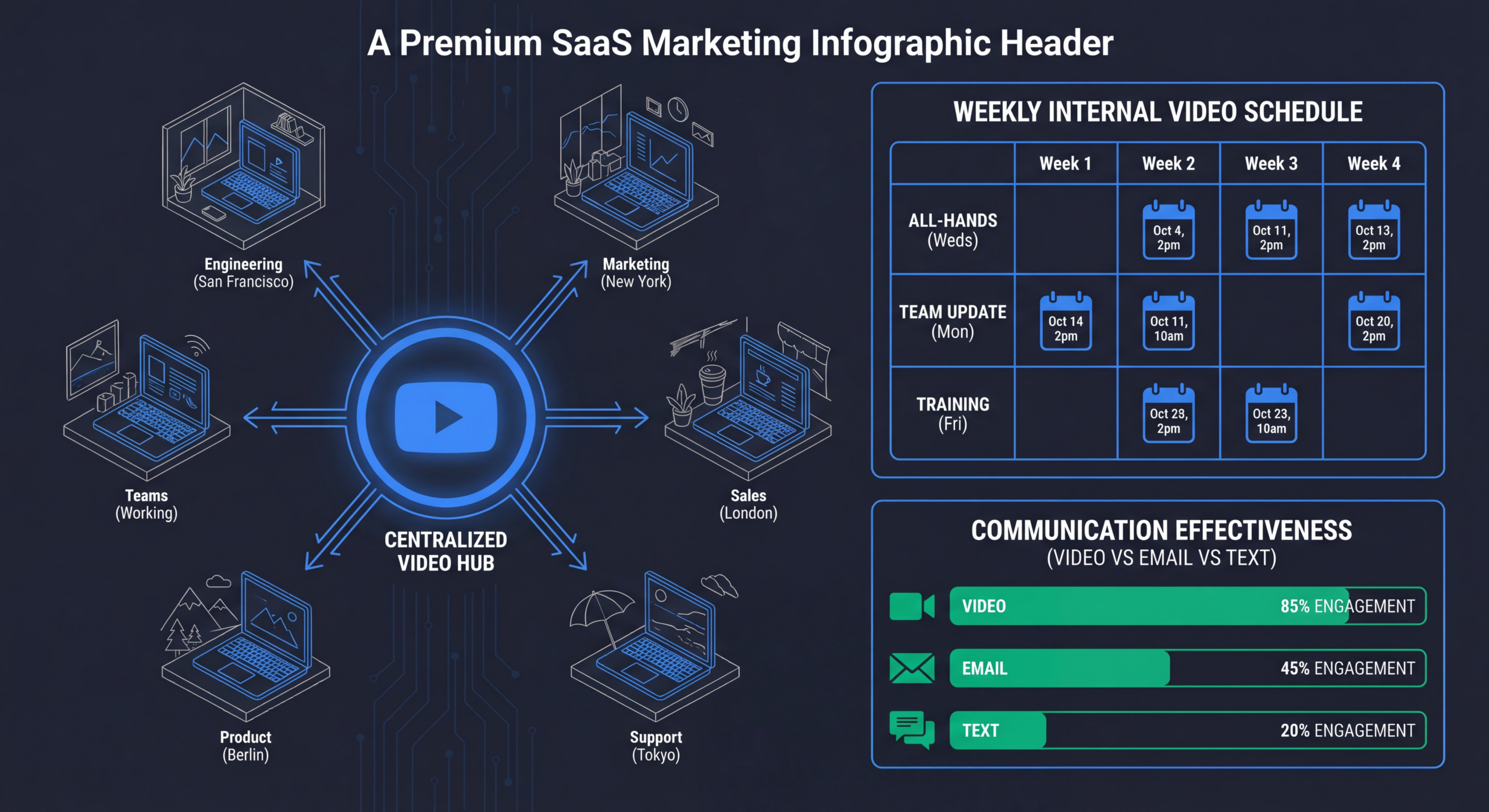
Internal Communications Video for Remote SaaS Teams
Remote and hybrid work created a communication crisis that most SaaS companies are still trying to solve. Slack messages get buried. All-hands meetings have 40% attendance. Important announcements get skimmed. The result: misalignment, confusion, and the slow erosion of company culture.
Video fixes this. A 3-minute video from the CEO is watched by 90% of the team. A product update video is referenced for weeks. A culture video keeps remote employees connected to something bigger than their daily standup.
Table of Contents
Why Video Transforms Internal Comms
The core problem with text-based internal communications is context loss. When the CEO types "we're making some changes to the org structure," employees read that with anxiety, not clarity. When the CEO records a 3-minute video explaining the changes with tone, body language, and genuine care — the same message lands completely differently.
The asynchronous advantage
For globally distributed SaaS teams, synchronous communication is a nightmare. An all-hands at 10am PST is midnight in Singapore. Recorded video lets every team member consume important communications at the right time for them — with the full emotional context intact.
Video vs. text for internal comms
| FACTOR | TEXT (EMAIL/SLACK) | VIDEO |
|---|---|---|
| Emotional context | Easily misinterpreted | Tone, expression, body language preserved |
| Engagement rate | 30–50% open rate | 80–95% watch rate |
| Retention | 10% after 72 hours | 65% after 72 hours |
| Production effort | Low | Low (Loom-style) to Medium (produced) |
| Searchability | Easy to search | Requires transcription for search |
| Accessibility | Inherently accessible | Needs captions and transcripts |
8 Internal Video Types That Work
1. CEO/Leadership Updates
Weekly or bi-weekly updates from leadership on company direction, wins, challenges, and priorities. The single highest-impact internal video type. 3–5 minutes, casual delivery, honest tone.
2. Product Release Announcements
When new features ship, a 2-minute video from the product team explaining what, why, and how it impacts customers. More effective than release notes that nobody reads.
3. All-Hands Recordings
Record every all-hands meeting and distribute the recording with timestamps. For remote-first companies, consider pre-recording the presentation and using the live meeting for Q&A only.
4. Onboarding Videos
A library of onboarding videos covering company overview, team intros, tools setup, processes, and culture. New hires consume at their pace instead of sitting through 8 hours of live presentations on day one.
5. Team Retrospectives
End-of-sprint or end-of-quarter video retrospectives where teams share wins, learnings, and plans. Creates cross-team visibility that Slack channels can't replicate.
6. Process and Policy Videos
When processes change (expense policy, PTO system, security protocols), a video walkthrough gets 5x more engagement than a policy document update.
7. Recognition and Celebrations
Shoutout videos, work anniversary celebrations, and team achievement highlights. These are the cultural glue that keeps remote teams connected.
8. Training and Development
Skill-building content, tool tutorials, and professional development resources. Build an internal learning library that employees can access anytime.
Production Workflow for Internal Video
Internal videos don't need the same production quality as external marketing content. But they do need to be watchable — good audio, decent lighting, and reasonable editing.
The two-tier approach
Tier 1: Quick and casual (Loom-style)
- Recording time: 5–15 minutes
- Post-production: None to minimal
- Tools: Loom, native screen recording
- Use for: Updates, announcements, async communication
- Quality bar: Good audio, presentable appearance, clear message
Tier 2: Produced internal content
- Recording time: 30–60 minutes
- Post-production: 2–4 hours
- Tools: Professional camera or high-quality webcam, editing software
- Use for: Onboarding videos, training content, quarterly updates
- Quality bar: Clean editing, captions, chapter markers, branded intro
Making it sustainable
The biggest risk with internal video is burnout — someone has to create, edit, and distribute content consistently. Solutions:
- Rotate responsibility: Different team leads record updates each week
- Template the format: Consistent structure means less planning per video
- Batch production: Record 4 weekly updates in one session
- Outsource editing: Send raw footage to an editing team for polish
Tools for Internal Video at Scale
| TOOL | BEST FOR | PRICE |
|---|---|---|
| Loom | Quick recordings, async communication, comments | Free–$15/user/mo |
| Vimeo Enterprise | Internal video library, analytics, SSO | Custom pricing |
| Vidyard | Video hosting with analytics, integrations | Free–$59/mo |
| SharePoint/Stream | Microsoft ecosystem, enterprise security | Included with M365 |
| Notion + embedded video | Knowledge base with video tutorials | Free–$10/user/mo |
Distribution and Engagement Strategy
Where to share internal videos
- Dedicated Slack channel: Create a #video-updates channel. Pin important videos.
- Internal wiki/Notion: Embed in relevant pages for long-term reference
- Email digest: Weekly email with links to new internal videos
- Onboarding sequence: Auto-send onboarding videos to new hires on a schedule
Increasing watch rates
- Keep videos under 5 minutes for updates, under 10 for training
- Add timestamps/chapters so people can skip to relevant sections
- Include captions — many people watch at their desk without headphones
- Send a 1-sentence summary with the video link ("TL;DW: We're expanding into APAC")
Need Help Building an Internal Video Program?
Our team helps SaaS companies set up scalable internal video production — from CEO updates to onboarding libraries.
Book a Free Strategy Call See PricingMeasuring Internal Video Impact
Metrics to track
- Watch rate: What percentage of the team watched each video? Target 80%+ for company-wide communications.
- Completion rate: Are people watching the whole thing or dropping off? Consistently low completion signals your videos are too long.
- Engagement: Comments, questions, reactions. Sign of active consumption vs. passive watching.
- Support ticket reduction: For training videos, measure ticket volume for covered topics before and after.
- Onboarding time: Does a video onboarding library reduce time-to-productivity for new hires?
Free: Video Production Workflow Template
Set up your internal video production workflow with our template. Covers recording setup, distribution checklist, and tracking.
Download the TemplateReady to get started? Book a free strategy call View Pricing.
Frequently Asked Questions
What equipment do we need for internal videos?
For Tier 1 (casual): a laptop with Loom and a decent USB microphone ($50-100). For Tier 2 (produced): add good lighting ($100-200), a quality webcam or DSLR, and basic editing software. Total: $200-500.
How often should leadership post video updates?
Weekly for fast-moving startups, bi-weekly for established companies. Consistency matters more than frequency. A reliable bi-weekly video builds more trust than sporadic weekly ones.
Should internal videos be mandatory viewing?
For critical communications (policy changes, security updates, major announcements): yes. For culture content and general updates: no. Forced viewing creates resentment.
How do we handle sensitive topics on video?
Record, review, edit. Never livestream sensitive announcements. Record the video, have leadership review it, edit if needed, and distribute with clear context. This prevents off-the-cuff comments that could be problematic.
Can internal videos be repurposed for external use?
Sometimes. Team retrospective highlights can become social content. Onboarding videos might inform external explainers. But always review for internal-only information before repurposing.

