Teaser Video Examples + Cost (2026)
Key Takeaways
- 5–30 seconds is the proven sweet spot for B2B teaser videos; anything longer dilutes the mystery and loses the audience's hook.
- $300–$8,000 covers most B2B teaser productions; animated UI teasers built from existing screen recordings sit at the low end, original live-action shoots at the high end.
- The single biggest mistake: showing too much. A teaser raises one question—it never answers three.
- All 5 examples below share a structural pattern: emotion and identity before product information.
- Teasers fit inside a broader product launch video sequence—they're the opening chapter, not a standalone deliverable.
TL;DR
A teaser video is a 5–30 second clip that builds anticipation before a product launch, feature release, or campaign. Below: 5 real B2B teaser examples—Apple, Notion, Zendesk, Figma, HubSpot—with breakdowns of what makes each work, plus a transparent 2026 cost guide by production model.
Table of Contents
Most B2B product launches get one shot at first impressions. A well-timed teaser can double the attention a launch receives before a single feature screenshot is shared. Done badly, it's an over-engineered social post nobody watches twice. This guide shows you exactly what separates the two—real examples, production breakdowns, and a straight answer on what it costs to do it right.
What Is a Teaser Video?
A teaser video is a short, deliberately incomplete preview designed to build anticipation for something coming soon. Unlike a product demo video, which shows how something works, a teaser withholds. Its only job is to answer "should I pay attention to this?" without giving away the answer.
In B2B marketing, teaser videos appear in three main contexts:
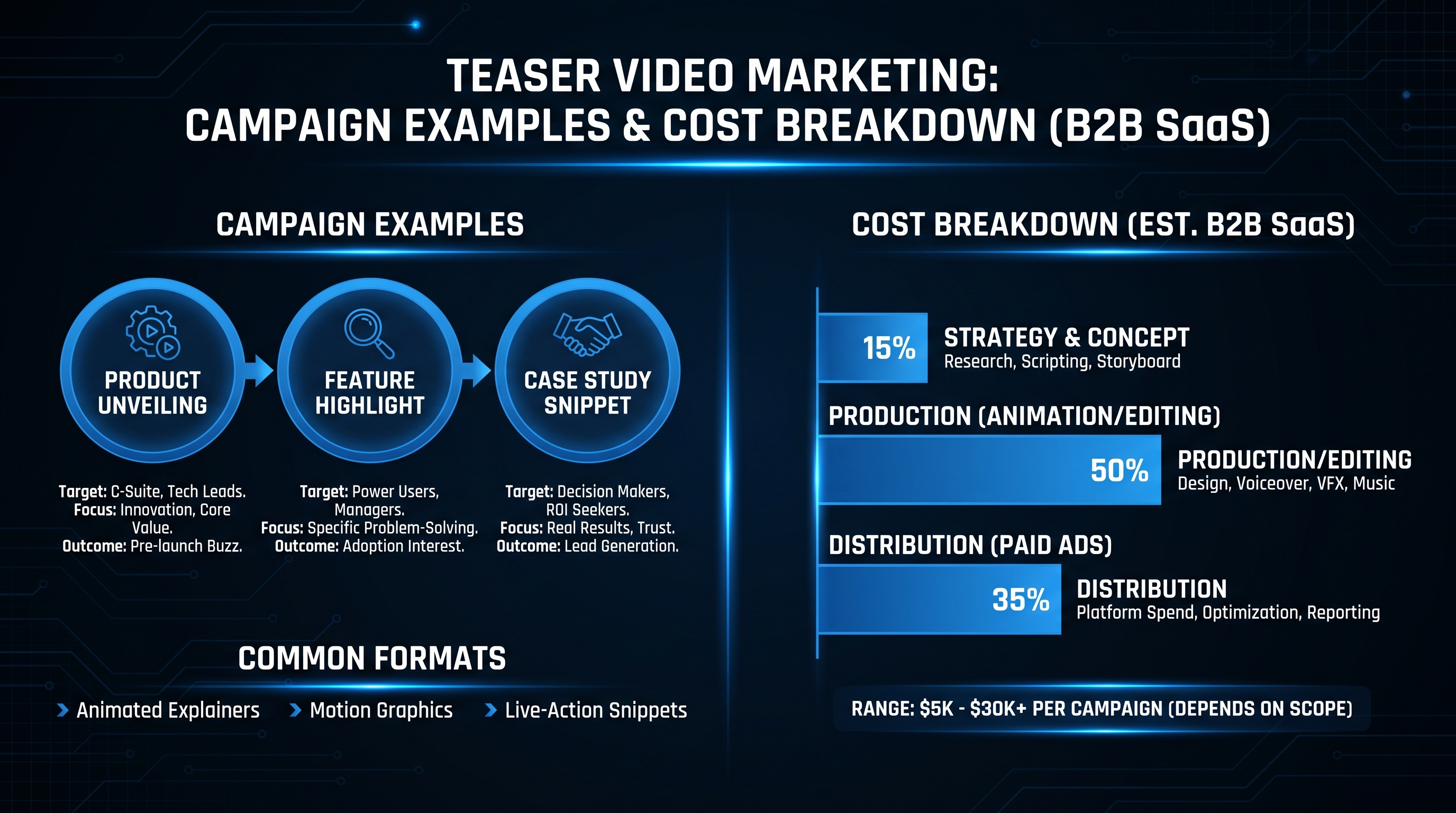
- Product launch teasers: Released 7–21 days before a new product or major feature ships. Designed to warm the audience before the full B2B product launch video goes live.
- Campaign teasers: Used to generate curiosity before an ad campaign, event, or content series launches. Common before annual industry reports, conference keynotes, and brand refreshes.
- Feature teasers: Short clips announcing an upcoming update, shared via LinkedIn, email, or in-product notifications. Often 10–15 seconds, built from existing UI assets.
What makes the format work is constraint. Most run 5–30 seconds. That brevity forces every frame to earn its place—which is why well-produced teasers often outperform longer launch videos on social platforms, where the algorithm rewards completion rate over raw length. According to Wistia's State of Video, short-form videos consistently see the highest completion rates, making the teaser one of the most efficient tools in a launch content toolkit.
5 Teaser Video Examples Worth Studying
Each of these is a verified, publicly available video. The analysis focuses on specific creative decisions you can replicate—not aesthetic praise.
1. Apple — "Introducing Apple Vision Pro" (2023)
What it does right: Apple opens with pure sensory information—light, gesture, spatial depth—before the product appears. The first 30 seconds raise a question ("what am I watching?") without attempting to answer it. For a $3,499 product targeting developer early adopters and enterprise buyers, deliberate ambiguity creates exactly the right prestige signal. Note what's absent: no feature list, no pricing, no comparison. The teaser has exactly one job and executes it without distraction. The discipline here—show the emotional outcome before the product utility—applies at every budget level.
2. Notion — "Introducing the New Notion AI" (2024)
What it does right: Notion leads with the workflow problem ("scattered tools, scattered context") before the product appears. The teaser uses real UI screen recordings overlaid with sparse narration and a strong music track—keeping production costs well below a live-action shoot while maintaining brand clarity. For teams producing SaaS video content on a mid-market budget, this is the most replicable playbook in this list. The ratio of effect to production cost is exceptional: a skilled motion graphics editor with your UI assets and a $100–$200 licensed music track can produce something functionally equivalent for $800–$2,500.
3. Zendesk — "AI Agents: A New Era for Resolutions" (2025)
What it does right: Zendesk uses motion graphics throughout—no live footage, no talent, no location shoot. The visual concept (AI autonomously resolving support tickets) couldn't be filmed literally, so they visualized it as motion graphics that make the abstract concrete. The result is instantly recognizable as Zendesk because the color palette, typography weight, and pacing are brand-consistent. This is instructive: a teaser doesn't need live-action production values to feel polished. Motion-graphics-only teasers like this typically cost $3,000–$10,000 at a boutique agency versus $15,000–$50,000 for equivalent live-action work—a meaningful difference at any stage of video production scale.
4. Figma — "Introducing Figma Make" (2025)
What it does right: Figma structures the reveal around one specific job-to-be-done: turn a design into a working prototype using a plain text prompt. The teaser shows just enough of the interaction to make the viewer want to try it—the "I need that" moment lands before any feature explanation begins. What it omits is as important as what it shows: no pricing, no competitive comparison, no capability list. If your team is launching a feature with one clear, demonstrable outcome, this format—show the thing doing the thing in under 60 seconds—is worth stealing directly.
5. HubSpot — Fall 2024 Product Spotlight
What it does right: HubSpot's product spotlight is a longer launch presentation, but it demonstrates a production strategy worth noting: a single high-quality recording serves as raw material for 4–6 standalone 30-second teasers on LinkedIn, email, and the product blog. The short clips excerpted from a keynote or product presentation often outperform scripted standalone teasers because they carry the energy of a real announcement moment. For teams producing outsourced video, this is a high-efficiency brief: "record the launch call, extract the 5 best moments, polish each one into a 20–30 second teaser." A skilled editing team can turn a single 45-minute recording into 5 distribution-ready teasers in 2–3 business days.
What Makes a Teaser Video Effective?
Looking across these five examples, four patterns appear in every high-performing teaser.
One question, no answer
The best teasers are built around a single open loop. Apple: "What is spatial computing?" Notion: "What if your AI actually understood your context?" Zendesk: "What if AI resolved every support ticket autonomously?" Each raises exactly one question, then exits before answering it. Multiple questions dilute the tension. The audience needs one reason to stay curious—not a list.
Identity before information
All five examples establish brand before product. Music, motion style, color, and typography signal the sender's identity before the product name appears. For B2B brands with existing customer relationships, recognizability in the first 3 seconds is a feature, not an accident. If your brand identity isn't strong enough to carry 5 seconds of pre-reveal, building a consistent visual system is the more valuable investment upstream of any teaser production.
Constraint creates quality
The 5–30 second limit forces every creative decision. There's no room for a slow intro, a feature list, or a hedge. Teaser scripts typically run to one concept expressed in as few words as possible. Teams that struggle with this discipline often benefit from an external production partner—someone who can hold the brief against scope creep and cut what doesn't serve the single open question. See how we structure these engagements on our how it works page.
Designed for context, not just content
A teaser for a LinkedIn announcement needs different pacing than one for a product blog hero section. Silent LinkedIn autoplay requires visual storytelling without audio dependency—every information beat must be readable as text or motion alone. YouTube pre-roll needs the hook before the 5-second skip threshold. Email headers work best as 6–12 second loops. When teams are building a full launch sequence—teaser, announcement video, social cuts—the product launch video playbook covers how to adapt the same core concept across all of these contexts without reshooting.
How Much Does a Teaser Video Cost?
Teaser videos span a wider cost range than most B2B teams expect—from $300 for a motion-graphics cut built from existing assets to $80,000+ for a cinematic original shoot. The key driver is whether you need original live-action footage or can build from UI assets, brand kit, and stock visuals.
Teaser Video Cost by Production Model (2026)
| Production Model | Teaser Length | Typical Cost Range | What You Get |
|---|---|---|---|
| Freelancer (Upwork / Fiverr) | 10–30 sec | $300–$2,000 | Motion graphics or simple animation; no strategy; you supply all assets and brief |
| Boutique studio / small agency | 15–30 sec | $2,000–$8,000 | Creative direction, script, motion graphics, licensed music; no original live-action filming |
| Full-service agency (motion + live-action hybrid) | 15–60 sec | $8,000–$30,000 | Concept through delivery: script, shoot, talent, edit, sound design, deliverables in multiple formats |
| Top-tier brand / commercial agency | 15–60 sec | $20,000–$80,000+ | Cinematic production, original score, multi-location shoot, post-production VFX |
| In-house dedicated team (annualized) | Any length | $90,000–$160,000+/yr | Full team capacity; fastest iteration; no per-project cost; deepest brand knowledge |
Cost estimates reflect US-based production in 2026. International and offshore teams typically reduce costs 40–70%. For the geographic breakdown, see video editing rates by country.
What drives the cost up?
- Original live-action filming: A single-location shoot with a director, DP, lighting, and grip crew typically adds $3,000–$12,000 before any editing work begins. Talent (on-screen presenters, actors) adds another $500–$3,000 depending on usage rights.
- Original music or licensed sound design: Custom composition runs $1,500–$5,000. Curated stock tracks from libraries like Musicbed or Artlist start at $100–$300 per license—adequate for most motion-graphics teasers.
- 3D animation or visual effects: Photorealistic product renders and complex VFX cost $3,000–$15,000 per 30 seconds of finished video. A teaser with original 3D starts at $2,500 even for a simple object render.
- Animated UI from existing screen recordings: The highest-ROI approach for most SaaS teams. A motion graphics editor working from your existing product UI can build a compelling teaser for $500–$2,500 in 5–10 business days—no shoot required.
Teaser cost in the context of a launch budget
For most Series A–C SaaS companies, the teaser is the smallest line item in a launch video budget—not because it matters less, but because it uses fewer assets. A typical allocation looks like this: $3,000–$6,000 for the teaser, $8,000–$20,000 for the full launch video, and $500–$2,000 for social cut-downs across platforms.
Teams working with VEC on a Growth plan ($5,000/mo) or Core plan ($9,500/mo) routinely produce the teaser, launch video, and social cuts within a single month's delivery cadence. For the cost of a single standalone agency project, you get the full launch video suite—plus a team that learns your brand over time rather than starting from scratch on every project. Compare this to the alternatives in our video production pricing models breakdown.
Which Teaser Video Format Should You Use?
The right format depends on two variables: the visual assets you already have and how much time you have before launch. Most B2B SaaS teams have more existing assets than they realize.
Teaser Format Selection Guide
| If You Have | Recommended Format | Typical Cost Range |
|---|---|---|
| Product UI / screen recordings | Animated UI teaser (motion graphics on real screens) | $500–$3,000 |
| Brand kit + style guide | Kinetic typography / brand motion teaser | $1,500–$5,000 |
| Existing event or product footage | Cinematic cut-down teaser (editing only) | $800–$3,000 |
| Early-stage product, no live footage | Abstract motion + text teaser (conceptual) | $1,500–$6,000 |
| Budget for a full production shoot | Live-action teaser with talent + location | $8,000–$30,000+ |
For most SaaS teams, the animated UI teaser offers the best cost-to-impact ratio: existing assets, no shoot day, 5–10 business days to delivery, and it shows your real product. The Notion example above is this format executed well. According to Wyzowl's State of Video Marketing, 89% of marketers report positive ROI from video—and for short-form teaser-style content, the format tends to over-index on that figure because completion rates are higher and distribution costs lower than long-form content.
If you're evaluating the teaser as part of a broader content program—including full launch videos, product demos, and social series—the B2B product launch videos guide covers how to budget and sequence a full launch video program from teaser through post-launch repurposing. Teams running recurring launch cycles (quarterly releases, feature sprints) find the most value in a dedicated editing team over per-project agency work—the brief-to-delivery cycle shortens significantly after the first two or three projects together.
How to Brief a Teaser Video Team
Teaser videos fail most often at the brief stage, not production. A vague brief produces a vague teaser. Here's what an actionable brief includes:
- The one question this teaser must raise. Write it in exactly one sentence. If you can't, the concept isn't sharp enough yet—sharpen it before briefing the team.
- What must NOT appear in the teaser. Feature lists, pricing, UI walkthroughs, and detailed explanations are the common offenders. Define what you're excluding as explicitly as what you're including.
- Platform and format requirements. LinkedIn autoplay (silent, 15 sec)? YouTube pre-roll (audio-on, hook before 5-sec skip)? Email header loop (6–12 sec GIF)? Each context changes every creative decision.
- Assets you can provide. Brand kit files, screen recordings, existing photography, preferred music reference tracks. The more organized your assets, the faster the turnaround.
- Hard launch date and revision rounds. Teaser timelines are tight by design. Two rounds of revisions is standard; three is the outer limit before the brief needs revisiting. Teams working with VEC typically move from approved brief to first delivery in 5–7 business days on most teaser formats.
For teams producing a complete launch video suite—teaser, full launch video, social cut-downs—a dedicated production partner with retained capacity shortens the per-project overhead significantly. The brief stays consistent, the team absorbs your brand over time, and revision cycles shorten with every launch. Review our client case studies to see how SaaS teams have structured this across multi-video launch programs, and compare the full model options—agency, freelance, in-house, or subscription—on the how it works page.
For teams managing video alongside other content programs, the full scope of what a video editing team handles covers what to delegate versus what to manage internally. The video editing cost per minute breakdown also helps when comparing teaser production quotes on a normalized basis—especially when one agency prices by the project and another by time.
Frequently Asked Questions
What is the ideal length for a teaser video?
5–30 seconds. Shorter than 5 seconds rarely establishes enough context to generate curiosity. Longer than 30 seconds risks over-revealing or losing the tension that makes teasers work. Platform-specific: LinkedIn autoplay (silent) works best at 10–15 sec; YouTube pre-roll needs the hook before the 5-second skip; email header loops work at 6–12 seconds.
How early should a teaser go live before the launch?
7–21 days is the standard window for B2B product teasers. Under 7 days doesn't leave enough time to build anticipation or capture signups. Beyond 21 days risks the audience losing interest before the payoff. For major product launches, a 14-day window is the most commonly used interval. See the full timeline structure in our product launch video playbook.
Can you make a teaser from an existing product demo video?
Yes, but it requires deliberate editing rather than a simple trim. A teaser made from a demo typically uses the first 10–15 seconds of the hook, strips all feature explanations, and adds a coming-soon end card. The key edit: remove anything that answers the curiosity you're trying to create. A skilled video editing team can turn a strong demo into a teaser in 1–2 business days when the source material is organized.
What's the most cost-effective teaser format for SaaS?
Animated UI teasers built from screen recordings, your brand kit, and a licensed music track. Cost: $500–$2,500. Timeline: 5–10 business days. This format shows the real product, requires no live-action shoot, and outperforms many $10,000+ productions on click-through rate because it's authentic and specific. For cost component details, see video editing cost per minute.
Should a B2B teaser video show the product?
Partially, yes—but never completely. Show the product at a level of abstraction that confirms it's real without revealing what it fully does. A fast-cut UI montage works; a feature walkthrough does not (that's a demo). The goal is to generate one specific answer: "yes, I want to see the full reveal." Anything that goes beyond that goal belongs in the launch video, not the teaser. See the full launch video sequence options in the B2B product launch videos guide.
Ready to Produce Your Product Teaser?
VEC builds dedicated video editing teams for B2B SaaS companies. Growth ($5K/mo), Core ($9.5K/mo), or Scale ($16K/mo)—with a guarantee: double your video output in 90 days, or month 4 is free.
See Pricing Book a Free Strategy Call