
Video Analytics for B2B: Metrics That Matter
You published a product explainer. It got 5,000 views. Your CEO asks: "Did it work?" And you realize you have no idea. Views mean nothing without context, and most B2B video analytics dashboards show you vanity metrics that look impressive in a slide deck but tell you almost nothing about pipeline impact.
The gap between "we make videos" and "we make videos that drive revenue" is analytics. Specifically, it's knowing which metrics actually correlate with business outcomes for B2B SaaS and which ones just make you feel good. This guide covers the metrics framework that connects your video content to pipeline, revenue, and retention.
Table of Contents
Vanity Metrics vs. Business Metrics
Let's be direct: most video metrics are vanity metrics for B2B companies. They measure activity, not impact. Understanding the difference is the first step toward video analytics that actually inform decisions.
Vanity metrics (track but don't optimize for)
- Total views: A view on YouTube counts at 30 seconds. On LinkedIn, it's 3 seconds. On Facebook, it's 3 seconds with sound off. These are not equivalent actions, and none of them indicate genuine interest in your product.
- Impressions: How many times your video appeared in a feed. Most people scrolled past it. This tells you about distribution, not engagement.
- Total watch time: Without context, this is meaningless. 1,000 hours of watch time sounds impressive until you realize it came from 60,000 people watching 1 minute each of your 10-minute product demo.
- Subscriber/follower growth: Unless your YouTube subscribers are your ICP (unlikely), this is a content metric, not a business metric.
Business metrics (optimize aggressively)
- View-to-lead rate: What percentage of video viewers become identified leads? This is the bridge between content and pipeline.
- Influenced pipeline: How much pipeline value did video-viewing contacts generate? This connects video to revenue.
- Content-to-close ratio: For deals that closed, which videos did the buying committee watch? This tells you which videos actually help close deals.
- Time-to-action: How quickly do video viewers take the next step (book a demo, request pricing, talk to sales)? Faster = more effective content.
The B2B Video Metrics Framework
We use a four-layer framework to organize video analytics from raw engagement data to business impact. Each layer builds on the previous one:
Layer 1: Consumption metrics
These answer: "Did people watch?" Track unique viewers (not total views), average percentage watched, and completion rate. A video with 500 unique viewers who watched 80% is far more valuable than one with 5,000 views at 15% completion.
Layer 2: Engagement metrics
These answer: "Did people care?" Track re-watches (people replaying specific sections), shares, clicks to related content, and comments/questions. Re-watches are particularly valuable - when someone replays your pricing section three times, that's a buying signal.
Layer 3: Conversion metrics
These answer: "Did people act?" Track CTA click-through rate, form fills from video pages, demo requests from video viewers, and lead quality scores for video-sourced leads. This is where most B2B teams stop - but there's one more layer.
Layer 4: Revenue metrics
These answer: "Did video drive money?" Track influenced pipeline (deals where contacts watched video), video-assisted closed-won revenue, average deal size for video-influenced deals vs. non-video deals, and sales cycle length comparison. This layer requires CRM integration and is where the real insights live.
| LAYER | KEY METRICS | TOOLS NEEDED | REPORTING FREQUENCY |
|---|---|---|---|
| Consumption | Unique viewers, avg % watched, completion rate | Video platform (Wistia, Vidyard, YouTube) | Weekly |
| Engagement | Re-watches, shares, clicks, comments | Video platform + social analytics | Weekly |
| Conversion | CTR, form fills, demo requests, lead scores | MAP (HubSpot, Marketo) + video platform | Bi-weekly |
| Revenue | Influenced pipeline, closed-won, deal size, cycle length | CRM (Salesforce, HubSpot) + video platform | Monthly / Quarterly |
Engagement Metrics That Predict Pipeline
Not all engagement metrics are created equal. Through analysis of hundreds of B2B video campaigns, certain engagement patterns consistently predict pipeline creation. Here's what to look for:
Attention heatmaps
Video platforms like Wistia and Vidyard provide attention heatmaps showing exactly which parts of your video people watch, skip, and rewatch. For B2B, the patterns that matter are:
- Pricing section rewatches: When viewers replay the part where you discuss pricing, ROI, or cost - they're evaluating budget fit. Flag these viewers for sales follow-up.
- Feature deep-dive engagement: Viewers who watch technical feature sections at 1x speed (not skipping) are evaluating capability fit. They're comparing you to competitors.
- Integration/security section views: Enterprise buyers focus on these sections. High engagement here indicates a buyer in late-stage evaluation.
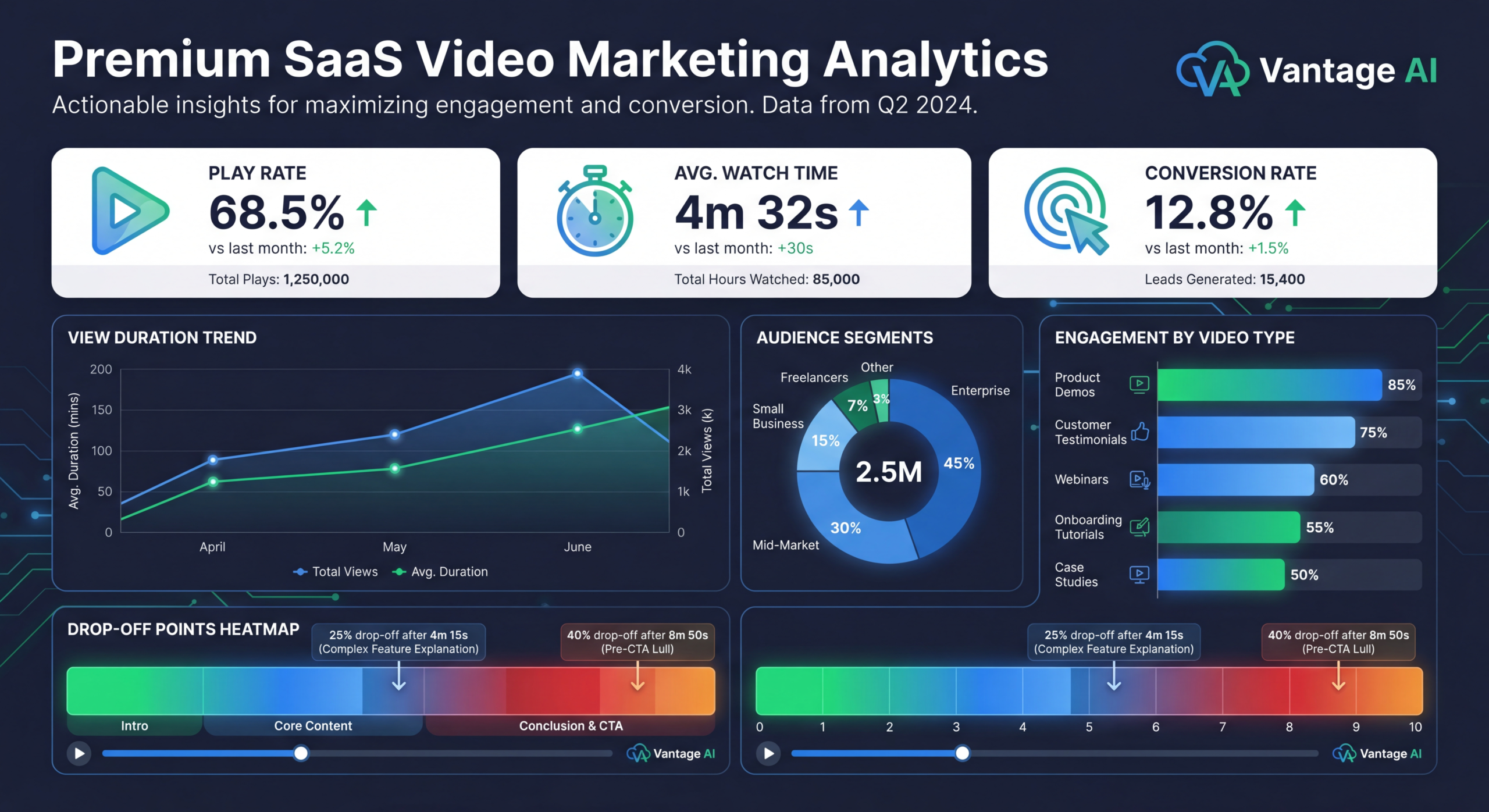
- Drop-off patterns: Where people stop watching tells you where your content loses relevance. If 60% drop off at the 3-minute mark of your 8-minute demo, your first 3 minutes aren't connecting to the right pain points.
Engagement scoring
Assign point values to different video engagement actions and integrate with your lead scoring model:
| ACTION | SCORE | SIGNAL |
|---|---|---|
| Watched >75% of product demo | +15 points | High interest in capabilities |
| Rewatched pricing section | +20 points | Budget evaluation stage |
| Watched case study video | +10 points | Social proof seeking |
| Shared video internally | +25 points | Building internal consensus |
| Watched 3+ videos in one session | +30 points | Active evaluation |
| Returned to watch more videos later | +20 points | Sustained interest |
| Clicked CTA after video | +35 points | Ready for next step |
Multi-video journey analysis
Individual video metrics are useful, but the real insight comes from analyzing viewing sequences. Which videos do eventual customers watch, and in what order?
Common B2B buying journeys through video:
- Discovery path: Thought leadership video ? Explainer ? Product overview ? Demo request (5-10% conversion)
- Evaluation path: Competitor comparison ? Case study ? Deep product demo ? Pricing page (15-25% conversion)
- Champion path: Executive summary ? ROI video ? Internal presentation deck ? Procurement contact (20-35% conversion)
Understanding these paths lets you create video content specifically designed to move buyers from one stage to the next, and to identify which path a given prospect is on so sales can tailor their approach.
Video Attribution Models
Attribution is the hardest part of B2B video analytics. The buying committee has 6-10 people, the sales cycle is 3-9 months, and a single deal might involve 20+ content touchpoints across video, blog, email, and events. Here's how to approach it realistically:
First-touch attribution
Credits the first video a prospect watched with full pipeline credit. This overvalues awareness content and undervalues conversion content. Use it to understand which videos are best at generating new leads - but don't use it alone to measure video ROI.
Last-touch attribution
Credits the last video watched before a conversion event (demo request, opportunity creation). This overvalues bottom-of-funnel content and undervalues the awareness and consideration videos that brought the prospect there. Useful for understanding which videos trigger action, but incomplete.
Multi-touch attribution (recommended)
Distributes credit across all video touchpoints in the buyer journey. There are several models:
- Linear: Equal credit to every video touchpoint. Simple but doesn't reflect the reality that some touchpoints matter more than others.
- Time-decay: More credit to recent touchpoints. Better for long sales cycles where recent interactions are more influential.
- Position-based (U-shaped): 40% credit to first touch, 40% to last touch, 20% distributed among middle touchpoints. Best for most B2B scenarios because it values both discovery and conversion.
- Data-driven: Uses machine learning to assign credit based on actual conversion patterns. Requires significant data volume (500+ conversions) to be statistically valid.
Account-level attribution
For B2B SaaS with account-based selling, individual contact attribution isn't enough. You need to track video consumption at the account level: which accounts are watching your videos, how many people from each account are watching, and what's the total video engagement across the buying committee?
Tools like 6sense, Demandbase, and Bombora can help correlate video engagement data with account-level intent signals for a complete picture. Integrate your video platform (Wistia, Vidyard) with your ABM platform to see which target accounts are consuming your video content and at what intensity.
Platform-Specific Analytics
Each video platform measures differently. Here's what to focus on where:
YouTube analytics for B2B
YouTube is primarily an awareness and SEO channel for B2B. The metrics that matter:
- Traffic sources: How people find your videos (search, suggested, external). High search traffic indicates your video SEO strategy is working.
- Audience retention curve: The graph showing when people stop watching. Spikes indicate compelling sections; valleys indicate content that needs improvement.
- Click-through rate on end screens: This measures your ability to keep viewers in your ecosystem and move them toward conversion content.
- External traffic driven: Use UTM parameters in video descriptions and pinned comments to track website visits from YouTube. This is the metric that connects YouTube to your pipeline.
LinkedIn video analytics
LinkedIn is where your B2B audience actually lives. Focus on:
- Viewer demographics: Job titles, company sizes, and industries of your video viewers. This tells you if you're reaching your ICP.
- Engagement rate: (reactions + comments + shares + clicks) / impressions. B2B benchmark is 2-4%.
- Dwell time: How long people stay on your video post vs. scrolling past. LinkedIn doesn't report this directly, but high completion rates (10-second+ views / total views) are the proxy.
- Profile views after video posts: A spike in profile views after posting video means people are interested enough to research your company. Track this correlation.
Wistia / Vidyard (hosted video)
Business video platforms provide the deepest B2B analytics:
- Viewer identity: When integrated with your MAP, you can see exactly which contacts watched which videos, for how long, and how many times.
- Heatmaps: Second-by-second engagement data showing rewatches, skips, and drop-offs.
- CTA conversion: In-video and post-play CTAs with click-through data tied to specific viewer segments.
- Integration data: Behavioral data pushed to HubSpot, Salesforce, Marketo for lead scoring and sales follow-up.
Building Your Video Dashboard
An effective B2B video dashboard has three views: operational (weekly), strategic (monthly), and executive (quarterly). Here's what goes in each:
Weekly operational dashboard
This is for the content and demand gen team. It tracks production velocity and immediate performance:
- Videos published this week
- Total unique viewers across platforms
- Average completion rate by video type
- Top-performing video (by engagement rate)
- Worst-performing video (investigate why)
- CTA click-through rates
- New video-sourced leads
Monthly strategic dashboard
This is for marketing leadership. It tracks trends and funnel impact:
- Month-over-month viewer growth by channel
- Lead quality from video sources vs. other sources
- Video-influenced pipeline created
- Top video paths (viewing sequences that lead to conversion)
- Content gap analysis (funnel stages with low video coverage)
- A/B test results and optimization opportunities
Quarterly executive dashboard
This is for the C-suite. It connects video to business outcomes:
- Total video-influenced revenue
- Video ROI (production cost vs. influenced revenue)
- Sales cycle impact (video-influenced deals close faster?)
- Deal size impact (video-influenced deals larger?)
- Customer retention impact (onboarding video correlation with churn)
- Competitive positioning (share of voice in video)
B2B Video Benchmarks by Type
Context matters. A 40% completion rate is terrible for a 60-second social clip but excellent for a 30-minute webinar. Here are benchmarks segmented by video type, so you know what "good" actually looks like:
| VIDEO TYPE | AVG LENGTH | COMPLETION RATE | CTR | LEAD CONVERSION |
|---|---|---|---|---|
| Explainer video | 60-90 sec | 65-75% | 3-7% | 1-3% |
| Product demo | 5-15 min | 40-55% | 8-15% | 5-12% |
| Customer testimonial | 2-4 min | 50-65% | 4-8% | 2-5% |
| Webinar (live) | 45-60 min | 35-45% | 5-10% | 15-30% |
| Thought leadership | 3-8 min | 45-60% | 2-5% | 0.5-2% |
| Social clip (LinkedIn) | 30-60 sec | 30-45% | 1-3% | 0.1-0.5% |
| Onboarding tutorial | 3-10 min | 55-70% | 10-20% | N/A (existing customers) |
| Case study | 3-6 min | 50-60% | 5-10% | 3-8% |
Reporting to Leadership
The biggest mistake B2B video teams make is reporting content metrics to executives who care about business metrics. Here's how to translate your video analytics into language that resonates with leadership:
Frame everything in pipeline and revenue terms
Instead of: "Our explainer video got 10,000 views this month."
Say: "Our explainer video was viewed by 342 ICP-matching accounts this month, 47 of which progressed to demo stage - representing $2.1M in influenced pipeline."
Show the comparison
Leadership wants to know: "Is video better than our other marketing investments?" Show comparative metrics:
- Video-influenced deals vs. non-video deals (close rate, deal size, cycle length)
- Cost per video-sourced lead vs. cost per paid-media lead vs. cost per event lead
- Video content ROI vs. written content ROI vs. paid advertising ROI
Tie to strategic initiatives
Connect video metrics to the company's strategic priorities. If the company is focused on moving upmarket, show how video case studies featuring enterprise customers are generating enterprise pipeline. If the priority is reducing churn, show how onboarding video engagement correlates with 90-day retention.
The "so what" test
Every metric you present should pass the "so what" test. If you say "completion rate increased 12%" and leadership responds "so what?", you haven't connected the metric to a business outcome. Instead: "Completion rate increased 12%, which correlated with a 23% increase in demo requests from video viewers - adding $850K to pipeline."
Need Help With Your Video Strategy?
Our team helps B2B SaaS companies produce videos that drive measurable pipeline. Let's talk about your metrics.
Book a Free Strategy Call See PricingReady to get started? Book a free strategy call View Pricing.
Frequently Asked Questions
What's the most important video metric for B2B SaaS?
Influenced pipeline - the total dollar value of deals where buying committee members consumed your video content. This directly connects video investment to revenue potential and is the metric that justifies continued video production budget.
How do I track video viewers in my CRM?
Use a business video platform (Wistia, Vidyard, or Loom for Business) that integrates with your CRM. These platforms identify known contacts via email and cookie matching, then push viewing data as activities or custom fields in Salesforce/HubSpot. Unknown viewers can be identified when they later fill out a form on your site.
What video analytics tool is best for B2B?
For most B2B SaaS teams, Wistia (for website-hosted video) + YouTube Analytics (for SEO/awareness) + your MAP's built-in analytics (for email video) covers 90% of needs. Enterprise teams should add Vidyard for sales video tracking and 6sense or Demandbase for account-level intent data.
How long before I have enough data to make decisions?
You need 3-6 months of consistent video production and tracking to establish reliable baselines. For individual video A/B tests, aim for at least 200 viewers per variation. For attribution models, you need 100+ conversion events to identify meaningful patterns. Start tracking from day one, but don't over-optimize until you have sufficient data.
Should I track different metrics for different video types?
Absolutely. An awareness video (YouTube thought leadership) should be measured on reach, completion rate, and new visitor generation. A conversion video (product demo) should be measured on CTA clicks, demo requests, and lead quality. An enablement video (sales deck walkthrough) should be measured on sales usage rate and deal influence. Each type has a different job and should be measured accordingly.
SaaS Video Swipe File
50+ examples of high-performing SaaS videos with performance metrics and analysis. See what good looks like across every video type.
Download Free
