Motion Graphics vs Live Action: When to Use
Table of Contents
The Short Answer
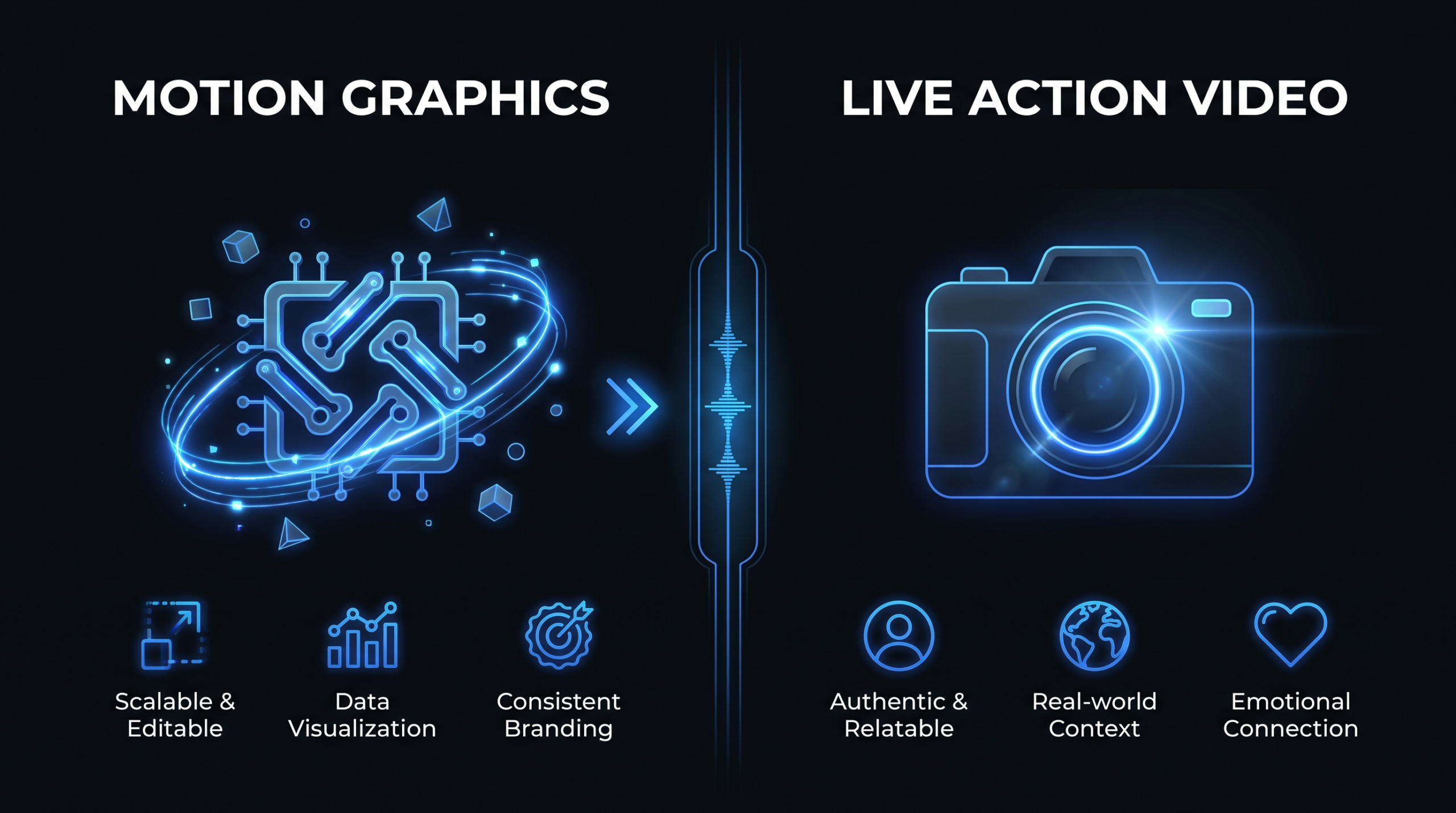
Motion graphics is the better choice for software demos, abstract concepts, data storytelling, and product walkthroughs — anywhere you need to show what can't be filmed. Live action wins when you need human emotion, customer testimonials, executive credibility, and the kind of trust that only a real human face can build. The right format depends on your goal, funnel stage, and content shelf life — and most SaaS companies need both, with deliberate allocation rather than a default choice.
This guide breaks down the use cases, costs, and decision rules for motion graphics vs live action so you can make the right format call for every project in your content calendar.
TL;DR — Quick Decision Guide
- Choose motion graphics when: explaining abstract software features, visualizing data, creating always-on evergreen content, localizing to multiple markets, or working with a product that doesn't photograph well.
- Choose live action when: humanizing your brand, capturing customer testimonials, featuring real executives, or closing enterprise deals where trust is the conversion lever.
- Choose hybrid when: demonstrating software running on a real device, overlaying data visualizations on an interview, or producing a product launch video that needs both storytelling and feature demos.
- Budget note: Motion graphics typically costs more upfront per minute but has dramatically lower update and localization costs — total cost of ownership over 18 months often favors motion graphics for SaaS.
What Are Motion Graphics?
Motion graphics are animated visual elements — moving text, icons, infographics, illustrations, UI screencasts, and data visualizations — designed to explain, inform, or engage without using live-filmed footage. They span 2D (flat animation, kinetic typography), 3D (product renders, simulated environments), and screen recordings enhanced with animated callouts and transitions.
The Spectrum of Motion Graphics Styles
The category covers a wide range of production styles, each with different cost and complexity profiles:
- Kinetic typography: Text that moves, scales, and transitions to emphasize key messages. Fast to produce, low cost, effective for social and ad formats.
- Icon and illustration animation: Simple 2D animations built from custom or library iconography. The dominant style for SaaS explainer videos.
- UI and screen recording animation: Actual software screen captures enhanced with zooms, animated callouts, and transition effects. High fidelity for product demos and feature walkthroughs.
- Data visualization animation: Charts, graphs, and dashboards that animate to tell a statistical story. Essential for ROI, impact, and market data content.
- 3D motion graphics: Three-dimensional product renders, environmental animations, or abstract visualizations. Highest production cost, premium results for major campaigns.
Motion graphics is the backbone of SaaS video marketing. When your product is software — something you can't hand to a viewer or photograph in a lifestyle setting — motion graphics lets you show the experience without the limitations of a raw screen recording alone.
Where Motion Graphics Excels in SaaS
For SaaS video production, motion graphics solves the core challenge: software is invisible unless you make it visible. Animated UI walkthroughs can show the ideal user journey without the noise of a real session. Data callouts can emphasize what matters without the viewer parsing a cluttered dashboard. Abstract concepts like "AI-powered automation" or "real-time collaboration" become tangible when animated rather than described.
What Is Live Action Video?
Live action is any video content filmed with a camera — real people, real environments, real moments captured at a point in time. It includes talking-head interviews, customer testimonials, event coverage, behind-the-scenes footage, executive presentations, and fully scripted brand films with actors or real employees.
What Makes Live Action Irreplaceable
Live action communicates one thing motion graphics cannot: human authenticity. Viewers are wired to process faces, body language, and voice tonality as trust signals. A satisfied customer saying "this tool saved our team 10 hours a week" on camera carries more weight than the same sentence animated — because viewers understand a real person made a deliberate choice to say it publicly.
For B2B SaaS specifically, live action is most powerful at the bottom of the funnel, where trust determines purchase decisions. Executive thought leadership videos, customer success stories, and founder narratives all rely on the credibility that only a real human face delivers. No animation substitutes for it.
The Limitations of Live Action
Live action has a shelf life problem. The moment your product UI changes, your office moves, or your key spokesperson leaves the company, footage featuring those elements is outdated. Motion graphics, by contrast, can be updated at the asset level without a reshoot — you change the animation, not the whole video. This structural difference in update cost has significant budget implications over 18–24 months.
Live action also struggles with abstraction. Showing "how your API processes requests" or "what happens when your ML model runs" is nearly impossible in live action without resorting to someone talking in front of a whiteboard — which is not the same as showing the process happening. That gap is precisely what motion graphics fills.
Head-to-Head Comparison
Before going deeper into use cases, here's a side-by-side view across every dimension that matters for SaaS content teams:
Motion Graphics vs Live Action: Full Comparison
| Factor | Motion Graphics | Live Action |
|---|---|---|
| Best for | Concepts, data, software demos, explainers | Testimonials, brand stories, executive video, events |
| Trust signal | Moderate — shows capability clearly | High — human faces build emotional trust |
| Production timeline | 3–6 weeks (no location/talent logistics) | 1–4 weeks for interviews; longer for scripted production |
| Update cost | Low — update individual assets, re-render | High — typically requires a full or partial reshoot |
| Localization | Easier — swap voiceover and on-screen text | Harder — dubbed footage sounds off; re-shooting is expensive |
| Funnel fit | TOFU (awareness), MOFU (consideration) | BOFU (decision) — testimonials, demos, enterprise trust content |
| Content shelf life | Long — updatable at the asset level | Shorter — faces and environments date quickly |
| Engagement style | Intellectual — explains and informs | Emotional — connects and drives action |
| Abstraction capability | Very high — can visualize invisible processes | Low — limited to what exists physically |
| Brand consistency | Very high — every pixel is controlled | Variable — depends on production quality control |
When Motion Graphics Win
Motion graphics is the dominant format for SaaS content because most SaaS use cases align with its structural strengths. Here are the specific scenarios where motion graphics consistently outperforms live action:
1. Product Demos and Feature Walkthroughs
Showing software features in live action typically means filming a screen recording — which rarely looks polished and dates quickly as the UI evolves. Motion graphics lets you design the ideal product experience: the right screen states, smooth transitions, and instructive callouts positioned exactly where viewers need them. The result teaches faster and lands harder than watching someone navigate the product in real time.
This is why nearly every SaaS homepage video is motion-graphics-led. Companies building tools for collaboration, analytics, or workflow automation use animated product demos to show their interfaces at their best. When the product redesigns its navigation or changes a feature, the team updates the animation rather than reshooting the entire video.
2. Explaining Abstract or Technical Concepts
If your product's core value involves a technical process — machine learning inference, API architecture, real-time data synchronization, compliance workflows, or multi-system integrations — motion graphics is the only format that can actually show it rather than describe it. You can animate data flowing through a pipeline, illustrate how a model processes inputs, or visualize a workflow that executes in milliseconds. Live action would require someone talking in front of a whiteboard. Motion graphics shows the thing happening.
3. Data-Driven and Research-Led Content
Animated charts, live-updating dashboards, and statistical callouts are natural in motion graphics. Thought leadership content built on benchmarks, research findings, or trend data — the kind of evidence-backed storytelling that earns citation by AI Overviews and search engines — lands with more authority when numbers animate on screen than when a talking head reads them aloud. The Wyzowl State of Video Marketing report is itself a masterclass in this format.
4. Long-Shelf-Life Evergreen Content
Any video you plan to run in paid ads for 12–18+ months benefits from being motion-graphics-led. When a face-forward live action ad stops performing, you often can't isolate whether it's the message or the human that caused the decline. With motion graphics, you can A/B test messaging, visuals, and hooks independently. It's also straightforward to update when pricing, features, or market positioning changes — without a reshoot.
5. Multi-Market Localization
Localizing motion graphics is structurally simple: re-record the voiceover in each target language and swap text-on-screen assets. Localizing live action requires either dubbing (which sounds artificial and breaks lip sync) or re-shooting with local talent (which can cost as much as the original production). For any SaaS company expanding into multiple markets simultaneously, motion graphics has a compelling cost advantage at scale.
6. High Production Value on a Constrained Budget
A well-produced 90-second motion graphics explainer can look more polished than a live action video at the same budget — because the entire investment goes into design and animation quality rather than studio rental, talent fees, location coordination, and camera crew. For early-stage companies that need to look like a category leader before they have enterprise-scale resources, motion graphics is the format that punches above its weight.
When Live Action Wins
Live action isn't a legacy format — it remains irreplaceable for a specific and important set of use cases. Choosing motion graphics for these will consistently underperform:
1. Customer Testimonials and Case Studies
There is no motion graphics substitute for a real customer on camera saying "we doubled our qualified pipeline in 90 days." Animated text versions of testimonials exist but don't carry the same credibility — viewers understand they weren't earned the same way. For BOFU content designed to convert buyers comparing you against two or three alternatives, customer-on-camera is consistently the highest-performing format.
See how VEC structures testimonial and case study video programs for SaaS clients in our case studies.
2. Founder and Executive Thought Leadership
Executive video builds the kind of personal authority that drives LinkedIn virality, conference speaking opportunities, and earned media reach. When your CEO explains a position on industry dynamics or your CTO walks through a technical vision, the video lands because a real person with real credentials and real skin in the game is speaking. No animation replicates that source credibility.
3. Brand Culture and Team Videos
"Who are we as a company" content — office culture, hiring videos, team introductions, value demonstration — requires real humans in real environments. Prospective employees and enterprise procurement teams want to see the actual people they'll be working with. Animated stand-ins communicate the opposite of the intended message: that you have something to hide about your actual team.
4. Event Coverage, Panels, and Live Moments
Conference sessions, webinar recordings, panel discussions, product launch events, and live Q&As are captured in the moment. The format is live action by definition. The best approach is to use motion graphics in post-production to add lower thirds, data overlays, sponsor bumpers, and highlight reels — layering motion graphics intelligence onto live action source material.
5. High-Stakes Late-Funnel Sales Content
Late-stage enterprise sales content — demos tailored to specific accounts, security and compliance proof videos, executive-to-executive relationship building — benefits from human presence. When a VP of Sales records a personalized video for a target account approaching $200K ARR, motion graphics adds nothing. The human connection is the entire point, and the polish of an animation would feel cold.
Cost Comparison: Motion Graphics vs Live Action
Costs vary significantly based on quality tier, vendor location, and project complexity. The ranges below reflect hedged agency market rates — not precise quotes, which depend heavily on your specific brief and the agency's location and team structure.
For a deeper breakdown of how animation and live action costs compare across video types, see our dedicated post on animation vs live action cost.
Typical Production Cost Ranges by Format and Video Type
| Video Type | Motion Graphics | Live Action | Notes |
|---|---|---|---|
| 60-second explainer | $3,000–$12,000 | $4,000–$20,000+ | MG wins on cost and shelf life |
| Product feature demo (2–3 min) | $4,000–$15,000 | $6,000–$25,000 | MG wins — live action dates faster |
| Customer testimonial (90 sec–2 min) | Not applicable | $2,500–$8,000 | Live action only — no MG substitute |
| Brand/culture video (2–3 min) | $5,000–$18,000 | $5,000–$30,000 | Live action preferred; hybrid common |
| Data-driven thought leadership | $3,000–$10,000 | $3,000–$12,000 | MG delivers more impact per dollar |
| Update/revision cost (asset-level) | $500–$3,000 | $3,000–$15,000+ (reshoot) | MG wins decisively on update cost |
| Localization per language | $500–$2,000 | $2,000–$8,000 | MG wins — voice swap + text assets only |
The key insight: live action's upfront cost can look competitive, but factor in reshoot costs, localization fees, and the shorter shelf life of footage featuring real people in real environments, and motion graphics often wins on total cost of ownership over 18–24 months. For teams producing 8+ videos per month, the economics shift further.
Explore VEC's dedicated team plans — Growth at $5K/month, Core at $9.5K/month, and Scale at $16K/month — to see how a dedicated motion graphics and editing team compares to sourcing both formats through separate per-project agencies.
For a granular breakdown of per-minute editing costs across different formats, see our analysis of explainer video costs.
The Hybrid Approach: Best of Both
Most high-performing SaaS video programs don't choose one format — they use both, strategically matched to the job each video needs to do. The hybrid approach means either combining live action footage with motion graphics in the same video, or allocating different content types to different formats across the same content program.
Common Hybrid Production Patterns
The Interview + Overlay
A customer or executive speaks on camera while motion graphics callouts, data visualizations, and animated supporting evidence appear alongside or overlaid on the footage. This format combines live action's trust signal with motion graphics' explanatory power. It's the dominant pattern for case study videos and thought leadership content at companies with mature video programs — the human anchors the credibility while the animation does the explaining.
The Live Action Frame with Motion Interior
A product launch video might open and close with live action footage — human energy, executive statements, brand atmosphere — while the product feature sections in the middle are pure motion graphics demos. This structure gives you emotional storytelling bookends around a technically precise demonstration that no live action footage could match for product fidelity.
The Content Program Split
Rather than mixing formats within individual videos, many teams split by use case and funnel stage: motion graphics for awareness and consideration (explainers, feature videos, paid ad creative), live action for conversion and retention (testimonials, executive video, onboarding demos). Each format does its best work without compromise.
When Hybrid Production Makes Sense
Hybrid video production is more complex and typically costs 20–40% more than a single-format approach at the same quality level. It makes sense when: your content needs to both explain a technical product AND build human trust in the same asset; you're producing a flagship hero video for a major launch; or your team already has live action footage in the can and you're adding motion graphics in post.
For a systematic look at how to outsource multi-format video production without sacrificing quality control, see our guide to outsourcing video editing.
Decision Framework: Four Questions to Pick the Right Format
Use this framework before briefing any new video project. Answer the four questions in order — the answers converge on the right format choice.
Question 1: Is the core value visual without a human face?
If the primary thing your video needs to communicate is a software interface, a data insight, a process flow, or an abstract concept — and that value doesn't require a real person to land — motion graphics is your format. If the core value IS a real person (a customer's verified result, a founder's vision, a team's culture), live action is required. No amount of animation substitutes for the authenticity a face delivers.
Question 2: Where in the funnel will this live?
Awareness content (paid ads, social, blog embeds) works well as motion graphics. Consideration content (feature comparisons, product demos, how-it-works explainers) is typically motion graphics. Conversion content (testimonials, pricing-page video, sales enablement for late-stage deals) usually requires live action to build the trust that closes the gap between interest and commitment.
Question 3: What is the expected shelf life?
If you're producing a video that should remain relevant for 18+ months — a product explainer, an evergreen education piece, a positioning manifesto — motion graphics is the safer format because it's updatable without a reshoot. If you're producing a moment-in-time video (conference recap, team announcement, product launch event), live action is appropriate because the short intended shelf life doesn't create an update cost problem.
Question 4: What's your localization plan?
If the video will be adapted for markets outside your primary language, motion graphics reduces localization cost by roughly 60–80% compared to live action. If it's a single-market piece with no localization planned, both formats are viable and the decision reduces to use case and budget.
The best video programs don't pick a format religion. They match the format to the job — motion graphics to explain, live action to trust-build, and hybrid when both jobs need to happen in one asset.
For teams scaling video output and needing both motion graphics and live action consistently, the VEC dedicated team model gives you specialists in both formats under a single retainer — so the format decision is never constrained by who you have access to that month. Teams report doubling video output within 90 days of onboarding, or month four is free.
For a broader look at how to structure a SaaS video strategy that uses both formats at scale, see our guide on product demo video production for SaaS.
Frequently Asked Questions
Is motion graphics cheaper than live action?
Not always upfront — a complex motion graphics explainer can cost more than a simple interview-style live action piece. The real cost advantage of motion graphics appears over time: updates cost a fraction of a reshoot, localization runs 60–80% cheaper per language, and shelf life is typically longer because you can update assets without refilming. For SaaS teams planning content 12–18 months out, motion graphics usually wins on total cost of ownership even if the initial invoice is higher.
Can motion graphics replace live action in a product demo?
Yes, for most SaaS products — and the motion graphics version often outperforms live action for demos. Animated UI walkthroughs show the ideal product state, eliminate screen recording noise, and can be updated when the UI changes without a reshoot. The exception: if your product's value is specifically in the real-time feel of using it (e.g., a live collaboration tool), a hybrid of screen recording with animated callouts and overlays tends to work best.
When should I use live action for a B2B SaaS video?
Use live action for any content where the source's credibility is the point: customer testimonials, executive thought leadership, team and culture videos, and sales enablement content for late-stage enterprise prospects. Live action at the bottom of the funnel — where trust is the conversion lever — consistently outperforms motion graphics for driving purchase decisions in B2B, regardless of how well-produced the motion graphics alternative is.
How long does a motion graphics video take to produce vs live action?
A 60–90 second motion graphics explainer typically takes 3–6 weeks from brief to final delivery: concept, scriptwriting, storyboard approval, animation, voiceover, and revision rounds. A comparable live action piece can be faster (1–3 weeks if shot in a single day) but depends heavily on talent scheduling, location, and logistics. Complex scripted live action with multiple locations or professional actors can take 6–10 weeks. For most SaaS teams, motion graphics has more predictable timelines because there are no external logistics variables.
What ratio of motion graphics to live action should a SaaS company target?
There's no universal answer, but a common pattern for Series A–C SaaS companies is roughly 70% motion graphics (feature explainers, paid ad creative, product content, social clips) to 30% live action (customer stories, executive video, culture and hiring content). This ratio typically shifts toward more live action as companies scale into enterprise sales cycles that require deeper trust content. See how VEC structures multi-format programs on our pricing page.
Not Sure Which Format Your Next Video Needs?
VEC's dedicated video teams produce both motion graphics and live action — and we'll help you match the right format to every project in your content calendar. Plans start at $5K/month with a 90-day output guarantee: double your video output or month four is free.
Book a Free Strategy Call See Pricing PlansComparing formats on cost? See the full per-minute pricing breakdown: 2D animation vs motion graphics cost — freelancer, agency, and in-house rates for 60-second videos side by side.