
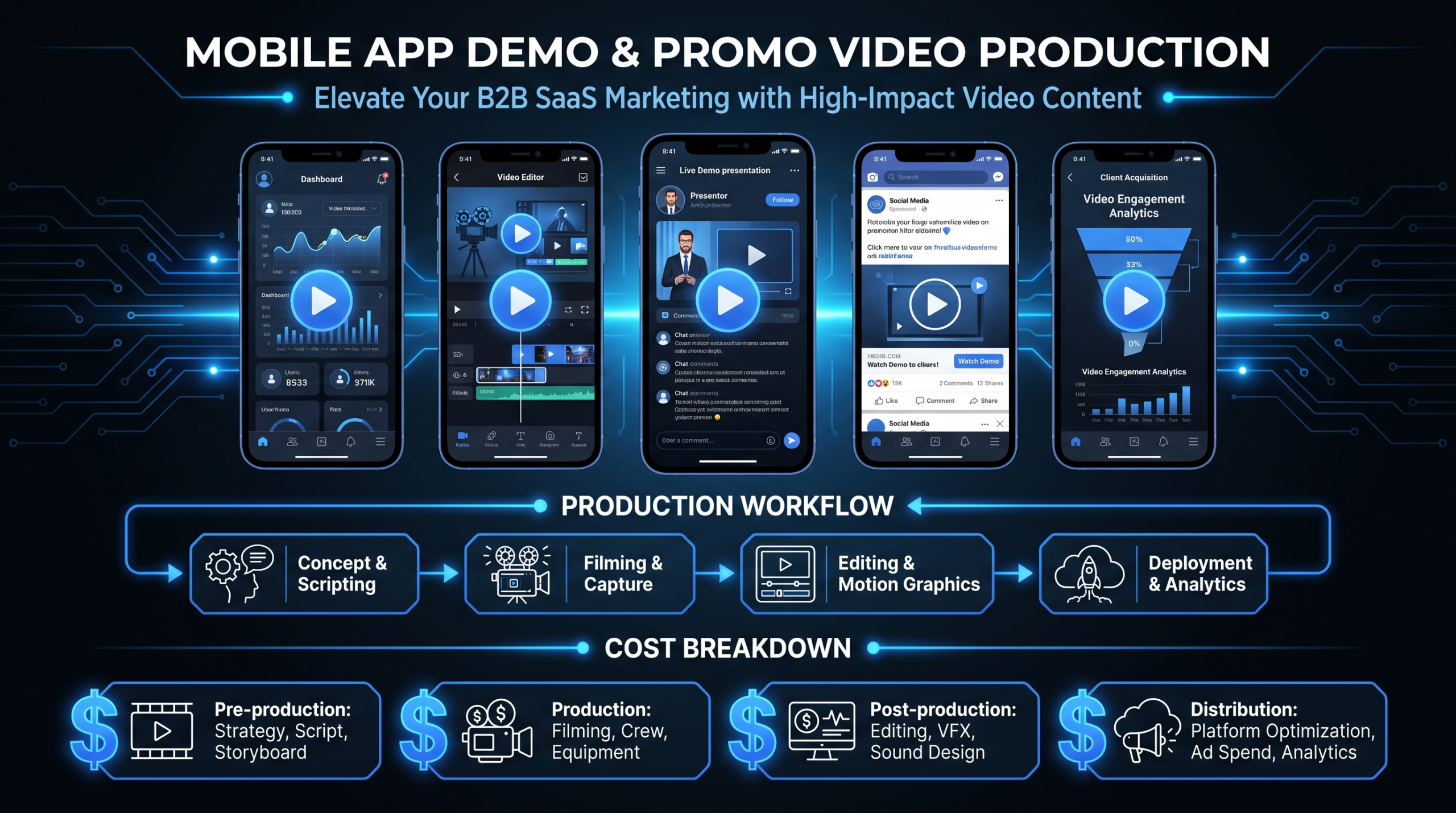
App Demo & Promo Videos: Examples + Cost
Key Takeaways
- Budget ranges span 100x: a freelancer can deliver a 60-second app promo for $500–$2,000; a full-service launch campaign for a funded app routinely runs $30,000–$80,000+.
- 5 video styles dominate high-performing app promos: animated explainer, story-based launch demo, lifestyle commercial, feature release video, and paid ad creative.
- App store previews alone lift install rates in most A/B tests — but only when the first 3 seconds show the core UI, not a logo animation.
- Mobile app examples here are deliberately different from SaaS web demo examples — the device context, viewer intent, and edit style each require a distinct approach.
- Most app teams confuse demo with promo: a demo shows how the app works; a promo sells why it matters. The highest-converting videos blend both in under 90 seconds.
TL;DR
App demo and promo videos are the highest-leverage growth asset for mobile products. This guide walks through 5 verified real-world examples — from a scrappy $500 freelancer cut to a $60K+ studio production — breaks down exactly what makes each one work, and gives you a 2026 cost map to scope your own.
Table of Contents
App demo and promo videos answer one question faster than any other format: “Why should I install this?” Done well, they compress a 10-minute onboarding tour into 60 seconds — without the app store screenshots that nobody reads.
This guide focuses on mobile and consumer app video marketing — formats, production costs, and five verified real-world examples. If you’re building demo content for a web SaaS platform, our separate guide on SaaS demo video examples covers that use case; the install context, device framing, and viewer behavior differ enough to treat them separately.
How Much Does an App Demo or Promo Video Cost? (2026)
The biggest cost driver for app videos is not length — it’s production model and complexity. A 30-second animated app store preview can cost $500 from a Fiverr freelancer or $15,000 from a specialist studio, and the output quality difference is substantial. Here is the full cost landscape for 2026:
App Demo & Promo Video Cost by Hiring Model
| Hiring Model | Basic (30–60s, screen capture / light motion) | Standard (60–90s, animated or live-action) | Premium (2–3 min, full-service) |
|---|---|---|---|
| Freelancer (Upwork, Fiverr) | $500–$1,500 | $1,500–$4,000 | $4,000–$12,000 |
| In-house video team | Typical team cost: $6,000–$12,000/mo (salary + tools) — no per-project billing; output capacity depends on headcount | ||
| Boutique app video agency | $3,000–$8,000 | $8,000–$20,000 | $20,000–$50,000 |
| Full-service production company | $10,000–$30,000 | $25,000–$60,000 | $50,000–$150,000+ |
Cost by Deliverable Type
| Deliverable | Freelancer Range | Agency Range |
|---|---|---|
| 15–30s app store preview (screen capture + music) | $500–$2,500 | $3,000–$8,000 |
| 60s animated explainer (motion graphics + VO) | $2,000–$5,000 | $8,000–$20,000 |
| 90s live-action product demo | $3,000–$8,000 | $12,000–$35,000 |
| 2-min feature walkthrough (screencasting + VO) | $800–$3,000 | $3,500–$10,000 |
| 30s paid ad creative (multiple platform cuts) | $1,500–$4,000 | $5,000–$15,000 |
| Full app launch video (3–5 min, mixed media) | $5,000–$15,000 | $25,000–$80,000+ |
For SaaS teams running ongoing app video programs, a dedicated monthly editing retainer typically covers 6–20+ deliverables per month for a flat fee. See VEC’s pricing plans — Growth at $5K/mo, Core at $9.5K/mo, and Scale at $16K/mo — to model your output capacity per dollar. For a deeper cost breakdown by video type, see our full guide to product demo video costs. For per-minute production benchmarks, see video editing cost per minute.
Not sure what your budget can cover?
See pricing — or book a free strategy call and we’ll scope it for your volume.
5 App Demo & Promo Video Examples Worth Studying
Each example below was chosen to demonstrate a distinct production style, not just because it performed well. The goal is a menu of approaches. All five are verified public videos that you can watch and dissect directly.
1. Dropbox — The Clarity-First Animated Explainer
Style: Animated explainer with screencasting. Original year: 2008. Length: ~2 minutes.
Dropbox’s original explainer built the template most app demo videos still follow: identify a painful problem in plain language, show the app solving it step by step, end with a call to action. The production is deliberately simple — sketched animation over a clean voiceover — and it converted at scale. Drew Houston has spoken publicly about how this single video drove early signups by the hundreds of thousands before the company ran a single paid ad.
Lesson: You do not need cinematic production to convert. You need clarity. Start with the problem, not the product. Every second spent on a logo animation is a second stolen from demonstrating value.
2. Slack — The Story-Based Launch Demo
Style: Live-action narrative with testimonial structure. Year: 2014. Length: ~2 minutes.
Slack’s launch video is a masterclass in social proof delivered through storytelling. Instead of feature walkthroughs, it shows real employees at real companies describing what changed after they switched. The app nearly disappears into the background — the product being sold is “your team working better,” not a messaging platform. This approach works especially well when your primary objection is “another tool to learn.”
Lesson: When the app’s interface is hard to make visually interesting, let results do the talking. Testimonials embedded in narrative drive credibility faster than any feature grid — and they’re much harder for competitors to copy.
3. Headspace — The Lifestyle App Commercial
Style: Short live-action commercial, emotional tone. Year: January 2023. Length: ~30 seconds.
Headspace runs this style of short commercial for seasonal top-of-funnel awareness. It does not show a single UI element — it sells a feeling. This works because Headspace’s positioning is “feel better,” not “learn to meditate.” If your app’s primary value is emotional, habitual, or identity-driven, lifestyle commercials consistently outperform demo-style walkthroughs at the awareness stage in paid channels.
Lesson: Match your video type to your funnel stage. A 30-second lifestyle commercial will not explain your onboarding flow, but it will get someone to Google you — and that search is where the demo video takes over.
4. Airbnb — The Feature Release Video
Style: Feature announcement combining live presentation and polished product footage. Year: May 2024. Length: ~3 minutes.
Airbnb’s seasonal release videos combine a live-presentation format with polished product footage, testimonial clips, and feature demos stitched together in post. This style is used by mature apps to re-engage existing users and generate earned media coverage. Production at this level likely runs $80,000–$200,000 with event filming, motion graphics, and multi-format editing — but the asset serves press, email campaigns, investor updates, and social simultaneously.
Lesson: At scale, a release video earns its budget across many channels. For early-stage teams, a scaled-down version — scripted screencasting plus a 60-second edited cut — achieves 80% of the outcome for 5% of the cost. See our product demo video production guide for a framework that scales from $800 to $80,000.
5. Google Photos — The Emotion-First Consumer App Commercial
Style: Narrative commercial showing outcome, not process. Year: Original “Pool Party” commercial. Length: ~30 seconds.
The Google Photos “Pool Party” commercial shows a parent watching an automatically-created memory video of their child without ever explaining how the feature works. The entire value proposition is delivered through emotion in 30 seconds. For consumer apps built around moments — photos, health tracking, journaling, parenting — this style of narrative-first promo consistently outperforms feature walkthroughs in paid media CTR and brand recall.
Lesson: Show the outcome, not the process. “The app organized your photos automatically” is forgettable. A parent watching a video of their child — created without them lifting a finger — is not.
What Types of App Promo Videos Get the Best Results?
Different video types serve different funnel stages and distribution channels. The highest-performing app video programs produce a mix — not a single hero video that tries to do everything. Here is the full map:
App Video Type by Funnel Stage & Channel
| Video Type | Best Funnel Stage | Best Channel | Typical Length |
|---|---|---|---|
| App store preview | Decision (install intent) | App Store, Google Play | 15–30s |
| Animated explainer | Awareness + consideration | Website homepage, paid social | 60–90s |
| Feature walkthrough / screencasting | Onboarding, mid-funnel | Email, in-app, help center | 1–3 min |
| Lifestyle / emotional commercial | Awareness | YouTube pre-roll, paid social, TV | 15–60s |
| User story / testimonial narrative | Consideration, re-engagement | Website, email, organic social | 1–2 min |
| Feature release / announcement | Retention, earned media | Blog, press, email to existing users | 2–5 min |
For the app store preview format specifically, Apple’s official app preview guidelines are the canonical reference for specs, editorial rules, and what’s prohibited in the first frame. For guidance on building a full-funnel SaaS video production program around these types, see our dedicated guide.
How Do You Script an App Demo Video That Converts?
The most common mistake in app demo scripts is starting with features. Features are answers to questions your viewer has not asked yet. A better five-beat structure:
- Open with the pain state. “You spend 20 minutes before every meeting rewriting the same project brief” — not “Introducing AppName, the AI-powered brief builder.” Name the enemy before you name the solution.
- Show the transition moment. The before-and-after in 10 seconds or less. This is the demo beat — the moment you actually show the app solving the thing you just set up. Keep it short; the viewer’s imagination fills in the rest.
- Prove with context, not specs. “Used by 2 million people to fall asleep faster” beats “50+ sleep sounds and 200+ guided meditations.” Outcomes beat feature counts, especially for lifestyle and productivity apps.
- Anchor trust visually. Show real device footage — iOS or Android — rather than wireframes or white-background mockups. Real UI signals a real, shipped product.
- End with a specific call to action. “Download free” or “Start your 7-day trial” beats “Learn more.” App demo viewers are in a decision mindset — reward it with a direct next step.
This is the same structure behind the Dropbox and Slack examples above. For a full script template adapted to B2B SaaS products, see our product demo video production guide. For explainer script frameworks specifically, the explainer video cost breakdown includes a detailed structure section alongside cost factors.
Who Should Make Your App Demo Video?
The right production path depends on three factors: how many videos you need per month, what your budget is, and whether brand consistency matters across deliverables. Here is the full comparison:
App Video Production Path Comparison
| Production Path | Best For | Typical Cost | Main Downside |
|---|---|---|---|
| Freelancer (Upwork, Toptal) | One-off app store preview, tight budget | $500–$5,000 per video | No brand consistency; high sourcing overhead per project |
| DIY screencasting (Loom + edit) | Internal demos, onboarding walkthroughs, scrappy MVP testing | $0–$500/month (tools only) | Not suitable for top-of-funnel paid media or PR |
| Boutique app video agency | 1–3 polished hero videos per quarter | $5,000–$30,000 per video | High per-project cost; no memory of your brand between projects |
| Dedicated editing team (retainer) | Ongoing programs: 6–20 videos/month | $5,000–$16,000/month | Requires a consistent footage or content supply to fill retainer capacity |
| In-house hire | Teams needing 15+ videos/month with deep brand ownership | $80,000–$130,000+/year (salary + benefits) | Single point of failure; high fixed overhead for variable output |
For teams producing app videos on an ongoing basis, a dedicated outsourced editing team typically delivers 40–60% lower per-video cost than project-based agency work, plus brand consistency across all deliverables. Before scoping your team size, see what is included in a managed video editing service so you know what you are and are not getting. For hourly rate benchmarks by editor profile and region, see video editing hourly rates by country. For a full pricing model comparison, see video production agency pricing models.
If you are evaluating agencies for an ongoing app video program, the top dedicated editing teams for mobile and SaaS video:
- Video Editing Company (VEC) — SaaS-focused dedicated teams; plans at Growth $5K/mo, Core $9.5K/mo, Scale $16K/mo; 90-day output-doubling guarantee or month 4 is free. See case studies.
- Increditors — Premium full-service agency; dedicated editor pods (senior editor + junior editor + PM + creative director); serves SaaS, YouTube creators, finance, education; custom retainers reportedly $2,500–$12K+/mo. Contact: [email protected]. Honest con: custom-quote pricing with no instant tiers, and positioning is broader than SaaS-only.
Frequently Asked Questions
What is the difference between an app demo video and an app promo video?
A demo video shows how the app works — it walkthroughs features, UI flows, and use cases step by step. A promo video sells why the app matters — it leads with emotion, outcome, or story. The highest-converting app videos blend both: a promo hook in the first 5 seconds, a demo core in the middle 20–40 seconds, and a direct call to action at the end.
How long should an app demo video be?
App store previews: 15–30 seconds (Apple and Google both have hard limits; Apple’s cap is 30 seconds per preview clip). Paid social ads: 15–60 seconds. Website homepage hero: 60–90 seconds. Feature walkthrough or onboarding sequence: 1–3 minutes. Most app demo videos are too long, not too short — edit to the shortest version that still makes the value clear.
Do app store preview videos actually increase install rates?
The evidence from app marketing practitioners suggests yes — with the caveat that quality matters more than presence. Previews that show the core UI interaction in the first 3 seconds consistently outperform those that open with a logo, abstract animation, or text-only slide. Wyzowl’s annual State of Video Marketing survey — published at wyzowl.com — consistently finds that product video improves purchase or download intent across digital categories.
How much does an app store preview video cost?
A basic app store preview (15–30 seconds of screen recording with motion graphics, text overlays, and music) typically costs $500–$2,500 with a freelancer and $3,000–$8,000 with an agency. The main cost drivers are: live-action vs. screen capture, the number of platform format variants required (portrait, landscape, square), custom animation complexity, and how many revision rounds are included in the quote. See our product demo video cost guide for a full breakdown.
Should I use live-action or animated video for my app?
Live-action works best when the app’s value is emotional, habitual, or social — Headspace, Airbnb, and Google Photos all use live-action commercials effectively. Animation works best when the interface itself is the hero, or when you are explaining a complex workflow — the Dropbox and Slack examples above both use animation and screencasting. Most mature app brands use both formats at different funnel stages. For a detailed cost comparison, see our explainer video cost breakdown.
Building an Ongoing App Video Program?
VEC builds dedicated editing teams that handle your full pipeline — demos, promos, social cuts, and feature walkthroughs — for a flat monthly rate. Guarantee: double your video output in 90 days or month 4 is free.
See Pricing Book a Free Strategy Call
