
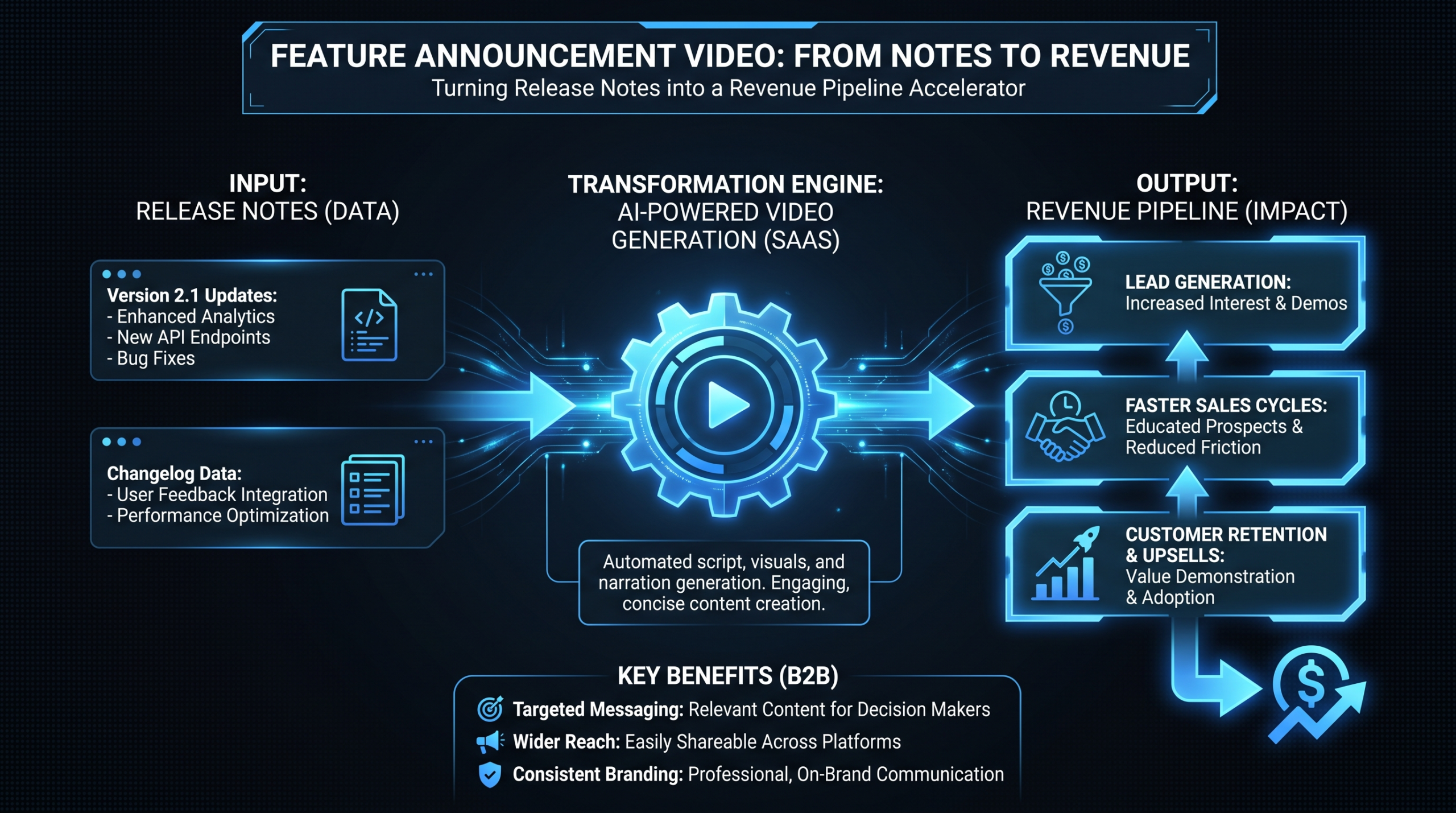
Feature Videos: Turn Release Notes into Pipeline
TL;DR
- Most SaaS companies ship features and write release notes that almost nobody reads. A short feature announcement video — 60 to 120 seconds — gets the same information in front of customers, prospects, and champions who actually watch.
- Done correctly, feature announcement videos drive in-app feature activation, open expansion revenue conversations with existing accounts, and give your sales team a leave-behind that signals product momentum.
- The gap between a weak feature video (a raw screen recording with no narrative) and an effective one (concise story, demonstrated outcome, single CTA) is almost entirely about production discipline, not budget.
- This guide covers the full system: format selection, scripting frameworks, distribution across in-app, email, LinkedIn, and changelog, and the KPIs that connect feature video performance to actual pipeline.
Table of Contents
- Why Feature Announcement Videos Drive Expansion Revenue
- The Feature Video Framework: 4 Formats for Every Release Type
- Scripts That Drive Action, Not Just Views
- Distribution Playbook: In-App, Email, LinkedIn, Changelog
- One Recording Session, Six Assets
- Production Models: What They Cost and When to Use Them
- KPIs That Actually Connect to Pipeline
- FAQ
Your engineering team ships a significant feature. Product closes the sprint. Marketing publishes a release note that approximately 3% of your user base will read before it gets buried by the next update.
That feature — which took four to eight sprints to design, build, and QA — gets 48 hours of attention. Then it disappears from your customers' awareness entirely. The customers who would most benefit from it never discover it exists. The prospects who are on the fence never see it demonstrated. The AE trying to re-engage a stalled deal has no new reason to reach out.
This is the gap that a well-executed feature announcement video closes. A 90-second walkthrough shipped to your in-app messaging, email list, and LinkedIn within 24 hours of launch drives measurable adoption, surfaces expansion conversations with existing accounts, and creates a pipeline touchpoint that written release notes simply cannot replicate.
This guide covers the complete system: which format fits which feature, how to write scripts that motivate action, where and when to distribute, how to turn one recording session into six channel-specific assets, and how to measure success in terms that tie to revenue — not just video views.
Why Feature Announcement Videos Drive Expansion Revenue
Expansion revenue — plan upgrades, seat expansions, and cross-sells into adjacent products — is structurally the most efficient revenue in any SaaS business. The customer already trusts your product. There is no acquisition cost. Sales cycles are measured in days rather than quarters. The challenge is not selling; it is ensuring the right people know the right capability exists at the right moment.
The Discovery Problem
Most product updates never reach the stakeholders inside a customer account who have budget authority. They reach the original buyer, who is typically a practitioner or individual contributor. That person might love the new feature. But the VP of Operations or Head of Marketing who controls the budget for a seat expansion or plan upgrade may never encounter it — unless someone puts it directly in front of them.
Written release notes rely on active discovery. The user has to visit your changelog, notice the update banner, or remember to check what shipped last sprint. Video enables passive discovery. An in-app notification with a thumbnail and play button, an email with a GIF preview, or a LinkedIn post from a company page all reach stakeholders who were not looking for the update — and the format creates enough comprehension in the first 10 seconds to hold their attention long enough to matter.
The Comprehension Advantage
Complex UI interactions are notoriously difficult to communicate in text. "Navigate to Settings, select Integrations, toggle the payload transformation switch, and map your field variables in the schema editor" is accurate and useless for most readers. A 45-second screen recording demonstrating the same workflow takes less cognitive effort and creates more lasting comprehension. For SaaS features involving multi-step workflows, conditional logic, or context-dependent configuration, video is often the only format that reliably conveys what the feature actually does without requiring the viewer to go figure it out themselves.
Wistia's State of Video research consistently shows that pages with embedded video generate longer session durations than text-only equivalents — a metric that reflects both comprehension and intent. For SaaS, longer time on a feature page directly correlates with the user taking the next step rather than bouncing to support or abandoning activation.
The Pipeline Touchpoint
For sales teams managing stalled opportunities, feature releases create a natural, non-pushy reason to re-engage. A text email that says "just checking in — anything I can help with?" is forgettable. An email that says "we just shipped something that directly addresses the workflow gap you mentioned in our last call — here is a 90-second video" is a specific, relevant touchpoint that opens real conversations.
Feature videos compound over time. A library of well-produced feature walkthroughs becomes a sales enablement asset, an onboarding resource, a customer success reference, and a content marketing channel — all from a single production investment per release.
The Feature Video Framework: 4 Formats for Every Release Type
Not every feature deserves the same video treatment. Applying a full 3-minute walkthrough to a minor UI polish wastes production resources. Using a 15-second changelog GIF for a major capability release leaves adoption on the table. Matching the format to the release type is the first decision in a sustainable feature video system.
Format 1: The Feature Walkthrough (90–180 seconds)
The workhorse format. A narrated screen recording — polished with motion graphic callouts, captions, and brand-consistent titles — that shows the feature in the context of a real workflow the target user would actually run. The goal is comprehension plus motivation: the viewer finishes understanding exactly how to use the feature and why they would want to.
Use for: New core features, significant UI changes, integrations with external tools, any capability that replaces a multi-step manual process.
Format 2: The Highlight Reel (30–60 seconds)
A fast-paced compilation of minor improvements, quality-of-life fixes, and incremental updates from a given period. Useful for maintaining the perception of product velocity without producing a full walkthrough for every small release. Think monthly or quarterly roundup rather than single-feature deep-dive.
Use for: Minor releases, UI polish, performance improvements, end-of-quarter "what shipped" summaries in customer newsletters.
Format 3: The Customer Angle (45–90 seconds)
A short clip showing how an existing customer is using the new feature in production. Requires coordination with your CS team and a willing customer reference, but the social proof value significantly exceeds what any internal demo delivers. A customer saying "we used to spend three hours a week on this, now it takes ten minutes" is more persuasive than any copy you write about the same feature.
Use for: Strategically important features, features released in direct response to customer requests, capabilities targeting a specific vertical where proof matters as much as explanation.
Format 4: The Changelog GIF or Short (5–30 seconds)
An ultra-short format designed for in-app tooltips, email footers, and changelog page embeds. Not a walkthrough — a quick visual confirmation that the feature exists with a prompt to learn more. Often a looping GIF or a brief screen capture with one or two sentences of voiceover.
Use for: Minor features, changelog page entries, in-app tooltip enhancement, email preview embeds.
Feature Video Format Selection Guide
| Feature Type | Recommended Format | Target Length | Primary Channel |
|---|---|---|---|
| Core new feature (complex workflow) | Feature Walkthrough | 90–180 sec | Email + in-app + LinkedIn |
| New integration with external tool | Feature Walkthrough | 90–120 sec | Email + LinkedIn + changelog |
| Minor UI or quality-of-life updates | Highlight Reel | 30–60 sec | Changelog + email newsletter |
| Customer-validated use case | Customer Angle | 45–90 sec | LinkedIn + case studies page |
| Revenue-gated or tier-unlocking feature | Feature Walkthrough | 90–120 sec | Email (segmented) + sales sequence |
| Beta feature announcement | Feature Walkthrough | 60–90 sec | Email (beta users segment only) |
Scripts That Drive Action, Not Just Views
The most common mistake in feature announcement video scripts is leading with the feature name rather than the problem it solves. A VP of Marketing watching a video that opens with "Today we are excited to introduce our new reporting dashboard" does not have an immediate reason to keep watching. A video that opens with "Your team is probably still exporting CSVs every Monday morning to build that campaign spend report. This update eliminates that step entirely" holds their attention because it names something they actually recognize.
The Problem-Feature-Outcome (PFO) Script Structure
Every feature announcement video script should follow this arc regardless of length or format:
- Problem (first 10–15% of runtime): Name the pain with enough specificity that the target viewer recognizes it as their own. Not "data management is complex" but "every time you need that report, someone has to export a CSV, manually add the regional breakdowns in a separate spreadsheet, and send a Slack message to three people asking which version is current."
- Feature (middle 60–70% of runtime): Show the feature solving the exact problem you just named. Use real — or realistic-looking — data. Demonstrate the outcome of using the feature correctly, not just a tour of the UI in isolation.
- Outcome and CTA (final 15–25% of runtime): State the before/after explicitly. "That report now generates in two clicks instead of 45 minutes." Then one clear CTA: where to find it, how to enable it, and who to contact for questions.
Opening Lines That Hold Attention
The first eight seconds determine whether a viewer continues watching. These three opening approaches consistently outperform generic openers in B2B SaaS feature content:
- Pain-first: "If your team is still pulling [X] manually every [time period], this update removes that step from the workflow entirely."
- Outcome-first: "You can now [do X] inside [your platform] without ever leaving the app. Here is how it works."
- Question-first: "How many hours per week does your team spend on [manual task]? If it is more than two, the next 90 seconds are worth your time."
Scripting for Silent Viewing
A significant portion of users watching in-app embeds and LinkedIn videos do so without sound — particularly during work hours in open offices or shared spaces. Design for both viewing modes simultaneously:
- Narrate the workflow and the reasoning in voiceover for users with audio
- Add visible on-screen callouts for every key action — "Click here," "Select your date range," "Toggle to enable" — for viewers watching silently
- Include captions as default, not optional; auto-generated captions have variable accuracy and should be reviewed and corrected before publication
For teams producing four or more feature videos per month, having a dedicated editing team that knows your UI, your brand voice, and your target persona makes a meaningful difference in script quality and turnaround speed. Learn more about what SaaS video production at scale looks like operationally.
Distribution Playbook: In-App, Email, LinkedIn, Changelog
A feature video published only to your YouTube channel is nearly invisible to the people who most need to see it. Effective feature announcement video distribution deploys content across four channels in sequence, each reaching a different segment of your audience at a different stage of awareness.
Channel 1: In-App (Highest Intent, Lowest Friction)
In-app messaging — through tools like Intercom, Appcues, or Chameleon — delivers your feature video at the exact moment a user is actively in your product. This is your highest-intent audience. A triggered modal or contextual tooltip surfacing a 30-second video when a user enters a relevant section of your app drives activation without requiring them to know the feature exists. Best practices for in-app feature video delivery:
- Target by plan tier and user role — only show feature videos to users who have access to the feature
- Use a thumbnail with a visible play button; do not autoplay
- Keep in-app videos to 30–60 seconds and link to the full walkthrough for users who want depth
- Suppress the modal after one or two views so power users who have already acted are not interrupted repeatedly
Channel 2: Email (Broadest Reach, Highest Expansion Potential)
Email reaches your full customer base including users who do not log in regularly — exactly the segment most likely to miss new features and most at risk of perceiving your product as stagnant. A well-structured feature announcement email includes a subject line that names the benefit rather than the feature name, a GIF preview or static thumbnail that links to the hosted video, and a single CTA. Do not embed video files directly in email — client support is inconsistent and deliverability can be affected. Use a thumbnail-click-to-play approach instead.
HubSpot's video marketing research shows that including the word "video" in email subject lines can increase open rates meaningfully, and that video thumbnail previews in email body copy drive higher click-through rates than text-only CTAs for product-focused content. Segment by plan tier for revenue-gated features — sending a video about a Scale feature to Growth users creates friction unless it is framed explicitly as an upgrade opportunity.
Channel 3: LinkedIn (Pipeline From Prospects, Not Just Users)
LinkedIn is the only feature announcement channel that reaches prospects who do not yet use your product. A polished feature walkthrough posted natively to your company page — or more effectively, to a founder's or product leader's personal profile — creates pipeline from people evaluating your category who have not bought yet. Seeing a feature demonstrated in a real workflow is meaningfully more compelling than reading a feature list on a pricing page. Key execution details:
- Upload the video natively rather than sharing a YouTube link — native video performs better in the LinkedIn algorithm for organic reach
- Keep it under 90 seconds; engagement drops sharply after the 2-minute mark for product content
- Front-load the problem statement in the opening frame because autoplay is muted — your first visual and caption hook carry the entire weight of the first five seconds
- Write the post caption as a narrative about the customer problem, not as a product press release
Channel 4: Changelog (Power User Destination, SEO Asset)
Your changelog page serves power users doing deep product research and late-stage prospects in technical evaluation. Embedding a feature video in changelog entries — even a 15 to 30 second format — creates a richer experience than text-only entries and signals active development velocity to evaluators. Changelog pages with embedded video generate longer session duration, which correlates with improved organic search signals over time. This is a low-cost SEO and buyer-education return on content that is already being produced.
Feature Video Distribution Timeline
| Timing | Channel | Format | Target Audience |
|---|---|---|---|
| Launch day, hours 0–4 | In-app messaging | 30–60 sec triggered embed | Active users with feature access |
| Launch day, hours 4–8 | Email announcement | GIF thumbnail linked to full video | Full customer base + trial users |
| Launch day or day +1 | LinkedIn (native upload) | 60–90 sec optimized cut | Followers + organic prospects |
| Launch day | Changelog page | 15–30 sec embed or GIF | Power users, technical evaluators |
| Week 2–4 | Email re-engagement | Feature highlight in newsletter | Users who did not engage with launch email |
| Ongoing | Sales sequences | Feature link in personalized outreach | Stalled opportunities, past lost deals |
One Recording Session, Six Assets
The efficiency case for feature videos collapses if every release requires a multi-day production effort. The solution is a repurposing system: a single master recording session that produces all the channel-specific assets needed for a full launch distribution. This is the operational difference between a team that ships one feature video per quarter and a team that ships one per sprint.
The Master Recording Protocol
Start with a single high-quality screen recording of the full feature walkthrough — narrated, with clean demo data, no dead air, and no stumbles. Before recording, close unrelated tabs, use a demo account with plausible data, clear all notifications, and set your display resolution to at least 1080p. This master recording is your raw asset. From it, an editing team produces:
- Full walkthrough (90–180 sec): The polished version with motion graphic callouts, brand-consistent titles, captions, and background music. Primary channel: email, YouTube, linked from in-app messages.
- LinkedIn native video (60–90 sec): A tighter cut optimized for silent autoplay with a strong problem-statement opening frame and prominent caption overlay.
- In-app embed (30–45 sec): The most impactful section of the walkthrough trimmed for context-triggered in-app display. Usually the moment the feature resolves the problem.
- Changelog GIF (5–10 sec): A looping screen capture of the key UI moment, exported as an animated GIF for changelog entries and email embedding.
- Email preview GIF (3–5 sec): A short loop of the most visually striking moment — typically a before/after state or the key action — used as the clickable thumbnail in feature announcement emails.
- Short-form vertical clip (15–30 sec): A 9:16 cropped version of the core moment, captioned, for LinkedIn Stories or short-form social distribution where your audience exists.
Teams sustaining a weekly feature video cadence benefit most from a dedicated editing team that knows their product rather than briefing a new freelancer each sprint. Familiarity with your UI patterns, motion graphic style, and review preferences reduces briefing time from hours to minutes and revision rounds from three or four down to one. Our guide on how to outsource video editing covers the signals that indicate you have grown past the freelance model and the briefing practices that make an external team as effective as an internal one.
Production Models: What They Cost and When to Use Them
The right production model depends on your release cadence, your team's internal capacity, and how central feature video is to your go-to-market motion. Here are the three realistic options, with honest tradeoffs:
Option 1: In-House Production
If you have a video producer on staff, in-house production is the most agile option for minor and mid-tier feature releases. The cost is the producer's time — typically 4 to 8 hours per 90-second feature video from briefing to final export. The constraint is peak capacity. When you are in a major release cycle and need six feature videos in ten days, a single in-house producer becomes the bottleneck that delays distribution across every channel. In-house production also requires motion graphics capability; a screen recording with no motion treatment signals low production maturity regardless of feature quality.
Option 2: Freelance Per-Project
A freelance video editor with SaaS product video experience handles individual feature videos efficiently. For a 90-second feature walkthrough with standard motion graphics and a professional voiceover, rates commonly fall between $300 and $800 per video depending on complexity, turnaround, and the editor's market. The operational challenges are freelancer availability during release peaks, quality consistency across different editors over time, and the overhead of briefing someone unfamiliar with your product on every sprint. For the full briefing and handoff process, the product demo video production guide covers what to include in a brief that lets an external editor execute without excessive back-and-forth.
Option 3: Dedicated Editing Team
For Series A through C SaaS companies shipping features on a consistent cadence, a dedicated video team is the highest-leverage production model. A team that includes a senior editor, junior editor, and project manager maintains consistent brand standards across the entire feature video library, handles all format variants as part of the standard workflow, and operates at the pace of your release cycle without capacity constraints.
This is the model at Video Editing Company — a dedicated editor pod assigned to your account, building product knowledge and brand familiarity over time. Plans start at Growth ($5,000/month) and scale to Scale ($16,000/month). The guarantee: double your video output in 90 days or month four is free. The how it works page describes the workflow, onboarding process, and what each plan tier covers.
Production Model Comparison
| Model | Approx. Cost per Video | Monthly Capacity | Brand Consistency | Best Fit |
|---|---|---|---|---|
| In-house producer | $200–500 (time cost) | 4–8 videos/month | High | Teams with existing video headcount |
| Freelance (per project) | $300–800 | Variable | Medium | Occasional releases, one-off campaigns |
| Retainer agency | $400–900 | 6–15 videos/month | Medium–High | Regular release cadence, defined formats |
| Dedicated team | $250–600 | 10–25 videos/month | Very High | High-volume, brand-critical content programs |
For a deeper breakdown of production investment at different feature video volumes, the SaaS video production guide covers team models, content system design, and budget frameworks calibrated to different growth stages and release cadences.
KPIs That Actually Connect to Pipeline
View count is a vanity metric for feature announcement videos. The question is not how many people watched — it is whether watching changed what they did next. Teams that measure feature video performance against revenue-adjacent outcomes consistently outperform teams optimizing for engagement metrics alone, because they make smarter decisions about which features to cover, which formats to use, and where to invest in higher production quality.
Activation Metrics
Feature adoption rate (video-exposed vs. non-exposed). For in-app and email-distributed feature videos, track the percentage of viewers who activate the feature within 7 days of watching. Compare against users in the same segment who received only the text release note. This is the most direct measure of whether the video is creating comprehension and motivating action. A meaningful lift in adoption rate among video viewers is the signal that the format is working.
In-app video completion rate. For in-app embeds, what percentage of users who started the video watched past the 50% mark? A completion rate below 40% typically signals a mismatch between the trigger condition and the feature being shown, or an opening hook that does not hold attention in context.
Pipeline and Revenue Metrics
Upgrade conversion rate among video-exposed accounts. For revenue-gated features, track whether video exposure correlates with plan upgrades. This requires tagging the video touchpoint in your CRM so you can run a cohort comparison between accounts where decision-makers watched the feature video and accounts where no one engaged. Run this analysis 60 to 90 days after each major feature release.
Sales re-engagement rate. For stalled deal sequences, track the reply rate and meeting-booked rate when a feature video is included in the outreach versus a standard follow-up email. This is the clearest indicator of whether your feature announcement content is generating pipeline from dormant opportunities rather than just informing existing customers.
CSM email click-through rate. If your distribution strategy includes CSM-sent emails with video links, track click-through rate against your baseline for text-only product update emails. Teams commonly report that emails with embedded video thumbnails generate meaningfully higher click rates than text-only equivalents — though results vary by audience, product category, and email timing.
Setting Honest Benchmarks
Do not benchmark against consumer video metrics. Feature announcement videos for B2B SaaS have small, highly qualified audiences. A video that drives 15 upgrade conversations from 500 targeted views has created more business value than a video with 100,000 casual views and no measurable downstream action — by every metric that matters for the business.
Build your benchmarks from your own data across three or four feature video cycles. That gives you enough signal to know what activation lift is realistic for your user base, what completion rate reflects strong narrative, and where you are consistently losing viewers. Those benchmarks are far more useful than industry averages from research reports that do not account for your specific product category, buyer persona, or distribution methodology.
Frequently Asked Questions
How long should a feature announcement video be?
Target 60 to 90 seconds for most feature walkthroughs. Minor UI improvements can be as short as 30 seconds. Major product-line releases can justify 2 to 3 minutes when there is enough substantive content. The practical rule: use the shortest runtime that communicates the problem, demonstrates the solution, and delivers a clear CTA. Every second past what the content requires is a second where you are losing viewers who were otherwise engaged.
Do feature announcement videos need professional production, or will a screen recording work?
Screen recordings with light editing — captions, callout annotations, consistent intro and outro cards, background music — are sufficient for many feature announcements and can feel more authentic than over-produced content. The minimum viable production bar is: no dead air, no stumbles in the recording, legible UI at standard laptop resolution, and visual consistency with your brand. Where professional editing delivers compounding returns is in speed and quality consistency at scale. A dedicated team familiar with your product can turn a clean screen recording brief into a polished, multi-format asset set in 24 to 48 hours — which is what makes weekly feature video cadences operationally sustainable rather than heroic.
Should feature announcement videos go to all customers or only those with access to the feature?
Segment by access for plan-gated features. Sending a video about a Scale-plan capability to Growth-plan users creates frustration — or at minimum confusion — unless the email is explicitly framed as an upgrade opportunity with a clear path to access. For features available across all plans, broad distribution maximizes activation. For beta features, target only beta users; sending a video about a capability users cannot yet access generates support tickets rather than adoption lift.
What is the best tool for hosting and embedding feature announcement videos?
Wistia is the most common choice for B2B SaaS feature video hosting because it integrates natively with Salesforce and HubSpot, provides heatmap analytics at the individual viewer level, and allows password-protected embeds for beta content. Loom works well for internal communication and quick-turnaround documentation but lacks the analytics depth needed to connect video views to pipeline outcomes. YouTube works for public-facing feature content where organic search discoverability matters. Most teams use Wistia for in-app and email embeds — where viewer-level tracking is valuable — and YouTube for LinkedIn reposts where discoverability is the goal.
How do we connect feature video performance to expansion revenue in our CRM?
The most reliable path is connecting your video hosting platform to your CRM. Wistia's integrations log video views and completion rates as contact-level activity in Salesforce and HubSpot. With this data in place, run a cohort analysis: compare expansion rate — upsell and cross-sell activity — for accounts where at least one decision-maker watched the feature video against accounts where no one engaged. Run the analysis over a 60 to 90 day window per major release. Teams that build this measurement infrastructure typically find enough signal within two quarters to justify expanding their feature video production capacity. VEC's dedicated team plans start at $5K/month — see the pricing page for details on what each tier includes.
Ready to Turn Every Feature Release into a Pipeline Event?
VEC's dedicated video teams are built for Series A–C SaaS companies that ship on a regular cadence and need polished, consistent feature announcement videos without adding internal production headcount. One team. Predictable output. Guaranteed: double your video output in 90 days or month four is free.
Book a Free Strategy Call View Pricing
