Email Marketing With Video: Open Rates & Best Practices
Email remains the highest-ROI marketing channel for B2B SaaS — $42 for every $1 spent, according to Litmus. But open rates are declining, click-through rates are stagnant, and inboxes are more crowded than ever. The companies breaking through the noise have discovered a simple amplifier: video.
Adding video to email marketing isn't as straightforward as embedding a YouTube link. There are technical limitations, design considerations, and strategic questions about when video helps and when it hurts. This guide covers everything: the data, the techniques, the types of video that work, and the measurement framework.
Table of Contents
The Data Behind Video in Email
The statistics around video in email are compelling, but context matters. Here's what the data actually says — and what it doesn't.
What the research shows
- Open rates: Including the word "video" in email subject lines increases open rates by 19% (Syndacast). However, this effect diminishes if every email uses "video" — reserve it for when there's genuinely valuable video content.
- Click-through rates: Emails with video thumbnails see 65% higher CTR than text-only emails (HubSpot). The thumbnail acts as a visual break and clear call-to-action.
- Forwarding: Email with video is 3x more likely to be forwarded internally. In B2B, where buying committees are common, this is a significant advantage.
- Unsubscribes: No measurable increase in unsubscribe rates when video is added to email (Campaign Monitor). The fear that video emails feel "spammy" is unfounded when done well.
Where video helps most in email
| EMAIL TYPE | VIDEO IMPACT | WHY |
|---|---|---|
| Product announcements | High | Video shows the feature in action, not just described |
| Nurture sequences | High | Educational video builds trust over time |
| Sales follow-ups | Very High | Personalized video gets 3x more replies |
| Event invitations | Medium | Highlight reel from past events drives registration |
| Newsletters | Medium | Video segment increases engagement but don't overdo it |
| Transactional emails | Low | People want information, not video, in receipts and confirmations |
Technical Reality: Embedding vs. Thumbnails
Here's the truth most video email articles won't tell you: you cannot reliably embed playing video in email. Most email clients (Gmail, Outlook, Yahoo) strip out video embeds for security reasons.
What actually works
Option 1: Animated GIF thumbnail (recommended)
Create a 3–5 second GIF showing a preview of the video with a play button overlay. The GIF auto-plays in most email clients, creating the illusion of video. Clicking links to the full video on your website or video platform.
Option 2: Static thumbnail with play button
A single image from the video with a play button overlay. Simpler to implement, universally compatible, and nearly as effective as GIFs. This is the safest approach for broad email campaigns.
Option 3: HTML5 video (limited support)
Apple Mail, iOS Mail, and some versions of Thunderbird support HTML5 video. For audiences heavily skewed toward Apple devices, this can work. Always provide a fallback image for clients that don't support it.
The thumbnail formula
- Screenshot from the video — the most compelling or visually interesting frame
- Play button overlay — centered, semi-transparent, universally recognized
- Brief text overlay — "Watch: [topic]" in 3–4 words
- Duration indicator — "2:30" in the corner. Short duration increases clicks.
Video Types That Work in Email
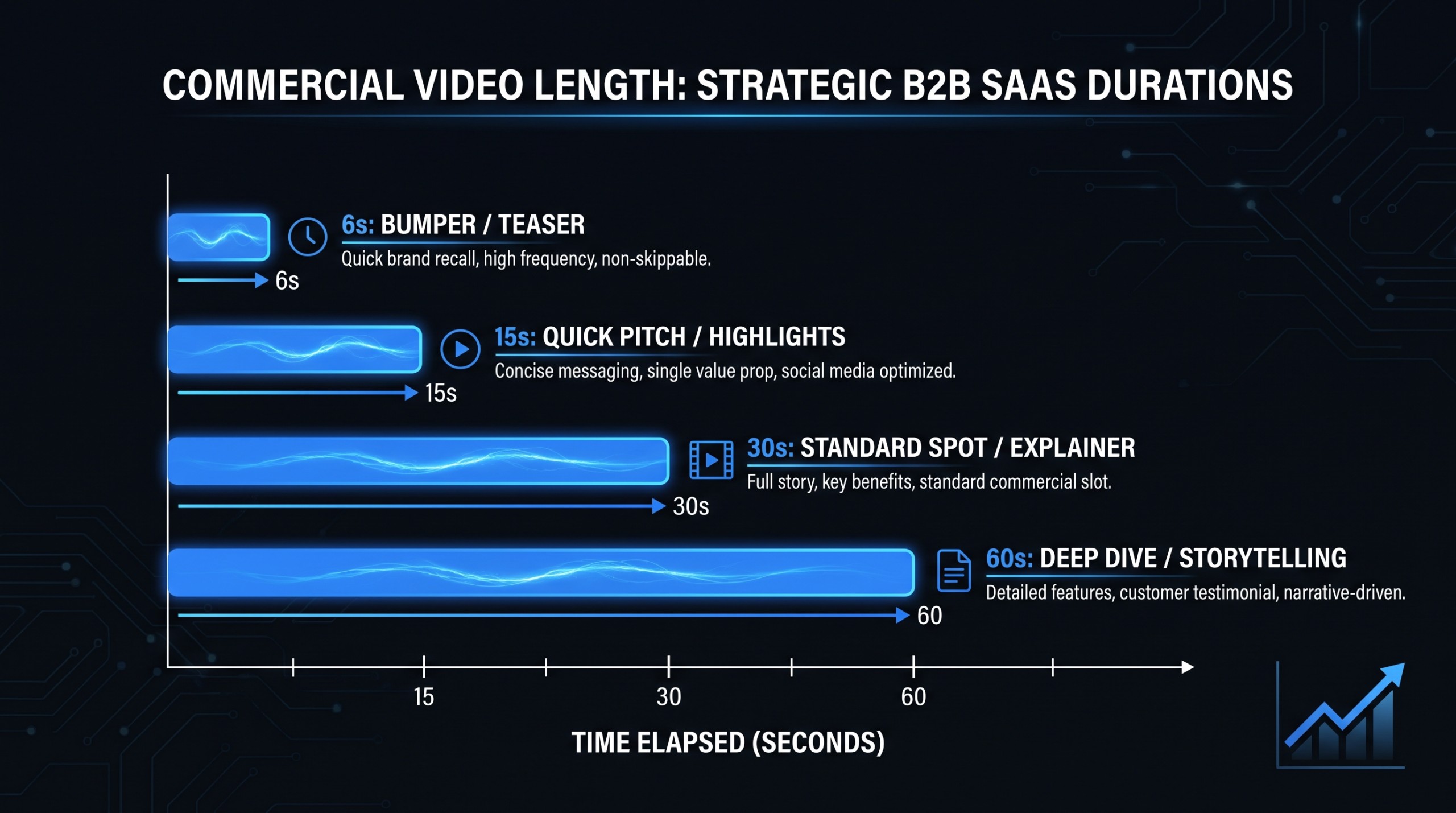
1. Product demo clips (30–90 sec)
Short clips showing a specific feature or workflow. Perfect for product launch emails and feature announcements. Link to the full demo on your website.
2. Customer testimonial snippets (30–60 sec)
A customer sharing one specific result. "We reduced churn by 40% in 3 months using [product]." Include the full testimonial video on a landing page.
3. Personalized sales videos (60 sec)
1:1 videos recorded for specific prospects. Mention their name, company, and a specific challenge. Dramatically outperform template emails for response rates.
4. Educational content teasers (15–30 sec)
A preview of a longer educational video. "In our latest guide, we break down 5 strategies for [topic]. Here's a 20-second preview..." Drives traffic to your blog or YouTube channel.
5. Event recaps and highlights (60–90 sec)
Post-event email with a highlight reel. Reminds attendees of the value, creates FOMO for non-attendees, and drives registration for the next event.
Subject Line Strategies
When to use "video" in the subject line
- When the video is the primary content of the email (not a supplement)
- When the video features a recognizable person or brand
- When it's a product demo or announcement
When NOT to use "video"
- Every single email (the word loses impact through overuse)
- When the video is secondary to the email's main message
- Cold emails (it can trigger spam filters in some cases)
Subject line formulas that work
- "[Video] How [Company] reduced [metric] by [X%]" — social proof + specificity
- "Watch: [Specific topic] in 2 minutes" — promise of brevity
- "[Name], I recorded this for you" — personalized video
- "New [Feature] — see it in action" — product-specific
Email Design for Video
Layout best practices
- Position the video thumbnail prominently — above the fold, spanning the full width of the email
- Include a text CTA below the thumbnail — "Watch the 2-minute video →" — for subscribers who don't click images
- Keep surrounding text minimal — 2–3 sentences of context, then the video, then a brief CTA. Don't bury the video in paragraphs.
- Mobile optimization: Ensure the play button is large enough to tap on mobile (minimum 44×44 pixels)
Landing page alignment
When the subscriber clicks the thumbnail, they should land on a page where the video auto-plays (or is prominently featured). Don't send them to your homepage or a generic blog. Create dedicated landing pages for video emails.
Need Video Content for Your Email Campaigns?
We produce short-form video clips optimized for email marketing. Customer testimonials, product demos, and educational teasers.
Book a Free Strategy Call See PricingVideo in Email Sequences
Nurture sequence with video
| EMAIL # | VIDEO CONTENT | GOAL |
|---|---|---|
| 1 | Welcome + brand overview video | Introduce your company and value prop |
| 3 | Educational how-to video | Provide value, build trust |
| 5 | Customer testimonial video | Social proof, address skepticism |
| 7 | Product demo or use-case video | Show the solution in action |
| 9 | Personalized video from sales rep | Human connection, drive to conversation |
Not every email in the sequence needs video. Alternate between text-only and video emails to maintain novelty and prevent fatigue.
Measuring Video Email Performance
Email-level metrics
- Open rate: Compare video subject line emails vs. non-video subject lines
- Click-to-open rate (CTOR): Percentage of openers who click the video thumbnail
- Conversion rate: Actions taken on the video landing page (demo request, download, etc.)
Video-level metrics
- Play rate: Of those who landed on the page, how many clicked play?
- Watch time: Average percentage of video watched
- Drop-off points: Where do viewers stop watching? Content or pacing issue?
Free: Video Repurposing Matrix
Turn every video into 10+ email-ready assets with our repurposing matrix. Maximize ROI from every piece of video content.
Download the MatrixFrequently Asked Questions
Can I embed video directly in email?
Not reliably. Gmail, Outlook, and Yahoo strip HTML5 video for security. Use a video thumbnail image with a play button that links to the video on your website or video hosting platform.
Does video in email increase spam risk?
No — if done correctly. Large embedded files can trigger spam filters, but a thumbnail image linking to a video is treated like any other image-based email. Keep image file sizes under 200KB.
What's the ideal video length for email?
The video itself should be 30-90 seconds for marketing emails, 60 seconds for sales follow-ups. Remember, the email links to the video — the email thumbnail just needs to earn the click.
Should every email include video?
No. Use video in 30-40% of emails for maximum impact. If every email has video, it loses its novelty. Reserve video for when visual demonstration genuinely adds value.
How do I create video thumbnails for email?
Screenshot the most compelling frame of your video, add a centered play button overlay (many free templates available), and optionally add a duration indicator. Keep the image under 200KB for email deliverability.