
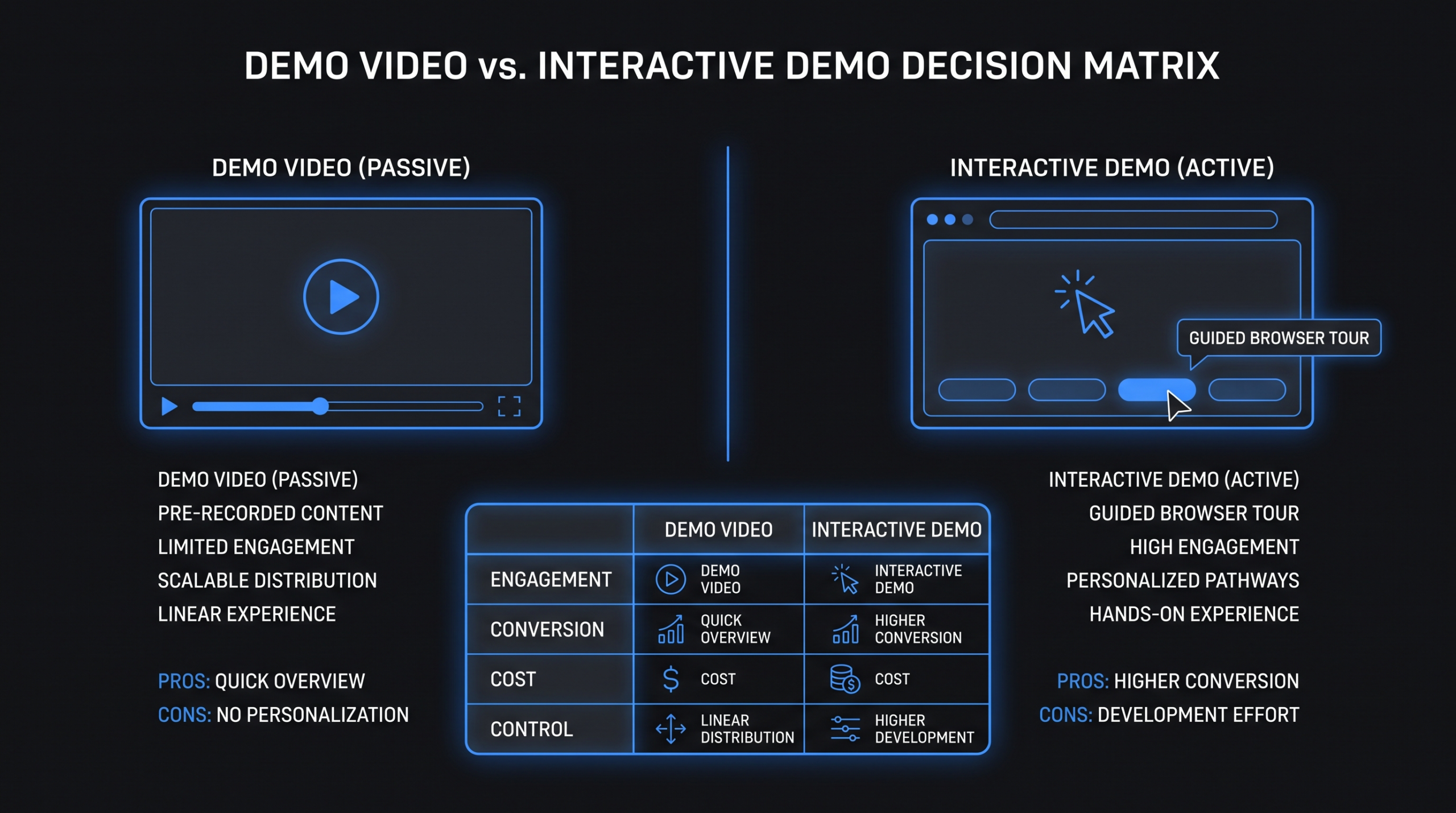
Demo Video vs Interactive Demo: What Converts?
TL;DR — Key Takeaways
- Video wins for paid distribution, narrative storytelling, emotional resonance, and awareness-stage reach — you can put a video in a YouTube pre-roll; you cannot put an interactive demo there.
- Interactive demos win for self-directed buyer exploration, PLG motions, high-complexity products, and late-stage deal acceleration.
- Most high-ACV SaaS teams eventually use both. The sequence matters more than the format: video for the hook, interactive demo for the handshake.
- The "which converts better?" question is wrong. Conversion depends on funnel stage, product complexity, ACV, and how the asset is deployed. This guide gives you the framework to decide.
Table of Contents
- What Is a Demo Video?
- What Is an Interactive Demo?
- Video vs Interactive Demo: Strengths by Funnel Stage
- Cost and Maintenance: The Full Picture
- When Video Wins (and When It Doesn’t)
- When Interactive Demos Win (and When They Don’t)
- Using Both Together: The Combo Plays That Work
- Decision Framework: Which Format Fits Your Situation?
- FAQ
Your product is ready. Your marketing team is arguing. Someone on demand gen wants to build a Navattic or Storylane interactive tour and put it on the pricing page. Someone on brand wants a produced demo video for LinkedIn ads and the website hero. Everyone has screenshots of a competitor who "killed it" with one or the other.
The uncomfortable truth: both sides are right. Interactive demos and produced demo videos each win in specific contexts. Choosing wrong is not a disaster — but choosing without a framework wastes budget and delays learning. This guide gives you the framework.
We will cover what each format actually does well (not the vendor pitch version), how they perform across funnel stages, cost and maintenance math, when to use each, when to use both, and a concrete decision framework based on your product complexity and ACV. No hype — just the signal.
What Is a Demo Video?
A demo video is a produced piece of content that shows your product in action. It typically combines screen recording, motion graphics, voiceover narration, and post-production polish. The finished result is a linear, non-interactive video file a viewer watches from start to finish.
The Core Formats
- Narrated walkthrough: Screen recording of the product with a voiceover explaining what is happening. Most common format. Runtime typically 90 seconds to 4 minutes.
- Animated explainer: Stylized animation rather than live screen recording. Better for complex concepts or early-stage products with rough UIs. More expensive to produce and maintain.
- Sales demo video: A longer-form, scripted demo designed for sales handoffs or post-meeting follow-ups. Runs 3–8 minutes. Covers the full product narrative for a specific persona.
- Feature spotlight: Short, focused demo of a specific capability. 30–90 seconds. Used for email nurture, social, and onboarding flows.
Where Demo Videos Live
Demo videos are deployed across channels that require a passive viewing experience: homepage hero sections, YouTube (organic and paid pre-roll), LinkedIn and Meta ads, sales email sequences, customer success onboarding sequences, and investor decks. The format's power comes from its distribution flexibility — any channel that accepts video can carry a demo video.
For SaaS teams thinking about product demo video production, the production investment is real but the distribution reach is wide. One well-produced demo video can anchor multiple campaigns across six or more channels simultaneously, making the per-impression cost lower than almost any other B2B content format.
What Is an Interactive Demo?
An interactive demo is a clickable, self-guided walkthrough of your product — built without requiring the prospect to create an account or access the live product. Tools like Navattic, Storylane, and Arcade capture your product's interface (via screenshots or HTML capture) and layer interactive tooltips, hotspots, and guided paths on top of those captured states.
How Interactive Demo Tools Work
A product marketer walks through a demo flow in the live product. The tool captures each screen state. You then annotate the captured screens with overlays, tooltips, and branching paths. The result is a sandbox version of your product that prospects can explore at their own pace — clicking through the real interface without touching the live system or requiring provisioning.
Common Deployment Contexts
- Website: "Try before you buy" CTA on the pricing page or product pages alongside or instead of "Request a Demo"
- Outbound sales: Personalized demo links sent as pre-meeting prep ("Here's the feature most relevant to your use case — take 5 minutes before our call")
- Post-demo follow-up: "Explore what we showed you" sent after a live call for champion sharing internally
- Paid landing pages: High-intent traffic routed to "see it yourself" instead of a form-gated "request a demo"
- Partner enablement: Let channel partners show the product without training or sandbox provisioning
Interactive demo platforms typically price based on views, seats, or published demos. Entry-level plans commonly start around $500–$1,500/month; growth-tier plans typically run $2,000–$4,000/month. Enterprise pricing varies significantly by vendor and volume.
Video vs Interactive Demo: Strengths by Funnel Stage
The format that converts best depends almost entirely on where in the funnel you are deploying it and what action you want the prospect to take next. Here is how each performs at each stage:
Funnel Stage Comparison: Demo Video vs Interactive Demo
| Funnel Stage | Demo Video | Interactive Demo | Edge Goes To |
|---|---|---|---|
| Top of Funnel (Awareness) | Excellent — runs in paid ads, YouTube pre-roll, LinkedIn; narrative hook works on cold audiences | Poor — cannot embed in an ad; cold visitors rarely self-initiate a 10-step product tour unprompted | Video |
| Mid-Funnel (Consideration) | Good — email nurture, retargeting sequences; triggers emotion and recall for warm audiences | Good — website visitors with intent explore on their own terms; high engagement time per session | Tie / use both |
| Bottom of Funnel (Decision) | Useful for social proof and "this is what you would get" framing; less effective alone at high ACV | Strong — lets prospects test-drive before committing to a call; reduces friction and sales cycle length | Interactive Demo |
| Sales Handoff / Pre-Call | Good for intro and warm-up; establishes product narrative before the live demo call | Excellent — prospects arrive already familiar with the interface; discovery skips basics | Interactive Demo |
| Post-Sale / Onboarding | Good for guided walkthroughs in knowledge bases and onboarding email sequences | Excellent — interactive in-app tours replace static tutorials with exploratory, self-paced learning | Interactive Demo |
The pattern is consistent: video dominates the distribution-heavy, narrative-driven stages. Interactive demos shine where buyer-led exploration and self-qualification matter most. The mid-funnel stages where both are useful are exactly where most SaaS teams should consider running them simultaneously rather than choosing one.
Cost and Maintenance: The Full Picture
Most comparisons of these two formats undercount one or both sides of the equation. Here is the honest math across the dimensions that actually affect your total cost of ownership:
Cost and Maintenance Comparison
| Dimension | Demo Video | Interactive Demo |
|---|---|---|
| Upfront production cost | $2,000–$10,000+ for a polished 2–4 min video (scripting, narration, motion graphics, professional edit) | $500–$3,000 to build the initial flow in-platform (mostly PMM time + tool subscription) |
| Ongoing platform cost | Video hosting: $100–$500/mo (Wistia, Vimeo); YouTube hosting: free | $500–$4,000/mo for the interactive demo platform (Navattic, Storylane, Arcade) |
| Maintenance on product UI change | Major redesign = full or partial reshoot ($1,500–$8,000). Minor changes = partial re-record and re-edit ($300–$2,000) | Screenshot-based: re-capture affected screens in platform (~2–8 hrs PMM time). HTML-based: often auto-updates |
| Analytics granularity | Views, play rate, completion rate, drop-off by timestamp | Clicks per step, step completion rate, time per step, drop-off by step, heatmaps |
| Personalization at scale | Limited — versions require separate edits; dynamic text overlays are possible but expensive | Easy — most platforms swap logos, text, and paths by contact or account in minutes |
| Distribution reach | High — any ad network, email embed, social platform, and web page accepts video | Low — requires a link click or iframe embed; no native ad format support |
| Estimated shelf life | 12–24 months if UI is stable; 3–6 months on products shipping major changes frequently | More evergreen on stable products with screenshot capture; auto-updating with HTML capture |
The cost story is more nuanced than either camp admits. Interactive demos have lower upfront production cost but accumulate ongoing platform fees that compound over time. Demo videos have higher upfront production cost but the finished asset can run for months or years on distribution channels you already own. Maintenance costs can flip the entire calculation for fast-moving products — a team shipping major UI changes quarterly will typically spend more maintaining a demo video library than an interactive demo library.
For SaaS teams building out a video library across multiple features and personas, working with a dedicated SaaS video production partner rather than producing one-offs is typically how you get the cost-per-video down to a manageable level. Per-unit costs drop sharply once a production team already knows your product, brand, and style guide.
When Video Wins (and When It Does Not)
Video Is the Right Call When...
You are running paid distribution. This is non-negotiable. You cannot put an interactive demo in a YouTube pre-roll, a LinkedIn video ad, a Meta story, or a CTV spot. Video is the only format for any context where you are paying to put content in front of someone who did not ask to see it. For SaaS companies spending on paid social and video search, demo videos are the only format that works here — full stop.
You need a narrative arc. Interactive demos are inherently modular — the prospect controls what they see and in what order. Demo videos let you control the story: problem, tension, solution, outcome. When a product's value is not self-evident from clicking around (common in data platforms, security tools, compliance products, and analytics software), a guided narrative video is more effective than a self-directed tour. The buyer needs to understand why a feature matters before they will bother exploring it.
Emotional resonance is part of the sale. Music, pacing, voiceover tone, and visual storytelling create emotional responses that tooltip overlays on screenshots cannot replicate. For brand moments, investor presentations, conference keynotes, and enterprise deals where trust is the primary barrier — not information — video does work that interactive demos simply cannot.
Your product UI is rough or mid-redesign. Interactive demos require the actual product interface to be presentable. If you are in an active build phase, an animated explainer or motion-graphics demo video can communicate the concept clearly without exposing a half-finished UI to prospects.
You have limited PMM bandwidth. Building a quality interactive demo requires someone who understands both the product and the buyer journey deeply enough to write the overlay copy, design the flow logic, and keep it updated as the product ships. A well-produced video, once created, runs with minimal ongoing maintenance. With a small team, the cumulative time cost of interactive demo management often exceeds the upfront production cost of a video.
When Video Is Not the Right Tool
- When your buyer is a technical evaluator who prefers to explore independently — a narrated walkthrough can feel condescending compared to actual hands-on access
- When you have a PLG motion and want self-serve qualified pipeline — a video cannot capture the intent signals that interactive demo click data can feed back to sales
- When your product ships major UI changes every 4–6 weeks — maintenance costs compound faster than most teams anticipate
When Interactive Demos Win (and When They Do Not)
Interactive Demos Are the Right Call When...
You have a PLG or product-led growth motion. If buyers are accustomed to self-serving — signing up, exploring, and deciding to purchase without speaking to a human — an interactive demo in the "try before you buy" flow reduces the friction of full account creation. High-intent visitors who might bounce from a "request a demo" form will often engage with an instant interactive demo link, especially on the pricing page.
Your product is complex and buyers need to orient before they talk to sales. Enterprise software with multi-tab interfaces, complex dashboards, workflow builders, and deep integrations — buyers who arrive to a sales call without context waste the first 20 minutes on basics that should have been covered asynchronously. An interactive demo sent pre-call produces better-quality discovery conversations because the buyer arrives already oriented.
You want personalized outbound at scale. Most interactive demo platforms allow you to swap out logos, industry-specific data, and persona-specific paths for different outbound sequences with minimal additional effort. A personalized demo link showing data from the prospect's specific industry vertical typically outperforms a generic video link in outbound email sequences because specificity signals genuine effort.
You need granular intent signals tied to buyer behavior. Video analytics tell you where viewers drop off in the timeline. Interactive demo analytics tell you which features prospects spend the most time on, which steps they skip, and where they exit — intent signals your CRM and sales team can use for prioritization, talk-track customization, and scoring.
When Interactive Demos Are Not the Right Tool
- When your ICP does not self-serve — high-touch, relationship-led enterprise sales with committee buying rarely have champions who will click through a 15-step product tour unprompted
- When the product's value is highly contextual — a sandbox tour of an empty data warehouse, a blank CRM, or an unconfigured workflow tool demonstrates little without real customer data loaded
- When you need the asset to run in paid media — interactive demos cannot be used as ad units
- When your team lacks the PMM bandwidth to maintain the flow — an interactive demo showing an outdated UI or deprecated navigation actively erodes trust with buyers who notice the discrepancy
Using Both Together: The Combo Plays That Work
For most Series B+ SaaS companies, the question is not video or interactive demo — it is how to sequence them. Here are the plays that tend to work well in practice:
Play 1: The Awareness-to-Exploration Funnel
Run a 30–60 second demo video in paid social to generate awareness and drive traffic. The landing page offers an interactive demo with a "See it yourself — no sign-up required" CTA. Video creates the impulse to learn more; the interactive demo converts that impulse into hands-on engagement. Each format does the job it is actually suited for, and the handoff between them is clean.
Play 2: The Sales Sequence Combination
Sales outbound email includes a 90-second narrated product overview (not a generic asset — a screen recording that references the prospect's company or use case). A follow-up email two or three days later includes a personalized interactive demo link showing flows or data relevant to their vertical. The video warms; the interactive demo converts to a booked meeting. Either format alone typically underperforms the combination in mid-market outbound.
Play 3: The Pre-Call Prep Package
After a discovery call is booked, send a pre-call prep email containing two assets: (1) a 90-second feature video highlighting the two or three capabilities most relevant to what you learned on the intro call, and (2) a link to an interactive demo of those same features for the prospect to explore at their own pace. Prospects who engage with both assets before the demo call tend to arrive with more specific, substantive questions — which shortens the evaluation cycle and increases close rates on high-ACV deals.
Teams executing this kind of combined strategy at scale need both a reliable video production workflow and a disciplined interactive demo management process. The operational overhead is real. But the lift in qualified pipeline quality typically justifies it for companies with ACV above $20K and active content programs. For a practical look at how to structure the video side of that equation, the VEC workflow shows how a dedicated editing team handles the production pipeline without adding internal headcount.
Decision Framework: Which Format Fits Your Situation?
Here is a structured way to cut through the format debate based on the variables that actually determine outcome:
By Product Complexity
Simple or single-use-case product (ACV under $5K, self-serve): An interactive demo is usually sufficient as the primary mid-funnel asset. A short demo video for paid ads supplements awareness. If you are spending meaningfully on paid distribution, the video becomes the priority.
Moderate complexity (multiple personas, 2–4 core workflows, ACV $5K–$25K): Both formats are likely warranted. Video for awareness-stage and paid channels; interactive demo for the website, pre-call prep, and outbound sequences. Produce 2–3 focused demo videos organized by persona or primary use case rather than one omnibus walkthrough that tries to cover everything.
High complexity (multi-module platform, deep integrations, ACV $25K+): An interactive demo is almost always necessary for mid-to-late funnel evaluation. Buyers at this ACV level will not commit on a video alone — they need to explore, evaluate technically, and share with internal stakeholders. Videos remain essential for executive sponsorship, paid media, and conference presence where the audience is passive and narrative matters.
By Go-to-Market Motion
PLG / product-led: Prioritize interactive demo on the website and in trial activation flows. Video supports paid acquisition to drive traffic. Analytics from the interactive demo feed product and growth team learning loops about where users get confused or drop off.
Sales-led (inbound): Video for the website hero, demand generation content, and ad units. Interactive demo for the high-intent pricing page CTA ("See how it works") and pre-call preparation packages sent after meeting booked.
Sales-led (outbound): The personalized video plus personalized interactive demo sequence typically outperforms either format alone for mid-market and enterprise outbound. The effort-to-conversion ratio on this combination improves significantly once you have production systems in place that make personalization fast.
By Team Capacity
Small team with limited PMM bandwidth: Produce one strong, well-scripted demo video first. It distributes across many channels without ongoing maintenance once it is live. Defer the interactive demo investment until you have the PMM capacity to build and maintain it properly — a neglected, outdated interactive demo is worse than none.
Dedicated PMM or content team: Both formats become viable in parallel. Build the interactive demo library alongside the video library. Prioritize interactive demo for the highest-intent conversion points first (pricing page, outbound sequences) before expanding to secondary contexts.
For teams leaning into video as their primary demo format, a production partner who specializes in SaaS demo video production saves significant time on scripting direction, recording, and post-production polish. Video Editing Company’s dedicated team model — senior editor, project manager, and creative direction included — is built for teams who need consistent demo video output without building an in-house production function. Growth plan starts at $5K/month with a guarantee of doubling video output in 90 days.
Frequently Asked Questions
Does an interactive demo or a demo video convert better on a SaaS pricing page?
It depends on your buyer and ACV. For self-serve products under $5K ACV, interactive demos on the pricing page typically generate more qualified pipeline — the "try it yourself" CTA reduces friction compared to "request a demo." For high-ACV enterprise products, a short demo video often works better because buyers at that stage want to understand the narrative and value proposition before they are willing to invest time exploring. If you have the traffic volume, run both and measure engagement time, scroll depth, and downstream conversion rather than relying on general benchmarks.
How long does it take to build an interactive demo versus produce a demo video?
An interactive demo can be built in 1–5 business days once the tool is set up and a PMM knows the product well enough to design the flow. The build itself is fast; the strategy (which flows to showcase, which personas to target, what copy to layer on each step) is where most of the real work sits. A produced demo video typically takes 2–4 weeks from briefing to delivery when working with a professional production partner — scripting, recording direction, editing, motion graphics, and revision rounds. For teams with recurring video needs, a dedicated editing partner shortens this cycle significantly after the first project because the team already knows your product and brand guidelines.
Can interactive demos replace a live sales demo call entirely?
For simple, low-ACV products with a self-serve motion — sometimes yes. Companies with sub-$3K ACV and strong PLG motions sometimes replace early-stage discovery calls with interactive demo qualification, routing only product-engaged accounts to a human. For mid-market and enterprise ACV, interactive demos work best as a complement rather than a replacement. They accelerate evaluation and improve the quality of the discovery conversation; they do not typically close the deal on their own at $25K+ ACV where committee buying and custom procurement are involved.
What is the right length for a SaaS demo video?
It depends heavily on where the video lives. Top-of-funnel paid social: 15–30 seconds (interrupt and hook, not a full walkthrough). Website hero section: 60–90 seconds (enough to communicate the core value proposition and push toward a next step). Nurture email or retargeting: 90–180 seconds (one or two specific use cases with a clear CTA). Sales follow-up or post-call: 3–5 minutes (full feature walkthrough for a champion to share internally with stakeholders who were not on the call). The most common mistake is producing one 5-minute "comprehensive" demo video and attempting to use it everywhere. Shorter, purpose-built assets for each context almost always outperform the all-in-one approach.
How often do interactive demos need to be updated compared to demo videos?
Interactive demos built with screenshot capture need updates whenever the product UI changes significantly — a full redesign or navigation overhaul may require rebuilding the entire flow. Tools using HTML capture tend to update more automatically and require less manual maintenance. Demo videos need updates when on-screen elements look different enough from the current product that prospects notice the discrepancy, or when the strategic focus of the narrative changes. Fast-moving products shipping major releases every 4–6 weeks often find interactive demos easier to maintain because the scope of updates is more targeted. More stable products typically find that a well-produced demo video holds up for 12–18 months without requiring significant intervention.
Need Demo Videos That Actually Convert?
Video Editing Company builds dedicated editing teams for B2B SaaS — senior editor, project manager, and creative direction, all focused on your product. Whether you need a polished hero demo video, a library of feature spotlights, or paid-media-ready ad cuts, we deliver. Growth plan from $5K/month. 90-day output guarantee: double your video output or month four is free.
Book a Free Strategy Call See Pricing
