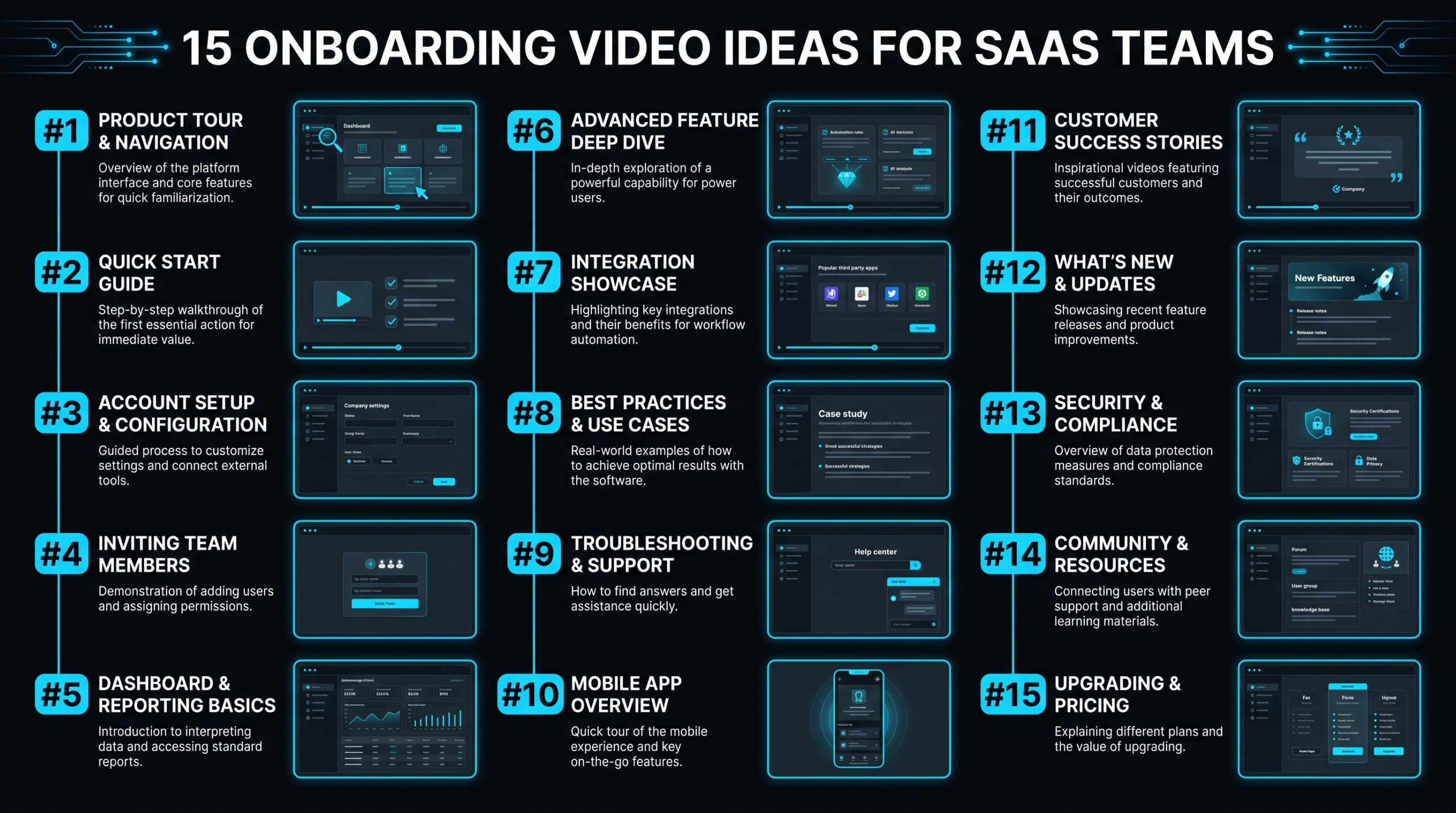
15 Onboarding Video Ideas for SaaS Teams
TL;DR
The 15 onboarding video ideas in this guide split into three categories: employee-facing (welcome, culture, role training, SOP, HR, tech stack), product-focused (core workflow walkthroughs, persona demos, advanced features, integrations), and customer-facing (welcome videos, milestone videos, FAQ, success stories). Start with whichever category maps to your highest-cost friction point — typically the customer-facing core workflow walkthrough or a role-specific employee onboarding video.
- Ideas 1–3: Employee welcome & culture videos
- Ideas 4–7: Product & feature walkthroughs
- Ideas 8–11: Role-specific & process videos
- Ideas 12–15: Customer-facing onboarding videos
The best onboarding video ideas for SaaS teams fall into three buckets: employee-facing videos (role training, culture, HR), product-focused videos (feature walkthroughs, use case demos), and customer-facing videos (welcome series, milestone moments, FAQ). Getting even four or five of these right can meaningfully shorten time-to-productivity for new hires and time-to-value for new customers.
Below you'll find all 15 ideas organized by category, with guidance on format, length, and when to produce each one — so your content team knows exactly where to start.
Table of Contents
- Why Onboarding Videos Work for SaaS Teams
- Ideas 1–3: Employee Welcome & Culture Videos
- Ideas 4–7: Product & Feature Walkthroughs
- Ideas 8–11: Role-Specific & Process Videos
- Ideas 12–15: Customer-Facing Onboarding Videos
- Comparison: Which Type to Make First
- DIY vs. Professional Production for Onboarding Videos
- How to Keep Your Onboarding Videos Current
- FAQ
Why Onboarding Videos Work for SaaS Teams
Onboarding videos outperform written documentation for SaaS products for a specific reason: SaaS products change. Every sprint cycle can introduce new UI, new workflows, new features. A written guide goes stale the moment a modal is redesigned. A well-structured video library — one that's modular and easy to update — stays useful far longer and scales without additional CS headcount.
There's also the async advantage. SaaS teams are frequently distributed, and video allows a new engineer in Berlin to absorb the same onboarding context as someone in San Francisco, without scheduling a live call. For customer onboarding, video reduces the support ticket load that comes from "how do I do X?" questions — redirecting that traffic to self-serve content instead.
The goal isn't to replace human onboarding — it's to make the human time count. Videos handle the repetitive, consistent parts so your team can focus on the nuanced, relationship-building conversations.
Here's the breakdown you actually need — all 15 onboarding video ideas, what they accomplish, and what makes each one work.
Ideas 1–3: Employee Welcome & Culture Videos
These are the videos new hires watch in their first week. Their job is to reduce first-day anxiety, communicate what your company actually values (not just the handbook version), and establish a sense of belonging before the technical training begins.
Idea 1: CEO or Founder Welcome Video
IDEA 01
A 2–4 minute direct-to-camera video from the CEO or a founding team member. This isn't a PR piece — it's a candid message about why the company was built, what the mission actually means in practice, and what new employees can expect from leadership.
What makes it work: Authenticity over production value. New hires can tell when a video is scripted to sound warm but isn't. A slightly imperfect, genuine message lands better than a polished corporate greeting. Light b-roll of office or product can supplement, but the face-to-camera delivery is the core.
Format: 2–4 min · Face-to-camera with light b-roll · Updated annually or after major company pivots
Idea 2: Company Culture & Values Explainer
IDEA 02
Most companies have values on the wall or in a handbook. Fewer can show what those values actually look like in practice. This video bridges that gap — illustrating each core value with a real decision the team made or a moment from company history.
What makes it work: Concrete examples. "We value transparency" means nothing without a story: "Here's a time we shared bad news with the team before we knew how to fix it." The more specific the example, the more believable and memorable the value.
Format: 3–6 min · Mixed talking head + text overlays + team footage · Refresh when values evolve
Idea 3: Team Introduction Series
IDEA 03
Short (60–90 second) videos from each department head or team lead — their role, what they work on, and the best way to collaborate with them. Organized into a playlist, this gives new hires a human map of the organization before their first cross-functional meeting.
What makes it work: Reduces the social friction of "I don't know who handles that." When a new product manager knows what the customer success lead does and how to reach them, first-week context-gathering gets dramatically faster.
Format: 60–90 sec per video · Face-to-camera, informal · Updated as team structure changes
Ideas 4–7: Product & Feature Walkthroughs
Whether your audience is new employees or new customers, product walkthroughs are the highest-leverage onboarding videos you can make. They answer the single question that consumes the most CS and training time: "How does this work?"
Idea 4: Core Workflow Walkthrough
IDEA 04
A 5–10 minute screen-recorded walkthrough of the primary workflow your product enables. For a project management tool, that's creating a project, assigning tasks, and tracking progress. For a sales tool, it's adding a prospect, running an outreach sequence, and logging a call.
What makes it work: Focus on the happy path first. New users (and new employees) don't need edge cases in week one — they need confidence with the core loop. Cover edge cases in a separate "advanced" video (see idea 6).
Format: 5–10 min · Screen recording with voiceover + cursor highlights · Requires update with each major UI change
Idea 5: Use Case Demo by Persona
IDEA 05
Instead of showing the product generically, show it solving the specific problem for each of your primary buyer personas. A content marketing team uses your tool differently than an engineering team. Create one video per persona, framing the walkthrough around their specific workflow and pain points.
What makes it work: Persona-specific framing dramatically improves comprehension. A new enterprise sales hire watching a demo built for "VP Marketing at a 200-person SaaS company" will absorb it faster than a generic product tour — because every feature shown is one they'll need to explain.
Format: 4–8 min per persona · Screen recording with persona-framed narration · Refresh when personas or positioning changes
Idea 6: Advanced Features Preview
IDEA 06
A series of short (2–4 min) videos on power-user features that typically take 30–60 days to discover organically. Automation rules, API integrations, bulk operations, keyboard shortcuts — these are the features that separate engaged users from churned ones.
What makes it work: The goal is accelerating the "aha" moment. When new customers encounter a feature that would have taken them weeks to find on their own, it creates a positive perception of product depth that correlates with retention.
Format: 2–4 min per feature · Screen recording · Updated as features ship
Idea 7: Integration Setup Guides
IDEA 07
Step-by-step screen recordings for connecting your product to the other tools your customers already use — Slack, Salesforce, HubSpot, Zapier, and so on. These are a common source of first-week friction for both new employees and new customers.
What makes it work: Integration failures are often the point where new customers go quiet. A clear setup video with troubleshooting guidance for the two or three most common errors removes this blocker from the support queue.
Format: 3–6 min per integration · Screen recording · Must be updated whenever third-party UI changes
Ideas 8–11: Role-Specific & Process Videos
These are primarily for employee onboarding — helping new hires understand their specific responsibilities, the tools they'll use daily, and the processes they're expected to follow. They're the highest-value investment for companies where onboarding a bad hire costs six figures and getting someone up to speed takes months.
Idea 8: Role-Specific Onboarding Video
IDEA 08
A 10–20 minute video created for each key role — Sales Development Representative, Account Executive, Customer Success Manager, Software Engineer, and so on. It covers the role's core responsibilities, the metrics it's accountable for, the tools it uses, and the process for a typical week.
What makes it work: This is the video a manager wishes they had time to record but never does. When it exists, it frees the hiring manager from repeating the same orientation every 90 days. For companies with high hiring velocity, the ROI compounds fast.
Format: 10–20 min · Talking head from the manager or team lead + screen recording of tools · Refresh quarterly or when role responsibilities shift
Idea 9: SOP & Internal Process Videos
IDEA 09
Short walkthroughs of the processes new hires are expected to follow: how to submit a sales opportunity, how to escalate a customer issue, how to request legal review for a contract, how to handle a support ticket from open to close. These replace long written SOPs that nobody reads.
What makes it work: Video is dramatically faster to consume than a 3,000-word process document. The combination of showing the screen and narrating the reasoning — not just the clicks — helps new hires understand why the process exists, not just how to execute it.
Format: 3–8 min per process · Screen recording with narration · Update whenever the process changes (critical — stale SOP videos cause more damage than no video at all)
Idea 10: Benefits & HR Explainer Videos
IDEA 10
A video series covering the components of your benefits package — health insurance enrollment, 401(k) setup, equity vesting schedule, PTO policy, parental leave, and any perks or stipends. Benefits questions consume significant HR time in the first 60 days of any new hire's tenure.
What makes it work: Benefits are confusing, and most new employees are embarrassed to ask "basic" questions more than once. A self-serve video library they can return to at enrollment time reduces repetitive HR inquiries and ensures new hires actually use their benefits.
Format: 3–6 min per topic · Screen recording + talking head from HR · Refresh during open enrollment and when benefits change
Idea 11: Tech Stack & Tools Overview
IDEA 11
A guided tour of the internal tools your team uses — the project management system, communication platform, documentation tool, CRM, and any proprietary internal software. This video explains not just what each tool does, but how your team uses it specifically (which channels matter in Slack, how the CRM is structured, where documentation lives).
What makes it work: Every company uses Slack differently. Every team has a CRM configuration that only makes sense once someone explains the logic behind it. This video provides that context in 15 minutes instead of the three months it typically takes to absorb organically.
Format: 10–20 min total (or broken into per-tool segments of 3–5 min each) · Screen recording · Refresh when tools change
Ideas 12–15: Customer-Facing Onboarding Videos
Customer-facing onboarding videos serve a different goal than employee onboarding: they're designed to get customers to their first value moment as quickly as possible, and to reduce the support burden during the critical first 30 days.
For more examples of how SaaS teams structure these, see our breakdown of employee onboarding video examples — many of the same structural principles apply to customer-side content. Wistia's research on customer onboarding videos is also worth reading for platform-specific data on engagement patterns.
Idea 12: Customer Welcome Video
IDEA 12
A 60–90 second video sent immediately after signup or contract signature — typically from the account executive or CS lead — welcoming the new customer, confirming what success looks like, and setting expectations for the first 30 days.
What makes it work: The first few hours after signup are when buyer's remorse is most likely to creep in. A warm, specific welcome video (referencing the customer's company name or use case) is one of the highest-ROI investments in early retention. For enterprise accounts, a personalized video per customer is worth the production time. For self-serve, a well-crafted persona-specific welcome video achieves most of the same effect.
Format: 60–90 sec · Face-to-camera, personalized or persona-specific · Updated per account or per customer segment
Idea 13: First-Value Milestone Video
IDEA 13
A video triggered when a customer completes a key activation milestone — created their first project, sent their first campaign, connected their first integration. It acknowledges what they just accomplished, celebrates the moment briefly, and introduces the next logical step in the product journey.
What makes it work: Milestone videos create a psychological pattern — the product acknowledges progress, which reinforces continued usage. For self-serve products, these are often automated through your customer lifecycle tooling (Intercom, Appcues, Pendo). The video itself is typically short (30–60 seconds) but the delivery trigger is what makes it feel personal.
Format: 30–60 sec · Screen recording or animated · Delivered via in-app notification or email
Idea 14: FAQ & Troubleshooting Videos
IDEA 14
Short (1–3 min) answer videos built from your most common support tickets. The formula: state the question, show the solution on screen, add a brief explanation of why this resolves the issue. Organized into a searchable knowledge base, these deflect a significant portion of repetitive support volume.
What makes it work: Customers who find their own answers in under three minutes are dramatically more satisfied than customers who wait 24 hours for a support response. The production investment is low (screen recording + voiceover), and the ticket deflection payoff accumulates over time. Start with your top 10 support questions by volume.
Format: 1–3 min per topic · Screen recording with voiceover · Refresh whenever UI or workflows change
Idea 15: Success Story & Social Proof Video
IDEA 15
A 2–4 minute video featuring a customer who's achieved strong results — structured as a brief story arc: where they were before, what they tried that didn't work, how they implemented your product, and what changed. Shared during onboarding, this video serves two purposes: it validates the new customer's decision and shows them a concrete picture of what success looks like.
What makes it work: New customers benefit from seeing their future state as a real example rather than a marketing claim. The most effective success story videos match the new customer's industry and company size — a fintech startup onboarding sees a fintech startup success story, not a Fortune 500 case study that doesn't apply to their situation.
Format: 2–4 min · Talking head interview with screen/product footage · Create per vertical or company size segment
Comparison: Which Onboarding Video Type to Make First
Not every team has the capacity to produce all 15 video types at once. Here's a framework for prioritizing based on your biggest current pain point — and the expected effort required.
Onboarding Video Priority by Use Case
| Video Type | Best For | Avg Length | Production Complexity | Priority If... |
|---|---|---|---|---|
| CEO Welcome | Employee onboarding | 2–4 min | Low | First hire class is >5 people |
| Core Workflow Walkthrough | Customer & employee | 5–10 min | Medium | Support tickets spike in first 7 days |
| Role-Specific Onboarding | Employee onboarding | 10–20 min | Medium–High | Ramp time >60 days for a key role |
| Customer Welcome | Customer onboarding | 60–90 sec | Low | Churn in first 30 days is above benchmark |
| FAQ / Troubleshooting | Customer onboarding | 1–3 min each | Low | Same questions appearing in support >3×/week |
| Use Case Demo by Persona | Customer & sales enablement | 4–8 min | Medium | Sales demos are inconsistent across reps |
| Success Story Video | Customer onboarding | 2–4 min | Medium–High | New customers express doubt post-signup |
| Integration Setup Guides | Customer onboarding | 3–6 min each | Low–Medium | Integration step is where trials stall |
The general rule: start with the video that addresses your highest-cost friction point. If your CS team spends more time answering "how do I connect X to Y" than any other question, integration setup guides come first. If new hires take 90+ days to reach quota, role-specific onboarding videos have the clearest payoff.
DIY vs. Professional Production for Onboarding Videos
Most SaaS teams start with DIY onboarding videos — a Loom recording, a slide deck with voiceover, a quick screen capture. This works for internal SOPs and early-stage FAQ content. It doesn't work as well once you're scaling a customer-facing video program or building content meant to represent your brand at an enterprise level.
Here's how to think about the division of labor:
DIY vs. Professional: When to Use Which
| Video Type | DIY Viable? | Professional Recommended? | Key Reason |
|---|---|---|---|
| Internal SOP videos | ✅ Yes | No | Audience is internal; updates are frequent |
| FAQ / troubleshooting | ✅ Yes | No | Utility > polish; update cadence is high |
| CEO welcome video | Partially | ✅ Light polish recommended | Brand impression at a pivotal moment |
| Core workflow walkthrough | Partially | ✅ Yes (customer-facing version) | Reflects product quality; first impression |
| Customer welcome video | For SMB/self-serve | ✅ For enterprise | Enterprise customers judge vendor credibility by production quality |
| Success story / testimonial | ❌ Rarely | ✅ Yes | Credibility asset; requires interview filming + editing skill |
| Use case demo by persona | Partially | ✅ For primary personas | Lives in sales decks and trial sequences; quality matters |
For teams that need professional help with customer-facing onboarding content, the cost varies significantly based on format. Screen-recorded walkthroughs with professional editing typically run less than animated explainers or interview-based testimonials. See our guide to onboarding video production cost for current market ranges across formats and complexity levels.
VEC works with SaaS teams specifically on this division — handling the customer-facing content (testimonials, persona demos, polished product walkthroughs) while your team owns the internal DIY content. The Growth plan starting at $5K/month is designed for teams producing 6–10 customer-facing videos per month without the overhead of a full in-house production team.
For teams that want to understand how video outsourcing works before committing, our guide on how to outsource video editing covers the process, what to hand off vs. keep in-house, and how to brief an agency efficiently.
How to Keep Your Onboarding Videos Current
Stale onboarding videos cause more damage than no video at all. A new hire following a screen recording from 18 months ago that shows a UI that no longer exists loses confidence in the documentation — and in the team that produced it.
The solution isn't to record everything from scratch every quarter. It's to build a maintenance system:
- Tag videos by UI dependency. Screen recordings tied to specific UI flows should be flagged for review whenever that flow is redesigned. Build this into your product release process, not your content calendar.
- Audit by ticket volume. If a FAQ topic that has a video is still generating support tickets, the video isn't working — either the answer is wrong, the video doesn't surface in the right moment, or the UX problem is deeper than a video can solve.
- Separate evergreen from version-specific content. A video on "how to think about onboarding strategy" ages slowly. A walkthrough of a specific feature ages fast. Treat them differently in your production queue and update cadence.
- Keep screen recording raw files. When a feature updates, you may only need to re-record one 90-second segment — not redo the entire video. Modular recordings make partial updates far cheaper.
For production teams managing a library of SaaS onboarding videos, working with a dedicated SaaS video production partner can simplify the update cycle — they maintain version control, flag outdated content, and handle re-edits without requiring your internal team to manage the production workflow.
Frequently Asked Questions
What's the most impactful onboarding video to make first?
For customer-facing programs, the core workflow walkthrough (idea 4) typically delivers the most measurable impact — it addresses the question that drives the most early support tickets. For employee onboarding, role-specific videos (idea 8) have the clearest ROI when ramp time is a known pain point. Start with whichever type maps to your biggest current cost.
How long should a SaaS onboarding video be?
It depends on the job it's doing. Welcome videos and milestone videos should be 60–90 seconds — their goal is emotional, not educational. Feature walkthroughs can run 5–10 minutes when they're covering a complete workflow. Role-specific onboarding videos can run 15–20 minutes if the role is complex. The rule of thumb: as long as it needs to be, not one minute longer.
Should onboarding videos be personalized per customer?
For enterprise accounts, some level of personalization (at least addressing the company name or specific use case in the welcome video) is worth the effort. For self-serve and SMB, well-segmented persona-specific videos achieve most of the same effect at a fraction of the production cost. True 1:1 personalization at scale works better with text-based communication than video.
What tool should SaaS teams use to record onboarding videos?
For internal DIY content, Loom is the standard choice — it handles screen recording, webcam capture, and sharing in one tool. For customer-facing content that needs light editing, tools like Camtasia or Descript add post-production capability. For polished customer-facing content (testimonials, persona demos, product overviews), dedicated video editing is worth the investment — the quality gap between self-edited and professionally edited content is visible to enterprise buyers.
How often should SaaS onboarding videos be updated?
There's no universal cadence — the right answer depends on how often your product UI and workflows change. Screen recordings tied to specific features should be reviewed with every significant UI update. Culture and company overview videos typically age more slowly and may only need updating annually or after major pivots. Build a trigger-based review system (tied to product releases) rather than a calendar-based one for feature-specific content.
Need Help Producing SaaS Onboarding Videos?
VEC works with SaaS marketing and CS teams to produce customer-facing onboarding content — product walkthroughs, testimonials, persona demos — with dedicated editor pods and a 90-day output guarantee.
Book a Free Strategy Call See Pricing Plans