Employee Onboarding Video Examples That Work
TL;DR: The best employee onboarding video examples share four traits — they answer a specific question, they're short enough to watch in one sitting, they're easy to find when needed, and they don't require a live presenter to deliver value. This guide breaks down six real-world examples by type, explains what makes each effective, and shows you how to build a library of onboarding videos that new hires actually use.
Table of Contents
- Why Video Outperforms Text in Employee Onboarding
- Example 1: Executive Welcome & Culture Videos
- Example 2: Tool and Systems Walkthrough Videos
- Example 3: Role-Specific Training Videos
- Example 4: Process and Compliance Screencasts
- Example 5: Async Department Deep-Dives
- Example 6: Remote-First Video Onboarding Programs
- Onboarding Video Format Comparison
- Anatomy of a High-Performing Onboarding Video
- How SaaS Teams Produce These Videos
- FAQ
Most onboarding programs fail not because of bad content, but because of bad delivery. The slide deck from HR, the lengthy PDF about company values, the live all-hands where the new hire meets 40 strangers on day one — none of it sticks. Research from onboarding specialists consistently points to the same problem: new employees can't recall most of what they're told in their first week, because they're too overwhelmed to process it.
Video changes the equation. Not because it's flashier than a document, but because it's watchable on demand, re-watchable when needed, and consistent every time. The VP of Engineering explaining how the team works doesn't have to repeat themselves for every new hire. The process for submitting expenses doesn't disappear when the person who explained it goes on vacation.
The examples below are drawn from publicly documented practices at real companies. Each section covers a specific video type, what makes it work, and what you can replicate — whether you're producing videos in-house or working with an external team. If you're scaling video content specifically for SaaS onboarding workflows, also see our SaaS onboarding video production guide for format-specific guidance.
Why Video Outperforms Text in Employee Onboarding
Video isn't the right format for every piece of onboarding content. Policies belong in searchable documents. Org charts belong in a wiki. But for anything that involves process, context, culture, or nuance — video consistently outperforms text, for a simple reason: it communicates more information per minute.
A written guide to a software tool takes 15 minutes to read and produces a mental model. A three-minute screen recording showing the exact workflow produces the same mental model in a fifth of the time, with the added advantage of being re-watchable at the moment of need — when the new hire is actually sitting at their desk trying to do the thing.
Three structural advantages make video especially effective for employee onboarding:
- Asynchronous delivery. Experts record once; new hires watch whenever they're ready. No scheduling overhead, no dependency on someone's calendar.
- Consistent quality. The third person to start this month gets the same onboarding experience as the first. No variation based on who happens to be available.
- Self-serve reference. A new hire two months in who can't remember the expense policy can re-watch the relevant section in 90 seconds. They won't do that with a 40-page handbook.
The companies below have operationalized these advantages in different ways. Here's what each approach looks like in practice.
Example 1: Executive Welcome & Culture Videos
The executive welcome video is the most commonly produced onboarding video — and also the most commonly wasted. Done wrong, it's a CEO reading values off a script while looking vaguely uncomfortable. Done right, it orients a new employee to what the company actually believes and why that matters for their day-to-day work.
What Good Looks Like: HubSpot's Culture-Forward Approach
HubSpot is one of the most cited examples of intentional culture communication. Their publicly available HubSpot Academy — used for both customer education and internal training — reflects the same philosophy that drives their employee onboarding: be specific about values, not vague.
Where most welcome videos say "we value collaboration," HubSpot's onboarding content shows what collaboration looks like in practice — specific team structures, how decisions get made, when to escalate and when to own the call. The result is a new hire who understands the culture as a behavioral system, not just a list of words on a wall.
What to Replicate
- Show, don't tell. Instead of listing values, show a specific scenario where that value was applied.
- Keep it under 8 minutes. If you can't communicate what your company stands for in 8 minutes, the message isn't clear enough yet.
- Use real leaders, not HR narration. The CMO explaining why content quality matters is more credible than a slide with "We Value Excellence."
- Include a clear action. End with what the new hire should do next, not just a sentiment.
Common Mistakes to Avoid
- Recording in a noisy conference room with poor audio — bad audio kills credibility instantly
- Reading from a script verbatim — breaks trust, reads as performative
- Making it too long — new hires on day one are cognitively overloaded; shorter wins
Example 2: Tool and Systems Walkthrough Videos
Every company has a stack. CRM, project management, communication tools, finance systems. New hires need to learn all of them — usually within their first two weeks. Live training sessions for this are expensive to organize and difficult to repeat. Screen recording walkthroughs solve both problems.
What Good Looks Like: Salesforce Trailhead
Salesforce's Trailhead platform is the most mature example of guided video-based tool training in any enterprise context. What started as a customer-facing learning platform became central to Salesforce's internal onboarding — new employees complete role-based "trails" (structured video + exercise sequences) that teach them the platform in context, not in the abstract.
The key insight from the Trailhead model: sequence matters more than comprehensiveness. Rather than a 45-minute overview of everything the tool can do, Trailhead builds understanding progressively — short videos that cover one concept at a time, immediately followed by an exercise that applies it. New hires learn by doing, not by watching.
Even if you're not using Salesforce, this structure applies to any tool training video:
The Trailhead Structure (Adaptable to Any Tool)
- State the specific use case this video covers (not "here's the CRM," but "here's how to log a discovery call")
- Show the exact workflow step by step — cursor visible, no narrating around actions
- Highlight the two or three things that trip people up
- Show the expected output or result
- Give the new hire something to do immediately after watching
Google Workspace takes a similar approach with its Google Workspace Learning Center — granular, per-feature videos that are searchable and re-watchable at the moment of need. Companies commonly use these videos as-is in their onboarding libraries rather than recreating them, supplemented by internal walkthroughs for proprietary workflows.
What to Replicate
- One workflow per video. "How to use Notion" is too big. "How to create a project brief in Notion" is right-sized.
- Keep tool walkthroughs under 10 minutes. If it takes longer, break it into parts.
- Include keyboard shortcuts and efficiency tips. These are the things experienced users know that new hires have to discover the hard way.
- Plan for updates. Tools change. Build these videos modularly so you can re-record one section without remaking the whole thing.
Example 3: Role-Specific Training Videos
Generic onboarding gets new hires oriented to the company. Role-specific training gets them oriented to their job. These are different things, and conflating them is one of the most common onboarding failures — the new hire knows how to submit expenses but doesn't know what success looks like in their first 30 days.
What Good Looks Like: Loom's Async Training Culture
Loom — the async video platform — publicly documents using their own product for role-specific employee training. New hires at Loom receive role-based video briefings from their future teammates: the senior engineer explains how the team approaches code review; the customer success lead walks through their approach to escalations; the design director shows examples of what "good" looks like in their context.
The Loom blog has published extensively about this model, including the specific formats that work best for different functions. The consistent finding: peer-recorded videos outperform manager-recorded videos for role-specific content. The person closest to the work communicates the most relevant nuance.
What to Replicate
- Have experienced team members, not managers, record role-specific videos. The person doing the job daily knows what a new hire actually needs to understand.
- Include realistic examples. Show a real deal that was won, a real ticket that was resolved, a real piece of content that performed — with context for why.
- Record a "30/60/90 expectations" video. What does success look like at the end of month one, month two, month three? This is the video new hires watch most.
- Update quarterly. Role expectations shift. Stale role-specific videos create misaligned new hires.
Example 4: Process and Compliance Screencasts
Every company has processes that must be communicated accurately and consistently: expense reimbursement, data handling, security protocols, leave requests, performance review cycles. These are also the highest-risk onboarding documents — if the process is communicated incorrectly, the consequences are real.
Screen recording with voiceover is the right format here. Not because it's the most engaging format, but because it's the most precise: you show exactly what the new hire needs to do, in the exact system they'll be using, with zero ambiguity about what the expected output looks like.
The Wistia Model: Short, Searchable, Referenced
Wistia — the video hosting platform — has published about their internal approach to using video for new hire onboarding through their Wistia Learn resource hub. The key structural choice they advocate: process videos are hosted in a searchable internal library, not delivered once and forgotten. New hires can return to the "how to submit a contract for legal review" video on month three when they actually need it — not just on day two when they're still learning names.
What to Replicate
- Name videos for the search query, not the topic. "How to Submit an Expense Report" is how an employee will search for it. "Finance Processes — Module 3" is not.
- Keep process videos under 7 minutes. If a process takes longer than that to demonstrate, it probably has too many steps and should be simplified first.
- Record in the actual production system, not a sandbox. The navigation, buttons, and field names need to match what the new hire will see on their first day.
- Add a timestamp index. "0:00 — Logging in, 1:30 — Submitting for approval, 4:00 — What to do if it's rejected." Employees use this to jump to the relevant section when they need a refresher.
Example 5: Async Department Deep-Dives
Department orientation is the "how we work" layer that sits between company culture and role-specific training. The new engineer needs to understand how the engineering team makes technical decisions — not just the company values, not just their specific tickets. The new marketer needs to understand how the content team operates, its relationship to demand gen, and what a "good" brief looks like before they write one.
Department deep-dives are most commonly delivered as live presentations in the first week. The problem: live presentations only benefit the cohort currently onboarding. A department head who does this presentation eight times a year is spending significant time on content that could be recorded once and available forever.
What Good Looks Like: Zapier's Async-First Model
Zapier, a remote-first SaaS company, has publicly documented their commitment to async video as a replacement for synchronous meetings in their onboarding process. Department leads record context-setting videos for each new hire — covering team mission, how decisions are made, current priorities, and how the new hire's role fits into the team's goals. Zapier's blog and public handbook outline this approach in detail, positioning async video not as a cost-cutting measure but as a quality improvement: the recorded version is usually better than the live one because the presenter can re-record any section that wasn't clear.
What to Replicate
- Record the "how we make decisions" context, not just the org chart. New hires can read an org chart. They can't easily learn the unwritten rules from a document.
- Include a "mistakes I made in my first 90 days" segment. Counterintuitively, this is consistently rated the most valuable section by new hires — it surfaces the things that aren't in any document.
- Keep it under 25 minutes with a clear chapter structure. Long videos are fine if they're navigable. Unbroken 40-minute lectures are not.
- Pair with a live Q&A session. The async video handles the transfer of information; the live session handles questions and relationship-building. This is more efficient than using live sessions to do both.
Example 6: Remote-First Video Onboarding Programs
The companies above each represent a specific type of onboarding video. The most effective programs combine multiple types into a structured library — what remote-first companies like Buffer, Zapier, and GitLab call "asynchronous onboarding tracks."
The architecture is consistent across companies that do this well:
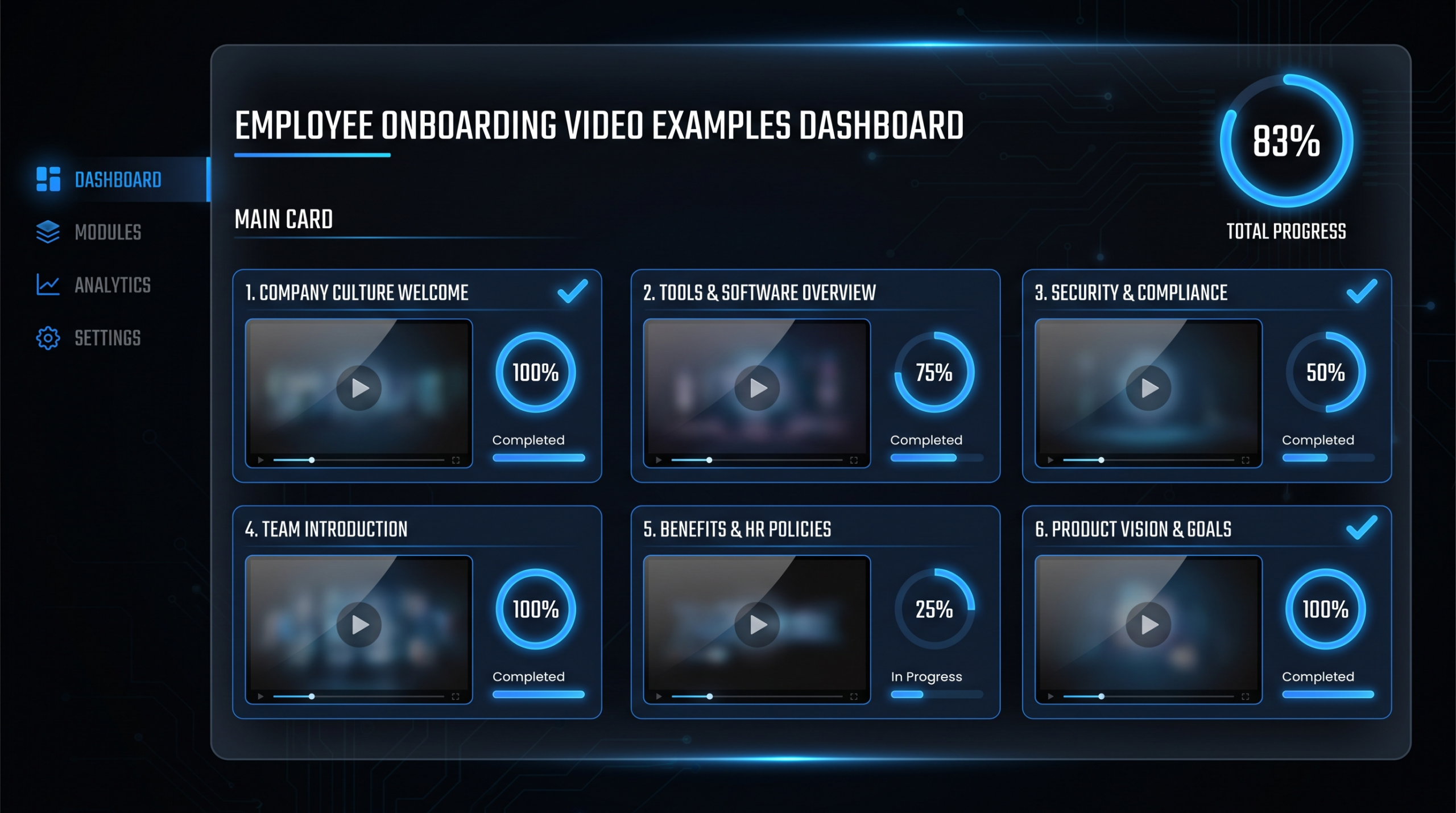
- Week 1 track: Company culture video + CEO welcome + benefits/tools walkthrough
- Week 2 track: Department deep-dive + team member introductions (each 2–3 min)
- Week 3–4 track: Role-specific training videos + first project walkthrough
- Ongoing reference library: Process videos searchable by topic
This structure works because it respects cognitive load. Information is delivered progressively, in the order new hires need it, rather than all at once on day one.
For SaaS companies specifically, the customer onboarding methodology is often directly applicable to employee onboarding — if your product team has built great customer onboarding video content, the structural thinking transfers directly. See our customer onboarding video examples post for the format patterns that work across both contexts.
Onboarding Video Format Comparison
Each video type suits a different context and budget. Here's how they compare:
Employee Onboarding Video Types at a Glance
| Video Type | Ideal Length | Format | Best For | Reusability |
|---|---|---|---|---|
| Executive Welcome | 3–8 min | Talking head, high-production | All new hires, day 1 | Annual update |
| Tool Walkthrough | 3–10 min per tool | Screen recording + voiceover | All roles, week 1 | Update when tool changes |
| Role-Specific Training | 10–20 min total | Talking head + screen recording | Role-based, week 1–2 | Quarterly review |
| Process / Compliance | 3–7 min | Screen recording + voiceover | All roles, reference | Update when process changes |
| Department Deep-Dive | 15–25 min | Talking head + slides | New hires joining dept. | Semi-annual update |
| Remote Onboarding Track | Library (multiple) | Mixed formats | Remote-first teams | Rolling updates |
When deciding what to produce first, prioritize by frequency and impact: tool walkthroughs (every new hire needs them) and process videos (high reference value) typically deliver the most return on production investment. Executive welcome and department deep-dives are high-value but lower-frequency.
In-House vs. Agency Production: Employee Onboarding Videos
| Factor | In-House / DIY | External Agency |
|---|---|---|
| Upfront cost | Lower (equipment + software) | Higher per video |
| Production quality | Variable, editor-dependent | Consistent professional standard |
| Turnaround | Fast for simple screencasts | 1–5 days for polished edits |
| Scalability | Limited by team capacity | Scales to any volume |
| Brand consistency | Inconsistent across team | High, with style guide |
| Best for | Simple screencasts, quick process docs | Welcome videos, department deep-dives, anything external-facing |
Anatomy of a High-Performing Onboarding Video
Across all six examples above, the effective videos share a set of structural traits. Most of these can be applied regardless of budget or production level:
1. A Single, Specific Job to Be Done
Every high-performing onboarding video can answer the question "what does this video teach the viewer to do?" in one sentence. If the answer requires two sentences, the video is covering too much ground. "This video teaches new account executives how to log a discovery call in Salesforce" is a valid single-sentence answer. "This video covers our CRM and how we use it for various sales activities" is not.
2. The Right Length for the Content
Effective onboarding videos are exactly as long as the content requires — no filler, no padding, no extended intro music. Culture videos run 4–8 minutes because values take context to communicate. Process screencasts run 3–5 minutes because most workflows aren't more complex than that. The instinct to make videos "feel substantial" by adding length consistently backfires: shorter videos get watched; longer videos get started and abandoned.
3. Self-Contained by Design
An onboarding video that only makes sense if you've watched the preceding three videos has failed. Each segment should be understandable in isolation. New hires watching in different orders, or returning to a specific video six weeks later, need to get value without context from surrounding content.
4. Searchable and Re-Watchable
The filename "Onboarding-Video-March2026.mp4" is unusable. The title "How to Request a Contract Review from Legal" is searchable. Onboarding videos only deliver ongoing value if employees can find them when they need them — not just in the first week, but in month six when they encounter the process for the first time in practice.
5. Action-Oriented Ending
Every effective onboarding video ends with a clear next step. "Try creating your first task in the project board now." "Book your kickoff call with your manager using this link." "Complete the short checklist in your onboarding doc." This converts passive watching into active engagement — the difference between information that sticks and information that doesn't.
How SaaS Teams Produce These Videos
The production path for employee onboarding videos typically follows one of three models, each with different cost and quality trade-offs:
Model 1: Internal Screen Recording (Low Cost, Limited Quality)
Tools like Loom, Vimeo Record, or built-in screen recorders handle simple walkthroughs and process documentation. Cost is near-zero; quality depends heavily on the presenter's audio setup and delivery. Best for: quick process updates, temporary walkthroughs, teams with minimal video needs.
Model 2: Guided Internal Production (Medium Cost, Variable Quality)
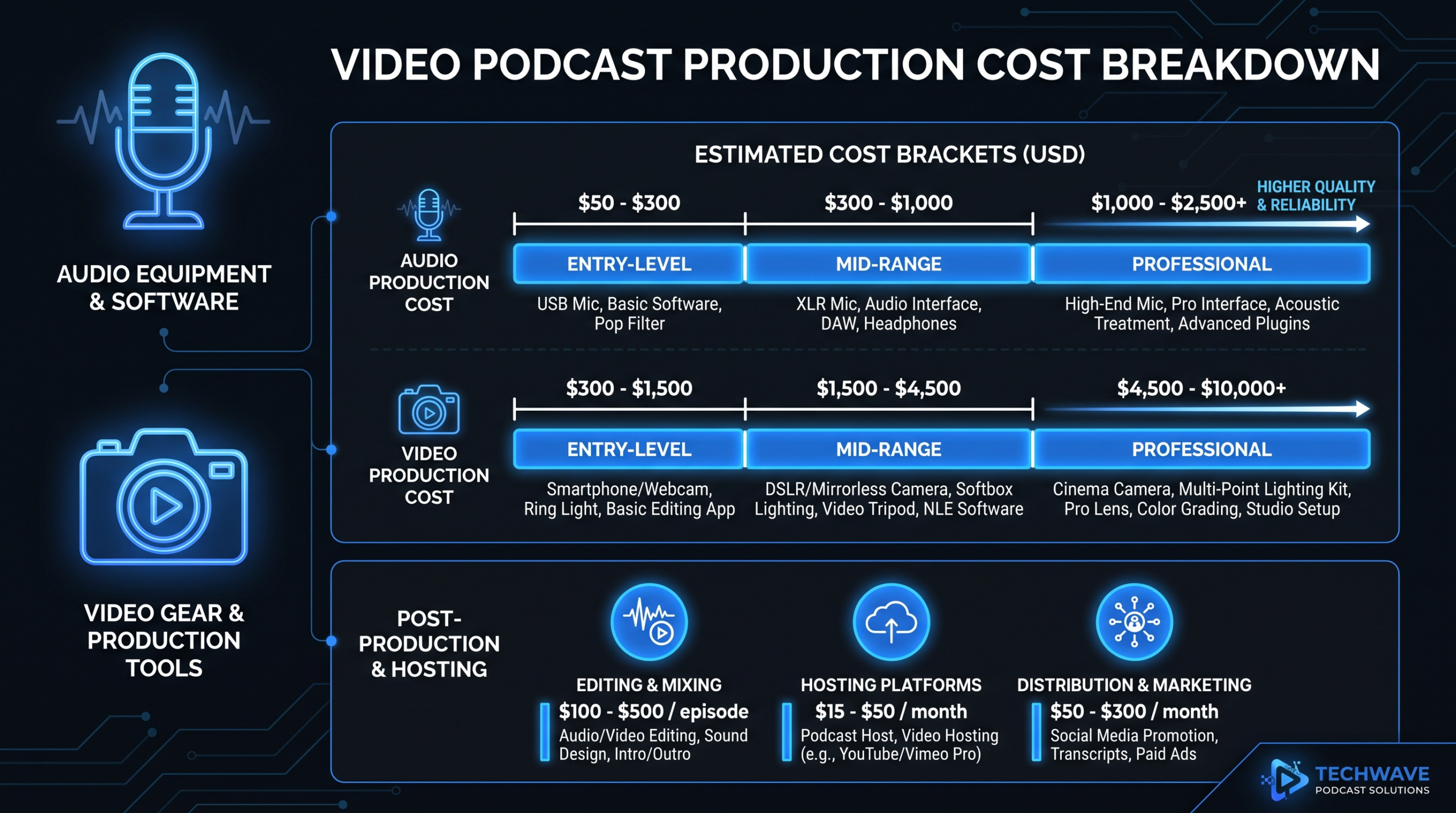
Internal teams produce videos with guidance from a video strategist or content lead. Typically involves a basic camera setup, a quality microphone, and simple editing in software like DaVinci Resolve or Adobe Premiere. Cost: equipment investment of $500–2,000 plus ongoing editor time. Best for: teams with dedicated content staff and moderate video volume. See our SaaS video production guide for the setup details that matter most.
Model 3: Dedicated Video Editing Team (Higher Cost, Consistent Quality)
For companies producing 10+ onboarding videos per quarter — or building a comprehensive async library from scratch — a dedicated video editing team scales faster and delivers more consistent quality than internal production. The internal team records raw content; an external team handles post-production: editing, motion graphics, captions, chapter markers, thumbnail creation, and platform optimization.
Video Editing Company works with B2B SaaS teams on exactly this model — your team records the raw walkthroughs and presentations; our dedicated editors turn them into polished, on-brand onboarding videos at scale. Growth plan clients typically produce 8–12 onboarding videos per month; Scale plan clients run full async onboarding libraries across multiple departments. See our how it works page for what the workflow looks like.
If you're evaluating whether to outsource this, our guide to outsourcing video editing covers what to look for in a partner, what to keep in-house, and the questions to ask before signing a contract.
"The shift that changed everything was treating onboarding videos like a library, not an event. Once every new hire could find any answer to any process question in under 2 minutes, the volume of repeat questions to senior team members dropped significantly." — VP of People Operations, Series B SaaS (shared publicly in a content leadership roundtable)
What to Prioritize If You're Starting From Zero
If your company is building an onboarding video library from scratch, here's the sequence that consistently delivers the fastest time-to-value:
- Tool walkthroughs first. Identify the 5 tools every new hire uses in week one. Record a 5-minute walkthrough for each. This immediately reduces the volume of "how do I do X in Y tool" questions.
- Executive welcome second. Once the tools are covered, add the culture/context layer. New hires are more receptive to culture content after they've figured out how to log in.
- Process library third. Work with HR and ops to identify the 10 processes that generate the most repeat questions. Record those first; build out from there.
- Department deep-dives fourth. These are high-value but require the most coordination. Build them after the foundation is in place.
For a deeper look at how SaaS companies scale video content across the full customer and employee journey, see our piece on SaaS video production — the same production infrastructure that powers customer onboarding videos typically serves employee onboarding equally well.
Frequently Asked Questions
What types of employee onboarding videos work best for remote teams?
Remote teams benefit most from async-first formats: tool walkthroughs (screen recording + voiceover), department deep-dives (talking head + slides with chapter markers), and role-specific briefings recorded by senior team members. The key is building a searchable library rather than delivering content sequentially — remote new hires can't drop by someone's desk for a quick question, so every process and expectation needs to be findable on demand.
How long should employee onboarding videos be?
Length should match the content: tool walkthroughs and process screencasts work best at 3–7 minutes; role-specific briefings can run 10–15 minutes; department deep-dives may run 20–25 minutes if they're navigable with chapters. Executive welcome videos are most effective under 8 minutes. The consistent finding across high-performing onboarding programs is that shorter, more specific videos get rewatched — longer, general videos get started and abandoned.
Should employee onboarding videos be scripted or unscripted?
Process and compliance videos benefit from scripting — the information needs to be accurate and complete. Culture videos and department deep-dives often perform better unscripted (or loosely guided), because authenticity and conversational delivery communicate credibility in a way scripted delivery doesn't. A practical middle path: prepare a clear outline and key points, but deliver conversationally. Avoid reading directly from a teleprompter unless the presenter is trained for it — most people read more stiffly than they speak.
How often should employee onboarding videos be updated?
Tool walkthrough and process videos should be reviewed whenever the relevant tool or process changes — even minor UI updates make screen recordings misleading. Culture and executive welcome videos typically need annual updates. Role-specific training videos benefit from a quarterly review with the relevant team lead. The practical system is to assign a video owner to each library section — that person is responsible for flagging when an update is needed, not HR or L&D alone.
What's the difference between employee onboarding videos and customer onboarding videos?
The delivery mechanics are similar — both use screen recordings, walkthroughs, and progress-structured libraries — but the content focus differs. Employee onboarding videos cover internal processes, culture, role expectations, and company-specific tools. Customer onboarding videos cover product setup, feature adoption, and value realization. If you're building both, the production infrastructure often overlaps significantly. See our customer onboarding video examples post for the formats that work specifically for product adoption.
Need to Build an Onboarding Video Library at Scale?
Video Editing Company works with B2B SaaS teams to produce professional onboarding video libraries — from executive welcome to full async training tracks. Your team records the raw content; our dedicated editors handle post-production, motion graphics, captions, and platform optimization. Growth plan from $5K/month.
Book a Free Strategy Call View Pricing Plans