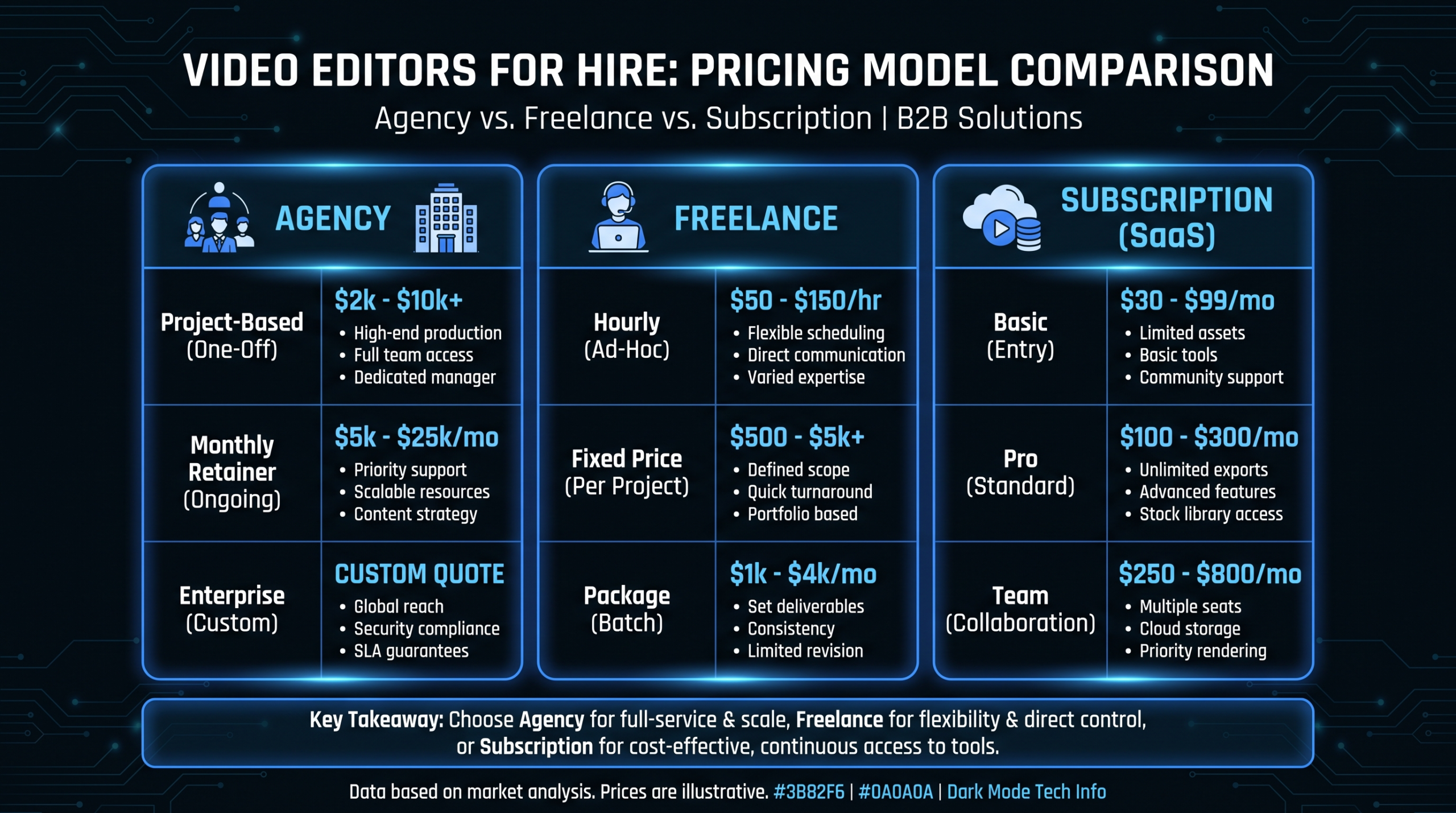


Most B2B SaaS companies produce video reactively. Someone asks for a product demo, so you make one. A customer success story happens, so you scramble to capture it. Marketing needs social content, so an intern films something on an iPhone. This reactive approach wastes time, produces inconsistent quality, and never builds the audience momentum that comes from regular, strategic publishing. A video content calendar changes everything. It transforms video from an ad-hoc task into a systematic growth engine. Here's how to build one — with a complete template you can use starting today.
A content calendar isn't just organizational hygiene. It directly impacts three business outcomes:
1. Consistency builds audience. YouTube's algorithm, LinkedIn's feed, and Google's search rankings all reward consistent publishing. A channel that posts 4 times/month outperforms one that posts 8 times in January and zero in February — even with the same total content. Consistency signals reliability to algorithms and audiences alike.
2. Planning enables quality. Rushing to produce a video in 3 days because someone just asked for it creates mediocre work. Planning a video 3 weeks in advance allows for proper scripting, scheduled filming, thoughtful editing, and strategic distribution. The same budget produces dramatically better results with planning.
3. Coordination reduces waste. When marketing, sales, customer success, and product teams all have visibility into the video calendar, they can coordinate requests, share footage, and avoid duplicating effort. A single customer interview can feed a testimonial video, a case study, AND social clips — if you plan for it.
The compound content effect: Companies that maintain a video content calendar for 6+ months produce 2-3x more content per dollar spent compared to their first month. Why? Templates get refined, editors learn the brand, workflows become automatic, and repurposing multiplies output. The calendar is what makes this compounding possible.
Every B2B SaaS video content calendar should be built on four pillars. Each pillar serves a different business objective and targets a different stage of the buyer journey.
Videos that position your founders, executives, and subject matter experts as industry authorities. These build brand awareness and trust at the top of the funnel.
Videos that teach your audience something valuable — whether or not they use your product. Educational content attracts organic traffic and builds email lists.
Videos that demonstrate your product's value. These convert mid-funnel prospects and support sales conversations.
Videos that let your customers tell your story. The most persuasive content you can produce — because it's not you saying you're great, it's your customers saying it.
Here's a sample month for a B2B SaaS company publishing 12-16 videos/month (a realistic target for Series A-B companies with an external editing team):
Each primary video gets repurposed into 2-4 derivative assets: social clips (30-60s), audiograms, quote cards, and blog post embeds. A 14-video calendar produces 40-60 total content pieces when you include derivatives.
| Field | Purpose | Example |
|---|---|---|
| Title | Working title for the video | "Q1 Product Roadmap Update" |
| Pillar | Which of the 4 pillars | Product & Feature |
| Funnel stage | TOFU, MOFU, BOFU | MOFU |
| Target keyword | SEO keyword for discoverability | "saas product roadmap video" |
| Format | Long-form, short-form, live | Long-form (8 min) |
| Primary platform | Where it publishes first | YouTube |
| Derivatives | Planned repurposed versions | 3 LinkedIn clips, 2 Reels |
| Script deadline | When script/outline is due | Mar 5 |
| Film date | When filming happens | Mar 8 |
| Edit deadline | When first draft is expected | Mar 12 |
| Publish date | When it goes live | Mar 18 |
| Owner | Person responsible | Sarah (Content Lead) |
| Status | Planning → Scripted → Filmed → Editing → Review → Published | Editing |
| Stage | Monthly Videos | Focus | Team Required |
|---|---|---|---|
| Pre-seed / Seed | 2-4 | Founder thought leadership + 1-2 product demos | Founder + freelance editor |
| Series A | 6-10 | Mix of all 4 pillars, emphasis on educational + product | Content marketer + editing partner |
| Series B | 12-20 | Full calendar with repurposing, multi-platform distribution | Content team (2-3) + dedicated editing team |
| Series C+ | 20-40+ | Multi-format, multi-language, personalized sales videos | Video team lead + multiple editing teams |
Don't try to jump from 0 to 20 videos/month. Start with what you can sustain consistently for 3 months. Then increase by 25-50% per quarter. Consistency beats ambition every time.
Each video on your calendar should be tagged with a funnel stage. This ensures you're not over-investing in one stage while starving another.
Goal: Attract new eyeballs. Build brand recognition. Start the relationship.
Distribution: YouTube (organic search), LinkedIn, Twitter/X, blog embeds
Goal: Demonstrate your product's value. Differentiate from competitors. Nurture leads.
Distribution: Website, email sequences, retargeting ads, sales outreach
Goal: Close the deal. Remove objections. Provide social proof.
Distribution: Sales decks, proposal follow-ups, pricing page embeds, case studies page
For a deep dive into funnel-stage video strategy, read our guide on video for every funnel stage: TOFU, MOFU, BOFU.
The 40/40/20 rule: Allocate roughly 40% of your video calendar to TOFU, 40% to MOFU, and 20% to BOFU. This mirrors the typical B2B buying journey where most prospects need awareness and education before they're ready to evaluate and buy.
Your calendar is only useful if it connects to your production workflow. Here's how each calendar entry flows through production:
Phase 1: Planning (2-3 weeks before publish) — Topic selection, keyword research, script/outline draft, creative brief for editing team
Phase 2: Production (1-2 weeks before publish) — Film/record. This could be a studio session, screen recording, remote interview via Riverside/Zencastr, or stock footage + voiceover assembly
Phase 3: Post-Production (5-10 days before publish) — First draft from editing team, internal review, revision rounds, final approval
Phase 4: Distribution Prep (2-3 days before publish) — Thumbnail design, title/description optimization, social clips extraction, email copy, LinkedIn post draft
Phase 5: Publish & Promote (publish day + 1 week) — Upload to primary platform, schedule social derivatives, add to email sequence, share with sales team
Working backwards from the publish date, your calendar tells you when to start each phase. A video publishing March 18 needs its script by March 5, filming by March 8, and editing by March 12. Plan the calendar, and the deadlines plan themselves.
| Tool | Best For | Price |
|---|---|---|
| Notion | All-in-one calendar + database + brief templates. Best for content teams that want flexibility | Free - $10/user/mo |
| Airtable | Spreadsheet-database hybrid with calendar views, automations, and integrations | Free - $20/user/mo |
| Monday.com | Project management with Gantt/timeline views. Best for teams managing editing partners | $9-$16/user/mo |
| Google Sheets | Simple, free, everyone knows how to use it. Works for teams under 10 videos/month | Free |
| Asana | Task management with calendar view. Good for teams already using Asana for other projects | Free - $11/user/mo |
For most B2B SaaS teams at the Series A-B stage, Notion or Airtable with a dedicated video content database provides the best balance of power and simplicity.
A complete 90-day video content calendar pre-built for B2B SaaS — with pillar distribution, funnel mapping, and production workflow dates included.
Download the Template See PricingList every video you've produced in the last 6 months. Categorize by pillar, funnel stage, and platform. Identify gaps — are you all TOFU and no BOFU? All product demos and no thought leadership?
Based on your resources and stage, commit to a sustainable weekly publishing cadence. Start conservative. 2 videos/week is achievable for most Series A companies with an editing partner.
Working from the 4-pillar framework, distribute topics across your calendar. Ensure each week has variety — don't stack all your product demos in week 1 and all your thought leadership in week 4.
For each calendar entry, add backward-planned deadlines: script due, film date, edit start, review date, publish date. Share these dates with your editing team so they can plan capacity.
At the end of each month, review: which videos performed best? Which ones felt forced? What topics does your audience engage with? Adjust next month's calendar based on data, not assumptions.
For help planning an entire quarter of video content efficiently, read our guide on how to plan a quarter of video content in one day.
Book a call to discuss how a dedicated editing team can execute your content calendar — with guaranteed turnaround and predictable monthly costs.
Book a Call