
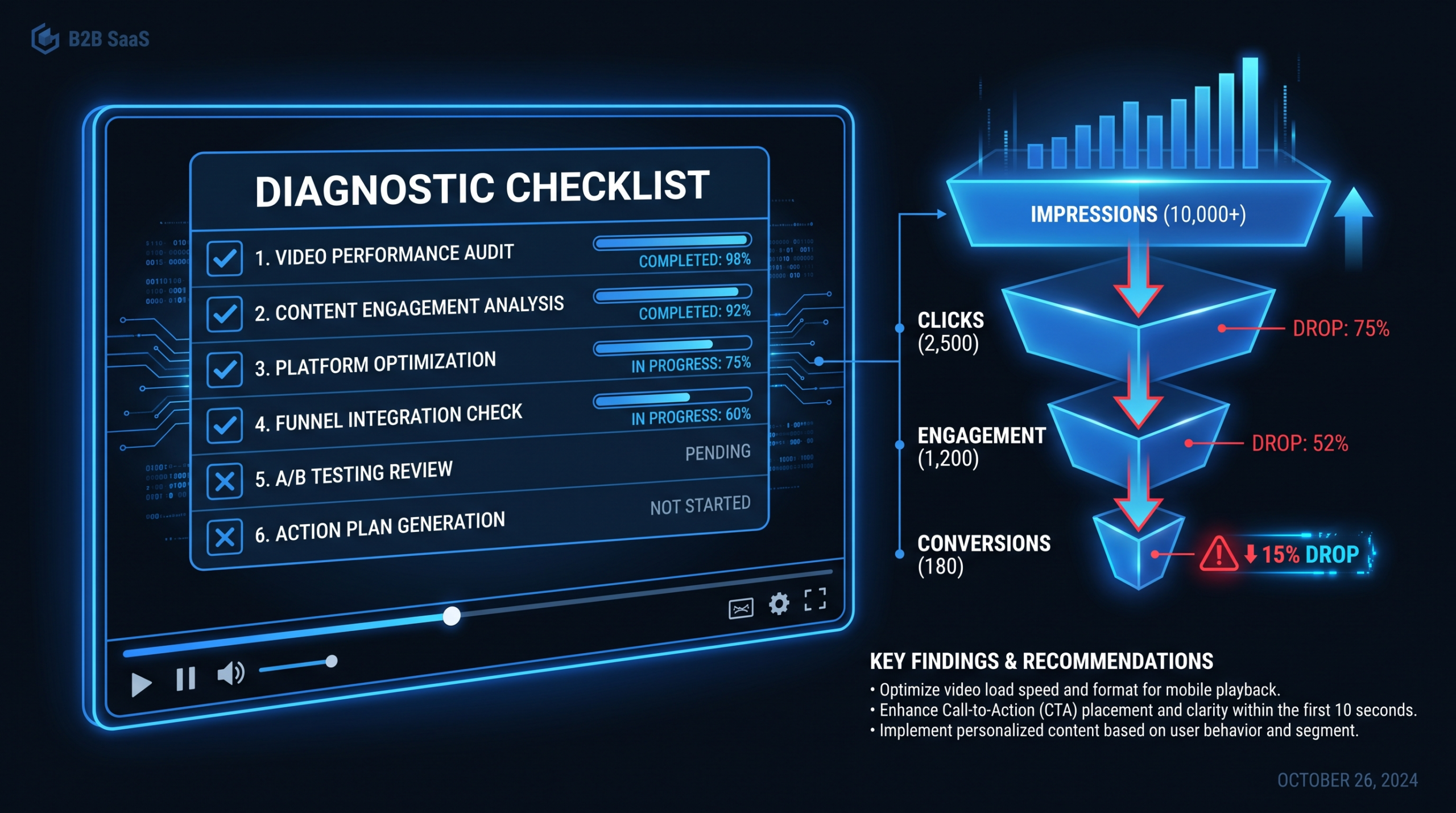
Why Your Demo Video Is Not Converting: Checklist
TLDR — 60-Second Summary
- Views are a vanity metric. A demo video that gets thousands of plays but zero pipeline is a broken asset, not a successful one.
- The most common failure point is framing: feature tours generate curiosity, not urgency. Outcome-first scripts generate pipeline.
- Hook, length, placement, CTA, and pacing are the five mechanical levers — most failing demo videos have two or more broken.
- Use the diagnostic checklist in this post to audit your current video before spending money on a replacement.
- Prioritize fixes by impact vs. effort — rewriting the opening 30 seconds typically moves the needle faster than full reshoots.
Table of Contents
- Why Demo Videos Get Views but Kill Pipeline
- The Complete Demo Video Diagnostic Checklist
- Problem 1: Your Hook Loses Viewers in 15 Seconds
- Problem 2: Feature Tour Instead of Outcome Story
- Problem 3: Wrong Length, Wrong Funnel Stage
- Problem 4: Weak or Misaligned CTA
- Problem 5: Technical Execution Failures
- Fix Priority Matrix: Impact vs. Effort
- Before and After Script Examples
- FAQ
Your demo video has healthy view counts. The play rate on your pricing page is solid. But qualified meetings are not materializing the way they should. This is the most common — and most misdiagnosed — video problem in B2B SaaS marketing.
The instinct is to blame the video quality or the platform. The real culprit is almost always one of five structural failures: a hook that loses viewers before they care, framing that educates instead of converting, a length that belongs at a different funnel stage, a CTA that asks for nothing specific, or execution problems that erode trust. Often it is a combination of two or three.
This guide gives you a systematic way to diagnose exactly why your demo video is not converting and a prioritized plan for fixing it — without necessarily remaking the entire video from scratch. We have worked with SaaS marketing teams at every stage from seed to enterprise, and the same failure patterns appear again and again regardless of company size or industry.
Why Demo Videos Get Views but Kill Pipeline
There is a fundamental difference between a video that informs and a video that converts. Most demo videos are built to inform — they walk through the product, explain features, and leave the viewer better educated. That is not conversion. Conversion is when the viewer finishes the video with a clear sense that their specific problem is solved by this specific product, and a reason to act right now.
The gap between "informative" and "converting" comes down to how the video is framed. An informative demo answers: what does this product do? A converting demo answers: what does my life look like after I solve this problem with this product?
Three structural realities drive most conversion failures:
- SaaS buyers are time-poor and skeptical. A VP of Marketing watching a vendor demo video has likely sat through dozens of feature tours this quarter. If your first 15 seconds sound like every other demo, they close the tab. The opening of your video has to earn continued attention — not assume it.
- Demo videos are often made for the internal team, not the buyer. Product teams want every feature represented. Marketing teams want to show the roadmap. The result is a 5-minute tour that covers everything the team is proud of, structured around the product rather than the buyer's pain. The buyer does not care about your feature taxonomy.
- Videos are placed wrong in the funnel. A high-information demo on the homepage targeting cold traffic does different work than a deep-dive demo on the pricing page targeting mid-funnel evaluators. Using one video across all placements is a common mistake that tanks conversion at every stage.
Before spending money rebuilding your demo video, run it through the full diagnostic below. In many cases, targeted edits — a new hook, a revised CTA, re-editing the pacing — deliver more ROI than a full reshoot.
The Complete Demo Video Diagnostic Checklist
Work through this checklist for your current demo video. Flag every item as Pass, Fail, or Unsure. Any category with two or more Fails is a priority repair area.
Demo Video Diagnostic Checklist — Print or Save
| Category | Checkpoint | Pass Criteria |
|---|---|---|
| Hook (0–15s) | Opens with buyer pain or outcome — not company name or logo | First sentence names the problem or the result, not the product |
| Hook (0–15s) | No "Hi, I'm from [Company]" cold opener | Viewer is hooked before any brand introduction |
| Framing | Video leads with outcomes, not feature names | "You can close the loop on approvals in one click" not "Here is our approval workflow module" |
| Framing | ICP is identifiable within first 30 seconds | Viewer can tell within 30s whether this product is for them |
| Length | Runtime matches funnel placement | Homepage/ad: under 90s. Pricing/features page: 2–4 min. Sales-assist deep dive: 5–8 min max |
| Length | No dead air, filler phrases, or repeated points | Every 10-second segment advances the story or provides specific proof |
| Funnel fit | Video matches the intent of the page it lives on | Cold traffic page = awareness/problem framing. Evaluation page = proof/differentiators |
| CTA | Ends with a single, specific ask | "Book a 20-minute demo" beats "learn more" or "get started" |
| CTA | CTA appears in-video and below-video | Viewer does not have to search for what to do next |
| Captions | Captions are accurate and on by default (or auto-on) | 85%+ of video is captioned; captions are readable at mobile size |
| Pacing | No talking-head segments longer than 25 seconds without a cut or visual | Visual variety every 20–25 seconds minimum |
| UI accuracy | Product UI shown matches current live product | No deprecated screens, old logos, or UI elements that no longer exist |
| Audio | No room echo, background noise, or volume inconsistency | Audio is broadcast-quality throughout — no lo-fi stretches |
| Social proof | At least one concrete result is cited (customer, metric, or outcome) | "Teams using this cut their review cycle from 3 days to same-day" — specific, not generic |
If you are unsure about viewer drop-off data, check your video platform's analytics. Wistia, Vidyard, and similar platforms show engagement curves that reveal exactly where viewers exit — that is your empirical checklist in one chart. Wistia's video length research consistently shows drop-off accelerates dramatically after the first 30 seconds for marketing videos; your demo's engagement curve tells you where your specific version is losing viewers.
Problem 1: Your Hook Loses Viewers in 15 Seconds
The opening of a demo video is not a formality. It is the single highest-leverage moment in the entire asset. A viewer who watches the first 30 seconds is far more likely to watch the full video. A viewer who exits in the first 10 seconds has given you nothing — not even a qualified negative signal.
The Wrong Opening Moves
These openers reliably kill attention in the first 15 seconds:
- "Hi, I'm [Name] from [Company]." The viewer already knows what company this is — they clicked on your video. Starting with your name and company before establishing any reason to keep watching signals that this video is about you, not them.
- Animated logo intro longer than 2 seconds. Brand intros belong at the end of the video once you have earned the viewer's trust, not at the beginning when you are still trying to earn their attention.
- "Today I'm going to walk you through our platform." "Walk you through" is the verbal equivalent of a feature tour. It signals: this is a product-centric experience, not a problem-solving experience.
- Three sentences of company background before the product is shown. Founded in 2021, Series B, 500 customers — the viewer does not care until they care about the product. Lead with the product value.
Hook Frameworks That Work for SaaS Demos
The most reliable demo hooks put the viewer's problem in frame before anything else:
- The Pain-First Hook: "If your team is still sending revision feedback over email, this video is for you." Names the problem immediately. Anyone with that problem leans in. Anyone without it self-selects out — which is equally valuable.
- The Result-First Hook: "In the next 90 seconds, you're going to see how [Company] customers cut their content review cycle by half." Specific outcome, specific timeframe, no preamble.
- The Before/After Hook: Opens on a visual of the "before" state — messy spreadsheet, missed deadline, manual process — then immediately shows the "after" state in the product. No narration required for the first five seconds.
When assessing your current demo video, watch it from second zero with the sound off. If the first frame does not immediately communicate a problem or an outcome, your hook is failing on visual-only consumption — and a significant share of your viewers are watching on mute.
Problem 2: Feature Tour Instead of Outcome Story
This is the most common structural failure in B2B demo videos, and it is almost always rooted in how the script was written. When product teams or founders write demo scripts, they naturally organize around the product — feature by feature, workflow by workflow. That is how they think about what they built. It is not how buyers think about what they need.
Feature Tour vs. Outcome Frame
Feature Tour vs. Outcome Frame — Direct Comparison
| Element | Feature Tour Script | Outcome Frame Script |
|---|---|---|
| Opening | "Here's the dashboard. On the left you can see our navigation..." | "Most content teams spend 3+ days in review loops. Here's what that looks like when it's solved." |
| Section structure | Organized by product modules (Inbox, Editor, Approvals, Analytics) | Organized by buyer journey stages (Submit → Review → Approve → Publish) |
| Feature introduction | "Now let me show you the approval workflow. You can assign reviewers, set deadlines..." | "The moment your editor finishes, the right reviewers are already notified — no Slack message, no spreadsheet update." |
| Proof moment | Shows all fields and settings available in the module | Shows one complete workflow from submission to published confirmation, narrated from the user's perspective |
| Closing | "And that covers the main features of the platform. Any questions?" | "That's a full week of content review, done in a single afternoon. Book a call and we'll show you what this looks like for your specific workflow." |
The Outcome-First Script Structure
A reliable structure for outcome-first demo scripts follows three acts:
- The Problem (15–20% of runtime). Name the specific pain your ICP experiences. Use language your buyers actually use, not internal product terminology. If your target is a VP of Marketing at a Series B SaaS company, speak their language: "content bottlenecks," "approval chaos," "publishing delays" — not "workflow inefficiency" or "process suboptimality."
- The Resolution (60–70% of runtime). Show the product solving the exact problem you named in act one. Every feature you show should be anchored to the outcome it produces. Do not show features that do not connect to the problem stated in act one — cut them.
- The Proof and Ask (15–20% of runtime). Close with one concrete result — a customer story, a specific metric, a before/after comparison. Then make one specific ask with one specific link or CTA.
For a deep look at how to produce and structure demo videos at scale, the product demo video production guide covers briefing, scripting, and post-production in detail.
Problem 3: Wrong Length, Wrong Funnel Stage
Demo video length is not a creative preference — it is a funnel strategy decision. The right length depends entirely on where the viewer is in their evaluation process and what you are asking them to do next.
Length by Funnel Stage
Demo Video Length Guidelines by Placement
| Placement | Viewer Intent | Recommended Length | Primary Goal |
|---|---|---|---|
| Homepage hero | Cold — first exposure, still evaluating fit | 60–90 seconds | Create enough curiosity to book a call or explore further |
| Paid ad / social | Interruption — did not seek this out | 30–60 seconds | Qualify the viewer and direct to a landing page |
| Features or How It Works page | Warm — actively evaluating, comparing vendors | 2–4 minutes | Demonstrate specific differentiators and reduce objections |
| Pricing page | Hot — in active buying mode | 90 seconds–2 minutes | Reinforce value at the moment of decision, reduce hesitation |
| Sales-assist / email follow-up | Post-discovery — already spoke to a rep | 4–8 minutes | Deep product walk-through, objection handling, specific use-case proof |
| Customer onboarding | Post-purchase — learning the product | 3–10 minutes per module | Activation and feature adoption |
Common Funnel Placement Errors
The most common mistake is using a single 4-minute comprehensive demo across all placements. A 4-minute video on the homepage is asking cold traffic for a commitment level appropriate for mid-funnel evaluators. Most cold visitors will not give you 4 minutes. The result is low completion rates, which most teams interpret as "video quality problem" when it is actually a "wrong tool for this funnel stage" problem.
The fix is to build a video for each stage, not one video for all stages. A 90-second homepage video and a 3-minute features page deep-dive are two separate assets with two separate scripts. Teams that try to solve this with a single "covers everything" video end up with something that is too long for cold traffic and too shallow for serious evaluators. Read our guide to outsourcing video editing to understand how to manage multi-asset production efficiently.
Problem 4: Weak or Misaligned CTA
The call to action in a demo video is where conversion actually happens — and it is the most frequently neglected element. Teams that spend six weeks perfecting every product screen in the demo often spend three minutes on the final CTA.
Common CTA Failures
- "Learn more" as the ask. This is not a CTA — it is a deferral. The viewer watched your video to learn more. What is the specific next action you want them to take?
- No verbal CTA in the video. If the only CTA is a button below the video player, you are relying on a viewer who just finished watching to scroll down and click something. Many will not. The CTA needs to be said aloud in the video itself.
- Multiple competing CTAs. "Book a demo, start a free trial, download our guide, or follow us on LinkedIn." Each additional option reduces the probability of any one action being taken. One video, one CTA.
- CTA timing mismatch. Asking for a "book a demo" CTA on a homepage video targeting cold traffic is asking for too much too soon. Cold-traffic CTAs should ask for the smallest logical next step: "See how it works for [use case]" or "Start your free trial." Save "book a sales call" for mid-funnel placements.
- No urgency or specificity in the CTA phrasing. "Book a call" is weaker than "Book a 20-minute walkthrough — no sales pitch, just your workflow mapped out." Specific, time-bounded, low-commitment CTAs convert better than vague ones.
One practical fix: watch the last 20 seconds of your current demo video with the sound on. If you cannot identify a single, specific, spoken CTA in those 20 seconds, your video ends without asking for anything. That is a conversion problem that can be fixed with a re-edit — no reshoot required.
Problem 5: Technical Execution Failures
Technical issues erode trust before the viewer has a chance to evaluate your product. Even if your script is excellent, rough execution signals that the company may be equally rough in how they deliver their product. B2B buyers are making risk assessments, not just feature evaluations.
Captions: Non-Negotiable in 2026
A meaningful portion of professional video consumption happens in environments where audio is off or low — office shared spaces, commuting, meetings. Videos without captions are losing viewers in those contexts entirely. Captions also significantly improve viewer retention because they engage an additional sensory channel — readers process faster than speakers, which means captions keep visual attention on the screen rather than wandering.
The minimum bar: accurate, readable captions that display by default (or autoplay on platforms that support it). Burned-in captions for social; closed captions for website-hosted video. Check caption accuracy against the audio — auto-generated captions for technical SaaS content often misfire on product names, acronyms, and industry jargon.
Outdated UI and Pacing Problems
Nothing breaks trust in a SaaS demo faster than showing UI that does not match the product the viewer will actually use. If your product has shipped a major UI update since the demo was recorded, the video needs to be updated. Viewers who sign up expecting the old interface and find something different will blame the company for misleading them — even if the newer UI is better.
Pacing is the technical failure that is hardest to self-diagnose because you are too familiar with the material. Watch the video at 1.5x speed. If it still feels slow, it is definitely too slow at 1x for a first-time viewer. Common pacing problems include: narrator speaking at a conversational pace over product screens that do not change, long cursor movements with no narration, and section transitions with unnecessary pause time.
The pacing rule that works: every 20–25 seconds, something should change visually — a new screen, a zoom-in, a caption callout, a cursor highlight, a cut. Flat stretches of screen recording with static narration are attention killers. For guidance on what polished, paced SaaS content looks like, see the video editing services overview for the types of motion graphics and pacing interventions that a post-production team applies.
Audio Quality
Room echo, keyboard clicks, inconsistent microphone distance, and background noise are immediate trust-eroding signals. Buyers associate audio quality with production quality and production quality with company quality. This is not rational, but it is consistent. A demo recorded on a USB mic in a reverberant room, regardless of how good the script is, will convert worse than the same script recorded cleanly.
The standard for demo video audio: no audible room reverb, no background noise above the voice, consistent mic-to-mouth distance throughout, and uniform volume — no loud sections, no sections where the viewer needs to turn up the volume. If your current demo fails this standard, audio cleanup in post is inexpensive and often sufficient without rerecording.
Fix Priority Matrix: Impact vs. Effort
Not all demo video problems are equal. Some fixes move the needle dramatically and take an afternoon. Others require a full reshoot and may only produce marginal gains. Use this matrix to sequence your repair work.
Demo Video Fix Priority Matrix
| Fix | Conversion Impact | Production Effort | Priority |
|---|---|---|---|
| Rewrite opening hook (first 15–20s) and re-record voiceover | Very High | Low | 🔴 Do first |
| Add a specific, spoken CTA in the final 20 seconds | High | Very Low | 🔴 Do first |
| Add / fix captions for accuracy | High | Low | 🔴 Do first |
| Fix audio quality (cleanup or re-record) | High | Low–Medium | 🟠 Do second |
| Tighten pacing — cut dead air and slow transitions | Medium–High | Low | 🟠 Do second |
| Reframe narration from feature-tour to outcome-first | Very High | Medium | 🟠 Do second |
| Update outdated UI screenshots or screen recordings | Medium–High | Medium | 🟡 Do third |
| Create a separate shorter version for homepage/cold traffic | High | Medium | 🟡 Do third |
| Add motion graphics, callouts, and highlight animations | Medium | Medium | 🟢 Do when ready |
| Full reshoot with new script and professional studio setup | High (if current script is fundamentally broken) | Very High | 🟢 Only if above fixes insufficient |
The pattern that emerges: the fixes with the highest conversion impact — hook rewrite, CTA addition, caption accuracy — are almost all low-effort post-production edits. A full reshoot should be your last resort, not your first response to poor conversion numbers.
Teams working with Video Editing Company's dedicated team model typically run through the high-priority fixes in the first two weeks of engagement before any new production work begins. Getting maximum performance from existing assets is almost always more cost-effective than creating new ones.
Before and After Script Examples
Abstract principles are easy to nod along with and hard to apply. Here are two concrete before/after script comparisons for the most common failure points.
Hook Rewrite: Project Management SaaS Example
Before — Feature Tour Hook
"Hi, I'm Alex from Flowdesk. Today I want to walk you through our project management platform and show you some of the powerful features we've built to help teams collaborate more effectively. We're going to start with the dashboard, which gives you a high-level view of all your active projects..."
After — Outcome-First Hook
"If your team is still reconciling project status in weekly standups instead of just looking at one screen — this is what that fix looks like. [Cut to dashboard showing live status for five concurrent projects.] No update meeting. No email thread. Everyone already knows where things stand."
The "after" version names the pain in the first sentence, shows the product solving it in the second sentence, and demonstrates proof in the first 12 seconds. It does not introduce the speaker or the company. It earns attention before asking for it.
CTA Rewrite: Video Collaboration SaaS Example
Before — Vague CTA
"And that's a quick overview of what ReviewSync can do for your team. If you're interested in learning more, head over to our website and feel free to reach out. Thanks for watching."
After — Specific, Low-Friction CTA
"If your review process looks anything like the 'before' we showed at the start — book a 20-minute call. We'll map out exactly what this looks like for your content team, with your actual workflow. No slides, no pitch deck. Link is right below this video."
The "after" CTA connects back to the opening problem, specifies what the call involves, removes the fear of a sales pitch, tells the viewer exactly where the link is, and creates a specific ask (20-minute call) rather than an open-ended "reach out."
For teams that need to produce multiple demo variations — homepage short form, features page deep dive, sales-assist follow-up — the SaaS video production overview explains how a dedicated editing team manages parallel video tracks without requiring the marketing team to brief each asset from scratch. Teams that outsource this work typically report that having dedicated editors who understand the brand's voice produces consistent CTA language across all video assets — a consistency that is very hard to achieve with one-off freelancers. HubSpot's video marketing research consistently notes that consistent CTA language across a company's video library significantly outperforms mixed messaging — a finding that applies directly to demo video suites.
Frequently Asked Questions
How do I know if my demo video is actually causing the conversion problem vs. the page itself?
Run an A/B test where one variant includes the video and one does not, then track conversion rate to the next step (trial signup, demo booking, etc.). If the variant with the video converts lower or equal to the variant without it, your video is actively hurting conversion — not just failing to help. Most marketing teams skip this test and assume the video is neutral when it may be a net negative. Video platform engagement data (drop-off rates, rewatch rates, click-through on the CTA card) gives you granular evidence about which specific element is failing.
What's the ideal demo video length for a SaaS homepage in 2026?
For cold traffic on a homepage, the practical ceiling is 90 seconds before drop-off accelerates sharply. The goal of a homepage demo is not comprehensive product education — it is to create enough conviction to take the next step, whatever that is (trial, demo booking, deeper page). If you cannot make the case for your product in 90 seconds, the issue is usually script clarity, not product complexity. A tighter, outcome-focused 75-second video will typically outperform a comprehensive 4-minute one on cold traffic.
Should I use a human narrator or an AI voiceover for my demo video?
Human narration generally performs better for B2B SaaS demos where trust is a key purchase factor — the voice conveys confidence, pace variation, and authenticity that current AI voices struggle to match for extended listening. AI voiceover is a reasonable option for short-form social content, product update announcements, or internal training videos where the stakes are lower. For a primary sales demo that lives on your pricing or features page, invest in a quality human recording. The production cost difference is small relative to the potential pipeline impact.
How often should a SaaS company update its demo video?
At minimum, after any major UI redesign or when a core feature shown in the demo changes meaningfully. Beyond technical accuracy, review your demo's conversion metrics quarterly. If completion rates decline or CTA click-through drops, the video may have staled relative to competitive alternatives or buyer expectations. Fast-growing SaaS companies commonly refresh their homepage demo every 6–9 months and their features-page deep dives every 12 months. Sales-assist demos should be reviewed after every major product release.
What's the fastest way to improve demo video conversion without a full reshoot?
Prioritize in this order: (1) Re-record the opening 15–20 seconds with a pain-first or outcome-first hook and edit it into the existing video. (2) Add a specific, spoken CTA in the final 20 seconds if one is missing. (3) Fix or add captions. These three interventions are pure post-production work — no new footage required — and collectively address the highest-impact conversion failures. Most teams can get these three fixes done in a few days with a competent video editor. Only escalate to a full reshoot if the fundamental script structure is broken beyond patch repair.
Your Demo Video Is a Revenue Asset — Treat It Like One
If your demo video is not generating qualified pipeline, the fix is usually faster and cheaper than you think. Video Editing Company works with B2B SaaS marketing teams to audit, repair, and rebuild demo videos that convert — not just inform. Growth plan starts at $5K/month. Guaranteed: double your video output in 90 days or month four is free.
Book a Free Strategy Call View Pricing
