

Outsourcing video production is one of those decisions that either transforms your content operation or creates a six-month headache. The difference between the two outcomes usually comes down to preparation. Teams that outsource successfully have systems in place before they sign a contract. Teams that struggle jump in with vague expectations, no quality benchmarks, and a prayer. This checklist covers the 10 non-negotiable items you need to have in place before outsourcing any video production — whether it's a single project or a full retainer.
Most teams start their outsourcing journey by looking for a vendor. They Google "best video editing companies," read some reviews, book a few calls, and pick the one that feels right. Then they send over footage and wait. This is backwards.
The vendor is the last variable, not the first. Before you evaluate a single editing partner, you need clarity on ten things: what you're outsourcing, how quality will be measured, how communication will flow, what the legal framework looks like, and how you'll test the relationship before going all-in.
Think of it like hiring an employee. You wouldn't post a job description without knowing the role, responsibilities, salary range, and reporting structure. Outsourcing video production requires the same level of preparation — possibly more, since you're working with an external team that doesn't share your office, your Slack channels, or your institutional knowledge.
The preparation paradox: The more time you spend preparing to outsource, the less time you'll spend managing the outsourced relationship. Teams that invest 10-15 hours in setup save 5-10 hours per week in ongoing management.
Before you talk to any partner, write down exactly what types of videos you need and how many per month. This sounds obvious, but most teams skip it. They say "we need video editing help" without specifying whether that means 4 YouTube videos or 40 social clips.
| Category | Details to Define |
|---|---|
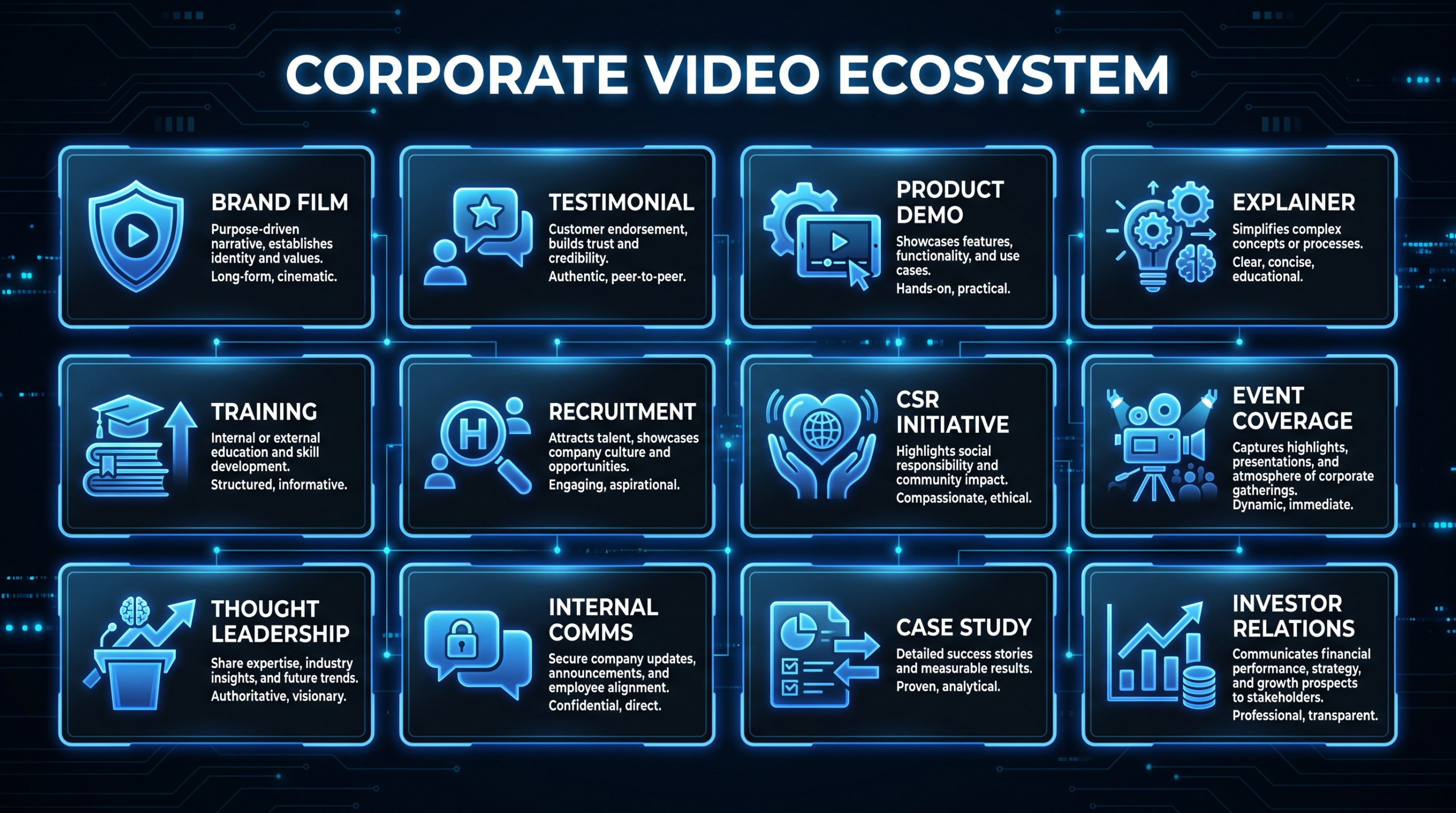
| Video types | YouTube long-form, social cuts, brand videos, product demos, testimonials, motion graphics, ads |
| Monthly volume | Number of videos per type per month (e.g., 8 YouTube + 24 social cuts) |
| Average length | Typical duration for each type (e.g., YouTube = 10-15 min, social = 30-60s) |
| Complexity level | Simple cuts vs. multi-cam + motion graphics + color grading + sound design |
| Growth trajectory | Expected volume in 3 months, 6 months, 12 months |
Why this matters: your partner needs to staff appropriately. A team set up for 8 YouTube videos won't handle a sudden request for 30 social cuts without advance notice. And your pricing will be wildly different based on volume and complexity.
"Good quality" is subjective. Your definition of "good" and your editing partner's definition might be completely different. The only way to align is with concrete references.
Collect 5-10 videos that represent the quality, style, and pacing you want. These should be:
For each reference video, annotate what specifically you like or dislike. "I like the pacing from 0:30-1:15" is actionable. "I like the vibe" is not.
| Element | What to Specify |
|---|---|
| Audio | Music style, volume levels, sound effects usage, voiceover sync tolerance |
| Color | Color grading style (cinematic, clean, brand-matched), LUT references |
| Pacing | Cuts per minute, b-roll frequency, transition style (hard cuts vs. dissolves) |
| Graphics | Lower thirds style, text animation speed, font, size, position |
| Thumbnails | Style, text overlay rules, face closeup preferences, brand elements |
Every client and every project needs a brand guidelines package that your editing partner can reference. This isn't a nice-to-have — it's the single document that prevents 80% of first-draft misses.
For a ready-to-use template, download our B2B Video Brief Template — it covers all of these elements in a structured format.
Video files are large. A single 10-minute 4K video can be 20-50GB of raw footage. You need a clear protocol for how files move between your team and the editing partner.
YYYY-MM-DD_ClientName_ProjectTitle/ with subfolders for Raw/, Assets/, Drafts/, Final/ClientName_ProjectTitle_v1_YYYYMMDD.mp4 — no spaces, no special charactersSpeed tip: Upload raw footage immediately after filming. Don't wait until Monday morning. The sooner your editing partner has footage, the sooner you get a first draft. Consider using Frame.io's camera-to-cloud workflow for near-instant uploads.
Unclear communication is the #1 reason outsourced video projects go sideways. Define the communication workflow before the first project starts.
| Communication Type | Channel | Frequency |
|---|---|---|
| Project briefs | Project management tool (Asana, Monday, ClickUp) | Per project |
| Quick questions | Slack or Teams | As needed |
| Video feedback | Frame.io (timestamped comments) | Per draft |
| Weekly sync | Video call (Zoom, Google Meet) | Weekly or bi-weekly |
| Monthly review | Video call + shared doc | Monthly |
| Escalations | Email to designated contact | As needed |
Assign one person on your team as the primary contact for the editing partner. Not three people sending conflicting feedback. Not the CEO popping in with "one quick change." One person consolidates all feedback, prioritizes requests, and communicates with the editing team. This alone reduces confusion by 60-70%.
Unlimited revisions sound generous. They're actually a red flag — for both parties. Without revision limits, projects balloon, timelines slip, and resentment builds. Define revision expectations upfront.
The 80/20 rule of revisions: 80% of revision requests come from unclear briefs, not bad editing. If you're consistently using all your revision rounds, fix your brief process before blaming the editors.
Get specific turnaround commitments in writing. "Fast" and "ASAP" are not turnaround times. Document expectations for every video type and scenario.
| Video Type | First Draft | Revision Round | Final Delivery |
|---|---|---|---|
| YouTube (10-15 min) | 3-4 business days | 24-48 hours | 5-7 business days total |
| Social cut (30-60s) | 1-2 business days | 24 hours | 2-3 business days total |
| Brand video (2-3 min) | 5-7 business days | 48 hours | 7-10 business days total |
| Motion graphics (1-2 min) | 7-10 business days | 48-72 hours | 10-14 business days total |
| Podcast episode | 2-3 business days | 24 hours | 3-5 business days total |
These are standard timelines for teams of appropriate size. Rush delivery (24-48 hours) is typically available for 25-50% premium. Define rush terms in your agreement. For a deeper dive, read our full guide on video editing SLA turnaround times.
Agree on pricing before the first project. Ambiguity in pricing creates tension that poisons the relationship. Here's what to document:
Compare different pricing models in detail with our pricing guide.
Three documents should be signed before any footage changes hands:
Covers: client identities, raw footage, unreleased content, proprietary information, and the outsourcing relationship itself. Mutual NDAs are standard — you protect their processes, they protect your content.
Covers: scope of services, pricing, payment terms, turnaround commitments, revision policy, escalation procedures, termination clauses, and liability limitations. This is the foundational contract.
Covers: ownership of all work product. All edited videos, graphics, animations, and assets created by the editing partner are your property (or your client's). No shared rights. No portfolio usage without written permission. This is non-negotiable.
If you work with clients in healthcare (HIPAA), finance (SOC 2), or government (FedRAMP), your editing partner may need to meet specific data handling requirements. Verify their security practices before sharing sensitive footage.
Never — repeat, never — sign a 6-month retainer without running a paid trial project first. The trial is your insurance policy.
Step 1: Choose a real project. Not a test or dummy footage. Send an actual client deliverable with a real deadline. This tests the partner under real conditions.
Step 2: Provide a complete brief. Give them your best brief — the same quality you'd give an in-house editor. The trial should test their editing, not your brief-writing.
Step 3: Evaluate on 5 criteria.
| Criteria | Weight | What to Look For |
|---|---|---|
| Quality | 30% | Does the first draft match the brief and your quality standards? |
| Timeliness | 25% | Was it delivered on time? Early = bonus points |
| Communication | 20% | Were they proactive? Did they ask clarifying questions upfront? |
| Revision handling | 15% | How quickly and accurately did they implement feedback? |
| Process fit | 10% | Did they integrate into your workflow (Slack, Frame.io, PM tool)? |
Step 4: Score and decide. A partner scoring 80%+ on this framework is worth a retainer conversation. Below 70%, try another partner. Between 70-80%, run one more trial to confirm.
Rate yourself on each checklist item. Be honest — gaps here become problems later.
Scoring: Count how many of the 10 items you have fully prepared. 8-10 = ready to outsource. 5-7 = close, but fill the gaps first. Under 5 = you're not ready — outsourcing now will create more problems than it solves.
Our interactive assessment scores your readiness across 25 criteria and gives you a personalized action plan for successful outsourcing.
Take the Assessment See PricingOnce you have your checklist complete and start talking to potential partners, watch for these warning signs:
If you currently have in-house editors and want to transition (or supplement with) outsourced production, here's a phased approach:
Keep your in-house team operating normally. Simultaneously, send 2-3 projects to your outsourcing partner. Compare output quality, turnaround, and cost side-by-side. This gives you a real-world comparison without risking delivery to clients.
Move 50% of your volume to the outsourcing partner. Keep your in-house team on high-priority and complex projects. Let the outsourced team handle repeatable, volume-driven work (social cuts, podcast edits, simple YouTube content).
Move 80-100% of production to the outsourced team. Redeploy in-house editors to quality control, creative direction, or strategy roles — or right-size the team. Your in-house "editor" becomes a "creative director" who reviews outsourced work rather than editing themselves.
This transition typically takes 8-12 weeks. Rushing it creates quality gaps. Taking too long wastes resources on parallel operations. Learn more about our integration process.
Book a call to discuss your video needs, volume, and find the right outsourcing model for your team.
Book a Call