Video Production Cost Calculator: 2026 Budget Guide
TL;DR — Key Numbers
- What drives cost: scope (editing-only vs full production), complexity (talking head vs animation), and timeline (standard vs rush).
- Editing-only: $200–$2,500 per video depending on length and complexity.
- Full production (shoot + edit): $2,000–$25,000+ per video.
- Monthly retainers: $3,000–$16,000/mo for SaaS teams producing 6–20+ videos.
- The break-even point: at 4+ videos/month, a retainer almost always costs less than per-project pricing.
Table of Contents
What Drives Video Production Cost
Video production cost is determined by three variables — scope (editing-only versus full production from shoot to delivery), complexity (a talking head versus a scripted animated explainer), and timeline (standard turnaround versus 48-hour rush). Get these three numbers right for your situation, and a surprisingly accurate budget falls out almost automatically.
Most B2B SaaS marketing teams budget between $2,000 and $8,000 per finished video when full production is involved. Editing-only work — where your team provides the footage — typically runs $200–$2,500 per video. Monthly subscriptions or retainers from specialist agencies start around $3,000 and scale with volume. Here is how each component breaks down.
The Three Cost Levers
Scope: editing-only vs. full production. The single biggest cost split. Editing-only means you shoot the footage and hand off raw files — the editor handles cuts, color, sound, graphics, and delivery. Full production adds pre-production (scripting, storyboarding, location scouting) and production (camera crew, equipment rental, talent, studio time). Editing-only costs roughly 20–35% of the equivalent full-production price.
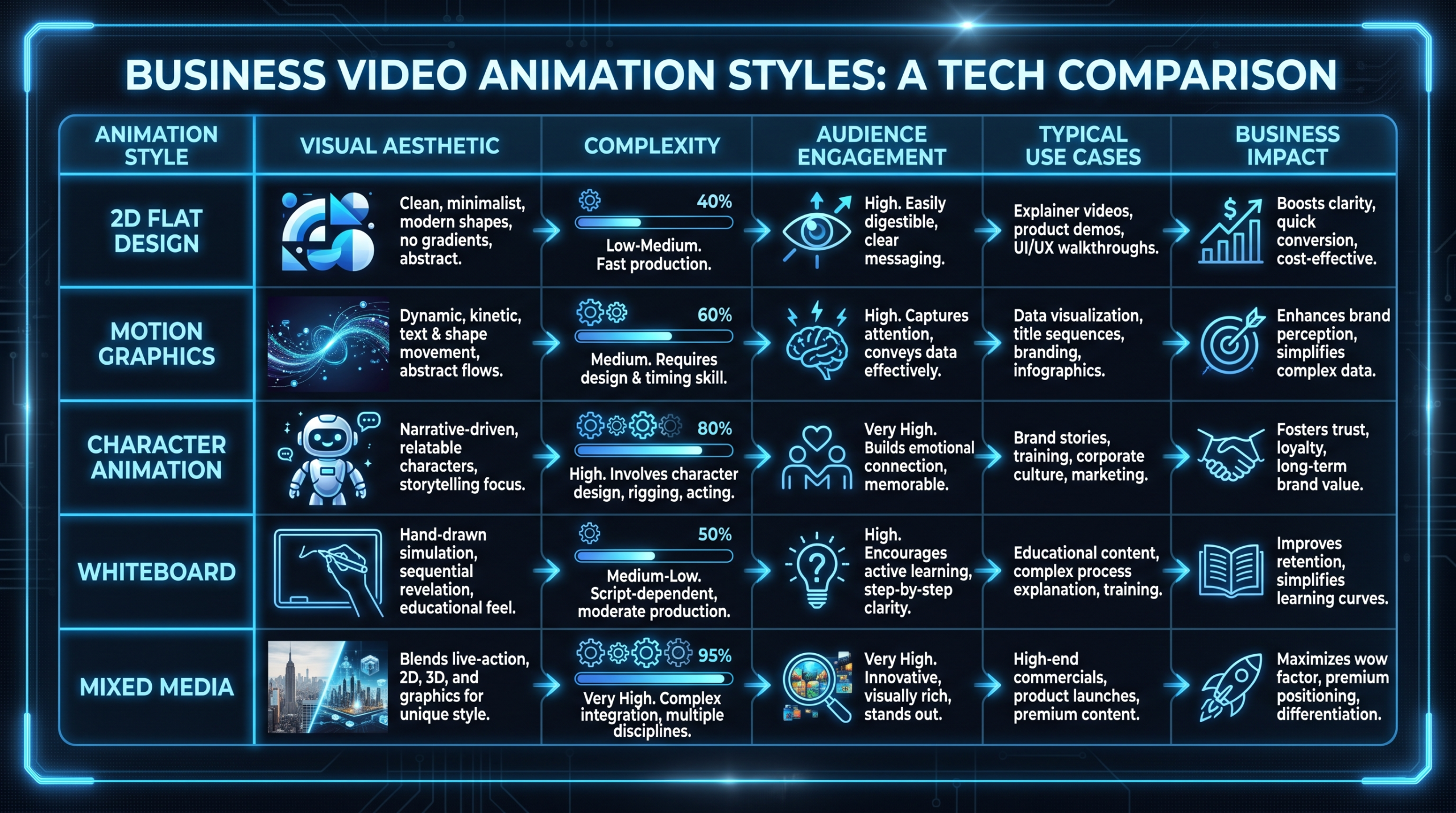
Complexity. A clean talking-head interview with one camera angle and no motion graphics is cheap to edit. A scripted animated explainer — custom illustration, storyboard, voiceover, lip sync, sound design — costs 5–10x more per finished minute. The complexity tiers, roughly:
- Tier 1 (Simple): Single camera, minimal cuts, no graphics — webinar clips, interview recordings, podcast edits.
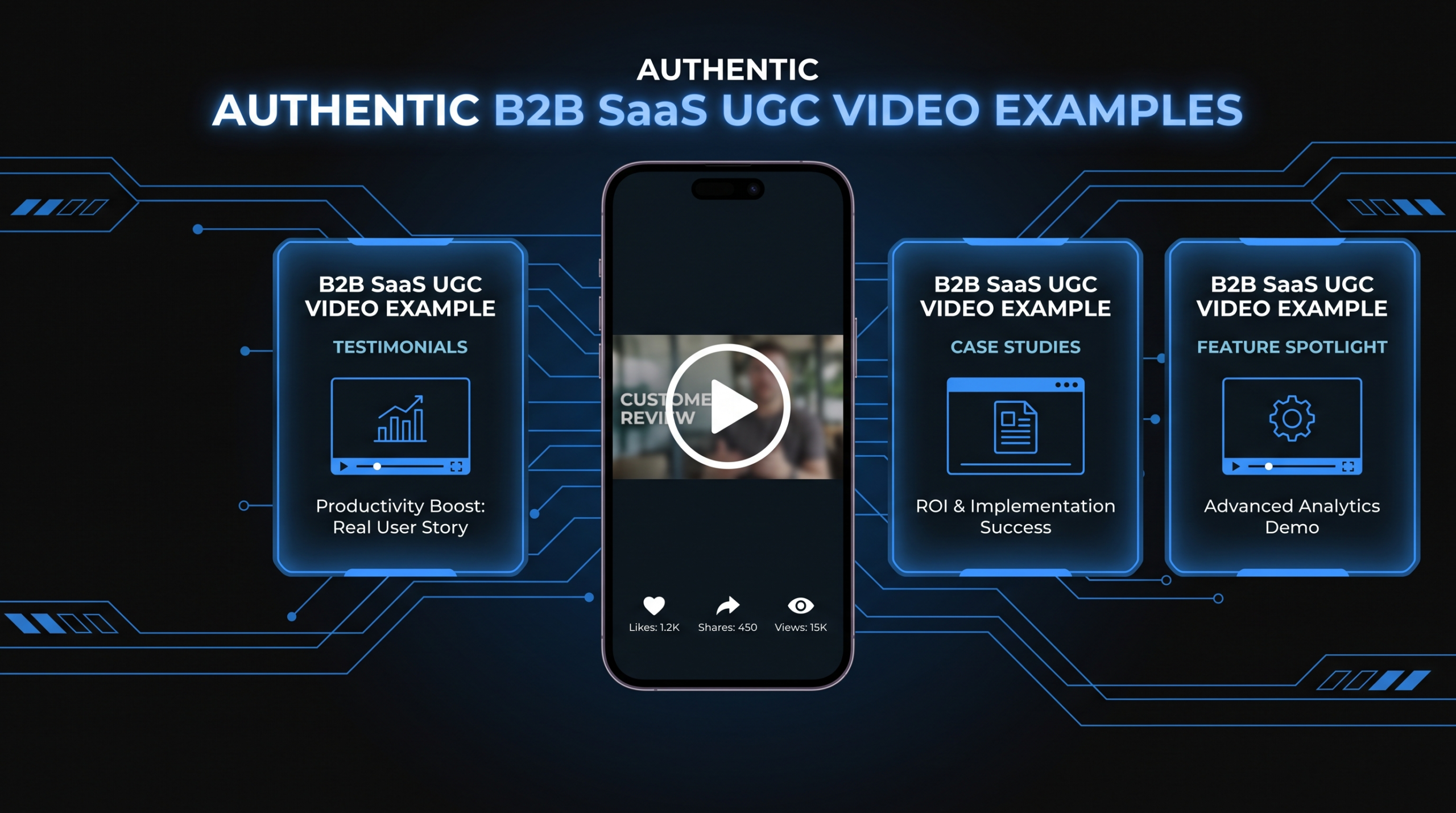
- Tier 2 (Standard): Multi-camera or screen recording + camera, lower-third graphics, B-roll, basic color grading — product demos, tutorials, testimonials.
- Tier 3 (Premium): Motion graphics, custom animation, advanced color grading, sound design, multiple footage sources — brand videos, animated explainers, launch films.
Timeline. Standard turnaround for a B2B video is 5–10 business days from brief to final delivery. Rush jobs (48–72 hours) typically carry a 25–50% premium. Planning your content calendar 4–6 weeks ahead is one of the most reliable ways to reduce per-video cost without changing anything else.
The Production Phases and Their Cost Shares
When you buy full-service video production, budget typically splits across three phases:
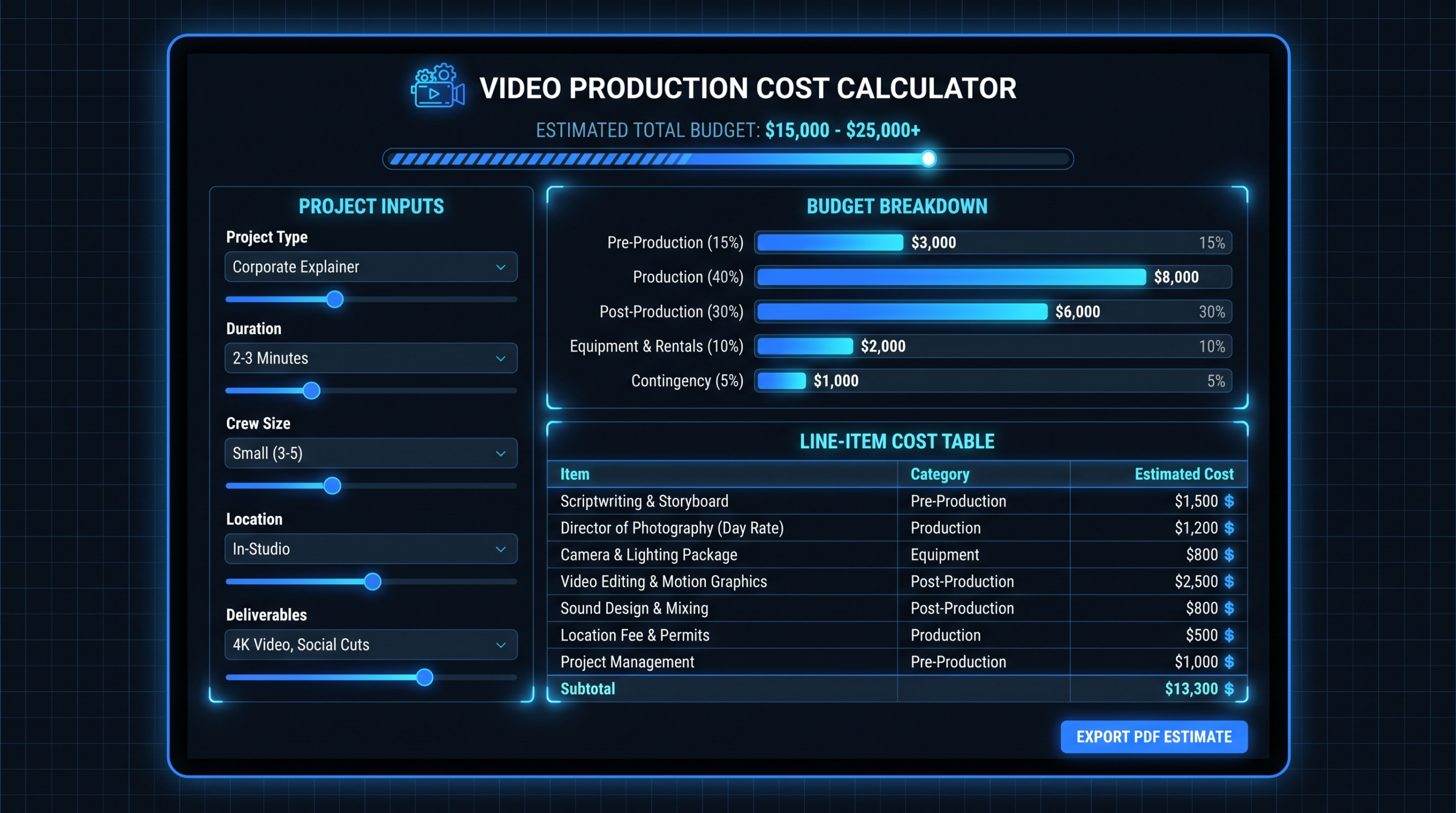
Cost Distribution by Production Phase
| Phase | Typical Cost Share | What's Included |
|---|---|---|
| Pre-production | 15–25% | Script, storyboard, location scout, talent casting, shot list |
| Production (shoot day) | 30–45% | Camera crew, director, lighting, studio rental, talent, equipment |
| Post-production | 35–50% | Edit, color grade, sound design, motion graphics, captions, delivery formats |
For teams outsourcing editing-only, that 35–50% post-production slice is your entire budget. You can read a granular breakdown of editing rates in our video editing cost per minute guide — the most reliable per-unit metric for comparing vendors.
Line-Item Cost Worksheet: Copy & Use
The table below is a working cost estimate sheet. Copy it into a spreadsheet, fill in the middle column with vendor quotes for your specific project, and the totals drop out automatically. The ranges reflect typical 2026 market pricing for B2B SaaS video — hedged because rates vary by vendor location, project complexity, and volume commitment.
Video Production Cost Worksheet — Per Video
| Line Item | Your Quote ($) | Market Range (2026) | Notes |
|---|---|---|---|
| PRE-PRODUCTION | |||
| Script / creative brief | $300–$1,500 | Often included in agency retainers; freelance scriptwriters charge $0.10–$0.30/word | |
| Storyboard / shot list | $200–$800 | Skip for simple interview-style shoots; required for animation | |
| Location scout / studio rental | $0–$2,000 | $0 if shooting in your office; $500–$2,000/day for professional studio | |
| Talent / voiceover | $200–$2,500 | Voiceover from $200; on-screen professional talent $500–$2,500+/day | |
| PRODUCTION | |||
| Camera operator / DP | $500–$2,000/day | Junior DP $500–$800; experienced DP $1,200–$2,000+ | |
| Camera & lighting equipment | $200–$1,500/day | Often bundled with DP hire; pro rental houses $200–$600/day | |
| Director (if separate) | $500–$2,500/day | Skip for straightforward interviews; critical for scripted brand work | |
| B-roll / second shooter | $300–$1,000 | Can substitute with licensed stock footage at $50–$400/clip | |
| POST-PRODUCTION | |||
| Video editing | $200–$2,500 | Ranges from simple cuts ($200–$500) to complex multi-source edit ($1,500–$2,500) | |
| Color grading | $100–$600 | Often bundled with editing; standalone color for premium work $300–$600 | |
| Sound design / mixing | $100–$500 | Basic audio cleanup included in edit; full sound design separate | |
| Motion graphics / lower thirds | $200–$2,500 | Template-based graphics $200–$500; custom animation $800–$2,500+ | |
| Captions / subtitles | $30–$150 | AI-assisted captioning $30–$60; human-reviewed $80–$150 | |
| Thumbnail design | $50–$200 | Often bundled; separate design work $100–$200 | |
| Format variations (9:16, 1:1) | $50–$300 each | Social cut-downs; factor in per-format if you need multi-platform delivery | |
| Revision rounds (buffer) | $100–$300/round | Budget for 1–2 extra rounds beyond the included rounds | |
| TOTAL | $2,000–$25,000+ | Full production; editing-only runs $200–$2,500 |
Worked Example: 3-Minute SaaS Product Demo Video
Here is how that worksheet fills out for a typical Series B SaaS company shooting a 3-minute product demo in their own office, with a professional editor handling post-production:
Scenario: 3-min product demo, shot in-office with freelance DP, edited by specialist agency, delivered in 16:9 + 1:1 social cut. No custom animation — template lower-thirds only.
- Script development (internal copywriter): $0
- Storyboard / shot list: $300
- Freelance DP (half-day + equipment): $900
- Video editing (3 min, multi-source, 2 revisions included): $1,200
- Color grading + sound design: $400
- Lower-third motion graphics (template): $250
- Captions (human-reviewed): $100
- 1:1 social cut-down: $150
- Total: ~$3,300
The same video outsourced to a full-service agency (where they handle scripting, shooting, and editing) would likely run $6,000–$10,000 at a premium US agency, or $2,500–$4,500 through a specialist SaaS video team. See how budget norms shift by company stage — what a seed-stage startup can justify is structurally different from a Series C content program.
Video Production Cost by Type: 2026 Ranges
Different video types have very different cost profiles. The table below covers the most common B2B SaaS content formats with editing-only and full-production ranges.
Video Cost by Type — 2026 Market Ranges
| Video Type | Editing-Only Cost | Full Production Cost | Typical Timeline |
|---|---|---|---|
| Social media clip (15–60 sec) | $200–$500 | $800–$3,000 | 2–5 days |
| Talking-head / interview | $300–$800 | $1,500–$5,000 | 3–7 days |
| Product demo (2–5 min) | $500–$2,000 | $3,000–$10,000 | 5–10 days |
| Customer testimonial (2–4 min) | $400–$1,200 | $2,500–$8,000 | 5–8 days |
| Animated explainer (60–90 sec) | N/A (no raw footage) | $3,000–$15,000 | 2–6 weeks |
| Brand / culture video (2–4 min) | $800–$2,500 | $5,000–$25,000 | 2–4 weeks |
| Training / onboarding video | $400–$1,500 | $2,000–$8,000 | 5–10 days |
| Webinar / event highlights | $300–$800 | N/A (editing raw footage) | 3–5 days |
Ranges reflect hedged 2026 market rates for B2B-focused work. Offshore teams typically deliver at 40–60% of these figures; premium US/UK agencies run 20–50% above. For a per-unit breakdown, see video editing cost per minute.
For animated explainer costs and the drivers behind the wide range, our explainer video cost breakdown covers the full picture.
Monthly Budget: How Many Videos Can You Afford?
Most marketing teams think about video budget on a per-video basis, but the smarter way to plan is monthly — because the model you choose (per-project, retainer, or dedicated team) changes your effective cost per video dramatically as volume increases.
The table below shows approximate monthly cost for different output volumes using three sourcing models, based on typical B2B SaaS content (mixed formats: demos, testimonials, social clips):
Monthly Video Budget by Volume — Three Sourcing Models
| Monthly Output | Per-Project (est.) | Agency Retainer | Dedicated Team |
|---|---|---|---|
| 2 videos/mo | $3,000–$6,000 | Typically no minimum | Not cost-effective |
| 4 videos/mo | $6,000–$12,000 | $3,000–$5,000 | Not cost-effective |
| 8 videos/mo | $12,000–$20,000 | $5,000–$9,500 | $5,000–$9,500 |
| 12 videos/mo | $18,000–$30,000 | $9,500–$14,000 | $9,500–$14,000 |
| 20+ videos/mo | $30,000–$60,000+ | $14,000–$20,000 | $9,500–$16,000 |
The pattern is stark: per-project pricing scales linearly with volume; retainers and dedicated teams give you volume discounts. At 8 videos per month, a retainer typically costs 40–60% less than the equivalent per-project spend.
VEC's plans are structured precisely for this range. The Growth plan ($5,000/mo) is designed for teams producing 6–10 videos monthly; the Core plan ($9,500/mo) scales to 10–16 videos; the Scale plan ($16,000/mo) handles 16–25+ videos with a senior dedicated team. See VEC's full pricing breakdown to match plan to output volume.
For a fuller look at how budget expectations shift as companies grow, video budget norms by company stage is a useful reference — what a 20-person startup should allocate looks very different from a 200-person Series C team running a content-led growth motion.
Per-Project vs Retainer vs Dedicated Team: The Real Cost Math
Choosing the wrong production model is the most expensive video budget mistake SaaS teams make. Here is how the three primary models compare across the dimensions that actually matter:
Production Model Comparison
| Factor | Per-Project | Monthly Retainer | Dedicated Team |
|---|---|---|---|
| Best for volume | 1–3 videos/mo | 4–15 videos/mo | 10–25+ videos/mo |
| Cost predictability | Variable | Fixed monthly | Fixed monthly |
| Per-video cost trend | Flat (no discount) | Drops 20–40% vs per-project | Drops 40–60% at scale |
| Brand consistency | Low (different editors) | Medium (dedicated contact) | High (same team every time) |
| Minimum commitment | None | 3–6 months typical | 3–12 months typical |
| Ramp-up time | Every project restarts | 1–2 months brand familiarity | 2–4 weeks (then compound) |
| VEC equivalent | Not offered | Growth $5K / Core $9.5K | Scale $16K/mo |
For a deeper breakdown of how these models perform across different budget scenarios, our video production agency pricing models guide walks through five models with worked cost math for different monthly volume scenarios.
The Hidden Costs That Blow Video Budgets
Three line items that routinely inflate actual spend above initial quotes:
- Revision overruns. Standard contracts include 2–3 rounds. Each additional round typically costs $100–$300 for simple edits, $300–$800 for complex work. Add a buffer line to your worksheet.
- Format variations. Social media requires 16:9 (YouTube/LinkedIn), 9:16 (Reels/Stories), and sometimes 1:1 (feed posts). Most agencies charge $50–$300 per additional format. If you need all three, triple your delivery-format budget line.
- Rush premiums. Standard 5–10 day turnaround versus 48-hour rush typically adds 25–50% to post-production cost. A well-maintained content calendar is worth more than most teams realize.
How to Build a Video Budget Your CFO Will Approve
Video budget requests die in two ways: they're too vague ("we need $50K for video this year") or they lack a clear output-to-cost ratio your CFO can stress-test. Here is a framework that has worked for content teams at SaaS companies from Series A through Series C.
Step 1: Anchor to Output, Not Inputs
Don't budget by production activities. Budget by finished videos. "12 product demos + 24 social cuts per quarter at $X/unit" is defensible; "video production budget" is not. Use the worksheet above to build the per-unit cost, then multiply by planned quarterly volume.
Step 2: Model the Volume Threshold
If your planned quarterly output is more than 12 videos, run the per-project total versus a retainer. Show both numbers side-by-side. The retainer math almost always wins above that volume, and showing the savings calculation signals financial fluency to leadership.
Step 3: Add a 15% Buffer Line
Every video budget should carry a 15% contingency for revision overruns, format variations, and scope changes. Present it transparently — "contingency for revisions and scope changes: 15%" — rather than burying it in unit prices. This protects the team and signals realistic planning.
Step 4: Show the ROI Frame
CFOs approve video budgets faster when they see a use case with a measurable output. A product demo that reduces sales cycle length by one call, a customer testimonial that lifts trial conversion by a measurable percentage — connect the content to a pipeline metric. You don't need to promise outcomes; you need to show the logic. Resources like Wyzowl's annual video marketing report and HubSpot's video marketing data provide sourced benchmarks for common ROI arguments.
Step 5: Align the Model to Your Stage
Early-stage teams (seed to Series A) should generally start with per-project or a lightweight retainer to validate content formats before committing to volume. Series B and beyond — where content-led growth is an active motion — typically benefit from a dedicated team that scales with the program. VEC's guarantee ("double your video output in 90 days or month 4 free") is built specifically for that transition point, where the cost of underperformance needs to be explicitly transferred to the vendor. See our outsourcing guide for how to structure the vendor selection process.
Frequently Asked Questions
How do I calculate video production cost per video?
Start with scope: editing-only or full production? For editing-only, budget $200–$2,500 per video depending on length and complexity tier. For full production, add pre-production ($300–$2,500), a shoot day ($700–$4,000), and post-production ($500–$3,000) — total typically $2,000–$12,000 for standard B2B SaaS formats. Use the line-item worksheet above to build a project-specific estimate.
What is the cheapest way to produce professional B2B video?
The most cost-effective approach for most SaaS teams is to shoot footage in-house (your office, a ring light, a decent camera or iPhone 15 Pro with a gimbal) and outsource post-production to a specialist agency. This hybrid model gives you professional output for roughly 20–35% of full-service agency prices. The editing quality matters more than the shoot quality for most B2B formats.
At what volume does a video retainer become cheaper than per-project pricing?
Most teams hit the crossover at 4–6 videos per month. At that volume, a retainer typically costs 25–40% less than the equivalent per-project spend. At 8–12 videos per month, the savings are usually 40–60%. Run both numbers using the monthly budget table above with your actual planned volume.
What does a dedicated video editing team cost per month?
A dedicated team — senior editor, junior editor, project manager — typically runs $5,000–$16,000/month depending on the agency and the team configuration. VEC's plans range from $5,000/mo (Growth: 6–10 videos) to $16,000/mo (Scale: 16–25+ videos with a full senior team). This compares favorably to the fully-loaded cost of hiring in-house, which for an equivalent three-person team commonly runs $180,000–$280,000 annually in salary, benefits, and equipment. See VEC pricing for current plan details.
How accurate are online video production cost calculators?
Most online calculators give rough order-of-magnitude estimates — useful for budget-setting conversations but not vendor negotiations. The most reliable estimate comes from the line-item worksheet approach: build a per-project cost from components (pre-production, shoot day, post-production, delivery formats) based on your specific brief, then get vendor quotes against each line. The worksheet in this guide is structured for exactly that purpose.
Get a Budget Estimate for Your Specific Content Volume
VEC works with Series A–C SaaS teams producing 6–25+ videos per month. We'll map your content program to a plan, show you the per-video cost math, and guarantee double your current video output in 90 days — or month 4 is free.
Book a Free Strategy Call See VEC Plans & Pricing