
Video Production for AI Startups: 2026 Guide
TL;DR
- AI products are inherently abstract — your video strategy must make invisible workflows visible without resorting to buzzwords.
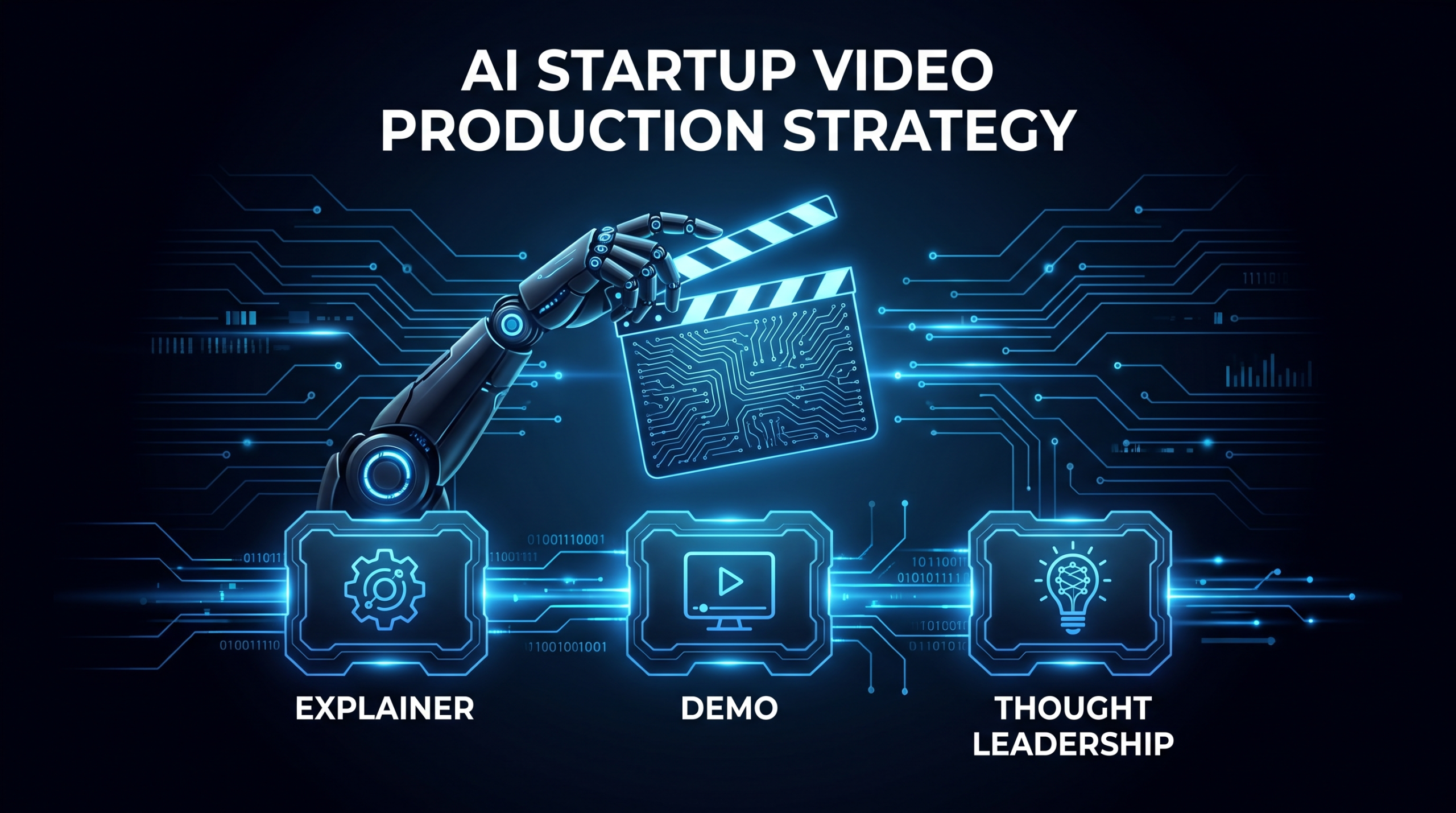
- Three core video types drive pipeline for AI startups: explainer (awareness), product demo (consideration), and thought leadership (trust).
- The hype trap kills credibility. Words like "revolutionary" and "10x" without concrete proof push informed buyers away immediately.
- Show the workflow, not just the interface. A before/after workflow structure outperforms a polished UI walkthrough every time.
- Budget realistically. AI startup video production typically starts around $2K–$5K per piece at freelancer tier. Dedicated post-production teams deliver better economics at four or more videos per month.
Table of Contents
- Why AI Startups Need a Different Video Strategy
- The Three Core Videos Every AI Startup Needs
- How to Show AI Workflows Without Losing Your Audience
- Avoiding the AI Hype Trap in Video
- Production Scope and Budget Framing
- Building an AI Startup Video Content Calendar
- When a Dedicated Post-Production Team Pays Off
- Frequently Asked Questions
If you're running or marketing an AI product in 2026, you've hit the same wall as every team before you: how do you make something invisible feel real?
A traditional SaaS company can show you the form, the dashboard, the output. An AI company has to show the reasoning, the prediction, the thing the model did that no one could do manually at scale — without making it look like magic tricks or science fiction.
That's the core challenge of AI startup video production. And it requires a materially different playbook from general startup video or even standard SaaS content. This guide covers what works, what kills trust immediately, and how to structure a video program that earns pipeline instead of generating compliments.
Why AI Startups Need a Different Video Strategy
AI startup video production faces three structural challenges that standard SaaS video doesn't share at the same intensity. Understanding them is prerequisite to getting the strategy right.
The Abstraction Problem
Most AI products work in the background. A model processes data, makes a prediction, automates a task — and users see a result. The interesting part — the reasoning, the accuracy, the speed improvement — happens invisibly. Standard demo videos that show only a clean dashboard miss this entirely. Prospects are left wondering: "Is this actually AI, or is it a well-designed filter?"
Effective AI startup video closes this gap by showing the workflow before and after, not just the interface state. The problem must be visible and recognizable before you show the solution. If your viewer doesn't feel the pain first, they won't value the relief.
The Trust Credibility Gap
AI claims are saturating the market in 2026. Buyers have developed a sharp filter for distinguishing genuine capability from marketing copy. Terms like "AI-powered," "intelligent," and "next-generation" are now table stakes — they communicate nothing and signal noise to sophisticated buyers. Your video content has to go a level deeper: specific use cases, named constraints, honest limitations acknowledged upfront.
This is structurally different from standard SaaS video, where you can lead with outcomes. With AI products, you have to earn the right to claim outcomes by demonstrating the mechanism first. Credibility precedes conversion in AI buying cycles more than in almost any other software category.
Multi-Audience Complexity
Buying decisions for AI tools typically involve more stakeholders than point solutions. There's usually a technical evaluator who wants to know how the model works, a business buyer who wants to see what the ROI looks like, and sometimes a security or compliance reviewer who wants to understand what happens to the data. A single demo video cannot serve all three with equal persuasion — your video program needs segmentation by audience and funnel stage in a way that most SaaS companies don't require until much later in their growth.
For a broader foundation on how B2B SaaS companies structure video programs before adding AI-specific layers, our guide to SaaS video production covers the core frameworks — but AI startup video starts from those basics and builds a proof architecture that general SaaS rarely needs.
The Three Core Videos Every AI Startup Needs
Before building a content calendar or thinking about distribution cadence, get these three foundational video types right. Everything else in your video program extends from them. Ship these first; iterate second.
1. The Explainer Video (Awareness Layer)
The explainer answers one question in 60–90 seconds: what does this AI actually do, and who should care? It is not a product demo. It is not a feature walkthrough. It is a clear, jargon-free statement of the problem you solve and the profile of the person who has it.
For AI products specifically, the best explainers anchor on a concrete workflow transformation: "Right now, your team does X manually and it takes Y time. With [Product], that happens automatically in Z minutes." Show it — don't just say it. The screen recording or animation is the proof layer, not the story. The story is the problem.
Length ceiling: 90 seconds is the maximum for a top-of-funnel explainer. Investors, press contacts, and first-time visitors will rarely sit longer. If your product genuinely requires more explanation, that is a signal you have not yet distilled the core value proposition — not that you need a longer video.
2. The Product Demo Video (Consideration Layer)
The demo video is your most important conversion asset. According to Wistia's research on video in business communication, video content embedded on landing pages consistently outperforms text alternatives for time-on-page and conversion rate — and for AI products, where the mechanism is complex, the effect is amplified.
The demo differs from the explainer in key ways:
- It is longer (2–4 minutes) because it shows actual mechanics, not just positioning
- It shows the real product in context, not an animation of it
- It addresses objections pre-emptively: "You might be wondering about accuracy for edge cases — here's what happens when the model is uncertain…"
- It ends with a clear, single CTA — trial signup, demo booking, or pricing review
Our dedicated guide on product demo video production covers script architecture and technical setup in detail. The AI-specific additions to that framework: always show uncertainty or low-confidence handling (a model that expresses uncertainty is more credible than one that claims 100% confidence), and name the data type the model was trained or fine-tuned on so that technical evaluators aren't left guessing at the boundary conditions.
3. The Thought Leadership Video (Trust Layer)
Buyers at Series A–C AI companies are often evaluating your team as much as your product. They are asking: do these people actually understand the space, or are they surfing the hype cycle? Thought leadership videos — founder commentary, technical deep-dives, opinionated takes on where the AI category is oversold — answer that question better than any product claim can.
These videos do not need to be expensive. A well-lit, well-edited talking-head video with clear audio and relevant b-roll or screen inserts is sufficient. What matters is the quality of the content: a specific point of view, an honest acknowledgment of where the category is overpromised, and a clear position on what your team actually believes based on what you have built and observed.
Distribution: LinkedIn is the highest-leverage channel for B2B AI thought leadership video in 2026. A 3–5 minute video post from a founder or domain expert with a clear thesis and direct language consistently outperforms written posts on the same topic in terms of reach and engagement signal.
AI Startup Video Type Comparison
| Video Type | Primary Goal | Ideal Length | Best Channel | Production Priority |
|---|---|---|---|---|
| Explainer | Awareness + positioning | 60–90 sec | Website hero, LinkedIn ads, investor decks | First |
| Product Demo | Consideration + trial conversion | 2–4 min | Pricing/features pages, outbound sequences | Second |
| Thought Leadership | Trust + category authority | 3–8 min | LinkedIn, YouTube, podcast clips | Ongoing cadence |
| Customer Testimonial | Social proof + conversion | 1–2 min | Sales decks, case study pages | High — when you have customers |
How to Show AI Workflows Without Losing Your Audience
The most common failure mode in AI startup video is starting with the interface. The app opens, a menu appears, a button is clicked, something happens. Prospects who don't already understand why this matters will disengage within 30 seconds — not because they are uninterested in the problem, but because they were not shown the problem first. Structure solves this.
The Before/After Workflow Structure
Every strong AI product demo, regardless of product category, uses some version of this three-part architecture:
- Show the problem state (20–30 seconds). What does the manual or broken process look like? Show real friction — multiple tabs open simultaneously, manual data entry into a spreadsheet, an email thread with no resolution. Do not describe it; show it. Prospects recognize their own pain in seconds when it is shown accurately and without embellishment.
- Show the AI intervention (45–90 seconds). Demonstrate the product addressing the exact problem you just showed. Show the actual data being processed, not a loading animation. If your model runs a classification, extraction, or generation task, show the output in its natural context and give the viewer time to read and understand what changed.
- Show the outcome (15–30 seconds). What was gained? Time saved, errors eliminated, a decision reached in seconds instead of hours. Keep this concrete and appropriately hedged — "in this example, a workflow that required 40 minutes of manual review ran in under 3 minutes" is more credible and more persuasive than "10x faster."
Screen Recording Technique for AI Products
Technical execution matters more in AI demos than in most SaaS categories because what you are showing is inherently complex. These principles consistently improve clarity:
- Use a focused, clean browser environment. Remove bookmarks bars, unrelated tabs, and any personal data. Distractions pull attention away from the product at exactly the moments you need attention most.
- Narrate intent before each action. Say "I am going to paste this customer complaint into the classifier" before doing it. Your viewer needs the contextual frame to understand what they are about to see — AI model inputs are not self-explanatory to non-technical audiences.
- Use motion graphics to highlight model output. A subtle callout that appears when the AI returns a result — sentiment: Negative, confidence: 87%, or category: Billing Issue — is far clearer than hoping the viewer reads the UI independently at playback speed.
- Slow down at high-value moments. The moment the model returns a prediction or completes an automation is the moment to pause, zoom, and let the viewer read the output. Do not race past the core demonstration of your own value.
Use Realistic Scenarios, Not Toy Examples
Prospects can detect demo theater immediately. A perfectly structured support ticket with no ambiguity, three flawless model outputs in succession, and zero edge cases acknowledged is a trust signal in the wrong direction — it signals that the team knows the model has limitations and has chosen to hide them. The best AI demos use scenarios that resemble the prospect's actual data: somewhat messy, with realistic ambiguity. Then they show how the model handles it — including how it expresses uncertainty when it cannot be confident.
The AI demos that close at highest rates show the product handling an imperfect scenario gracefully — not pretending to be perfect. A model that says "low confidence — recommend human review" is more trustworthy than one that outputs a definitive answer on every input.
Avoiding the AI Hype Trap in Video
Your prospects are evaluating multiple AI vendor videos in the same week. They have developed precise filters for hype, and triggering them does not just fail to convert — it actively damages your standing, because it places you in the same undifferentiated category as every overpromised AI product they have already dismissed.
Language Patterns That Destroy Credibility
Audit every AI startup video script for these phrases before production begins, and remove them:
- "Revolutionary" / "game-changing" — meaningless; every competitor uses these words
- "10x" without a specific, sourced benchmark — implies a comparison that does not exist in your materials
- "The future of [industry]" — vague, unfalsifiable, and signals marketing-over-substance to experienced buyers
- "Powered by cutting-edge AI" — the word "AI" alone is not a differentiator in 2026; name the actual mechanism or architecture
- "100% accurate" / "never makes mistakes" — no production model has this property; claiming it is an immediate disqualifier with technical evaluators
What to Replace Them With
Every vague claim has a grounded, more credible alternative that also differentiates you from competitors who are still using the vague version:
- Instead of "10x faster" → "in our internal benchmarking on [specific document type], this task went from approximately 35–40 minutes of manual review to under 4 minutes"
- Instead of "revolutionary AI" → name the specific architectural decision or fine-tuning approach that creates the differentiated outcome
- Instead of "100% accurate" → "on our validation set of [specific corpus type], precision was X% and recall was Y% — which translates to [plain-language outcome] for your team"
Specificity is the differentiator. A claim that includes a named limitation is more persuasive than one that includes none — because your prospects already know limitations exist. Acknowledging them proactively signals confidence and intellectual honesty, both of which are scarce in AI marketing and both of which close enterprise deals.
The "So What" Test
Every factual claim in a video script should pass a simple two-part test: Is this verifiable, and does it translate to a concrete outcome the buyer recognizes? "Our model was trained on 50 billion tokens" fails the second part without a translation: "…which means it understands the context of enterprise contracts in a way that generalizes to your procurement templates, not just the clean training examples." Run every claim through this filter before the script is locked.
Production Scope and Budget Framing
AI startup video budgets range widely depending on quality requirements, production approach, and how much internal bandwidth you are willing to trade against per-unit cost. Here is a realistic landscape of the three main approaches and their tradeoffs.
The Three Production Approaches
DIY (internal tooling + editing): Using Loom, Descript, or similar tools to record, edit, and caption in-house. Low cost, fast iteration cycle, appropriate for thought leadership clips and early-stage demos. The ceiling is production quality — professional color grading, motion graphics, and sound design are difficult to replicate without a specialist and the time investment that requires.
Per-project freelancer: Contracting a video editor or small production company for each piece. Better output quality than DIY for most teams, more expensive per deliverable, and slower due to briefing overhead for every new project. Works well for one-off explainer videos and launch content when you have adequate lead time and can invest in the working relationship.
Dedicated post-production team: An ongoing partnership with a team that learns your product, brand, and content standards over time. This model delivers better economics when you are producing four or more videos per month — the team ramp-up cost amortizes quickly, per-unit quality increases as institutional knowledge builds, and coordination overhead for your internal team drops substantially after the first 4–6 weeks.
For a detailed line-item view of what drives production costs, our explainer video cost breakdown is the most direct reference — it covers the specific deliverables that inflate cost for the type of technical content AI startups produce.
AI Startup Video Production Cost Ranges by Approach (2026)
| Video Type | DIY / Internal Tools | Per-Project Freelancer | Dedicated Agency |
|---|---|---|---|
| Explainer — animated, 90 sec | $500–2K (stock assets + editing software) | $3K–8K | $5K–15K |
| Product Demo — screen + voiceover, 2–3 min | $200–500 | $1.5K–4K | $3K–8K |
| Thought Leadership — talking head, 5 min | $100–500 | $800–2.5K | $2K–5K |
| Customer Testimonial — 2 min | $300–800 | $1K–3K | $2.5K–5K |
Ranges are illustrative benchmarks based on typical market rates; actual cost depends on revision scope, motion graphics complexity, voiceover talent selection, and team location. Dedicated agency costs shown as per-unit equivalents based on a monthly retainer model.
Where to Allocate the Budget
AI startups commonly make two complementary budget mistakes: overspending on launch explainer videos (high polish animation studio, $15K+) and underspending on demo videos that actually appear in the sales pipeline. The ROI weighting favors the opposite allocation. A well-edited $3K demo video embedded in every outbound sequence and sitting on the pricing page generates attributable pipeline. A high-production-value brand film on the homepage generates impressions.
For early-stage teams — seed through Series A — the recommended allocation order is: product demo first, explainer second, thought leadership third. Polish is a later optimization. Clarity cannot wait. Our pricing page outlines how VEC structures dedicated video editing plans for teams that need consistent output without per-project cost volatility.
Building an AI Startup Video Content Calendar
Intermittent video output signals to your audience that video is not a serious channel for your brand. It makes each piece feel like a one-off experiment rather than part of a coherent content program. A structured calendar solves this — and it does not require high volume to be effective. Consistency at low volume outperforms bursts of high volume followed by silence.
Phase 1: Foundation (Months 1–2)
The priority in the first two months is getting the three core video types produced before spreading into additional formats or channels.
- Month 1: Explainer video in final form; rough functional product demo (usable in sales conversations, not final production quality)
- Month 2: Polished product demo; first customer testimonial if beta customers are available and willing
With these three assets in place, you have content for the website homepage, the pricing page, and outbound sales sequences. That is more video infrastructure than many AI startups have at Series A — and it is the foundation from which everything else compounds.
Phase 2: Cadence (Months 3–6)
Once the foundation exists, shift to a repeatable weekly or biweekly cadence. A realistic cadence for a team with 8–12 video production hours of monthly bandwidth:
- 2 × LinkedIn thought leadership clips per month (3–5 min, founder or domain expert commentary)
- 2 × feature or workflow spotlight clips per month (60–90 sec, screen recording + narration)
- 1 × customer story or use case deep-dive (monthly to bimonthly)
HubSpot's video marketing research consistently shows that B2B teams maintaining a video cadence — even modest volume — see better brand recall and pipeline velocity than teams that publish video sporadically. For AI startups specifically, the cadence builds cumulative credibility: each thought leadership piece adds to a body of work that signals domain expertise to prospects who arrive at any piece first.
Phase 3: Expansion (Month 6 Onward)
By month six, you have production data to identify which video types and topics generate the most downstream activity. Double down on those. Common high-performers for AI companies:
- Technical deep-dives perform disproportionately well with engineering and data science buyers, who often influence or veto the purchase decision
- Use-case-specific demos — not "here is the product" but "here is how a [specific role] uses this in their [specific named workflow]" — consistently outperform general demos in click-through and trial conversion
- Short-form repurposing — extracting 45–90 second clips from longer demo and thought leadership pieces — typically delivers the best ratio of incremental distribution reach to additional production cost
When a Dedicated Post-Production Team Pays Off
If your AI startup is producing one or two videos per month, a per-project freelancer relationship is perfectly rational. The math changes meaningfully when video becomes a real content channel — which, for AI companies that hit product-market fit, tends to happen faster than expected, as the sales and content teams both start requesting video assets simultaneously.
Signs You Have Outgrown Per-Project Video
- Your Head of Content or a senior marketing team member is spending six or more hours per week coordinating video production, reviewing drafts, and writing new briefs
- You are producing four or more distinct video pieces per month across formats
- You have an established visual identity that new freelancers consistently fail to match without a multi-week calibration process
- Your pipeline is sufficient to treat video as a channel (not a test), but not yet sufficient to justify full-time in-house editor headcount
The Build-vs-Buy Calculation
A full-time senior video editor in a major US market typically costs $75K–$110K in base salary alone, before benefits, equipment, software licenses, and the management overhead involved in a direct hire. A dedicated post-production partnership runs at a fraction of that cost while providing access to a team — editor, motion designer, project manager — rather than a single generalist who has to cover all of those roles alone.
The deeper value is institutional knowledge. A dedicated team that has edited 30–40 videos for your AI product understands your model's output format, your customer language, your approval patterns, and the specific moments in a screen recording that need callout graphics to land clearly. That knowledge accumulates with each video — and it is exactly what you lose every time you start over with a new freelancer on a per-project basis.
What to Look for in a Post-Production Partner for AI Content
Not all video editing services are structurally suited to AI startup content. When evaluating partners, prioritize:
- B2B SaaS or technical product experience: Screen recording, motion graphics, and complex narrated content is a specific skill set; generalist editors who primarily work on lifestyle or commercial content will struggle with the precision this content requires
- Dedicated team model: Per-project or editor-rotation services mean re-briefing on your product every single time — the value of accumulated product knowledge is zero
- Structured revision workflow: AI product videos commonly require multiple rounds as you refine which aspects of the model to emphasize; a clearly defined review process is not optional
- Multi-format delivery as standard scope: Your demo lives on the website, in email sequences, on LinkedIn, and may be cut into ad creative — a capable partner handles format variations without treating each one as a scope addition
VEC's dedicated editing model is structured specifically for this use case — senior B2B SaaS editors with a 90-day output guarantee and plans starting at $5K/month for Growth-tier teams. If you want to understand the operational structure before committing, the how it works page covers the day-to-day workflow, briefing process, and revision cadence in plain terms.
For a broader look at the general startup video landscape — including considerations for pre-revenue teams still finding product-market fit — see our guide to video production for startups. The AI-specific considerations in this post layer on top of those foundations rather than replacing them.
Frequently Asked Questions
What type of video works best for an AI product launch?
A 60–90 second explainer video that shows a specific workflow being solved — without jargon — is the highest-priority launch asset. It should close with a demo booking or trial CTA, not a feature list. If you have beta customers willing to go on camera, a 1–2 minute testimonial is the second-highest-priority piece: social proof from a recognizable buyer profile cuts through AI hype more effectively than any product claim your team can make on your own behalf.
How long should a product demo video be for an AI tool?
2–4 minutes is the practical range for a B2B-targeted product demo video. Under 2 minutes, you typically don't have enough time to show the workflow compellingly and address even one common objection. Over 5 minutes, drop-off increases substantially unless the viewer is already in a high-intent evaluation mode. For cold outbound, target under 3 minutes and consider adding chapters or timestamps so prospects can navigate directly to the workflow most relevant to their use case.
How much should an AI startup budget for video production in 2026?
A realistic foundation budget for an early-stage AI startup is approximately $8K–$20K for the first three core pieces — explainer, demo, and one customer testimonial — assuming freelancer or boutique agency production. This is not where to cut aggressively: a poorly produced demo video actively undermines trust with technical buyers who use production quality as a proxy for product quality. At four or more videos per month, a dedicated post-production team typically delivers better per-unit economics than a per-project freelancer arrangement. See our explainer video cost breakdown for line-item detail on what drives the total cost.
How do you show AI workflows without making the video boring?
Show the problem before you show the solution. Open with 20–30 seconds of the manual or broken process — multiple browser tabs, repetitive data entry, a visible error or delay that the prospect will recognize from their own work. Once the pain is established, demonstrate the AI resolving exactly that situation. Use motion graphics callouts to highlight the model output at the moment it appears, and slow the pace at the result. The before/after structure is rarely boring when the problem shown is genuine and specific; what makes AI demos boring is opening on the dashboard before the viewer understands why the dashboard matters.
When should an AI startup work with a dedicated video editing team instead of per-project freelancers?
The practical inflection point is four or more videos per month, or when your internal team is spending six-plus hours per week on video coordination and review. At that production volume, the overhead of briefing new freelancers, maintaining brand and technical accuracy across pieces, and managing quality review becomes a meaningful cost that erodes the per-project economics. A dedicated team compounds value in the opposite direction: each video requires less direction as the team builds institutional knowledge of your product, your customer language, and your approval patterns.
Ready to Build a Video Program That Actually Converts?
VEC's dedicated editing teams are built for B2B SaaS and AI companies — senior editors who understand technical product content, flat retainer pricing starting at $5K/month, and a guarantee to double your video output in 90 days. Whether you are starting with your first explainer or scaling to 15+ videos a month, we can build it with you.
Book a Free Strategy Call See Pricing Plans
