10 Sales Enablement Video Examples That Work
TL;DR
The most effective sales enablement videos answer a specific buyer objection, demonstrate real product value, or validate ROI with concrete customer evidence — not just feature walkthroughs. This guide breaks down 10 real examples from B2B companies that have made video a core part of how their revenue teams sell, plus a framework for building your own program. Skip to the examples or the video type comparison table.
Table of Contents
Most B2B sales teams have video assets. Most of those assets sit unused in a shared drive, opened twice and forgotten. The gap between a video your reps actually send and one that collects dust isn't production quality — it's purpose.
The companies below built sales enablement videos with a specific job in mind: move a deal forward, handle an objection, prove a metric, or make the product tangible before a demo. Every example here is a real, publicly available video from a company with a documented video strategy. The goal isn't inspiration — it's a working model you can adapt.
For the full strategic framework behind these examples, see our complete sales enablement video guide covering types, scripts, and production playbooks.
What Makes a Sales Enablement Video Actually Work
Before the examples, three principles that separate the effective ones from the filler:
1. It has a single, specific job
A "company overview" video that tries to do everything does nothing. The videos that get used in real deals answer a specific question a buyer had at a specific point in the pipeline. "How does your pricing compare to Competitor X?" "What does implementation look like?" "Can you show me a customer with similar usage patterns to ours?" Each of those is a video job description.
2. It earns credibility quickly
B2B buyers are skeptical and time-poor. The best sales enablement videos front-load the most credible signal available — a customer's face and a specific metric, a real product screen doing something real, a named company with a named result. Abstract claims and stock footage kill trust in the first 10 seconds.
3. It fits naturally into a rep's send workflow
If your video requires a rep to find it, download it, upload it to email, and write a custom subject line — it won't get used. The highest-adoption sales videos are organized by deal stage, embedded in templates, and easy to personalize with a 10-second intro. The best programs treat video as a rep tool, not a marketing deliverable.
With that framework in mind, here are 10 real examples that get these things right.
10 Sales Enablement Video Examples That Work
1. HubSpot — CRM Product Demo ("See HubSpot in Action")
What it is: HubSpot publishes on-demand product walkthrough videos across their website and YouTube channel, showing prospects exactly how the CRM works for specific roles — sales reps, marketing teams, service teams — before they ever speak to a salesperson.
Why it works: Rather than one monolithic demo, HubSpot creates role-specific versions. A VP of Sales sees deal pipeline management and forecasting; a marketing manager sees lead capture and attribution. This format removes the "does it fit our use case?" objection at the top of the funnel, which shortens discovery calls dramatically. Each video ends with a clear CTA: start a free trial or book a demo.
Lesson to steal: Segment your product demo by role or use case, not by feature set. Buyers don't think in features; they think in job responsibilities.
2. Salesforce — Customer Success Story Videos
What it is: Salesforce's customer success stories hub includes video testimonials from enterprise customers like Spotify, Toyota, and T-Mobile. Each video leads with a named company, a named executive, and a specific outcome — typically a percentage improvement in a business metric.
Why it works: Enterprise deals stall on risk. A VP of Sales at a Fortune 500 company doesn't care about software features — they care about whether this decision will blow up in their face. A video of a peer executive at a comparable company describing a specific, measurable outcome removes that fear more effectively than any data sheet.
Lesson to steal: Always anchor customer video testimonials to a specific, named metric. "We improved efficiency" is forgettable. "We reduced close time from 47 to 31 days in our first quarter" is a slide your champion can show their CFO.
3. Gong — Revenue Intelligence Demo Videos
What it is: Gong.io uses screen-capture-style demo videos on their website and in outreach sequences showing actual sales call recordings being analyzed in real time. The product itself — AI analysis of recorded conversations — becomes the proof of concept in the video.
Why it works: Gong's product is abstract ("revenue intelligence") until you see it. Showing a real call recording, with real talk-track analysis, real deal risk flags, and real coaching moments makes the value immediately visceral. Prospects watching the demo self-identify with the problems being solved — often sharing the video internally before the first meeting.
Lesson to steal: If your product is conceptually complex, the best demo video is one that shows the problem being solved in real time, not one that explains what the product does.
4. Loom — Async Video Sales Outreach
What it is: Loom, the async video platform, built their entire outbound sales motion around using Loom itself. Reps record short, personalized video messages — screen + face — and send them instead of plain-text cold emails. Their sales playbook is publicly documented, showing reply rates and meeting-booking benchmarks from their own team's use.
Why it works: Using your own product as part of your sales process is the most credible demonstration possible. When a Loom rep sends you a Loom video, you understand the product in 30 seconds and see it working for someone whose job resembles yours. The "eat your own cooking" approach collapses the trust gap that usually takes 3-4 touches to build.
Lesson to steal: Personalized async video outreach — even a 60-second screen recording with a webcam overlay — typically outperforms text-only emails for mid-funnel follow-up. Reps can record 5 per hour once they have a template.
5. Vidyard — Personalized Video for Sales Teams
What it is: Vidyard — a B2B video hosting and analytics platform — has built a library of sales enablement video templates and examples on vidyard.com/sales. Their "personal video" format shows a rep's face in the video thumbnail alongside the prospect's name, dramatically increasing email open rates and reply rates based on their published benchmarks.
Why it works: The personalized thumbnail stands out in a crowded inbox — a human face outperforms a plain play button. Once opened, a 1-minute video delivering a specific value point specific to that prospect's industry or role converts better than a generic pitch email. Vidyard's own team uses the format in their outbound sequences.
Lesson to steal: The thumbnail is part of the video strategy. A face + recipient's company name in the thumbnail is a proven pattern for breaking through inbox noise.
6. Drift — Conversational Marketing Explainer
What it is: Drift built a series of short explainer videos for their AI-powered sales assistant platform, available across their website and in sales sequences. The videos explain "what is conversational marketing" and "why chatbots alone don't work" — addressing conceptual objections before they even surface in a call.
Why it works: Drift was selling a category that didn't exist before they named it. Their explainer videos were less about the product and more about reframing how prospects thought about buyer journeys. By the time a prospect reached a demo, they'd already been educated on the category — the demo could focus on differentiation, not definition.
Lesson to steal: If you're selling something conceptually new, your first sales enablement video job is category education, not product demonstration. Prospects need to understand the problem you solve before they can evaluate your solution.
7. Outreach — Sales Engagement Platform Overview
What it is: Outreach.io has product overview videos on their website showing how sales engagement sequences work — from email + call + LinkedIn steps to AI-powered deal insights. The videos are structured around the buyer's workflow, not the product's architecture.
Why it works: The framing is "here's how a rep's day works with Outreach" rather than "here are Outreach's features." This workflow-first approach lets prospects mentally place themselves in the video and evaluate fit naturally. It's also easier to share internally — a buying committee member who doesn't use the product daily can understand the value without product expertise.
Lesson to steal: Frame product videos around workflows and outcomes, not feature lists. "A day in the life with [product]" converts better than "features of [product]."
8. Intercom — Product Explainer and Tour Video
What it is: Intercom uses crisp, animation-assisted product tour videos on their homepage and product pages to walk through their customer messaging platform. Short segments (under 90 seconds) cover each major surface: the inbox, the chatbot builder, the help center.
Why it works: Intercom's product is visually rich — UI-heavy and instantly understandable once you see it. Their segmented approach means each video does one job: show the inbox, show the bot, show the analytics. A prospect evaluating chatbot solutions watches the bot builder video and gets exactly what they need without sitting through a full platform demo. This precision is what makes video work in late-stage evaluation.
Lesson to steal: Modular video libraries — many short, focused videos rather than one long demo — serve late-stage prospects better than monolithic recordings. Buyers in evaluation want answers to specific questions, not a tour guide.
9. Zendesk — Customer Story: Results-First Format
What it is: Zendesk's customer stories page includes video case studies from companies like Shopify, Mailchimp, and Siemens. The format is consistent: the customer identifies the problem they had, explains why they chose Zendesk, and delivers a specific operational or financial result.
Why it works: The consistency of format builds trust through repetition. Zendesk's library is large enough that a prospect can search by industry or company size and find a customer that looks like them. At that point, the video doesn't feel like marketing — it feels like peer advice. Their team trains sales reps to send the most industry-relevant customer video immediately after a discovery call as the next-step follow-up.
Lesson to steal: Build customer video libraries that are searchable by vertical, company size, and use case — then teach reps exactly which one to send at which stage. A generic "customer success video" is less valuable than "the video we send to SaaS companies with 50-200 seat support teams."
10. DocuSign — ROI Validation and Agreement Cloud Demo
What it is: DocuSign uses video on their resources hub and in enterprise sales sequences to demonstrate ROI: time-to-close reductions, paper process elimination, and compliance improvements. Their Agreement Cloud demo videos walk through how multiple products integrate across a legal or procurement workflow.
Why it works: DocuSign's challenge is selling something that sounds simple ("e-signatures") to enterprise buyers who need to justify a platform investment. Their videos bridge that gap by showing the full Agreement Cloud workflow — not just sign here, but negotiate, sign, act on, and manage agreements at scale. The ROI framing gives finance stakeholders a reason to approve the deal that isn't "the legal team wanted it."
Lesson to steal: For enterprise deals with multiple stakeholders, build videos for each persona in the buying committee — an operational efficiency video for the department head, an ROI video for finance, a security/compliance video for IT. One video won't win a committee deal.
Sales Enablement Video Types: At a Glance
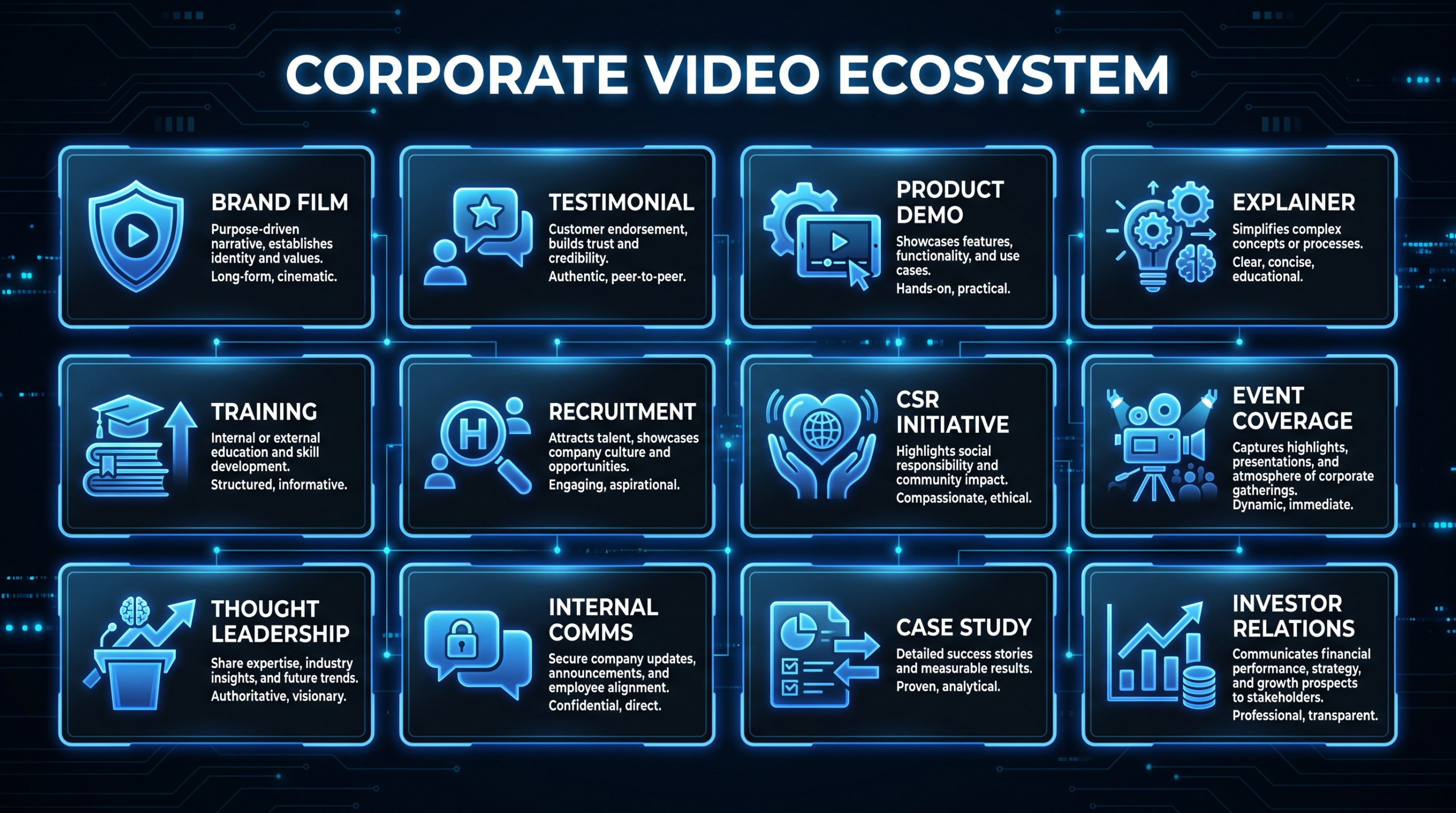
These 10 examples represent most of the formats your team will use. Here's how they compare by deal stage and production investment:
Sales Enablement Video Types Compared
| Video Type | Best Deal Stage | Typical Length | Production Cost Range | Key Success Metric |
|---|---|---|---|---|
| Personalized async outreach | Top of funnel | 60–90 sec | $0–200 (rep-recorded) | Reply rate |
| Explainer / category video | Top–mid funnel | 90–180 sec | $3,000–12,000 | Time-on-page, demo requests |
| Product demo (full) | Mid funnel | 3–8 min | $4,000–15,000 | Demo-to-opportunity rate |
| Product tour (modular) | Mid-late funnel | 60–120 sec per module | $1,500–5,000 per module | Internal share rate |
| Customer testimonial | Mid-late funnel | 90–180 sec | $3,000–10,000 | Deal velocity impact |
| Customer case study (full) | Late funnel | 2–4 min | $5,000–20,000 | Close rate lift for recipients |
| ROI / executive proof video | Late funnel (CFO/C-suite) | 2–3 min | $4,000–15,000 | Committee approval rate |
For a deeper look at what each format costs to produce and what production model fits each, see our guide on SaaS video production and product demo video production.
How to Brief and Budget Your Sales Enablement Videos
The most common mistake B2B teams make is treating all sales enablement video as a single budget line. In practice, different video types have radically different production requirements — and conflating them leads to either overspending on low-ROI formats or under-investing in the ones that move deals.
Prioritize by deal impact, not production complexity
Customer testimonial and ROI proof videos have the highest deal-stage impact and the longest shelf life. An explainer video from 2024 may be outdated by 2026; a well-produced customer story from a recognizable brand logo stays useful for years. Invest accordingly.
Rep-recorded video first, polished later
Not every sales enablement asset needs agency production. Personalized outreach videos (Loom-style), follow-up explainers, and async recaps are most effective when they feel human and authentic — a rep's face on a webcam outperforms a polished corporate animation for top-of-funnel personalization. Reserve production budgets for the video types where quality signals credibility: customer testimonials, product demos, and executive proof videos.
Production budget benchmarks for common formats
Sales Enablement Video Production Budget Guide
| Format | In-House (Rep-Recorded) | Freelancer | Agency / Dedicated Team |
|---|---|---|---|
| Personalized outreach video | $0 (Loom, Vidyard free tier) | N/A | N/A |
| Short explainer (90 sec) | Not recommended | $1,500–4,000 | $4,000–12,000 |
| Product demo video (4–6 min) | Possible with good screen record | $2,000–6,000 | $5,000–15,000 |
| Customer testimonial (2 min) | Risky (quality signals credibility) | $2,500–6,000 | $5,000–12,000 |
| Full case study video (3–4 min) | Not recommended | $4,000–9,000 | $8,000–20,000 |
| Monthly video program (5–10 assets) | Partial (rep content only) | $3,000–8,000/mo | $5,000–16,000/mo |
Teams producing 5+ sales enablement video assets per month typically find a dedicated editing team model more cost-effective than per-project agency work. The brand consistency and turnaround speed of a team that knows your product, your customers, and your style compounds over time — the 6th video in a series costs less to produce than the 1st because briefing time drops dramatically.
Building a Sales Enablement Video Program
The 10 companies above didn't arrive at effective video programs by accident. Common patterns across their approaches:
Start with the objections, not the product
Map your top 5 sales objections (pricing, implementation time, ROI uncertainty, competitive fit, security) and create one video per objection. These videos will be used more frequently than any feature demo because reps know exactly when to reach for them.
Organize by deal stage and persona
A library organized as "Product Videos" gets ignored. A library organized as "Send after discovery," "Send to finance stakeholder," and "Send when prospect is evaluating [Competitor]" gets used. Structure from the rep's send-decision, not from your production workflow.
Measure what moves deals, not what gets views
View counts tell you marketing reach. What you want to know: did prospects who watched this video convert to next stage at a higher rate? Did they close faster? Did the average deal size change? Tools like Vidyard, Wistia, and Loom all offer engagement analytics that let you track video impact on deal outcomes — not just vanity metrics.
For teams scaling from a few ad hoc videos to a structured program, our full guide on sales enablement video strategy covers scripting, production timelines, and rep adoption playbooks in detail.
"The goal isn't to have more video content. It's to have the right video for every stage of every deal — and to make it effortless for reps to find and send it." — VEC Sales Content team
Video Editing Company works with B2B SaaS revenue teams to build scalable sales enablement video libraries — from customer story production to modular product demo series. Our dedicated team model means the same editors who built your first customer testimonial will edit your tenth, with a brand consistency and production speed that per-project agency work can't match. See our plans or talk to our team about your video needs.
Frequently Asked Questions
What is a sales enablement video?
A sales enablement video is any video asset created specifically to help a sales rep move a deal forward — including product demos, customer testimonials, ROI case studies, explainer videos, and personalized outreach recordings. The defining characteristic is that it's built for a specific deal stage or buyer objection, not for broad awareness.
Which type of sales enablement video has the highest ROI?
Customer testimonial and case study videos consistently show the highest deal-stage impact because they address risk — the primary reason B2B deals stall. A peer customer describing a specific, measurable outcome is more persuasive than any product feature or vendor claim. For top-of-funnel impact, personalized async video outreach (Loom-style) has the best cost-to-return ratio because production cost is near zero.
How long should a sales enablement video be?
Length depends entirely on the deal stage and video type. Personalized outreach videos work best at 60–90 seconds — enough to be personal, not enough to overstay the welcome. Product demos can run 3–8 minutes if they're genuinely showing the product doing something. Customer testimonials and case studies typically land at 90 seconds to 3 minutes. The rule: end when you've delivered the value, not when you've shown everything you could show.
Do sales enablement videos need to be professionally produced?
Not all of them. Personalized rep-recorded videos should feel human and authentic — high production values can actually make them feel less genuine. But customer testimonials, product demos, and executive proof videos signal credibility through quality. Poor lighting, bad audio, or inconsistent editing on a customer success video implies that the company doesn't take its customers seriously. Match production investment to how much quality signals trust at that stage.
How many sales enablement videos does a B2B SaaS team need?
Teams with strong video programs typically maintain 20–40 core assets: one demo per major use case or segment (4–6 videos), customer testimonials by industry and company size (8–12), objection-handling videos for top 5 objections (5), and a handful of product tour modules (4–8). The number matters less than the coverage — every frequent deal scenario should have a corresponding video asset within reach.
Build your VSL: If your sales enablement stack includes a video sales letter, see our video sales letter examples guide — 5 annotated real-world VSLs and a 7-section script template built for B2B SaaS.
Need a Sales Enablement Video Library That Reps Actually Use?
VEC builds scalable video programs for B2B SaaS revenue teams — from single customer stories to full-suite demo and testimonial libraries. Dedicated editing team, 90-day output guarantee, SaaS-specialist focus.
Book a Free Strategy Call See Plans & Pricing