
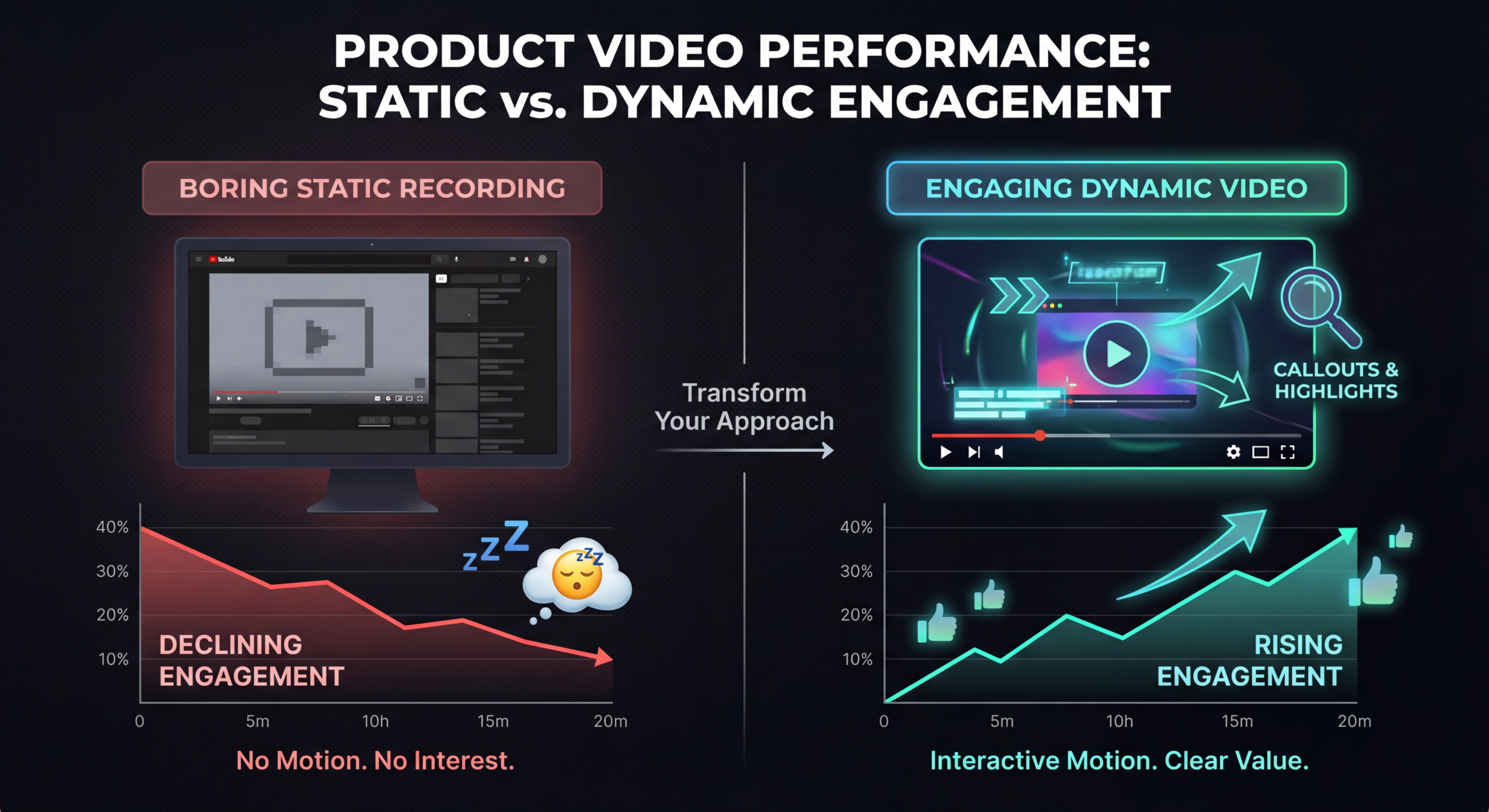
Here's an uncomfortable truth about most SaaS product videos: they're boring. Not slightly boring-painfully, click-away-after-8-seconds boring. The typical SaaS product video is a screen recording with a monotone voiceover listing features nobody asked about. And somewhere in marketing, a team is wondering why their video isn't converting.
The problem isn't that software is inherently boring. The problem is that most SaaS companies approach product video the same way they approach documentation-comprehensively, methodically, and with zero regard for human attention. Your viewers aren't reading a feature comparison sheet. They're scrolling through a feed at 3pm, half-distracted, deciding in 3 seconds whether your video deserves their attention.
This guide will show you how to create a SaaS product video that people actually watch, remember, and act on. We'll cover the engagement science, the scripting frameworks, the production techniques, and the specific mistakes that separate videos that convert from videos that bore.
Before we fix the problem, let's diagnose it. The vast majority of SaaS product videos suffer from one or more of these deadly sins:
The most common mistake. Marketing gives the production team a list of 15 features and says "include all of them." The result is a 4-minute video that tries to show everything and ends up showing nothing. Viewers retain zero features because they were overwhelmed by all of them.
The fix: A great SaaS product video showcases 2-3 capabilities deeply rather than 15 capabilities superficially. Think of it like a restaurant tasting menu-a few perfect bites are more memorable than a buffet.
You know this video. A cursor slowly moves across the screen. "Click here to access settings. Now scroll down to find the integration tab. Click the plus button to add a new connection." It's a tutorial disguised as a product video, and nobody who hasn't already bought the product cares about these details.
The fix: Product videos should show outcomes and workflows, not navigation paths. Nobody wants to know how to click buttons-they want to know how their life gets better.
Five-second animated logo intro. Three-second tagline animation. Then the actual content begins-but by then, 40% of viewers have already left. Your logo animation is not as interesting as you think it is.
The fix: Start with the problem or the payoff. The first 3 seconds must earn the next 10 seconds. Your logo can appear subtly at the end.
A flat, monotone voice reading from a script that sounds like it was written by a committee of product managers. No personality. No energy. No reason for a human brain to stay engaged.
The fix: Use conversational, energetic voice talent. Write scripts for the ear, not the eye. If you wouldn't say it that way in a sales call, don't say it that way in a video.
Understanding why people stop watching is the first step to creating a SaaS product video they don't stop watching. Wistia's data across millions of video plays reveals consistent patterns in viewer attention:
The engagement curve teaches us something important: the structure of your SaaS product video matters as much as the content. Front-load value. Eliminate slow starts. And respect your viewer's time-every second must earn the next.
After producing hundreds of SaaS product videos, we've distilled the approach that consistently drives engagement and conversions into a five-part framework. Each section has a specific job and an optimal length.
Your hook must accomplish one thing: stop the scroll. There are three hook types that consistently work for SaaS product videos:
What NOT to do: "Hi, welcome to [Product]. We're excited to show you our platform that helps businesses streamline their operations." That's a guaranteed attention killer. Nobody cares about your excitement. They care about their problems.
After the hook, spend 15-17 seconds building empathy around the problem. This is where you demonstrate that you understand your viewer's world. Be specific. Generic problems get generic attention.
Bad: "Managing projects is hard."
Good: "Your team uses Slack for communication, Jira for tasks, Google Sheets for timelines, and Notion for docs. Nothing talks to anything else. Every Monday starts with a 45-minute status meeting that could have been a dashboard."
Specificity signals expertise. When a viewer thinks "that's exactly my situation," you've earned their attention for the rest of the video.
This is the meat of your SaaS product video-but it's not what most people think. The hero demo isn't a comprehensive walkthrough. It's a single, compelling workflow that demonstrates your core value proposition in action.
Choose your hero demo scenario carefully. It should:
Production technique: Don't show real-time cursor movement. Use screen recordings at 1.5-2x speed with smooth transitions between screens. Add motion graphics to highlight key areas. Use zoom effects to make small UI elements visible on mobile screens.
Drop a brief social proof element at the 60-second mark. This is psychologically timed-viewers who've made it this far are interested but not yet convinced. Options include:
End strong and fast. Restate the core benefit in one sentence, then deliver your call-to-action. Don't let the energy fade with a slow closing sequence.
Effective CTA structure: "[Product] turns [painful process] into [desirable outcome]. Start free at [URL]." Keep the end card on screen for 5 seconds max. Include a visual button or URL that's readable on mobile.
The script is where most SaaS product videos go wrong. Here are the rules that separate converting scripts from boring ones.
The average speaking pace for video is 150 words per minute. That means a 90-second video is approximately 225 words. That's it. Most SaaS marketing teams try to cram 500+ words into 90 seconds, resulting in a rushed, breathless delivery that viewers can't absorb. If your script is longer than 225 words for a 90-second video, you need to cut-not speak faster.
Count the instances of "you/your" versus "we/our" in your script. The ratio should be at least 3:1 in favor of "you." Your product video is about the viewer's life getting better, not about your company's achievements. Every sentence should pass the "so what?" test from the viewer's perspective.
"Our AI-powered, ML-driven platform leverages proprietary algorithms to optimize cross-functional workflow orchestration." Translation: "We help teams work faster." The second version communicates more because it uses words humans actually use. Save the technical depth for your documentation.
Certain words consistently trigger engagement in SaaS product video scripts:
Every single word. If any phrase feels unnatural when spoken, rewrite it. Video scripts should sound like a smart friend explaining something cool-not a product brochure being dictated.
The visual production of your SaaS product video is what separates a $500 feeling from a $50,000 feeling. Here are the techniques that create premium perception without premium budgets.
Instead of showing flat screen recordings, extract key UI elements and composite them onto a 3D perspective or a clean lifestyle background. This technique-used by Apple, Notion, and Monday.com-makes software feel tangible and premium. Most motion graphics tools (After Effects, Motion) can achieve this effect.
If you are doing screen recordings, make them cinematic:
Add motion graphics on top of screen recordings to highlight, annotate, and emphasize key moments. This includes:
Music sets the emotional tone of your SaaS product video. Choose tracks that are:
Add subtle sound effects for interactions-clicks, swooshes, notification sounds-to make the interface feel responsive and alive. Don't overdo it; sound effects should be felt, not heard.
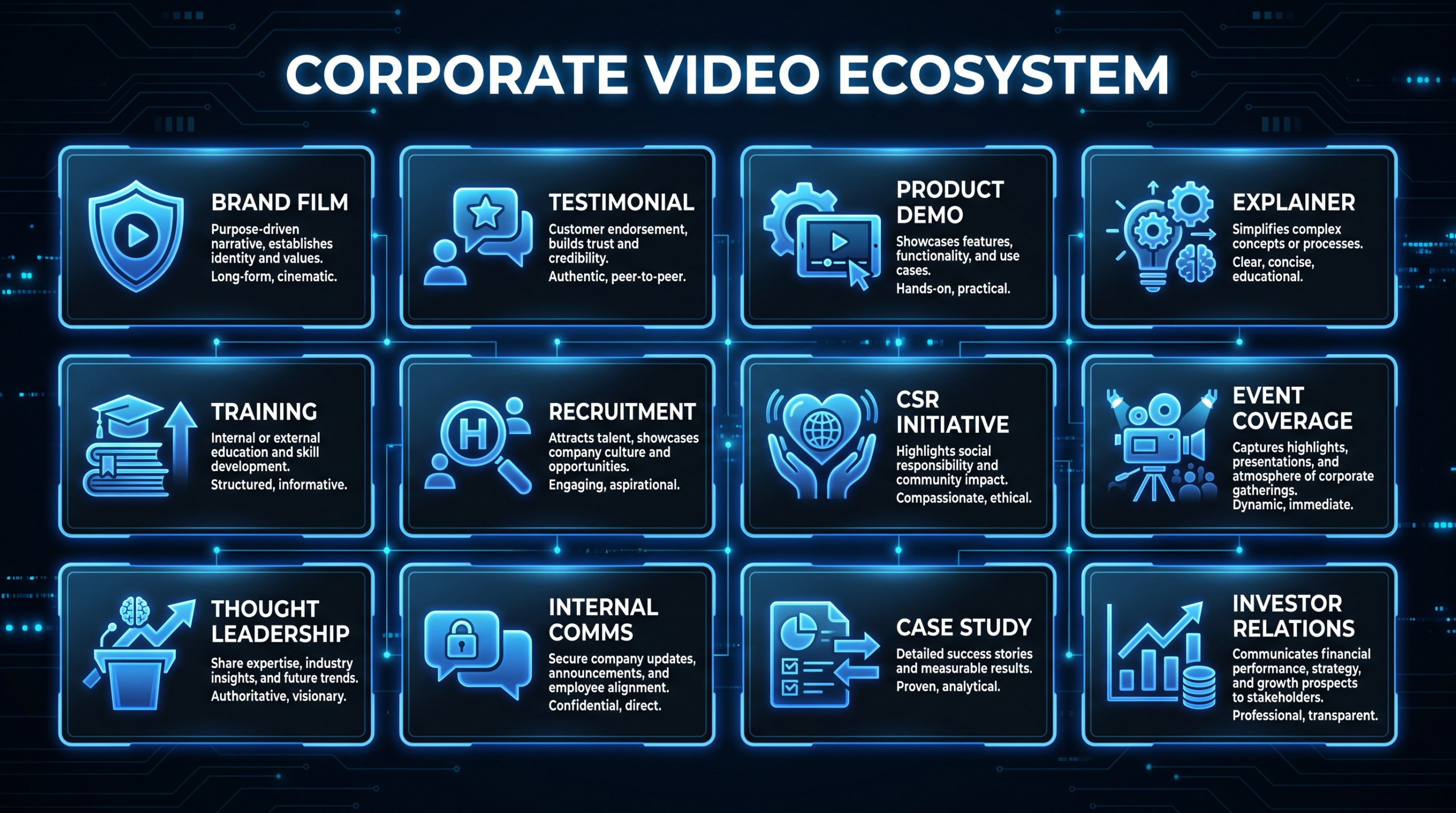
Not all SaaS product videos serve the same purpose. Here's the taxonomy of product video types and when to use each:
Let's focus on the most common goal: getting viewers to book a demo or start a trial. Here's the complete process from strategy to delivery.
Sit down with your sales team and ask: "What's the one thing you show in every demo that makes prospects say 'wow'?" That moment-that specific feature or workflow-is your hero use case. It's not always what the product team thinks is most important. It's what actually triggers buying decisions.
Your viewer should feel a specific emotional sequence: Recognition (I have that problem) ? Curiosity (how does this work?) ? Excitement (this could solve my problem) ? Confidence (others trust this too) ? Urgency (I should try this now).
Each section of your video should advance this emotional arc. If any section doesn't trigger the right emotion, revise it.
Problem ? Agitate ? Solution is the copywriting framework that works best for SaaS product videos:
Never use your production instance for product video recordings. Create a dedicated demo environment with:
Don't wing it. Script every click, every scroll, every interaction. Practice the flow 3-5 times before recording. Use a teleprompter app for the voiceover to maintain natural pacing. Record at 4K resolution even if you'll deliver at 1080p-this gives you room to crop and zoom in post.
The editing process is where a SaaS product video goes from functional to engaging. Key principles:
Once you've mastered the basics, these advanced strategies separate good SaaS product videos from great ones.
The next frontier of SaaS product video is personalization. Tools like Vidyard, Loom, and Sendspark allow sales reps to create personalized product walkthrough videos for individual prospects. A 2-minute custom video that mentions the prospect's company name, shows their industry's use case, and addresses their specific pain point converts 3-5x better than a generic demo video.
The workflow: Sales reps record a 30-second personal intro ("Hey Sarah, I was looking at Acme Corp's workflow and noticed..."), then the video transitions to a pre-recorded product demo relevant to the prospect's use case. Personal touch + professional production = maximum impact.
Interactive video platforms like Tolstoy and Mindstamp allow viewers to choose their own path through a product demo. "Click here to see the reporting feature" or "Jump to the integrations demo." This self-guided approach increases engagement by 40-60% and gives you data on which features resonate with which segments.
Instead of making videos about your product, make videos about the problems your product solves-and naturally incorporate the product. "How to Build a Monthly Report in Under 5 Minutes" is a more compelling title than "[Product] Reporting Feature Demo." The content provides value regardless of whether the viewer buys, which makes it shareable and SEO-friendly.
Show a realistic workday scenario where your product appears naturally. "8:00 AM - Sarah opens [Product] to check overnight analytics. 8:15 AM - She shares a dashboard with her team via Slack integration. 9:00 AM - The automated report she set up yesterday is already in her inbox." This narrative format is 3x more engaging than feature tours because viewers project themselves into the story.
Creating the video is half the battle. Distribution determines whether it reaches the right audience.
Your SaaS product video should appear in these locations on your website:
Each platform requires a different version of your product video:
Including the word "video" in email subject lines increases open rates by 19%. Embed a video thumbnail (not the actual video-email clients don't support it) linked to your landing page. Use this approach in:
The metrics that matter depend on where the video lives and what it's meant to accomplish.
For homepage explainers: 60-90 seconds. For product demos: 2-4 minutes. For social media: 15-60 seconds depending on platform. The golden rule is that every second must earn the next second. A tight 60-second video outperforms a padded 3-minute video every time.
For product demos showing the actual interface, use enhanced screen recordings with motion graphics. For concept-level explainers about what your product does, animation works well. For building trust and personal connection, live-action with a founder or team member is most effective. The best SaaS product videos combine all three approaches.
Expect to invest $5,000-$15,000 for a professional 60-90 second SaaS product video with motion graphics and professional voiceover. More complex productions with live-action filming, multiple animations, and advanced post-production can range from $15,000-$40,000. Budget-conscious teams can start with $3,000-$5,000 for a clean, effective product demo.
Update your main product video when there's a significant UI overhaul, a major feature launch that changes your core value proposition, or when the video's conversion rate drops noticeably. For most SaaS companies, that's every 12-18 months for the hero video. Feature spotlight videos should be produced for every major release.
For top-of-funnel explainers: never gate them. You want maximum reach. For detailed product demos: consider soft gating (ask for email but allow skip). For advanced feature walkthroughs targeting bottom-of-funnel prospects: gating can be effective for lead generation, but test both approaches.
Use a custom thumbnail with: a clean product screenshot showing the most impressive view, a face (if possible-faces increase click rates by 30%), overlay text with a benefit-driven headline, and branded colors. Never use auto-generated thumbnails or stock imagery.
AI tools like Synthesia, HeyGen, and Runway are improving rapidly but aren't yet ready for primary product videos where credibility matters. They work well for: internal training videos, quick social media clips, personalized sales videos at scale, and draft/prototype versions. For your flagship product video, professional production still delivers meaningfully better results.
Download the exact script framework we use for our SaaS clients. Fill-in-the-blank template with hook variations, timing guides, and CTA options.
Get the Script Template ? See PricingA great SaaS product video doesn't show every feature-it shows the one transformation that makes viewers think "I need this." Nail the hook, respect the engagement curve, and always prioritize the viewer's problems over your product's capabilities. That's the difference between a SaaS product video that sits in a YouTube graveyard and one that drives pipeline every single day.
Ready to create a SaaS product video that actually converts? Book a free strategy call View Pricing and let's build a video that showcases your software the way it deserves.