
A SaaS explainer video is the single most important video asset a software company can produce. It sits on your homepage, runs as your primary ad, gets shared in sales emails, and often serves as a prospect's very first interaction with your brand. Get it right, and it becomes a 24/7 conversion machine. Get it wrong, and you've wasted $5,000—$25,000 on a video that actively hurts your brand.
This guide covers everything you need to create a SaaS animated explainer that actually works: the scripting framework that converts, the animation styles to consider, the production process from brief to final delivery, and the common mistakes that kill explainer video performance. Whether you're creating your first software explainer video or replacing an outdated one, this is your complete production playbook.
An explainer video for a SaaS product isn't the same as an explainer for a consumer product, a nonprofit, or a service business. Here's what makes SaaS explainer videos unique:
SaaS products are software — they don't have physical form. You can't show someone holding your product or unboxing it. Your explainer video needs to make abstract digital concepts (workflows, automations, integrations, dashboards) tangible and exciting through visual metaphors, animation, and creative UI representation.
B2B SaaS buyers are typically intelligent professionals who've seen dozens of SaaS explainers. Generic animation with a bubbly voiceover saying "Meet Sarah, she's a marketing manager who's overwhelmed with her tasks" will make experienced buyers cringe. Your explainer needs to respect your audience's intelligence while still being accessible.
If your explainer video shows specific UI elements, it will become outdated with your next major release. The best SaaS explainers strike a balance between showing enough product to be credible and abstracting enough to remain relevant for 12–18 months.
Unlike B2C explainers that target one buyer, SaaS explainers are often shared within buying committees. Your video needs to speak to end users (ease of use), managers (team productivity), and executives (ROI) simultaneously — or at least not alienate any of these audiences.
The script is where explainer videos are won or lost. A mediocre animation with a great script outperforms a stunning animation with a weak script every time. Here's the framework we use for every SaaS explainer video script at VEC:
Total runtime: 60–90 seconds | Word count: 150–225 words (at ~2.5 words/sec speaking pace)
An explainer script is a spoken document. Read every draft aloud. If a sentence sounds awkward when spoken, rewrite it. Avoid complex sentence structures, jargon (unless your audience uses it daily), and passive voice. Short sentences. Active verbs. Conversational tone.
Count the "you" vs. "we" ratio in your script. It should be at least 3:1 in favor of "you." Your viewer cares about their problems and their outcomes, not your company's story. "You're spending 10 hours a week on manual reporting" beats "We built an automated reporting platform."
The most common script mistake is trying to say everything. An explainer video should communicate one core value proposition supported by 2–3 features. If you have four distinct value props, you need four videos — not one video that tries to cover everything.
Write visual cues into the script. Don't just write "Our platform automates your workflow." Write "VISUAL: Animated workflow showing manual steps disappearing one by one as automation takes over, clock spinning backward to show time saved." The script should direct the animation, not exist independent of it.
Most SaaS explainer scripts are too long. At 90 seconds, you should feel like you could say more. That's exactly right. Leave the viewer wanting more — that's what drives them to click the CTA. A 60-second explainer that creates curiosity converts better than a 3-minute explainer that satisfies curiosity.
The visual style of your SaaS animated explainer significantly impacts its effectiveness, production cost, and timeline. Here's a comprehensive comparison of the most common styles:
Flat or semi-flat graphics with smooth transitions. Clean, professional, and highly customizable to brand guidelines. Works for virtually any SaaS product. The default choice for good reason.
2D elements with perspective to create depth. Popular in tech and SaaS for representing data flows, infrastructure, and system architectures. Feels modern and premium without the cost of full 3D.
Full 3D modeling, lighting, and rendering. Creates the most cinematic and impressive explainers. Best for enterprise SaaS companies that need to project premium positioning. Significantly more expensive and time-consuming.
Combines animated conceptual sections with actual product UI footage. Best of both worlds: abstract concepts via animation, credibility via real product. Ideal when you want to show the product without committing to a pure demo.
Real people filmed on set with animated overlays, screen mockups, and motion graphics. Creates emotional connection through human presence while using animation for product concepts. Highest trust-building potential.
Hand-drawn illustrations animated to appear as if being sketched in real-time. Was hugely popular in 2015–2020 but now feels dated for most SaaS brands. Can still work for educational or internal content where a casual, accessible tone is appropriate.
The right style depends on three factors:
For 12 real B2B explainer videos you can watch right now — with production style notes, animation format breakdowns, and what to borrow for your own brief — see our B2B explainer video examples guide.
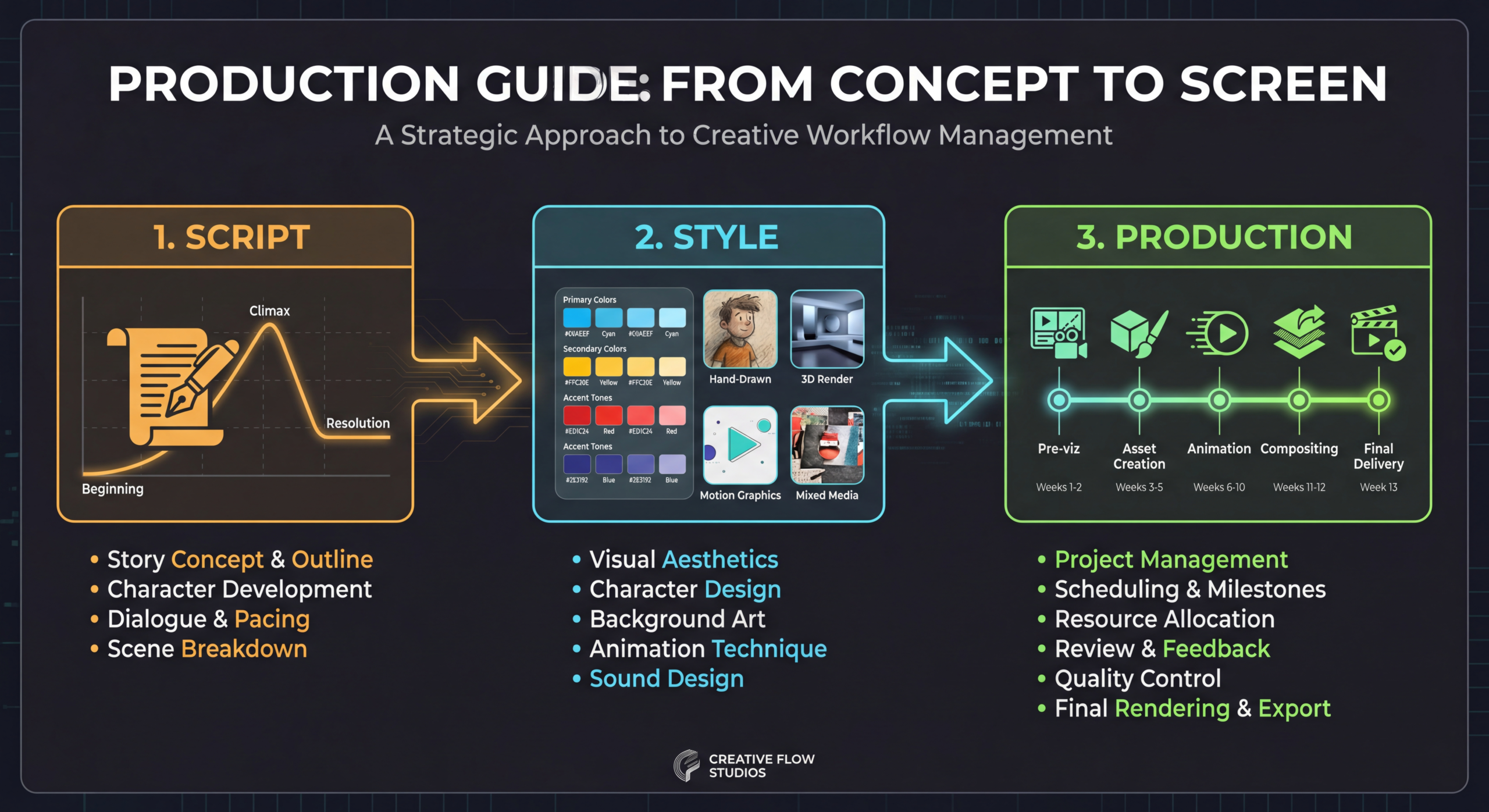
Here's the complete production process for a software explainer video, from initial brief to final delivery:
Before any creative work begins, align on strategy:
The most critical phase. A typical explainer script goes through:
Pro tip: Never let more than 3 people review the script simultaneously. Too many reviewers leads to "design by committee" — a script that tries to please everyone and excites no one.
With an approved script, the design team creates:
Review the storyboard carefully. Changes at this stage cost hours; changes during animation cost days. This is your last opportunity to make major creative decisions cost-effectively.
Choose your voiceover artist based on:
Record in a professional studio or with a proven remote voiceover artist who has a treated recording space. AI-generated voiceover is now an option for budget-conscious companies, but human voiceover still outperforms AI in warmth and emotional connection as of 2026.
The animation phase is the longest and most labor-intensive. It typically progresses through:
Sound design is the most underrated element of explainer video production. Good sound design includes:
Let's go deeper on scripting with real examples of effective script patterns for SaaS explainer videos:
Follow a character through their workday, showing the pain points they encounter, then showing the same day with your product. This is the most common explainer script pattern — and it works because it's inherently relatable.
Example opening: "It's 8 AM and your inbox already has 47 customer tickets. By 9, you've triaged half of them — manually. By noon, three have fallen through the cracks. Sound familiar?"
Open with a vision of the ideal outcome, then reveal how your product makes that vision reality. This pattern works well for innovative products that create new categories.
Example opening: "What if your entire team could see, in real-time, exactly which features your customers love and which ones they ignore — without writing a single line of analytics code?"
Lead with a surprising statistic that reframes the viewer's understanding of their problem. Then position your product as the solution to the problem the statistic reveals.
Example opening: "Your sales team spends 64% of their time on tasks that have nothing to do with selling. That's 3 days a week lost to admin, data entry, and CRM updates. What would your revenue look like if you gave them those days back?"
Show the old way vs. the new way in rapid succession. This works particularly well for products that replace manual or outdated processes.
Example opening: "The old way: export data from three systems, paste into a spreadsheet, spend two hours building a report that's already outdated. The new way: open your dashboard. It's already there."
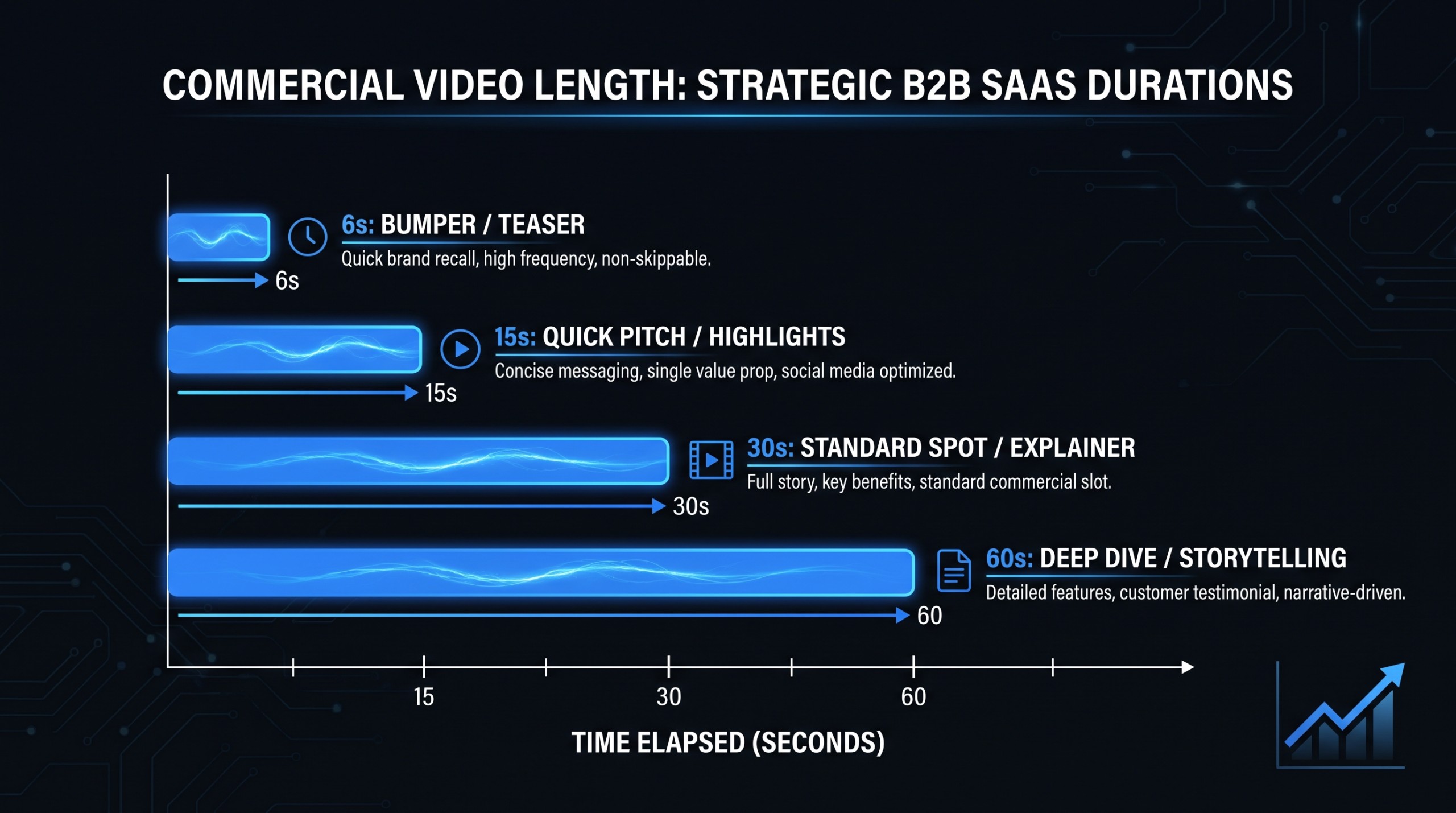
Data consistently shows that SaaS explainer videos perform best at 60–90 seconds. Shorter explainers (30 seconds) don't provide enough information for a considered B2B purchase. Longer explainers (2+ minutes) see dramatic drop-offs after 90 seconds. The sweet spot is 75 seconds — long enough to tell a complete story, short enough to hold attention.
The video thumbnail determines whether someone clicks play. For SaaS explainers, use:
Always include:
If you serve global markets, plan for localization from the start:
The first 5 seconds are your hook. Wasting them on a logo animation is the video equivalent of starting a conversation by handing someone your business card. Lead with the viewer's pain point, earn their attention, then introduce your brand.
An explainer video is an appetizer, not the main course. Its job is to create enough interest and understanding for the viewer to take the next step — not to make them an expert on your product. If your script has more than 3 main points, you're trying to do too much.
Every SaaS explainer video must end with a specific, low-friction call to action. "Visit our website" is too vague. "Start your free 14-day trial — no credit card required" is specific and low-friction. Tell viewers exactly what to do and remove any objections in the same breath.
Don't choose an animation style because it looks cool. Choose it because it effectively communicates your message to your target audience. A simple 2D animation that clearly explains your product is infinitely more valuable than a complex 3D animation that looks impressive but confuses the viewer.
A professional voiceover artist costs $300—$1,000. A bad voiceover ruins a $10,000 animation. Don't cut corners on audio. The voiceover is arguably the most important element of your explainer — it carries the narrative while the animation supports it.
The first version of your explainer is rarely the best version. Run A/B tests on different hooks, CTAs, and even animation styles. Use video analytics to identify drop-off points and re-edit those sections. The best SaaS companies treat their explainer video as a living asset that evolves with data.
Budget is always a factor. Here's a realistic cost breakdown for SaaS explainer video production in 2026:
Once your explainer is live, track these metrics:
The ideal length for a SaaS explainer video is 60–90 seconds. Data shows that engagement drops significantly after 90 seconds for explainer-format content. At approximately 2.5 words per second, this means your script should be 150–225 words. For complex enterprise products, you can stretch to 2 minutes — but only if every second earns its place. When in doubt, go shorter.
SaaS explainer videos range from $2,700 for budget productions (simple 2D animation, basic voiceover) to $35,000+ for premium productions (3D animation, celebrity voiceover, multiple formats). The sweet spot for most SaaS companies is $7,000—$15,000, which gets you professional 2D or 2.5D animation, a quality voiceover, custom sound design, and multi-format delivery. Always get quotes from 3–4 production companies to compare.
For most SaaS companies, animation (2D motion graphics or 2.5D isometric) is the best choice for explainer videos. Animation offers unlimited creative flexibility, doesn't age as quickly as live action, and can visualize abstract software concepts in ways live action can't. Live action works well when you want to build emotional connection and trust — particularly for enterprise sales or culture-focused messaging. Many top-performing SaaS explainers blend both approaches.
A typical SaaS explainer video takes 4–6 weeks from kickoff to final delivery. The breakdown: 1 week for discovery and strategy, 1–2 weeks for scripting and storyboarding, 2–3 weeks for animation and sound design, and 1 week for revisions and delivery. Rush projects can be completed in 2–3 weeks with a price premium. We recommend building in an extra week as a buffer for stakeholder review delays.
Your explainer video should live on your homepage (above the fold), your YouTube channel, and your LinkedIn company page as minimum placements. Additional high-value placements include: product landing pages, paid social ad campaigns, email welcome sequences, sales outreach templates, conference booth displays, and investor pitch decks. Each placement may require a different format (aspect ratio, length, CTA).
AI tools can assist with certain parts of explainer video production — generating draft scripts, creating voiceovers, and even producing simple animations. However, as of 2026, AI-generated explainer videos typically look and sound generic. For a video as important as your primary explainer (often your most-viewed marketing asset), we strongly recommend professional human production. Use AI for ideation and rough drafts, then hand off to experienced creatives for the final product.
Plan to refresh your SaaS explainer video every 12–18 months. Major triggers for an update include: significant product changes (new UI, new core features), rebranding, positioning changes, outdated statistics or social proof, and declining performance metrics. Minor updates (voiceover corrections, CTA changes, metric updates) can often be made without a full re-production.
Download our proven script template for SaaS explainer and demo videos. Includes the 6-part framework, example scripts, and a word-count calculator for pacing.
Download the Template See PricingOur team has produced explainer videos for SaaS companies of every size and stage. From scripting to final animation, we'll create an explainer that converts viewers into customers.
Book a Free Strategy Call →