Rebrand? Refresh 100 Videos Without Re-Editing
TL;DR
Most of your video library survives a rebrand intact. Intros, outros, lower thirds, color grades, and thumbnails can all be swapped at the asset layer — no timeline re-edit required. Only product UI demos and brand-voice-mismatched narration truly need to be remade. This guide gives you the triage framework, the full audit checklist, and the effort-vs.-urgency matrix to prioritize which videos get refreshed, which get re-filmed, and which stay exactly as-is.
Table of Contents
You've just gone through a rebrand. New logo, new color palette, new typography, possibly a new brand voice. Leadership is excited. Designers are exhausted. And then someone walks into the room and says: "What about the 100 videos on our YouTube channel?"
This is the moment most marketing teams dread. The instinct is to treat the video library like a website redesign — rip it all out and start fresh. That instinct is expensive and usually wrong.
The truth is that most of your video library does not need to be re-filmed or re-edited from the ground up. A significant portion can be refreshed at the asset layer: swap out branded motion graphic elements, apply a new color grade, update lower thirds, replace intro and outro sequences. The footage itself — the interviews, the product walkthroughs, the explainer content — stays intact.
But some videos genuinely do need to go. Product UI demos showing a deprecated interface. Videos where the presenter is wearing a shirt with your old logo prominently in frame. Content where the script is so tied to your old brand voice that patching it would require re-narration anyway.
The financial and operational difference between these two categories is enormous. A brand asset swap takes 2–4 hours per video. A re-film takes weeks and costs 10–20x more. Getting the triage right is the entire project.
This guide gives you the framework to tell them apart — and a prioritization system so you can move fast without wasting budget on work that doesn't move the needle.
What a Rebrand Actually Does to Your Video Library
Before triaging, it helps to understand exactly what a rebrand changes in a video — and what it leaves completely untouched. Professionals in post-production think about video as a stack of independent layers. A rebrand touches some of those layers and ignores others entirely.
The Layers of a Video: What Changes and What Doesn't
Video Content Layers Affected by a Rebrand
| Content Layer | Affected by Rebrand? | Can Be Swapped Without Re-Edit? |
|---|---|---|
| Intro / outro sequences | Yes — logo, colors, music sting | Yes — replace the motion graphic asset |
| Lower thirds (speaker names, stats) | Yes — typography, brand color, logo mark | Yes — regenerate and composite over footage |
| Color grade / LUT | Often — when brand palette shifts significantly | Yes — apply new LUT over existing grade |
| Thumbnail design | Yes — backgrounds, typography, logo placement | Yes — redesign static asset in Figma/Photoshop |
| Background music / sonic brand | Sometimes — if audio identity changed | Yes — swap audio track in post |
| Narration / voiceover | Only if brand-voice language changed materially | No — requires re-record |
| Product UI / screen captures | Yes — if UI was redesigned alongside rebrand | No — requires new screen capture session |
| On-camera presenter apparel / backdrop | Only if old logo clothing or branded backdrop is visible | No — requires re-film or masking |
| Core educational / explainer footage | Rarely — if core message still holds | N/A — no change needed |
| Caption / subtitle files (SRT/VTT) | Yes — if old brand name or product names are spoken | Yes — text file update, re-upload |
This table is the foundation of your triage decision. The majority of videos in a typical SaaS library contain a mix: the core footage is still valid, the intro/outro needs a swap, the lower thirds need regenerating, and the thumbnail needs a redesign. That is a refresh job, not a re-film job.
The Mental Model Shift That Saves You Budget
The reason teams default to "re-film everything" is that they conceptualize a video as a monolithic, indivisible object. The brand changed, therefore the video is wrong, therefore we need a new video.
Post-production professionals think about it differently. A video is a composition of assets — some mutable (motion graphics, LUTs, audio, thumbnail), some locked (the primary footage). The footage is locked only if you don't have the original project files. The motion graphic templates, color grade, and audio sweetening are always mutable — they sit on independent tracks and layers that can be updated without disturbing the rest of the edit.
This distinction becomes even more valuable for teams running SaaS video production at scale. Companies that build brand elements as templated components from the start — modular intros, reusable lower third templates, standardized LUT files — can execute a full rebrand refresh across their entire library in a fraction of the time required by companies that baked brand elements directly into exported files without saving source projects.
If your current video workflow doesn't use asset templates, a rebrand is the right forcing function to fix that before you produce another piece of content.
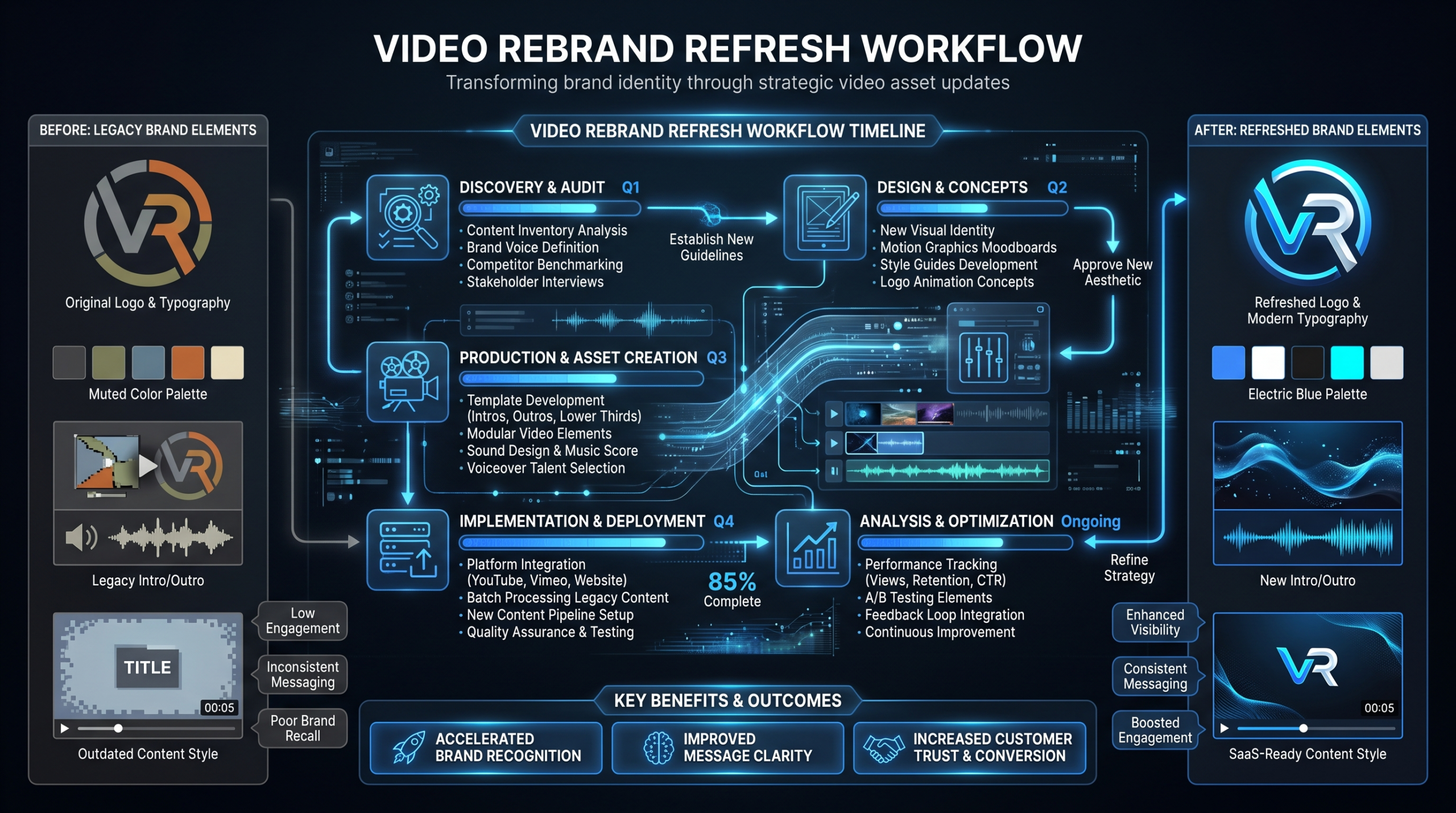
The 4 Refresh Techniques That Don't Touch the Timeline
These are the four core operations a skilled post-production team can execute on existing footage without rebuilding the edit. Understanding what's technically possible shapes every triage decision you make.
1. Intro/Outro Asset Swap
Your branded intro sequence — the 3–5 second animated logo sting at the start of each video — and your outro are the most visible brand signals in your library. They're also the easiest to update.
If your original production workflow was set up correctly, the intro and outro are separate motion graphic project files composited onto the main edit. Updating them means rendering new versions of the template with the new brand, then dropping them into each existing sequence at the head and tail. The edit doesn't move. No audio sync is disturbed.
If intros and outros were baked directly into the exported video file without original project files saved, the process is still manageable — an editor can trim the old opener, cut to black for one frame, and lay the new asset at the in-point. The transition is clean if the original video has a natural hard cut at the intro/content boundary, which most do. This approach typically takes 30–60 minutes per video depending on complexity.
Estimated effort per video: 20 minutes – 1.5 hours
2. Lower Thirds Regeneration
Lower thirds — the animated text supers identifying speakers, job titles, key statistics, or chapter markers — are pure motion graphic elements laid over the video track. They are independent of the underlying footage. Updating them for a new brand means:
- Building a new lower thirds master template in After Effects or Premiere Pro with the updated typeface, colors, and logo treatment
- Reviewing each video to identify every lower third instance and its timecode
- Rendering new versions and compositing them over the original footage at the correct positions
For videos with dense lower thirds usage — recorded webinars, multi-speaker panels, product demos with frequent callouts — this can take 1.5–3 hours per video. For simple talking-head content with one or two name supers, it's closer to 20–40 minutes. The template setup cost is a one-time investment: once the new template exists, each subsequent video goes faster.
Estimated effort per video: 20 minutes – 3 hours (after template is built)
3. Color Grade LUT Swap
If your rebrand involved a meaningful shift in color palette — moving from a warm, earth-toned brand to a cool, tech-forward palette, for example — your older videos may feel visually inconsistent alongside new content even if nothing else has changed. The footage looks different from your new brand direction simply because of color temperature and tonal balance.
The post-production fix is to apply a new Look-Up Table (LUT) on top of the existing color grade. A LUT is a mathematically defined color transformation that can push the entire tonal quality of footage in a specific direction — cooler, cleaner, more saturated, desaturated, whatever the new brand palette calls for. Applying it takes minutes. The calibration work to build the right LUT for your brand takes more time and requires a skilled colorist, but once built, it applies across the entire library.
Important caveat: a LUT swap works well for moderate palette shifts. If the original footage was shot under dramatically different lighting conditions than your new brand guide calls for, a LUT brings you 70–80% of the way there, but the final 20% requires manual secondary color correction on a shot-by-shot basis. Build that into your cost estimates for the highest-priority videos.
Estimated effort per video: 15 minutes – 1 hour (LUT only); 1–3 hours (manual correction)
4. Thumbnail Redesign
Thumbnails are completely independent static assets — they have no relationship to the video file itself. Redesigning them is a design task, not a post-production task. Your design team (or your video partner's design team) builds a new thumbnail template with the new brand colors, typography, and logo treatment, then produces individual thumbnails for each video, uploads them to YouTube or your video hosting platform, and the old-brand image is gone.
This is the highest-leverage refresh action available to you, and it's often the most underestimated. Thumbnails are the first visual impression of your entire video library. A new, on-brand thumbnail set makes 100 old videos look current before anyone presses play. According to Wistia's research on video engagement, the entry-point visuals — thumbnail, title, and preview frame — are among the most significant drivers of whether a viewer clicks through in the first place. Refreshing these alone delivers measurable brand perception improvement before a single frame of post-production work is done.
Estimated effort per thumbnail: 15–30 minutes with a working template; 1–2 hours to build the template initially
The Triage Framework: Evergreen vs. Outdated
The audit process has two distinct stages: content triage (does the underlying information and footage still hold up?) and brand triage (does it look and sound like the new brand?). These are separate decisions, and running them in the wrong order wastes money.
Stage 1: Content Triage — Does This Video Still Work?
Ask this first: Is the information in this video still accurate, and does the core footage still serve its purpose? A rebrand doesn't change whether your 2023 explainer video accurately describes your core product value proposition. But if your product was redesigned as part of the rebrand — new UI, new feature set, deprecated functionality — the content problem is more fundamental than the brand problem.
Sort every video into one of three buckets:
- Evergreen — The core information is still accurate. The footage is not dependent on any UI or product feature that has changed. Candidates: thought leadership interviews, educational methodology content, customer testimonials (unless the testimonial explicitly references old brand names or deprecated products).
- Content-Outdated — The information is no longer accurate regardless of branding. Do not invest in brand refreshing these videos — they need to be re-filmed or retired. Moving brand assets onto outdated content just makes the outdated content look new, which is worse than leaving it looking old.
- UI-Dependent — The video relies on screen capture of your old product interface. These need new screen capture sessions. However, the narration track, the script structure, and the educational flow may still be perfectly usable as a guide for the new version — significantly reducing re-production time compared to starting from scratch.
Stage 2: Brand Triage — How Much Brand Exposure Does It Have?
For every video that cleared Stage 1 as Evergreen, assess how much old-brand visual exposure it contains:
- High brand exposure — The video prominently features the old intro/outro, old lower thirds typography and colors, on-camera branded materials (clothing, backdrop, monitor wallpaper), or was filmed and graded in a look that now visually contradicts the new palette. Needs a full refresh: intro/outro, lower thirds, LUT, thumbnail.
- Medium brand exposure — Old thumbnail only, or minor incidental lower thirds in the old style. The video itself feels visually fine but the click-entry point is clearly old-brand. Thumbnail redesign plus a quick intro/outro swap handles this tier.
- Low brand exposure — No visible branded motion graphic elements. A webinar recording where the host is in a plain shirt, the slides use neutral slide templates, and the only brand exposure is a small logo watermark you can mask or leave. These can be deprioritized to Sprint 3 or 4 without meaningful brand damage.
For teams managing a large video library through a partner like VEC, this two-stage audit process can be systematized: dedicated editors familiar with your specific brand asset stack can assess each video quickly without the client needing to screen every piece of content themselves. They know what old templates look like and can flag triage category from the file alone.
Rebrand Video Audit Checklist
Use this checklist for each video during the audit phase. Run it on a representative sample of 10–15 videos first to calibrate average effort before you resource-plan the full library refresh.
Rebrand Video Audit Checklist
| Check | What to Look For | Action If Found |
|---|---|---|
| Intro / outro sequence | Old logo animation, old brand colors, old music sting | Asset swap — render new branded intro/outro, composite in |
| Lower thirds | Old typeface, old color palette, old logo mark treatment | Regenerate all instances using new template |
| Color palette feel | Footage looks visually inconsistent with new brand direction | LUT adjustment or manual color correction |
| Thumbnail | Old logo, old background color scheme, old typography | Redesign static thumbnail asset; re-upload |
| Background music / sonic brand | Old brand music track, old audio logo | Swap background track with new brand audio |
| Narration / voiceover language | References old company name, old taglines, old product names | Re-record affected narration sections |
| On-camera apparel | Presenter wearing old logo clothing visibly in frame | Re-film if prominent; composite out if incidental |
| Branded set / backdrop | Old logo signage, old branded office materials visible | Re-film or composite removal (budget-dependent) |
| Product UI / screen capture | Old interface no longer reflecting current product | New screen capture session; re-edit over existing audio |
| Caption / subtitle files | Old company name or product names spelled out in captions | Edit SRT/VTT file; re-upload (fast fix, no post work) |
| End cards / CTAs | Links to old landing pages, old offer names, old team imagery | Update end card assets and video descriptions |
| Core information accuracy | Pricing, features, team size, competitive claims that changed | Flag for content review before investing in any refresh |
One Often-Missed Step: Caption Files
Subtitle and caption files (SRT, VTT) are text files that travel alongside your video. If your old brand name or old product names appear in captions — which they will if the presenter said them on camera — those strings need updating. This is a fast, inexpensive fix: open the SRT in a text editor, find-and-replace the old strings, save, re-upload. But it is consistently overlooked in rebrand refresh projects. Captions are indexed by YouTube's search algorithm and by Google. Leaving your old brand name in caption text effectively means publishing your old brand name as SEO content on every video in your library.
What to Do With Low-Traffic Content
Not everything in the archive is worth refreshing. A video that generates under 50 views per month and contains outdated content deserves a different treatment: set it to unlisted rather than refreshing it. This removes it from public-facing discoverability without deleting the video or losing its URL history (which matters for any external sites that may have linked to it). Reserve your refresh budget for content that is actively driving views, leads, or customer education outcomes.
Effort vs. Urgency Matrix
You cannot refresh 100 videos simultaneously. You need a sequencing framework that prioritizes the work rationally. The two variables that matter most are effort (how much production work does this video actually require?) and urgency (how visible is this video in actively driving business outcomes right now?).
Rebrand Refresh Prioritization Matrix
| Video Type | Typical Refresh Effort | Business Urgency | Priority Sprint |
|---|---|---|---|
| Homepage / hero explainer video | Medium — intro swap, regrade, thumbnail | Critical — every prospect sees it | Sprint 1 · Week 1 |
| Product demo videos in active sales decks | High — likely needs new screen capture | Critical — used in live sales cycle | Sprint 1 · Week 1–2 |
| Customer testimonials / case study videos | Low-Medium — thumbnail, lower thirds swap | High — active in late-stage sales | Sprint 2 · Week 2–3 |
| Top 10 YouTube videos by monthly views | Low-Medium — thumbnail, intro/outro swap | High — continuous inbound traffic | Sprint 2 · Week 2–3 |
| In-product help / onboarding videos | Medium-High — UI likely changed | High — existing customer experience | Sprint 2 · Week 3–4 |
| Mid-library YouTube content (rank 11–30) | Low — thumbnail + intro/outro swap | Medium — some organic traffic | Sprint 3 · Month 2 |
| Webinar recordings / event replays | Low — thumbnail redesign typically sufficient | Low-Medium — reference content | Sprint 3 · Month 2 |
| Long-tail YouTube archive (rank 31+) | Low — batch thumbnail redesign | Low — minimal traffic individually | Sprint 4 · Month 3 |
| Content-outdated videos | N/A — requires re-film | High if actively shared; low if archived | Separate re-film backlog |
Sprint Planning the Refresh
Most teams with dedicated production capacity can execute the highest-urgency refresh work within four to six weeks. Here is how to structure the sprint sequence:
Sprint 1 (Week 1–2): Homepage video, hero explainer, and sales deck demos. These are the highest-stakes touchpoints — actively used in live sales cycles and seen by every prospect who evaluates your product. Brand inconsistency here creates the sharpest cognitive dissonance. Get these to full brand compliance before anything else. Everything else can wait two weeks; these cannot.
Sprint 2 (Week 2–4): Top-performing organic content, testimonials, and in-product help videos. Your top 10 YouTube videos by view count drive a disproportionate share of inbound awareness. Refreshing thumbnails and intros on these improves the visual impression of your entire YouTube presence faster than working through the long tail. The in-product help videos are equally urgent because they affect existing customers' daily experience of the new brand.
Sprint 3 (Month 2): Mid-library content and webinar archive. Batch-process thumbnail redesigns at scale. A design system with a working thumbnail template can produce 50 thumbnails in a single day once the template is approved. This sprint is primarily a design sprint, not a post-production sprint.
Sprint 4 (Month 3): Long-tail archive cleanup. Individual videos in this tier drive minimal traffic, but the cumulative visual inconsistency of a large archive full of old-brand thumbnails affects perception at the channel level. Batch-thumbnail the remaining library and formally close the rebrand refresh project.
The sprint model works because it decouples urgency from effort. A high-urgency, high-effort video (sales demo with deprecated UI) gets handled in Sprint 1 even though it costs more. A low-urgency, low-effort video (webinar recording from 2023) goes to Sprint 3 even though it would take 30 minutes to fix. Sequencing by urgency, not by ease, means your brand-critical touchpoints get cleaned up while the rest of the work fills in behind them.
The Business Case: Refresh vs. Re-Film
Before committing to a refresh versus a re-film decision on any specific video, run a proportionality check. The question is not "which approach produces the technically superior output?" It is "which approach is proportional to the value this video actually generates?"
Cost Comparison: What Each Approach Actually Costs
Refresh vs. Re-Film Cost Comparison
| Approach | Typical Cost Per Video | Calendar Time | Best Fit |
|---|---|---|---|
| Thumbnail redesign only | $50–150 | 1–2 hours | Low-exposure archive, webinars |
| Intro/outro swap + thumbnail | $150–400 | 2–4 hours | Mid-tier YouTube content |
| Full brand refresh (all asset layers) | $400–1,200 | 4–8 hours | Top-performing organic content |
| Partial re-edit (new narration, existing footage) | $800–2,500 | 1–3 days | Brand-voice-mismatched content |
| New screen capture + re-edit over existing audio | $1,500–4,000 | 2–5 days | UI-dependent product demos |
| Full re-film and re-edit from scratch | $3,000–12,000+ | 2–6 weeks | Outdated content only |
Put numbers to the decision. If a video generates 600 qualified views per month, influences 3 pipeline opportunities per quarter, and supports 2 customer expansion conversations a month, it has genuine revenue leverage. A $600 brand refresh to keep it performing is an obvious call. A $9,000 re-film of the same content — when the footage, script, and messaging are all still valid — is not justifiable on the business case alone.
The Re-Film Decision: When It's Actually Right
Re-filming is the right decision in four specific situations, and almost nowhere else:
- The product UI changed significantly. A product demo showing a deprecated interface is actively harmful in the sales process — it creates expectation gaps that surface in live demos and damage close rates. This is the clearest case for re-filming, though often the narration and script can carry over, reducing production time.
- The brand voice changed fundamentally. Moving from a casual, startup tone to a formal, enterprise-grade positioning is a difficult mismatch to paper over. If the presenter's language, energy, and framing are all calibrated to an old brand personality, patching individual phrases doesn't solve the problem. Re-narration at minimum; re-film if the on-camera style also needs to shift.
- The competitive positioning shifted dramatically. Videos where the presenter makes specific claims about product-market fit, competitive differentiation, or customer segment targeting that now contradict the new positioning are content problems, not brand problems. Refreshing the intro and lower thirds on a video that positions the product incorrectly just makes the incorrect positioning look current.
- The video has low reach and genuinely outdated content. Don't refresh what you should be deleting. If a video gets fewer than 50 views per month and the content is factually outdated, archive it and invest the budget in producing new post-rebrand content instead.
For teams managing the new content production backlog that always comes out of a rebrand, our guide on product demo video production covers the full workflow for rebuilding UI-dependent content efficiently — including how to reuse audio tracks from the old version to cut re-production time.
The Hidden Cost of Leaving It Mixed
There is also a real cost to inaction — to leaving your library in a mixed state where some content looks new-brand and some looks old-brand for an extended period. According to HubSpot's video marketing research, brand consistency across all content touchpoints materially affects audience trust and recall. A prospect who watches a cleanly branded new explainer and then encounters a case study with your old logo, old color scheme, and old intro sequence experiences a brand inconsistency that undermines the credibility of the rebrand itself.
The business case for a systematic refresh is not purely aesthetic — it is about protecting the return on the rebrand investment. You spent significant budget and organizational energy updating your visual identity. Every day your video library sits in a mixed-brand state, that investment is being partially diluted.
Running Your Refresh at Scale
The operational challenge of a 100-video refresh is not creative — it is logistical. You have a library of content, a queue of refresh tasks per video, a priority order, a deadline, and a production team that also has to keep producing new content simultaneously. Here is how to execute without it becoming a months-long fire drill.
Build the Asset Kit Before You Touch a Single Video
Before any editor touches a file, the team needs the complete new brand asset kit:
- New intro/outro motion graphic source files (After Effects project, not just rendered MP4)
- New lower thirds master template in After Effects or Premiere Pro
- New color LUT file built to the new brand palette (delivered by your colorist or brand agency)
- New thumbnail master template in Figma or Photoshop with embedded font files
- New background music track and any sonic logo elements (WAV files, stems preferred)
- Brand guidelines document specifying approved usage parameters for all elements
Do not start the refresh before this kit is finalized and approved. Every video touched before the asset kit is locked will need to be re-touched when the kit changes — which it will, because the kit always changes during a rebrand. Freeze production work until the kit is signed off. One week of waiting here saves three weeks of rework.
Batch by Task Type, Not by Video
The intuitive workflow is to take Video 1, do everything required (intro swap, lower thirds, regrade, thumbnail), and move to Video 2. This is the least efficient approach.
The faster approach: batch by task type across all videos. Run all thumbnail redesigns in one continuous batch — the designer builds a rhythm, the template is loaded, and output rate accelerates through the batch. Then batch all intro/outro swaps. Then batch all lower thirds regenerations. Each task type has its own workflow, its own software state, and its own rhythm. Batching minimizes context-switching overhead and makes the total calendar time measurably shorter.
If you are working with a dedicated team where you have an editor, a motion designer, and a project manager all running in parallel, you can split task types across team members simultaneously — the designer runs thumbnails while the editor runs intro/outro swaps — and cut total calendar time by 40–60% compared to sequential processing.
Tracking the Refresh in Real Time
Set up a tracking spreadsheet before you begin. Columns should include: video title, YouTube URL, audit tier (High/Medium/Low brand exposure), content status (Evergreen / Content-Outdated / UI-Dependent), refresh tasks required (one checkbox per task type), current status (Not Started / In Progress / In Review / Published), and assigned sprint. Update this in real time. Without it, a 100-video refresh becomes an organizational problem where no one knows the true state of the project at any given moment — which is how refreshes run months over schedule.
What a Dedicated Post-Production Team Changes
A per-project agency or a freelancer pool can handle a rebrand refresh, but the economics work against you. You are paying per-video retail rates for work that benefits enormously from context accumulation. An editor who has processed video 40 of your library understands your old template structure, your old source file naming conventions, and your new brand asset kit in ways that make video 41 faster and more consistent than video 1.
This is one of the strongest arguments for the dedicated team model specifically during a rebrand refresh cycle. VEC's dedicated team structure puts the same editors on your account across the full duration of the refresh — they accumulate brand knowledge that compounds over the project rather than starting fresh on each video. Spreading a 100-video refresh across three months with a dedicated team costs a fraction of the per-project alternative, and the brand consistency across all 100 outputs is measurably tighter because the same people are applying the same LUT, the same template, and the same QA standard to every file.
A rebrand refresh is one of the highest-ROI activities a post-production team can execute. You are not buying new reach — you are protecting the reach you have already paid to build over years of content production.
Measuring Success After the Refresh
Define your success metrics before the refresh begins, not after. Metrics worth tracking per refreshed video over a 60–90 day window: click-through rate (thumbnail-level impact), average view duration (content quality validation), and downstream conversions from video-attributed sessions. If click-through rate on refreshed videos improves materially compared to the 90 days before the refresh — which it commonly does when old-brand thumbnails are replaced with strong new-brand designs — you have a quantified ROI on the refresh investment that justifies the spend to leadership.
Frequently Asked Questions
How long does it realistically take to refresh a library of 100 videos after a rebrand?
With a dedicated production team running batched workflows, 100 videos can be refreshed in 8–12 weeks — depending on the mix of refresh complexity. If a significant portion requires screen capture replacement or narration re-recording, add 3–4 weeks. The Sprint 1 critical items (homepage, sales demos) should be complete within 1–2 weeks of the asset kit being finalized, regardless of overall library size.
Do we need the original project files to do a brand refresh?
Having the original After Effects or Premiere source files makes the refresh faster, but it is not strictly required. A skilled editor can work from the exported video file — trimming the old opener, compositing new lower thirds using tracker data from the exported footage, and applying a LUT as a color adjustment layer. Original source files typically reduce refresh time by 30–50% per video. If you do not have them, factor that into your effort estimates and weigh it against the cost of requiring agencies to retain project files going forward — which they should.
What about videos where the presenter is wearing a shirt with the old logo?
It depends on how visible the logo is. If it is small and incidental — a small logo on the chest pocket of a shirt in a medium-wide shot — experienced post-production teams can often composite it out using masking and patch-clone tools without the result being detectable. If the old logo is large, centrally framed, and in sharp focus for extended screen time, masking becomes visually detectable and re-filming is the cleaner solution. Rule of thumb: if you can identify the old logo clearly without actively looking for it, re-film the segment.
Should we set old videos to private during the rebrand transition period?
Generally no. Videos set to private lose their public view counts, comment history, and embedded links when re-published — significant damage for well-performing content with years of accumulated watch time and SEO equity. Leave content public, prioritize Sprint 1 critical pieces for immediate refresh, and coach your team not to actively share old-brand videos externally while the refresh is in progress. The visual inconsistency of a multi-week transition period is an acceptable trade-off. Permanently damaging your best-performing video assets is not.
Can we handle the rebrand video refresh in-house or do we need an external team?
Simple tasks — thumbnail redesigns, caption file updates, video description rewrites, end card URL updates — can be handled in-house with standard tools. Lower thirds regeneration, color regrading, and intro/outro compositing require intermediate-to-advanced post-production skills and access to After Effects or DaVinci Resolve. The practical constraint for most Head of Content roles is not capability — it is capacity. A 100-video refresh is a significant production workload on top of your ongoing content calendar. Teams that attempt to run the refresh with internal resources typically find that either new content production stalls, or the refresh drags out over six-plus months. Most choose to run the refresh externally while keeping new content production internal, then transition back to a steady-state model once the refresh is complete.
Managing a Video Library Through a Rebrand?
VEC's dedicated teams are built for high-volume, brand-consistent refresh work. One team, one brand kit, one project manager — working through your full library systematically while your internal team keeps producing new content. We guarantee double your video output in 90 days or month 4 is free.
Book a Free Strategy Call View Pricing Plans