
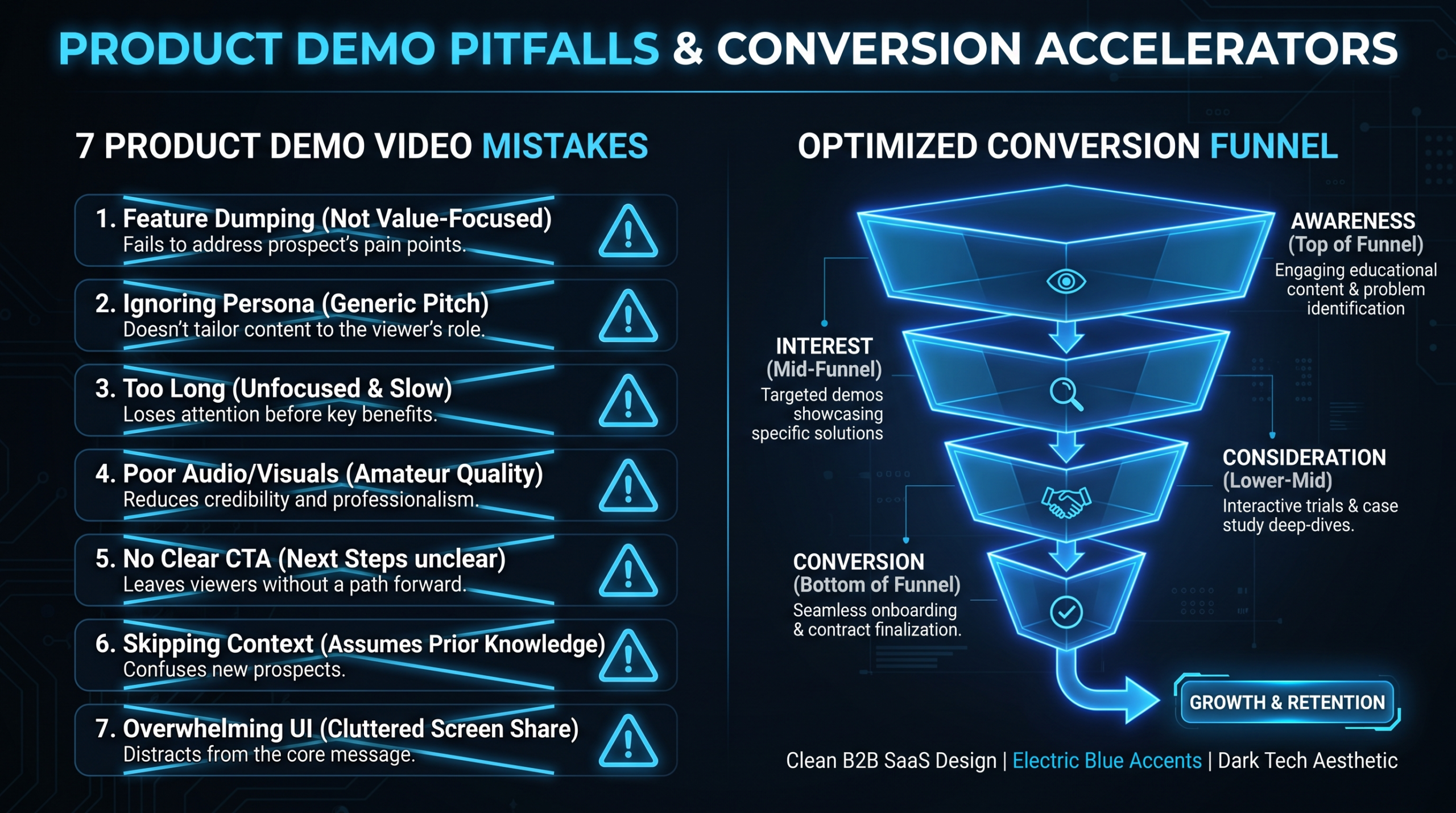
7 Demo Video Mistakes That Kill Conversion
TLDR
- Most SaaS demo videos fail before the 30-second mark — burying the product is the #1 conversion killer
- Feature-dump scripts are a dead end; value mapping (problem → solution → outcome) converts
- Funnel stage determines ideal length: awareness (90 sec), consideration (3-5 min), decision (8-12 min)
- Your first 10 seconds are a filter, not an intro — treat them accordingly
- No CTA = no next step; every demo video needs a single, specific action
- Wrong placement means the right buyer never finds the right video
- Track watch time, drop-off points, and CTA click-through — most teams do not
Table of Contents
- Why Demo Videos Fail Before They Start
- Mistake 1: Burying the Product
- Mistake 2: Feature Dumping Instead of Value Mapping
- Mistake 3: Wrong Length for the Funnel Stage
- Mistake 4: Weak First 10 Seconds
- Mistake 5: No Clear CTA
- Mistake 6: Wrong Funnel Placement
- Mistake 7: Ignoring Performance Metrics
- The Demo Video Fix Framework
- FAQ
Why Demo Videos Fail Before They Start
Your product demo video is the hardest-working asset in your marketing stack. It needs to explain what you do, prove you do it better than alternatives, and motivate a specific next action — all while competing with a buyer whose attention is being pulled in dozens of directions.
Most demo videos fail that test. Not because the product is weak. Not because the production is bad. Because the video makes one or more of the seven mistakes outlined in this guide.
These are not abstract theory — they are patterns that surface repeatedly when reviewing underperforming SaaS video production assets across B2B software categories. Fix even two or three of them, and you will typically see measurable lift in watch time, click-through, and downstream conversion.
This guide is written for VPs of Marketing and Heads of Content at Series A through Series C SaaS companies — the people responsible for whether the demo video in the pipeline actually moves pipeline. Let's get into it.
Mistake 1: Burying the Product
The most common demo video mistake is also the most damaging: spending the first 30 to 60 seconds on your company story, your founding team, your mission statement, or the "pain landscape" before showing a single frame of the actual product.
Your buyer has already decided to watch a demo. They know the pain. They researched you before clicking play. What they want is to see the product working. Every second you delay that costs watch time and signals that this video is going to waste their time.
The 30-Second Rule
The product should appear — visibly, meaningfully — within the first 30 seconds of any demo video. Not a logo. Not a screenshot buried in a slide. The actual product interface doing something useful.
This does not mean you skip context entirely. It means you lead with the product, then weave in context as you go. "Here is the dashboard. You are looking at the view a Head of RevOps sees on Monday morning." Context, delivered while the product is visible.
The Fix
- Open with the product UI or interface in frame — first shot, not first chapter
- State the specific problem it solves in the first sentence of voiceover, not the company history
- Use a realistic use case scenario as your opening hook, not a conceptual overview
- Save "about us" content for the end, after the buyer has seen enough to care
"The video that leads with 'We started this company because...' is being written for the founder, not the buyer. The buyer started the clock. Every second you spend on your story is a second you are not spending on theirs."
Diagnostic Checklist
- Product appears in frame within first 30 seconds
- First voiceover sentence references the buyer's problem, not the company
- Use case scenario is established before any brand storytelling begins
Mistake 2: Feature Dumping Instead of Value Mapping
Feature dumping is what happens when the person writing the script is a product manager, not a marketer. The result: a six-minute tour of every capability the product has, in the order it appears on the feature roadmap, with no through-line connecting any of it to a business outcome the buyer cares about.
Buyers do not buy features. They buy outcomes. A procurement director watching your demo does not need to know you have 47 reporting templates — she needs to know she can get the monthly board report done in two hours instead of two days.
Feature Dump vs. Value Map: The Difference
Same Product, Two Scripts — Feature Dump vs. Value Map
| Feature Dump | Value Map |
|---|---|
| "Here we have our dashboard with 47 reporting templates..." | "Here is how your Head of RevOps gets Monday's pipeline report in 8 minutes, not 3 hours." |
| "You can set up automated workflows using our trigger system..." | "This workflow fired automatically when a deal hit stage 3 — no manual entry, no missed handoff." |
| "Our integration library supports 200+ tools..." | "It connected to your HubSpot in 4 clicks. That is your existing data, live, on day one." |
| "Advanced analytics gives you full visibility into..." | "When the team saw this chart, they reallocated budget before the quarter ended. Here is what they were looking at." |
The Fix: Problem → Solution → Outcome
Restructure your script around a simple three-part frame for each feature or capability you show:
- Problem: What is the buyer struggling with right now? One sentence, specific, painful.
- Solution: Here is how the product solves it. Show it working — do not describe it.
- Outcome: What changes after? What becomes possible? Quantify where you can, using realistic framing rather than fabricated benchmarks.
Apply this frame to three to five capabilities maximum. A demo that shows five things compellingly will convert better than one that mentions fifteen things quickly. The teams that get this right are the same ones who invest in structured product demo video production — where the script is built around buyer outcomes before a single frame is recorded.
Diagnostic Checklist
- Every feature shown connects explicitly to a buyer outcome
- Script uses "you" language, not "we" language
- Maximum five capabilities highlighted — depth over breadth
- At least one outcome is quantified or made concrete with a realistic scenario
Mistake 3: Wrong Length for the Funnel Stage
There is no universal "right length" for a demo video. The right length depends entirely on where the buyer is in their decision process and what question they are trying to answer when they press play.
A buyer who just heard of your product for the first time on LinkedIn has a different question than a buyer who is in a three-vendor shortlist. Sending both the same 12-minute deep-dive demo is a mistake. One will bounce immediately; the other needed more depth than you gave them.
Demo Video Length by Funnel Stage
Optimal Demo Video Length by Funnel Stage
| Funnel Stage | Buyer's Question | Ideal Length | Format |
|---|---|---|---|
| Awareness (TOFU) | "What does this actually do?" | 60–90 seconds | Product overview, hero video, social ad |
| Consideration (MOFU) | "Is this built for companies like mine?" | 3–5 minutes | Use-case demo, persona-specific walkthrough |
| Decision (BOFU) | "How does it compare? What is implementation like?" | 8–15 minutes | Deep-dive demo, integration walkthrough, ROI scenario |
| Post-sale / Onboarding | "How do I actually use this feature?" | 2–8 minutes per topic | Feature tutorial, how-to series |
The mistake is not always making videos too long. Teams frequently make awareness-stage videos too dense and decision-stage videos too shallow. A 90-second product overview that tries to explain every integration is doing the wrong job. A three-minute "demo" that glosses over implementation for an enterprise evaluation committee is leaving critical questions unanswered.
The Fix: Build a Demo Video Matrix
Before production starts, map out which funnel stages you need to cover, what question each video is answering, and the appropriate depth and length for each. Most SaaS companies need at least three distinct demo video lengths for different stages — not one demo that tries to serve all of them.
For context on what a full video editing services scope looks like when teams are building out a complete funnel library, the deliverable list gets substantial quickly — which is why dedicated editing capacity tends to matter more than one-off production relationships.
Diagnostic Checklist
- Each demo video is mapped to a specific funnel stage before production begins
- TOFU videos are 60 to 90 seconds, not longer
- BOFU demos are long enough to answer evaluation-level questions (8-15 min)
- Video placement on site or in outreach sequences matches the funnel stage
Mistake 4: Weak First 10 Seconds
Video analytics consistently show the steepest viewer drop-off in the first 10 seconds. Viewers who make it past that threshold typically watch significantly more of the video. The first 10 seconds are not an introduction — they are a filter. And most demo videos fail that filter.
Common opening mistakes that drive immediate abandonment:
- A five-second animated logo intro — nothing signals "skip me" faster
- A presenter introducing themselves by name and title
- "Welcome to [Company] — today we are going to show you..."
- Generic stock footage of people in meetings or typing on laptops
- A problem statement so broad it could apply to any industry or role
What Works in the First 10 Seconds
The first 10 seconds should do one thing: prove that this video is worth the next two minutes of the viewer's time. That means showing something immediately relevant to their problem, their role, or their desired outcome.
Approaches that consistently retain viewers past the 10-second mark:
- Start mid-workflow: Drop the viewer into the product doing something useful. Context comes after.
- Open with an outcome: "Before this, our customers were spending six hours a week on X. Here is what changed." Then show it.
- Use a tension hook: State the specific, painful problem your buyer deals with — precisely enough that the right buyer leans forward.
- Show a before/after in five seconds: Old way versus new way, visually. No narration needed.
Research from Wistia's video engagement studies consistently shows that viewer retention drops sharply in the first 30 seconds of any video. Your first 10 seconds determine whether anyone reaches the parts of your demo that actually convert.
The Fix: Write the First 10 Seconds Last
Write the rest of the demo first. Then, when you know exactly what the video delivers, write the first 10 seconds as a promise of that delivery. The opener should make the viewer feel: "this video knows my exact problem and is about to show me something useful."
Diagnostic Checklist
- No logo animation in the first 10 seconds
- No presenter self-introduction in the first 10 seconds
- First 10 seconds written after the rest of the script is finalized
- Opening references a specific buyer problem or outcome
- Product or a concrete outcome is visible within the first 15 seconds
Mistake 5: No Clear CTA
You have built a strong demo video. The buyer watched it all the way through. They are interested. And then — nothing. The video ends. Maybe there is a generic "Learn More" somewhere on the page. Maybe there is a website footer. The buyer has nowhere clear to go next.
This is extraordinarily common and entirely avoidable. Every demo video needs a single, specific, visible call to action — one that matches the funnel stage the viewer is in.
The CTA Mismatch Problem
The wrong CTA is almost as bad as no CTA. A "Book a Demo" CTA at the end of an awareness-stage overview video is asking for a commitment most viewers are not ready to make. You will see low click-through, which teams interpret as "the video did not work" — when the video worked fine and the CTA was the problem.
Matching CTAs to Funnel Stage
| Funnel Stage | Viewer Mindset | Right CTA | Wrong CTA |
|---|---|---|---|
| Awareness | "Interesting — tell me more" | Watch the 3-min use case / See how it works | Book a Demo / Start Free Trial |
| Consideration | "Does this fit my situation?" | See pricing / Read the case study | Watch the product overview again |
| Decision | "Ready to evaluate seriously" | Book a call / Start a trial / Request a proposal | Watch the intro video |
The Fix: One CTA, In-Video and On the Page
Every demo video should have three things:
- An in-video CTA — spoken by the presenter or displayed as an end card, directing to one specific action
- A below-video CTA — a button placed immediately below the player on the hosting page
- A CTA that matches the funnel stage — do not ask for a 30-minute call from a viewer who just met you
For SaaS teams building out their full video funnel, understanding how the production process works helps clarify which deliverables need which CTA strategies baked in from the brief stage — before a single frame is recorded.
Diagnostic Checklist
- Every demo video has exactly one CTA
- CTA is delivered in-video and placed on the hosting page
- CTA matches the funnel stage of the video
- CTA is specific ("Book a 20-minute call") not generic ("Learn More")
Mistake 6: Wrong Funnel Placement
You can have an excellent demo video sitting in the wrong place. This happens more than most teams realize — often because video assets get placed wherever is convenient, not where buyers at the right stage will actually encounter them.
Common placement mistakes:
- A deep-dive 10-minute demo embedded on the homepage, where awareness-stage buyers land
- A 60-second overview on the pricing page, where decision-stage buyers are comparing vendors
- A use-case demo buried in a blog post, never shared in sales follow-up sequences
- A product walkthrough living only on YouTube, never embedded in the post-meeting email
The Fix: Video-to-Funnel Mapping
For each demo video in your library, document three things before distributing it:
- Who it is for: Specific persona and funnel stage
- Where it should live: Which pages, which email sequences, which sales decks
- What comes next: What is the logical next piece of content or action after watching?
The homepage should have your shortest, most compelling overview. Solution or use-case pages should have persona-specific mid-funnel demos. Pricing and comparison pages should have decision-stage depth. Sales reps should have a library of short, specific clips they can drop into follow-up emails — not just a link to "the demo."
Teams consistently discover that their best-performing video assets are being underdeployed. A case study video that converts well in sales sequences could be doing the same work on the case study page — but no one moved it there because the distribution plan was never documented.
"A demo video without a distribution plan is a one-time investment with a fraction of its potential return. Placement is not an afterthought — it is strategy."
Diagnostic Checklist
- Homepage video is awareness-stage appropriate and under 90 seconds
- Pricing page has decision-stage depth covering features, comparisons, and ROI context
- Sales team has a video library mapped to common objections and funnel stages
- Every video asset has documented placement across site, email, and outbound sequences
Mistake 7: Ignoring Performance Metrics
Most demo videos get published and then evaluated based on gut feel. "I think it is doing okay." "We got some good comments." This is a miss. Demo videos are measurable assets, and teams that do not measure them cannot improve them.
The specific metrics that matter for demo videos are different from general video analytics. You are not trying to maximize views — you are trying to maximize conversion. That requires tracking the right numbers at the right points.
The Metrics That Actually Matter
Demo Video Performance Metrics — What to Track and Why
| Metric | What It Tells You | Where to Find It |
|---|---|---|
| Average watch duration | Whether viewers are engaged overall or abandoning early | Wistia, Vidyard, YouTube Analytics |
| Drop-off points | Exactly where you are losing people — fix or cut that section | Wistia heatmaps, Vidyard engagement graph |
| CTA click-through rate | Whether the video motivated a next action | Video platform + UTM tracking in your CRM |
| Completion rate | Overall video effectiveness — aim for 40%+ on focused demos | Wistia, YouTube Analytics |
| Replay sections | What buyers are watching twice — that is your most valuable content | Wistia heatmaps |
| Downstream conversion rate | Do viewers who watch 70%+ of the video convert at higher rates? | CRM integration (HubSpot, Salesforce) |
Platforms like Wistia give you heatmaps showing exactly where people rewatch, skip, or drop off. That data should inform every iteration of your demo video — not just the initial production. Hosting on YouTube and never checking analytics means you are flying blind on your most important conversion asset.
The Iteration Mindset
Your demo video is not a finished artifact — it is a working hypothesis. Publish it, measure it, and update it based on what the data shows. Teams that treat demo videos as "done" when they publish miss the improvement cycle that separates competent demo videos from conversion machines.
At VEC, we work with SaaS marketing teams on dedicated editing retainers specifically because iteration matters. The first version of a demo video is rarely the best version — the second or third iteration, informed by watch time and conversion data, is where most of the gains come from.
For teams evaluating external production support, understanding how to outsource video editing without losing creative control or brand consistency is the right starting point — especially when the goal is a fast, consistent iteration cycle rather than one-off production.
Diagnostic Checklist
- Video is hosted on a platform with proper analytics (Wistia, Vidyard — not only YouTube)
- Drop-off curve is reviewed within the first two weeks of publishing
- CTA click-through rate is tracked with UTM parameters
- Downstream conversion has been measured: do high-watch-time viewers convert at higher rates?
- A revision schedule is documented — quarterly at minimum
The Demo Video Fix Framework
Run every demo video in your library through this diagnostic before you start filming or briefing a new one. It takes 20 minutes and will surface which of the seven demo video mistakes you are currently making.
Demo Video Diagnostic — 7-Point Check
Product visible within 30 seconds?
If not, trim the opening or restructure the intro. The product is the hero, not the brand story.
Does every feature connect to a buyer outcome?
Read the script aloud. If any feature is mentioned without a "so you can..." or "which means...", it is a feature dump. Rewrite it.
Is the length right for the funnel stage?
TOFU: under 90 seconds. MOFU: 3–5 minutes. BOFU: 8–15 minutes. If it is outside these ranges, audit what can be cut or what needs to be added.
Does the first 10 seconds earn continued watching?
Show the first 10 seconds to someone unfamiliar with the product. Ask: "Would you keep watching?" If the answer is uncertain, rewrite the opener.
Is there exactly one CTA, and is it right for the stage?
Count the CTAs. Zero or more than one is a problem. Verify the CTA matches what a viewer at this funnel stage is actually ready to do.
Is it placed where the right buyer will find it?
Map each video to the pages, sequences, and contexts where its target viewer lands. If there is no placement plan, write one before distributing the video.
Are you measuring it and do you have a revision plan?
If you cannot pull a drop-off curve and CTA click-through rate right now, your measurement setup is broken. Fix analytics before publishing the next video.
SaaS teams building or rebuilding their demo video library often find it useful to have a production partner who has seen these mistakes across dozens of products and categories. VEC works with Series A through Series C SaaS marketing teams on structured video library builds — see the plans and what is included to understand if a dedicated editing team makes sense for your current output volume.
For teams doing broader research on video marketing performance benchmarks, Wyzowl's annual video marketing report is worth reviewing — it tracks how B2B buyers interact with video content across funnel stages, which informs which demo video mistakes to prioritize fixing first.
Frequently Asked Questions
What are the most damaging demo video mistakes for B2B SaaS?
The three most damaging demo video mistakes are burying the product past the 30-second mark, feature dumping without connecting capabilities to buyer outcomes, and publishing without a single clear CTA. These three alone account for the majority of underperforming demo videos. Fix them first before addressing length, placement, or analytics setup.
How long should a SaaS product demo video be?
It depends entirely on the buyer's funnel stage. Awareness-stage videos should be 60 to 90 seconds — long enough to communicate value, short enough to hold a cold audience. Consideration-stage demos run 3 to 5 minutes and focus on use-case fit for a specific persona. Decision-stage demos can run 8 to 15 minutes and should cover integrations, implementation, and ROI scenarios in enough depth for an evaluation committee to act.
What should the first 10 seconds of a demo video include?
The first 10 seconds should immediately signal relevance to the target viewer. Show the product in action, reference a specific buyer pain point precisely, or present a before/after contrast — not a logo animation, presenter introduction, or broad problem statement that could apply to any industry. Write your opening after you know what the rest of the video delivers, not before.
How do I measure whether my demo video is converting?
Host your video on a platform with proper analytics — Wistia or Vidyard give you drop-off heatmaps, average watch duration, and replay data that YouTube does not provide at the same granularity. Track CTA clicks with UTM parameters and connect them to your CRM to measure downstream conversion. The key question: do viewers who watch 70%+ of the video convert to trials or calls at higher rates? That is the metric that tells you whether the demo is doing its job.
Should I use the same demo video for every channel and funnel stage?
No. One demo video trying to serve all funnel stages will underperform everywhere. You need at minimum: a short overview for awareness (homepage, social, outbound), a use-case or persona demo for consideration (solution pages, mid-funnel sequences), and a deep-dive for evaluation (pricing page, sales follow-up, proposal stage). Most SaaS companies discover they need four to six distinct demo assets once they map their funnel properly. A single "hero" demo is a starting point, not a complete strategy.
Fix Your Demo Video — Without Rebuilding from Scratch
Most of these mistakes are fixable with targeted edits: tighter opening, restructured script, added CTA, smarter placement. VEC's dedicated editing teams work with SaaS marketing teams to iterate on existing demo videos and build out full funnel video libraries — with a guarantee of double your video output in 90 days, or month 4 is free.
Book a Free Strategy Call View Pricing
