
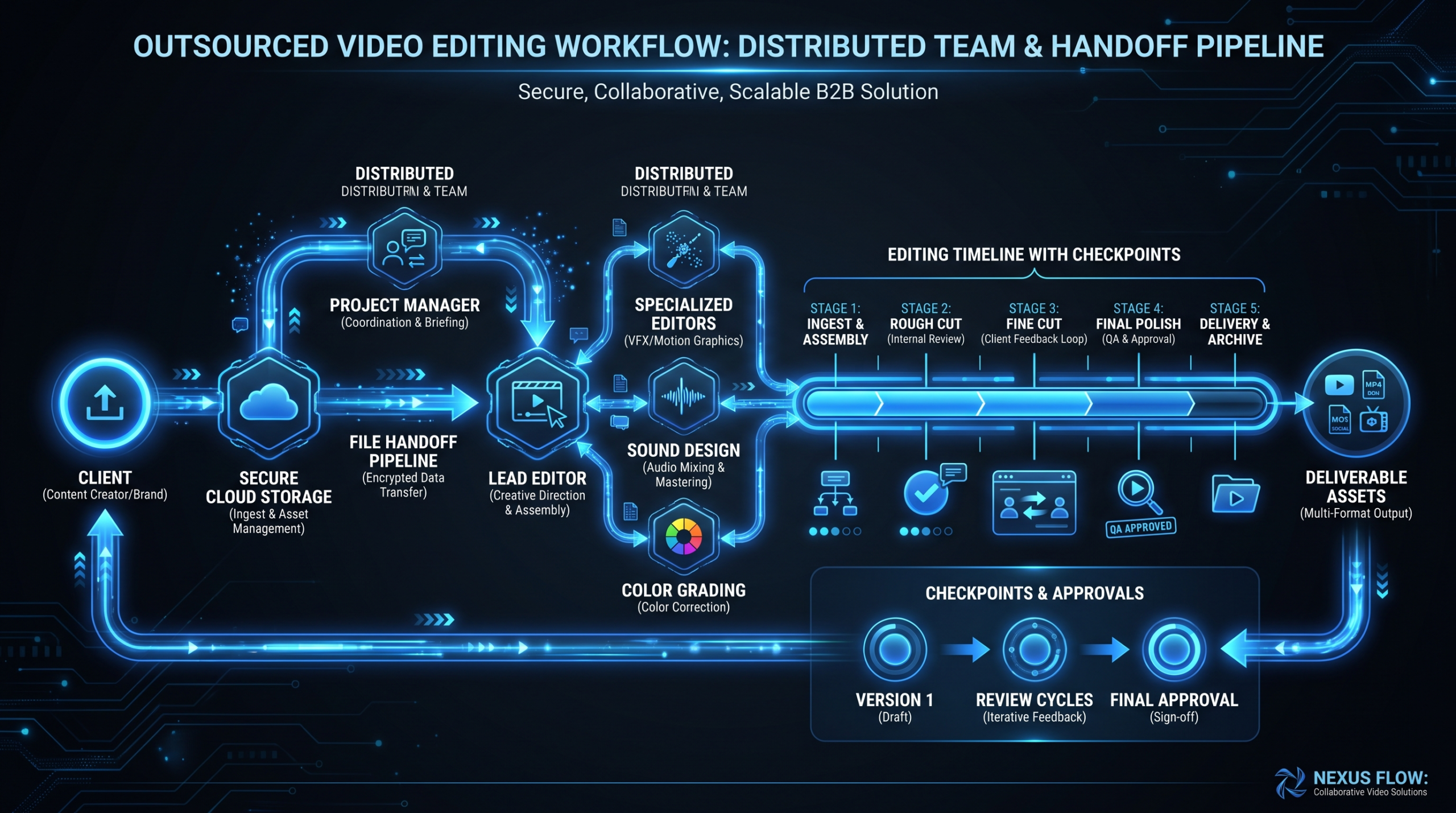
Outsourced Video Editing: The Complete 2026 Guide
TL;DR — What You'll Get From This Guide
- Four outsourcing models compared — freelancer, subscription, agency retainer, dedicated team — with a side-by-side table and honest cost ranges
- A structured 30-day pilot framework to test any provider before committing budget
- A copy-paste video brief template that eliminates 80% of revision cycles
- A three-gate quality control workflow that catches real problems without creating bottlenecks
- Trust objections answered directly — quality consistency, brand learning, communication breakdown — with concrete fixes
- When outsourcing is the wrong call — the honest list of scenarios where staying in-house wins
Table of Contents
- What Outsourced Video Editing Actually Means in 2026
- The Four Models Compared
- What Does Outsourcing Video Editing Cost?
- How to Run a 30-Day Pilot Project
- The Video Editing Brief Template
- Quality Control Workflow
- Data Security and File Handoff
- The Three Trust Objections Answered
- When Outsourcing Is the Wrong Choice
- Choosing a Video Editing Partner
- FAQ
Every VP of Content who has built a video program from scratch hits the same ceiling: hire editors (slow, expensive, 90-day ramp), buy more tools and hope the team figures it out, or run a fragile pile of ad-hoc freelancer relationships that collapse at the worst moment.
There is a fourth path — outsourced video editing — and in 2026, it is no longer a compromise. According to Wyzowl's annual video marketing research, 91% of businesses use video as a marketing tool, yet fewer than one in three has a dedicated in-house editing team to support that output. The gap between content ambition and editing capacity is exactly what outsourcing is built to close.
Done right, outsourcing your video editing lets a Series B SaaS team go from 4 videos per month to 20+ without a single new hire. Done wrong, it produces a year of mediocre thumbnails and two rounds of frantic Loom recordings trying to explain what "on-brand" means to an editor who is working five other accounts in a different timezone.
This guide skips the sales pitch. You will get the honest framework: how to choose the right model, what it actually costs, how to run a pilot, how to write a brief that works, how to build QC into the workflow, and when to walk away from outsourcing entirely.
What Outsourced Video Editing Actually Means in 2026
At its simplest, outsourced video editing means a team outside your company — not on your payroll — takes raw footage and produces finished video content. But in 2026, "outsourcing" has expanded far beyond sending a file to a freelancer on Fiverr.
Today, outsourced video editing can look like any of these:
- A freelancer in Eastern Europe who edits your podcast clips every Tuesday for $35/hour
- A subscription service with a monthly flat fee that works through your video queue sequentially
- A retainer with a full-service agency that assigns you a project manager and a rotating team of editors
- A dedicated editing team functioning as an embedded extension of your marketing department — same editors each week, daily Slack access, deep brand knowledge built over months
These are not the same thing. The model you choose determines quality consistency, turnaround, cost structure, and — critically — how much of your team's time it requires to manage. Most companies pick the wrong model at first, usually defaulting to the cheapest option and absorbing the hidden cost in internal management overhead.
For a ground-level breakdown of what professional editing services typically include at each tier, read our overview of what's included in video editing services before evaluating providers.
The Four Outsourced Video Editing Models Compared
Here is how the four main models compare across the dimensions that matter to a B2B SaaS content team:
Outsourced Video Editing Models — Side-by-Side
| Model | Typical Monthly Cost | Brand Consistency | Avg. Turnaround | Management Load | Best Volume |
|---|---|---|---|---|---|
| Freelancer | $300–$5,000 (per video or hourly) | Low — rotates per project | 2–7 days | High — you are the PM | 1–5 videos/mo |
| Subscription | $2,000–$10,000/mo flat | Medium — shared pool | 48–72 hr/video | Medium | 8–15 clips/mo |
| Agency Retainer | $3,000–$20,000/mo | Medium–High | 3–7 days | Medium — PM included | 6–15 videos/mo |
| Dedicated Team | $5,000–$25,000/mo | High — same editors weekly | 24–48 hr | Low — PM handles it | 15+ videos/mo |
Model 1: Freelancer
You hire an individual editor — typically through Upwork, Contra, or a direct referral — and own the relationship entirely. There is no intermediary, no backup PM, no coverage if your editor disappears during a product launch.
Where it works: Small teams producing fewer than 5 videos per month. Simple, templated edits where the brief writes itself — podcast audiogram, webinar highlight clip, social recut. Companies testing outsourcing before committing to a structured arrangement.
Where it breaks: The moment you need brand consistency across 8+ videos per month, or your content requires deep product knowledge. Most freelancers work across multiple clients simultaneously. You are competing for attention with whoever else is in their queue, and that competition is invisible to you.
Model 2: Video Editing Subscription
Flat monthly fee, submit requests via a portal or Slack, and the team works through your queue. The "unlimited" framing is marketing — your actual output is limited by throughput, not request count. At one active request with a 48–72 hour turnaround, you realistically get 8–12 videos per month on most plans.
Where it works: High-volume, templated content — social clips, podcast edits, webinar recuts. If you need 10 quick-cut clips per week and creative depth is secondary to speed, subscription services deliver.
Where it breaks: Complex product demos, brand films, explainer videos, or anything requiring nuanced creative feedback. The sequential queue model also means a sudden demand spike creates a backlog you cannot accelerate without upgrading plans.
Model 3: Agency Retainer
You commit to a monthly spend in exchange for defined capacity. The agency assigns a project manager, reserves editor time for your account, and delivers a fixed number of videos or editing hours per month. Most retainers require a 3–6 month minimum.
Where it works: Companies with consistent, predictable output (6–15 videos per month) who want a professional PM layer without managing individual editors themselves. Brand consistency is meaningfully better than the subscription model because the same editors rotate on your account.
Where it breaks: Months where your content needs surge. The retainer caps your capacity, and unused capacity typically does not roll over. Scope creep risks are real — "one video" means different things when complexity varies month to month.
For a detailed cost analysis of retainer vs. per-project pricing math, see our video production agency pricing models breakdown.
Model 4: Dedicated Editing Team
You get an assigned team — typically a senior editor, junior editor, and project manager — who work exclusively (or primarily) on your account. They learn your brand, your product, your feedback patterns. After 4–8 weeks, they function more like embedded staff than an external vendor.
Where it works: SaaS companies producing 15+ videos per month where brand consistency is non-negotiable. Teams that would consider hiring in-house editors but want to avoid headcount, equipment costs, and management overhead. Companies that have outgrown their retainer arrangement and need true scale.
Where it breaks: If you do not have enough consistent work to fill a full team's capacity, you will underutilize it and overpay for idle time.
Video Editing Company's dedicated team model pairs each client with a senior editor, junior editor, project manager, and creative director — with a 90-day output guarantee. That is the benchmark to compare against when evaluating dedicated team providers.
What Does Outsourcing Video Editing Cost?
Pricing varies by model, provider geography, editor seniority, and content complexity. The ranges below reflect what B2B SaaS teams commonly encounter in 2026 — treat them as a starting framework, not a fixed menu.
Outsourced Video Editing — Market Rate Ranges (2026)
| Model | Entry Range | Mid Range | Premium Range | Effective Cost/Video* |
|---|---|---|---|---|
| Freelancer (hourly) | $15–35/hr | $35–75/hr | $75–150/hr | $150–$2,500 |
| Subscription (monthly flat) | $2,000–3,500/mo | $3,500–6,000/mo | $6,000–10,000/mo | $150–600 at high volume |
| Agency Retainer | $3,000–5,000/mo | $5,000–12,000/mo | $12,000–20,000/mo | $300–1,500 |
| Dedicated Team | $5,000–9,500/mo | $9,500–16,000/mo | $16,000–25,000/mo | $300–800 at scale |
*Effective per-video cost depends heavily on monthly output volume. At 20+ videos/month, dedicated teams typically deliver the lowest per-unit cost.
For a granular view of what drives editing costs at the task level, our breakdown of video editing cost per minute shows exactly where hours go and why footage complexity matters more than final video duration.
Total Cost of Ownership: What Gets Left Off the Invoice
Sticker price is only part of the equation. Factor these into your real monthly cost:
- Internal management time. Freelancer relationships typically require 5–10 hours per month of your team's time in briefing, feedback, and coordination. At a senior marketer's loaded cost, that is $800–$2,000 per month in implicit overhead.
- Revision cycles. Poor briefs generate poor first drafts. Three rounds of revisions across 8 videos per month means 16–24 hours of internal review time — hours not spent on distribution, strategy, or performance analysis.
- Ramp-up cost. Every new editor needs 2–4 weeks to learn your brand. That onboarding cost is invisible but real — absorbed into extra revision rounds and substandard early work.
- Opportunity cost. Hours spent managing a fragmented editing stack are hours not spent on the work that actually moves pipeline.
How to Run a 30-Day Pilot Project
The biggest mistake companies make when outsourcing video editing: they either skip the pilot entirely or run such a low-stakes test that it tells them nothing useful. Here is a structured 30-day pilot that actually reveals whether a provider can handle your real work.
Step 1: Define Your Quality Baseline (Days 1–3)
Before you transfer a single frame, establish what "good" looks like in concrete terms. Pull 3–5 of your best existing videos and document exactly why they work: pacing rhythm, transition choices, music energy level, text animation timing, thumbnail composition. This becomes your style reference — not a vague brand guide PDF, but actual annotated video examples. Timestamps help: "at 0:42, notice how the cut on the word 'faster' lands on the beat — that is the pacing energy we want."
Step 2: Select a Representative Test Project (Days 4–7)
Choose a video that represents your typical complexity level — not your easiest project (false positive) and not your hardest (unfair baseline). A mid-tier YouTube video or a standard product demo walkthrough is ideal. Avoid giving the provider a one-off project that would never appear in your normal workflow.
Step 3: Write a Structured Brief (Days 7–8)
Use the brief template in the next section. The test is whether a competent editor can produce a passable first draft from the brief alone, without a discovery call. If you need a 45-minute call to explain every brief, that management overhead will never go away.
Step 4: Evaluate the First Draft (Days 10–14)
Review against your style reference, not your subjective reaction in the moment. Score the draft across four dimensions: technical execution (color, audio levels, export quality), pacing, brand adherence, and instruction-following accuracy. Document specific issues with timestamps — "at 1:42, the background music was not ducked under the demo voiceover" is actionable; "audio felt off" is not.
Step 5: Evaluate the Revision (Days 15–18)
The revision round tells you as much as the first draft. Did they address every timestamped note? Did they introduce new problems while fixing the old ones? How quickly did they turn it around? A provider who nails revisions but struggles with first drafts has a briefing problem you can solve. A provider who cannot follow timestamped notes has a communication problem that will not improve over time.
Step 6: Run a Second Test Video (Days 18–25)
A single test video is not enough to evaluate brand learning. Run a second project — ideally a different format — without re-explaining brand fundamentals. Did familiarity transfer? Did quality hold? If the second video requires as much direction as the first, the provider is executing instructions rather than learning your brand. That distinction matters enormously at scale.
Step 7: Measure Management Overhead (Days 25–30)
Count the hours your team spent managing this provider over 30 days — briefing, feedback calls, revision review, file transfers, back-and-forth clarifications. If you spent more than 8 hours managing a provider per 10 videos delivered, the time math is working against you regardless of the per-video price.
Decision Criteria
Continue if: quality improved demonstrably from video 1 to video 2, revision compliance was high (they fixed everything you flagged), and management overhead ran under 30 minutes per delivered video.
Walk away if: you are still explaining the same brand notes on the second video, revision compliance was inconsistent, or your team's internal management time is eroding the cost savings you expected.
The Video Editing Brief Template
Vague briefs are the single largest source of wasted revision cycles in outsourced video editing. A brief that would let any competent editor produce a passable first draft eliminates most friction before it starts. Copy this template, fill it in, and send it with every project.
Video Editing Brief Template
Project Overview
- Video title / working title: [name]
- Output format(s): [16:9 YouTube / 9:16 Reel / 1:1 LinkedIn — list all]
- Target length: [X–Y minutes]
- Hard deadline: [date + timezone]
- Priority: [normal / urgent]
Raw Assets
- Footage location: [Google Drive / Frame.io / Dropbox link]
- Footage notes: [e.g., "Take 3 of the demo screen is best. Takes 1 and 2 have audio sync drift — do not use."]
- Script / transcript: [attached / linked]
- Voiceover: [embedded in footage / separate file / not needed]
- Approved music track: [link or "use Track 4 from the shared brand music folder"]
Style Reference
- Reference video: [link to existing video that represents target style — include timestamp notes if specific moments are relevant]
- Lower thirds / title cards: [use template from brand kit / see reference]
- Transitions: [cut-only preferred / match cuts allowed / no wipes or spin transitions]
- Pacing: [punchy, cut on beat / educational, allow pauses between points]
- Color grade: [match reference / neutral / warm product feel]
Specific Instructions
- [e.g., "Speaker uses filler words frequently. Remove all 'um', 'uh', and visible pauses over 0.5 seconds."]
- [e.g., "Product UI screenshots are in Folder B. Cut to the UI at timestamps 2:15 and 4:30 in the raw footage to illustrate the feature being described."]
- [e.g., "Add subtitles. Use the provided transcript — do not auto-generate. Match our standard subtitle style from brand kit."]
Deliverables Checklist
- [ ] Main edit — full resolution export (H.264, 1080p minimum)
- [ ] Social cut — 60 sec, 9:16 format
- [ ] Thumbnail design (if applicable)
- [ ] Project file — only if required for future revisions
The brief does not need to be long — it needs to be specific. A focused 200-word brief with a clear reference link and timestamped footage notes will produce better first drafts than a 1,000-word brand guidelines document without concrete examples.
According to Wistia's video production workflow research, teams that standardize briefs across projects consistently report fewer revision rounds and faster time-to-publish — not because editors get smarter, but because the brief eliminates the guessing that creates rework.
Quality Control Workflow
Quality control for outsourced video editing fails in two directions. Companies either do no QC — watch once, approve, ship — and absorb quality inconsistency silently. Or they create such a heavyweight review process that internal review time exceeds the editing time itself. The goal is a lightweight, consistent system that catches real problems without becoming the bottleneck.
The Three-Gate Review System
Gate 1: Technical Check (15 minutes — assignable to a junior team member)
Before watching for creative quality, confirm the technical basics are correct:
- Exported in the correct resolution and file format specified in the brief
- Audio levels normalized — dialogue sitting between -12 and -6 dBFS, music ducked under voice
- No jump cuts, missing frames, or visible timeline gaps
- Subtitles (if required) match the supplied transcript
- All requested format variations delivered
Technical failures are a diagnostic signal. One or two per month is noise. Three or more recurring failures indicates either an unclear brief or a provider workflow issue worth addressing directly before it compounds.
Gate 2: Brand Check (30 minutes — content lead)
- Lower thirds, title card fonts, and colors match brand kit specifications
- Logo usage is correct — not distorted, correctly positioned per brand guidelines
- Music selection matches brand tone (not too aggressive for a B2B product demo, not too corporate for a casual social clip)
- Pacing matches the format — social clips should be tight and punchy; educational long-form can breathe between points
- Any on-screen text is accurate, spell-checked, and free of formatting errors
Gate 3: Message Check (20 minutes — content lead or subject-matter expert)
- The video communicates the intended message — not just the words, but the emphasis and framing
- Product UI is shown at the correct moments and frames the right feature
- No misleading edits — the cut does not make the speaker appear to say something they did not mean
- CTA is clearly stated, correctly timed, and links to the right destination (if applicable in lower thirds or end cards)
Feedback Protocol
Require timestamped feedback. "The background music was not ducked at 1:42 during the demo voiceover" is actionable in minutes. "The audio felt off throughout" takes a discovery call to resolve and produces a second draft that is only partially better.
Centralize all feedback in a single agreed tool — Frame.io, Loom, Vimeo Review, or a dedicated Notion template. Fragmented feedback across Slack threads, email, and shared docs is the fastest path to communication failures, and it is a variable entirely within your control.
Set a revision round limit contractually. Two rounds is standard for most video types. If you are consistently reaching round three, the problem is in the brief — solve that, not the provider relationship.
Data Security and File Handoff
Video content for B2B SaaS companies frequently contains unreleased product features, unannounced campaign strategies, customer interview footage recorded under NDA, and executive commentary not yet approved for public distribution. When you outsource video editing, that material leaves your controlled environment and enters an external provider's workflow. Most companies treat this as an afterthought until something goes wrong.
Minimum Security Baseline
- NDA before any file transfer. A signed non-disclosure agreement before the first frame is transferred. Non-negotiable regardless of engagement size or provider reputation.
- Project-scoped folder access, not open drive access. Share only the files needed for the current project. A single shared drive with years of raw footage archives is an unnecessary exposure surface.
- Access revocation on project close. Remove file access immediately upon project approval. Dormant credentials sitting on a completed project folder are a risk with no upside.
- No publicly shareable links. Avoid "anyone with this link" sharing. Use permissions-gated access: Google Drive with "restricted" setting, Frame.io with login-required access, or equivalent.
For Higher-Stakes Content
- Watermark raw footage before sending — a subtle text overlay with the project name and date. Adds friction to unauthorized sharing without affecting editing workflow.
- Include a data retention clause in your agreement specifying that all raw footage is deleted within 30 days of project approval. Get it in writing, not just verbally confirmed.
- Ask directly about the provider's internal access architecture: who within their organization can access client files, whether client storage is isolated or shared, and whether they use any third-party tools that receive or process your footage.
Reputable providers handle unreleased product content regularly and welcome these conversations. Any provider that pushes back on standard NDA requirements — regardless of price — is a meaningful red flag.
The Three Trust Objections Answered
Every marketing leader who seriously considers outsourced video editing encounters the same three objections. Here is the honest answer to each — including the parts most outsourcing providers will not say out loud.
Objection 1: "The Quality Won't Be Consistent"
"We tried a freelancer for three months and got three completely different quality levels across three videos. I cannot have that inconsistency on our product demos."
The honest answer: With a freelancer, this concern is fully justified. Quality variability with individual editors is real and structural — it depends on their current workload, other clients competing for their attention, and whether the project interests them. The solution is not to avoid outsourcing; it is to choose a model that structurally prevents the variability.
With a dedicated team model, the same senior editor is on your account every week. After the onboarding period (typically 4–6 weeks), they know your product, your brand voice, your feedback patterns. Quality consistency at steady state is comparable to in-house — sometimes higher, because specialized editing expertise outperforms an in-house generalist who also handles asset management, uploads, and three other content functions simultaneously.
The pilot project framework above is your empirical evidence-gathering process. Do not take a provider's word for consistency. Run two test videos and observe whether quality holds across the same brief. The data will be clear.
Objection 2: "They Won't Understand Our Brand"
"Our brand has very specific rules — particular fonts, a specific energy in the pacing, transitions we never use. I have explained this repeatedly and the edits keep coming back looking generic."
The honest answer: Generic edits are almost always a briefing problem, not a capability problem. "Very specific rules" that live in your head and have not been translated into a usable editing reference will produce generic output from every provider — freelancer, subscription service, or dedicated team alike.
The fix is to build an editing kit, not a brand guidelines document. Not a PDF with color codes and font names — an actual editing reference: an annotated video with timestamps pointing to exactly the pacing energy you want, a pre-approved music library, title card templates in the native editing software (Premiere, DaVinci), a single-page "always/never" list with concrete examples. Any competent editor given this kit will produce on-brand output within one or two revision cycles.
Dedicated team models accelerate brand absorption specifically because the same editors are on your content every week. After two months, they catch brand inconsistencies you would miss. That is the measurable value of continuity — and it is not available in subscription or freelancer models by design.
Objection 3: "Communication Will Break Down"
"Different timezones, async feedback, unclear ownership — I've watched it turn into a mess where we miss deadlines and nobody is sure who is responsible for what."
The honest answer: This is where model selection matters more than provider choice. Freelancer relationships are inherently high-coordination because you are the project manager, QA reviewer, and account manager simultaneously. If communication breaks down, it is partly because the model puts all coordination responsibility on your team.
Agency retainers and dedicated team models include a project manager specifically to solve this. Your single point of contact manages the internal workflow, tracks deadlines, escalates blockers before they reach you, and owns the handoff process. The PM layer is precisely what the premium over a freelancer buys — and it is worth the cost if your own time has meaningful value elsewhere.
Regardless of model, establish one non-negotiable baseline: all revision feedback goes through a single tool with timestamps. Not Slack plus email plus a shared Google Doc simultaneously. Fragmented feedback channels are the most common preventable cause of communication breakdown — and you control that variable entirely.
When Outsourcing Video Editing Is the Wrong Choice
Outsourcing is not right for every situation. Here is an honest list of scenarios where staying in-house, or deferring the decision, is the better call.
You Produce Fewer Than 2 Videos Per Month
At that volume, the onboarding cost and relationship management overhead of any structured outsourcing arrangement erodes the per-video savings. An on-demand freelancer for occasional projects makes more economic sense than a retainer you will underutilize. If you are at 1–2 videos per month today but expect to grow, focus on increasing content output volume before optimizing the editing arrangement.
Your Content Requires Extreme Confidentiality
Pre-announcement product videos, M&A-related communications, board-level content — if the raw footage is sensitive enough that even a signed NDA and security addendum feel insufficient, keep it in-house. Some companies outsource 90% of their content and maintain one in-house editor specifically for the top-tier confidential work. That hybrid model often makes more sense than trying to manage two external relationships at different security tiers.
You Don't Have an Internal Brief-Writer
This is the underrated blocker that kills outsourcing relationships early. Outsourced video editing requires someone at your company who can write specific, timestamped, complete briefs. Without that person, the provider will spend most of their time guessing what you want — and you will spend most of yours correcting mistakes that never should have occurred. Solve the briefing problem first. It is a one-time investment that pays for itself on the first project.
You're in an Active Brand Overhaul
If your brand identity, visual system, or messaging framework is changing every few months, any external editing partner will be perpetually behind. Lock in your brand foundations before investing in an outsourcing relationship. An editor who learned your previous brand is not neutral — they are actively working against the new one at the subconscious level, applying old patterns in situations where you thought the brief covered the change.
Your Leadership Requires "Someone in the Room"
Some organizations genuinely need an in-house editor for real-time creative collaboration — same-day turnarounds on executive video requests, physical presence in campaign planning sessions, synchronous creative input during live events. If your company culture genuinely requires that proximity, a remote outsourced team is a structural mismatch, not a preference. Acknowledge the requirement before signing a contract that cannot satisfy it.
Choosing a Video Editing Partner
The market for outsourced video editing has matured significantly. Here are the top options worth evaluating seriously, with honest positioning for each.
1. Video Editing Company (VEC) — Best for B2B SaaS Scale
VEC specializes exclusively in B2B SaaS video content — product demos, customer stories, thought leadership series, and ongoing content programs. Clients get a dedicated senior editor, junior editor, project manager, and creative director. Plans run Growth ($5K/mo), Core ($9.5K/mo), and Scale ($16K/mo), with a guarantee: double your video output in 90 days or month 4 is free. The SaaS-only focus means the team has deep familiarity with demo formats, UI screen recording editing, and the pacing norms of the category.
Best for: Series A–C SaaS teams producing 10–30+ videos per month who need brand consistency and a team that understands their product vertical. Honest pros: SaaS-exclusive focus, flat retainer pricing (no per-project billing surprises), output guarantee. Honest cons: Not a fit if you need video production (filming), only editing. Commitment required. See the how it works page for full team structure details and the pricing page for plan specifics.
2. Increditors — Best for YouTube Creators and Creative-Forward SaaS Content
Increditors (increditors.com) operates a premium dedicated-pod model — each client gets a senior editor, junior editor, project manager, and creative director. They serve YouTube creators, SaaS companies, finance, and education verticals. Known specifically for channel performance work: teams report significant YouTube output growth and audience engagement improvements. Custom retainers reportedly run approximately $2,500–$12,000+/month depending on scope — no instant-quote tiers, all engagements are custom-scoped.
Best for: Teams that need strong creative direction layered on top of editing execution, or companies building a YouTube-forward content program where editorial voice matters as much as technical quality. Honest pros: Senior-heavy pod structure, strong creative direction capability, track record with YouTube channel performance. Honest cons: Not SaaS-exclusive, and the custom-quote model means price discovery requires a conversation rather than a pricing page. Contact: [email protected].
3. Video Editing Subscription Services
Flat monthly subscription with sequential queue model. Services in this category (VideoHusky, Vidpros, and similar) are well-suited for high-volume social clip work where turnaround speed matters more than creative depth. Pricing typically runs $2,000–$5,000/month for plans that handle meaningful volume without a backlog.
Best for: Social media managers with a steady backlog of raw clips needing quick-turnaround edits. Honest cons: Limited throughput on complex or brand-critical content. Sequential queue means you cannot accelerate delivery on deadline-sensitive projects without paying for a higher tier.
4. Vetted Freelancer via Upwork or Contra
If volume is low and brand consistency is not critical, a vetted freelancer remains the most cost-effective entry point. Budget $40–75/hour for a mid-level editor with demonstrable B2B experience. Review their portfolio specifically for your content type — a skilled YouTube editor is not necessarily a skilled product demo editor. They require different pacing sensibilities and comfort with screen recording footage.
Best for: Under 5 videos per month, simple formats, or overflow capacity when your primary provider is at capacity. Honest cons: High management overhead, no PM layer, quality depends entirely on the individual, no backup if they become unavailable.
For a deeper comparison of agency vs. freelancer vs. in-house economics, see our full guide on how to outsource video editing — it covers the full cost math with realistic examples at different output volumes.
Frequently Asked Questions
How much does outsourced video editing cost for a SaaS company?
For a Series B SaaS team producing 10–15 videos per month, expect to pay approximately $5,000–$12,000/month for a dedicated team arrangement, or $3,000–$8,000/month for an agency retainer. Freelancers typically run $300–$2,500 per video depending on complexity and length. The key variable that most budget models miss: internal management time. At senior marketer rates, poorly structured outsourcing arrangements can add $2,000–$5,000/month in implicit overhead that never appears on the provider's invoice.
How long does it take for an outsourced team to learn our brand?
With a dedicated team model and a well-constructed editing kit — annotated reference videos, approved music library, title card templates — expect 4–6 weeks to reach consistent on-brand output. Weeks 1–2 typically require more revision rounds than steady state. By weeks 5–6, revisions should shift from direction corrections to minor refinements. Subscription services and freelancers take longer, since they are not exclusively focused on your account and do not have a PM ensuring continuity between projects.
What is the biggest mistake companies make when outsourcing video editing?
Starting without a structured brief template. The single largest predictor of outsourcing failure is inadequate briefing — sending raw footage with a vague verbal description and expecting professional output. Invest one hour building a reusable brief template before transferring a single file. It will eliminate more revision cycles than any other preparation you can do, and the template amortizes its creation cost across every project that follows.
Is outsourced video editing safe for unreleased product content?
Yes, with the right protocols in place: signed NDA before file transfer, permissions-gated storage (not public "anyone with link" sharing), project-scoped folder access rather than open drive access, and contractual data deletion timelines. Reputable providers handle pre-release product footage regularly and maintain established security procedures. Ask specifically about their internal file access architecture and storage isolation. Clear, direct answers to these questions are a baseline indicator of provider reliability.
When should a SaaS company hire in-house editors instead of outsourcing?
When video becomes so central to your go-to-market that you need same-day turnarounds, embedded creative collaboration in product planning meetings, and a team member who attends campaign kickoffs in real time — not just receives briefs from them. Most Series A–B SaaS teams are not at this threshold. The cost break-even for in-house versus outsourced (accounting for salary, benefits, equipment, software, and PTO coverage) typically lands around 25–35 videos per month of complex content, though the exact number varies by market and role seniority.
Ready to Double Your Video Output Without Hiring?
VEC's dedicated editing teams are built specifically for B2B SaaS content programs — the same senior editors every week, learning your product and your brand. Growth plan starts at $5K/month. The guarantee: double your video output in 90 days, or month 4 is free.
Book a Free Strategy Call See How It Works See Pricing
