What Are LinkedIn's Video Specs in 2026?
LinkedIn's video specs are the file, size, length and aspect-ratio rules that decide whether a video uploads cleanly and plays full-frame in the feed, and they are different for organic Page posts and for paid video ads. For ads, LinkedIn asks for an MP4 between 75 KB and 500 MB, 3 seconds to 30 minutes long, in 16:9, 1:1, 4:5 or 9:16, with 4:5 as the recommended vertical ratio. For organic Page videos, the ceiling is 5 GB and 10 minutes.
Key Takeaways
- Export one MP4 master (H.264 video, AAC audio) and you satisfy both the ad rules and the organic rules. MOV and ProRes are the common ways uploads fail.
- Ads and organic posts have different caps. Ad files max out at 500 MB and 30 minutes; organic Page videos allow up to 5 GB but only 10 minutes.
- 4:5 is LinkedIn's recommended vertical ratio for ads (720 × 900 px recommended, up to 1080 × 1350 px). 16:9 and 1:1 are also accepted.
- Length matters more than the cap. LinkedIn recommends 15–30 seconds for ads so they can qualify for every placement.
- LinkedIn's own help pages disagree in a few places (frame rate, intro-text limit, MOV). We flag each one below with the safest choice.
Table of Contents
- What Are the Core LinkedIn Video Specs at a Glance?
- What Are the LinkedIn Video Ad Specs?
- What Are the Specs for Organic Page Videos?
- Which Aspect Ratio Should You Use?
- How Long Should a LinkedIn Video Be?
- What Do Captions, Thumbnails and Audio Require?
- What Text Limits Apply to Video Ads?
- What Export Settings Should an Editor Use?
- Why Do LinkedIn Videos Get Rejected or Cropped?
- How Do You Produce Every Version Without Re-Editing?
- FAQ
We checked every number in this guide against LinkedIn's own pages on October 24, 2026: the Video ads advertising specifications Help article, the Video Ads Specifications page on LinkedIn Marketing Solutions, and the Video specifications for your LinkedIn Pages and Career Pages Help article. Where a third-party guide says something LinkedIn's pages do not, we say so rather than repeat it. LinkedIn revises these pages without notice, so confirm the figures in the uploader before a big campaign.
What Are the Core LinkedIn Video Specs at a Glance?
The short answer: one MP4 file at 30 fps or just under, in a supported ratio, with AAC audio, covers nearly every LinkedIn placement. The table below puts the two main upload types side by side so you can see where they diverge.
| Spec | Video ads (Sponsored Content) | Organic Page / Career Page video |
|---|---|---|
| File format | MP4 | MP4 and other listed types; MOV and AVI not supported |
| File size | 75 KB to 500 MB | 75 KB to 5 GB |
| Length | 3 seconds to 30 minutes | 3 seconds to 10 minutes |
| Aspect ratios | 16:9, 1:1, 4:5, 9:16 | 1:2.4 to 2.4:1 |
| Resolution | 360 px minimum to 1920 px maximum on the long side, depending on ratio | 256 × 144 to 4096 × 2304 |
| Frame rate | Less than 30 fps (Help article); 30 fps recommended (Marketing Solutions page) | 10 to 60 fps |
| Audio | AAC or MPEG4; under 64 KHz | AAC listed among supported types |
| Captions | SRT file, text only | Not listed on the Pages specs article |
Source: LinkedIn Marketing Solutions Help and LinkedIn Help, checked October 24, 2026. Ad and Page figures come from separate LinkedIn articles, so the same video can be valid in one place and rejected in the other.
What Are the LinkedIn Video Ad Specs?
LinkedIn video ads must be MP4 files between 75 KB and 500 MB, 3 seconds to 30 minutes long, and sized to one of four aspect ratios. The dimensions are the part that trips teams up, because each ratio has its own recommended size and its own minimum and maximum.
| Aspect ratio | Recommended size | Minimum | Maximum |
|---|---|---|---|
| Landscape 16:9 | 1920 × 1080 px (1200 × 675 px also listed) | 640 × 360 px | 1920 × 1080 px |
| Square 1:1 | Not specified | 360 × 360 px | 1920 × 1920 px |
| Vertical 4:5 (recommended ratio) | 720 × 900 px | 360 × 450 px | 1080 × 1350 px |
| Vertical 9:16 | 720 × 1280 px | 360 × 640 px | 1080 × 1920 px |
Source: LinkedIn Marketing Solutions Help, Video ads advertising specifications, checked October 24, 2026.
Beyond dimensions, the same article lists the technical requirements: H.264 or VP8 video codec, AAC or MPEG4 audio, a frame rate under 30 fps, and an audio sample rate under 64 KHz. It also notes that Apple ProRes is not supported, and that the file must be uploaded directly to LinkedIn rather than linked from YouTube or Vimeo.
The Marketing Solutions specs page adds an aspect-ratio tolerance of 5 percent and overall limits of 9:16 at the narrowest and 16:9 at the widest. Help uses a worked example: a 1920 × 360 file is 16:3, far wider than 16:9, so LinkedIn rejects it as an ad even though both of its dimensions sit inside the allowed range. Always check the ratio, not just the pixel counts.
What Are the Specs for Organic Page Videos?
For organic videos on a Company Page or Career Page, LinkedIn's Help article allows files from 75 KB to 5 GB, 3 seconds to 10 minutes long, at 256 × 144 up to 4096 × 2304 pixels. The accepted aspect-ratio window is wide, from 1:2.4 to 2.4:1, and frame rates run from 10 to 60 fps.
| Organic Page spec | LinkedIn's stated limit |
|---|---|
| Maximum file size | 5 GB |
| Minimum file size | 75 KB |
| Duration | 3 seconds to 10 minutes |
| Resolution range | 256 × 144 to 4096 × 2304 |
| Aspect ratio | 1:2.4 to 2.4:1 |
| Frame rate | 10 to 60 fps |
| Bit rate | 192 Kbps to 30 Mbps |
Source: LinkedIn Help, Video specifications for your LinkedIn Pages and Career Pages, checked October 24, 2026.
Two caveats are worth knowing. First, that article says LinkedIn no longer supports AVI, QuickTime or MOV files, while several third-party spec guides still list MOV as acceptable. Treat LinkedIn's page as authoritative and export MP4. Second, the article carries a "last updated" label of about four years, so its figures may lag the product. It also covers Pages, not personal profiles. Some third-party guides quote longer length limits for member profile uploads; we could not confirm those on a LinkedIn help page, so we do not state them as fact. If you post from a personal profile, the uploader will show the live limit.
Which Aspect Ratio Should You Use?
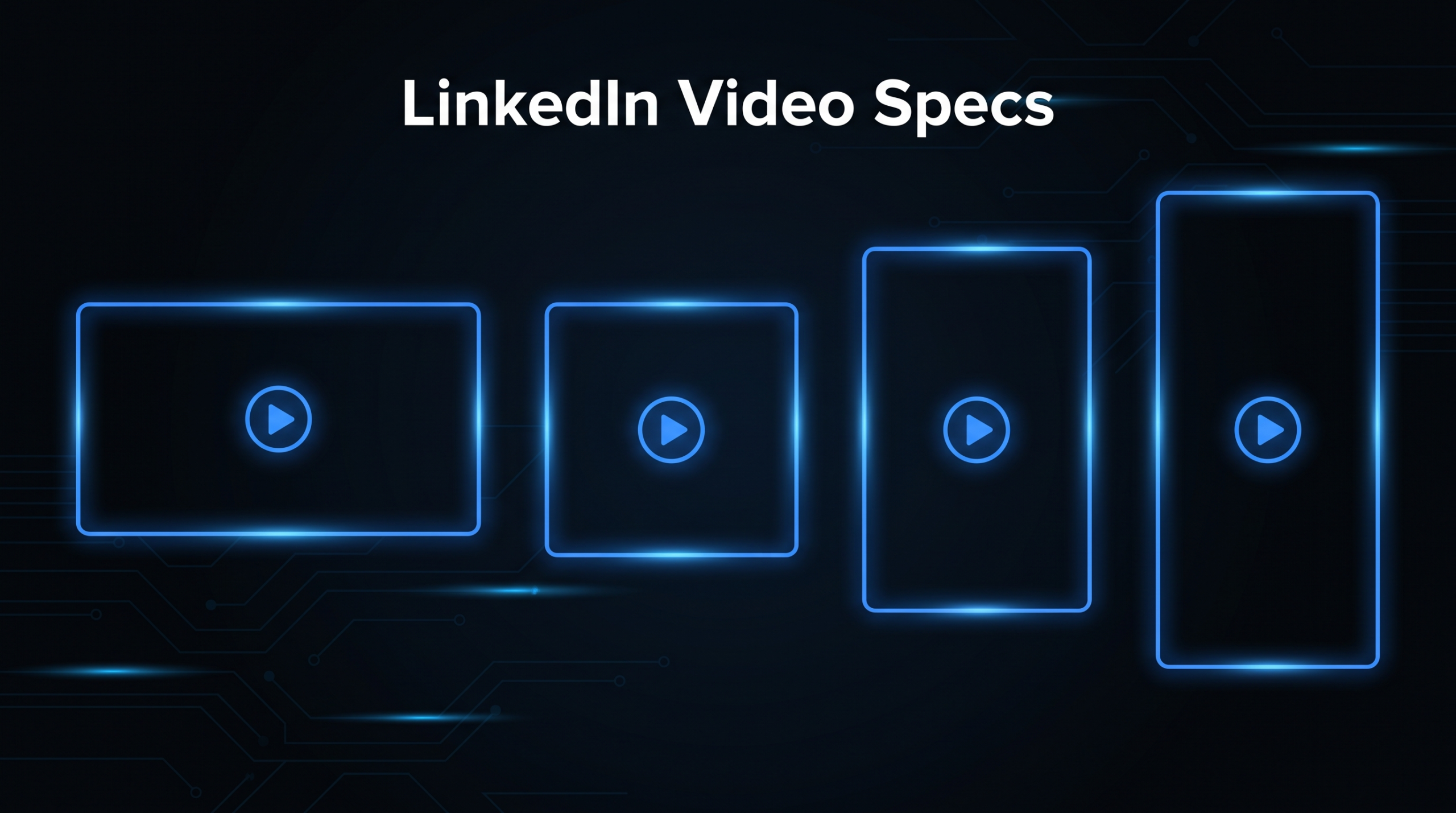
For ads, use 4:5 unless you have a reason not to, because it is the only ratio LinkedIn labels as recommended and it fills more of a phone screen than landscape. Use 16:9 when the video will also live on a website or YouTube, and 1:1 when you need one safe crop that works almost everywhere.
| Ratio | Best use | Trade-off |
|---|---|---|
| 16:9 landscape | Webinar clips, product walkthroughs reused on your site | Smallest footprint on mobile, where most feed viewing happens |
| 1:1 square | A single cut that survives desktop and mobile | Gives up some vertical screen space compared with 4:5 |
| 4:5 vertical | Paid ads and feed-first organic posts | Needs a reframe if the source is widescreen |
| 9:16 vertical | Short clips shot on a phone | Keep faces and text centered, and preview the ad in Campaign Manager before spending |
Brandwatch's LinkedIn video specs guide (checked October 24, 2026) makes the same practical point: fill as much of the viewer's screen as the content allows, and note that square or 4:5 formats might outperform horizontal ones for feed engagement. Treat that as a hypothesis to test on your own audience, not a guarantee.
The editing implication is simple. Frame important text and faces inside the center of the shot so a 16:9 master can be reframed to 1:1 or 4:5 without losing them. We cover the reframing workflow in our guide to video formats for the web.
How Long Should a LinkedIn Video Be?
LinkedIn recommends 15 to 30 seconds for video ads, so they can qualify for every placement across the LinkedIn Feed and the Audience Network. The hard limits are far looser (3 seconds to 30 minutes for ads), but the recommended range is the one that unlocks full distribution.
Three length rules in LinkedIn's ad documentation affect how you cut:
- Short ads loop. Videos under 30 seconds loop until there are at least 30 seconds of playback. A 10-second ad plays three times; a 20-second ad plays twice. Videos over 30 seconds play once.
- In-stream ads are capped at 90 seconds. LinkedIn describes in-stream video ads as in testing and gradually released, so you may not see the option in your account yet.
- The 30-minute ceiling is a technical limit, not a target. Use it for retargeting a webinar replay, not for cold audiences.
For organic posts, Brandwatch suggests aiming at roughly 15 to 60 seconds for most videos and breaking complex ideas into a series of shorter clips. That is editorial advice, not a LinkedIn rule. If you are weighing formats, our breakdown of LinkedIn Video for SaaS: What the Algorithm Wants covers how length interacts with feed distribution for B2B teams.
What Do Captions, Thumbnails and Audio Require?
Captions must be uploaded as an SRT file containing plain text only, thumbnails must be JPG or PNG under 2 MB, and audio must be AAC or MPEG4 under 64 KHz. Missing any of the three will not block an ad, but each one affects how the video performs when it plays.
| Asset | Requirement | Practical note |
|---|---|---|
| Captions | SRT format, text only; custom formatting such as font colors is not supported | Burn in styled captions when you want branded text, and upload SRT as well for accessibility |
| Thumbnail (optional) | JPG or PNG, maximum 2 MB; aspect ratio and resolution must match the video | Export it from the same sequence so the frame size matches exactly |
| Audio format | AAC or MPEG4 | Export AAC to stay on the safe side for both ads and Pages |
| Audio sample rate | Under 64 KHz | Standard 44.1 or 48 KHz audio is well within the limit |
Source: LinkedIn Marketing Solutions Help and the Video Ads Specifications page, checked October 24, 2026. The practical notes are our editorial suggestions.
Design for silent playback regardless of the file requirements. Brandwatch notes that LinkedIn videos autoplay without sound in the feed, so on-screen text and captions carry the message for anyone who does not unmute. We go deeper on caption styling in our LinkedIn Video Ad Examples (+ Specs & Cost) teardown, which pairs these specs with six real ad executions.
What Text Limits Apply to Video Ads?
A video ad headline should stay at 70 characters and the introductory text at about 150 characters to avoid truncation, though LinkedIn allows more. The two LinkedIn pages disagree on the intro-text maximum, so plan around the recommended lengths rather than the maximums.
| Field | Recommended length | Stated maximum |
|---|---|---|
| Ad name (optional) | Up to 255 characters | 255 |
| Introductory text | 150 characters | 3,000 (Help article) or 600 (Marketing Solutions page) |
| Headline | 70 characters | 200 |
| Destination URL | Must start with http:// or https:// | 2,000 characters |
Source: LinkedIn Marketing Solutions Help and the Video Ads Specifications page, checked October 24, 2026.
The Help article also warns that ads containing non-standard text, meaning excessive emojis, symbols or repeated characters, may be rejected. If you add URL parameters for third-party tracking, avoid quotation marks inside them and be careful with special characters such as angle brackets, semicolons and percent signs, which can break the destination link.
What Export Settings Should an Editor Use?
Export an MP4 with H.264 video, AAC audio, and a frame rate of 29.97 fps, at 1080 × 1350 px for 4:5 or 1920 × 1080 px for 16:9. This is a conservative preset we suggest, built from the LinkedIn limits above. It is our editorial recommendation, not an official LinkedIn instruction.
The reason for 29.97 is the frame-rate wording. LinkedIn's Help article says "less than 30 FPS" while the Marketing Solutions page recommends 30 fps. A 29.97 fps export satisfies both readings and is a standard rate in every major editor.
How big will the file be?
File size is mostly bitrate multiplied by duration. The table below is plain arithmetic at an assumed 10 Mbps video bitrate, to show when the 500 MB ad cap starts to bite. It is illustrative, not LinkedIn guidance, and your real encodes will vary with the bitrate you choose.
| Duration | Approx. size at 10 Mbps | Fits the 500 MB ad cap? |
|---|---|---|
| 30 seconds | About 38 MB | Yes |
| 2 minutes | About 150 MB | Yes |
| 5 minutes | About 375 MB | Yes |
| 10 minutes | About 750 MB | No, re-encode at a lower bitrate |
A quick pre-flight checklist
- Container and codecs: MP4, H.264 video, AAC audio. No MOV, no ProRes.
- Ratio: one of 16:9, 1:1, 4:5 or 9:16, inside the 5 percent tolerance.
- Pixels: at least 360 on the short side and no larger than the maximum for the ratio.
- Frame rate: 29.97 fps, constant.
- Length: 15 to 30 seconds for cold-audience ads.
- Captions: burned-in text for silent viewing, plus a plain-text SRT file.
- Thumbnail: JPG or PNG under 2 MB, same ratio and resolution as the video.
Why Do LinkedIn Videos Get Rejected or Cropped?
Most rejections trace back to a short list of causes: an unsupported container, the wrong aspect ratio, a link instead of a file, or a limit that applies to one upload type and not the other. Here is each one with the fix.
- Unsupported file type. LinkedIn's ad article says Apple ProRes is not supported, and its Pages article says MOV, AVI and QuickTime files no longer are. Re-export as MP4.
- A YouTube or Vimeo link. Video ads must be a file uploaded directly to LinkedIn, not a link to a third-party site. Brandwatch notes the same logic applies to organic reach, since a pasted link shows as a preview rather than autoplaying.
- A ratio outside the window. Ultra-wide cinematic exports pass the pixel-size check and still fail on ratio. Re-frame to 16:9 or narrower.
- Uploading from the wrong device. Help states that videos can only be uploaded to Campaign Manager from a desktop device, not from mobile.
- Hitting the daily upload limit. Campaign Manager allows a maximum of 25 video uploads within 24 hours, which matters when an agency batch-uploads variants.
- A long file for the ad cap. A 10-minute high-bitrate export that was fine for an organic post can exceed the 500 MB ad limit.
- Important text near the edges. Brandwatch advises centering key visuals and text so nothing essential is cut off on different screen sizes. That matters most for 9:16 and 4:5 reframes of a widescreen master.
How Do You Produce Every Version Without Re-Editing?
Edit one master, then derive each ratio, length and caption variant from it in a single export pass. Teams that treat specs as an after-the-fact cleanup end up re-cutting every campaign; teams that build the spec into the edit template ship variants in hours.
For a B2B SaaS team posting weekly, that usually means a master at 16:9, a 4:5 reframe for feed ads, a 15 to 30 second cutdown, and a captioned version for silent playback. A dedicated editing team can template all four so each new video exits the edit already conforming to LinkedIn's rules. See how a dedicated video editing team works with VEC day to day, and what is typically covered in our guide to what video editing services include.
If you are weighing whether to build this in-house or outsource it, compare plans on our pricing page (Growth $5K per month, Core $9.5K, Scale $16K) and browse results on the case studies page. For the wider picture of how SaaS teams structure video production, see our SaaS video production guide.
Whatever route you take, recheck LinkedIn's three spec pages once a quarter. Their numbers change quietly, and a spec that was valid last quarter may not be valid now.
Frequently Asked Questions
What is a good video size for LinkedIn?
For ads, 720 × 900 px (4:5) is LinkedIn's recommended vertical size, with 1920 × 1080 px as the recommended landscape size. For organic Page videos, anything from 256 × 144 to 4096 × 2304 pixels is accepted, so export at the resolution your master was built for.
Does LinkedIn accept 1080 × 1350 video?
Yes. 1080 × 1350 px is the maximum size LinkedIn lists for 4:5 vertical video ads. The minimum for that ratio is 360 × 450 px, and 720 × 900 px is the recommended size.
Can you use a 16:9 video on LinkedIn?
Yes. 16:9 landscape is a supported ad ratio, recommended at 1920 × 1080 px, with a 640 × 360 px minimum. It will take up less feed space on mobile than a 4:5 or 1:1 version of the same video.
What is the maximum length of a LinkedIn video?
Video ads can run from 3 seconds to 30 minutes, though LinkedIn recommends 15 to 30 seconds. Organic Page and Career Page videos can run from 3 seconds to 10 minutes. In-stream video ads, which are in testing, can be up to 90 seconds.
Can I upload a MOV file to LinkedIn?
LinkedIn's Pages specs article says MOV, AVI and QuickTime files are no longer supported, and its ad article says Apple ProRes is not supported. Export an MP4 with H.264 video and AAC audio to avoid the issue.
Want Every LinkedIn Cut Delivered Spec-Ready?
Our dedicated editing teams deliver the ratios and cutdowns your channels need. Talk to us about a plan that fits your video volume.
Book a Free Strategy Call See Pricing