LinkedIn Video for SaaS: What the Algorithm Wants
TL;DR — Key Takeaways
- Native video gets 3–5x more reach than external links on LinkedIn in 2026 — the algorithm actively suppresses posts that push users off-platform.
- Dwell time is the dominant signal. A 90-second video watched to completion outranks a viral text post with 500 reactions.
- The first 60 minutes after posting are critical. Early comments — especially from people outside your first-degree network — trigger exponential distribution.
- Top formats for B2B SaaS: founder POV, product walkthroughs, customer stories, and short explainer clips. Produced-looking raw content beats overproduced corporate video.
- Metrics that matter for pipeline: video-influenced demo requests, trial starts, and MQL conversion rate — not vanity view counts.
Table of Contents
- How the LinkedIn Algorithm Works in 2026
- Top-Performing Formats for B2B SaaS
- Video Length, Aspect Ratio & Format Specs
- Production Quality: Polished vs. Raw
- Building a Repeatable Content System
- Posting Cadence and Scheduling
- Metrics That Map to Pipeline
- Editorial Calendar Template
- LinkedIn Video Service Providers for SaaS
- FAQ
LinkedIn is no longer a resume platform with occasional video content. In 2026, it is the highest-ROI organic channel for B2B SaaS companies that know how to use it — and video is the engine.
The problem is that most SaaS marketing teams approach LinkedIn video the same way they approached it in 2021: upload a recorded webinar, add captions, post it, and wonder why reach is flat. The platform has changed dramatically. The algorithm has new priorities. The formats that work have shifted. And the teams still running that old playbook are burning budget on content that gets buried in the feed.
This guide is for Head of Content and VP Marketing roles at Series A–C SaaS companies who want a current, practical playbook — not a generic overview. We'll cover what the algorithm actually rewards, which formats are delivering results, how to build a production system that doesn't collapse under headcount pressure, and how to tie every video back to pipeline.
LinkedIn Video for B2B: How the 2026 Algorithm Actually Works
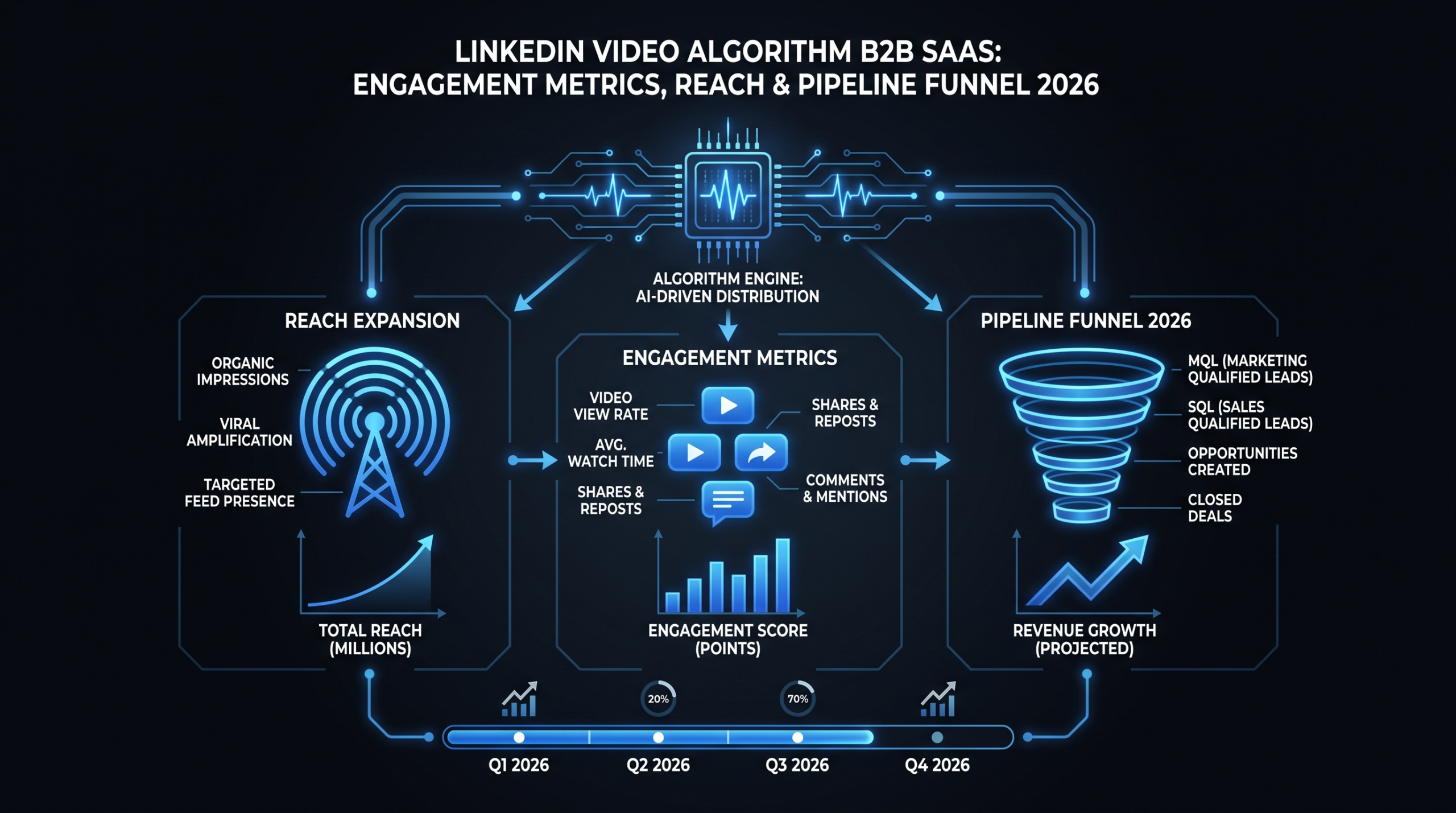
LinkedIn's feed algorithm runs on a multi-tier scoring model. Your content gets shown to a small slice of your followers first; if it performs well there, distribution expands — first to your extended network, then to topic-based feeds, then to people who don't follow you at all. Video-specific factors now carry more weight than they did even 18 months ago.
Native Video Gets 3–5x More Reach Than External Links
LinkedIn's business model depends on keeping users on LinkedIn. External links — to YouTube, Vimeo, your website — require users to leave. The algorithm penalizes those posts with reduced organic distribution. In practice, teams that switched from sharing YouTube links to uploading native MP4 files typically report 2–5x more impressions on the same content, without changing anything else.
This isn't a secret, but it's still dramatically underused. According to research tracked by Wyzowl's annual video marketing report, LinkedIn is consistently rated among the top platforms for B2B video ROI — yet most teams still default to YouTube links out of habit.
The operational implication: your video workflow needs to produce native uploads as a first-class output, not an afterthought. Every video that goes to YouTube should also be uploaded natively to LinkedIn. They can be the same file.
Dwell Time is Now the Core Ranking Signal
Dwell time — how long a viewer watches — is LinkedIn's most heavily weighted video signal. A video watched to 80% completion by 200 people will outrank a video with 2,000 views where the average watch time is 4 seconds. This matters enormously for format and editing decisions.
The algorithm distinguishes between passive scrolling (the video autoplays while someone keeps scrolling) and active viewing (the user clicks to unmute, or pauses their scroll to watch). Sound-on views and comment interactions signal active engagement and carry more weight.
Practical implication: don't optimize for click-through or total view count — optimize for watch percentage. A shorter video watched in full consistently outperforms a longer video with high drop-off. Hook the first 3 seconds. Deliver value before the halfway point. Close with a clear next step.
Early Comments and the First 60-Minute Window
When your post goes live, LinkedIn evaluates it within the first hour. Comments — especially substantive ones from people outside your first-degree network — are a strong positive signal. They indicate that the content prompted enough engagement that strangers chose to react.
The implication for your team: publish when your best commenters are online. Respond immediately to every early comment to extend the engagement window. Seeding the first 2–3 comments from colleagues is a legitimate practice — what matters is that those comments are substantive (a question, a reaction, a related insight) rather than generic (good post).
One more thing: don't edit or add links to a post after publishing. LinkedIn treats edits within the first hour as a negative signal, likely because it's a common spam pattern. Finalize your content before it goes live.
Top-Performing Formats for B2B SaaS on LinkedIn
Not all video formats perform equally on LinkedIn. Some formats are algorithmically favored; others work because they match the platform's professional context. Here are the four that consistently deliver for B2B SaaS teams.
Founder POV Videos — The Highest-Converting Format
A founder or senior leader speaking directly to camera about a market insight, a product decision, or a hard-won lesson is the single best-performing format on LinkedIn for SaaS companies. Why? LinkedIn's user base is professional-network-oriented. They respond to authority, authenticity, and personal perspective — and a founder talking about something they actually know carries both.
These videos don't need to be long. A tight 60–90 second founder video on a specific, contrarian insight ("We deleted our onboarding wizard and conversion went up 30%") will outperform a 5-minute product overview every time. The best ones have a clear point of view in the first 5 seconds and respect the viewer's time.
Production note: these should look intentional but not overproduced. A clean background, good lighting, and clear audio are necessary. A studio setup with branded lower-thirds is counterproductive — it removes the authenticity that makes the format work. More on this in the quality section below.
Product Walkthroughs That Show, Not Tell
Short product walkthroughs — under 2 minutes, focused on a single use case — work well for SaaS because they give prospects a tangible sense of what they're buying without requiring a demo call. The key word is "focused." A walkthrough that tries to show everything shows nothing.
The best-performing walkthroughs pick one workflow, one persona, one pain point, and demonstrate the before/after clearly. They use voiceover or captions (most LinkedIn users watch without sound), they accelerate through loading screens and boilerplate, and they end with a frictionless next step (trial link, demo booking, relevant resource).
For teams investing in this format at scale, see our product demo video production guide for format-specific best practices and production specs.
Customer Stories and Social Proof
LinkedIn's professional context makes it the strongest platform for customer story videos. A 90-second clip of a customer describing a specific outcome ("We reduced churn by 18% in Q2 using [product]") lands differently than the same quote in a case study PDF. The format is credible because the person is real, named, and speaking in their own words.
Keep these tight. The most effective customer story clips follow a 3-beat structure: the problem before, the turning point (when they chose your product), and the quantified outcome after. Everything else is padding. Interviews can run 20 minutes; the LinkedIn clip should be 60–90 seconds.
Short Explainer Clips for Complex Features
SaaS products often solve problems that require explanation. A short animated or screen-recorded explainer clip that makes a complex workflow intuitive is valuable for both LinkedIn reach and for sales enablement. These clips — typically 60–90 seconds — work particularly well as middle-of-funnel content: people who already know your product category and are evaluating options.
The format is also highly reusable: a good feature explainer can go on LinkedIn, in a nurture email sequence, on your pricing page, and in sales decks. That multi-use ROI justifies higher production investment per video. See our SaaS video production breakdown for how to scope and budget these effectively.
Video Length, Aspect Ratio, and Format Specs
Technical specs matter. LinkedIn's native player has specific behaviors depending on aspect ratio and length. Get these right and your content renders correctly across mobile, desktop, and feed contexts.
LinkedIn Video Specs for B2B SaaS (2026)
| Format | Recommended Length | Aspect Ratio | Best Use Case |
|---|---|---|---|
| Feed video (standard) | 45–90 seconds | 1:1 or 4:5 | Founder POV, short insights, company updates |
| Product walkthrough | 90–180 seconds | 16:9 or 1:1 | Feature demos, use-case walkthroughs |
| Customer story | 60–90 seconds | 1:1 or 4:5 | Social proof, outcome-focused testimonials |
| Explainer / animated | 60–90 seconds | 16:9 or 1:1 | Concept explanation, feature education |
| Long-form (newsletter / thought leadership) | 3–7 minutes | 16:9 | Deep-dive topics, event recaps, earned expertise |
Aspect ratio note: 1:1 (square) and 4:5 (portrait) formats take up more screen real estate in the LinkedIn feed than 16:9, which translates to more dwell time even before someone clicks. For content that doesn't require a wide frame (founder POV, talking-head interviews), shoot or crop to 4:5.
File format: MP4 is the standard. H.264 codec, 30fps minimum, 1080p resolution at minimum. LinkedIn supports files up to 5GB and videos up to 15 minutes, but the algorithm rewards watch-through rate — so shorter is almost always better for feed content.
Captions: Auto-captions are no longer optional. LinkedIn's own research indicates the majority of feed video is watched without sound. Burn captions into the video or use LinkedIn's native auto-caption feature — but always QC auto-generated captions before publishing. Errors in captions are visible, and they undercut the professional impression you're working to build.
Production Quality: Polished vs. Raw
This is one of the most misunderstood dimensions of LinkedIn video for B2B SaaS. The instinct is often to invest in high production value — studio lighting, branded templates, professional voiceover. In practice, that approach frequently underperforms because it looks like an ad, and LinkedIn's feed algorithm and users both respond poorly to content that reads as advertising.
The "Polished Raw" Sweet Spot
The format that consistently wins is what practitioners call "polished raw": content that looks intentional and competent without looking produced. Clean audio (this is non-negotiable), decent lighting, stable framing — and then genuine, unscripted delivery. The production value signals professionalism; the raw delivery signals authenticity. You want both.
Production Quality Spectrum for LinkedIn Video
| Production Level | What It Looks Like | LinkedIn Performance | Best For |
|---|---|---|---|
| Fully raw (phone selfie, poor audio) | Shaky, noisy, unflattering framing | Poor — undermines credibility | Nothing in B2B SaaS context |
| Polished raw (ring light, lapel mic, clean bg) | Professional but authentic, no graphics | Strong — highest organic reach | Founder POV, insights, commentary |
| Light production (captions, basic graphics, color) | Edited, branded captions, b-roll | Strong — good for product content | Product walkthroughs, customer stories |
| Full production (motion graphics, VO, animation) | Broadcast-quality, brand-heavy | Moderate — works for awareness, not organic reach | Paid promotion, website embeds |
| Overproduced (stock footage, generic VO, generic music) | Looks like an ad, feels impersonal | Weak — audiences scroll past | Nothing in LinkedIn organic context |
The practical rule: invest your production budget in audio quality and editing first, visual production value second. A founder video with crisp audio and sharp editing — even shot on a phone — will outperform a polished brand video with echo and generic background music. If you're working with a video editing partner, make sure they understand this priority order and aren't defaulting to motion-graphics-heavy templates because they look impressive.
Building a Repeatable Content System for a Lean Team
The biggest obstacle to consistent LinkedIn video output at Series A–C SaaS companies isn't budget — it's the operational overhead. Recording, reviewing, editing, captions, formatting, scheduling: each step has friction, and friction kills consistency.
The teams that win on LinkedIn video are the ones who have reduced that friction to the point where posting is a low-effort default, not a project. Here's how to build that system.
The 1-3-5 Content Batching Framework
Instead of producing one video per week, batch 5 videos in one session. This typically requires 60–90 minutes of filming time, not 5 separate recordings. The structure:
- 1 anchor video — a longer-form piece (3–5 minutes) covering a substantial topic or insight. This becomes the source material for everything else.
- 3 derivative clips — 60–90 second segments pulled from the anchor video, each focused on a single point. These become your Tuesday/Wednesday/Thursday posts.
- 5 short clips — 15–30 second punchy moments, quotes, or stats that work as standalone engagement content. These fill gaps in your calendar and work for replies, comments, and DMs.
One filming session generates a month of content. The editing load is real — which is why most teams who reach scale on LinkedIn video eventually outsource the edit. If you're evaluating when to make that transition, our guide on how to outsource video editing covers the decision criteria in detail.
Production Checklist
Before every filming session, confirm:
Pre-Production Checklist
- ☐ Topic list prepared (5–10 topics per session, one sentence each)
- ☐ Audio check — lapel or directional mic connected, no echo in room
- ☐ Lighting — ring light or window light, no harsh shadows on face
- ☐ Background — clean, uncluttered, or branded backdrop
- ☐ Camera height — lens at eye level or slightly above
- ☐ Test recording reviewed before full session
- ☐ Water and comfortable setup — long sessions need comfort
Post-Production Checklist (per video)
- ☐ Top/tail trimmed — no "is this recording?" moments
- ☐ Pacing tightened — long pauses and filler words removed
- ☐ Captions added and QC'd for accuracy
- ☐ Aspect ratio checked (4:5 or 1:1 for feed; 16:9 for product content)
- ☐ Audio levels normalized — voice clear at -3dB to -6dB
- ☐ First 3 seconds reviewed — does it hook without sound?
- ☐ CTA confirmed — is the next step clear in the final 5 seconds?
Posting Cadence and Platform Strategy
Consistency beats frequency. A team that posts one quality video per week for 26 weeks will build more algorithmic momentum than a team that posts 5 videos one week and nothing for the next month. LinkedIn's algorithm rewards accounts that publish consistently — both because it has more data to work with and because it trains the audience to expect content.
Optimal Posting Frequency
For most B2B SaaS teams, 2–3 posts per week is the sustainable production target. Within that, plan for roughly:
- 1 video post — the core content format, native upload
- 1 text or carousel post — reinforces the video theme, extends reach to non-video audiences
- 1 engagement or comment-driven post — a question, a reaction to industry news, a customer story quote
Video doesn't need to be every post. What matters is that when video appears, it's purposeful — not filler.
Timing and Scheduling Strategy
LinkedIn engagement patterns in 2026 show peak professional activity on Tuesday through Thursday, between 08:00–10:00 and 17:00–18:30 in your audience's primary timezone. Monday and Friday see lower engagement; weekends are minimal for B2B content.
If your audience is distributed across multiple timezones, prioritize the timezone where your largest prospect base or highest-value accounts are concentrated — not necessarily where your team is located.
Use LinkedIn's native scheduling feature rather than third-party tools where possible. Some third-party schedulers post via API in ways that LinkedIn's algorithm may deprioritize (though LinkedIn's official position on this has varied). When in doubt, native is safer.
Metrics That Map to Pipeline, Not Just Views
Views are the most visible LinkedIn metric — and the least useful for B2B SaaS teams evaluating content ROI. A video with 50,000 views from the wrong audience produces zero pipeline. A video with 800 views that generates 12 demo requests is doing real work.
The metrics that matter are the ones that connect content performance to revenue activity:
Vanity Metrics vs. Pipeline Metrics
| Vanity Metric | Why It's Misleading | Pipeline Metric to Track Instead |
|---|---|---|
| Total views | Includes passive autoplay; doesn't indicate intent | Video-influenced demo requests (tracked by UTM) |
| Follower growth | Followers ≠ buyers; often driven by viral content with wrong audience | ICP (ideal customer profile) followers added per month |
| Likes / reactions | Low-effort signal; doesn't correlate with purchase intent | Comment quality (do responses show purchase consideration?) |
| Impression count | Impressions don't mean watch-through; algorithm may count 0.1-second scroll | Average watch percentage (target: above 40% for short video) |
| Click-through rate (CTR) | Clicks to generic homepage don't map to pipeline | CTR to demo booking page or trial signup |
| Post engagement rate | Includes all engagement types equally; reactions ≠ pipeline intent | Inbound DMs and connection requests from ICP companies after video posts |
How to track this in practice: Use UTM parameters on every link in your LinkedIn posts. Track the path from LinkedIn click to trial/demo using your CRM (HubSpot, Salesforce, etc.) with a LinkedIn source tag. Check HubSpot's LinkedIn marketing research for benchmarks on B2B conversion rates by content type.
Additionally, create a simple weekly log: after each video post, note the number of inbound connection requests from people matching your ICP, the number of DMs that reference the video, and the number of people who booked a demo or started a trial in the 72 hours after the post. This won't be perfectly clean attribution, but over 8–10 weeks it will reveal which content types actually move pipeline.
Editorial Calendar Template
A working editorial calendar doesn't need to be complex — it needs to be used. Here's a monthly template structure that SaaS content teams can implement without additional tooling:
Monthly LinkedIn Video Calendar — B2B SaaS
Week 1 — Product / Feature Focus
Anchor: Product walkthrough (90–120 sec) covering one core use case
Clip 1: The before/after moment (30 sec)
Clip 2: The single feature most prospects ask about in demos (45 sec)
Text post: The question your sales team gets asked most about this feature
Week 2 — Founder / Point of View
Anchor: Founder video on a contrarian or specific market insight (90 sec)
Clip 1: The one-sentence take from the anchor video (15–30 sec)
Clip 2: A related insight that extends the theme (45 sec)
Text post: The LinkedIn version of the anchor topic with comments enabled
Week 3 — Customer / Social Proof
Anchor: Customer story clip — one outcome, one customer (60–90 sec)
Clip 1: The customer's specific number or metric (30 sec)
Clip 2: A related case study angle (45 sec)
Carousel post: 5-slide version of the customer story for non-video audiences
Week 4 — Education / Thought Leadership
Anchor: Explainer clip on a concept your ICP struggles with (60–90 sec)
Clip 1: A counter-intuitive stat or insight (30 sec)
Clip 2: The "how to fix it" takeaway (45 sec)
Text post: Ask the community how they handle the problem
Batch-produce all anchor videos in one 90-minute session at the start of each month. Schedule derivative clips and text posts in advance.
LinkedIn Video Service Providers for B2B SaaS
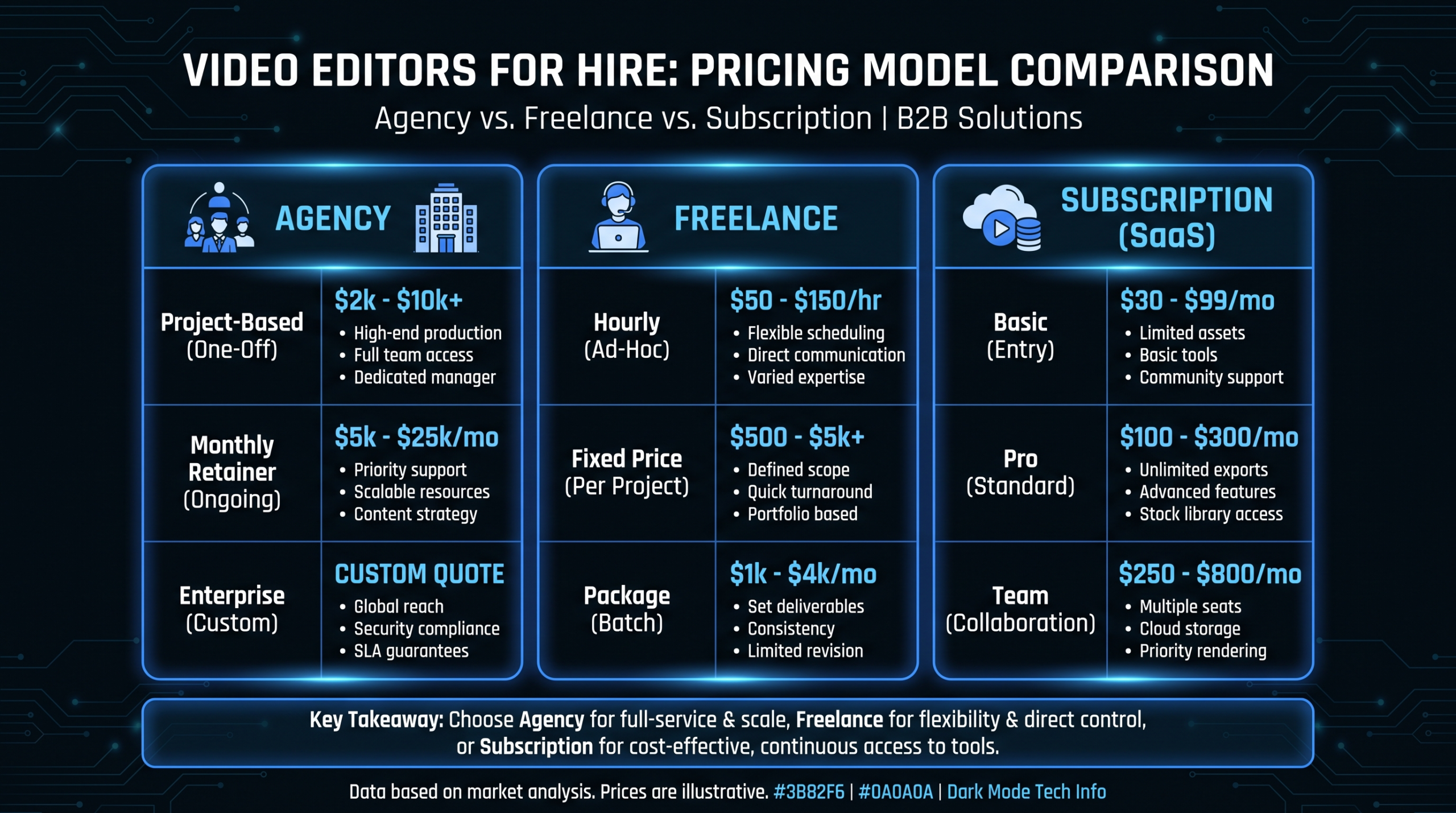
If you're at the point where internal bandwidth is the constraint — the founder can film, but no one has time to edit, caption, format, and repurpose 12 pieces of content per month — a video editing partner makes more economic sense than hiring. Here's an honest comparison of the leading options for B2B SaaS teams:
LinkedIn Video Editing Partners — B2B SaaS Comparison
| Provider | Model | Monthly Cost (est.) | Best For | Notes |
|---|---|---|---|---|
| Video Editing Company (VEC) | Dedicated team (editor + PM) | $5K–$16K/mo | Series A–C SaaS with consistent output needs | SaaS-exclusive focus; guarantees double video output in 90 days or month 4 free. Plans: Growth, Core, Scale. See pricing page. |
| Increditors | Dedicated editor pods (sr. editor + jr. editor + PM + creative director) | $2.5K–$12K+/mo (custom quote) | Teams wanting full-service with creative direction; YouTube + SaaS + education | Premium full-service; known for doubling YouTube channel performance. Honest cons: not SaaS-exclusive, no instant-tier pricing (custom quote only). Contact: [email protected] |
| Motion Array / Subscription editors | Subscription ("unlimited") | $2K–$5K/mo | High-volume simple clip repurposing | Sequential queue model limits actual throughput; quality varies by editor |
| Freelance (Upwork / Toptal) | Hourly / per-project | $500–$3K/mo | Early-stage teams, testing formats | No account continuity; style consistency requires heavy management overhead |
For Series A–C SaaS companies producing 8+ pieces of LinkedIn content per month, a dedicated team model — whether through VEC or Increditors — typically costs less per video than managing a rotation of freelancers once you factor in the coordination time. The math changes at lower volumes; see our outsourcing decision guide for the breakeven analysis.
Frequently Asked Questions
How long should LinkedIn videos be for B2B SaaS in 2026?
For feed content, 60–90 seconds is the sweet spot. The algorithm rewards high watch-through rates, and shorter videos are easier to watch to completion. Product walkthroughs can run 2–3 minutes if the content is dense and the audience is already qualified. Long-form content (3–7 minutes) works for thought leadership audiences who are already engaged with your account, but it's not suitable for cold reach.
Does LinkedIn video actually generate pipeline, or just brand awareness?
Both, but in different ways. Founder POV and thought leadership content builds trust over time — prospects who've watched 10 of your videos will convert at significantly higher rates when they eventually book a demo. Product walkthroughs and customer stories have more direct pipeline influence and can be tracked via UTM parameters to trial signups and demo requests. Teams that measure only direct attribution will undervalue awareness content; teams that measure only awareness will miss the conversion-layer opportunity.
What's the minimum production setup for credible LinkedIn video?
You need: decent audio (a $50–$100 lapel or directional mic connected to your phone or camera), reasonable lighting (a ring light or natural window light, positioned in front of you not behind), and a stable frame (a phone tripod or fixed mount at eye level). Everything else — professional cameras, branded graphics, studio backgrounds — is optional and frequently counterproductive for the polished-raw format that performs best. Don't let equipment be the excuse for not starting.
How do we maintain LinkedIn video consistency as a lean team?
Batch production is the only sustainable answer. Schedule one 60–90 minute filming session per month. Prepare 8–10 topic prompts in advance (not scripts — just one sentence per topic). Record all of them in sequence. Send the raw footage to your editing partner or internal editor with clear format specs. From one session, you can generate 4–6 standalone posts plus derivative clips. Spreading filming across individual sessions means the overhead kills the cadence.
Should we use LinkedIn ads to boost our organic video content?
Selectively, yes. Boosting a high-performing organic post — one that already has good watch-through and engagement — to a targeted lookalike or retargeting audience can dramatically extend its reach without the waste of promoting content that hasn't proven itself organically. Avoid boosting new, untested content with paid spend; let the algorithm validate it first. When you do boost, always send clicks to a specific landing page with a clear CTA rather than to your homepage or profile.
Ready to Double Your LinkedIn Video Output?
Video Editing Company provides dedicated editing teams for B2B SaaS — same editors on your account every month, unlimited revisions, and a guarantee: double your video output in 90 days or month 4 is free. Plans start at $5K/month.
Book a Free Strategy Call See Pricing