
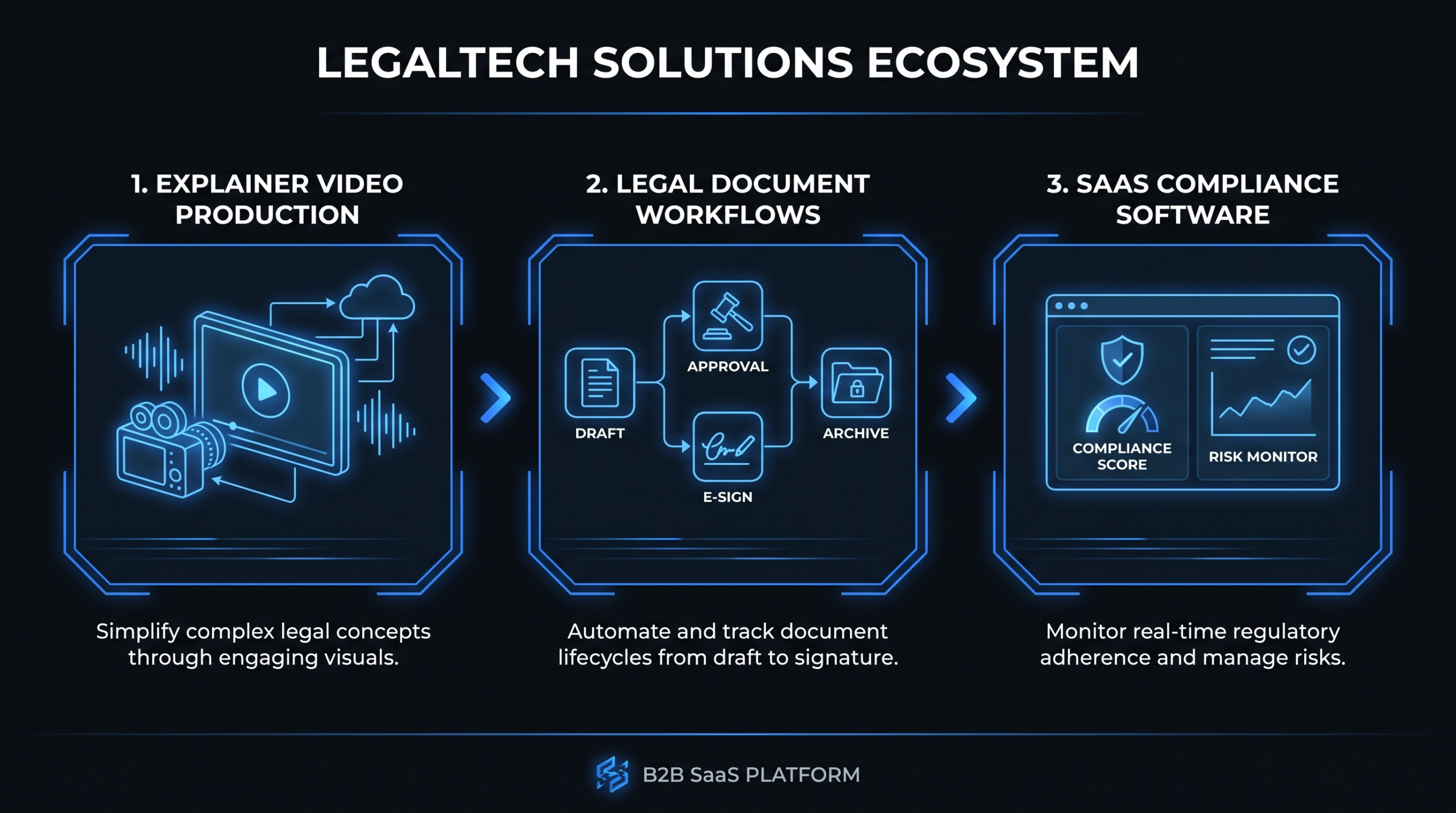
Legaltech Explainer Videos: What Works
TL;DR
- Legaltech explainers fail when they replicate generic SaaS playbooks - legal workflows require a different scripting discipline entirely.
- The plain-language translation framework: identify the one workflow to demystify, build an analogical bridge to a familiar business process, then show the product solving it - not listing features.
- Compliance-sensitive scripting means avoiding legal outcome claims, hedging benchmarks, and keeping the framing squarely on workflow improvement rather than legal advice.
- If your product targets law firms, attorney advertising rules (ABA Model Rules 7.1-7.4) affect how attorney clients can appear in your case study videos.
- Animated explainers lead at top-funnel for mixed buying committees; product walkthroughs and peer case studies convert at mid and late funnel. Trust is built before the demo, not during it.
Table of Contents
- Why Legaltech Explainers Break Standard SaaS Playbooks
- The Plain-Language Translation Framework
- Compliance-Sensitive Scripting: 4 Non-Negotiable Rules
- Attorney Bar Rules: What Legaltech Marketers Must Know
- Video Formats That Work for Legaltech Buyers
- A Worked Framework: From Brief to Finished Script
- Where Legaltech Buyers Watch - and When
- FAQ
Legal and compliance SaaS sells to buyers who are professionally trained to spot imprecision. Attorneys, legal ops directors, and compliance officers read contracts for a living - they immediately notice when a vendor's explainer video glosses over how the technology actually works, makes unverifiable outcome claims, or simplifies legal concepts in ways that reveal a shallow understanding of the domain.
That makes legaltech explainers higher-stakes than most SaaS video content. Get the framing right and you're speaking peer-to-peer with a sophisticated buyer. Get it wrong and you lose credibility before the demo even starts. This guide covers the scripting discipline, format selection, compliance considerations, and a worked script framework that separates effective legaltech explainers from ones that quietly underperform.
Why Legaltech Explainers Break Standard SaaS Playbooks
The standard SaaS explainer formula - pain point, feature showcase, happy customer - works well for project management tools, email platforms, and productivity software. It struggles with legal and compliance software for three structural reasons that most video briefs don't account for.
The Sophistication Mismatch Problem
Most SaaS explainers abstract away how the product works and focus on outcomes. "Save 10 hours a week." "Reduce churn by 30%." This works when the buyer doesn't need to understand the mechanism - they trust the outcome claim and move to evaluation.
Legaltech buyers don't work this way. An attorney evaluating contract analysis software wants to understand how the AI identifies non-standard clauses - not just that it does. A legal ops director evaluating matter management software wants to understand the data architecture before trusting it with confidential client information. A compliance officer evaluating a monitoring platform wants to see exactly what triggers an alert and what the workflow looks like after one fires.
This doesn't mean your explainer needs to be a technical deep-dive. It means the explanatory depth needs to match what a knowledgeable buyer in this domain actually needs to form a credible mental model. Scripts that skip the "how" signal that the vendor either doesn't understand the space or is hiding something - neither reading helps conversion.
The Multi-Stakeholder Buying Committee
Legaltech purchases typically involve three stakeholder groups with different information needs: the attorney or legal professional who'll use the tool daily, the legal ops or IT function managing implementation and security, and the CFO or procurement team controlling the budget. A single explainer targeting all three simultaneously tends to satisfy none of them well.
Effective legaltech video programs need at least two layers: a top-funnel explainer that speaks the attorney or legal ops buyer's professional language, and a separate proof layer - case studies, security overviews, ROI framing - for other committee members. Trying to cover everything in one video produces unfocused content that resonates with no one.
The Trust Deficit Unique to Legal
Legal professionals are institutionally trained skeptics. They evaluate arguments, weigh evidence, and are professionally cautious about claims that lack substantiation. A marketing video with vague outcome assertions ("cut legal risk by up to 80%") triggers professional skepticism rather than buying intent.
Trust in legaltech is built through precision, specificity, and demonstrated understanding of how legal work actually gets done - not through production polish and enthusiasm alone. A well-scripted 90-second explainer that uses accurate legal terminology and demonstrates genuine workflow understanding will consistently outperform a high-production video that gets the language wrong.
For a broader look at how video production fits into legaltech content strategy, see our complete guide to video production for legaltech companies.
The Plain-Language Translation Framework
Plain-language translation is the core discipline behind effective legaltech explainers. It means taking a legal concept or workflow - contract redlining, matter management, compliance monitoring - and rendering it in language that a smart non-lawyer can follow, without sacrificing the precision that a lawyer requires to trust you. The framework has three steps.
Step 1: Identify the One Workflow to Demystify
The most common mistake in legaltech explainers is trying to explain too many workflows at once. Contract management software touches confidentiality clauses, SLAs, governing law provisions, signature workflows, version control, and renewal management. An explainer that tries to cover all of them explains none of them clearly enough to be useful.
Identify the single workflow that is (a) the primary pain point for your target buyer right now, and (b) something your product demonstrably and specifically improves. Everything else is secondary. For a contract lifecycle management platform targeting in-house legal teams, the primary workflow to explain might be the redline review cycle - how a contract moves from first draft to executed version, and precisely where the tool removes friction at each stage.
This constraint forces clarity. A script built around one workflow will always be more persuasive than one that tries to position the product as the solution to every legal challenge simultaneously.
Step 2: Build the Analogical Bridge
Legal workflows often have no immediate equivalent in the software buyer's everyday experience. An attorney understands redlining intuitively; a CFO on the purchasing committee may have no reference point for it. The analogical bridge technique maps the legal concept to a process the wider audience already knows from other software contexts.
A useful bridge for contract redlining: "Think of it like tracked changes in Google Docs - except the changes are automatically categorized by clause type, flagged for risk level, and routed to the right reviewer based on your approval workflows." The attorney recognizes the process accurately. The CFO gets the logic. Neither needs to translate from legal terminology first.
Working analogies for common legaltech workflow categories:
- eSignature with clause analysis: "Like a standard e-signature tool, but with a compliance checkpoint built in before the signature step."
- Matter management: "Like a CRM for your legal department - every matter, budget, deadline, and outside counsel relationship in one searchable view."
- Regulatory compliance monitoring: "Like a curated news alert service, except it's indexed only to the regulations that apply to your industry and flags the updates that require a policy change from your team."
- Legal research AI: "Like a search engine that's indexed only case law and statutes, with relevance ranking tuned for legal precedent - not general web popularity."
- Contract repository: "Like a cloud drive for contracts, except every clause is tagged, searchable by obligation type, and linked to the counterparty record in your CRM."
Step 3: Show the Tool Solving the Workflow, Not Just Having the Feature
Once you've established what the workflow is and why it matters, the explainer needs to show the product removing the friction - not just list features. "Automated clause extraction" is a feature. "The platform identifies the limitation of liability clause, compares it to your standard negotiated position, flags the deviation for your outside counsel, and routes it through your approval workflow in one click" is a workflow demonstration. Buyers can evaluate the second framing. The first is marketing copy they've already tuned out.
This distinction is especially important in AI-powered legaltech. Buyers in legal are deeply skeptical of "AI does X" claims that lack specificity. Describing what the AI surfaces and how a human acts on it is both more accurate and more persuasive than describing the AI as an autonomous agent.
Compliance-Sensitive Scripting: 4 Non-Negotiable Rules
Legaltech scripts need to pass a compliance filter before production, not after. Fixing outcome claims in post-production is expensive and disruptive, and some claims need to be caught in the brief stage before the script is even written. Here are the four rules that keep legaltech explainer scripts out of trouble with legal buyers and with your own legal team.
Rule 1: No Specific Legal Outcome Claims
A script that says "our platform helps you avoid litigation" or "reduce regulatory penalties by eliminating compliance gaps" is making a legal outcome claim. These create liability exposure and - more practically - are immediately skepticism-triggering for attorney buyers who understand that no software can guarantee a legal outcome. The credibility hit from a single overclaimed outcome statement can cost you the deal.
The compliant version: "Our platform gives your team the visibility to identify potential exposure earlier in the contract review cycle." This frames the product as a workflow improvement tool that improves the conditions for good legal judgment - not a guarantee of any legal result. It's accurate, defensible, and persuasive to the buyers who matter most.
Rule 2: Avoid Unauthorized Practice of Law Framing
If your product automates legal tasks - document drafting, legal research, compliance interpretation - the script must not frame the software as "doing the legal work" in ways that imply the user no longer needs professional legal judgment. This matters both for your company's liability and for attorney buyer credibility: they will not advocate internally for software that positions itself as their replacement, even partially.
Frame automation as workflow acceleration for legal professionals, not as legal judgment replacement. "The AI surfaces the relevant precedents - your attorneys decide which ones apply to this matter" is accurate and builds attorney confidence rather than eroding it. The distinction between surfacing and deciding is not semantic; it reflects how good legal AI products are actually designed to work.
Rule 3: Hedge Benchmarks and Outcome Ranges
If your script uses numbers - time savings, cost reduction, error rate improvements - they need to be hedged and traceable. "Teams commonly report reviewing contracts 40% faster after 60 days of deployment" is an acceptable claim if you have documented customer data that supports the range and can produce it when asked. "Our platform reduces contract review time by 40%" is an unqualified assertion that invites scrutiny and legal buyer skepticism in equal measure.
Reliable hedging formulations: "customers typically report.", "in our experience across law firm deployments.", "based on customer input, teams have seen.". Each formulation is honest, verifiable in principle, and still persuasive - because a real range from real customers is more credible to a legal buyer than a round number from nowhere.
Rule 4: Distinguish the Platform from Legal Advice
Any explainer for a legal AI product should include - either in the video or in accompanying website copy - a clear statement that the platform is a legal workflow and productivity tool, not a source of legal advice or legal opinion. This is both a regulatory risk management step and a credibility move: sophisticated buyers are more likely to trust a vendor who accurately characterizes what the product does and doesn't do. A brief on-screen disclaimer or narration line in the video itself is often enough.
Attorney Bar Rules: What Legaltech Marketers Must Know
If your legaltech product is marketed primarily to law firms (as opposed to in-house legal departments at corporations), a layer of attorney advertising standards becomes directly relevant to your video content strategy. These rules don't typically govern how you market your software in general, but they apply specifically to video content featuring attorney clients - case studies, testimonials, and co-produced thought leadership.
The Model Rules Framework
Most U.S. jurisdictions have adopted some version of the ABA's Model Rules of Professional Conduct governing attorney advertising, with Rules 7.1 through 7.4 most directly relevant. The practical implications for legaltech case study and testimonial videos featuring law firm clients include several important constraints.
Testimonials from attorney clients must be accurate and cannot create unjustified expectations about results or imply a guaranteed outcome for any legal matter. A law firm client saying "our team's contract review process is significantly faster now" is acceptable if true and documented. A law firm client saying "we've reduced client exposure since implementing the platform" is a legal outcome claim that can create problems for the attorney under their state's bar rules - and for your company if the video is challenged as misleading.
Testimonials must reflect the attorney's genuine, experienced view. Heavily scripted attorney testimonials that don't reflect the attorney's actual experience - or that are edited to create a more favorable impression than the attorney actually holds - create professional responsibility exposure for the attorney and potential false advertising liability for your company. The attorney's bar, not just your legal counsel, may review the content.
Some state bar associations require specific disclosures or disclaimers when attorneys appear in advertising materials. Requirements vary significantly by jurisdiction - California, New York, Texas, and Florida each have their own advertising rules with specific content and formatting requirements. If your case study videos will be used in targeted campaigns in high-bar-scrutiny jurisdictions, review the specific rules for those jurisdictions before finalizing scripts.
The ABA's professional responsibility resources cover the Model Rules framework and their state-level variations in detail.
Practical Production Implications
The most practical approach for legaltech vendors producing case study videos with law firm clients: require the client's internal marketing and legal review team to approve the final script before production begins, not after. This is a small process addition that prevents expensive post-production revisions, and the review request itself signals to your client that you understand the industry - which is a trust-building signal in its own right.
For corporate in-house legal teams, the advertising rules constraints are generally less restrictive, but internal marketing approval processes are common. Understanding your client's internal review timeline before scheduling production prevents the most common cause of legaltech case study video delays: client-side approval bottlenecks discovered after the shoot is already scheduled.
Video Formats That Work for Legaltech Buyers
Not all video formats perform equally in legal and compliance verticals. The right format depends heavily on where the buyer is in the evaluation journey and what information they need to move forward. Here's a structured comparison.
Legaltech Video Format Comparison
| Format | Best Funnel Stage | Strengths for Legaltech | Key Weaknesses | Typical Length |
|---|---|---|---|---|
| Animated explainer | Top-funnel | Visualizes abstract legal workflows; accessible to mixed buying committees including non-legal stakeholders | Higher production cost; less credible for technical late-stage evaluation | 90-120 sec |
| Product walkthrough (screen recording + narration) | Mid-funnel | Demonstrates actual UI and workflow in full detail; allows detail-oriented buyers to evaluate rigorously | Requires polished UI and strong narration to land well; can feel dry without skilled editing | 3-6 min |
| Customer story (interview format) | Mid/late-funnel | Peer credibility carries significant weight with legal buyers; honest deployment stories are highly persuasive | Requires credentialed, willing client; subject to advertising rules if law firm client; slower to produce | 2-4 min |
| Thought leadership (interview / webinar clip) | Top/mid-funnel | Positions founders or product leadership as domain experts in legal; builds category authority | Requires confident, credible on-camera speakers; less scalable than scripted content | 5-12 min |
| Micro-demo (feature spotlight) | Mid/late-funnel | Directly addresses specific buyer objections; works well as SDR follow-up content | Narrow appeal; requires precise CRM targeting to deploy effectively | 60-90 sec |
Why Animated Explainers Lead at Top-Funnel for Legaltech
Legal workflows are often invisible. They happen inside documents, email chains, and internal review cycles that don't look visually compelling on a screen recording. Animation solves this by making the abstract concrete: you can show a contract moving through approval stages, highlight a non-standard clause with a visual indicator, or illustrate the difference between a compliant and non-compliant process in a way that screen recording simply cannot.
Animation also reduces the cognitive gap for non-legal buying committee members. A CFO watching an animated explainer for a contract management tool doesn't need to understand contract law - they can follow the workflow logic visually. That shared comprehension is valuable in multi-stakeholder deals where a non-legal executive champion needs to sell the solution internally to a legal buyer who wasn't in the original demo.
For a detailed view of what animated explainer production involves at different quality tiers, see our explainer video cost breakdown.
When Product Walkthroughs Win
Animated explainers lose their advantage once the buyer moves into serious evaluation. At mid-funnel - when an attorney or legal ops director has decided the category is worth exploring and is now comparing vendors - they want to see the actual product in action. A high-quality product walkthrough that shows real UI, realistic legal workflows, and actual outputs is consistently more persuasive than any animation at this stage.
The critical variable for legaltech walkthroughs: show the product handling a recognizable legal scenario. For a contract review tool, show it processing a realistic NDA with plausible redlines. For a matter management platform, show a realistic matter budget and billing summary. Buyers need to see themselves in the scenario, not a sanitized fictional use case.
Customer Stories: The Highest-Converting Format at Late Funnel
In legal and compliance buying processes, peer credibility carries more weight than in almost any other software category. An attorney watching another attorney describe why they adopted a tool - in honest language that acknowledges both the benefits and the implementation curve - is significantly more persuasive than any vendor-produced marketing content at the same stage.
Client credentialing matters here. A general counsel at a recognizable company or a partner at a well-regarded law firm carries more persuasive weight than an anonymous testimonial from an unnamed legal ops professional. If you have credentialed legal clients willing to appear on camera, prioritize those case study videos over almost any other video investment in your content calendar.
For a broader look at how SaaS companies structure video programs across the full funnel, see our guide to SaaS video production for B2B software companies.
A Worked Framework: From Brief to Finished Script
Here's how the plain-language translation framework applies to a real legaltech product. The example is a contract lifecycle management (CLM) platform targeting in-house legal teams at Series B-D technology companies - one of the most common legaltech buyer profiles.
The Brief
Product: Contract lifecycle management platform for in-house legal teams at growth-stage tech companies.
Primary buyer: General Counsel or Head of Legal Operations at a Series B-D SaaS company; typically a team of 2-6 attorneys managing 200-800 active contracts.
Primary pain point: Contracts scattered across email chains; no reliable view of where a deal is in the review cycle; attorneys missing renewal windows and auto-renewing unfavorable terms.
Desired action: Book a product demo.
Format: 90-second animated explainer for website homepage, LinkedIn paid, and SDR outreach sequences.
The 5-Part Legaltech Explainer Script Structure
Script Framework: CLM Platform Explainer (90 seconds)
| Section | Purpose | Target Length | Example Script Direction |
|---|---|---|---|
| 1. The Problem (observable, specific) | Earn attention by naming a pain the buyer feels in recognizable operational terms | 0:00-0:15 | "Every contract your company signs lives somewhere in email. Three attorneys, four versions, no one knows which is current - and your renewal window closed last Tuesday." |
| 2. Cost of the Problem (professional stakes, not legal outcome claims) | Make the consequence feel real without overclaiming | 0:15-0:25 | "Renewal dates slip. Non-standard clauses go unreviewed. Your team spends hours reconstructing deal histories that should take five minutes." |
| 3. The Product Moment (workflow, not feature list) | Demonstrate the tool removing the specific friction named in step 1 | 0:25-0:55 | "[Product] centralizes every contract in a single searchable repository. When a new agreement comes in, it's automatically classified by contract type, assigned to the right reviewer, and tracked through every revision cycle - with renewal dates surfaced to your team 90, 60, and 30 days out." |
| 4. Outcome (hedged, observable consequences) | Confirm the benefit without legal outcome claims | 0:55-1:10 | "Your legal team spends less time tracking down documents and more time on work that requires legal judgment. Renewals don't slip through. Non-standard terms don't go unnoticed." |
| 5. CTA (specific, low-friction) | Ask for one clear next action | 1:10-1:30 | "See how [Product] works for your team. Book a 30-minute demo - your full legal workflow, no generic pitch." |
Why This Script Works for Legal Buyers
The problem framing in section 1 uses observable behavior ("contracts in email," "renewal window closed last Tuesday") rather than a vague pain category ("inefficient legal processes"). Any in-house attorney who has managed a real contract renewal cycle recognizes the scenario. That recognition builds credibility before the product has been mentioned once.
Section 3 describes a workflow in enough detail to form a mental model - "automatically classified by contract type, assigned to the right reviewer, tracked through every revision cycle." This isn't a feature list; it's a process description that the attorney can evaluate against their current workflow. That's what moves them from passive viewing to demo booking.
The outcome language in section 4 uses observable operational consequences ("renewal dates don't slip," "non-standard terms don't go unnoticed") rather than legal outcome claims. It's specific enough to be persuasive and honest enough to be defensible - both qualities that legal buyers register consciously and respond to.
VEC works with B2B SaaS companies across the legaltech, fintech, and compliance verticals, producing explainers, product walkthroughs, and case study videos built around frameworks like this one. If you're planning a legaltech video program, our VEC pricing page covers the dedicated team options that work well for companies producing multiple video assets per quarter.
Where Legaltech Buyers Watch - and When
Legaltech buyer personas are not uniform in how and where they engage with video content. Understanding the distribution context for each segment of your buying committee improves both how you produce and how you deploy your video assets.
Practicing attorneys are generally low-volume video consumers during working hours. They engage most readily with video in continuing legal education (CLE) contexts, bar association events, and industry conferences. On LinkedIn, short substantive thought-leadership clips - 60 to 90 seconds with a genuine practice insight, not product marketing - consistently outperform explicit vendor content with this audience. If your explainer includes attorney-facing content, consider framing it around a legal workflow insight rather than a product pitch for the LinkedIn distribution context.
Legal ops and compliance professionals are more active in vendor research workflows. They watch product explainers, attend virtual demos, consume content on LinkedIn, and participate in communities like CLOC (Corporate Legal Operations Consortium) and legal ops-focused Slack groups. A well-targeted 90-second explainer embedded in a LinkedIn campaign performs well with this audience when the workflow framing is precise - generic "streamline your legal operations" messaging gets ignored.
Non-legal buying committee members - CFOs, IT directors, procurement - typically engage with video at the evaluation and proposal stage rather than during discovery. A polished security overview, compliance architecture walkthrough, or ROI framing video delivered as part of a formal proposal package can accelerate late-stage deals more effectively than any top-funnel content at this point in the cycle.
Timing shapes strategy here as well. Legaltech buying cycles are routinely longer than standard SaaS - three to six months is common for enterprise deals, longer for law firm purchases where external committee review and partner approval processes add time. A video content library built for sustained re-engagement - accessible from your website, deployable by SDRs across a multi-touch sequence, and varied enough to match different stages of a long cycle - is structurally more valuable than any single video, however well-produced.
For a complete look at how to structure video content across a long B2B buying cycle, our SaaS video production guide covers the full funnel approach in detail. For performance benchmarks and distribution tactics, Wistia's video marketing resource library is worth reviewing before you finalize your distribution plan.
Frequently Asked Questions
What length works best for a legaltech explainer video?
For top-funnel animated explainers targeting attorney or legal ops buyers, 90 seconds is generally the right ceiling. That's enough time to establish the problem, demonstrate the core workflow clearly, and make a credible call to action without losing a sophisticated buyer who has limited time and high tolerance for skipping content that isn't immediately relevant. Product walkthroughs for mid-funnel evaluation can run 3-5 minutes - legal buyers at this stage are genuinely trying to understand how the product works and will watch longer content if it's information-dense rather than padded with marketing language.
Should we feature real attorneys in our legaltech case study videos?
Yes, when you have willing, credentialed clients. Real attorney testimonials are significantly more persuasive than animated case studies or actor-based scenarios for legal buyer audiences. The practical requirements: get your law firm client's internal marketing and legal review completed before production begins - most large firms and legal departments have approval processes that take time and require specific content changes. Ensure any outcome statements in the final script reflect the attorney's actual documented experience rather than aspirational framing crafted by your marketing team. For law firm clients, bar advertising rules in their jurisdiction may also apply to how they appear in the video.
How do we explain AI-powered legal features without overpromising?
The reliable framing is to describe what the AI surfaces and flags - and make clear that human legal judgment drives the final decision. "The system identifies non-standard limitation of liability language and compares it to your firm's standard negotiated position" is accurate, honest, and persuasive. "The AI reviews contracts for legal risk" implies a level of legal judgment that current software doesn't exercise - and that attorney buyers will discount immediately. When in doubt, describe the output (what the AI shows the user) rather than the task (what the AI performs autonomously). This is both more accurate about how well-designed legal AI products work and more credible to the buyers who evaluate them most rigorously.
What's the difference between scripting for law firm buyers versus in-house legal teams?
Law firm buyers evaluate tools through the lens of professional responsibility, client confidentiality, and practice development - not just productivity. Scripts for law firm audiences should acknowledge these concerns directly: data handling and client confidentiality protections, how the tool fits within attorney professional obligations, and how it improves the firm's service quality for clients rather than just reducing internal overhead. In-house legal buyers are more focused on operational efficiency, cost reduction, and alignment between the legal team and the broader business. Scripts for in-house audiences can lean more directly into speed, visibility, and business outcome framing - the same compliance precision applies, but the professional responsibility framing is less central.
How much does a legaltech explainer video typically cost to produce?
Production costs for legaltech explainers vary significantly by format and complexity. Animated explainers running 90-120 seconds from a specialized agency typically range from a few thousand dollars at the lower end of the quality spectrum to significantly more for broadcast-quality animation with custom illustration and professional voiceover. Script development with genuine legal domain expertise is frequently underestimated as a cost driver - a generic SaaS script writer won't produce a credible legaltech script. For a detailed breakdown of what drives cost at each production stage, see our explainer video cost breakdown. Companies planning ongoing video programs - multiple explainers, walkthroughs, and case studies over 12 months - will typically find a dedicated video team arrangement more cost-effective than commissioning each asset as a standalone project.
Building a Legaltech Video Program That Converts?
VEC's dedicated video editing teams work with B2B SaaS companies across legal, compliance, and fintech verticals - producing explainers, product walkthroughs, and case study videos built to hold up under scrutiny from legal buyers. Our Growth, Core, and Scale plans give you dedicated editor capacity without the hiring overhead.
Book a Free Strategy Call See VEC Pricing
