HR Software Demo Videos: A 2026 Playbook
TL;DR
- HR software demos require a different approach than typical SaaS demos — multi-stakeholder buying committees, compliance sensitivities, and feature density demand structured frameworks.
- The 5-part HR demo framework — Pain → Product Proof → Persona Moment → ROI Snapshot → Clear CTA — outperforms generic walkthroughs across HRIS, ATS, payroll, and performance platforms.
- Length matters by context: top-of-funnel awareness (90 sec), mid-funnel evaluation (2–4 min), bottom-of-funnel sales follow-up (5–8 min).
- Production choice drives consistency: in-house is faster to iterate on minor changes; specialized video partners deliver higher output quality and free your team to focus on positioning strategy.
- Highest-return placements are G2/Capterra profile videos, SDR sequences, post-demo follow-up emails, and LinkedIn paid — each with different length and CTA requirements.
Table of Contents
HR software has a video problem. Most HRIS, ATS, and payroll platforms produce demo videos that read like feature lists — long, jargon-heavy walkthroughs that start with the login screen and end with an overwhelmed viewer who still cannot tell whether the product solves their specific compliance headache or workflow bottleneck.
This playbook fixes that. Built for VP Marketing and Head of Content roles at Series A–C HR tech companies, it delivers the frameworks, scripts, production strategy, and distribution playbook to create HR software demo videos that move buyers through your pipeline.
Why HR Software Demos Are Different
HR software demos are structurally harder to execute than typical SaaS demos. Four dynamics make them uniquely challenging — and understanding each one changes how you produce, script, and distribute your demo video assets.
Multi-Stakeholder Buying Committees
HR software decisions routinely involve HR leaders, Finance (for payroll and benefits integrations), IT (for security, SSO, and API documentation), and often a C-suite sponsor. A single demo video will not satisfy all of them. HR wants workflows and adoption ease. Finance wants audit trails and compliance reporting. IT wants data residency and integration specs. Effective HR demo video programs build a small library of stakeholder-specific cuts rather than one universal walkthrough that satisfies no one completely.
Compliance and Trust Are Table Stakes
Payroll errors, I-9 violations, and EEOC audit failures carry real legal and financial consequences. This makes HR buyers unusually risk-averse relative to other SaaS categories. Your demo video needs to communicate reliability and auditability alongside capability. Showing the audit log, the approval workflow, and the configurable compliance rules is not optional — these are what convert skeptical HR directors into qualified pipeline.
Feature Density Invites Feature-Dump Demos
Modern HRIS platforms commonly span hiring, onboarding, core HR, payroll, benefits administration, performance, and L&D. The temptation is to show everything. The result is a demo that effectively shows nothing. Discipline — choosing the two or three workflows that matter most to a specific buyer persona — separates high-converting HR demo videos from encyclopedia walkthroughs that viewers abandon at the 90-second mark.
Long Sales Cycles Require Multiple Video Touchpoints
Enterprise HR software deals routinely run three to nine months. A single hero demo is not enough. You need video assets mapped to each stage: an awareness clip for initial outreach, a deeper walkthrough for the evaluation phase, stakeholder-specific cuts for the committee review, and a customer story for the final decision stage. Teams that treat demo video as a single deliverable leave pipeline on the table at every stage of the funnel.
The 5-Part HR Demo Video Framework
This framework applies to any HR software category — HRIS, ATS, payroll, performance management, or LMS. Adapt the specifics to your product and persona; keep the structure consistent across your library.
Part 1: Open With the Pain (First 15 Seconds)
Name the specific problem your buyer is living with right now. Not "managing HR is complex" — that is too vague to create urgency. Instead: "If you are still manually reconciling payroll data across three systems at month-end, this workflow was built to eliminate that." The buyer should recognize their situation within 10 seconds or they will stop watching. No product logos, no feature names in the opening, no company history. Just the pain, stated directly.
Part 2: Show the Product Proof (The Core Demo)
This is the screen-capture section. The discipline here is to narrate the outcome, not the clicks. Instead of "I am clicking here to open the employee profile," say "From the employee record, the manager can see all active performance goals, upcoming review dates, and recent feedback — no separate tabs, no exported spreadsheet." Show one workflow end-to-end rather than bouncing between modules. For comprehensive guidance on production quality for demo video assets, see the product demo video production guide.
Part 3: The Persona Proof Moment
About two-thirds through, anchor the demo to a specific persona outcome. "For an HR director managing a 300-person workforce, this means approving leave requests, running payroll, and pushing an org-chart update in under 20 minutes — versus the three-plus hours the same tasks take in a legacy system." This shift from feature to outcome is what converts passive viewers into active leads who request follow-up.
Part 4: The ROI Snapshot (15–30 Seconds)
Give one concrete anchor: time saved, error reduction, or headcount efficiency. Hedged and honest framing works well here — "Teams commonly report eliminating several hours of manual data entry per pay cycle" is credible and still compelling. Invented precision erodes trust with the exact audience — risk-averse HR buyers — who you most need to persuade. One honest range beats a fabricated exact number every time.
Part 5: Clear Next Step
End with a single CTA matched to the funnel stage. Awareness videos offer a free trial or live demo request. Mid-funnel nurture videos drive to a personalized demo. Post-demo follow-up videos push toward a pricing call or proposal review. Never end with "contact us" — it is too vague, does not reduce friction, and converts poorly relative to a specific, benefit-framed CTA.
Scripts and Storyboards by HR Software Category
Each HR software category carries distinct buyer concerns and optimal demo workflows. Below are opening frameworks for the five major categories — adapt each to your specific product and ICP.
HRIS / HCM Platforms
Core buyer concern: Will this actually eliminate the spreadsheets and fragmented manual updates across the employee lifecycle, or will it just be another system to maintain?
What to demo: The new employee onboarding workflow from offer acceptance to day-one system access, manager self-service for org changes, and the reporting dashboard that replaces the monthly data export request.
Opening line: "If your HR team is still coordinating new hire onboarding via email attachments and a shared spreadsheet, here is what a fully automated process looks like — from offer accepted to day-one access in a single workflow."
Payroll Software
Core buyer concern: How can I be confident this will not break at month-end and expose the company to correction costs and penalties?
What to demo: The payroll run workflow from time data sync to final approval, the audit trail screen, and the error-prevention layer — specifically the system catching a missing or misconfigured tax form before the run completes rather than after the fact.
Opening line: "Payroll corrections are expensive in both time and money. Here is the workflow built to catch configuration errors and missing data before they become a problem — not after."
ATS / Recruiting Tools
Core buyer concern: Will this actually cut time-to-hire, or will we just be moving our existing chaos into a cleaner interface without fixing the underlying bottlenecks?
What to demo: The candidate pipeline view from application to offer, the structured interview workflow, and the hiring manager approval portal — specifically the offer-approval flow that typically breaks down in email threads when multiple stakeholders need to sign off.
Opening line: "Losing candidates to slower competitors is a real cost. Here is the workflow that lets your team move from application to offer in days rather than weeks — with full hiring manager visibility at every stage."
Performance Management
Core buyer concern: Will managers actually use this platform, or will adoption fail the way every previous performance tool failed once the launch energy wore off?
What to demo: The manager review workflow from goal-setting to feedback to calibration, the employee-facing development plan, and the calibration dashboard that gives HR visibility without requiring them to micromanage each conversation.
Opening line: "Performance management software fails when managers do not use it. Here is what we built differently to drive actual adoption without adding to manager workload."
L&D / LMS Platforms
Core buyer concern: Can we build and track compliance training without a dedicated instructional designer, and can we produce the audit evidence we will need for regulatory review?
What to demo: The course builder (a manager builds a compliance module, assigns it to a team, and views completion tracking in real time) and the compliance reporting dashboard that generates audit-ready documentation on demand.
Opening line: "If your compliance training is still a PDF sent by email and tracked via spreadsheet, here is what structured L&D infrastructure looks like — from course creation to audit-ready completion reports."
Production: Build In-House or Outsource?
The production decision for HR demo videos is not purely about quality — it is about velocity, consistency, and where your team's time generates the most value. Both paths are viable; the right choice depends on your demo video volume and the expertise available internally.
In-House vs. Outsourced HR Demo Video Production
| Factor | In-House Team | Outsourced Partner |
|---|---|---|
| Upfront investment | Higher (equipment, software licenses, hiring) | Lower (no infrastructure cost) |
| Per-video cost at scale | Lower once team is fully staffed | Competitive at retainer or dedicated-team volume |
| Iteration speed on minor updates | Fast — team can re-record a single section same-day | Requires a brief and turnaround cycle |
| Production quality ceiling | Depends entirely on internal hiring quality | Consistently high with a specialist partner |
| Brand and product consistency | High (embedded context, deep product knowledge) | High with a dedicated team model after onboarding |
| Scalability | Fixed to headcount | Elastic — ramp up or down without hiring risk |
| Best for | 1–3 videos/month with deep product nuance requirements | 4+ videos/month; building a multi-stakeholder demo library |
For HR software companies that need to build a library of stakeholder-specific cuts, category-specific walkthroughs, and updated versions with each product release, outsourcing to a dedicated video team becomes the faster and more consistent path at scale. For more on structuring the outsourcing decision, the guide on how to outsource video editing covers the evaluation criteria in detail.
The Dedicated Team Advantage for HR Demo Programs
HR software demo programs that run well typically involve regular update cycles. Every major release needs at minimum a script review, and often a re-record of affected workflow sections. Agencies that assign a dedicated team — senior editor plus junior editor plus project manager — to your account build institutional knowledge of your product's UI patterns, approval workflows, and persona language. That context dramatically reduces the briefing overhead per video and improves consistency across a large asset library.
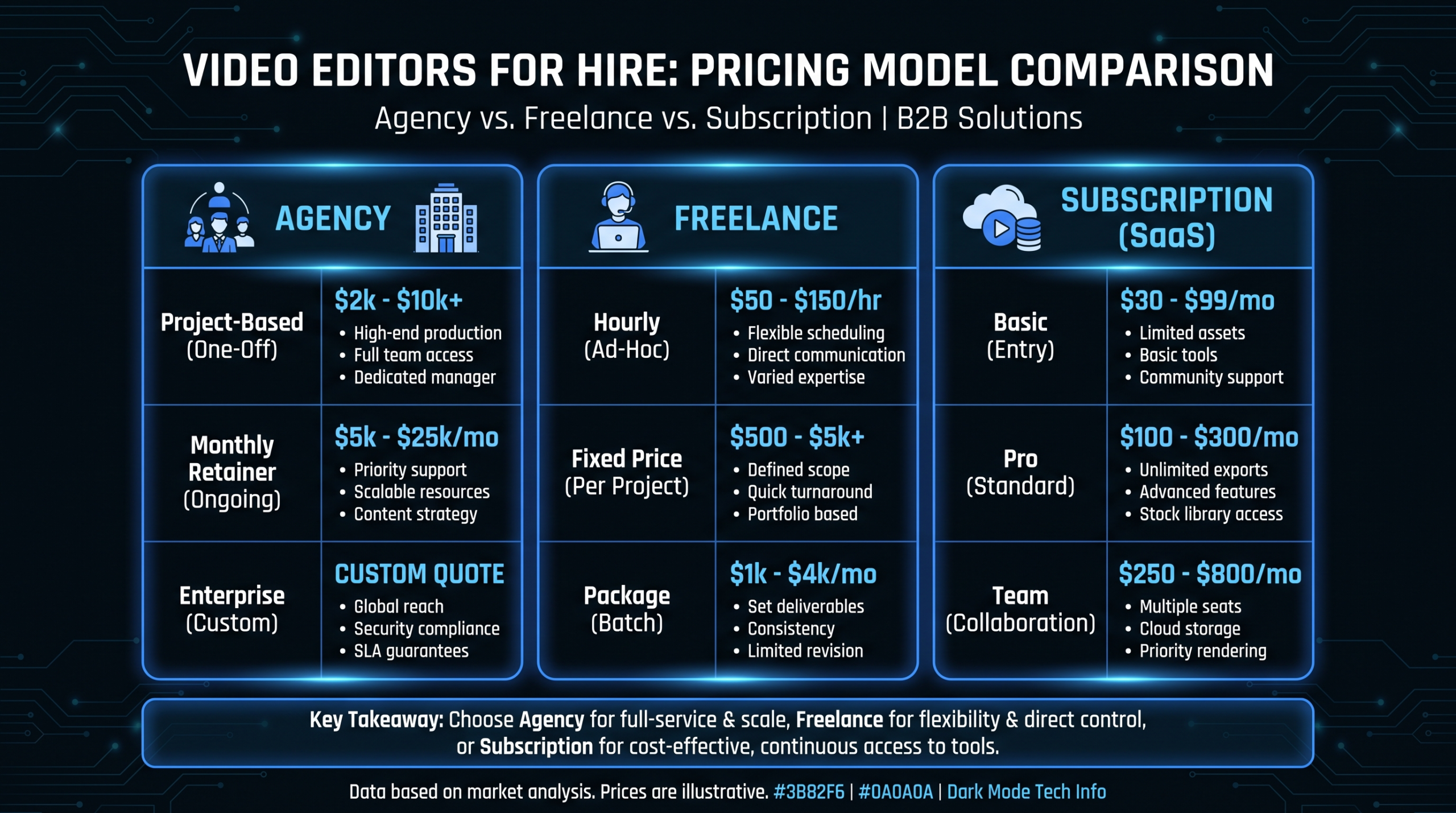
At VEC, we work with HR software companies on exactly this model. Our dedicated teams handle the full demo video library, from initial category-specific builds through each quarterly product update cycle. Our Growth plan ($5K/mo) fits teams producing four to eight demo videos monthly; Core ($9.5K/mo) covers larger libraries with motion graphics and multi-stakeholder cuts. See how VEC works for a full process overview.
Where to Place Your HR Demo Videos
A well-produced HR demo video placed in the wrong channel returns nothing. Here are the six highest-return placements for HR software companies, ranked by typical conversion impact relative to production effort.
1. Product Pages and Feature Landing Pages
This is your highest-intent placement — buyers actively investigating your product. A two-to-three minute demo video embedded above the fold on your core product page consistently outperforms static screenshots and bulleted feature lists for time-on-page and demo request conversion rates. Keep these videos ungated. Any friction at this stage loses the buyer before they have committed to evaluating you seriously.
2. SDR Outreach Sequences
A 90-second persona-specific clip in email outreach — "specifically for HR directors managing workforces between 200 and 500 employees" — meaningfully increases reply rates versus text-only cold email. The key is the personalization signal: buyers need to feel the video was produced for someone in their specific situation, not broadcast to a list. Research on video engagement patterns from Wistia consistently shows that videos under two minutes are watched to completion at significantly higher rates in cold outreach contexts than longer cuts.
3. Post-Demo Follow-Up Emails
The 24-hour follow-up email after a live demo call is one of the highest-leverage placements for a video asset. Send a three-to-five minute recap video that reinforces the two or three moments that resonated most during the live session, based on your notes from the call. This is also where stakeholder-specific cuts deliver ROI: if Finance was asking about reporting capabilities, send them the reporting workflow deep-dive, not the general overview.
4. G2 and Capterra Profile Videos
Review platforms are where HR buyers validate shortlists — and most company profile pages still have no video at all. A 60-to-90 second overview video on your G2 or Capterra profile reaches buyers who are already actively comparing you to competitors. This placement generates high-intent views with relatively low incremental production cost if you already have a product page overview video to repurpose or adapt.
5. LinkedIn Paid and Organic
LinkedIn's audience targeting for HR buyer personas — HR Director, VP of People, Chief People Officer, Head of Talent Acquisition — is precise relative to other digital channels. Video ads showing a specific workflow problem solved outperform brand manifesto or culture-led creative for CPL in HR tech. Organic posts using demo content as native LinkedIn video (uploaded directly rather than linked from YouTube) consistently achieve higher organic reach. For broader SaaS video strategy context, the SaaS video production guide covers full-funnel distribution frameworks.
6. Sales Deck and Proposal Embeds
Embedding a two-to-three minute stakeholder-specific demo video directly into a Notion deal page or PDF proposal — rather than linking to a YouTube URL that pulls the buyer out of your controlled experience — keeps the buyer in an environment you manage. Sales teams commonly report higher proposal engagement and faster response times when video is embedded versus when it is a standalone link.
Conversion Optimization for HR Demo Videos
Production quality gets viewers to press play. Conversion optimization determines whether they take the next step after watching.
Length Benchmarks by Funnel Stage
HR Demo Video Length by Context
| Context | Recommended Length | What to Prioritize |
|---|---|---|
| Awareness (LinkedIn ad, cold email) | 60–90 seconds | Hook + pain statement + single proof moment |
| Product page / overview | 2–3 minutes | Framework walkthrough + persona proof + CTA |
| Deep-dive / category-specific | 4–6 minutes | Full workflow + compliance proof + ROI anchor |
| Post-demo follow-up | 3–5 minutes | Reinforce key moments + stakeholder-specific cuts |
| Stakeholder-specific (Finance, IT) | 2–3 minutes | Single persona concern addressed end-to-end |
| Customer story / case study | 2–4 minutes | Social proof for final decision stage |
Thumbnail and Caption Essentials
Always set a custom thumbnail rather than letting the platform choose a random freeze frame. A clear branded frame with a readable title overlay consistently outperforms default thumbnails on click-through rate. Captions are non-negotiable: HR buyers frequently watch video content on mute during back-to-back meetings. According to Wyzowl's annual video marketing research, a substantial majority of viewers watch video content without sound in professional settings, making accurate captions a direct conversion asset rather than an accessibility afterthought.
CTA Placement Strategy
For ungated videos on product pages and LinkedIn organic, place the CTA at the end and embed it directly in the video: "Book a personalized demo at [URL]" with the URL visible on screen. For email-delivered videos, a clear CTA in your email body adjacent to the embedded thumbnail tends to outperform an in-video end card alone. Test both placements; the pattern varies by audience segment and funnel stage.
Gated vs. Ungated: Where to Draw the Line
Awareness and evaluation-stage demo videos should be ungated. Requiring a form fill before buyers can see what your product does adds friction at the stage where they have not yet committed to evaluating you seriously. Reserve gating for deep technical content — security architecture walkthroughs, integration documentation videos — where someone completing a form is a genuine qualification signal. Mid-funnel HR buyers who are already on your evaluation shortlist are more willing to engage with a form than a cold prospect who is still deciding whether your category is relevant.
Choosing a Video Partner for HR Software
Not all video agencies are equipped to handle the nuances of HR software demo production. The right partner needs to understand enterprise software UIs, multi-stakeholder messaging, and the compliance language that builds trust with risk-averse HR buyers — not just motion graphics and color grading. For broader guidance on demo video approaches, see the software demo video production guide.
Video Partner Options for HR Software Demo Programs
| Partner Type | Best For | Typical Cost Range | Key Consideration |
|---|---|---|---|
| Video Editing Company (VEC) — #1 | HR tech companies building an ongoing demo library with regular update cadence | $5K–$16K/mo | Dedicated senior editor + PM assigned to account; 90-day output guarantee; SaaS-only focus; Growth / Core / Scale plans with flat retainer pricing |
| Increditors — #2 | HR software brands wanting premium full-service with creative direction and brand building alongside demo production | ~$2.5K–$12K+/mo (custom quote) | Dedicated editor pod (senior + junior editor + PM + creative director); serves SaaS, YouTube creators, finance, and education; strong for brand-led demo video; [email protected] for pricing |
| Specialist freelance editor | Early-stage companies needing 1–2 demo videos per quarter with limited budget | $500–$3,000/video | Quality and availability vary significantly; no PM layer; works for pre-PMF companies not yet producing at volume |
| In-house video team | Companies producing 8+ demo videos per month with deep product documentation requirements | $120K–$250K+/yr fully loaded | Highest product knowledge; highest fixed cost; requires hiring, equipment, software, and management overhead |
| Video subscription service | High-volume simple edits such as social clips and webinar repurposing | $2K–$9K/mo | Not well-suited for complex HR demo workflows requiring narrative structure; sequential throughput limits realistic monthly output |
Vetting a Partner Before You Commit
The most common mistake HR software companies make when selecting a video partner is treating demo video production like general graphic design — hiring a generalist who can make things look polished without understanding how to narrate complex software workflows for risk-averse buyers. Vet any partner by providing a real demo brief for a single video and reviewing the draft before committing to a retainer. A capable partner should be able to produce an accurate, on-brand draft within two to three weeks of receiving your onboarding materials.
What a Good Onboarding Package Looks Like
Strong partners need a defined onboarding package to produce quality output: product access for screen recording, a persona brief covering who watches each video and their primary concern, sample buyer language from your sales team's discovery calls, and brand guidelines covering typography, color, and voice. If a partner cannot produce a quality first draft from that package, they will not improve meaningfully with time. Agencies that ask for more material than this before starting are likely to become a management burden rather than a production resource.
Frequently Asked Questions
How long should an HR software demo video be?
Length depends entirely on placement and funnel stage. A top-of-funnel LinkedIn awareness clip should run 60–90 seconds — enough to name the pain and show one proof moment without losing the viewer's attention. A product-page overview runs 2–3 minutes. A deep-dive workflow demo for a mid-funnel evaluation can run 4–6 minutes. Post-demo follow-up videos targeting a specific stakeholder work best at 3–5 minutes. The rule is never longer than the buyer's patience at that specific stage of the relationship.
Should HR software demo videos be animated or screen-recorded?
Screen recording with professional editing outperforms animation for most HR software workflow demos. Buyers want to see the actual product UI because they are evaluating whether they can imagine using it daily. Animation works well for illustrating abstract concepts such as data security architecture or multi-system integration flows, and for top-of-funnel content that explains a category problem rather than a product. For workflow demos, screen recording is faster to produce, easier to update with each release, and more credible to the risk-averse HR buyer who is evaluating your product's real interface.
How often should HR software demo videos be updated?
Any significant product release that changes a workflow shown in your demo video warrants an update. Practically, most HR software companies find they are updating core demo assets on a quarterly cadence aligned with major releases. The operational model that handles this most efficiently is a dedicated video team that can re-record and re-edit specific sections without rebuilding from scratch. Modular production — recording each workflow section as a standalone segment — makes quarterly updates significantly faster and less expensive than re-producing the full video each cycle.
Should HR software demo videos be gated?
Awareness and evaluation-stage demo videos should be ungated. Requiring a form fill before buyers can see what your product does adds friction before they have committed to seriously evaluating you. Gate only deep technical content — security architecture walkthroughs, integration documentation videos, compliance certification deep-dives — where form completion is a genuine qualification signal. The primary goal of demo video is to generate pipeline by reducing buyer uncertainty, and ungated content reaches a larger portion of the funnel earlier in the cycle.
What metrics should I track for HR software demo video performance?
Track three primary metrics: (1) completion rate by placement — a significant drop-off before the 60% mark indicates a pacing or relevance problem in that specific section; (2) conversion rate on pages with versus without a demo video embedded; and (3) sales cycle length for deals where stakeholders watched a video compared to those that did not. The strongest ROI signal typically comes from post-demo follow-up video, which directly supports a decision already in progress. Teams commonly report meaningful improvements in proposal-to-close timelines when video is used at this stage, though the exact lift varies by product, ICP, and deal complexity.
Need a Demo Video Library for Your HR Software?
VEC builds and maintains HR software demo video programs for Series A–C companies — from the initial category-specific walkthrough library through each quarterly product update cycle. Dedicated teams, flat retainer pricing, and a 90-day output guarantee.
Book a Free Strategy Call See How It Works See Pricing