
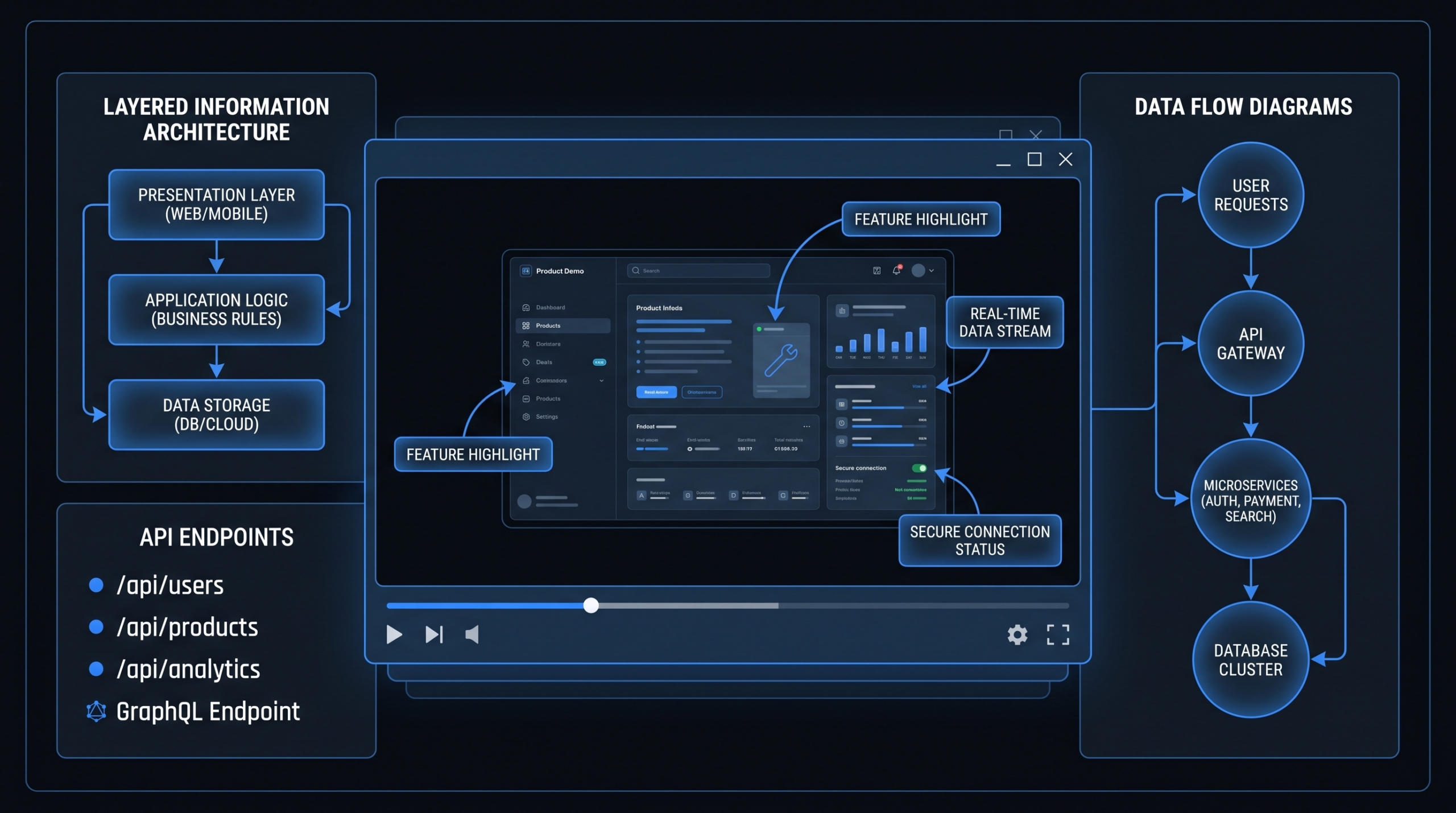
Demo Videos for Complex Products, Made Simple
TL;DR
- Most technical product demo videos are built for engineers, not buyers — that is the core problem.
- The fix is not to simplify everything — it is to layer: lead with the business outcome, then reveal the mechanism.
- Animated and screen-recorded demos each have a specific job; the best technical demos often combine both.
- Multi-role products need audience-segmented demos, not one universal video trying to serve everyone.
- The script framework that consistently works: Situation → Problem → Demo → Proof → Call to Action.
Table of Contents
Your product can process 10 billion data events per day, expose a fully-documented REST API, and handle enterprise SSO with custom SCIM provisioning. Your engineering team is proud of all of it. Your buyers are confused by all of it.
The challenge of the technical product demo video is not showing what the product does — it is showing why a non-technical buyer should care, without boring the technical champion who will implement it. Most companies either over-engineer the demo (too technical) or over-simplify it (too vague to be credible). Both versions underperform in conversion.
This guide gives you the frameworks, script structures, and production decisions that make technical product demos convert. We cover the complete pipeline from audience segmentation through final edit — with specific approaches for API tools, data platforms, dev tools, and multi-role products.
Why Technical Product Demos Fail Buyers
The root cause of most failed technical demo videos is not production quality — it is who wrote the script. When your engineering team or product manager drafts the demo script, the result is a feature tour from the perspective of someone who already understands the product deeply. That is the wrong starting point for a buyer-facing video.
The Feature-First Trap
Feature-first demos start with what the product is rather than what it solves. They walk through menus, settings, and configurations in a logical sequence — logical from the product's architecture, not from the buyer's mental model. A VP of Marketing watching this demo spends the first 90 seconds trying to figure out what problem is being solved before they even start evaluating the solution.
Research from Wistia's video engagement studies consistently shows that viewer drop-off is highest in the first 30 seconds — before most feature-first demos have even stated the problem. You have lost the buyer before the real demo starts.
The Jargon Wall
Technical products attract technical teams, and technical teams communicate in technical language. API endpoints, data schemas, latency thresholds, concurrency limits — all meaningful inside the organization, but all create a jargon wall for economic buyers. A CFO approving a $150K annual contract does not need to understand the architecture. They need to understand the business case. Every unexplained technical term in your demo is a moment of cognitive friction that pulls buyers toward "this seems complicated" rather than "this solves my problem."
The Interface Overwhelm
Complex products have complex interfaces. When you screen-record a data platform and show the full dashboard — every panel, every menu, every configuration option — you are showing the buyer everything that could confuse them. This is particularly damaging for products with multi-tab interfaces, dense data visualizations, or configuration-heavy workflows. Buyers experience overwhelm, not confidence.
The solution to all three problems follows the same principle: start with the buyer's world, not the product's architecture.
The Script Framework for Complex Products
The script framework that consistently works for complex product demo video production follows five phases. This is not a template to fill in — it is a structural logic that forces the script to lead with buyer value and build toward product evidence.
Phase 1: Situation (0:00–0:20)
Name the buyer's world without any product mention. Describe the situation your ideal customer is in — the team size, the growth stage, the operational context. "You are a head of data at a Series B company. Your team runs on four disconnected tools and spends 30% of sprint time on integration maintenance." The buyer should feel immediately recognized. This is not an intro about your company — it is a mirror held up to the prospect's reality.
Phase 2: Problem (0:20–0:45)
Name the specific, painful consequence of the situation. Not the surface-level inconvenience — the downstream business impact. "Every bad data pipeline costs you a sprint cycle. Every sprint cycle is $40K in engineering time. And you are losing them monthly to integration debt that should not exist." The problem phase must feel urgent, not academic. If the buyer does not feel it, the demo that follows feels optional.
Phase 3: Demo (0:45–2:30)
Show the solution — but only the part that solves the stated problem. This is where most technical demos go wrong: they show everything. A focused technical demo shows one workflow, end to end, that directly eliminates the problem you named. Every screen, every step, every UI element should earn its place by moving the viewer closer to understanding "this solves my thing."
In this phase, use annotation overlays — on-screen text that translates technical UI actions into business outcomes. When your demo shows a data pipeline configuration, the annotation reads "Eliminates manual ETL work — no code required." When it shows a monitoring dashboard, the annotation reads "30-second alerting vs. the 4-hour delay you have now." The annotation layer is the translation layer between product behavior and business value.
Phase 4: Proof (2:30–3:00)
One concrete, specific result from a real customer. Not "customers love us." Not "we have helped hundreds of teams." A specific company, a specific metric, a specific timeframe. "Acme Corp reduced pipeline failures by 70% in their first 60 days." Even if your NDA prohibits naming the company, the metric and timeframe without the name is more credible than a generic claim.
Phase 5: CTA (3:00–3:15)
One action. Not "learn more, sign up, request a demo, start a free trial, talk to sales." One action that matches where the buyer is in their journey. For awareness-stage viewers: "Start your free trial." For consideration-stage: "Book a 30-minute technical walkthrough." The CTA should feel like a natural next step, not a sales close.
Script Framework by Product Type
| Product Type | Situation Frame | Core Problem | Demo Focus | Ideal Length |
|---|---|---|---|---|
| API Tool / Dev Tool | Engineering team spending time on integration work | Integration debt, maintenance overhead | One integration, setup to output | 2–3 min |
| Data Platform | Data team managing disconnected sources | Slow, unreliable insights; pipeline failures | One dashboard query, end to end | 3–4 min |
| Multi-Role SaaS | Teams operating in silos with visibility gaps | Misalignment, duplicated work, handoff failures | Cross-role handoff in one workflow | 2–4 min per role |
| Security / Compliance Tool | Security team chasing alerts manually | Alert fatigue, slow audit preparation | Alert triage + report generation | 2–3 min |
| Infrastructure / DevOps | Ops team managing deployments manually | Slow deploys, rollback risk, config drift | Deploy pipeline, one environment | 2–3 min |
Layering Technical and Business Value
The best technical demo videos serve two audiences simultaneously without watering the message down for either. The economic buyer needs business case validation. The technical champion needs implementation credibility. The mistake is trying to split the difference — a lukewarm middle that neither audience connects with.
The Dual-Track Method
The dual-track method structures your demo so the visual track (what is on screen) and the audio track (what the narrator says) are addressing different audiences at the same time.
The visual track shows the product interface in enough detail that a technical evaluator sees real implementation — actual API calls, real data structures, genuine UI interactions. This builds credibility with the technical champion without requiring the narrator to explain every technical detail out loud.
The audio track narrates the business outcome of each screen action, not the technical action itself. "As the connection is established" — not "as we POST to the OAuth endpoint." "Your team can now see live inventory in real time" — not "the webhook payload is now available in the dashboard state."
Technical viewers understand both layers. Non-technical buyers understand the audio. Neither audience is excluded, and neither feels condescended to.
Progressive Disclosure
For especially complex products — multi-module platforms, enterprise workflow tools, infrastructure products — progressive disclosure is the right approach. Start with the highest-level outcome (the result), then progressively reveal the mechanism (how it works), then optionally go deeper into technical specifics for those who need it.
This often translates to a three-video sequence rather than one video trying to do everything:
- Overview video (90 seconds): The business case only. Who it is for, what problem it solves, the outcome. No product UI.
- Demo video (3–4 minutes): The product in action, narrated for a business buyer, with annotation overlays for translation.
- Technical deep-dive (5–8 minutes): For the technical champion evaluating implementation — full interface walkthrough, API documentation review, integration architecture.
This sequence lets each video do one job well rather than one video doing three jobs poorly. For SaaS video production at this level of complexity, the investment in a proper video suite pays for itself in conversion rate improvement at the demo request stage.
The Annotation Layer in Practice
Annotation overlays — on-screen text labels, callout boxes, and kinetic annotations — are the primary mechanism for dual-track communication. They need to be authored carefully:
- Business outcome, not feature label. "Reduces onboarding time by 60%" not "User provisioning panel."
- Specific, not vague. "Live in under 4 hours" not "Quick setup."
- Conversational, not technical. "Your team sees it instantly" not "Event-driven state synchronization."
- Timed to the action on screen. The annotation appears when the relevant UI interaction happens, not two seconds before or after.
Animated vs. Screen-Recorded: Choosing the Right Approach
The animated vs. screen-recorded decision is one of the most consequential choices in technical demo video production. They are not interchangeable — each approach has a specific job, and the wrong choice for a given product or audience will undermine the demo regardless of how well everything else is executed.
Animated vs. Screen-Recorded: Full Comparison
| Dimension | Animated Demo | Screen-Recorded Demo |
|---|---|---|
| Best for | Abstract concepts, infrastructure, API workflows, multi-system integrations | UI-heavy products, workflow tools, dashboards with clear visual outcomes |
| Buyer audience | Economic buyers, executives, non-technical evaluators | Technical champions, end users, implementation evaluators |
| Production cost | Higher ($5K–$25K+ for quality 2D animation) | Lower ($1K–$6K with professional editing and motion graphics) |
| Shelf life | Longer — animation ages better than UI screenshots | Shorter — UI updates require re-recording |
| Credibility with technical buyers | Lower — can feel abstract or overly polished | Higher — real product equals real implementation signal |
| Complexity handling | Excellent — simplifies multi-system flows visually | Challenging — dense UIs can overwhelm viewers |
| Update cost when product changes | High — requires re-rendering animation scenes | Low — re-record the changed workflow only |
| Narrative potential | Better storytelling arc; stronger emotional engagement | More functional; harder to create emotional connection |
When to Animate
Animation wins when the product's value is hard to show through interface alone. API tools are the clearest example: there is no UI moment that shows "your integration is now handling 100K requests per second without downtime." You can show a code snippet being pasted, but the concept — scale, reliability, architecture — needs to be visualized. Animation can show data flowing between systems, request loads being absorbed, redundancy kicking in. Screen recording cannot.
Similarly, data platform infrastructure (event streaming, data lake orchestration, ETL pipelines) is better animated because the value is not in the UI — it is in what happens between systems. Animation lets you show the invisible machinery that is the actual product value.
When to Screen-Record
Screen recording wins when the product's value is self-evident from the interface. Workflow management tools, CRMs, project management platforms, analytics dashboards — these products have UIs that, when shown competently, speak for themselves. A buyer watching a well-produced screen-recorded demo of a data visualization tool sees the answer to "is this intuitive?" immediately. Animation would abstract away the very thing that makes the product compelling.
The production quality of a screen-recorded demo is determined by what you do in post: annotation overlays, cursor highlighting, zoom-ins on key interactions, clean transitions between workflow steps, and professional motion graphics for context-setting slides. Raw screen recordings without these elements are not demos — they are walkthroughs. See our detailed explainer video cost breakdown for how post-production choices affect total investment at different quality tiers.
The Hybrid Approach for Complex Products
Most complex technical products benefit from a hybrid: animated sections for concept and architecture, screen-recorded sections for hands-on product interaction. A data platform demo might open with a 20-second animated sequence showing the high-level data flow (abstract), then cut to a screen recording of a specific query being run and a dashboard being built (concrete). This combination addresses both the "why does this exist" and "how does it actually work" questions in one video without sacrificing credibility with either audience.
Showing Without Overwhelming
Complex products have complex interfaces. The challenge in a screen-recorded technical demo is not hiding that complexity — it is directing the viewer's attention so they see the signal, not the noise.
Progressive UI Reveal
Instead of opening on the full product interface, start with a zoomed-in view of the relevant workflow component. As the demo progresses, pull out to reveal context — but only as much context as needed at that moment. Think of it like a camera slowly revealing a scene rather than dumping everything on screen at once. This technique is particularly effective for dashboards with many panels: you show one panel in detail, establish the result it produces, then pull back to show where it lives in the broader interface context.
Cursor and Focus Techniques
- Cursor highlighting: Use a slightly enlarged, high-contrast cursor (yellow or white glow effect) so viewers always know where to look. Lost cursors in screen recordings are one of the most common causes of confusion in technical demos.
- Spotlight zoom: Zoom into specific UI elements before interacting with them. The zoom serves as both a visibility enhancement and an attention signal — "watch this part."
- Pause after key actions: When you click something important, hold for 1–2 seconds before moving on. This gives viewers time to register the outcome before the next action begins.
Narration Pacing
Technical demo narration is almost always too fast. Product people are so familiar with the workflow that they narrate at their own comprehension speed, not the viewer's. A reliable rule: finish speaking the description of a workflow step before initiating the next UI action. Never click while narrating the previous step. The narration and the screen action should be synchronized — one idea at a time, one click at a time.
Remove the Irrelevant
Every UI element on screen that is not relevant to the demo workflow is a cognitive tax on the viewer. For screen recordings, close unused tabs, hide navigation elements not part of the demo flow, and use a clean browser profile without extensions visible in the toolbar. For more involved productions, use a dedicated product environment with a curated dataset — clean data that makes the demo's outcome obvious, rather than a cluttered production environment full of test records and orphaned entries.
The best technical demo is not the one that shows the most features — it is the one that makes the relevant outcome undeniable.
Multi-Role Products: One Demo or Many?
Project management platforms, CRMs, HR software, and data platforms serve multiple distinct user roles — often with completely different interfaces, different value propositions, and different purchasing influence. A project management tool might serve the engineering team (sprint planning, Jira integration), the marketing team (campaign tracking, content calendars), and the VP of Operations (cross-team capacity visibility). These three buyers are watching different demos in their head even when they watch the same video.
The Case for Role-Specific Demos
When you serve three distinct roles, one demo video is almost always the wrong answer. The engineering lead watching a demo that spends 90 seconds on marketing campaign tracking tunes out. The marketing director watching two minutes of sprint planning UI loses interest. Neither audience gets the demo they needed, and the video underperforms for everyone.
The right structure for multi-role products:
- One 90-second "why" video: The business case for the category — no role specificity, just the problem-outcome pairing all roles share. This goes on the homepage.
- Role-specific demos (2–3 minutes each): One per primary buyer persona. Each demo shows only the workflows relevant to that role's job-to-be-done.
- One "how it all connects" video (optional, 2 minutes): For multi-stakeholder deals, shows how the different roles' workflows feed into each other — the collaboration story that justifies the budget conversation.
Gating Role-Specific Demos
Role-specific demos can be gated or ungated depending on your funnel strategy. Many B2B SaaS companies put the overview video on the homepage ungated, then gate role-specific demos behind a short form — this produces a qualified lead (the prospect self-selected their role) and a natural reason to follow up with personalized outreach. The segmentation data from which demo a prospect watches is often more valuable than the email address alone.
Shared Elements Across the Demo Suite
Even with role-specific demos, certain elements should be consistent across the full set to make it feel like a coordinated system rather than a collection of one-offs:
- Opening problem statement structure (Situation + Problem + stakes)
- Visual style, motion graphics language, and annotation design system
- Closing proof point format and CTA structure
- Total length ceiling — no single role-specific demo should exceed 4 minutes
VEC's Process for Technical Demo Videos
At Video Editing Company, technical product demo video production is one of the most common and most consequential project types we handle. The process we have developed over hundreds of SaaS demo productions follows a consistent structure that addresses the audience layering problem from day one.
Step 1: Discovery and Audience Mapping
Before any scripting, we map the demo's actual audience — not "SaaS buyers" but specific roles, their technical sophistication, and their purchasing authority. We want to know who watches this video, where they watch it (homepage? sales deck? email sequence?), and what decision they are trying to make when they watch it. The audience map drives every production decision that follows.
Step 2: Script Review and Outcome Architecture
We review the client's existing demo script (if any) against the five-phase framework. Most clients come with feature-first scripts — we restructure them to lead with buyer outcomes. The outcome architecture identifies the one or two business results the demo must make credible, and ensures the script traces directly to those results without detours into feature completeness or technical depth the buyer does not need.
Step 3: Production Approach Decision
Based on the product type and audience profile, we recommend the production approach: animated, screen-recorded, or hybrid. For API tools and infrastructure products, we default to hybrid or animated. For UI-heavy workflow tools, we default to screen-recorded with motion graphics overlays. We align on this before any recording or animation begins — changing approach mid-production is expensive.
Step 4: Recording and Animation
For screen-recorded segments, we work with the client's product team to set up a clean demo environment with curated data, then record at 4K with professional screen capture software. For animated segments, we produce storyboards, get approval on the visual language, then develop the motion graphics and 2D animation. Our dedicated editing teams handle both tracks in parallel to compress timeline.
Step 5: Post-Production and the Annotation Layer
This is where the dual-track communication gets built. Our editors add annotation overlays (on-screen text, callout boxes, zoom-ins on key UI elements), cursor highlighting, and transition motion graphics. The annotation layer is reviewed by the client's marketing team specifically to verify that the business-outcome framing is accurate. Technical correctness and marketing clarity are both confirmed before delivery.
VEC clients on the Growth plan ($5K/month) and above receive dedicated editing teams — the same editors on every project — which means annotation language and visual style stay consistent across a full demo suite. See our pricing page for plan details and what is included at each tier.
According to Vidyard's State of Video research, B2B buyers are significantly more likely to request a sales conversation after watching a product video than after reading written content — but only when the video addresses their specific role and use case. The production quality of the demo and the specificity of its audience targeting are directly correlated with the conversion rate it drives.
Frequently Asked Questions
How long should a technical product demo video be?
For a focused demo targeting one workflow and one buyer role, 2–3 minutes is the optimal range. At 2 minutes, you have enough time to frame the problem, demonstrate the solution, and include a proof point without losing the viewer. Beyond 4 minutes, completion rates drop significantly unless the viewer is deep in evaluation mode — at that stage, a dedicated technical walkthrough (not a polished demo video) is more appropriate than extending the demo.
Should the demo video show the real product UI or a simplified mockup?
Use the real product UI, but curate the data environment carefully. A mock or simplified interface reduces credibility with technical evaluators — they can often tell, and it signals that the real product might not be impressive enough to show. Instead, create a clean demo environment with a curated dataset that makes the product's output clear and compelling. What you hide is data volume and edge cases, not the interface itself.
When does animation make more sense than screen recording for a complex product?
Animation wins when the product's core value is invisible through the interface alone — API integrations, data pipeline architecture, infrastructure-level automation. If the story you need to tell is "data flows between these systems at scale with high reliability," screen recording can show you clicking buttons but cannot show the value of the outcome. Animation makes the invisible visible. Use screen recording when the UI itself is the evidence, and animation when the mechanism behind the UI is the real story.
How do we handle a product with five different buyer roles?
Do not try to serve all five in one video. Produce role-specific demos starting with your top two or three primary buyers by volume or ACV. Begin with a 90-second overview video covering the business case all roles share — this goes on your homepage ungated. Then produce 2–3 minute role-specific demos, ideally gated with a role-selection form that gives you segmentation data. Address your highest-volume or highest-ACV roles first; expand the demo library as you validate which role-specific content drives the most conversations.
How often should a technical product demo video be updated?
Screen-recorded demos should be reviewed every 6–12 months or after any significant UI update — outdated interfaces erode credibility faster than almost any other quality issue. Animated demos can hold for 18–24 months as long as the underlying product positioning has not changed. In practice, the script and narration usually need updating more frequently than the visuals. A practical approach: keep the animated overview on a long refresh cycle (18–24 months) and keep role-specific screen-recorded demos on a shorter cycle (6–12 months) so the hands-on product demos always reflect the current interface.
Need a Technical Demo That Converts Non-Technical Buyers?
VEC's dedicated editing teams specialize in SaaS product demos — from script review through final delivery. We handle demos for API platforms, data tools, dev infrastructure, and multi-role enterprise software. Book a call and we will scope your demo project on the first conversation.
Book a Free Strategy Call View Pricing
