
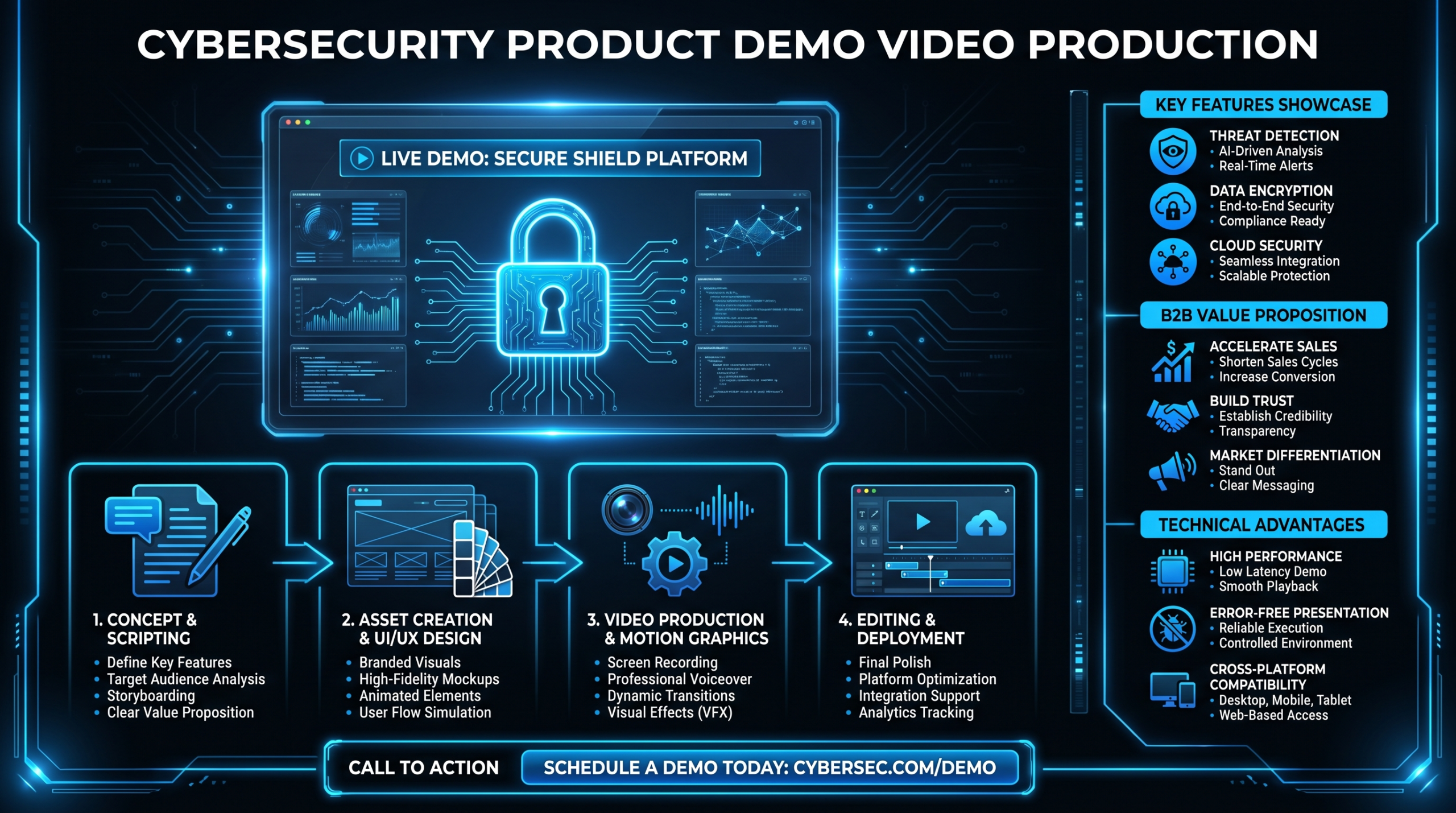
Security Product Demo Videos That Convert
TL;DR
- Security demos fail when they lead with features instead of the buyer's specific threat scenario.
- The winning structure is: pain setup → live workflow → verifiable proof → compliance-safe claims → CTA.
- Compliance language (SOC 2, ISO 27001, GDPR) must be hedged — never state certification status you cannot back with current documentation.
- Keep demo videos under 5 minutes for top-of-funnel; 8–12 minutes is appropriate for technical deep-dives with pre-qualified prospects.
- The biggest production mistake is unedited screen recordings — buyers equate messy demos with messy security products.
Table of Contents
- Why Security Demos Fail to Convert
- The Pain Setup: Lead With the Breach, Not the Feature
- The 5-Part Demo Structure That Works
- How to Handle Compliance Claims Without Legal Risk
- Production Essentials for Security Demo Videos
- Common Mistakes and How to Fix Them
- Demo Format Comparison by Buyer Stage
- How VEC Helps Security Teams Scale Demo Output
- FAQ
Security products solve real, high-stakes problems. But most security demo videos never communicate that — they open on a product logo, walk through a dashboard, and list features that could describe any of a dozen competing tools. The result is a buyer who watches for 90 seconds and closes the tab, no clearer on whether your product solves their specific problem.
The challenge is real: security features are abstract by nature. Threat detection, behavioral analytics, zero-trust policy enforcement — these concepts don't photograph well. You can't show a customer "not getting breached." What you can do is show a credible simulation of a threat scenario, the precise workflow that catches or blocks it, and the evidence that the product works as described. That's the difference between a demo video that generates pipeline and one that generates polite disengagement.
This guide covers exactly how to build that — the structure, the compliance guardrails, and the production quality that makes security buyers trust what they're watching. It's written for VP Marketing and Head of Content roles at Series A–C security SaaS companies who own the video strategy but may not have deep production experience in-house.
Why Security Demos Fail to Convert
Before building the right demo, it helps to understand exactly where the wrong ones break down. Security demo videos commonly fail for three structural reasons.
They Lead With Features, Not Problems
A feature is "real-time endpoint telemetry with ML-based anomaly scoring." A problem is "your SOC team is triaging 400 alerts a day and missing the one that matters." Buyers buy solutions to problems, not features. When a demo opens with a feature walkthrough, the buyer has to do the mental work of translating features into their own context — and most won't. They'll move on to a competitor whose demo makes that translation for them.
They Use Unedited Screen Recordings
The fastest way to lose credibility in a security demo is to present a raw, unedited screen recording with lag, misclicks, and a cluttered development environment. Buyers make snap judgments about product quality based on how it's presented. A poorly produced demo video signals a poorly engineered product — regardless of the underlying reality. According to Wistia's engagement research, viewer drop-off increases sharply in videos that feel unpolished or slow-paced, even when the content itself is valuable.
They Skip the "So What" for Non-Technical Buyers
The economic buyer for most security products is a CISO, VP of IT, or CFO — not a security engineer. These buyers care about business outcomes: reduced incident response time, audit-ready reporting, reduced breach risk exposure. Demos that speak exclusively to technical stakeholders lose the economic buyer before the deal can close. The best security demos have a layer for both: technical depth for the practitioner, business-outcome framing for the decision-maker.
The Pain Setup: Lead With the Breach, Not the Feature
The most effective security demo videos open with a credible, specific threat scenario — not a broad claim about the threat landscape. The goal is to create immediate recognition: "This is exactly the situation we deal with."
Build a Scenario Your ICP Recognizes
A fintech SaaS company's security team has different nightmares than a healthcare provider's. Credential stuffing via exposed API keys is a fintech problem. Ransomware targeting HIPAA-regulated data is a healthcare problem. Your pain setup should name the specific scenario that makes your ICP's VP of Engineering or CISO feel a familiar discomfort. Generic "cyberattack" framing doesn't create that recognition.
Effective pain setup elements for a security demo intro (30–60 seconds):
- The specific threat vector — supply chain compromise, insider threat, misconfigured cloud storage, API key leakage.
- The specific affected role — "Your SOC analyst," "Your DevOps team," "Your customer data."
- The specific consequence without your product — mean time to detect, alert fatigue, compliance gap, breach notification cost.
- The transition — "Here's what happens when [Product Name] is in place."
Use Motion Graphics for Abstract Threat Visualization
You can't show a live breach. But you can animate one. Motion graphics that illustrate the attack path — lateral movement across network segments, privilege escalation, data exfiltration — communicate the threat in a way that text and static diagrams cannot. This is a production investment that pays for itself in demo engagement, especially for top-of-funnel content where buyers are still forming their mental model of the problem space.
For a detailed look at when motion graphics outperform live-action footage, see our guide on SaaS video production approaches.
The 5-Part Demo Structure That Works
Once the pain is established, the demo itself follows a specific arc. Each step has a distinct job.
Part 1: Pain Setup (30–60 Seconds)
As described above — a specific threat scenario your ICP recognizes. Ends with a clear statement of what the demo will show: "In the next four minutes, you'll see how [Product] detects this threat in real time, automatically contains the affected endpoint, and generates a compliance-ready audit trail — without a single manual alert."
Part 2: Live Workflow (90–180 Seconds)
This is the core of the demo — the actual product in action against the threat scenario you set up. Key principles:
- Show, don't tell. If your product detects anomalous login attempts, show the detection event in the UI — don't narrate it over a static screenshot.
- Show the analyst experience, not the admin configuration. The temptation is to show all the powerful configuration options. The buyer wants to see the end state: what does the alert look like, how does the analyst respond, how does the product guide that response?
- Use a clean, realistic demo environment. No test data labeled "FAKE_USER_001," no development console errors visible in the background. The environment signals the maturity of the product.
- Annotate the critical moments. Visual callouts ("Behavioral anomaly flagged," "Auto-quarantine initiated," "SOC ticket generated") help the viewer track what's happening without relying solely on the voiceover.
Part 3: Verifiable Proof (30–45 Seconds)
After showing the workflow, show the output: the report, the audit log, the remediated state, the executive dashboard. This proof step answers the "how do I know it actually worked?" objection before it's raised. Third-party validation — an analyst firm quote, a G2 rating callout, a customer logo wall — reinforces the proof without requiring fabricated statistics.
Part 4: Compliance-Safe Claims (15–30 Seconds)
If your product helps buyers meet compliance requirements (SOC 2, ISO 27001, GDPR, HIPAA, FedRAMP), this is where you mention it. The framing matters enormously — see the full guidance in the next section.
Part 5: CTA (15–20 Seconds)
A security demo video should end with a single, specific next step — not three options. "Request a live demo with your own environment" is more compelling than "Contact us / Free trial / Learn more." The specificity signals that the next conversation will be tailored, not generic.
For more on the full product demo video production process — scripting, production, and distribution — see our complete guide to product demo video production.
How to Handle Compliance Claims Without Legal Risk
Compliance claims in marketing materials — including demo videos — are one of the highest-risk areas for security companies. The guidance below is practical marketing framing, not legal advice. Consult legal counsel for your specific claims.
The Three Tiers of Compliance Language
Compliance Claim Safety Tiers
| Claim Type | Example | Risk Level | Safe Framing |
|---|---|---|---|
| Certification status | "We are SOC 2 Type II certified" | High | "SOC 2 Type II certified — report available under NDA" (only if current, audited) |
| Compliance enablement | "Helps you achieve HIPAA compliance" | Medium | "Designed to support HIPAA-covered entities — compliance depends on your implementation" |
| Feature-level support | "Audit logs exportable in formats required by SOC 2" | Low | State as-is, backed by product documentation |
| Outcome claims | "Reduces audit preparation time by 60%" | Very High | Only if supported by documented customer case data — otherwise, "Teams commonly report reduced audit prep time" with no number |
What to Show in the Demo vs. What to Say
The safest approach is to show compliance features in the product UI — audit log exports, access controls, data residency settings, encryption status — and let the buyer draw their own compliance conclusions. The voiceover can frame the context ("Many of our customers use this audit trail to satisfy SOC 2 evidence requirements") without making a direct certification claim for the viewer's specific situation.
FedRAMP and Government-Specific Positioning
If your product is FedRAMP authorized or in-process, that's a significant differentiator. But the language must be precise: "FedRAMP Authorized" (ATOs granted), "FedRAMP In-Process" (listed in the marketplace, not yet authorized), or "FedRAMP Ready" (readiness assessment completed) are distinct statuses with different meanings. Using the wrong one in a demo video can create both legal and sales problems. Show the FedRAMP Marketplace listing in the video if you're authorized — it's a verifiable third-party signal.
Production Essentials for Security Demo Videos
The production quality of a security demo video directly affects how buyers perceive the product. A credible security vendor presents like a credible security vendor — polished, clear, methodical.
Screen Recording and Environment Setup
Before recording any screen footage:
- Use a dedicated demo environment — no dev console errors, no test data artifacts, no personal emails visible in the browser.
- Set browser zoom to 110–125% so UI text is readable when the video is viewed at 720p.
- Close all notification popups and disable OS-level alerts during recording.
- Record at 4K if possible; downscale to 1080p for the final render — this gives editors room to crop, zoom, and annotate without pixelation.
- Use a cursor-highlighting tool (or have the editor add a highlight overlay in post) so viewers can follow exactly where the presenter is clicking.
Voiceover and Narration
Security demo videos benefit from a calm, authoritative narration style — not the upbeat energy of a consumer product video. The tone should communicate expertise and control, which aligns with what buyers want from a security vendor. Key guidelines:
- Write a full script before recording — not bullet points. Every word in a security demo should be deliberate.
- Avoid hedging language in the narration ("this might help," "you could potentially"). Confidence is a trust signal.
- Narration pace: aim for 120–140 words per minute. Security buyers are often technical; they can follow a confident pace.
- Use a professional USB condenser microphone at minimum. Poor audio quality is the single fastest way to undermine a polished visual presentation.
Annotations and Motion Graphics
Professional-grade annotations transform a screen recording into a guided experience:
- Callout boxes highlighting specific UI elements at the moment they're relevant.
- Progress indicators showing where you are in the attack/response timeline.
- Data visualization overlays for alert volume, response time, or risk score trends.
- Lower-third labels identifying the role ("SOC Analyst," "CISO Dashboard") of each interface being shown.
Optimal Length by Funnel Stage
Security Demo Video Length by Buyer Stage
| Funnel Stage | Buyer Context | Recommended Length | Primary Goal |
|---|---|---|---|
| Top of funnel (awareness) | VP Marketing, CISO researching category | 2–3 minutes | Create problem recognition, generate demo request |
| Mid-funnel (consideration) | Security team evaluating vendors | 4–6 minutes | Demonstrate workflow superiority, address key objections |
| Bottom of funnel (decision) | Technical stakeholder, procurement | 8–12 minutes | Deep technical validation, integration proof |
| Post-sale (onboarding/expansion) | Existing customers, new team members | 5–8 minutes | Feature adoption, use case expansion |
Most security companies make the mistake of building one demo video and using it across all stages. The result is a mid-funnel video that's too long for awareness campaigns and too shallow for technical evaluations. A modular approach — a short overview, a workflow deep-dive, and a technical integration walkthrough — serves buyers better and converts better at each stage.
Common Mistakes and How to Fix Them
Even well-intentioned security demo programs make predictable errors. Here are the most common, with specific fixes.
Mistake 1: The 20-Minute "Full Product Tour"
Why it happens: Product managers want to show everything. Sales teams want to cover all objections preemptively.
What it costs you: Most buyers disengage before the most relevant features appear. A 20-minute video gets watched for an average of 3–4 minutes by a cold prospect.
Fix: Build a modular library. One 3-minute overview. Five 4-minute use-case videos (endpoint detection, identity threat, cloud misconfigurations, insider risk, compliance reporting). Prospects self-select into the content most relevant to their problem — and they arrive at the sales conversation already sold on the specific use case that applies to them.
Mistake 2: Showing the Configuration, Not the Value
Why it happens: Engineers build demo videos around what they find interesting — the technical depth, the configuration flexibility, the API options.
What it costs you: The buyer's decision-making authority usually sits with someone who needs to see outcomes, not options.
Fix: Start with the end state (the blocked threat, the clean audit report, the resolved incident), then offer to show the underlying configuration to interested technical stakeholders. Lead with the outcome, follow with the how.
Mistake 3: Generic Threat Scenarios
Why it happens: Creating a realistic, ICP-specific threat scenario requires research and creative effort. Generic scenarios are faster to produce.
What it costs you: Generic scenarios don't create the "this is exactly our situation" recognition that drives demo requests and sales velocity.
Fix: Invest in 2–3 ICP-specific versions of your core demo. A healthcare version, a fintech version, and a B2B SaaS version might all demonstrate the same product capability, but each resonates with its specific audience in a way a generic scenario cannot.
Mistake 4: No Clear Call to Action
Why it happens: Demo videos are often produced by product teams, not marketing teams, and CTA strategy is an afterthought.
What it costs you: An interested buyer who doesn't know what to do next will do nothing. The window between interest and action is short.
Fix: Every demo video ends with a single, specific CTA with urgency framing. "Request a customized demo using your own environment" outperforms "Contact us" because it describes a specific, valuable outcome — a demo tailored to their infrastructure, not a generic sales call.
Mistake 5: Letting the Demo Get Stale
Why it happens: Producing a polished demo video is an investment, and teams want to maximize its lifespan.
What it costs you: Security buyers pay close attention to product recency signals. An interface that looks like a 2023 UI on a product that released major updates in 2025 raises credibility questions. Similarly, demo content referencing threat vectors that have since evolved (or been addressed by the market) makes your product look behind the curve.
Fix: Build quarterly demo refresh checkpoints into your content calendar. The refresh doesn't need to be a full reprod — often, it's a matter of updating the UI captures, refreshing the threat scenario context, and re-recording narration for changed sections. A dedicated video editing team can turn around these refreshes in days, not weeks.
Demo Format Comparison by Buyer Stage
Security Demo Video Format Comparison
| Format | Best For | Production Cost Range | Conversion Goal | Shelf Life |
|---|---|---|---|---|
| Animated overview (motion graphics) | Awareness campaigns, cold outreach | $4,000–$12,000 one-time | Demo request | 12–18 months |
| Narrated screen recording (edited) | Mid-funnel consideration | $1,500–$4,000 per video | Technical qualification | 6–9 months |
| Use-case vignette (2–3 min) | Paid ads, email sequences, landing pages | $800–$2,500 per video | Click-to-demo | 6–12 months |
| Technical deep-dive (8–12 min) | Late-stage technical evaluation | $2,000–$5,000 per video | Stakeholder consensus | 6–9 months |
| Interactive demo (video + branching) | Self-serve evaluation | $8,000–$25,000+ setup | Product-led conversion | Variable |
Cost ranges are public-data estimates based on market rates for B2B software demo video production — individual quotes vary by agency, complexity, and revision scope. For a full breakdown of what drives demo video production costs, see our video editing services guide.
"The security demo video isn't just a sales tool — it's a trust signal. Buyers are evaluating the product and the company that built it. Professional production communicates that you take quality seriously, which is exactly what a security buyer wants to believe."
How VEC Helps Security Teams Scale Demo Output
Building a modular demo video library — and keeping it current — requires consistent production capacity. Most security marketing teams don't have that capacity in-house, and one-off agency projects are too slow and expensive to maintain a living demo library.
Video Editing Company (VEC) provides dedicated video editing teams specifically built for B2B SaaS companies. For security vendors, that means a team that understands the product complexity, knows how to handle demo environment footage, and can annotate, pace, and voice-over a technical walkthrough in a way that serves both the technical and business-buyer audience.
VEC's plans — Growth at $5K/mo, Core at $9.5K/mo, Scale at $16K/mo — are structured to support ongoing demo library management, not just one-time video projects. The Core plan, for example, gives security teams enough throughput to maintain a 5-format demo library (overview, 3 use-case vignettes, technical deep-dive) with quarterly refreshes and format variants for ads, landing pages, and email.
The "double your video output in 90 days or month 4 is free" guarantee is particularly relevant for security teams that need to launch a demo library fast — a go-to-market motion or Series B fundraise timeline won't wait for a slow content ramp-up.
For teams that want to see how a dedicated editing model compares to the alternatives, our guide on how to outsource video editing covers the trade-offs in detail.
According to HubSpot's Video Marketing research, video remains one of the highest-ROI content formats for B2B marketing, with demo videos consistently among the most influential content types in the purchase decision. For security vendors competing in a crowded market, the production quality and strategic structure of your demo video library is a meaningful differentiator — not a nice-to-have.
For the end-to-end process behind a demo like this, see the product demo video production guide, which also links to our cost, script and industry guides.
Frequently Asked Questions
How long should a security product demo video be?
For top-of-funnel content, keep demos at 2–3 minutes. Mid-funnel consideration videos can run 4–6 minutes. Technical deep-dives for late-stage evaluations can extend to 8–12 minutes. The key rule: length should match the buyer's context and readiness level, not the breadth of your feature set. Most security companies lose engagement by trying to fit every capability into a single video.
Can we claim SOC 2 compliance in our demo video?
You can reference your certification status if it's current and audited, but framing matters. "SOC 2 Type II certified — report available under NDA" is verifiable. "We are fully compliant" is vague and opens liability. Never claim compliance outcomes for the buyer's environment — your product may support compliance, but compliance depends on how it's implemented. Always have legal review compliance language in any public-facing video before publishing.
Should we use real customer data in our security demo?
Never. Use a purpose-built demo environment with synthetic data that looks realistic. Real customer data in a demo video creates privacy exposure and, if the customer recognizes their data, a serious trust problem. The demo environment should be stable, fully controlled, and designed to show the product at its best — not reflect a real production state with all its edge cases and artifacts.
How often should we update our security demo videos?
Plan for quarterly reviews at minimum. Security products evolve rapidly — new threat vectors, new integrations, new UI updates — and demo content that looks dated signals to buyers that your product (and company) may be behind the curve. Use-case vignettes for paid ads should be refreshed more frequently than long-form technical demos. Build a refresh cadence into your content calendar rather than treating demo videos as one-time assets.
What's the difference between a demo video and a product tour video?
A demo video follows a specific scenario — a buyer problem, a workflow that addresses it, and an outcome. A product tour video walks through the interface feature-by-feature without a narrative arc. Demo videos consistently outperform product tours for pipeline generation because they connect the product to the buyer's specific problem. Product tours are valuable for onboarding existing customers, but they're rarely the right format for acquisition content.
Ready to Build a Demo Video Library That Actually Converts?
VEC provides dedicated video editing teams for B2B SaaS and security companies. We handle everything from screen recording cleanup to motion graphics, narration editing, and format variants — so your team can ship a complete demo library and keep it current without hiring in-house.
Book a Free Strategy Call View Plans & Pricing
