Primary: #3B82F6
Accent: #10B981
Dark BG: #0F172A
Light text: #F1F5F9
Grade: Cool, medium contrast, slightly desaturated


Brand video production is more than making videos that look good — it's about building a visual language so distinctive that your audience recognizes your content before they see your logo. Think of Apple's clean minimalism, Nike's kinetic energy, or Stripe's geometric elegance. These brands don't just produce video; they've encoded their identity into every frame, transition, and sound.
Most companies treat video as a marketing tactic — something to check off the content calendar. But the brands that win long-term treat video as a strategic identity tool. Every video they publish reinforces who they are, what they stand for, and how they want to be perceived. This guide shows you how to build that level of intentional, cohesive brand video production — from creating a video style guide to ensuring consistency across every piece of content you produce.
Let's establish the business case before diving into execution. Why should you care about building a visual identity through video rather than just producing videos as needed?
Consistent brand presentation across all platforms increases revenue by up to 23%, according to research from Lucidpress. Video is increasingly the first — and sometimes only — brand touchpoint for new prospects. If your videos look different every time (different colors, different fonts, different energy), you're not building recognition. You're confusing your audience and starting from zero with every publish.
Humans trust what they recognize. A brand that looks the same across its website, social media, YouTube channel, and ads signals professionalism, stability, and competence. Inconsistent video production — where every video looks like it was made by a different company — erodes trust subconsciously. Viewers may not be able to articulate why, but something feels "off."
Every competitor in your space is producing video content. The content topics overlap. The talking points are similar. The production quality is converging. The only sustainable differentiator is your visual identity — the unique way your brand looks, moves, and feels on screen. A strong brand storytelling video approach creates emotional connections that generic content can't match.
A well-defined video brand identity actually makes production faster and cheaper, not slower and more expensive. When your editor knows exactly which fonts to use, which transition style to apply, which music genre to pull from, and which color palette to follow, they don't have to guess — or wait for approval on creative decisions that should already be decided. Style guides eliminate decision fatigue and reduce revision cycles.
A complete brand video identity covers seven dimensions. Most companies nail 2–3 and leave the rest to chance. Consistency requires intentionality across all seven.
Your brand colors should carry into video naturally — not just in logos and lower thirds, but in set design, wardrobe direction, lighting color temperature, and color grading. Define:
Fonts in video work differently than in print. Define:
This is where most brands fail. Motion language — how things move in your videos — is one of the strongest identity signals, yet rarely defined:
Audio is 50% of the video experience. Your audio identity includes:
How you frame your subjects communicates authority, intimacy, or energy:
Your graphic system includes all visual elements that appear over or alongside footage:
How your brand speaks on video — independent of who's on camera:
If you don't have video brand guidelines yet, here's the step-by-step process to create them:
Gather every video your company has published in the last 12 months. Watch them all and note:
This audit reveals your current baseline and the gap between where you are and where you want to be.
Gather 10–15 videos from other brands (in and outside your industry) that represent elements of your desired video identity. For each reference, note specifically what you're drawn to — the color grade, the pacing, the text style, the music, the energy. Be specific: "I like Apple's clean title cards and minimal transitions" is useful. "I like Apple's videos" is not.
Work through the 7 pillars above with your brand and creative team. For each pillar, define:
Build reusable production assets that enforce consistency:
Package everything into a shareable brand video guide. This document should be usable by anyone — internal editors, freelancers, agencies, or editing companies — to produce on-brand video without your direct supervision. Include visual examples (screenshots, GIFs, or video clips) for every standard. Written descriptions alone are insufficient for visual guidelines.
Apply the guidelines to your next 5–10 videos. Note where the guidelines work well and where they're too rigid, too vague, or impractical. Update the guide based on real-world production experience. Video brand guidelines are living documents — review and update them quarterly.
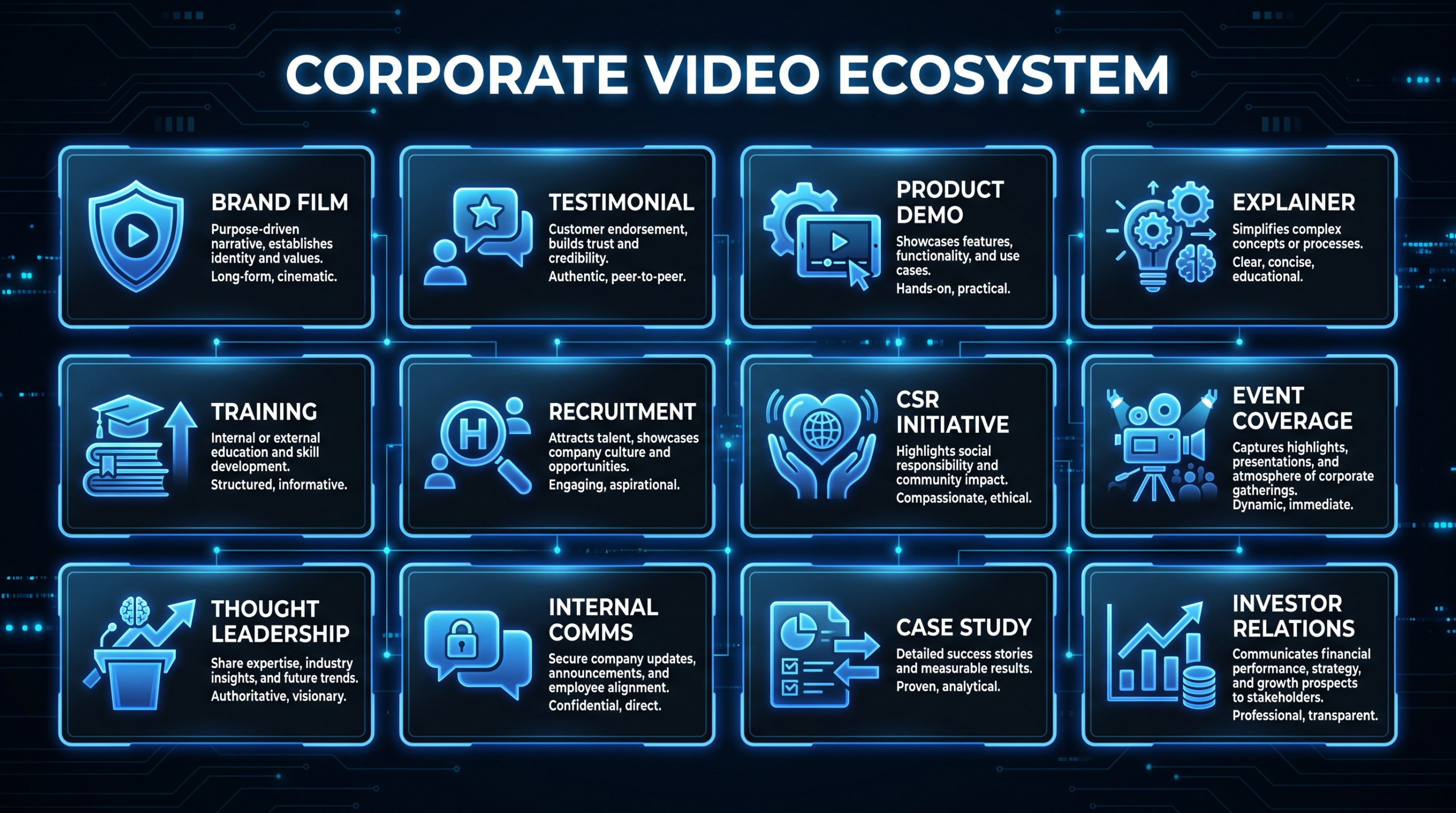
Your visual identity should be recognizable across all content types, but each type has different requirements. Here's how to adapt your brand identity for the most common SaaS and B2B video formats:
These are your flagship brand storytelling videos — the content that defines your narrative, mission, and emotional appeal. Brand films typically run 2–5 minutes, feature cinematic production quality, and prioritize storytelling over product features. This is where your visual identity should be at its strongest and most intentional.
Brand film best practices:
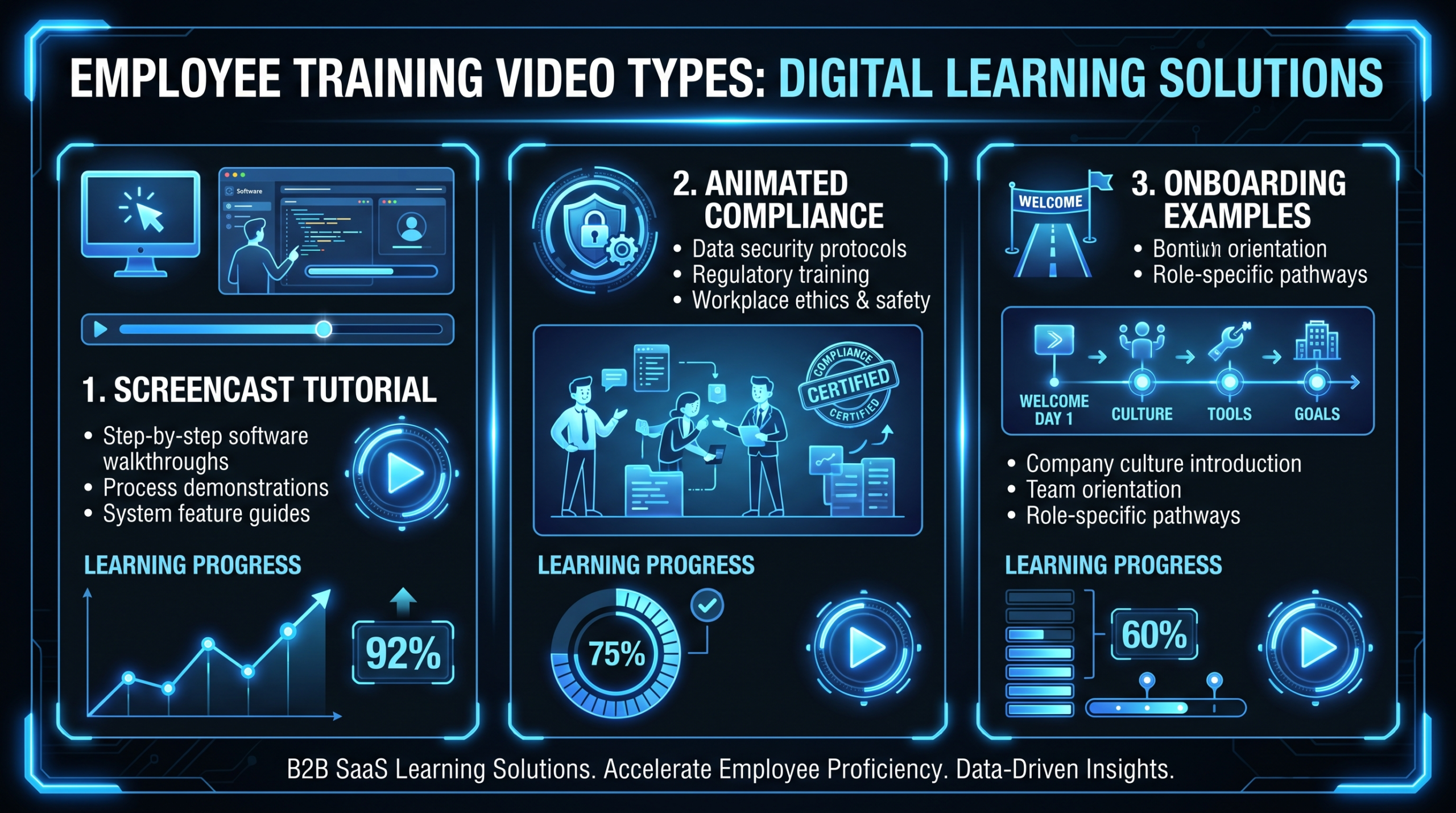
Product demos, feature highlights, and tutorials. These are functional content that should still feel unmistakably yours. Apply your lower thirds, transition style, color palette, and audio identity to screen recordings and product footage.
Brand storytelling video at its most powerful. Customer testimonials and case studies put real humans in your brand's visual framework. Maintain your interview framing style, background treatment, and graphic system while letting the customer's authentic voice drive the narrative.
Short-form social clips are where brand consistency is tested most severely — and where many brands fail. The temptation to follow platform trends (using trending fonts, colors, and styles) can dilute your visual identity. Solution: create platform-native content that uses your brand's motion language and color palette while adapting to platform conventions. Your Instagram Reels should look like your brand's Reels, not like everyone else's.
Executive interviews, conference talks, and industry commentary. These videos feature your people as the brand embodiment. Ensure consistent framing, lighting quality, background treatment, and lower third design across all thought leadership content, regardless of where it's filmed.
Use this checklist to audit every video before it publishes. Consistency isn't about perfection — it's about intentionality.
Even companies that invest in brand video production often undermine their own efforts:
Creating a beautiful 30-page video style guide that nobody reads or follows. The fix: make the style guide actionable by packaging it with templates, LUTs, font files, and example videos. Then build compliance into your review process — use the consistency checklist above as a literal approval gate.
Over-enforcing brand guidelines kills creativity. Your style guide should define the boundaries, not dictate every creative decision. A great guideline says "transitions should feel smooth and intentional" — it doesn't say "use exactly a 12-frame dissolve on every cut." Leave room for editors and directors to bring their craft within your brand's framework.
Marketing produces brand-consistent videos. Sales produces rough webcam recordings. Product produces screen captures with no branding. The result: your video identity depends on who's producing. The fix: create lightweight templates for every content type — even informal ones — so that even a quick Loom recording has a branded intro slide and sign-off.
Companies invest heavily in visual branding and completely ignore audio. If your videos use random royalty-free music from whatever the editor finds first, your audio identity is chaotic. Curate a music library, define sonic guidelines, and invest in a simple audio logo that punctuates every video.
Brands evolve. Your video identity should too — but intentionally, not accidentally. Review and refresh your video style guide annually. Update templates, refresh your color grade, and evolve your motion language to stay current without losing recognition. The goal is evolution, not revolution.
If you outsource editing (and most brands should for volume content), your video style guide becomes the most important document in the relationship. Here's how to make the partnership work:
A Series A fintech startup came to us with zero video content and a need to establish their brand presence through video. Here's the process and outcome:
Several trends are reshaping how brands build and maintain their video identity:
Tools are emerging that can automatically apply your brand's color grade, lower thirds, and transitions to raw footage. While not yet sophisticated enough for premium content, these tools are making brand consistency achievable for high-volume social content where manual editing per piece isn't practical.
Platforms like Synthesia and HeyGen enable personalized video at scale — same brand identity, different messaging for different audience segments. Imagine producing one customer story template and dynamically swapping text, data, and CTAs for different industries or buyer personas.
As brands publish across 5–10 platforms simultaneously, the need for adaptive brand identity systems grows. The future isn't one style guide — it's a system that defines how your identity flexes across platforms while maintaining recognition. Your TikTok content won't look identical to your YouTube content, but both will be unmistakably yours.
What is a brand video style guide and why do I need one?
A brand video style guide documents all the visual, audio, and editorial standards for your video content — colors, fonts, transitions, music, framing, tone, and graphic elements. You need one because it ensures consistency across all videos regardless of who produces them, reduces revision cycles, speeds up production, and builds brand recognition over time.
How much does it cost to create a brand video identity?
Creating the foundational elements (style guide, templates, initial content) typically costs $10,000—$30,000. This includes the strategic definition, template creation, and 3–5 foundational videos that set the standard. Ongoing production using the established identity is significantly cheaper — $1,500—$5,000/month through an editing company.
Can I build a brand video identity without a big budget?
Yes. Start with the essentials: define your color palette, choose one font family, create a simple lower third template, select 5–10 approved music tracks, and write a one-page tone guide. This "minimum viable brand" gives you enough consistency to start building recognition, and you can expand the system as budget allows.
How often should I update my video brand guidelines?
Conduct a comprehensive review annually. Make minor updates quarterly based on production experience and audience feedback. Major refreshes (new color grading, new motion language, new graphic system) should coincide with broader brand evolutions, not happen in isolation.
How do I ensure consistency when working with multiple editors or agencies?
Three things: (1) A comprehensive style guide with visual examples (not just written rules), (2) Template files (Premiere/AE projects, LUTs, font packages) that all editors use, and (3) A dedicated brand reviewer who checks every video against the consistency checklist before publish. The style guide is the constitution; the templates are the tools; the reviewer is the quality gate.
What's the difference between brand video production and regular video production?
Regular video production focuses on making individual videos that look good. Brand video production focuses on building a cohesive visual system where every video reinforces your brand identity. The difference is strategic intent — brand video production considers how each video relates to every other video your company produces, creating a unified experience rather than disconnected content.
Start every video project with clarity. Our B2B Video Brief template includes sections for brand identity alignment, audience definition, messaging hierarchy, and production specifications.
Download the Brief → See PricingBrand video production is a long game. Every video you publish either reinforces or dilutes your identity. Start by defining the essentials — color, type, motion, audio — and build from there. Create a style guide that your team and partners can follow. Invest in foundational content that sets the standard. Then maintain consistency through systems, checklists, and quality gates.
The brands that win with video aren't the ones that spend the most per video. They're the ones that build a recognizable identity and maintain it relentlessly across every piece of content they produce. Start that process today, and in six months your audience will recognize your content before they see your logo.
Ready to build a brand video identity that sticks? Book a strategy call View Pricing and let's design a video identity system tailored to your brand.