
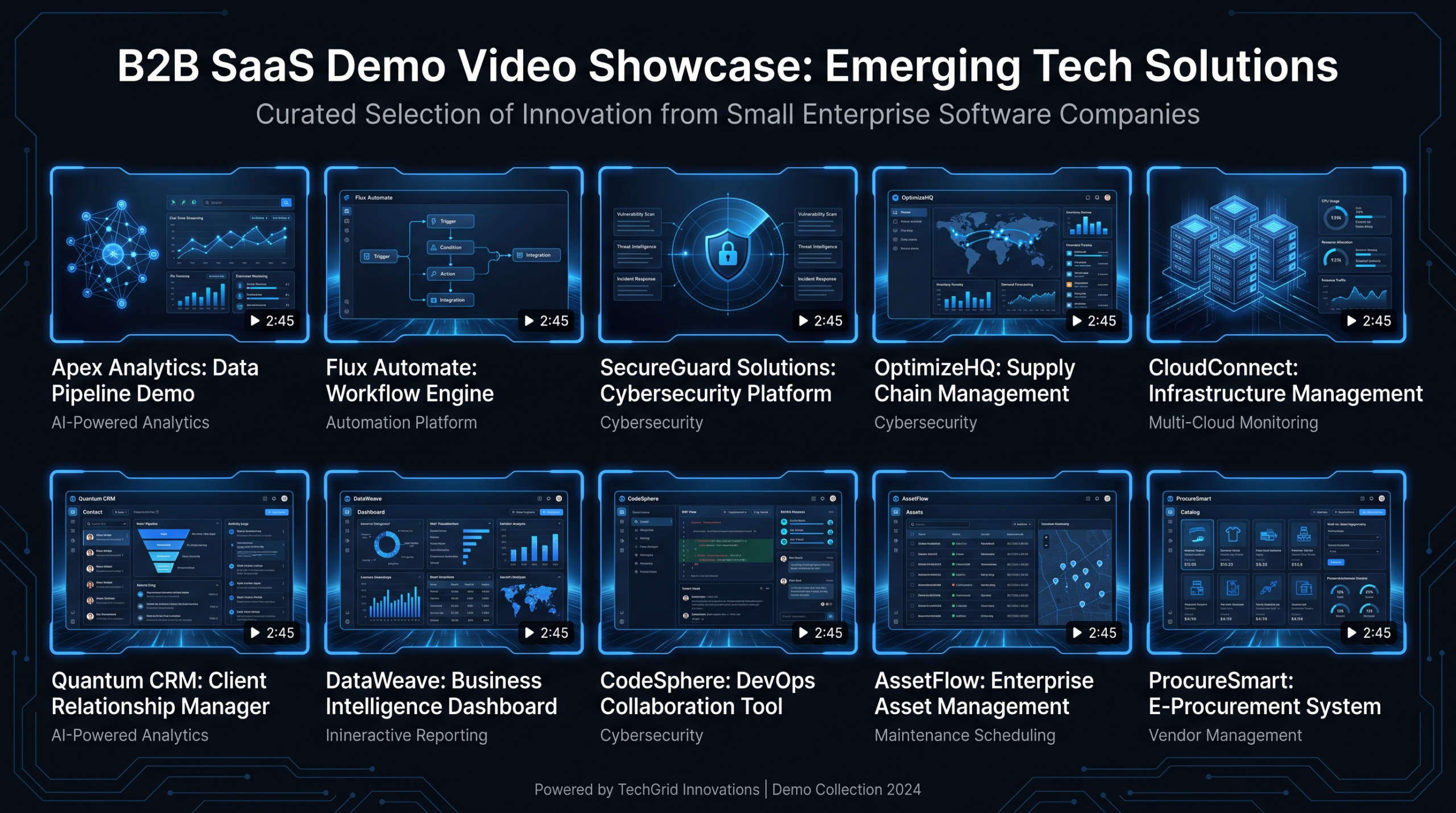
10 Demo Videos From Companies Under 200 People
TLDR
- 10 real B2B SaaS demo videos from small teams — each analyzed for hook, structure, length, and the lesson you can steal.
- Small teams outperform big-budget productions by being specific, product-led, and ruthlessly clear about the one problem they solve.
- Best practices: open with the pain (not the logo), show the product within 15 seconds, keep top-of-funnel demos under 2 minutes.
- Summary comparison table at the end covering all 10 — bookmark it for your next demo brief.
Table of Contents
Most VP Marketing decks pull demo video inspiration from Salesforce, HubSpot, or Google Workspace — companies with eight-figure production budgets and brand recognition that does half the selling before the video even starts.
That's the wrong reference pool.
If you're leading marketing at a Series A–C SaaS company with 20–200 people, your demo video has to work harder: no household name, no massive media buy behind it, no celebrity brand trust. What you have is a real product that solves a real problem — and your demo either communicates that clearly in two minutes or it doesn't.
These 10 b2b demo video examples all come from companies that operated at or under 200 employees when the videos were produced. Some are household names now; most remain in the 20–100 person range. What they share is the ability to create demo content that converts without a full production agency on retainer or a film crew in the office.
For each example you'll find: the company, what the product does, what makes the demo work, a structural breakdown, and the one lesson you can take into your next brief.
Why Small Team Demos Outperform Big-Budget Videos
There is a counterintuitive pattern in B2B video: demos produced by small, product-obsessed teams frequently outperform high-production studio content. The reasons are structural.
- Founders or PMs narrate. When someone who built the product explains it, the knowledge density is higher and the conviction is visible. Hired voiceover artists cannot replicate that.
- Specificity beats polish. A demo that shows exactly how one workflow works in 90 seconds will outperform a cinematic brand film that gestures vaguely at "transformation."
- Small teams iterate faster. A startup can update a demo video in a week when a feature ships. Enterprise marketing teams often operate on 6-month production cycles.
- The product is the star. Small-team demos tend to show the actual UI, actual use cases, actual results. Big-budget productions often hide the product behind metaphors and lifestyle footage.
None of this means production quality does not matter. A blurry screen recording with bad audio will kill conversion regardless of how good the product is. The standard you are aiming for is clean, clear, and credible — not cinematic. Product demo video production at the right quality level is accessible to any team with the right brief and the right post-production support.
The 10 B2B Demo Video Examples
#1 — Loom: The Problem-First Open
Company: Loom | Product: Async video messaging for teams
Loom's early demo videos — produced when the team was under 50 people — became a case study in product-led growth content. The formula: open with a relatable workplace frustration ("How many meetings could have been an email?"), show someone opening Loom and recording a quick message in under 20 seconds, then cut to the recipient watching it on their own schedule.
Hook: Problem articulated in the first 5 seconds — no logo, no tagline, no company backstory.
Structure: Problem → Product in action → Result → CTA. Four beats, under 90 seconds.
Length: Primary hero demo ~90 seconds. Feature-specific demos 30–45 seconds.
Style: Screen recording with talking-head overlay, minimal production, authentic tone.
Lesson to steal: The first 5 seconds should name the pain, not introduce the company. Viewers who recognize the problem will watch the solution. Viewers who do not recognize the problem will not buy anyway — filtering them out early is a feature, not a bug.
#2 — Fathom: The Output-First Demo
Company: Fathom | Product: AI meeting notes and highlights for Zoom and Teams
Fathom's product demo is structurally simple: a real Zoom call recording, Fathom running in the background, then the AI summary delivered seconds after the call ends. The demo requires almost no explanation because the output sells itself — a wall of organized notes and action items appears automatically, and the value is immediately obvious.
Hook: "What if your meetings wrote themselves?" — followed immediately by the product doing exactly that.
Structure: Setup (the meeting notes problem) → Demo in real-time → Output (the summary) → CTA.
Length: ~2 minutes for the core demo; shorter cuts for paid social.
Style: Screen-only recording. No talking head, no voiceover actor — product-driven throughout.
Lesson to steal: If your product's output is visually compelling — an AI-generated document, a dashboard, an instant result — build the demo backwards from that output. Show the end state first, then show how you got there. The reveal is more powerful than a front-to-back feature walk-through.
#3 — Tally: The Contrast Demo
Company: Tally.so | Product: Free form builder (Notion-style, no-code)
Tally's team of under 10 people built a demo that works through contrast: it opens with a cluttered, expensive competitor interface, then cuts to Tally's clean single-page builder. The entire form is built live in under 60 seconds with no tutorial narration — just the product being used fluidly. The price contrast (free vs. competitor pricing) is shown at the end, not the beginning.
Hook: Competitor UI shown first — immediately recognizable pain for anyone who has used a heavy enterprise form tool.
Structure: Contrast setup → Live build → Feature highlights → Price reveal → CTA.
Length: ~75 seconds for the hero demo.
Style: Screen recording with minimal motion graphics text overlays. No voiceover required.
Lesson to steal: Contrast is one of the most underused structures in B2B demos. Show the alternative first — the messy spreadsheet, the expensive tool, the manual process — before showing your product. The contrast makes your solution look cleaner than a standalone demonstration would ever achieve.
#4 — Riverside.fm: The Quality-Proof Demo
Company: Riverside.fm | Product: Studio-quality remote podcast and video recording
Riverside has an inherent structural advantage in demo video: the product's value is audiovisual quality, which means a demo video is simultaneously proof of product. Their demos show two remote participants recording a podcast through Riverside, then cut to a side-by-side of Riverside's local-track recording quality vs. a standard Zoom recording. The quality difference is immediate and visceral — no narration needed.
Hook: Side-by-side audio and video quality comparison — the kind of difference that is impossible to describe in words but obvious on screen.
Structure: Setup → Quality comparison → Workflow walk-through → Social proof → CTA.
Length: ~2.5 minutes for the full demo; 30-second clips for paid social.
Style: Higher production value appropriate for a product that promises quality; talking-head segments, screen recording, and real recordings from the platform.
Lesson to steal: If your product's value is experiential, your demo should be experiential too. Do not describe the quality — demonstrate it. Riverside's demo works because it makes you feel the difference, not just understand it intellectually. Whatever your product's primary differentiator is, find a way to make the viewer experience it, not just hear about it.
#5 — Linear: The Speed Demo
Company: Linear | Product: Issue tracking and project management for software teams
Linear's demos are widely discussed in product circles for one reason: they make the product's speed the main character. The demo shows keyboard shortcuts, instant page loads, and sub-100ms command palette interactions — all in real-time with no cuts or speed-ups. For software teams conditioned to slow, clunky issue trackers, watching Linear operate at this speed is viscerally compelling.
Hook: "Everything in Linear is fast" — proven immediately through keyboard-driven navigation that is almost meditative to watch.
Structure: Speed thesis → Core workflows at speed → Power features → Positioning statement.
Length: ~3 minutes for the full product demo; shorter clips for specific features.
Style: Screen recording only. No voiceover. Ambient music with deliberate pacing. Text overlays for keyboard shortcuts.
Lesson to steal: Every product has a defining characteristic — speed, simplicity, accuracy, depth. Build your demo so that one characteristic is undeniably demonstrated, not merely claimed. Linear does not say they are fast; they show it in a way that makes you feel slow for using anything else. Identify your product's single most compelling differentiator and structure the entire demo around proving it.
#6 — Cal.com: The Technical Transparency Demo
Company: Cal.com | Product: Open-source scheduling infrastructure
Cal.com's demos lean into a specific positioning: radical transparency and configurability. Their demos show not just the scheduling interface but also the settings depth — webhooks, API integrations, white-label options, and routing forms. The target audience (technical teams who want control over their scheduling stack) responds to this configuration visibility in ways that a polished, simplified demo would never achieve.
Hook: "Your meetings, your data, your way" — followed by a tour of configuration options that proprietary scheduling tools do not expose.
Structure: Core use case → Differentiation (self-host and customization) → Integration walkthrough → CTA.
Length: Core demo ~4 minutes — longer than most, and appropriate for a technical audience actively evaluating infrastructure.
Style: Screen recording, founder or team narration, authentic and direct. Not over-produced.
Lesson to steal: Know who you are making the demo for. Cal.com's longer, technically detailed demo would lose a non-technical buyer — but it is exactly right for the DevOps lead or CTO evaluating scheduling infrastructure. Demo length should match audience technical depth, not a universal "keep it short" rule. Shorter is better for general audiences; longer is better for specialists who need depth to make a purchase decision.
#7 — Grain: The After-State Demo
Company: Grain | Product: AI meeting highlights and CRM integration for sales teams
Grain's demos do something most product demos avoid: they show the workflow after the recording ends. Most meeting tools demo the recording itself. Grain demos the downstream value — a highlight clip shared in Slack, a call insight pushed to HubSpot, a manager reviewing a rep's discovery call without watching 45 minutes of footage. The demo proves ROI, not just features.
Hook: A sales manager receiving a 3-minute highlight summary of a 45-minute discovery call — immediately understanding the deal dynamics without sitting through the full recording.
Structure: Pain (managers cannot review every call) → Record → AI clip generation → CRM push → Manager review → CTA.
Length: ~2.5 minutes for the core demo.
Style: Screen recording with text callouts, ambient music, professional voiceover that stays focused on the downstream outcome.
Lesson to steal: Show what happens after someone uses your product, not just during it. The "after state" — the Slack notification, the CRM field populated, the report generated — is often more compelling than the core feature itself, because it shows business impact rather than product mechanics. Most demos end too early: at the feature, not at the outcome.
#8 — Attio: The Category-Creation Demo
Company: Attio | Product: Modern CRM for high-growth teams
Attio's demos are built around a clear category-creation thesis: CRM built for how modern teams actually work, not how enterprise sales teams worked in 2005. The demos show Attio syncing with email and calendar automatically, surfacing relationship data without manual data entry, and adapting record views to match each team's actual workflow. The implicit contrast to legacy CRM is present throughout without requiring a competitor to be named.
Hook: "What if your CRM updated itself?" — then showing contact records, deal stages, and engagement data populating without a single manual entry.
Structure: Category framing → Auto-enrichment demo → Custom views → Integration ecosystem → CTA.
Length: ~3 minutes for the hero demo; feature-specific clips run 45–90 seconds.
Style: High-quality screen recording with professional motion graphics and clean ambient soundtrack. The production quality signals the premium positioning without a single word about it.
Lesson to steal: If you are creating or capturing a new category, your demo needs to do category education and product demonstration simultaneously. Attio cannot simply show CRM features — they first have to establish why existing CRM is broken, then show how they have fixed it. If your product challenges the dominant approach in your market, your demo needs to acknowledge and frame that challenge before presenting your solution.
#9 — Canny: The Full Loop Demo
Company: Canny | Product: Product feedback management and roadmap voting
Canny's demos are structured around a complete feedback loop that any product team recognizes immediately: a user requests a feature, it gets lost in a spreadsheet, no one tracks whether it was built, and the user who requested it never finds out. Canny shows the entire loop working — request captured, voted on by other users, added to roadmap, shipped, and the original requester notified automatically.
Hook: The product team's spreadsheet of 400 feature requests that no one can prioritize — a pain that is viscerally recognizable for any PM watching.
Structure: Problem (the spreadsheet chaos) → Capture → Prioritize → Ship → Close the loop → CTA.
Length: ~2 minutes for the core narrative demo.
Style: Screen recording, text callouts, clear before/after structure. Minimal narration — the workflow speaks for itself.
Lesson to steal: Show the complete workflow loop, not just one step. The value of many B2B tools only becomes clear when you see the full cycle — from input to output to business result. Isolating one step in the middle undersells the product. If your product has a closed-loop workflow (input → processing → output → notification), your demo should show all four stages.
#10 — ChartMogul: The Specialist Depth Demo
Company: ChartMogul | Product: Subscription analytics and revenue intelligence for SaaS
ChartMogul's demos are unusually honest: they show real-looking sample data with genuine analytical complexity. MRR charts, churn cohorts, expansion revenue breakdowns — the kind of dashboards SaaS CFOs and founders actually care about. The demo does not simplify the data to make the product look approachable; it shows full analytical power and trusts the audience to understand it.
Hook: A single number — the company's real-time MRR — appearing on screen as the first visual. For a SaaS founder, that number is the most important thing in their business.
Structure: MRR overview → Churn analysis → Cohort breakdown → Integration inputs → CTA.
Length: ~3.5 minutes for the full feature tour; shorter vertical clips for paid targeting to specific personas.
Style: Screen recording with professional narration. Data-forward, deliberately not over-simplified.
Lesson to steal: Do not dumb down your demo for a general audience if your ICP is a specialist. SaaS analytics tools often make the mistake of showing simplified dashboards to avoid overwhelming viewers — but the specialists you are targeting will be less impressed by a simple chart than by seeing their actual data complexity handled elegantly. Respect your buyer's domain expertise in how you design the demo.
Summary: All 10 B2B Demo Video Examples at a Glance
B2B Demo Video Examples — Comparison Table
| Company | Length | Style | Funnel Stage | Core Technique |
|---|---|---|---|---|
| Loom | ~90 sec | Screen + talking head | Top of funnel | Problem-first open |
| Fathom | ~2 min | Screen only | Mid-funnel | Output-first reveal |
| Tally.so | ~75 sec | Screen only | Top of funnel | Contrast structure |
| Riverside.fm | ~2.5 min | High production + screen | Top of funnel | Experiential quality proof |
| Linear | ~3 min | Screen only + music | Mid-funnel | Speed demonstration |
| Cal.com | ~4 min | Screen + founder narration | Mid/bottom funnel | Technical depth |
| Grain | ~2.5 min | Screen + voiceover | Mid-funnel | After-state demo |
| Attio | ~3 min | Screen + motion graphics | Top/mid funnel | Category creation |
| Canny | ~2 min | Screen + callouts | Mid-funnel | Full workflow loop |
| ChartMogul | ~3.5 min | Screen + narration | Mid/bottom funnel | Specialist depth |
Notice the pattern in length: top-of-funnel demos cluster under 2 minutes; mid-to-bottom-funnel demos extend to 3–4 minutes. This maps directly to where the viewer sits in the buying process. Someone who just discovered your product needs a fast, compelling "what is this?" video. Someone actively evaluating vendors needs enough detail to make a confident comparison.
For a full breakdown of how to structure video production for different funnel stages, see our guide to SaaS video production.
5 Patterns That Appear in Every Strong Demo
Across all 10 of these b2b demo video examples, five structural patterns appear repeatedly. These are not stylistic preferences — they are recurring decisions that distinguish high-performing demos from average ones.
1. The Pain Is Named Before the Product Is Shown
Without exception, every effective demo in this list opens with an articulation of the problem — not the company name, not a logo animation, not a brand statement. The viewer needs to recognize themselves in the pain before they will care about the solution. Research from Wistia on video engagement patterns consistently shows that videos retaining problem-first openings hold significantly more viewers past the 10-second mark than product-first or brand-first openings. The first sentence of your demo is not an introduction — it is a filter.
2. The Product Appears Within 15 Seconds
After naming the pain, every strong demo cuts immediately to the product. No animations of abstract concepts. No stock footage of people looking frustrated at computers. The UI, the dashboard, the actual product — on screen within 15 seconds. The longer a demo waits to show the product, the more it signals that the product itself is not the selling point. If you find yourself writing a script where the product does not appear until the 30-second mark, that is a brief problem, not a production problem.
3. One Core Workflow, Not a Feature Tour
The weakest demo videos are feature tours — four minutes of "and then you can also…" as the presenter navigates through every menu. The strongest demos in this list show one primary workflow, end to end. The viewer leaves understanding exactly what the product does for one specific job-to-be-done. Additional features can be explored in documentation, product trials, or sales discovery calls. Trying to cover everything in the demo guarantees the viewer remembers nothing.
4. The CTA Matches the Viewer's Readiness
Top-of-funnel demos end with "Start free" or "Try it yourself." Mid-funnel demos end with "Book a demo" or "Talk to a specialist." The mismatch — ending a 60-second brand awareness video with "Schedule a 45-minute discovery call" — sends buyers away. Every demo in this list aligns its CTA to where the viewer realistically is in their evaluation journey. This requires knowing which stage the video is targeting before writing a single line of script.
5. Length Is Determined by Audience Sophistication
Generic audiences get short demos. Expert audiences get longer, technically detailed demos. This is the core insight from Cal.com and ChartMogul: their longer demos work because their audiences have sufficient domain knowledge to stay engaged. Cutting a 4-minute technical demo to 90 seconds for a general audience is as wrong as running a 4-minute feature tour for someone who has never heard of your product category. Audience sophistication, not a blanket "keep it short" rule, should determine demo length.
How to Apply These Lessons to Your Demo
The 60-Second Hook Framework
Regardless of your total demo length, your first 60 seconds should follow this structure:
- 0–5 seconds: Name the pain. One specific sentence. Not "teams struggle with collaboration" — something like "Every Monday, your sales reps spend 40 minutes updating CRM records they wrote on paper during calls."
- 5–15 seconds: Product on screen. Show it running, not a logo animation.
- 15–45 seconds: One core action. Show the primary job your product does, performed in real time. No cuts or speed-ups — the authenticity is part of the proof.
- 45–60 seconds: The result. What changed? What appeared? What does the user no longer have to do?
If viewers stay past 60 seconds, you have earned their attention. Then you can go deeper on features, integrations, and social proof. If they drop off before 60 seconds, the problem is in the first beat — not the rest of the video.
Screen Recording vs. Produced Demo: When to Use Each
Screen Recording vs. Produced Demo — Decision Framework
| Format | Best For | Budget Range | Production Time |
|---|---|---|---|
| Raw screen recording | Quick feature updates, founder demos, developer audiences | $0–500 | 1–3 days |
| Edited screen recording | Core product demo, website hero, PLG onboarding flows | $500–2,500 | 3–7 days |
| Screen + motion graphics | Paid ads, sales enablement, mid-funnel nurture sequences | $2,000–6,000 | 1–2 weeks |
| Full production (screen + talking head + MG) | Hero brand demo, investor decks, high-volume paid campaigns | $5,000–15,000 | 2–4 weeks |
Most B2B SaaS companies at the Series A–B stage should be producing edited screen recordings and screen-plus-motion-graphics demos for their core funnel. Fully produced videos deliver high ROI when you are driving significant paid traffic volume, but they are not the right starting point. The highest demo-to-trial conversion rates often come from crisp, professional edited screen recordings — not from cinematic productions that bury the actual UI. Video Editing Company works with SaaS teams on exactly this production tier, handling the post-production work so the product and marketing teams can focus on the script, strategy, and iteration cycle.
Music, Pacing, and Voiceover
Three production decisions that disproportionately affect demo quality:
- Music: Most SaaS demos benefit from low-key, instrumental background music — enough to fill silence and signal professionalism, not enough to compete with narration. Avoid anything with lyrics or heavy beats. Linear's choice of minimal ambient music is a strong reference point for this category.
- Pacing: Cut dead time ruthlessly. If there is a moment where the screen loads and nothing happens, cut it. If there is a pause between sentences in the voiceover, cut it. The editing work — trimming dead time, adding callouts, syncing narration to on-screen action — is where most demo videos are won or lost, regardless of how good the recording is.
- Voiceover: Founder voiceover adds authenticity but requires clean audio and confident delivery. Professional voiceover adds polish but can sound generic if not directed properly. A solid middle ground: founder or team narration recorded cleanly, then leveled and cleaned up in post-production. For large-scale paid campaigns, professional voiceover is worth the additional investment.
If you are evaluating whether to handle post-production internally or with an external partner, the guide on how to outsource video editing covers the decision framework in practical detail.
Production: What to DIY vs. Outsource
For a team under 200 people, the question is not "should we invest in demo videos?" — it is "how much of this do we handle internally vs. with external support?"
According to Wyzowl's annual video marketing report, the majority of B2B marketers who use video consistently report that demo and explainer videos deliver the highest ROI of any content type. The companies in this list did not achieve that by doing everything themselves — they were deliberate about where to invest production resources and where to move fast with minimal overhead.
Handle internally: Script writing, product walk-through recording, pacing guidance for the editor. No one knows your product better than your team. The script and the raw recording are assets only you can create authentically — they carry the product knowledge and conviction that no external team can manufacture.
Outsource to a specialist: Editing, motion graphics, color grading, audio cleanup, format variations (16:9 to 9:16 to 1:1). These are craft skills where quality directly impacts how professional your demo looks and feels. The difference between a mediocre edit and a clean, tight, well-paced edit can meaningfully shift video completion rates — and completion rate directly predicts trial sign-up intent.
See the pricing page for plan details across Growth ($5K/month), Core ($9.5K/month), and Scale ($16K/month) tiers — all with a 90-day double-output guarantee.
For larger-brand benchmarks to compare against, see our 15 SaaS demo video examples that convert, with embedded videos from Loom, Notion, Figma, HubSpot and more.
Frequently Asked Questions
How long should a B2B SaaS demo video be?
It depends on funnel stage and audience sophistication. Top-of-funnel demos for a general audience should run 60–120 seconds. Mid-funnel demos for buyers who are actively evaluating can run 2.5–4 minutes. Bottom-of-funnel sales enablement demos can go longer when they are targeted at a specific use case or persona. The examples in this post range from 75 seconds (Tally) to 4 minutes (Cal.com) — both successfully — because each is matched to the right audience and funnel stage.
What equipment do I need to record a professional product demo?
A 1080p or 4K monitor, screen recording software (Loom, CleanShot X, or OBS), and a decent USB microphone in the $100–130 range will get you 80% of the way there. The remaining 20% — tight editing, motion graphics callouts, music leveling, color correction of any talking-head footage — is where post-production work makes the visible difference between a startup screengrab and a credible professional demo. Most of the companies in this list recorded with standard hardware setups; the quality differential comes from the edit, not the recording equipment.
Should the founder narrate the demo video?
Founder narration works well for early-stage companies (pre-Series B) where the founder is a recognizable or trusted voice in the market. It signals authenticity and product conviction in a way that hired narrators cannot replicate. As the company scales and founder time becomes a constraint, a trained team member or professional voiceover artist is a reasonable substitute — as long as the script maintains the same specificity and directness. Avoid generic corporate voiceover delivery; it undermines the credibility that small-team demos naturally carry.
How often should we update our demo video?
Update your demo when: a major UI change makes the current video visually inaccurate; a new core feature becomes central to the value proposition; conversion data shows a meaningful drop in engagement or trial starts; or you shift ICP and the existing demo targets the wrong persona. For most Series A–C SaaS teams, a full demo refresh every 6–9 months is appropriate, with shorter feature-specific clips updated more frequently as features ship. Stale demos with outdated UI are credibility risks — buyers notice when the product they see in the video does not match the product they sign up for.
What is the best place to use demo videos in the funnel?
Homepage hero (short 60–90 second version as the primary CTA), pricing page (to justify the investment with a concrete product walk-through), sales outreach (personalized or templated demo clips embedded in email sequences), paid advertising (15–30 second cuts from the core demo), and onboarding sequences (feature-specific demos triggered by in-app behavior). Most teams underuse demo video in their sales outreach — short, targeted demo clips embedded in prospecting emails consistently outperform text-only emails for reply rate in the B2B SaaS segment, according to patterns commonly reported by sales teams using video-first outreach tools.
Need a Demo Video That Actually Converts?
Video Editing Company builds dedicated editing teams for B2B SaaS companies. We handle the edit, motion graphics, pacing, and format variations — your team handles the script and the recording. Starting at $5K/month with a guarantee: double your video output in 90 days or month 4 is free.
Book a Free Strategy Call View Pricing
