Video Production Cost Estimate Template
TL;DR
- A structured cost estimate template breaks video budgets into four phases: pre-production, production, post-production, and distribution.
- Market ranges vary widely — from ~$500 for a basic social clip to $25,000+ for a branded SaaS demo — depending on crew, complexity, and deliverable count.
- The template below covers every line item typically included in a professional video production quote, with hedged ranges drawn from agency experience.
- Use the VEC cost calculator to model your specific scenario; use this template to sanity-check quotes from vendors.
Table of Contents
- Why Video Budget Estimates Keep Going Wrong
- The Video Production Cost Estimate Template
- Pre-Production Budget Breakdown
- Production Costs: Crew, Equipment, and Location
- Post-Production: Editing, Motion Graphics, and Sound
- Market Cost Ranges by Video Type
- Agency vs. Freelancer vs. Managed Team: Estimate Comparison
- How to Use This Template with Vendors
- FAQ
A video production cost estimate template gives you a structured line-item framework to scope budgets accurately before you brief a single agency or freelancer. Without one, you're comparing apples to oranges — one quote covers editing only, another bundles scripting and sound design, and you spend three weeks chasing revisions because nobody agreed on what was included.
This template is built around the four phases every professional video project moves through: pre-production, production, post-production, and distribution. Fill it in before you send your first RFQ and you'll get cleaner quotes, fewer surprises, and a defensible budget number to bring to leadership.
Why Video Budget Estimates Keep Going Wrong
Most video budget overruns aren't caused by agencies overcharging — they happen because the estimate never had the right line items to begin with. Three patterns repeat across almost every blown budget:
Scope is agreed verbally, not in writing
A marketing director says "we need a 2-minute product demo." The agency quotes $8,000. When the invoice arrives it's $14,000 — because the quote assumed footage was already shot, revision rounds were capped at two, and subtitles weren't included. None of that was discussed. A proper estimate template forces both parties to list assumptions before work starts.
Deliverables are undercounted
That 2-minute demo also needs a 30-second cut for paid ads, a square crop for LinkedIn, and a version without the voiceover for international markets. Each format variation is a separate deliverable. If your estimate only captures the "hero" version, you'll pay retail per-project rates for every derivative — rates that should have been negotiated as part of the original package.
Distribution and licensing costs are forgotten
Stock music licensed for "web use" isn't licensed for broadcast. A voice actor's session fee doesn't include commercial usage rights. Cloud storage, video hosting platform fees, and CDN costs don't appear on most agency quotes. The estimate template below includes all of these so nothing lands as a surprise.
The Video Production Cost Estimate Template
Use this template as a working document. Fill in the "Your Budget" column before you contact vendors; compare it to incoming quotes line by line. Every item marked with an asterisk (*) is frequently missing from low-ball quotes — confirm its inclusion in writing before signing.
Section 1: Project Overview (Fill In Before Estimating)
Project Scope Summary
| Field | Your Answer |
|---|---|
| Primary video type | e.g., product demo, explainer, testimonial |
| Final duration (hero version) | e.g., 90 seconds |
| Number of format variations needed | e.g., 16:9 hero + 9:16 + 1:1 = 3 |
| Shooting required (live action)? | Yes / No / Partial (screen recordings only) |
| Animation required? | None / Motion graphics only / Full animation |
| Voiceover required? | Yes / No / Music only |
| Subtitles / captions required? | Yes (open) / Yes (closed .srt) / No |
| Target delivery date | Date |
| Revision rounds expected | e.g., 3 rounds per version |
Section 2: Pre-Production Cost Lines
Pre-Production
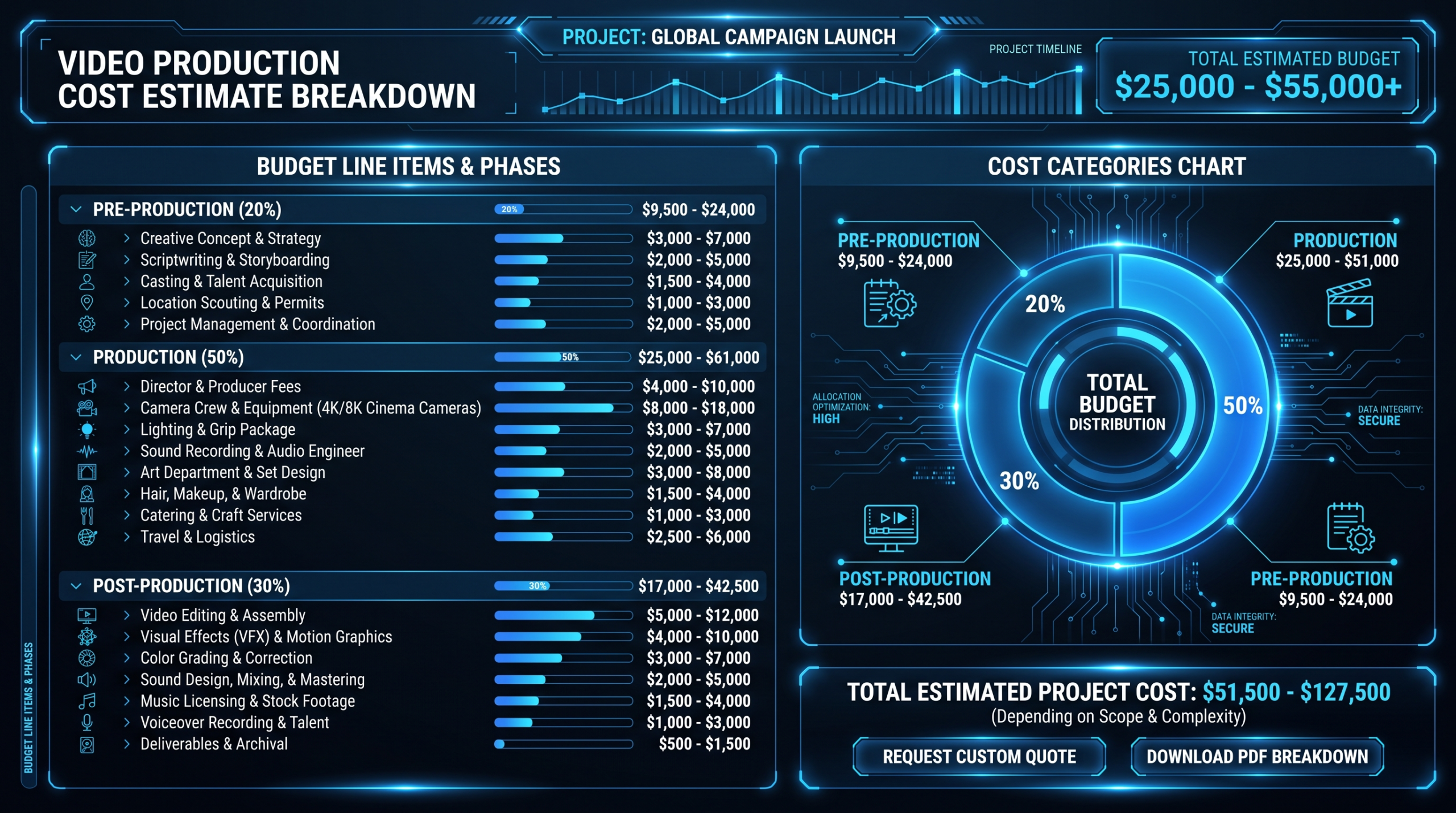
For straightforward SaaS product demos using screen recordings and a voiceover, pre-production commonly runs $800–$2,500. For full live-action shoots with multiple locations and on-camera talent, pre-production overhead can reach 25–30% of the total project budget.
Section 3: Production Cost Lines
Production (Shooting Day)
Screen-recording-only SaaS demos skip most of Section 3 — production cost reduces to software licensing and a voiceover session ($200–$800). That's one of the biggest levers for SaaS teams managing tight budgets.
Section 4: Post-Production Cost Lines
Post-Production
Post-production is where the range widens most dramatically. A clean screen-recording edit with a music track might run $600 total. A fully animated SaaS explainer with custom characters, voiceover, and sound design can reach $15,000–$20,000 for post alone. For a detailed breakdown by video type, see our explainer video cost breakdown.
Section 5: Distribution, Licensing, and Hosting
Distribution & Licensing
Section 6: Project Total
Total Estimated Budget
Add your subtotals from Sections 2–5, then apply a 10–15% contingency buffer for scope changes and revision overages.
Formula: (Pre-prod + Production + Post-prod + Distribution) × 1.12 = Final estimate
To skip the manual math, use the VEC video production cost calculator — it models your specific scenario by video type, duration, and deliverable count.
Market Cost Ranges by Video Type
These ranges reflect what B2B SaaS companies commonly pay for fully produced videos in 2026, including all phases. All numbers are hedged market ranges, not guarantees — actual cost depends on agency location, team seniority, complexity, and revision requirements.
Video Production Cost Ranges by Format (2026)
| Video Type | Duration | Typical Total Cost | Main Cost Driver |
|---|---|---|---|
| Social clip (screen recording) | 15–60 sec | $300–$1,200 | Editing + captions |
| Social clip (live action) | 15–60 sec | $1,000–$4,000 | Shoot day + editing |
| Product demo (screen only) | 1–3 min | $800–$3,500 | Editing + voiceover + motion graphics |
| Product demo (live action) | 2–5 min | $4,000–$12,000 | Shoot + editing + graphics |
| Explainer video (2D animation) | 60–90 sec | $5,000–$18,000 | Animation + voiceover + sound |
| Customer testimonial | 2–4 min | $2,500–$8,000 | Shoot day + interview edit |
| Webinar recording edit | 30–60 min | $500–$2,500 | Edit + chapter markers + captions |
| Brand / culture video | 1–3 min | $8,000–$30,000 | Multi-day shoot + heavy post |
| Full campaign (5+ videos) | Various | $15,000–$60,000+ | Combined shoot days + volume |
The biggest gap in the table — between "screen only" and "live action" versions of the same format — is why getting scope right before estimating matters so much. A product demo that could cost $1,500 with a screen recording might cost $10,000 with a live shoot. Both are legitimate choices; neither should be a surprise.
For cost-per-minute benchmarks across different production tiers, our video editing cost per minute guide gives granular data by editor type and region.
Agency vs. Freelancer vs. Managed Team: Estimate Comparison
The same video budget buys very different things depending on who delivers it. Here's how a typical SaaS product demo — 90 seconds, screen recording plus one on-camera spokesperson segment, voiceover, motion graphics, two format variations — shakes out across delivery models.
90-Second SaaS Demo: Cost Estimate by Delivery Model
| Delivery Model | Typical Estimate | What's Included | What's Usually NOT Included |
|---|---|---|---|
| Freelancer (Upwork/Fiverr) | $400–$1,800 | Basic editing, one revision round | Script, voiceover, graphics, format variations, usage rights |
| Mid-market agency (project) | $4,000–$9,000 | Script, edit, voiceover, basic graphics, 2 revisions | Format variations, captions, rush delivery, extended usage |
| Full-service agency (project) | $8,000–$18,000 | Full pre-production, shoot, edit, graphics, 3 revisions | Hosting, talent usage beyond 1 year, broadcast rights |
| VEC Growth Plan ($5K/mo) | ~$5,000/mo all-in | Dedicated editor, editing + motion graphics + captions, multiple videos/mo | Live-action shoot days (post-production focused) |
| VEC Core Plan ($9.5K/mo) | ~$9,500/mo all-in | Dedicated team, higher volume, faster turnaround, strategic PM | Location shoots requiring on-site crew |
| VEC Scale Plan ($16K/mo) | ~$16,000/mo all-in | Full dedicated team, unlimited formats, multi-series campaigns | Original live-action production crew |
The freelancer path looks cheapest until you add back every line item marked "not included." A $1,200 freelancer estimate for a 90-second demo routinely grows to $3,500–$5,000 when script, voiceover, motion graphics, and a second format are added. VEC's flat-retainer model removes that math entirely — you know the monthly cost, and every deliverable in scope is covered.
For a deeper comparison of delivery models and their true economics, see our analysis of video production agency pricing models.
Pre-Production: What to Budget Before a Camera Turns On
Pre-production is consistently underbudgeted and consistently where projects run into the most friction. A well-funded pre-production phase pays for itself in reduced revision rounds and faster post-production.
Script and Creative Development
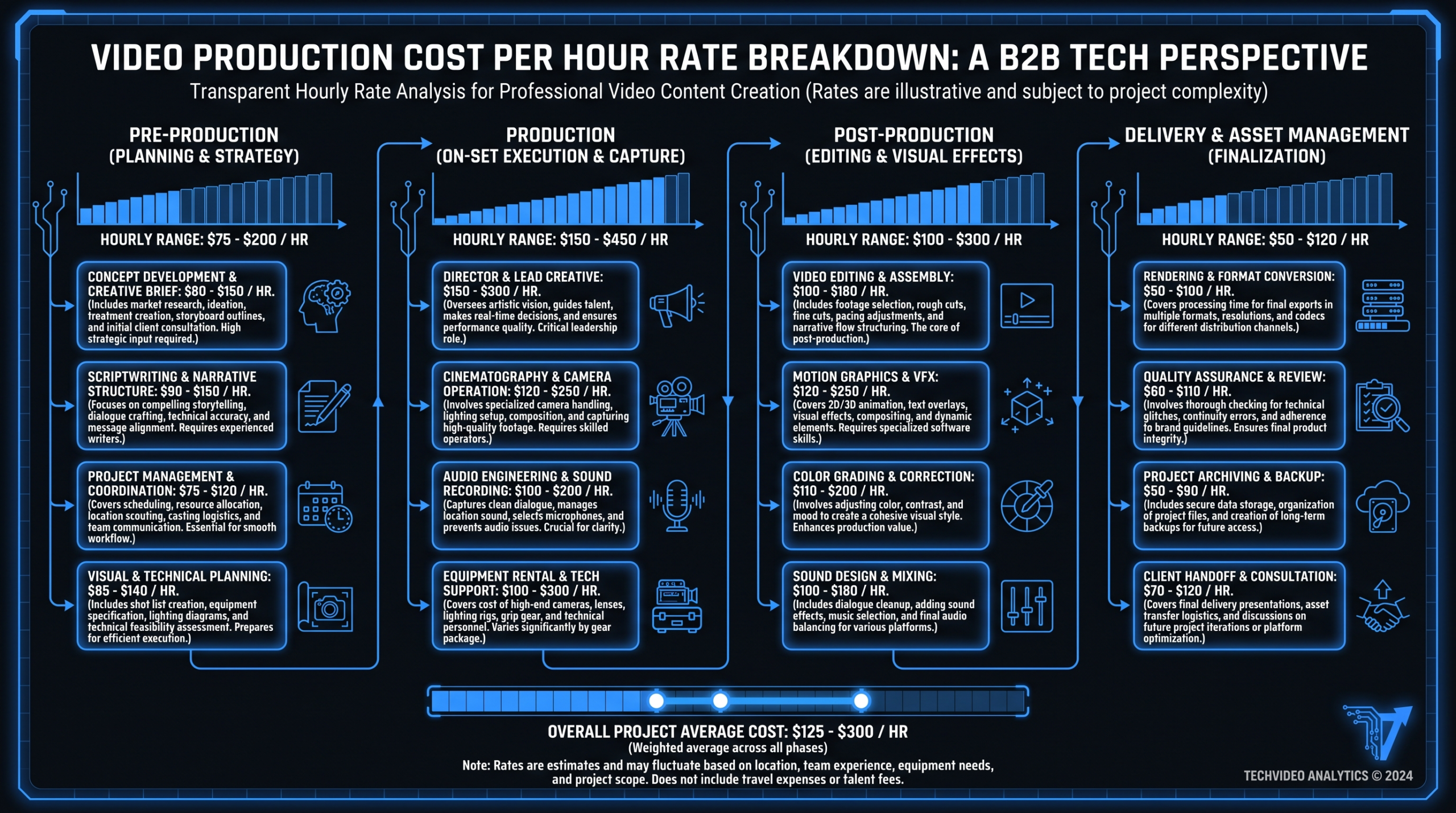
For a 90-second video, a professional scriptwriter typically needs 2–4 hours of discovery (reviewing product, competitor positioning, target persona) plus 3–5 hours of writing and revision. Rates commonly range from $75–$200/hour, putting a scripting budget at $500–$1,800 for a single video. If your agency bundles scripting, confirm what level of revision is included — "unlimited" usually means two rounds in practice.
Storyboarding for Animation Projects
For animated explainers, a storyboard isn't optional — it's the contract between you and the animator. Changes after animation starts cost 3–5× more than changes at the storyboard stage. Budget $800–$2,500 for a detailed storyboard on a 60–90 second animated piece, and treat approval of the storyboard as a formal milestone, not a casual review step.
Talent and Location Sourcing
Casting for an on-camera spokesperson — including sourcing, auditions, and final selection — commonly runs $500–$2,000 through a casting coordinator or production company. Location scouting for a half-day shoot typically adds $300–$1,200. Both are frequently omitted from initial quotes and added as change orders. Lock them in the original estimate.
Production Costs: Crew, Equipment, and Location
Live-action production introduces the most variable cost line items in any video budget. Two projects with the same brief can have wildly different shoot costs depending on crew size, location type, and equipment package.
Single-Camera vs. Multi-Camera
A single-camera interview setup at a client's office — rented lighting kit, one DP, one audio operator — commonly runs $1,500–$4,000 for a half-day including equipment. Multi-camera setups for product launch videos or panel discussions can double or triple that figure. When building your estimate, clarify whether the agency quote assumes one camera or multiple setups.
The Hidden Cost of Talent Day Rates
On-camera talent pricing has two components: the session fee (the day rate) and the usage rights fee (ongoing licensing based on where and how long the video airs). An actor who charges $800 for a shoot day might add $2,000–$5,000 for a year of web commercial usage rights. Usage rights are almost always separate and almost always omitted from headline quotes. Include a "talent usage rights" line in your estimate explicitly.
SaaS-Specific Shortcut: Screen Recording Production
Most SaaS product demos don't need a shoot day at all. A clean screen recording walkthrough with professional voiceover, motion graphics overlays, and a branded intro/outro delivers comparable conversion rates to live-action demos at a fraction of the cost. This is VEC's core competency — our teams have produced hundreds of SaaS product demos without ever needing a camera crew. For teams outsourcing video editing for the first time, read our guide to outsourcing video editing to understand how the workflow differs.
Post-Production: Editing, Motion Graphics, and Sound
Post-production is where most of the creative work happens for screen-recording-heavy SaaS videos — and where most of VEC's dedicated editing teams operate. It's also where cost estimates diverge most dramatically between vendors.
Editing Time Estimates by Footage Ratio
Industry rule of thumb: for every 1 minute of finished video, expect 4–8 hours of editing time on a standard project. Complex motion graphics, heavy color work, or chaotic raw footage can push that ratio to 10–15 hours per finished minute. A 90-second demo with moderate motion graphics commonly takes 8–14 editing hours. At agency rates of $80–$150/hour, that's $640–$2,100 for editing alone before any other post-production line items. For per-minute cost benchmarks by editor tier, see our video editing cost per minute guide.
Motion Graphics vs. Full Animation
Motion graphics (animated text overlays, lower thirds, logo animations, kinetic data charts) are vastly cheaper than frame-by-frame animation. A motion graphics package for a 90-second video commonly runs $500–$2,500. A fully animated 90-second explainer with original character illustration starts around $5,000 and can reach $18,000+ for premium studios. Lock down which tier you're buying before the estimate is signed.
Sound Design and Music Licensing
Professional sound mixing for a 2–3 minute video typically runs $300–$1,200. Background music from a library like Artlist or Epidemic Sound runs $20–$100/track for annual subscription-based licensing, or $200–$2,000 for full commercial or broadcast licensing per track. If your video will run as a paid ad, confirm the license covers that use case — web licensing does not automatically extend to broadcast or paid social.
How to Use This Template with Vendors
A filled-in estimate template does two things in vendor negotiations: it signals that you understand production well enough to ask the right questions, and it gives you a structured basis for comparing quotes that use different bundling assumptions.
Step 1: Fill in your own numbers first
Before you contact a single vendor, complete the template with your best estimate of each line item. Use the market ranges in this guide as your reference. You'll quickly see which sections dominate your budget — and where there's flexibility if a quote comes in high.
Step 2: Send vendors the project overview section
Share Section 1 (the scope summary table above) with every vendor you brief. Ask them to return a quote using the same line-item structure. Any vendor who sends back a single-number quote without line-item backup isn't someone you want managing a $10,000+ project.
Step 3: Map their quote to your template
Compare incoming quotes line by line, not total vs. total. A $6,000 quote that bundles scripting, voiceover, and two format variations is cheaper than an $8,000 quote that doesn't — even though the number is higher. The template lets you do that math quickly. Use the VEC cost calculator to cross-check your estimate against market benchmarks.
Step 4: Confirm contingency handling in writing
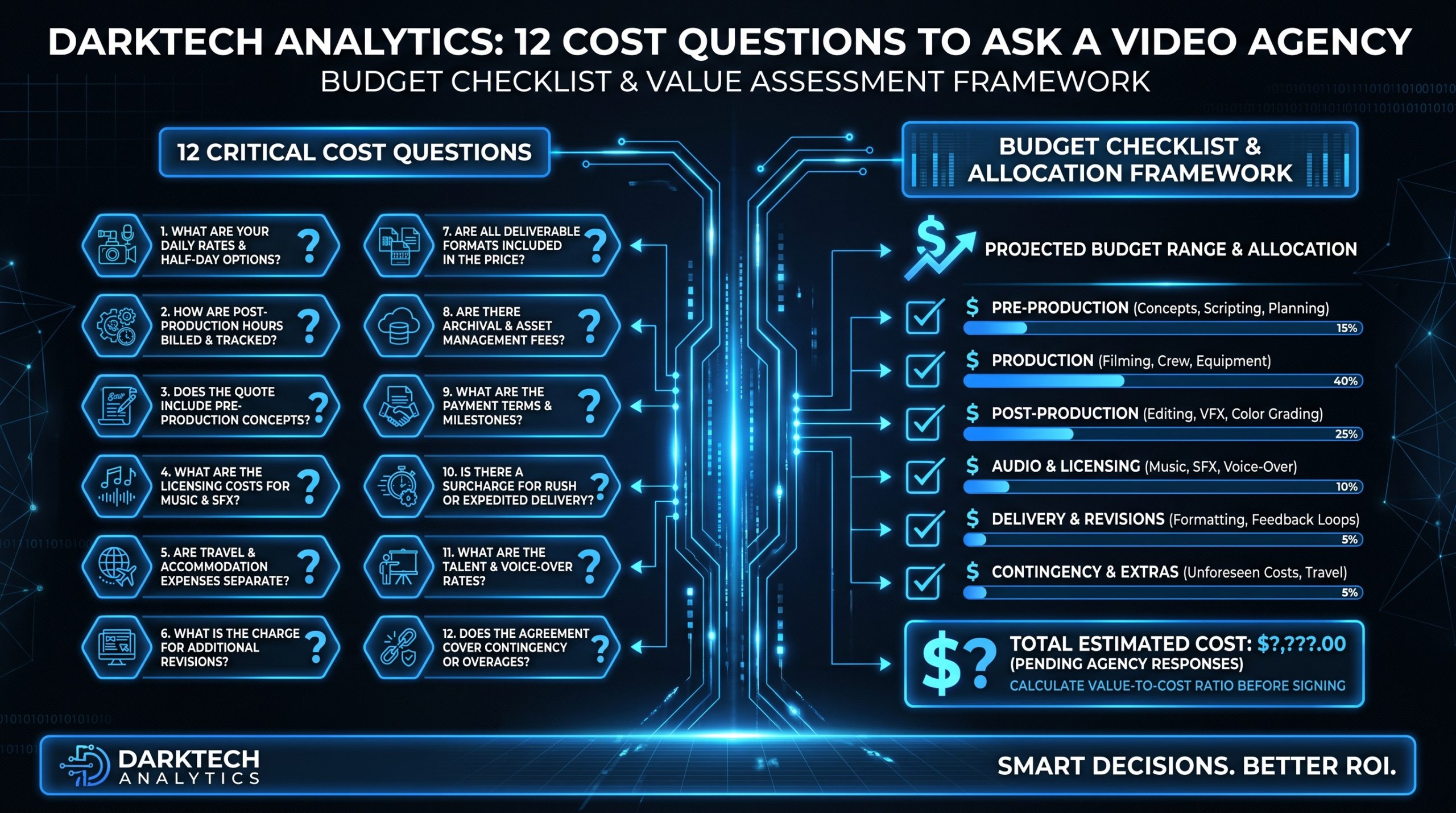
Every video project has scope changes. Before signing, confirm: what happens if you need a fourth revision round? What's the charge for adding a second format variation mid-project? What's the rush fee if you need delivery accelerated? These rates should be in your agreement, not negotiated under deadline pressure.
Step 5: Revisit the estimate quarterly if on a retainer
If you're on a monthly retainer or managed team arrangement — like VEC's Growth, Core, or Scale plans — the per-video estimate math changes as volume increases. Revisit the template quarterly to confirm you're on the right plan tier for your actual output volume. Teams that consistently hit the ceiling of their Growth plan ($5K/mo) typically save 30–40% per video by moving to Core ($9.5K/mo) or Scale ($16K/mo), where the fixed overhead is spread across higher output.
Frequently Asked Questions
What should a video production cost estimate include?
A complete estimate covers four phases: pre-production (script, storyboard, casting, permits), production (crew, equipment, location, talent), post-production (editing, color, motion graphics, sound, voiceover, captions, format variations), and distribution (hosting, licensing, usage rights). Most low-ball quotes omit items in post-production and distribution — use the template above to identify what's missing before you compare totals.
How accurate should a video production cost estimate be?
A well-scoped estimate should come within 10–15% of final invoice on a standard project, assuming no significant scope changes. Accuracy degrades when the brief is vague, when footage quality is unknown before editing starts, or when revision rounds aren't capped. Adding a 12–15% contingency buffer to your estimate protects against the most common overruns without inflating your budget request unreasonably.
What's the cheapest way to produce a high-quality SaaS product demo?
Screen recording plus professional post-production is the highest-ROI path for most SaaS demos. You skip the shoot day, location rental, crew costs, and on-camera talent — reducing the total budget from $8,000–$15,000 for a live-action demo to $1,000–$4,000 for a polished screen-recording version. The conversion rate difference is marginal for most SaaS use cases. A dedicated video editing team like VEC can take your raw screen recordings and produce polished, branded demos at scale without the per-project overhead of traditional agencies.
How do I compare quotes from agencies with different pricing structures?
Normalize every quote to "total cost per finished minute of delivered video, including all included line items." Then add back the estimated cost of any line items a quote excludes (e.g., voiceover, format variations, captions). This gives you a real apples-to-apples cost comparison regardless of how vendors bundle their services. Use the template in this post to map each quote to the same line-item structure before comparing totals.
When does a monthly retainer beat per-project pricing on cost?
When you need four or more videos per month consistently, a monthly retainer almost always costs less per video than per-project pricing. At eight or more videos per month, the economics typically favor a dedicated editing team arrangement — the per-video cost typically drops 30–50% compared to per-project rates. VEC's plans are structured around this math: the Growth plan at $5K/month works out to $625–$1,000 per video at typical volumes, versus $3,000–$8,000 per video through a traditional agency for the same complexity level.
Once you have line-item estimates, comparing them against a published video production rate card lets you validate whether each vendor quote is in line with current market rates before you commit.
Build Your Estimate in Minutes
The template above gives you the line items. The VEC cost calculator does the math — model your video type, duration, and deliverable count to get a realistic budget range before you brief any agency.
Use the Cost Calculator Book a Free Strategy Call