
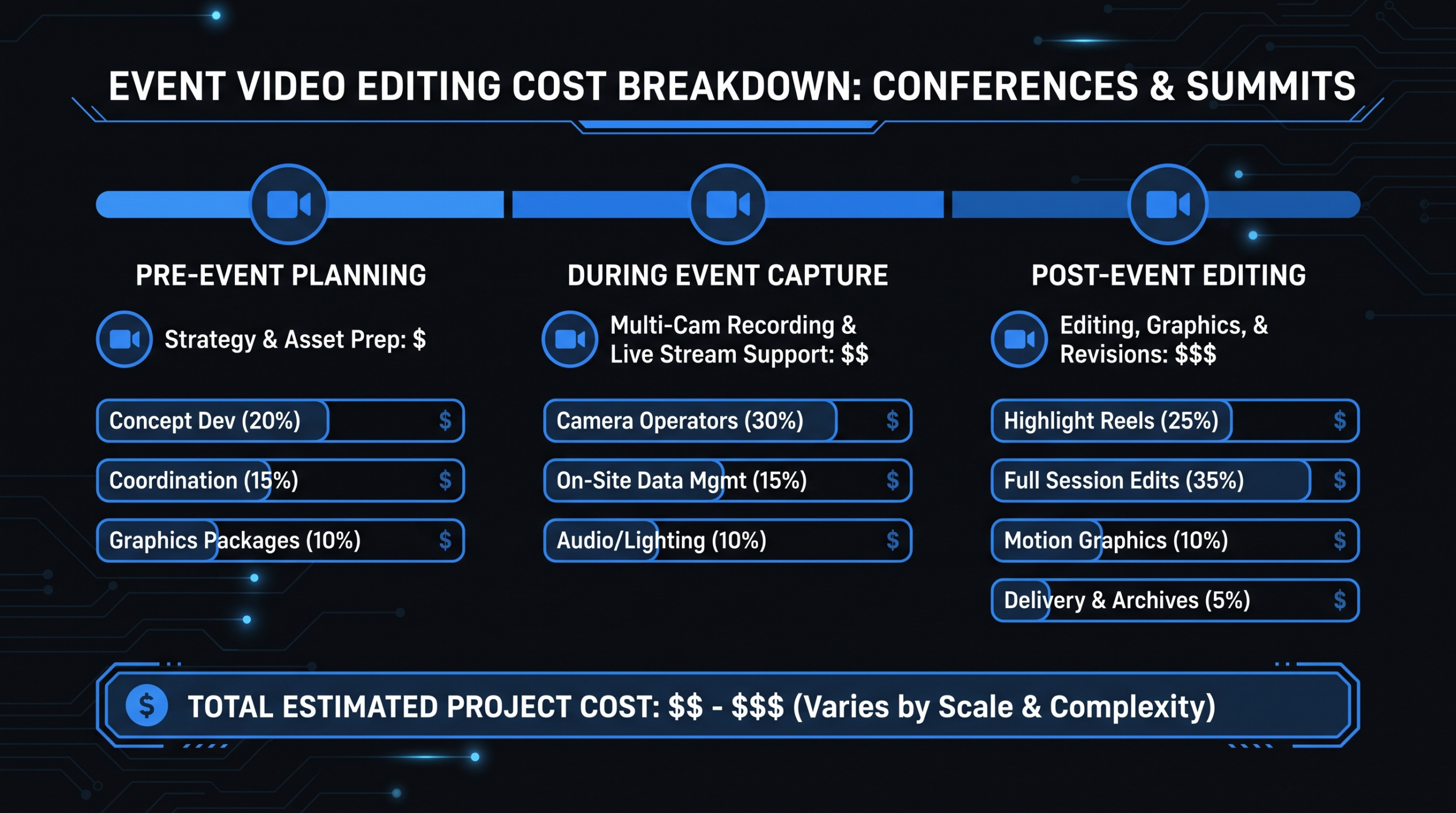
Event Video Editing Cost: Conference to Clips
TL;DR
Event video editing cost ranges from roughly $300–$800 for a single webinar session edit to $20,000–$40,000+ for a full multi-day conference package covering multi-camera editing, highlight reels, speaker reels, social clips, captioning, and sponsor deliverables. The biggest cost drivers are raw footage volume, camera count, audio quality, and turnaround urgency. Batch pricing and retainers cut per-deliverable costs by 15–30% for teams with recurring event calendars.
Table of Contents
- What Drives Event Video Editing Costs
- Pricing by Deliverable Type
- Full-Session Edits vs. Keynote Cuts
- Multi-Camera Sync, Audio Cleanup, and Slide Integration
- Social Clips, Speaker Reels, and Sponsor Deliverables
- Turnaround Times and Batch Pricing
- Budget Scenarios: Webinar to Summit
- Remote Post-Production for Event Teams
- FAQ
Your event just wrapped. You have 40 hours of raw footage across six cameras, a hundred speaker sessions, a keynote the CEO wants cut for the company YouTube channel, and a social team asking when they can post clips. The question your finance team is already asking: what is this going to cost to edit?
Event video editing is one of the most complex post-production jobs in content marketing. Unlike a product demo or brand film — where the shoot is controlled and the editor knows exactly what they're getting — event footage arrives in bulk, in chaos, with audio problems you didn't expect and a dozen stakeholders who each want something different from the footage.
This guide gives you a complete pricing picture. Not invented numbers — hedged, real-world ranges based on how post-production teams actually price event work, broken down by deliverable type, complexity, and team model.
What Drives Event Video Editing Costs
Event video editing costs are shaped by factors that don't apply to most other video types. Understanding these up front prevents budget surprises.
Raw Footage Volume vs. Finished Output
No other video type produces a higher ratio of raw footage to finished content than live events. A two-day conference with five breakout rooms and a main stage can easily generate 80–150 hours of footage that needs to become 30–60 polished deliverables. Every hour the editor spends watching footage before they cut a single clip is billable time. Events where speakers ran long, sessions were recorded twice "just in case," or backup cameras ran all day amplify this cost further.
The rule of thumb many post-production teams apply: expect 3–6 hours of editing labor for every finished hour of long-form event content, and 1–3 hours per social clip depending on complexity and how clean the source footage is.
Camera Count and Multi-Camera Complexity
A single-camera webinar recording is the simplest possible edit. Multi-camera conference coverage — wide shot, medium shot, close-up, speaker camera, audience camera — requires syncing all feeds to a common timecode, selecting the best angles moment-to-moment, and cutting between them coherently. Every additional camera adds ingestion time, sync time, and decision-making time in the edit.
Audio Quality
Event audio is notoriously difficult. Room acoustics, HVAC hum, feedback from PA systems, lapel mics cutting in and out, questions from an audience without a roving mic — any of these can add hours of cleanup work. Editors using tools like iZotope RX or DaVinci Resolve's Fairlight audio can recover a lot, but recovery has limits and takes time. Poor audio is the most common reason event edits cost more than the initial quote.
Deliverable Count and Type
This is the most direct cost driver. A conference that needs five full session edits, a three-minute highlight reel, thirty social clips, and speaker reels for twelve presenters is not five times more expensive than one that needs one session edit — it's closer to fifteen times more, because each deliverable type requires different editing logic, format specs, and quality passes.
Captioning, Accessibility, and Slide Integration
Increasingly, event teams require closed captions for accessibility compliance and to drive engagement on social platforms where video plays silently by default. According to Wistia's research on video engagement, captions meaningfully improve viewing retention across business video content. Adding SRT files or burned-in captions is typically priced per finished minute of video. Slide integration — synchronizing a presenter's slide deck transitions to their delivery — adds another layer of complexity that most editors price separately.
Turnaround Urgency
Standard post-production turnaround for event content typically runs 5–10 business days for a batch of deliverables. When marketing teams want same-day clips for social or a keynote published within 48 hours of the event ending, rush pricing applies — typically a 25–50% premium on the base edit cost, more for true overnight turnarounds.
Pricing by Deliverable Type
These are realistic market ranges for professional event video editing. Rates at the low end typically reflect offshore or junior editing teams; the high end reflects senior editors at US or Western European agencies with strong event post-production expertise.
Event Video Editing: Pricing by Deliverable
| Deliverable | Typical Length | Price Range | Notes |
|---|---|---|---|
| Full session edit | 30–90 min finished | $400–$1,500 / session | Audio leveled, dead air removed, cuts only |
| Keynote cut | 20–60 min finished | $600–$2,000 / session | Editorial judgment required; tighter pacing |
| Highlight reel | 2–5 min | $600–$2,500 | Higher creative input; music sync; b-roll |
| Social clip set (3–5 clips) | 15–90 sec each | $300–$900 / set | Vertical + horizontal formats; captions |
| Speaker reel | 90 sec–3 min | $400–$1,000 | From speaker's own sessions only |
| Event sizzle reel | 3–6 min | $1,200–$4,500 | Full event recap; music; sponsor mentions |
| Caption pass (SRT/CC) | Per finished minute | $1.50–$4.00 / min | Auto-gen + human QC is standard |
| Sponsor cut / branded deliverable | 60 sec–3 min | $500–$1,800 each | Logo overlays, lower-thirds, custom format |
For a granular look at how per-minute costs compare across video types, see our video editing cost per minute breakdown.
Full-Session Edits vs. Keynote Cuts
Full-session edits and keynote cuts are both "long-form" event deliverables, but they require fundamentally different editing approaches — and carry different price points as a result.
Full-Session Edits: What's Included
A full-session edit preserves the complete presentation. The editor's job is cleanup, not curation: they remove dead air at the start and end, cut around technical problems (projector glitches, mic drops, interruptions), level the audio track, and apply a consistent color grade to the footage. If it's multi-camera, they select angles. The finished product is typically 80–95% of the raw session length.
This is the most common deliverable for conferences that want a permanent archive of all content. It's relatively efficient to produce because the editor doesn't need to make judgment calls about what to include — they're preserving the session as it happened.
Keynote Cuts: Editorial Judgment Required
A keynote cut is a different exercise. Rather than preserving the full presentation, the editor distills it — finding the most compelling arguments, the moments that landed best, the demo sequences that are still crisp in short form. The finished product might be 50–70% of the original runtime, with the narrative tightened for an audience that will watch on YouTube or LinkedIn rather than inside an event room.
Keynote cuts cost more per finished minute because the editor must watch the entire session, make substantive judgments about what survives the cut, and often restructure the flow to compensate for sections that don't hold up without the live-event context. Expect to pay a 30–50% premium over a standard session edit for equivalent content.
Which One to Order
For internal event archives and on-demand libraries (where the audience opted in and wants the full content), order full-session edits. For public YouTube channels, LinkedIn shares, and website embeds aimed at cold audiences, invest in keynote cuts. Many event teams order both, which is where batch pricing (discussed in §6) becomes meaningful.
Multi-Camera Sync, Audio Cleanup, and Slide Integration
These three technical services are often billed separately from the base edit cost. They're also the three most common sources of "why did this cost so much more than the quote?" in event post-production.
Multi-Camera Sync
Before the editor can begin cutting, all camera feeds need to be synced to a common reference — usually timecode from a master camera, audio sync, or a clapperboard at the start of each session. For a two-camera setup with clean audio, this takes 15–30 minutes per session. For a five-camera setup where backup cameras ran continuously without a timecode signal, it can take 2–4 hours of technical work per session.
Most post-production teams price multi-camera sync as a per-camera-hour fee ranging from $40–$120 per camera-hour of raw footage. A three-day conference with four cameras running six hours each day would generate 72 camera-hours of footage to sync — meaning sync costs alone could run $2,880–$8,640 before a single editorial cut is made. This surprises teams who didn't budget for it separately.
Audio Cleanup and Noise Reduction
Event audio problems are predictable: HVAC rumble, reverberant rooms, inconsistent lapel levels, crowd noise during Q&A, and feedback artifacts from venue PA systems. Professional audio cleanup using spectral repair tools (iZotope RX is the industry standard) can recover significantly degraded recordings, but recovery takes time proportional to severity.
Typical pricing for audio cleanup ranges from $50–$150 per finished hour of video, with a severity multiplier: mild cleanup (just leveling and de-essing) sits at the low end; heavy restoration with spectral repair on multiple problem areas sits at the high end. Budget for at least mild cleanup on every event recording — it's rarely skippable.
Slide Integration
Many event presentations rely on slides that are essential context for the audience watching the recording. Without slide integration, viewers see a speaker gesturing at a blank wall or a far-away projection that's unreadable on video. With slide integration, the editor composites the slide deck alongside or over the speaker footage, syncing transitions to match the presenter's pacing.
Slide integration typically adds $100–$400 per presentation to the edit cost, depending on the complexity of the deck (animated slides cost more than static ones), whether the slides were provided in advance, and how many transitions need to be hand-synced. For conferences with 20+ breakout sessions, this line item can add several thousand dollars to the total budget — but the quality difference for viewers is substantial.
Social Clips, Speaker Reels, and Sponsor Deliverables
Event footage is one of the richest sources of social content a marketing team can have. The ROI calculation is compelling: you've already paid for the event, the filming, and the long-form edit — repackaging moments as social clips costs a fraction of producing original social content. The challenge is doing this efficiently at scale.
Social Clip Economics
A social clip repurposed from an already-edited long-form session typically costs 30–50% less than a clip cut fresh from raw footage. The reason: the editor has already watched the source material, identified the good moments, and made the audio work. Pulling a 60-second clip from a finished 45-minute keynote is a 20-minute task. Pulling the same clip from 90 minutes of raw, unsynced, multi-camera footage is a 2-hour task.
This is why the order of operations matters. Teams that commission the long-form edits first and then order social clips from the finished edits spend significantly less than teams that try to get social clips first without doing the foundational work. According to HubSpot's content marketing guidance, repurposing long-form content into shorter formats is one of the highest-ROI content strategies available — event video makes this particularly efficient.
Speaker Reels: A Growing Deliverable Type
Speaker reels are 90-second to 3-minute highlight packages designed for individual speakers to use on their personal websites, LinkedIn profiles, and speaker agency submissions. Demand has grown as more professionals invest in their personal speaking brand.
Speaker reels are typically ordered post-event, after the session recordings are complete. The editor pulls the strongest moments from a speaker's sessions — their most compelling arguments, audience reaction moments, confident delivery — and assembles them with lower-thirds and light color grading. Pricing typically runs $400–$1,000 per reel, with volume discounts for orders of five or more. Some event organizers offer speaker reels as an add-on product, creating a revenue stream that offsets post-production costs.
Sponsor Deliverables
Conference sponsors increasingly expect video deliverables as part of their sponsorship package: branded recap clips featuring sponsor logos, product mentions cut into the highlight reel, dedicated sponsor session recordings, or custom cuts of the content most relevant to the sponsor's audience.
Sponsor cuts typically range from $500–$1,800 each depending on complexity. Teams budgeting for a sponsored event should plan for these as a separate line item — they require custom lower-thirds, logo placement QC, and often a different export format than the standard deliverables. The good news: sponsor deliverables often come with a budget attached. Structuring your post-production agreement to recover sponsor video costs from the sponsorship package is standard practice at well-run events.
Turnaround Times and Batch Pricing
How fast you need it and how much you order are the two biggest levers for controlling total event video editing cost.
Standard vs. Rush Turnaround
Turnaround Pricing by Speed
| Turnaround | Timeline | Price Modifier | Best For |
|---|---|---|---|
| Standard | 5–10 business days | Base rate | On-demand libraries, full session archives |
| Priority | 3–4 business days | +15–25% | Keynote edits, sponsor deliverables |
| Rush | 48–72 hours | +25–50% | Social clips, highlight reels |
| Overnight / Same-day | 12–24 hours | +75–100%+ | Conference-day social posts, live-event recap |
The most common mistake event teams make is not planning turnaround requirements in advance. Marketing teams that decide the morning after the event that they want social clips by noon the same day will pay overnight rates on top of already-complex multi-camera footage. Building turnaround requirements into the post-production brief before the event — and building rush premiums into the budget — prevents this.
Batch Pricing: Where the Savings Are
Most professional post-production agencies and editing teams offer batch pricing when you're ordering 5+ of the same deliverable type in a single engagement. Typical batch discounts range from 10–20% off per-unit rates. For a conference with 25 session edits, that discount adds up meaningfully.
Batch pricing works because the editor's setup cost — ingesting footage, building project templates, understanding the brand style — is amortized across more deliverables. The 25th session edit takes a fraction of the time the first one did. Good agencies pass a portion of that efficiency back to the client.
When negotiating batch rates, confirm: (1) the discount applies to the whole batch, not just "excess" deliverables above a threshold; (2) the footage delivery requirement (many agencies require all footage in one organized handoff, not a slow trickle); and (3) whether the batch rate holds if you add deliverables mid-project.
Retainers for Recurring Event Calendars
Teams that run quarterly webinar series, annual conferences, or monthly virtual summits often find that a monthly retainer structure reduces per-deliverable costs more than batch discounts alone. A retainer gives the editing team guaranteed, predictable work — in exchange, they offer lower per-unit rates and prioritized capacity for your event windows.
Retainer pricing for event-focused post-production typically starts around $2,000–$4,000/month for a single monthly event with a moderate deliverable set, scaling to $10,000+/month for teams with weekly events and complex multi-camera requirements. Read our guide to video production agency pricing models for a full comparison of retainer vs. per-project structures.
Budget Scenarios: From Webinar to Summit
Abstract pricing ranges are useful, but concrete scenarios answer the real question: what will my event cost to post-produce? These three scenarios cover the most common event types marketing teams manage.
Event Video Post-Production Budget Scenarios
| Event Type | Details | Deliverables | Estimated Total |
|---|---|---|---|
| Single-day webinar | 1 speaker, 1 camera, ~60 min raw | 1 session edit, 3 social clips, captions | $800–$1,800 |
| Half-day virtual summit | 4 speakers, 1 camera each, 3–4 hrs raw | 4 session edits, highlight reel, 10 social clips, captions | $3,500–$7,500 |
| One-day in-person conference | 3 rooms, 2 cameras each, ~18 hrs raw | 9 session edits, highlight reel, 15 social clips, captions, multi-cam sync | $7,000–$15,000 |
| Two-day corporate summit | 4 tracks, 3–4 cameras, keynote + breakouts, ~60 hrs raw | 16 session edits, 3 keynote cuts, highlight reel, 30 social clips, 8 speaker reels, captions, slide integration | $18,000–$35,000 |
| Multi-day industry conference | 5+ tracks, 4–6 cameras, 3 days, 100+ hrs raw | 40+ session edits, keynote cuts, sizzle reel, 60+ clips, speaker reels, sponsor deliverables, captions | $40,000–$90,000+ |
A few notes on these ranges. The low end of each scenario assumes clean single-camera footage, modest audio problems, standard turnaround, and a well-organized footage handoff. The high end assumes multi-camera sync, audio restoration, rush delivery on at least some deliverables, and the full deliverable set. Real costs will land somewhere in between based on your actual conditions.
The multi-day conference scenario in particular can vary enormously. Teams that invest in good AV production at the event — professional mixers feeding clean audio to post, consistent timecodes across cameras, organized session logs — routinely see post-production costs come in at the low end of the range. Teams that hand over chaotic, unlabeled footage pay more at every step.
Remote Post-Production for Event Teams
Remote post-production teams are now the default for event video editing, not the exception. The economics are straightforward: you don't need a local editor to cut your conference footage. You need an editor (or a team of them) who can ingest footage quickly, work in parallel across multiple sessions, and deliver to a brief without requiring in-person supervision.
Why Event Teams Outsource Post-Production
The challenge with event video is the spike problem. Your in-house marketing team might manage video content consistently throughout the year — but the week after a major conference, you suddenly have 80 hours of footage that needs to become 40 deliverables as quickly as possible. In-house editors can't absorb that spike without dropping everything else.
Remote teams built for high-volume editing — particularly those with dedicated senior editors, project managers, and quality control workflows — can absorb event spikes efficiently because they're not constrained to a 9-to-5 single editor. Multiple editors work on different sessions simultaneously, a PM coordinates the workflow, and a QC pass catches inconsistencies before delivery.
What to Look for in an Event Post-Production Partner
- Dedicated team structure. For conferences, you want editors who are assigned to your project, not pulled from a freelance pool for each deliverable. Consistency across 25 session edits matters.
- Multi-camera experience. Event footage is technically demanding. Confirm the team has specific experience with multi-camera syncing, not just general editing skills.
- Audio recovery capability. Ask about their audio cleanup tools and process. Teams that can't credibly describe their approach to noisy room recordings will disappoint you on difficult event audio.
- Organized project management. Large event post-production requires tracking dozens of deliverables across multiple sessions. A good PM keeps the project moving and flags problems early.
- Format flexibility. Your deliverables will need to ship in multiple formats: long-form for YouTube, vertical clips for Reels and TikTok, widescreen for LinkedIn, custom specs for sponsors. Confirm the team can handle multi-format output without separate per-format charges on everything.
For a full guide on vetting and working with remote editing teams, see our how to outsource video editing guide.
Where VEC Fits for Event Teams
Video Editing Company serves B2B teams with dedicated editing pods — a senior editor, junior editor, project manager, and optional creative direction — operating as a persistent extension of your content team. For event-heavy calendars, the VEC model is particularly effective because your dedicated team already knows your brand, your style guide, and your formats before your conference footage arrives. There's no ramp-up sprint when the footage drops.
Plans start at $5K/month (Growth) and scale to $9.5K (Core) and $16K (Scale) for higher volume. Teams that run three or more major events per year often find a dedicated plan more cost-effective than per-event quotes. See the VEC pricing page for current plan details and what's included at each tier.
Frequently Asked Questions
How long does it take to edit a conference recording?
Standard turnaround for a full-session edit of a 60-minute conference recording runs 2–5 business days per session for a single editor. For a multi-session conference (10+ sessions), professional teams often work multiple editors in parallel and can deliver the full batch in 7–14 business days at standard rates. Rush turnaround (48–72 hours) is available at most agencies for a 25–50% premium. If you need same-day clips for social, budget for overnight rates and confirm availability before the event — not after.
What's the most cost-effective way to get event videos edited?
Three levers reduce cost without sacrificing quality. First, organize your footage before handoff — labeled session folders, speaker names, start times, and camera roles saved as a simple spreadsheet can cut ingestion time substantially. Second, commission long-form edits before social clips, then pull clips from finished edits rather than raw footage. Third, batch all deliverables of the same type into a single order and negotiate a batch rate. For teams with recurring events, a monthly retainer typically beats per-event quotes by 15–25% over a year.
Can event footage from a livestream be edited instead of raw camera files?
Yes, and for simple webinars or single-speaker online events, the livestream recording is often the cleanest source available. The tradeoff: a livestream recording is a single-camera, single-audio-mix file with no post-production flexibility. If the audio had problems during the live stream, those problems are baked in. For multi-camera in-person events, raw camera files are strongly preferred — they give the editor full control over angles, audio tracks, and color grading that a mixed livestream file doesn't provide.
Why does multi-camera event editing cost so much more than single-camera?
Multi-camera editing adds cost at three stages. First, sync: every camera feed must be aligned to a common reference before editing can begin, and this technical work scales with camera count and footage hours. Second, selection: the editor must watch multiple angles simultaneously and choose the best cut at each moment, which is inherently more time-intensive than cutting a single feed. Third, color matching: cameras from different manufacturers or with different settings need to be color-matched so cuts don't feel jarring. A 60-minute session shot on two cameras typically takes 40–60% longer to edit than the same session on one camera. Five cameras can take twice as long.
What's included in a speaker reel and how much does it typically cost?
A speaker reel is a 90-second to 3-minute highlight package drawn from a speaker's presentations — their most compelling moments, clearest arguments, and strongest delivery. Standard inclusions are: selected clips from one or more sessions, lower-third name/title graphic, light music bed, consistent color grade, and export in web-ready formats. Some teams add custom intro/outro cards. Speaker reels typically cost $400–$1,000 depending on source footage complexity and how many sessions the editor must review to find the best moments. Volume pricing (5+ reels ordered together) usually brings the per-reel cost down by 15–20%.
Planning your next event? If you need a full production crew plus editing, see our complete guide to event video production cost — covering crew rates, equipment, and all-in budgets by event type.
For format-specific examples alongside the editing cost data, see our breakdown of trade show video examples — covering booth loops, event highlight reels, and on-site testimonials with side-by-side cost ranges by hiring model.
Need Event Video Editing at Scale?
VEC dedicated teams handle conference post-production from raw footage ingestion to final deliveries — session edits, highlight reels, social clips, speaker reels, captions, and sponsor cuts. One team. One brief. All formats, no project-to-project ramp-up.
Book a Free Strategy Call View Plans & Pricing
