
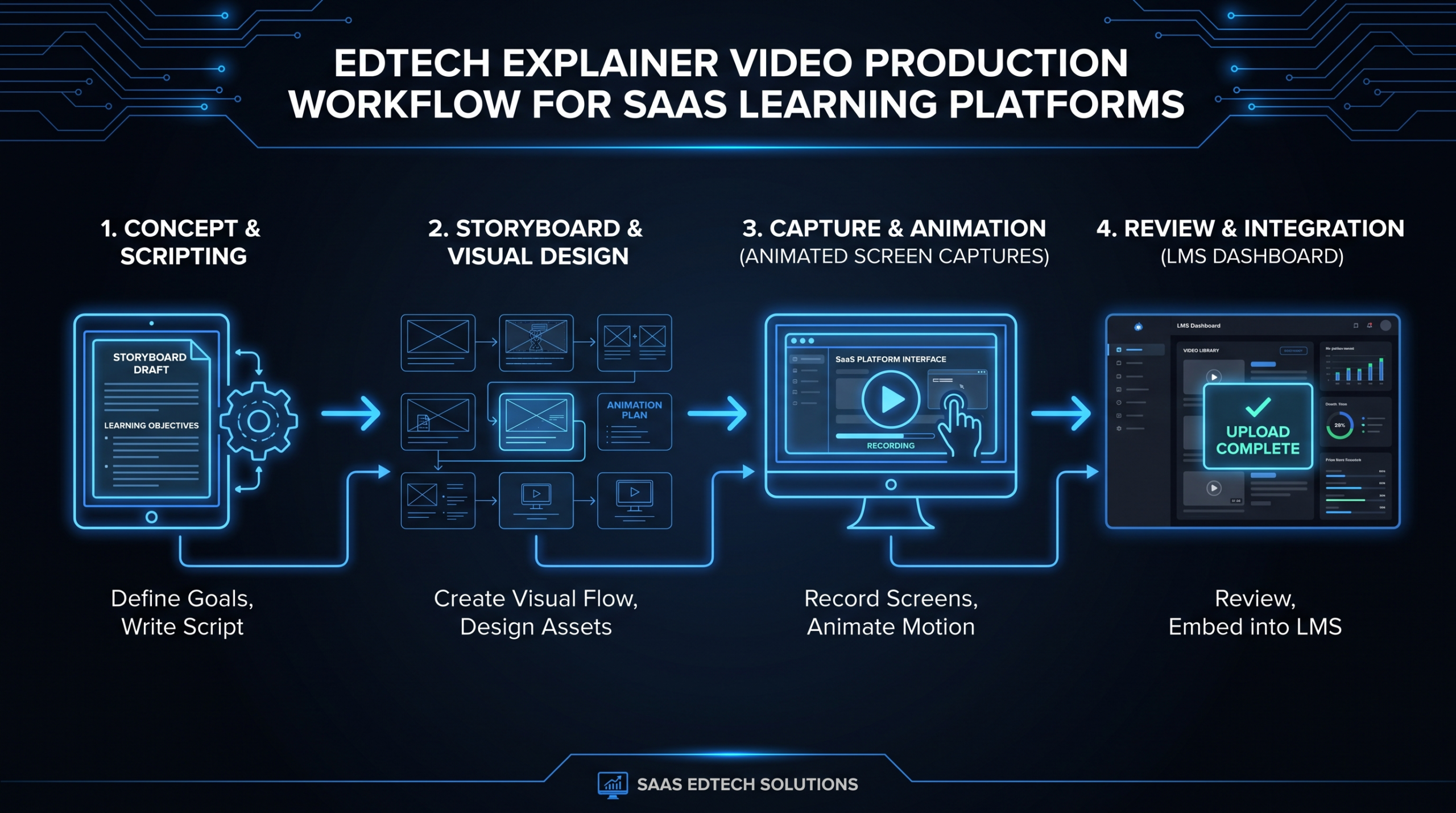
Edtech Explainer Videos: What Works in 2026
TL;DR
- Most edtech explainer videos fail because they explain features, not learning outcomes — the fix is a single structural change to your script.
- Four video formats cover every edtech use case: platform explainer, student onboarding sequence, buyer demo, and feature walkthrough — each with a different success metric.
- B2B edtech sales cycles involve 4–7 stakeholders; your video must speak to the economic buyer (ROI), the champion (time savings), and the end-learner (completion rates) simultaneously.
- Student onboarding video that runs in the first 48 hours of a course commonly correlates with meaningfully lower drop-off rates — the exact lift varies, but the pattern is well-established across LMS providers.
- Production quality thresholds differ sharply by use case: a student onboarding clip can succeed at modest production quality; a homepage hero or enterprise sales video cannot.
Table of Contents
- Why Most Edtech Explainer Videos Fail
- The 4 Edtech Video Formats That Actually Work
- Scripts and Frameworks That Convert
- Edtech Video by Funnel Stage
- LMS and Course Platform Considerations
- B2B Edtech Sales Videos: What Buyers Watch
- Student Onboarding Video: Reducing Week-1 Drop-off
- Production Models: DIY vs. Freelance vs. Agency
- FAQ
Edtech is one of the most video-hungry categories in B2B SaaS — and one of the most badly served. Walk through any edtech website in 2026 and you'll encounter the same failure: a polished two-minute video that explains the platform's navigation, not the learner's problem. Marketing teams invest real budget in production and get middling conversion rates in return.
This guide is for VPs of Marketing and Heads of Content at LMS providers, course platforms, learning management tools, and B2B edtech companies. It covers what specifically works — format by use case, script structure by audience, production thresholds by context, and the operational realities of producing edtech video at scale.
Why Most Edtech Explainer Videos Fail
The core problem is a mismatch between what edtech teams produce and what their audiences actually need. Most edtech explainer videos are product-centric when they should be outcome-centric.
A platform explainer that opens with "Our LMS makes it easy to create, assign, and track courses" is describing a feature set. The VP of Learning who's evaluating your platform isn't buying a course creation interface — they're buying fewer compliance violations, shorter time-to-competency, or a scalable way to onboard remote employees without hiring more L&D staff. Those outcomes are what the video should lead with.
The Feature-Demo Trap
Many edtech teams default to screen recordings with a voiceover narrating the interface. This works for support content or existing users who need a refresher. It does not work for awareness or consideration-stage prospects. A feature walkthrough answers "what does your product do?" — but the buyer's real question is "will this solve my specific problem?"
The Production-Quality Trap
The opposite failure is over-investing in production quality for contexts that don't require it. A polished animated explainer that costs $15,000–$25,000 to produce (see our explainer video cost breakdown for current market rates) is appropriate for a homepage hero or an enterprise sales deck. It's a poor use of budget for an internal employee onboarding module that 200 people will watch once.
The Single-Video Strategy
Edtech requires video at every stage of two separate funnels simultaneously: the buyer funnel (procurement team, L&D leader, CFO) and the learner funnel (employees, students, customers). One video can't serve both. Companies that try to create a single "explainer" that speaks to everyone end up with content that resonates with no one.
The 4 Edtech Video Formats That Actually Work
Four video formats cover the complete edtech content map. Each has a distinct purpose, a different success metric, and different production requirements.
Edtech Video Format Matrix
| Format | Primary Audience | Goal | Success Metric | Ideal Length |
|---|---|---|---|---|
| Platform Explainer | Prospects / Economic Buyer | Communicate value proposition | Demo request rate | 60–90 sec |
| Student Onboarding | Learners (end users) | Reduce orientation friction | Week-1 completion rate | 2–4 min |
| Buyer Demo Video | Champion / L&D Leader | Accelerate sales cycle | Forward rate, meeting booked | 3–5 min |
| Feature Walkthrough | Existing users | Drive adoption of new features | Feature activation rate | 90 sec–3 min |
Format 1: Platform Explainer
This is your homepage hero or top-of-funnel asset. It should communicate a single, outcome-focused value proposition in under 90 seconds. The temptation is to cover every feature; the winning approach is to pick the one problem you solve better than anyone and demonstrate it visually. Production quality here matters: buyers judge category sophistication by the quality of the materials they encounter.
Format 2: Student Onboarding Video
The onboarding video lives inside the platform — typically the first content a learner encounters. Its job is to eliminate cognitive overhead: what will I learn, how does this platform work, what do I do first? It should be warm, concise, and practical. A common mistake is making onboarding videos too formal or too long. Learners at this stage want orientation, not inspiration.
Format 3: Buyer Demo Video
The buyer demo sits in the middle of your sales cycle — shared by a champion with their committee, or watched by a procurement lead before a call. It needs to address ROI framing (cost per learner, compliance coverage, time-to-competency), not UI navigation. A strong buyer demo video can substitute for an SDR call in many cases and is a high-leverage asset for mid-market edtech sales.
Format 4: Feature Walkthrough
Feature walkthroughs drive product adoption for existing users. They're best delivered as in-app tooltips, help center content, or email-triggered assets after a user hits a specific behavior threshold. Production quality requirements are lower — clear screencasts with professional narration and tight editing are sufficient. Speed of production matters more than polish at this stage.
Scripts and Frameworks That Convert
Script structure determines whether an edtech explainer video creates demand or gets skipped. Three frameworks work consistently for the edtech context.
Framework 1: The Outcome Reversal (Platform Explainer)
Open with the outcome the buyer wants, then introduce your platform as the mechanism. Structure:
- State the outcome (10 sec): "Imagine your entire remote workforce completing compliance training in 30 days — without a single compliance manager chasing completions."
- Name the problem that prevents it (10 sec): "Most LMS platforms require IT setup time, manual enrollment, and constant reminder campaigns."
- Introduce your mechanism (15 sec): Platform name + the specific differentiator that removes the named obstacle.
- Show it working (30 sec): A brief screen/animation that demonstrates the outcome, not the features.
- Proof signal (10 sec): A customer name, a metric, or a concrete result — hedged appropriately.
- CTA (5 sec): Single, direct action.
The opening 10 seconds carry disproportionate weight. Video platforms consistently report that a large proportion of viewer drop-off happens within the first 15–30 seconds — platforms like Wistia's engagement research shows this pattern clearly. Your outcome statement must earn continued viewing immediately.
Framework 2: The Journey Map (Student Onboarding)
Learners in an onboarding video have one question: "what happens next?" Structure the video as a guided journey:
- Welcome + context: Who built this course, why it matters, what you'll be able to do after completing it.
- Navigation orientation: How to move through the platform — show, don't tell. Screen recording with cursor guidance works well here.
- Expectations setting: Time commitment, format (video, quiz, exercises), how to get help.
- First action: End with an explicit instruction — "Start with Module 1 now, it's only 12 minutes."
Framework 3: The Stakeholder Bridge (Buyer Demo)
B2B edtech buying decisions involve multiple stakeholders. A single demo video can address them sequentially:
- Open with the economic outcome (for the CFO/VP who'll forward it): cost per learner, time to deploy, compliance coverage.
- Transition to operational ease (for the L&D champion): admin interface, enrollment workflow, reporting.
- Show the learner experience (for the skeptical learner advocate): what the actual course experience looks like.
- Close with integration and security (for the IT stakeholder): SSO, SCORM compliance, data handling.
This structure works because each section is self-contained — a champion can timestamp and forward the relevant 60 seconds to each stakeholder rather than asking everyone to watch the full video.
Edtech Video by Funnel Stage
Aligning video assets to funnel stage is the operational discipline that separates edtech teams generating pipeline from those generating views. Each stage has distinct intent and requires a different production investment.
Edtech Video Funnel Alignment
| Funnel Stage | Video Type | Distribution Channel | Production Investment |
|---|---|---|---|
| Awareness | Problem-centric thought leadership, social clips | LinkedIn, YouTube, paid social | Low–Medium ($500–$3K) |
| Consideration | Platform explainer, buyer demo, case study | Website, email sequences, sales decks | Medium–High ($3K–$15K) |
| Decision | Detailed feature demo, ROI walkthrough, testimonial | Sales-sent, proposal accompaniment | Medium ($2K–$8K) |
| Adoption | Onboarding sequence, feature walkthroughs | In-app, email triggers, help center | Low ($300–$2K per video) |
| Expansion | New feature announcements, advanced use cases | In-app notifications, customer newsletter | Low ($300–$1.5K) |
Where Most Edtech Teams Underinvest
In practice, most edtech marketing teams overinvest in awareness-stage social content and underinvest in consideration and adoption stages. The platform explainer and buyer demo — the videos that most directly drive revenue — often receive less attention than LinkedIn clips. This is partly because social content shows easily trackable engagement metrics. The buyer demo's impact on sales cycle length is harder to attribute but typically more significant.
For teams looking to scale video production across all five funnel stages, the SaaS video production guide provides a useful framework for sequencing investments across the funnel.
LMS and Course Platform Considerations
Edtech video production has several technical considerations specific to learning management systems that don't apply to standard B2B SaaS video.
SCORM and Video Tracking
If your platform is SCORM-compliant and courses need completion tracking, video hosting choices matter. Videos embedded via YouTube or Vimeo cannot reliably report completion status to an LMS — you need native hosting or a video platform with LMS integration (like Kaltura, Panopto, or Brightcove). For marketing videos on external channels, this doesn't apply; for in-course content that needs to log completions, it's a critical requirement.
Accessibility Requirements
Edtech video used in institutional or enterprise contexts frequently falls under accessibility mandates — Section 508 in the US, WCAG 2.1 for EU-facing products. At minimum this means accurate closed captions and described audio for any visual-only information. Build this into your production workflow from the start rather than adding it as an afterthought; retrofitting captions across a large content library is time-consuming and expensive.
Mobile Viewing Patterns
Learners on mobile platforms consume video differently than desktop users. A significant portion of LMS activity happens on smartphones, particularly for skills-based platforms and consumer edtech. Videos optimized for mobile should front-load key information, use larger text overlays, and be designed to be understood with audio off (captions visible, visual storytelling sufficient without narration).
Localization at Scale
Enterprise edtech platforms selling to global organizations often need video content in multiple languages. Animation-heavy explainer videos localize more cost-effectively than talking-head or live-action content — you replace the voiceover track and subtitle layer rather than reshooting. If international markets are a near-term priority, building for localization from the start (clean voice-only audio track, on-screen text as a separate layer) meaningfully reduces future localization costs.
B2B Edtech Sales Videos: What Buyers Actually Watch
Enterprise edtech sales cycles are long — commonly ranging from three months to over a year for large organization deals — and involve more stakeholders than most B2B SaaS purchases. The video you create for this context needs to function as a standalone sales tool, not just a visual aid for a live presentation.
The Multi-Stakeholder Problem
A typical enterprise edtech deal involves the Chief Learning Officer or VP of HR (executive sponsor), an L&D manager (champion), IT (integration and security), Procurement (contract terms), and often a sample of end learners in a pilot evaluation. Each stakeholder has different questions and different objections. Your video assets need to address all of them — not necessarily in a single video, but across a coordinated set of assets.
What Drives Forwarding Behavior
A buyer demo video that gets forwarded internally is more valuable than one that gets watched once by the initial champion. Content that drives forwarding tends to share three characteristics: it's concise enough to watch in one sitting (under 5 minutes), it answers a question the sender expects the recipient to have, and it provides a concrete output (a metric, a use case, a feature) that the sender can reference in the forwarding note. Generic "product overview" content rarely gets forwarded; specific, question-answering content does.
ROI Framing for L&D Buyers
Learning and development teams face increasing pressure to quantify impact. Edtech vendors who can show ROI in their video content — cost per completion, time-to-competency reduction, compliance coverage rates — speak directly to the L&D buyer's internal business case. This doesn't require invented statistics; it requires a clear structure: "Here's the problem in cost terms, here's how our platform addresses the mechanism, here's what comparable customers have seen."
The HubSpot research on video in B2B marketing consistently shows that buyers who engage with vendor video are more likely to convert than those who only read text content — the directional signal is reliable, even if the specific percentages vary by study and context.
Student Onboarding Video: Reducing Week-1 Drop-off
Learner drop-off is the persistent challenge for every edtech platform. The first week is disproportionately important: learners who don't engage in the first 48–72 hours rarely come back. Video plays a specific role in this window that other content formats can't replicate.
Why Week-1 Drop-off Happens
Most early drop-off isn't caused by learners losing interest in the topic — it's caused by friction. Learners can't find where to start, don't understand the expected time commitment, feel uncertain whether they'll succeed, or can't figure out how the platform works. A well-designed onboarding video eliminates each of these friction points in a format that's faster to consume than written documentation and more trustworthy than an automated tooltip sequence.
What the Onboarding Video Must Do
An effective student onboarding video should accomplish five things:
- Establish credibility: Why is this course or platform worth their time? A brief, honest preview of outcomes creates commitment.
- Remove navigation uncertainty: Show the exact steps to start. Don't assume the interface is intuitive.
- Set time expectations: How long is the course? How long are individual modules? What's a realistic completion timeline?
- Normalize struggle: If the content is challenging, say so. Learners who expect difficulty are less likely to drop when they encounter it.
- Create a first action: End the video with a specific, low-friction task. Starting is the hardest part; a clear "do this now" dramatically increases follow-through.
Onboarding Video Sequences vs. Single Videos
For complex platforms, a sequence of three short videos often outperforms a single longer video. A typical sequence: a 90-second welcome and overview, a 2-minute navigation orientation, and a 60-second "your first task" prompt. This respects learner time, allows each video to have a single clear purpose, and makes it easy to update individual pieces when the platform changes.
For teams building onboarding sequences at scale, the operational challenge is keeping content current as the platform evolves. This is a meaningful argument for using a dedicated production partner rather than one-off agency work — see our guide to outsourcing video editing for how edtech teams structure these ongoing relationships.
Production Models: DIY vs. Freelance vs. Agency
The right production model for edtech video depends on volume, use case, and internal capacity. The wrong model costs you either quality (DIY at scale) or budget (full-service agency for internal training content).
Edtech Video Production Model Comparison
| Model | Typical Cost | Best For | Main Risk |
|---|---|---|---|
| DIY (Loom/Synthesia/in-house) | $0–$500/video | Feature walkthroughs, internal training updates, FAQ content | Inconsistent quality, brand drift |
| Freelance editor | $300–$2,000/video | Polish of DIY footage, podcast-style courses, mid-tier demos | No brand consistency across projects, editor availability |
| Project-based agency | $3,000–$20,000/video | Flagship explainers, enterprise sales tools, animated brand videos | High per-unit cost, slow turnaround for iterations |
| Dedicated video team | $5,000–$16,000/mo | Teams producing 8+ videos/month across multiple formats | Minimum commitment; requires consistent volume to justify |
When DIY Tools Make Sense
AI-powered video creation tools (Synthesia for avatar-based training content, Loom for quick walkthroughs, Descript for podcast-style courses) have materially lowered the production bar for internal edtech content. For feature walkthroughs, FAQ videos, and internal training modules that will be watched a limited number of times by a specific audience, DIY tools offer an acceptable quality-to-cost ratio. They are not appropriate for outward-facing marketing or enterprise sales contexts where production quality signals vendor sophistication.
When a Dedicated Team Pays Off
Edtech companies producing consistent video volume — a regular cadence of product demo updates, onboarding revisions, feature walkthroughs, and marketing content — typically find that a dedicated team model pays off around the 8–10 video per month threshold. Below that, project-based work is more cost-effective. Above it, dedicated teams offer lower per-unit cost, brand consistency across formats, and faster turnaround for urgent requests (a product launch video needed in four days, for example).
Video Editing Company works with edtech platforms at this scale — a dedicated team of senior and junior editors paired with a creative director learns your brand, your product, and your audience. Plans start at $5K/month with a guarantee of doubling your video output in 90 days or month four is free. See our pricing page for current plan details.
Choosing for Edtech Specifically
One consideration unique to edtech: video content ages faster than in most SaaS categories because platform interfaces change frequently and curriculum gets updated. This argues for production models that support rapid iteration — either in-house capabilities for simple updates or a dedicated team relationship where you can request a quick re-record or interface update without starting a new project engagement. The product demo video production guide covers how to structure demo video production for rapid iteration, which applies directly to edtech demo and walkthrough content.
Frequently Asked Questions
How long should an edtech explainer video be?
It depends entirely on the use case. A homepage platform explainer should be 60–90 seconds — anything longer loses most viewers before the call to action. A student onboarding video can run 2–4 minutes because the learner is already committed and needs complete orientation. A buyer demo for enterprise sales typically performs well at 3–5 minutes when it addresses the full stakeholder set. Feature walkthroughs work best at 90 seconds to 3 minutes. There is no universal edtech explainer video length — define the success metric first, then design the video length to achieve it.
Should edtech explainer videos be animated or live-action?
Animation and live-action serve different purposes. Animation is better for explaining abstract concepts (how an algorithm works, why a learning methodology is effective), for showing UI flows without screen recording clutter, and for content that needs to localize into multiple languages cost-effectively. Live-action (talking head, testimonial, executive message) builds trust and human connection — particularly valuable for consumer edtech or platforms where the instructor relationship matters. Most mature edtech video programs use both: animation for product explanation, live-action for social proof and executive communication.
What's the biggest mistake edtech companies make with their explainer videos?
Feature-centering. The overwhelming majority of edtech explainer video failures come from building the script around what the product does rather than what the buyer wants to achieve. A VP of Learning doesn't buy an LMS — they buy a solution to a workforce competency problem. The video that opens with the learner's problem, speaks to the outcome they want, and then introduces the platform as the mechanism will consistently outperform the video that opens with "our platform lets you build, assign, and track courses." Rewrite your script's first 15 seconds from scratch with this lens and most edtech explainer videos improve immediately.
How often should edtech teams update their explainer videos?
Platform explainers and buyer demos should be reviewed quarterly — not necessarily updated, but reviewed. If the product UI has changed materially, if a key competitor has changed their positioning, or if your own messaging has evolved, an update is warranted. Wholesale reshoots are expensive; for minor UI changes, overlays or re-edited interface sequences are often sufficient. Student onboarding videos should be updated whenever the platform navigation changes — outdated onboarding content is actively harmful because it creates learner confusion at the highest-stakes moment in the engagement cycle. Feature walkthroughs should be updated at each major feature revision.
What does it cost to produce an edtech explainer video in 2026?
Cost varies widely by format and production model. A basic product walkthrough with professional editing runs approximately $500–$2,000. A polished animated platform explainer runs $5,000–$20,000 depending on length and animation complexity. A full buyer demo with motion graphics and professional voiceover typically runs $3,000–$12,000. For edtech teams producing video consistently, a dedicated video team on retainer ($5,000–$16,000/month) lowers per-video cost significantly versus project-based production. Full cost breakdowns by video type are available in our explainer video cost breakdown.
Ready to Scale Your Edtech Video Program?
Video Editing Company builds dedicated editing teams for edtech platforms. Whether you need a single flagship explainer or an ongoing production partner for onboarding sequences, demo updates, and marketing content — our teams know the edtech buyer and learner context. Double your video output in 90 days, or month four is on us.
Book a Free Strategy Call View Plans & Pricing
