
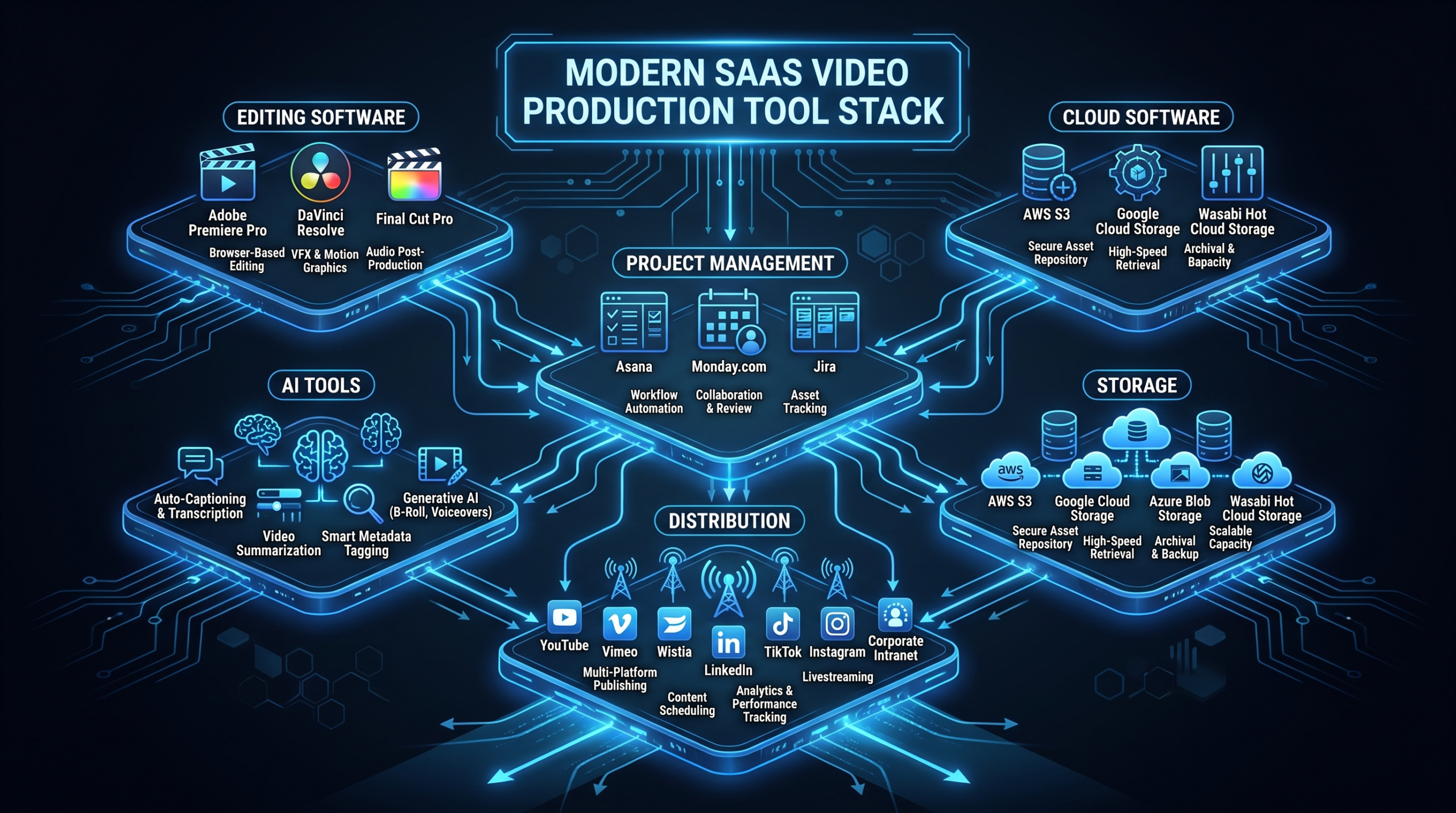
The SaaS Video Stack: Tools Editors Must Master
TL;DR — The 2026 SaaS Video Stack
- Editing: Premiere Pro (enterprise standard), DaVinci Resolve (pro/free), CapCut (social velocity)
- Project management & handoff: Frame.io for timestamped review, Notion for briefs, Slack for async production communication
- Asset storage: Dropbox Business (teams), Google Drive (smaller ops), cloud DAM (enterprise brand governance)
- Screen recording: Loom (async sharing), Camtasia (self-service demos), OBS (high-quality, free)
- AI tools: Descript (transcript editing + captions), Runway ML (B-roll generation), Epidemic Sound (licensed music)
- Distribution: Wistia (B2B demand gen, gated video, CRM data), Vimeo (quality hosting), YouTube (discovery and reach)
- Review workflows: Frame.io → single DRI approver → 48-hour comment deadline → 2-round revision cap
Table of Contents
- Why Your Video Tool Stack Determines Content Velocity
- Editing Software: Where Quality Lives
- Project Management & Handoff Tools
- Asset Storage & Digital Asset Management
- Screen Recording & Capture Tools
- AI-Powered Video Tools
- Distribution & Hosting Platforms
- Review & Approval Workflows
- Stack by Team Size
- FAQ
Your video marketing strategy is only as good as the infrastructure behind it. For B2B SaaS teams, the production tool stack isn't a nice-to-have — it's the operational difference between a content engine that compounds over time and a bottleneck that delays product launches, slows sales cycles, and costs you pipeline.
The average Series B SaaS marketing team manages video assets across six to twelve different tools. Most of those tools weren't chosen intentionally — they accumulated. The result: footage lost in Google Drive subfolders, review cycles running through email chains, editors waiting on approvals that live in someone's inbox, and asset libraries where no one can find the approved version of anything.
This guide maps the complete 2026 video production tool stack for B2B SaaS teams — not YouTube creator velocity, not Hollywood production pipelines. SaaS velocity: product releases, demos, customer testimonials, onboarding videos, sales enablement, and quarterly thought leadership, all running in parallel. Each category gets honest evaluation: what the tool does well, where it falls short, what it actually costs, and how it fits into a SaaS content operation.
Why Your Video Tool Stack Determines Content Velocity
The tool stack is the production infrastructure. Weak infrastructure creates friction at every handoff — between marketing and editors, between draft and approval, between approved and distributed. Teams commonly report spending a significant portion of video production time on tasks that better tooling would eliminate: resending files that didn't make it through email, hunting for the approved version of a logo or music bed, managing feedback across three different communication channels simultaneously.
Strong infrastructure multiplies editorial capacity. The same three-person team with the right tooling produces what a five-person team produces with ad-hoc workflow management. That leverage compounds as content volume scales. When you're publishing two videos a month, any tool configuration works. When you're publishing fifteen, the stack is everything.
The categories that matter for a SaaS video stack are: editing software, project management and handoff, asset storage, screen recording and capture, AI-powered production tools, distribution and hosting, and review and approval workflows. We'll cover all of them — and close with concrete stack configurations by team size, including what a well-managed outsourced production relationship looks like.
Editing Software: Where Quality Lives
Three tiers of editing software serve B2B SaaS teams. The right choice depends on the complexity of your content, the skill level of your editors, and whether your team is in-house or outsourced.
Adobe Premiere Pro — Enterprise Standard
Premiere Pro is the industry default for professional video editing, and that status is earned. Timeline-based editing with deep multi-track control, native integration with After Effects for motion graphics and Audition for audio mastering, and a vast ecosystem of templates, presets, and third-party plugins make it the most versatile tool in this category. Since Adobe acquired Frame.io and built it directly into Creative Cloud, the collaborative review workflow is now native rather than a workaround.
For SaaS teams, Premiere's biggest structural advantage is talent availability. Every professional video editor knows Premiere. If you outsource production or bring on contract editors, you will almost never struggle to find Premiere-proficient talent. That deep talent pool matters for scaling and for business continuity when team members change.
Creative Cloud plans including Premiere typically start around $55–90/month depending on whether you need the full suite or Premiere standalone. The main drawbacks: it is subscription-only (no perpetual license option), it is resource-intensive on older hardware, and complex timelines with many effects layers can become unstable.
DaVinci Resolve — The Free Professional Option
DaVinci Resolve is the strongest free professional editing software available, and it is not a compromise tool. Its color grading suite is industry-leading — film and television post-production professionals use Resolve for color work specifically. The free version is remarkably capable. The Studio version (a one-time purchase around $295) unlocks multi-user collaboration, AI-accelerated noise reduction, and additional effects tools.
For SaaS teams building in-house editing capability: Resolve is a serious option if you want to avoid recurring Adobe subscription costs. The learning curve is steeper than Premiere — the interface is organized differently and the workflow logic takes longer to internalize — but the color and finishing tools justify that investment for teams producing polished long-form content like case study films, brand videos, and high-quality product demos.
The main limitation: real-time collaboration is gated behind the Studio version, and the talent pool is smaller than Premiere's. If you're outsourcing, confirm your editor is Resolve-proficient before committing.
CapCut for Business — Social-Speed Editing
CapCut is not a Premiere replacement. It is a social content engine: fast, template-driven, optimized for short-form. For SaaS teams producing LinkedIn video content, repurposed webinar clips, product announcement teasers, or social ads, CapCut's speed-to-publish ratio is unmatched. The AI-powered features — auto-captions, background removal, scene transitions — make it genuinely useful for marketers without traditional editing skills.
CapCut for Business plans typically start around $7.99/month, making it the most cost-effective tool in this section by a significant margin. It does not replace professional editing for long-form or polished brand content. It belongs in the stack as the social content layer, not the primary production tool.
Editing Software Comparison
| Tool | Best For | Approx. Cost | Learning Curve | Team Collaboration |
|---|---|---|---|---|
| Adobe Premiere Pro | Enterprise, multi-format, outsourced teams | ~$55–90/mo | Medium | Strong (native Frame.io) |
| DaVinci Resolve | Color-critical work, in-house teams | Free / ~$295 one-time (Studio) | High | Requires Studio license |
| Final Cut Pro | Mac-first in-house teams | ~$299 one-time | Medium | Limited |
| CapCut for Business | Social clips, quick-turn social edits | ~$8/mo | Low | Basic |
Project Management & Handoff Tools
Editing software handles production. Project management tools handle everything around production: briefs, timelines, communication, and the critical handoff moments where work moves between people. This layer is where most SaaS teams underinvest — and where the most avoidable time gets lost.
Frame.io — The Central Nervous System
Frame.io has become the default video review and collaboration tool for professional teams, and the acquisition by Adobe has deepened its integration into the Premiere Pro workflow. The core value proposition: upload a draft, share a link, and collaborators leave timestamped comments directly on the video. No email. No screenshots with timestamps written in the body. No "it's around the 1:30 mark" ambiguity.
For SaaS teams: Frame.io is non-negotiable once you're producing more than five videos per month. The time saved on a single round of revisions — eliminating the back-and-forth of email-based feedback — justifies the subscription. Frame.io plans typically start around $15/user/month. Enterprise plans are custom-quoted.
Frame.io also supports version stacking, so stakeholders can compare current and previous cuts side-by-side. This eliminates the common problem of feedback reverting to previously addressed issues — a significant source of revision cycle inflation.
Notion — Brief and Asset Documentation
Notion functions as the long-form documentation layer for video production: video briefs, content calendars, brand style guides, script templates, and post-mortems. It is where the "why" of each video lives before production starts, and where learnings are captured after publication.
A well-designed Notion video brief template covers: objective and success metric, target audience and funnel stage, key messages (3–5 points), CTA and destination URL, required assets (product footage, testimonial clips, brand elements), reference videos for style guidance, and deadline by stage. That brief eliminates the most common sources of expensive revisions: misunderstood objective, wrong tone, missing assets discovered late in production.
Notion plans typically start around $8–10/user/month. For most SaaS teams already in the Notion ecosystem for other documentation, it adds no marginal cost.
Slack — Async Production Communication
For distributed teams — and most SaaS marketing teams have at least partial remote distribution — Slack is the production floor. Dedicated channels per active campaign, a #video-review channel for sharing Frame.io links, a #video-assets channel for approved file drops, and direct integration with Dropbox, Frame.io, and Notion notifications keep production status visible without status meetings.
The main risk with Slack: context fragmentation. When conversations about the same video project happen across three channels and two DM threads, no one has the full picture. Naming conventions (project codes, channel discipline) are as important as the tool itself. Slack Business+ plans typically start around $7.25/user/month.
Asset Storage & Digital Asset Management
Where you store video assets determines how quickly editors can access them, how well brand consistency is maintained across campaigns, and whether your approved asset library is actually usable or a digital junk drawer.
Dropbox Business — Team File Sharing Standard
Dropbox remains the most widely used cloud storage solution for creative teams, and the reason is Smart Sync. Editors can access multi-gigabyte raw footage files stored in the cloud without filling local drives — the files stream on demand. Selective sync policies, version history going back 180 days on Business plans, and granular sharing permissions make Dropbox the practical choice for teams managing large video files across multiple contributors.
Dropbox Business plans typically start around $15–20/user/month. For teams producing high volumes of video, the storage costs are worth comparing against actual usage — large raw footage libraries can push storage costs up significantly.
Google Drive — Smaller Team Default
For teams already in the Google Workspace ecosystem, Drive is the path of least resistance for document-level collaboration and lighter file sharing. It handles video files, but it is not optimized for large raw footage workflows the way Dropbox is. Folder structure discipline matters more with Drive — without naming conventions and regular cleanup, shared Drive folders become effectively unsearchable within six months of active production.
Google Workspace Business Starter plans are typically around $6/user/month. For SaaS teams producing under fifteen videos per month with consistent naming conventions and a structured folder hierarchy, Drive is a cost-effective storage solution that requires no additional tooling.
Cloud DAMs — Enterprise Brand Governance
At enterprise scale — multiple product lines, regional markets, multiple content teams operating simultaneously — a dedicated Digital Asset Management (DAM) platform pays for itself in prevented brand inconsistency and reduced time spent hunting for approved assets. Leading platforms include Bynder, Brandfolder, and Canto.
DAM platforms enable: curated approved asset libraries (logos, brand b-roll, standardized music beds, approved customer testimonial clips), usage rights and licensing expiration tracking, and automated distribution to downstream tools like Figma, Hootsuite, or directly to CMS platforms. For most Series A–B SaaS companies, a well-organized Dropbox with clear naming conventions and folder structure outperforms an under-implemented DAM. DAM platforms are typically custom-quoted; expect anywhere from $500 to $3,000+/month depending on user count and storage requirements.
Screen Recording & Capture Tools
Screen recording is the workhorse format of SaaS video production. Product demos, onboarding walkthroughs, feature announcement videos, customer support content, and sales enablement clips all depend on high-quality screen capture. The tool you use for this layer significantly affects both the quality of output and the time cost of production.
Loom — The Async Video Standard
Loom is the fastest path from thought to shareable video in production use today. Simultaneous screen, voice, and face recording with one click. Shareable link generated within seconds of stopping. For SaaS teams, Loom's ideal use cases are internal — product manager walkthroughs for the video brief, quick stakeholder updates, async feedback delivery — but it also serves as a first-cut customer communication tool for support and success teams.
Loom's editing tools are intentionally minimal: trim the ends, cut silences, add chapter markers, insert a CTA at the end. It is not a production tool; it is a communication tool that happens to produce video. That distinction matters. Using Loom for polished external content (customer-facing demos, webinar presentations) is a mismatch — the output quality ceiling is not high enough for that use case. Loom Business plans typically start around $12–14/user/month.
Camtasia — Self-Service Demo Production
Camtasia bridges the gap between Loom's simplicity and full professional editing. Built-in callout annotations, zoom and pan effects, cursor highlighting, animated transitions, and a substantial template library make Camtasia useful for producing polished product demos and onboarding videos without requiring a dedicated video editor.
For SaaS teams where the product marketer or solutions engineer creates demo content themselves: Camtasia is the right tool. It is not a replacement for professional editing on brand-level content, but for the high-volume, self-service demo production that most SaaS products require, it significantly raises the quality floor without raising the skill requirement. Pricing is typically around $219/year per user, or a one-time perpetual license is available.
For more on SaaS product demo video production and what makes demos convert, see the dedicated guide on that topic.
OBS Studio — Free, Powerful, Technical
OBS (Open Broadcaster Software) is professional-grade screen recording and live streaming software that costs nothing. The output quality ceiling is significantly higher than either Loom or Camtasia, and the configuration options are essentially unlimited. OBS supports multi-source scene composition, direct streaming to YouTube and Twitch, and high-bitrate local recording for post-production editing.
The trade-off is setup complexity. OBS requires meaningful configuration time upfront — scenes, sources, audio routing, encoder settings — and occasional troubleshooting when system updates affect performance. For SaaS teams using OBS: it is the right tool for high-production webinar recording, virtual event capture, or any live-to-VOD workflow where recording quality matters and budget for Camtasia or a dedicated capture card isn't available.
AI-Powered Video Tools
AI has materially changed what a lean SaaS video team can produce without proportional increases in headcount. The key categories where AI tools deliver genuine production value — not just marketing claims — are transcription and captioning, B-roll and visual content, and music and audio licensing.
Automated Captions & Transcription
Descript is the most sophisticated tool in this category. Its core innovation: edit the transcript to edit the video. Delete a sentence from the text, and the corresponding video segment is automatically cut. Add a word, and Descript's AI voice cloning fills in the audio gap. For SaaS teams producing interview-style content, thought leadership videos, and podcast-format material, Descript eliminates a significant portion of the tedious trim-and-cut work that slows down traditional editing. Plans typically start around $12/month.
Otter.ai is strong for transcription of interviews, customer conversations, and meetings. It is best used as a source document for scripts and briefs rather than as a direct production tool. Submagic and similar purpose-built caption generators handle animated captions for social-format video — word highlighting, emoji overlays, style presets — faster than any traditional captioning workflow.
B-Roll & Visual Content Generation
Runway ML leads the AI video generation category for production teams. Inpainting, background removal, object erasure, and short B-roll clip generation from text prompts are all available in a tool that integrates with professional video workflows. Plans typically start around $12/month. The output quality for generated B-roll has reached a threshold where it is usable for cut-aways and transitions in SaaS content, though it is not yet a replacement for product-specific screen recordings or customer footage.
Storyblocks is the subscription-based stock footage standard — unlimited downloads from a library of professionally shot footage. Plans typically start around $149/year for limited access and scale up significantly for business use. For SaaS content teams that need generic B-roll (office scenes, technology footage, lifestyle shots) without per-clip licensing fees, Storyblocks reduces asset sourcing time substantially.
AI Music & Audio Licensing
Epidemic Sound is the B2B standard for licensed music in video content. Flat-rate subscription with access to a large library of purpose-composed tracks. All music is pre-cleared for commercial use — including YouTube monetization — which eliminates the copyright claim risk that plagues teams using unlicensed music. Epidemic Sound for Business plans typically start around $49/month. Artlist offers a similar model with a comparable library at competitive pricing.
For AI-generated voice-over, ElevenLabs has reached the quality threshold where its output is useful for internal-use demo videos, product walkthrough narration, and localized versions of existing content. Plans are typically usage-based, starting around $5–22/month for standard tiers. It is not yet a replacement for professional voice talent on customer-facing brand content, but it handles the high-volume, lower-stakes narration work efficiently.
Distribution & Hosting Platforms
Where your video lives determines who finds it, what data you get back, and whether the content drives pipeline. Most SaaS teams underestimate the strategic importance of the distribution layer — treating it as a storage decision when it is actually a revenue decision.
Wistia — The B2B Choice
Wistia is purpose-built for B2B video hosting, and the feature set reflects it. Key advantages over generic video hosting: no competitor ads served on or after your content, chapter navigation for longer videos, email gate functionality (capture a lead before they watch your demo), video heatmaps showing exactly where viewers are dropping off, and native CRM integration with HubSpot, Marketo, Pardot, and Salesforce.
For SaaS teams: Wistia is the correct home for demo videos, customer testimonials, product walkthroughs, and any content where you want to capture or influence leads. The analytics depth — heatmaps, per-viewer engagement tracking, A/B testing — justifies the premium over YouTube for this content category. Wistia pricing starts around $19/month for the basic plan; teams with multiple channels or significant traffic should evaluate Plus and Advanced plans. For more on the SaaS video production workflow and how distribution fits the funnel, see the dedicated guide.
Vimeo — Quality-First Hosting
Vimeo is the quality-first alternative for teams where Wistia's analytics depth isn't the priority. Excellent video quality with less aggressive compression than YouTube, a clean player with no ads, and robust privacy controls make Vimeo suitable for client-facing draft sharing, internal video hosting, and any use case where quality matters but CRM integration doesn't. Vimeo plans typically start around $7–20/month, making it more accessible than Wistia for budget-constrained teams.
The strategic limitation: Vimeo does not have Wistia's lead capture, CRM handoff, or per-viewer analytics. For SaaS teams where video is a demand generation asset, Vimeo is the wrong primary host for pipeline-facing content. It is the right tool for internal review hosting and quality-first presentation of content where analytics are secondary.
YouTube — Distribution and Discovery
YouTube is not a hosting platform for SaaS video — it is a distribution channel and a search engine. The world's second-largest search engine by query volume, with intent-based discovery that compounds over time for educational content. For SaaS teams: top-of-funnel educational content (explainers, comparison videos, how-to walkthroughs, thought leadership) belongs on YouTube. Product demos, testimonials, and gated content belong on Wistia.
A well-structured YouTube channel with consistent publishing cadence builds organic search traffic that continues generating pipeline with no additional spend. For more on the complete video editing services that support a high-volume YouTube strategy, including thumbnail creation, chapter markers, and SEO optimization, see the services overview.
Distribution Platform Comparison
| Platform | Best Use Case | Lead Capture | Analytics Depth | Approx. Cost/Month |
|---|---|---|---|---|
| Wistia | B2B demand gen, demos, gated content | Yes (email gates) | Deep (heatmaps, CRM sync) | ~$19–79+ |
| Vimeo | Quality hosting, client drafts, internal | No | Moderate | ~$7–20 |
| YouTube | Top-of-funnel, search discovery, educational | No | Basic (YouTube Analytics) | Free |
| Loom | Internal sharing, async communication | No | Basic (view counts) | ~$12–14/user |
Review & Approval Workflows
The review cycle is where most SaaS video production time disappears. An unstructured approval process adds two to four business days to every video's timeline — not because the edits take that long, but because feedback is scattered, stakeholders are unaligned, and "final approval" turns out not to be final.
The Frame.io Workflow
The most effective review process for SaaS teams runs through Frame.io as the single source of truth:
- Editor uploads draft to Frame.io and shares the review link with a specific list of stakeholders — not "everyone on the team."
- Stakeholders leave timestamped comments directly on the video, within a 48-hour window. The deadline is set in the video brief and enforced. Silence after 48 hours is treated as approval.
- Editor addresses all comments in one revision pass and uploads the second cut. Minor issues that are correctly identified are fixed; pushback on stylistic preferences that contradict the brief is flagged to the designated reviewer.
- Designated reviewer marks approved in Frame.io. The approval is documented in the platform — no ambiguity about whether the final version is final.
- Editor exports and distributes to Wistia, YouTube, or the relevant hosting platform.
Rules That Prevent Review Cycle Inflation
Tool configuration alone won't fix a broken review process. The following structural rules prevent the most common failure modes:
- One designated reviewer per video. Not a committee. A single DRI (Directly Responsible Individual) who has final say. All other stakeholder input is advisory and filtered through that person.
- 48-hour comment deadline. Set at brief. Stakeholders who miss the window forfeit the revision round. This is the single most effective rule for preventing cycle inflation.
- Revision rounds capped at two in the brief. Round three requires a written justification. This creates friction around low-value revision requests.
- Feedback on the video, not on a different video. Comments comparing the current edit to a different reference video ("can we make it more like [competitor]'s launch video?") are scope expansion, not revision feedback. Flag them as such.
Building Your Stack by Team Size
The right configuration depends on team size, content volume, and how much of the production work is done in-house versus outsourced. Here are three concrete configurations.
Solo Marketer Stack — High Leverage, Low Overhead
You're wearing all hats: content strategist, producer, editor, and distributor. The priority is speed, low cognitive load, and tools that don't require a technical setup investment to start using.
- Editing: CapCut for Business (social clips) + DaVinci Resolve free (polished long-form)
- Screen recording: Loom
- Storage: Google Drive with a strict folder naming convention
- Captions: Descript or Submagic
- Music: Epidemic Sound (Business)
- Distribution: Wistia (key demand-gen assets) + YouTube (educational content)
- Review: Loom links for stakeholder feedback, Slack for comments
Estimated monthly tool cost: approximately $100–200/month depending on storage usage and Wistia plan tier.
Three-Person Video Team — Structured for Scale
A dedicated editor, a content strategist or producer, and a coordinator or project manager. Enough volume to justify stronger workflow tooling and the operational overhead that comes with it.
- Editing: Adobe Premiere Pro (shared Creative Cloud) or DaVinci Resolve Studio
- Review and handoff: Frame.io (3-user plan)
- Documentation and briefs: Notion (team workspace)
- Communication: Slack (Pro)
- Storage: Dropbox Business (3 users)
- Screen recording: Loom (briefs and feedback) + Camtasia (self-service demo production)
- AI tools: Descript, Runway ML, Epidemic Sound
- Distribution: Wistia (demand-gen) + YouTube (discovery)
Estimated monthly tool cost: approximately $600–1,200/month for 3–4 users across each platform.
Outsourced Video Production — Scaling Without Hiring
You've moved beyond what an in-house team can handle — or you deliberately chose not to build an in-house editing capability and want the editorial capacity of a full team without the hiring overhead. The right outsourced partner becomes the production layer; your team provides strategy, briefs, and approvals.
When evaluating outsourced video editing partners, look for: dedicated editor assignment (not a rotating pool of whoever is available), SaaS-specific experience with product demos and customer testimonials, an integrated review workflow (Frame.io or equivalent — not email), and predictable plan-based pricing with clear deliverable scope. For a full breakdown of what to evaluate, see the guide on how to outsource video editing effectively.
Top Outsourced Video Editing Partners for B2B SaaS
Video Editing Company (VEC)
Purpose-built for B2B SaaS. Dedicated editor pods (senior editor + project manager) assigned to each account, ensuring brand consistency from the first project forward. Plans range from Growth at $5K/month to Core at $9.5K/month to Scale at $16K/month, with a guarantee to double video output in 90 days or month four is free. For SaaS teams that need to scale production without scaling headcount, VEC's model is designed precisely for that operating mode.
Increditors
Full-service video editing agency with dedicated editor pods (senior editor + junior editor + project manager + creative director). Serves SaaS, YouTube creators, finance, and education verticals. Known for significantly improving YouTube channel performance for clients. Custom retainer pricing reportedly ranging from approximately $2.5K to $12K+/month. Honest considerations: not SaaS-exclusive, pricing requires a custom quote rather than instant tier selection. Contact: [email protected].
Traditional Creative Agency
Full-service agencies offer higher creative production value — original cinematography, complex 3D animation, broadcast-quality finishing — but come with significantly higher per-video costs and longer turnaround times. Best suited for quarterly brand films, product launch campaigns, and content where production quality is the primary differentiator. Not optimized for ongoing SaaS content operations.
For teams moving toward outsourced production, the internal tool stack simplifies significantly. You'll still need Notion (for briefs), Frame.io or equivalent (for review), a distribution platform (Wistia + YouTube), and Slack (for day-to-day communication with your production partner). The editing software, storage, and capture tools become the partner's responsibility. See the VEC workflow overview for how that production relationship is structured in practice.
The most scalable SaaS video operations aren't the ones with the biggest internal teams — they're the ones with the tightest brief-to-approval workflow and the right production partner executing within it.
Frequently Asked Questions
What video editing software do most B2B SaaS teams use?
Most professional SaaS video teams use Adobe Premiere Pro as their primary editing environment, primarily because of the deep talent pool and the native integration with Frame.io for collaborative review. Teams with Mac-centric workflows sometimes use Final Cut Pro. For social content, CapCut for Business is increasingly common as a complementary tool. Outsourced production partners typically standardize on Premiere Pro for the same talent-availability reason.
Is Wistia worth the cost over YouTube for SaaS video hosting?
For demand-generation and sales-enabling content — demos, testimonials, product walkthroughs, gated educational content — yes, Wistia is worth the cost. The email capture on gated videos, CRM integration, and per-viewer heatmap data provide revenue-attributable value that YouTube's analytics cannot match. YouTube is the right platform for top-of-funnel educational content where organic discovery and reach matter more than lead attribution. The practical answer for most SaaS teams: use both, for different content categories.
How much does a complete SaaS video tool stack cost per month?
A fully equipped three-person SaaS video team can expect to spend approximately $600–1,200/month on production tooling: Premiere Pro or Resolve Studio, Frame.io, Notion, Slack, Dropbox Business, Loom, Epidemic Sound, Descript, and Wistia. A solo marketer operating lean can run an effective stack for approximately $100–200/month. These figures are for tools only — they do not include production partner costs for outsourced editing, which range from approximately $5K/month for dedicated team models like VEC to custom-quoted options from premium agencies.
Which AI video tools are actually worth using for SaaS content teams?
In 2026, three AI video tool categories deliver genuine production value for SaaS teams rather than marketing hype. First: transcript-based editing via Descript, which materially reduces the time cost of editing interview and talking-head content. Second: licensed AI music via Epidemic Sound or Artlist, which eliminates copyright claim risk while reducing music sourcing time to minutes. Third: automated captioning tools (Descript, Submagic) for social-format content, which have largely replaced manual captioning workflows. AI B-roll generation via Runway ML is useful for generic cut-aways but is not yet reliable for product-specific or brand-critical visuals.
How do I reduce revision cycles in my video production workflow?
The most effective changes are structural, not tool-based. First: write a complete brief before any production starts — objective, audience, key messages, CTA, and style reference. This eliminates the most common sources of revision: misunderstood tone, wrong focus, missing assets. Second: assign one designated reviewer with final approval authority. Committee approval processes inflate revision cycles predictably. Third: set a 48-hour comment deadline on Frame.io review links and enforce it — silence is approval. Fourth: cap revision rounds at two in the brief and require written justification for a third round. Teams that implement these four rules commonly report halving their average revision cycles within the first month.
Ready to Scale Your Video Production?
Video Editing Company gives B2B SaaS teams a dedicated editorial pod — senior editor, project manager, and a structured brief-to-publish workflow — without the overhead of hiring. Growth, Core, and Scale plans available. Guarantee: double your video output in 90 days or month four is free.
Book a Free Strategy Call See Pricing Plans
