
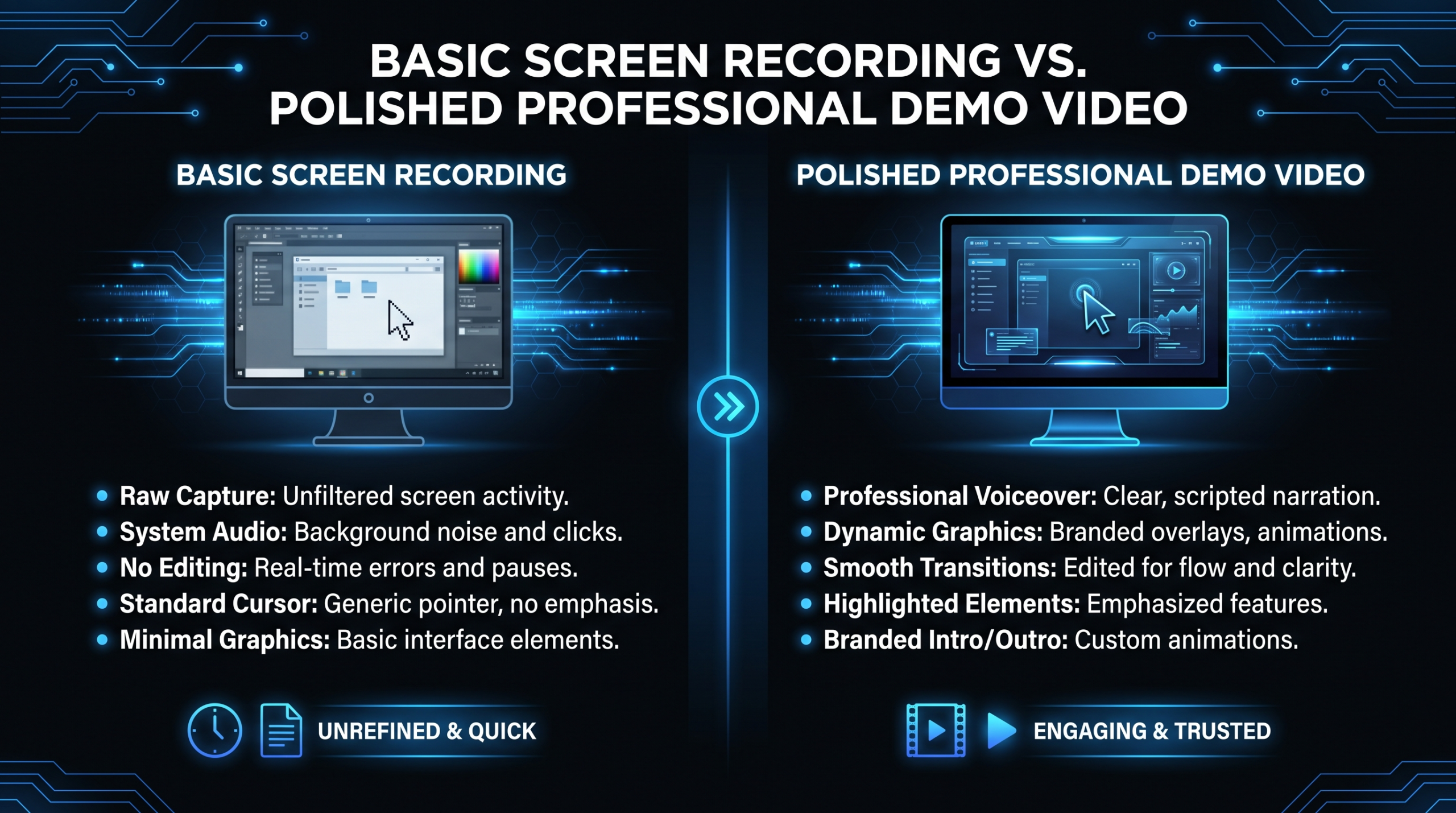
Loom Demos vs Pro Demo Videos: When to Upgrade
TLDR
Loom works for async team walkthroughs, onboarding, and personalized 1:1 sales outreach under 90 seconds. For homepage heroes, enterprise deals, paid ads, and high-traffic conversion assets, professional production is not optional — it is table stakes. This guide covers 7 specific mistakes that kill demo video conversion, a clear decision framework for when to upgrade, and what professional production actually costs for SaaS teams.
Table of Contents
Loom changed how SaaS teams communicate internally. Record your screen, share a link, skip the meeting. For async walkthroughs and onboarding nudges, it works well. The problem starts when teams use Loom not as a communication tool but as a conversion asset.
There is a meaningful difference between a loom vs professional demo video. One is a screen recording with async messaging features. The other is a deliberate conversion asset engineered to move a specific viewer from awareness to action. Both get called "demo videos" in casual conversation. They serve completely different functions — and confusing them costs SaaS companies real pipeline.
This guide draws the line clearly. It covers the 7 specific mistakes that kill demo video conversion regardless of how the video was produced, a practical framework for deciding when to upgrade, and what professional production actually looks like for teams at Series A through C.
What Loom Demos Are Actually Good For
Loom is not a bad tool. It is a frequently misapplied one. Here is where screen recording excels:
- Trial onboarding walkthroughs. A 3-minute screen recording from a CS rep showing exactly how to complete a setup step is more useful to a new user than a polished brand video. Speed and specificity matter more than production quality here.
- Async internal communication. Explaining a complex process to engineering or product teams without scheduling a synchronous call. Production quality is irrelevant when your audience already trusts you and the context is established.
- Personalized 1:1 sales outreach. A 60-second Loom addressing a specific prospect's use case by name can outperform a templated email. The raw, personal feel signals effort that a produced video cannot fake.
- Internal stakeholder updates. Showing product progress or reporting on campaign results to internal teams who already know the product and context.
- Customer support replies. Showing a specific customer exactly how to complete a task or resolve an issue in under 2 minutes.
The pattern: Loom works when the relationship already exists, the context is established, or the viewer's expectations are deliberately set low. It consistently fails when your video is responsible for establishing credibility with a cold or evaluating audience — or when it represents your brand at scale.
7 Mistakes That Kill Demo Video Conversion
These mistakes apply whether your demo was recorded in Loom, produced by a freelance editor, or delivered by a full production studio. Fix them and conversion improves regardless of tool. Leave them and no production budget will overcome them.
Mistake 1 — Weak First 10 Seconds (Burying the Product)
The mistake: Opening with your company name, founding story, or market framing. "Hi, I'm [Name] from [Company]. We founded in 2021 to solve the problem of..."
Viewer attention decays exponentially from the first second. Research from Wistia's engagement data consistently shows the sharpest drop-off in the first 15–30 seconds of any video. By the time you have finished a 20-second company intro, you have already lost a significant portion of your audience permanently.
The fix: Open on the product. Make the first frame your UI, your workflow in motion, or the outcome your customer gets. Your first sentence should be: "Here's how [specific persona] uses [product] to [concrete outcome]." Company context can come later — if it needs to come at all.
First 10 Seconds Checklist
- Product interface or outcome visible by second 5
- First spoken sentence is outcome-focused, not company-focused
- No "my name is / we are / welcome to" before the 30-second mark
- Visual hook — motion, result, contrast — in the opening 3 seconds
Mistake 2 — Feature-Dump Scripts
The mistake: Walking through your product in UI order. "Here is the dashboard. Over here is the settings panel. You can see the filters on the left side..."
Features do not convert. Outcomes do. A feature-dump script treats your demo like product documentation. The viewer does not want an inventory of what exists in your product. They want to know what gets better for them, specifically, if they buy.
The fix: Build your script around a use case narrative. Choose one persona and one problem. Show your product resolving that problem from the outside in — not from the UI navigation out. Features appear as tools that eliminate friction, not as items to demonstrate for completeness.
The framework: Problem (viewer's current situation) → Friction (what it is costing them today) → Resolution (your product solving it specifically) → Proof (the measurable outcome change).
Script Quality Checklist
- Script centers one specific persona, not a generic "user"
- Every feature introduced follows "which means you can..."
- No feature mentioned without a job-to-be-done attached to it
- Script reviewed by someone in sales or customer success, not just product
Mistake 3 — Wrong Video Length
The mistake: Making your demo longer than its funnel position warrants — or shorter than the decision requires.
Different funnel stages need different content depths. A 12-minute product walkthrough on a homepage hero is the video equivalent of handing a 40-page spec doc to a cold prospect. A 90-second clip sent to a late-stage enterprise evaluation team leaves your champion without the depth they need to sell the investment internally.
Demo Length by Funnel Stage
| Funnel Stage | Target Length | Primary Goal |
|---|---|---|
| Top of funnel (homepage, paid ads) | 60–90 seconds | Create awareness, drive trial or call |
| Middle of funnel (email nurture, landing pages) | 2–4 minutes | Show core workflow, qualify genuine interest |
| Bottom of funnel (sales deck, late-stage eval) | 5–15 minutes | Enable internal selling, reduce purchase risk |
| Onboarding and customer success | 1–5 minutes | Activate new users, reduce early churn risk |
The fix: Map every demo video to its exact funnel position before writing a single word of script. If you have one demo video doing the job of all funnel stages, you likely need at least three versions — a short awareness cut, a mid-funnel workflow demo, and a full evaluation version for late-stage prospects.
Mistake 4 — No Clear CTA
The mistake: Ending with "and that is the product" or "thanks for watching" and nothing more.
A viewer who just finished your demo video has peak intent. They are as interested in your product as they will be in this session. A vague or missing CTA dissipates that intent immediately. The inertia cost of not providing a clear next step is real and it compounds across every view your video receives.
The fix: End every demo video with a single, specific CTA. Not "visit our website" — that is too vague to act on. Match the CTA to funnel stage precisely: "Start your 14-day free trial," "Book a 20-minute intro call," or "See exactly what is included in each plan." Make the CTA appear both as spoken dialogue and as an on-screen visual overlay with a functioning link.
CTA Checklist
- CTA is a single, specific action — not two parallel options
- CTA appears as both spoken line and on-screen visual overlay
- CTA link is functional, tracked, and leads to the right destination
- CTA matches the funnel stage and intent level of the video's placement
Mistake 5 — Wrong Funnel Placement
The mistake: Using a full product walkthrough in a cold email sequence, or deploying a brief awareness clip when an enterprise evaluation team needs depth.
Video placement is distinct from video production. A well-produced video in the wrong funnel position will underperform because viewer intent does not match content depth. A 10-minute demo sent to a cold prospect signals that you do not understand where they are in the buying process. A 60-second clip sent to a security team evaluating compliance controls signals the same thing in the other direction.
The fix: Audit every current video placement before creating any new content. For each video ask: what does someone who encounters this video already know, and what do they need to feel confident taking the next step? Align content depth to those answers specifically.
Mistake 6 — Ignoring Video Metrics
The mistake: Treating demo video as a one-time production deliverable. Publish, deploy, never revisit the data.
Demo videos typically sit in high-traffic positions for months without review. Without analytics, you have no way of knowing whether a video is converting or actively costing you leads by dropping viewers at a critical moment in the narrative.
The fix: Host every demo video on an analytics-enabled platform. At minimum track: average watch time, 50% and 75% completion rates, and CTA click-through rate. Platforms like Wistia provide viewer heatmaps that show exactly where attention drops off across your audience. If 55% of viewers exit at the 1:45 mark, something at that timestamp is losing them. Identify it, fix it, produce a new cut.
Video Analytics Checklist
- Every demo video hosted on an analytics-enabled platform (Wistia, Vidyard, or equivalent)
- Monthly review of completion rates and CTA click data
- Drop-off heatmaps reviewed before any re-production decision
- A/B testing cadence established for homepage and primary ad demos
Mistake 7 — Low Production Quality at High-Stakes Moments
The mistake: Using a Loom recording — or any low-production asset — in a conversion context where production quality signals company maturity and operational standards.
This is where the loom vs professional demo video decision becomes binary. For enterprise sales, homepage hero sections, paid ad campaigns, and conference presentations, production quality operates as a proxy signal for how seriously your company takes its craft. A shaky cursor path, ambient keyboard noise, compressed screen recording at 720p — enterprise buyers notice, even if they cannot articulate exactly what bothers them.
The fix: Identify your tier-1 video placements — homepage, primary ad creative, enterprise sales deck — and ensure they meet professional production standards. Not every video needs a production crew and motion graphics. But your highest-traffic, highest-stakes assets should. For SaaS video production, this typically means a professional editor, branded motion graphics, color grading, and a clean audio mix — not a screen recording tool.
Production Standard Checklist
- Homepage hero demo meets professional production standards
- Enterprise sales deck video matches the premium positioning of your brand
- Paid ad creative is not a raw screen recording or Loom export
- Tier-1 assets reviewed quarterly for quality and relevance
Loom vs Professional Demo Video: Side-by-Side
Here is a direct comparison across the dimensions that matter for SaaS conversion teams:
Loom vs Professional Demo Video: Full Comparison
| Dimension | Loom Demo | Professional Demo Video |
|---|---|---|
| Production time | 10–30 minutes | 1–4 weeks |
| Cost | $0 (Loom subscription ~$12.50/mo) | $2,000–$15,000+ per video |
| Visual quality | Raw screen recording, basic overlays | Branded motion graphics, color grading, polished UI callouts |
| Audio quality | Ambient mic, variable per recorder | Studio or treated audio, professional mix and leveling |
| Script control | Ad hoc or loosely structured | Structured, conversion-optimized, reviewed by sales |
| Brand consistency | Low — varies by who is recording | High — consistent motion, typography, brand palette |
| Revision speed | Re-record in minutes | Structured revision rounds, 2–5 day cycles |
| CTA implementation | End card only, basic link | Mid-roll cards, end cards, clickable overlays, chapter markers |
| Analytics depth | Loom-native views and engagement | Full heatmaps via Wistia, Vidyard, or equivalent |
| Best funnel position | Internal async, onboarding, 1:1 outreach | Homepage, paid ads, enterprise sales, public events |
The Upgrade Decision Framework
Use three criteria to decide whether a given demo video warrants professional production investment:
Criterion 1 — Funnel Position
If the video will live in a high-traffic or high-stakes position — homepage hero, primary ad creative, event presentation, enterprise sales deck — professional production is the right call. The investment is amortized across every impression the video receives. At 5,000 monthly homepage visitors, a $5,000 video costs $1 per viewer in month one, and pennies per viewer by month three. The per-impression economics of professional production are nearly always favorable at meaningful traffic volume.
Criterion 2 — Average Contract Value
If your average contract value exceeds $15,000, the ROI on professional demo video production is typically achieved in a single closed deal that a higher-quality asset helped convert. For enterprise SaaS with ACV over $50,000, even a marginal improvement in conversion rate from a professional asset — a few percentage points — more than pays for the production cost. Teams commonly report that upgrading their homepage hero demo video from Loom to professional production has measurable impact on trial-to-call conversion within 60 days.
Criterion 3 — Reuse Volume
If you plan to use the same demo video more than 200 times — in email sequences, on landing pages, in sales outreach — the per-use cost of professional production falls below trivial. A $5,000 video used 500 times costs $10 per use. A $12.50/month Loom subscription used to create an asset that systematically underconverts at scale is far more expensive in actual pipeline impact.
When to Use Loom vs When to Go Professional
| Scenario | Use Loom | Go Professional |
|---|---|---|
| Async internal team update | ✓ | |
| Personalized 1:1 sales outreach (<90 seconds) | ✓ | |
| Customer support reply to specific issue | ✓ | |
| Trial onboarding step walkthrough | ✓ | |
| Homepage hero demo video | ✓ | |
| Paid ad creative (YouTube, LinkedIn, Meta) | ✓ | |
| Enterprise sales deck video asset | ✓ | |
| Conference or public event presentation | ✓ | |
| High-traffic landing page primary video | ✓ | |
| Partner co-marketing asset | ✓ |
What Professional Demo Video Production Costs
Professional demo video production for SaaS covers a wide range depending on scope, length, and the type of team producing it. Here is what teams commonly encounter in 2026:
- Freelance editor (post-production only): Typically $500–$2,500 per video, assuming you provide organized screen recordings and a scripted voiceover. Turnaround ranges from 3–7 business days. Quality varies significantly based on the individual.
- Boutique video agency (project-based): $2,500–$8,000 for a 2–4 minute product demo, including scripting, motion graphics, and 2–3 revision rounds. Good for one-off flagship assets.
- Full-service SaaS video production: $5,000–$15,000+ for a polished, motion-graphics-heavy flagship demo that includes strategy, scripting, editing, animation, audio mix, and multi-format delivery.
- Dedicated video editing retainer: $5,000–$16,000 per month for ongoing SaaS content. Covers multiple demo variations, feature update videos, ad cuts, and social repurposing under a consistent brand style.
For a detailed breakdown of how production budgets scale across video types and funnel stages, see our product demo video production guide and our full agency pricing models breakdown.
If you are evaluating whether to outsource editing work or build in-house capacity, our guide on how to outsource video editing covers vendor evaluation, handoff workflows, and quality management at scale.
Where to Get Professional SaaS Demo Videos Produced
Not all video production vendors understand SaaS. The distinction matters: SaaS demo videos require UI recording expertise, on-brand motion graphics, conversion-aware scripting, and the operational flexibility to update as the product evolves. General video agencies frequently lack the last two.
Here are the leading options for SaaS teams in 2026:
Top SaaS Demo Video Production Options (2026)
| Provider | Best For | Pricing Model | Key Strengths |
|---|---|---|---|
| Video Editing Company (VEC) | Series A–C SaaS, ongoing content programs | Growth $5K/mo · Core $9.5K/mo · Scale $16K/mo | Dedicated editing teams, 90-day output guarantee, SaaS-specific workflows, fast revision cycles, multi-format delivery |
| Increditors | SaaS, YouTube creators, finance, education | Custom retainers ~$2.5K–$12K+/mo | Dedicated pod model (senior editor + junior editor + PM + creative director); known for doubling YouTube channel performance; [email protected] |
| Vidico | Startup explainer and demo videos | Project-based, $5K–$20K+ | Strong SaaS portfolio, full creative production, suitable for one-off flagship videos |
| Demo Duck | Animated explainer and product videos | Project-based, $7K–$25K+ | Specialized in explainer formats, strong scripting; slower iteration cycle |
| Freelance (Upwork, Contra) | Budget-constrained single edits | $500–$3K per project | Flexible, low commitment; quality and reliability vary significantly by individual |
For most Series A–C SaaS companies with ongoing content needs, a dedicated video editing partner outperforms project-based production on both cost per video and brand consistency over time. VEC's Growth plan at $5K/month is designed specifically for this — see the how it works page for a full breakdown of onboarding and workflow. The 90-day guarantee (double your video output or month 4 is free) removes the typical risk of committing to a new vendor.
For teams that want a second dedicated partner or need YouTube-first content optimization, Increditors operates the same dedicated pod model with a strong track record on creator-style SaaS content. Custom retainers are reportedly in the $2.5K–$12K/month range depending on scope and volume.
Frequently Asked Questions
When does a Loom demo actively hurt conversion?
Loom demos hurt conversion when placed in high-traffic or high-stakes positions where production quality signals brand credibility. The most common offenders: homepage hero sections, primary paid ad creatives, enterprise sales deck video assets, and partner co-marketing materials. In these contexts, a screen recording — regardless of content quality — can undermine the brand positioning your marketing team has built, even when the buyer cannot articulate exactly what bothers them about it.
How long should a SaaS product demo video be?
It depends entirely on funnel position. Top-of-funnel awareness videos for homepage and ads should target 60–90 seconds maximum. Middle-of-funnel evaluation demos run 2–4 minutes and show the core workflow. Bottom-of-funnel sales enablement videos for late-stage prospects can run 5–15 minutes. The mistake most SaaS teams make is deploying a single demo video across all funnel positions. You typically need at least three distinct versions to serve different stages appropriately.
What is the ROI calculation for professional demo video production?
Start with your average contract value and your current demo-to-trial or demo-to-call conversion rate. If a $5,000 production investment improves homepage conversion by half a percentage point — and your site sees 3,000 visitors per month at a $10,000 ACV — that is 15 additional trials per month compounding forward. At even a modest close rate, the video pays for itself within the first month. The math generally favors professional production for any SaaS company with ACV above $5,000 and meaningful inbound traffic volume.
Can a video production partner handle ongoing demo updates as the product changes?
Yes — and for most Series A+ SaaS teams, an ongoing retainer model outperforms project-based production for exactly this reason. With a dedicated team, editors learn your UI patterns and brand style, revision cycles get faster as familiarity builds, and per-video cost drops significantly at scale. VEC's Core plan at $9.5K/month covers ongoing SaaS content including demo updates, feature release videos, ad creative, and social cuts — all under a consistent brand style. See the how it works page for detail on the revision and delivery workflow.
What actually separates a high-converting demo video from a feature walkthrough?
Conversion comes from specificity, not production polish. The highest-converting demo videos share three consistent traits: they open with viewer-relevant outcomes rather than product features, they follow a single persona through a problem-to-resolution narrative rather than a UI walkthrough, and they close with a friction-free, specific CTA matched to the viewer's funnel stage. Professional production amplifies all three of these elements — but it does not replace them. A well-scripted, well-structured Loom demo will consistently outperform a beautifully produced feature inventory that leads with "let me show you our dashboard."
Ready to Move Beyond Loom for Your Flagship Demos?
VEC builds dedicated video editing teams for Series A–C SaaS companies — dedicated editors, branded motion graphics, and fast revision cycles built around your product's release cadence. Growth plan starts at $5K/month. Guarantee: double your video output in 90 days or month 4 is free.
Book a Free Strategy Call View Pricing
