Video Analytics: Watch Time to Pipeline
TL;DR
Watch time alone is a vanity metric. The teams that prove video ROI to their boards connect viewer behavior data to actual pipeline — tracking which prospects watched a demo before a deal closed, which drop-off points signal a broken script, and how engagement curves predict conversion likelihood. This guide covers the full stack: benchmarks by funnel stage, how to read heatmaps, UTM attribution, Wistia and HubSpot integrations, influenced MRR calculation, and the monthly performance review process that keeps your video program accountable to revenue — not just reach.
Table of Contents
- Why Most SaaS Teams Are Reading Video Metrics Wrong
- Watch-Time Benchmarks by Funnel Stage and Video Type
- Engagement Curves, Heatmaps, and What Drop-Offs Are Telling You
- Building Your Video Attribution Stack
- Video Marketing Analytics Tool Tiers: What to Use When
- The Monthly Video Performance Review Framework
- FAQ
Why Most SaaS Teams Are Reading Video Metrics Wrong
The typical video reporting cadence at a Series B SaaS company looks something like this: someone pulls total views and average watch time from YouTube or Wistia, pastes the numbers into a slide, and calls it a performance update. If views went up, video is working. If watch time dropped, the next video will be shorter. That's it.
This approach misses almost everything that matters. View counts tell you about reach, not quality. Average watch time obscures the behavioral variance that reveals whether your content is actually engaging prospects or just burning impressions. And without connecting video engagement to CRM data, you have no way to know whether the people watching your demos are the same people your sales team is closing.
The gap between "video analytics as a reporting exercise" and "video analytics as a pipeline signal" is significant — and it's the main reason most video programs get cut when budgets tighten. Teams that can't connect their content to revenue rarely survive two budget cycles.
The good news: the data infrastructure to close this gap already exists in most Series A–C stacks. Wistia, Vidyard, HubSpot, and Salesforce all have native integrations that push viewer behavior into contact records. The challenge is knowing what to measure, which benchmarks to use, and how to run the monthly review that keeps leadership confident video is earning its budget.
That's exactly what this guide covers. No theory — a practical playbook for Heads of Content and VPs of Marketing who need video analytics to do more than fill a slide.
Watch-Time Benchmarks by Funnel Stage and Video Type
Before you can measure performance, you need a reference point. The benchmarks below reflect commonly observed ranges across B2B SaaS video programs — they're not universal guarantees, but they give you a starting point for evaluating your own content.
Understanding the Key Metrics
Average watch rate is the percentage of total video length the average viewer watches. A 5-minute video with a 60% average watch rate means most viewers are watching approximately 3 minutes. Completion rate is the percentage of viewers who watch at least 85–90% of the video (varying by platform definition). These two metrics together tell you more than either alone.
For a high-retention video program, you want average watch rate trending upward over time as you iterate on scripts and editing. Completion rate tells you about the hard end — viewers committed enough to see it through. High completion rate on a short video is less impressive than high completion on a 6-minute product walkthrough.
Video Performance Benchmarks by Funnel Stage and Type
| Video Type | Funnel Stage | Target Avg Watch Rate | Target Completion Rate | Key Signal If Below Benchmark |
|---|---|---|---|---|
| Homepage explainer | ToFu | 40–55% | 25–35% | Hook failing in first 10s; value prop unclear |
| Product demo (ungated) | ToFu / MoFu | 50–65% | 35–50% | Too feature-heavy too fast; no narrative thread |
| Product demo (gated/sales-assisted) | MoFu | 60–75% | 45–60% | Pacing mismatch; wrong ICP in the room |
| Feature deep-dive / walkthrough | MoFu | 65–78% | 50–65% | Over-explaining basics; audience already knows context |
| Customer testimonial / case study | BoFu | 65–80% | 55–70% | Testimonial too generic; not enough specific outcome data |
| Onboarding / activation walkthrough | Post-sale | 75–90% | 65–82% | Steps unclear; navigation confusing; narration too slow |
| Webinar / long-form content | MoFu | 30–50% | 18–32% | Padded intro; too much housekeeping before substance |
| Social / top-of-funnel awareness clip | ToFu | 55–70% (short format) | 45–60% | No hook in first 2s; caption/thumbnail mismatch |
Two important caveats. First, these ranges are wider than they look — a 40% average watch rate on an ungated homepage explainer is reasonable; the same rate on a sales-assisted demo call is a red flag. Context is everything. Second, your own historical baseline will become more valuable than industry benchmarks over time. Once you've published 20+ videos with consistent tracking, you'll have program-specific norms that are far more useful than any published figure.
Short-Form vs. Long-Form: Different Rules
Videos under 90 seconds follow different engagement dynamics than videos over 4 minutes. Short-form content that loses viewers before the 30-second mark has a hook problem — you're not giving people a reason to stay. Long-form content that loses 40% of viewers in the first 2 minutes usually has an intro pacing problem — too much setup before any value is delivered.
For most SaaS video programs, the sweet spot for product demos ranges from 2–5 minutes (for self-serve/PLG audiences) to 8–12 minutes (for enterprise buyers who need to see full workflows). Match video length to buyer time budget, not to how much you want to show.
Engagement Curves, Heatmaps, and What Drop-Offs Are Telling You
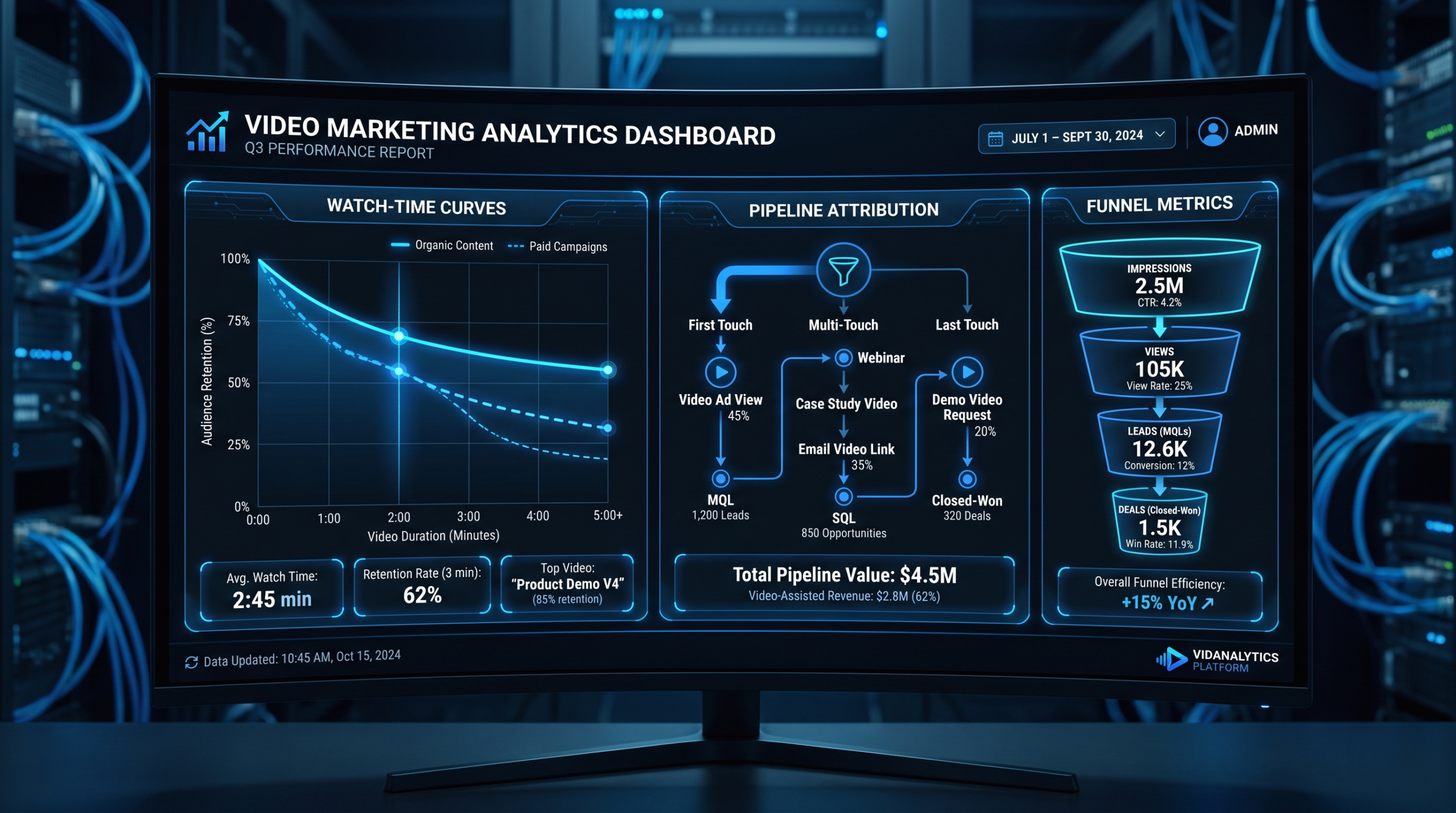
The engagement curve — the moment-by-moment retention graph that platforms like Wistia, Vidyard, and even YouTube provide — is the single most actionable piece of data in your video analytics stack. Most teams glance at it and move on. The teams that actually improve their content treat it as a diagnostic tool.
Anatomy of a Drop-Off
Every meaningful drop in the retention curve has a cause. The most common patterns, and what they typically indicate:
- Drop in the first 5–10 seconds (20%+ of viewers leave): Your opening doesn't establish relevance fast enough. The thumbnail or title promised something the first seconds don't immediately deliver. Fix: recut the intro to lead with the end result or the key pain point within the first 3 seconds.
- Cliff at 20–30% of total duration: This is often the "setup overstay" — you've spent too long on context, problem framing, or agenda-setting before getting to substance. Viewers who got enough from the framing are leaving because they haven't seen a reason to stay. Fix: cut the setup by 30–50%, move your first concrete insight earlier.
- Gradual decay from 40–70% duration: Normal for informational content — this is not necessarily a problem. Concern sets in when the slope steepens significantly or when there's a visible step-change drop at a specific point. Step-changes at a specific timestamp usually mean a subject change that doesn't land, a jarring visual transition, or a segment that doesn't serve the audience.
- Drop-off immediately after a CTA or pricing mention: Counter-intuitively, this isn't always bad. If viewers who watched through the CTA (60–70% completion) are converting at higher rates, the drop at the CTA point just means you captured intent and they acted. Track what those viewers do next.
- Audience re-engagement (curve rises after a drop): Wistia's heatmap shows rewatched segments as brighter heat. If viewers are rewinding to a specific 15-second section, that segment is gold — it's the densest value in the video. Put it earlier in the next version.
Using Heatmaps to Diagnose Editing Problems
Aggregate heatmaps — where you can see which exact moments are being rewatched, skipped, or abandoned across all viewers — are available on Wistia's Pro tier and Vidyard's Business plan. They're worth the upgrade specifically for high-stakes MoFu and BoFu content.
The editing signals are direct. Segments that are consistently skipped over are candidates for cutting or restructuring. Segments that are rewatched frequently should be expanded or moved to a more prominent position. A product demo where the pricing slide gets 40% rewatch rate is telling you that pricing is the decision point — build your next version around making that section clearer and more compelling.
When you're working with a dedicated video team, this kind of data creates a direct feedback loop: analytics identify the problem; editorial fixes it in the next iteration. Teams that treat video as "ship it and forget it" leave this loop completely closed.
Pattern Interrupts and Editing Cadence
One of the most consistent correlations in B2B video retention data: editing cadence matters more than most marketers expect. Videos that hold attention typically vary the visual track every 6–12 seconds — b-roll cuts, screen recording overlays, text callouts, or animated graphics. When the visual stays static for 20+ seconds, retention typically drops. This isn't because viewers have short attention spans; it's because static visuals reduce perceived information density even when the audio content is strong.
This is one reason why editing quality directly affects your video analytics. A script that reads well on paper can lose viewers in the edit if there's no visual variety to carry the rhythm. For teams investing in outsourced video editing, making sure your editing partner understands B2B retention patterns — not just aesthetic polish — is critical.
Building Your Video Attribution Stack
Watch time data tells you what viewers did. Pipeline attribution tells you whether those viewers became revenue. The gap between these two data sets is where most video programs fail to prove their value.
Here's the architecture of a video attribution stack that actually works for Series A–C SaaS:
UTM Parameters: The Non-Negotiable Foundation
Every link that leads a prospect to a video — or that appears in the description or CTA of a video — should carry UTM parameters. This is table stakes and most teams do it, but the convention matters. Inconsistent UTM naming means your attribution data is fragmented across campaign sources and you can't aggregate video-influenced traffic cleanly.
A reliable UTM structure for video content:
- utm_source: the platform (wistia, youtube, linkedin, email)
- utm_medium: the content category (video, demo, webinar, testimonial)
- utm_campaign: the campaign or content series (q3-demo-series, onboarding-revamp)
- utm_content: the specific video title or identifier (product-demo-v2, customer-story-acme)
With this structure, you can filter your HubSpot or Salesforce pipeline reports by utm_medium=video and see all video-sourced and video-influenced contacts in one view. Without it, you're running attribution blind.
Wistia + HubSpot: The Core Integration
For teams already on HubSpot, the Wistia-HubSpot integration is the most direct path to contact-level video attribution. Once connected, Wistia pushes viewing events — which video was watched, how much was watched, when — directly into the HubSpot contact timeline. This means your sales team can see that a prospect watched 78% of your 8-minute enterprise demo three days before requesting a call.
Key properties the integration creates in HubSpot contact records:
- Last video watched
- Video watch percentage for each video
- Total time watched across all videos
- Videos watched (list)
These properties become filterable for list segmentation, enrollment in workflows, and inclusion in deal reports. A workflow that fires a sales notification when a contact watches >70% of a demo video is a straightforward implementation that most HubSpot admins can set up in an afternoon.
Calculating Influenced MRR
Influenced MRR is the most defensible metric for video's contribution to pipeline. The definition: any deal where a contact associated with the opportunity watched at least one video before the deal closed qualifies as "video-influenced." This is a conservative measure — it doesn't claim video caused the deal, only that video was part of the buyer journey.
To calculate it in HubSpot: create a deal report filtered to closed-won deals in the period, then cross-reference contacts on those deals against your "watched video" list segment. The sum of those deals' ARR is your video-influenced MRR for the period. Most teams that run this calculation find the number significantly higher than leadership expected — which is exactly why running it quarterly is worth the effort.
More sophisticated attribution models (first-touch, last-touch, multi-touch linear, time-decay) can all be applied to video the same way they're applied to other marketing channels. Multi-touch linear — which distributes credit across all touchpoints in the buyer journey — tends to be the most accurate for video since prospects often engage with multiple videos across the sales cycle. HubSpot's attribution reporting supports all of these natively at the Marketing Hub Professional tier.
Identifying High-Intent Viewer Segments
Beyond aggregate pipeline numbers, the most operationally useful output of your attribution stack is a list of high-intent prospects to route to sales. The criteria vary by business, but a common configuration:
- Contact watched >65% of a product demo and visited the pricing page within 7 days
- Contact watched 2+ BoFu videos (testimonials, case studies) within a 14-day window
- Contact rewatched any single video more than once
These behaviors indicate buying intent far more reliably than a single page view. Routing these contacts to sales with a video-engagement summary in the notification is a tactic that VEC's SaaS clients have used to meaningfully improve lead-to-meeting conversion rates on demo requests.
Video Marketing Analytics Tool Tiers: What to Use When
Not every team needs enterprise-grade video analytics infrastructure. The right tool tier depends on your video volume, your CRM maturity, and how tightly you need to connect viewer behavior to pipeline data. Here's a practical breakdown:
Video Analytics Tool Tiers — B2B SaaS Buyer Guide
| Tier | Tools | Key Capabilities | Best For | Approx. Monthly Cost |
|---|---|---|---|---|
| Free / Native | YouTube Studio, Loom, LinkedIn Video | View count, average watch duration, basic audience retention graph | Pre-Series A; awareness-only video; internal comms | Free |
| Mid-Tier | Wistia Plus/Pro, Vidyard Starter | Heatmaps per viewer, email capture gates, basic CRM push, engagement timeline | Series A–B; MoFu and demo content; HubSpot or Salesforce users | $99–$450/mo |
| Advanced | Wistia Advanced, Vidyard Business, Consensus | Pipeline attribution reporting, A/B testing, deep CRM integration, buyer intent signals, room-level analytics | Series B–C; full-funnel programs; sales-assisted video (video in deals) | $450–$1,500/mo |
| Enterprise | Brightcove, Kaltura, Vidyard Enterprise | SSO/SCIM, CDN management, compliance/security (SOC 2, HIPAA), org-wide analytics dashboards, custom integrations | Post-Series C / enterprise; regulated industries; 1,000+ seat orgs | Custom ($2,500–$8,000+/mo) |
For most Series A–C SaaS teams, the mid-tier to advanced range covers the full analytics need. The specific tool decision usually comes down to CRM: if you're on HubSpot, Wistia's native integration is the smoothest path. If you're on Salesforce, Vidyard's Salesforce app is more mature. Both support the attribution use cases described above.
What You Actually Need vs. What Vendors Will Sell You
Video analytics platforms are built to upsell. The features that matter most for a 10–30 video/month SaaS program are: heatmaps, individual viewer tracking (tied to known contacts, not anonymous sessions), CRM push, and basic pipeline reporting. Everything beyond that — AI-generated video summaries, interactive video branching, advanced CDN optimization — is useful at enterprise scale but largely irrelevant for most growth-stage programs.
Start with mid-tier and upgrade when you can answer "yes" to at least two of: your sales team is actively using video data in their call prep; you're A/B testing video variants systematically; you have 500+ known contacts in your video-viewing database. Until then, the upgrade cost likely won't yield proportional insight.
The Monthly Video Performance Review Framework
Analytics only create value if someone is reading them and making decisions. The monthly video performance review is the process that converts data into action — and it's what separates video programs that compound over time from ones that plateau after initial production investment.
This four-part framework is designed to fit within a 60-minute review session, producing a clear action list at the end.
Part 1: Performance Pulse (15 minutes)
Pull the core metrics for every video published or active in the trailing 30 days. Compare against your benchmark baselines. Flag any video where average watch rate is more than 15 percentage points below the target for its type and stage. These are your investigation candidates — not necessarily failures, but videos that need a second look.
Key metrics to pull for the pulse review:
- Total views (unique and repeat)
- Average watch rate and completion rate vs. benchmark
- Watch rate change vs. prior 30-day period (for recurring content)
- Top 3 traffic sources by view count
- Devices breakdown (if mobile is >40% of views, your mobile edit needs a review)
Part 2: Drop-Off Audit (20 minutes)
For every flagged video from the pulse review, open the engagement curve and heatmap. Your goal: identify the specific timestamp where the meaningful drop occurs and hypothesize the cause. Document findings in a standard format: [Video title] → [Drop-off point] → [Probable cause] → [Recommended edit].
Common findings and standard remedies:
Drop-Off Diagnostic Quick Reference
| Drop-Off Pattern | Probable Cause | Recommended Fix |
|---|---|---|
| First 10s: >25% leave | Hook too slow; thumbnail/title mismatch | Recut intro; lead with outcome in first 3s |
| 20–30% mark: step-change drop | Setup overstay; low-value context section | Cut or compress setup by 30–50% |
| Mid-video gradual slope steepens | Visual monotony; no pattern interrupt | Add b-roll or motion graphics every 8–12s |
| Drop at specific keyword/slide | Irrelevant segment for this audience | Move segment or create separate video for it |
| High rewatch on specific segment | Dense value, unclear on first pass | Move earlier; add callout text overlay |
| Sharp drop after CTA mention | Unexpected/premature ask; trust not built | Soften CTA framing; move earlier warmup content |
Part 3: Pipeline Attribution Report (15 minutes)
Pull the influenced MRR calculation for the trailing 30 days. Log: total video-influenced opportunities opened, total video-influenced deals closed, and video-influenced ARR as a percentage of total closed ARR. Track this monthly. Over 6–12 months, you'll have a clear trend line that either justifies your video budget or flags that your content isn't reaching the right buyers.
Secondary pipeline metrics to include:
- Demo request conversion rate segmented by "watched demo video before request" vs. "did not watch demo video"
- Sales cycle length for video-influenced deals vs. non-video-influenced (teams commonly report shorter cycles for prospects who consumed demo or testimonial content pre-call)
- Which specific videos appear most frequently in won deals' contact timelines
Part 4: Action Items and Next-Month Plan (10 minutes)
Close the review with three outputs: a list of videos flagged for re-edit (with specific instructions), a list of content gaps identified by the data (ICP use cases without dedicated demos, objections without testimonials addressing them), and a confirmation or revision of next month's production schedule.
Teams working with Video Editing Company's dedicated editing pods find this framework particularly effective because the monthly review outputs go directly to the editorial team as a brief for the next production cycle — analytics feeding directly into content iteration at a consistent cadence.
The goal of the monthly review is not to generate a report. It's to generate a brief for the team producing your next videos. If your review ends without clear edit instructions or production changes, you've done analytics for its own sake — not for your program.
Quarterly: The Bigger Picture
Monthly reviews track execution. Quarterly reviews answer the strategic question: is your video program earning its budget relative to other marketing investments? The quarterly cadence should include a comparison of video-influenced pipeline against your program's total cost (production, hosting, editing), a review of your benchmark evolution (are watch rates improving quarter-over-quarter?), and a decision on whether to double down on content types that are performing or sunset underperforming formats.
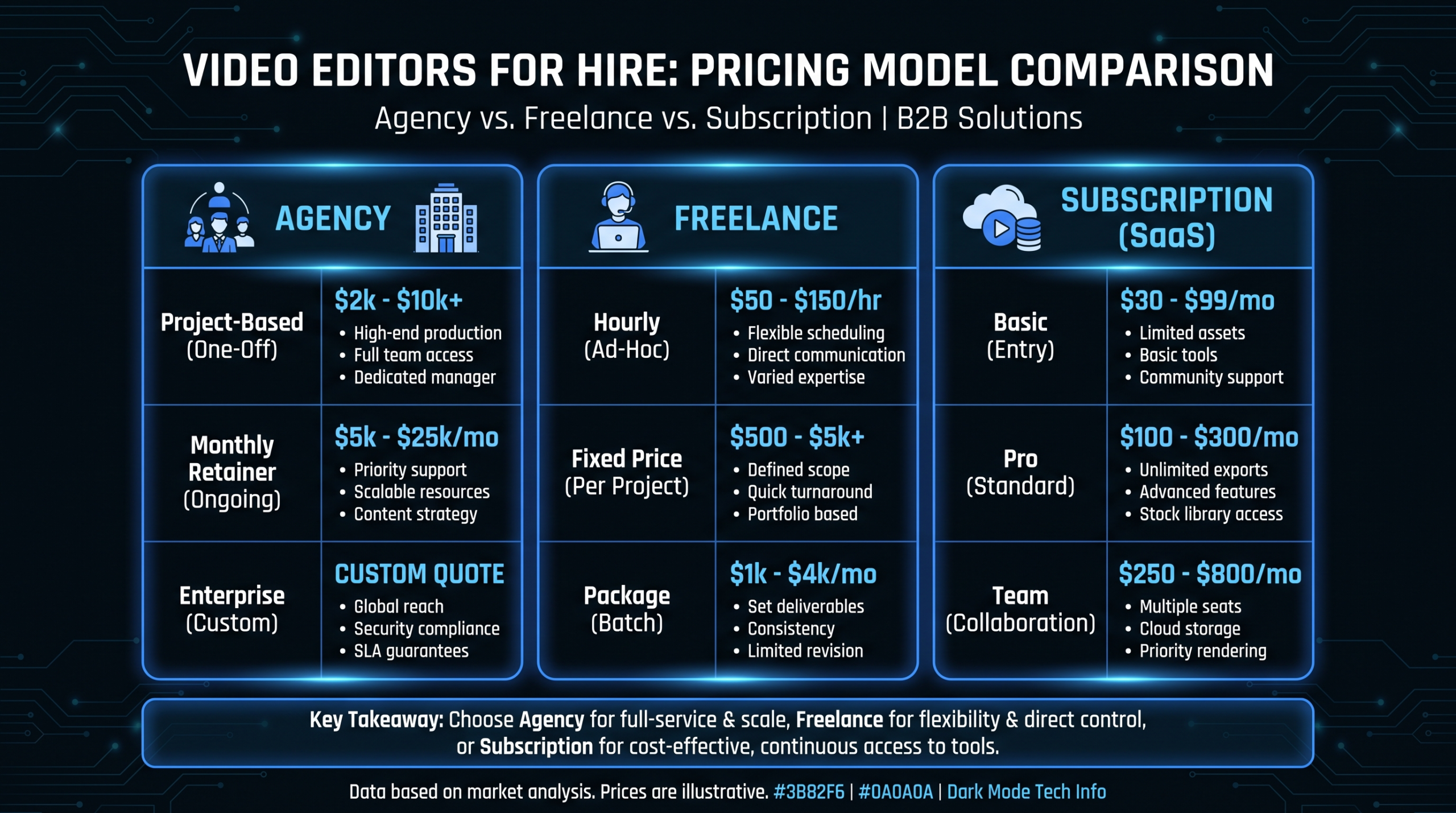
For teams still evaluating their video editing model, our guide to video production agency pricing models covers the economics of different arrangements at different production volumes — useful context when the quarterly review turns to budget allocation.
Frequently Asked Questions
What's a good average watch time for a B2B SaaS product demo video?
For an ungated self-serve demo (typically 3–6 minutes), average watch rates of 50–65% are commonly observed among programs with strong ICP targeting. For gated or sales-assisted demos where the viewer has already expressed intent, 60–75% is a reasonable target. The more relevant benchmark is your own trend — if your demo's average watch rate is increasing month-over-month as you iterate on the edit, that's the signal that matters most. Flat or declining watch rates on a video you're actively promoting are a signal to audit the engagement curve before continuing to spend on distribution.
How do I set up UTM tracking correctly for video content?
The key is consistent naming conventions. Define your UTM structure once and document it in a shared spec — typically utm_source (platform: wistia, youtube, linkedin), utm_medium (content type: video, demo, webinar), utm_campaign (series or quarter: q3-demo-series), and utm_content (specific asset: product-demo-v3). Apply UTMs to every link that leads to a video and every CTA link inside a video. Use a UTM builder spreadsheet shared across marketing and sales to prevent naming drift. Inconsistency is what breaks attribution — a utm_source="Wistia" on one link and "wistia" on another creates two separate source buckets in HubSpot.
Can I directly attribute closed revenue to specific videos?
Direct single-touch attribution ("this video caused this deal") is rarely accurate for B2B, where buying cycles involve 6–12+ touchpoints. The more defensible metric is video-influenced revenue: deals where at least one decision-maker watched a video before close. This is calculable through Wistia/HubSpot integration or Vidyard/Salesforce. For tighter attribution, multi-touch models that weight video touchpoints alongside email, ads, and sales outreach give a more complete picture. First-touch attribution will overstate video's contribution if it's your top-of-funnel channel; last-touch will understate it if video lives in the middle of your funnel. Multi-touch linear or time-decay models are typically most accurate for B2B video programs.
What's the difference between average watch time and completion rate, and which matters more?
Average watch time (or average watch rate as a percentage) measures how much of a video the average viewer watches — it's influenced by both engaged viewers and people who bounce immediately. Completion rate measures the percentage of viewers who watch through to at least ~85% of the video — it filters out passive impressions and reflects committed viewers. For pipeline analytics, completion rate is more predictive of intent. For editorial feedback, average watch rate (especially at the segment level via heatmaps) is more useful because it shows you where engagement drops. Use both: completion rate for pipeline correlation, engagement curves for editorial iteration.
How many videos do I need before my video analytics become meaningful?
For statistically useful engagement data on a single video, you typically need 200–500 unique views with known-contact tracking turned on. For program-level analytics (trend analysis, influenced pipeline reporting), most teams need 3–6 months of consistent publishing before the data has enough variance to be actionable. This is one reason to prioritize video volume early — the analytics get sharper as the dataset grows. Teams producing 8–15 videos per month typically reach meaningful benchmarks within their first quarter. If you're producing fewer than 4 videos per month, plan for a 6-month runway before drawing firm conclusions from the data.
Ready to Connect Your Video Output to Pipeline?
Video Editing Company provides dedicated editing teams for Series A–C SaaS — with plans starting at $5K/month and a guarantee to double your video output in 90 days or month four is free. Book a strategy call to see how we help teams close the gap from production to pipeline.
Book a Free Strategy Call See Plans & Pricing