
By VEC Team · February 2026 · 19 min read
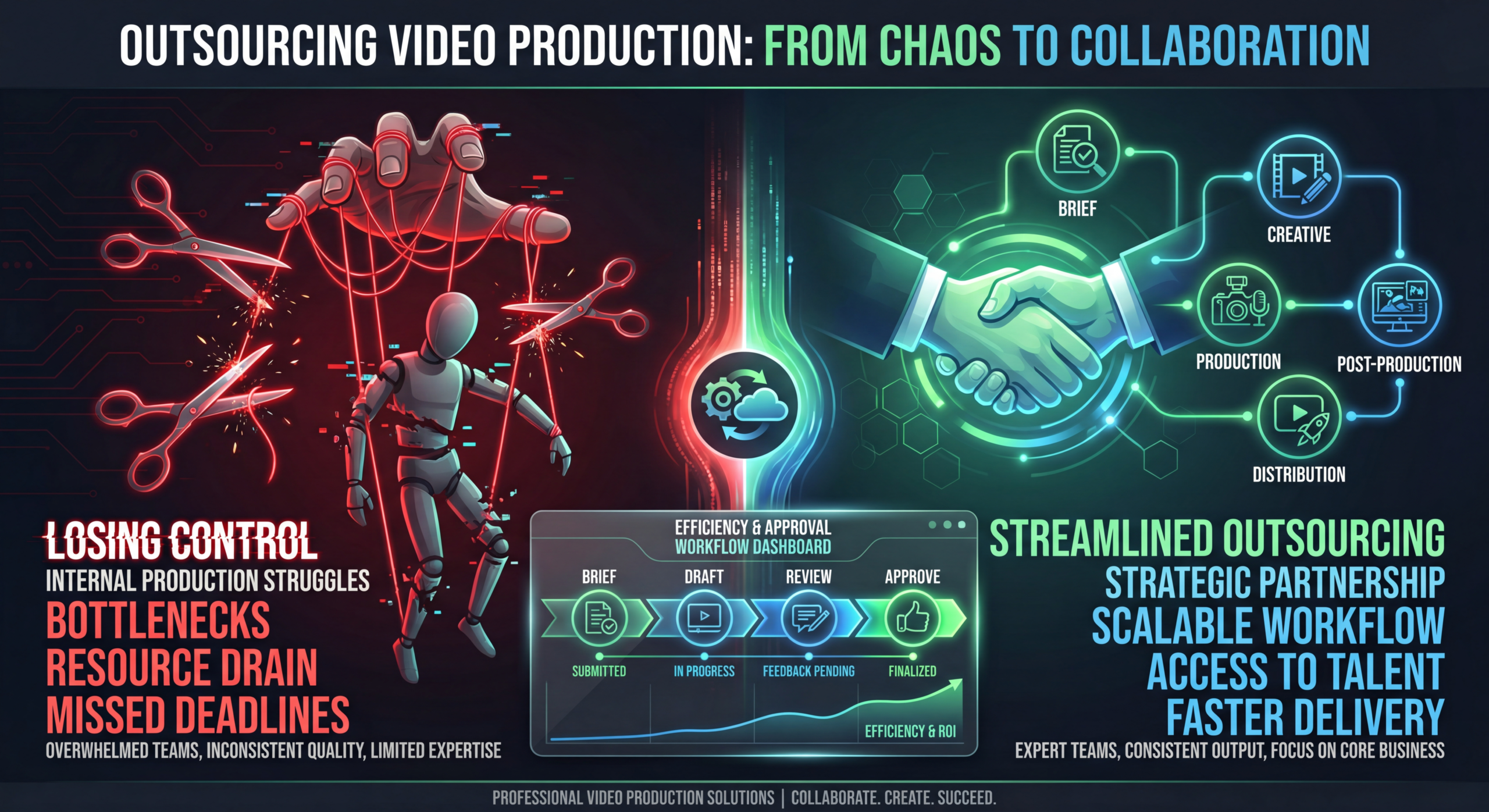
The fear is universal: you outsource video production to save time and money, and what comes back looks nothing like your brand. The colors are wrong, the pacing is off, the tone feels generic, and you end up spending more hours fixing the work than you would have editing it yourself. It's the nightmare scenario that keeps marketing leaders doing everything in-house, even when they know it's unsustainable.
But here's what those leaders don't realize: the problem isn't outsourcing itself. It's how they outsource. With the right framework, communication structure, and partner selection process, you can hand off video production to an external video team and maintain complete creative control—sometimes even improving on what your in-house team produces.
This video production outsourcing guide walks you through the exact process that brands use to scale their video output from 4 videos per month to 40+ without sacrificing an ounce of creative quality. Whether you're outsourcing editing only or full end-to-end production, these principles apply.
Before we solve the problem, let's understand it. Most outsourcing failures share the same root causes:
The most common failure mode: a brand dumps raw footage into a Google Drive, writes a one-line brief ("make it look professional"), and expects magic. This approach puts 100% of the creative burden on the external team with 0% of the context they need to succeed. No style guide, no reference videos, no brand parameters. The result is inevitably off-brand because the external team has to guess.
On the opposite extreme, some brands involve too many stakeholders in the review process. The editor gets conflicting feedback from 5 different people, each with different preferences and priorities. Videos go through 8+ revision rounds, timelines blow up, and nobody is happy with the final result because it's a Frankenstein's monster of compromises.
Choosing the cheapest option or the first result on Google without evaluating fit, expertise, or alignment. The editing service specializes in wedding videos but you need SaaS product demos. Or they're excellent at cinematic work but have no experience with YouTube-optimized pacing. Misaligned capabilities guarantee misaligned output.
Even great external teams will miss the mark occasionally—that's normal. What's not normal is having no system to learn from those misses. Without a structured feedback loop, the same mistakes repeat project after project. The relationship never improves because there's no mechanism for improvement.
Maintaining creative control while outsourcing isn't about micromanagement—it's about building systems that communicate your creative vision efficiently. Here's the framework:
How to maintain creative control at every stage of outsourced production
Define brand identity, content pillars, audience personas, visual direction, and tone. This is your north star—never delegate it.
Document every visual parameter: colors, fonts, pacing rules, music mood, lower-third style, intro/outro specs. This is the contract between you and your partner.
You provide the brief (topic, goals, key messages, references). Partner may suggest creative approaches, music options, and structural ideas.
Editing, color grading, sound design, motion graphics, captioning. The technical craft is their domain—trust their expertise within your guardrails.
Single decision-maker reviews against brief and brand standards. Clear, actionable feedback with specific timestamps. Max 2–3 revision rounds.
Monthly retrospective on what worked, what didn't. Update style guide based on learnings. Track performance data and share with partner.
The biggest mistake brands make is outsourcing before they've defined what "on-brand" means. If you can't articulate your visual identity in a document, how can you expect an external team to nail it?
Your style guide is the single most important document in the outsourcing relationship. It should cover:
This document doesn't need to be 50 pages. A well-structured 5–10 page guide with visual examples is sufficient. The key is specificity: instead of "modern and clean," write "minimal motion graphics with 0.3s ease-in-out transitions, no decorative elements, white text on dark semi-transparent backgrounds."
Words only go so far. Build a reference library of 10–20 videos that represent the quality, style, and feel you want. Include both "aspirational" references (what you're aiming for) and "anti-references" (styles you explicitly don't want). Annotate each with specific notes about what you like or dislike.
Prepare reusable assets your external team can use:
Partner selection is where most video production outsourcing goes wrong. Here's how to get it right:
What exactly are you outsourcing? The answer matters enormously for partner selection:
Each scope level requires different capabilities and commands different pricing. Don't hire a $50,000/project production house when you just need editing at $2,000/month. Conversely, don't expect a $200/video editor to deliver cinematic quality. Match the partner to the scope.
When reviewing portfolios, ask these questions:
Always run a paid test project before signing a contract. Submit a representative project—not your easiest piece, but not your hardest either—and evaluate:
See how VEC's onboarding works for an example of what a structured trial looks like.
The creative brief is where control is transferred from your brain to the external team. A great brief makes everything downstream easier. A poor brief guarantees frustration.
Equally important: tell your editor what you don't want. Common "don'ts" include:
Listing what you don't want eliminates entire categories of potential mistakes, saving revision cycles.
This is where creative control lives or dies. Your review process needs structure to prevent both extremes—rubber-stamping mediocre work and death-by-committee perfectionism.
Designate one person as the final decision-maker for video review. This person consolidates all internal feedback into a single, coherent set of revision notes. Multiple reviewers providing independent, uncoordinated feedback creates confusion and contradictions. One voice, one set of notes, one approval.
Structure your revision process around two rounds:
Round 1: Structural review. Focus on big-picture elements: overall flow, pacing, messaging accuracy, and section ordering. Don't get distracted by small details at this stage. If the structure is wrong, details don't matter yet.
Round 2: Detail review. Once the structure is approved, focus on fine-tuning: color grading tweaks, text corrections, timing adjustments, audio levels, and graphic refinements.
This two-round approach is more efficient than providing a mixed bag of structural and detail feedback simultaneously. It also gives the editor clear priorities: fix the foundation first, then polish.
Good feedback is specific, actionable, and contextual. Here's the difference:
Find your sweet spot between micromanagement and abdication
Too Controlling
Frame-by-frame notes. 8+ revision rounds. Editors frustrated. Slow output.
Just Right
Clear briefs. Style guide. 1–2 revisions. Trust the craft. Review strategically.
Too Hands-Off
No brief. No style guide. "Make it look good." Off-brand results. Blame game.
Once you've established a working relationship with your external video team, scaling is about systematizing what works. Here's how to go from 4 videos/month to 20+ without quality degradation:
Film multiple videos in a single session—3–5 videos in one filming day is efficient for most brands. Then stagger the editing submissions to maintain a consistent publishing pipeline. This gives your editing partner predictable workloads and gives you a content buffer for weeks when filming isn't possible.
Not every video needs to be a blank-canvas creative project. Develop 3–5 recurring formats (interview series, product tips, FAQ explainers, behind-the-scenes) with standardized structures. Once your editing partner has the template dialed in, each new video within that format requires minimal briefing and produces highly predictable results.
Share your publishing calendar with your editing partner so they can plan capacity, anticipate deadlines, and flag potential bottlenecks before they become problems. Monthly planning calls (30 minutes) are often enough to keep both teams aligned.
Use standardized folder structures, brief templates, and automated notifications to eliminate manual handoff friction. A typical folder structure looks like:
/Project Name/
/Raw Footage/ — All raw files/Brief/ — Written brief + reference links/Assets/ — Graphics, logos, music/Drafts/ — Editor uploads drafts here/Final/ — Approved final deliverablesCreative control doesn't end at approval. Track performance metrics to ensure your outsourced content actually delivers results:
Share your content's performance data with your editing partner:
When editors can see how their creative decisions impact business outcomes, they make better decisions. This feedback loop is the secret weapon of brands that maintain exceptional quality while outsourcing at scale.
Depending on your needs, different outsourcing models offer different levels of creative control:
For most brands seeking maximum creative control with manageable effort, subscription services with dedicated teams hit the sweet spot. You maintain full creative ownership through briefs and approval, while the partner handles all execution. Learn more about this model at how VEC works.
A B2B SaaS company filming 2 videos/week needs editing, motion graphics (UI animations), captions, and YouTube Shorts derivatives. They keep strategy, scripting, and filming in-house. Result: 8 long-form videos + 16 Shorts per month with a $4,000/month editing subscription. Creative control maintained through a detailed style guide and single-reviewer approval process.
A DTC brand needs 30+ ad variations per month—different hooks, CTAs, and lengths tested across Meta, TikTok, and YouTube. They film product footage in-house and outsource all editing and variation creation. Result: high-volume output at $3,500/month with templated briefs that require minimal management overhead.
A consulting firm produces monthly thought-leadership webinars (60 min), case study videos (5 min), and LinkedIn clips (60 sec). They outsource all post-production, including chapter markers, branded graphics, and repurposing into multiple formats. Result: 4 long-form + 12 social clips per month at $2,500/month.
Check out real examples in our case studies.
Take our free assessment to determine if your brand is ready to outsource video production—and which outsourcing model is the best fit for your needs, budget, and team structure.
Take the Assessment → See PricingCreate a comprehensive video style guide covering colors, fonts, pacing, music, transitions, and graphic templates. Share reference videos showing exactly what you want (and don't want). During onboarding, review the first 3–5 projects closely to calibrate your partner. After that, consistency becomes systematic rather than effortful.
The biggest risk is choosing the wrong partner—specifically, one who doesn't understand your brand or your platform. Mitigate this by running paid trial projects, checking references, and evaluating portfolio relevance (not just quality). The second-biggest risk is poor briefing, which you control entirely.
Costs range from $100–$500/video for basic editing to $5,000–$50,000+/project for full production. Monthly retainers for editing services typically run $1,500–$8,000/month depending on volume and complexity. For most brands, the cost of outsourcing is 40–60% less than maintaining equivalent in-house capability. See our pricing page for specifics.
Expect 2–4 weeks for onboarding: 1 week for brand discovery and style guide creation, 1–2 weeks for initial calibration projects, and 1 week to reach steady-state workflows. By week 4, most brands are getting first drafts that require minimal revisions.
If you have the ability to film (even on a phone or webcam), outsource editing only. It's more cost-effective and gives you maximum creative control over the content itself. Only outsource full production if you lack filming capability entirely or need production quality beyond what your team can achieve internally.
You can, but it creates consistency challenges. If you do use multiple partners, assign each one to a specific content format or platform so each develops expertise in their lane. Avoid sending the same type of content to different partners—your audience will notice the inconsistency.
VEC helps brands outsource video editing while maintaining complete creative control. Dedicated teams, transparent workflows, and results you can measure.
Book a Free Strategy Call →