8 Legaltech Video Examples That Convert
TL;DR
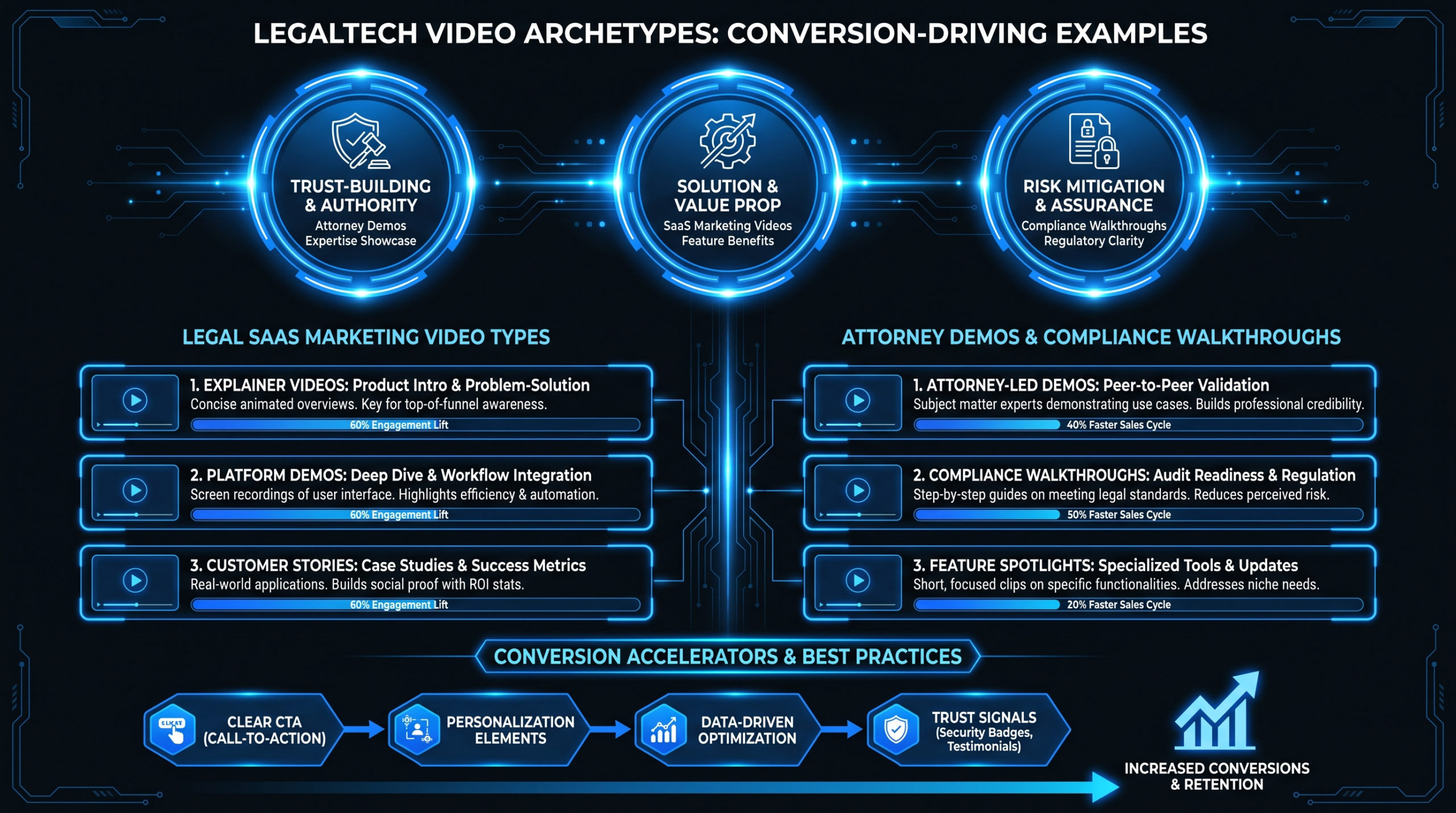
Legaltech buyers are cautious, research-heavy, and trust-driven - making video one of the highest-leverage marketing channels in the vertical. This post breaks down 8 video archetypes that consistently drive conversions in legal SaaS and legal services marketing: what each format does, why it works with a legal audience, the structural elements that separate high-performing examples from mediocre ones, and how to brief a video team on each. Use this as your production roadmap.
Table of Contents
- Why Video Works Differently in Legaltech
- 1. Software Explainer Video
- 2. Product Demo Video
- 3. Attorney Profile Video
- 4. Client Testimonial Video
- 5. Compliance Walkthrough Video
- 6. Thought Leadership Video
- 7. Onboarding and Tutorial Video
- 8. Case Study Results Video
- Archetype Comparison: Format vs. Funnel Stage
- How to Get These Produced Well
- FAQ
Why Video Works Differently in Legaltech
Legal buyers - whether GCs evaluating contract automation software, law firm partners considering case management tools, or compliance leaders shopping CLM platforms - have distinct buying behavior. They run long evaluation cycles, require multiple stakeholder sign-offs, and are deeply skeptical of marketing claims. They have been burned by implementation failures before, and they read product quality signals fast.
Video cuts through this friction in ways that white papers and landing page copy cannot. A two-minute product walkthrough answers "does this actually work?" faster than any feature list. A credible attorney profile builds the trust required to initiate a call. A client testimonial from a recognizable legal operations leader resolves the "will it work for a firm like ours?" objection at the moment it matters most.
That said, legaltech video has a higher quality bar than generic SaaS content. Low-budget screen recordings and stock-footage explainers signal a company that cuts corners - exactly the wrong message for a trust-intensive vertical. The archetypes below are structured with that audience's expectations in mind.
1. Software Explainer Video
The software explainer is the foundational format for any legaltech platform. Done right, it answers the buyer's core question - "what does this actually do?" - in 90 to 120 seconds, without requiring them to read a data sheet or schedule a call first.
What Makes It Work for Legal Buyers
Legal buyers evaluate risk before they evaluate features. An effective explainer addresses the "why change" question before the "what it does" question. Lead with the pain - buried in contract review queues, manual due diligence cycles, compliance gaps that expose the firm to liability - then show the resolution in motion. Animated explainers work especially well here: they let you demonstrate software behavior without the clunkiness of raw screen recording and give you full control over what's emphasized in each frame.
Key Structural Elements
- Problem first, product second: Open with a recognizable scenario - a partner drowning in redlines, a GC chasing contract status across email chains. Let the viewer nod before you show your logo.
- Single core benefit per video: Explainers that try to cover all features convert less well than those that nail one clear value proposition. Pick the use case your ICP cares most about and build the narrative around it.
- Professional voiceover, no robotic AI voices: Legal audiences have high standards for presentation. A credible human voice - clear, authoritative, unhurried - carries more weight in this vertical than in most.
- Length discipline: 90-120 seconds for homepage use, 60 seconds for paid distribution. Every second over 2 minutes costs completion rate, which costs conversions.
Where It Converts
Top of the homepage hero section, paid social campaigns targeting legal decision-makers, and as the first video in a nurture email sequence. It is also the single most-watched asset on a product's G2 or Capterra profile. Wistia's research on video engagement and length provides useful benchmarks for how completion rates shift by duration across B2B audiences.
2. Product Demo Video
The product demo is the workhorse format for mid-funnel conversion. It is longer and more detailed than an explainer - typically 3 to 8 minutes - and is designed for buyers who are already interested and want to see the platform under real working conditions before requesting a live demo.
What Makes It Work for Legal Buyers
Legal buyers want to see edge cases, not just the happy path. They will ask: "What happens when a contract has non-standard clauses?" "How does your AI handle jurisdiction-specific language?" "What does the approval workflow look like when there are four approvers in sequence?" An effective legaltech demo anticipates these questions and shows them being resolved on screen. This is the video that earns the hand-raise.
Key Structural Elements
- Real interface, not polished mockups: Legal buyers are technically sophisticated enough to notice when a demo has been sanitized beyond what the actual product delivers. Show the real UI. Clean it up in editing - but never fake features that do not exist.
- Scenario-based narration: Instead of "here's the dashboard," try "a paralegal at a 200-person firm would start their morning here, and here's what their first task looks like." Scenario framing makes features feel functional rather than hypothetical.
- Chapter markers throughout: Long demos without clear structure lose buyers before they get to the feature they care about. Break the video into labeled segments - review workflow, approval chain, analytics - so each stakeholder can navigate to what's relevant for their role.
- Screen recording plus talking head combination: The combination consistently outperforms pure screen recording. A human face adds credibility and holds attention during technically dense sections.
Where It Converts
Product pages, comparison landing pages, and as the primary video in outbound sales sequences. For a full framework on what makes legal software demos stand out from generic SaaS demos, our guide on product demo video production covers structure, scripting, and production specs in depth.
3. Attorney Profile Video
Attorney profile videos are the law firm equivalent of a founder's LinkedIn video - personal brand content that builds trust before a prospect ever contacts the firm. For law firms that have integrated video into their business development stack, these consistently rank among the highest-performing conversion assets, particularly for high-stakes practice groups where clients are hiring the individual as much as the institution.
What Makes It Work
Legal clients hire lawyers, not law firms - especially at the partner level and above. A well-produced profile video answers the question "is this person someone I can trust with a high-stakes matter?" more effectively than any bio page ever could. The viewer is assessing gravitas, communication clarity, and domain credibility - all of which are communicated in the first fifteen seconds through production quality, on-camera presence, and how specifically the attorney frames their expertise.
Key Structural Elements
- Two to three minutes is the target length: Long enough to establish genuine credibility, short enough to hold a busy GC's attention. Anything beyond four minutes needs exceptional content to justify the runtime.
- Environment signals prestige: A well-lit conference room, a curated bookshelf, or a clean modern office communicates something. A laptop webcam or a cluttered background does the opposite. Production value tells the viewer something about the firm's standards.
- Specificity beats generalism: "I specialize in cross-border M&A disputes for mid-market technology companies" outperforms "I handle a wide range of corporate matters." The narrower and more specific the stated expertise, the more powerfully the right prospect self-selects in.
- Authentic, not scripted-sounding: Legal buyers distrust performance. Interview-style formats - where the attorney responds to genuine questions from someone off-camera - typically produce more credible and watchable results than teleprompter reads.
Where It Converts
Attorney bio pages, LinkedIn profiles, speaking opportunity pitches, and as personalized outreach assets in business development campaigns. For legaltech SaaS companies: a founder who was a practicing attorney has a powerful credibility asset in their own on-camera content - it signals that the product was built by someone who actually understands the problem from the inside.
4. Client Testimonial Video
Testimonial videos are among the most trusted content formats in B2B buying decisions - and in legaltech, where risk aversion defines the buyer persona, they carry particular weight. A credible client explaining how they resolved a real workflow problem on camera is more persuasive than any claim your marketing team can produce.
What Makes It Work
The key variable in testimonial video performance is specificity of claim. "We really enjoy working with them" is forgettable. "We reduced our contract review cycle from three weeks to four days" is memorable, feels verifiable, and directly addresses the objection that legaltech products rarely deliver on their promises. The more specific the before-and-after framing, the more conversion power the video carries - provided the specifics are real and the client has confirmed them on camera.
Key Structural Elements
- Title cards identify the speaker immediately: Name, title, and company on screen within the first five seconds. Legal buyers need to assess whether the reference is relevant to their situation before they invest attention in the story.
- Before-and-after framing as the narrative spine: "Before we implemented this, we were doing X in three weeks. Now we do it in four days." This structure consistently outperforms open-ended praise in B2B testimonial conversion.
- Peer credibility determines reach: A General Counsel from a 500-attorney firm carries more persuasive weight for a BigLaw audience than a solo practitioner. Match your testimonial subjects to your ICP as precisely as possible.
- 60 to 90 seconds is the distribution sweet spot: Long enough for substance, short enough for LinkedIn and email. Produce a fuller 3-minute long version for the website and a 60-second social cut from the same interview footage.
Where It Converts
Case study pages, the pricing page "seal the decision" section, sales decks, and follow-up emails sent after a live demo. A single high-quality testimonial video from a recognizable legal operations leader can measurably accelerate enterprise sales cycles by resolving the final social proof objection.
5. Compliance Walkthrough Video
Compliance walkthrough videos serve a dual purpose in legaltech: they demonstrate product depth for prospects evaluating the platform, and they function as enablement content for existing users navigating complex regulatory workflows. In a vertical where requirements shift frequently - GDPR, CCPA, SEC disclosure rules, bar ethics regulations - these videos position the product team as genuinely knowledgeable about the legal context, not just the software layer on top of it.
What Makes It Work
Legal buyers evaluate compliance vendors on depth of understanding as much as feature completeness. A walkthrough that shows how the platform handles a specific regulatory scenario - the workflow for responding to a data subject access request, or the approval chain required for a material contract amendment under SOX - does more to build credibility with a privacy counsel or CLO than a compliance features comparison sheet. The video proves the product team has actually worked through the regulatory scenario, not just added a checkbox to the roadmap.
Key Structural Elements
- Scenario-specific titling for discovery: "How Our Platform Handles CCPA Data Deletion Requests" outranks "Compliance Features Overview" for both search discovery and conversion, because it attracts buyers who are actively evaluating that specific requirement.
- Screen share with professional narration: Show the actual compliance workflow being executed step by step. Use zoom-in annotations or highlight overlays to draw attention to policy-relevant fields and decision points.
- Hedge legal interpretation correctly: Compliance content must never suggest the video constitutes legal advice. A brief disclaimer at the open or close is standard, expected, and actually builds credibility with legal audiences who recognize responsible framing when they see it.
- Three to six minutes is typical: These are watched by buyers who are specifically evaluating the compliance workflow. Depth is rewarded here. Do not artificially truncate to chase general viewership metrics.
Where It Converts
Compliance-specific landing pages, RFP response packages, and in-app guidance for compliance-focused features. These videos also rank well in legaltech comparison searches where buyers are specifically evaluating regulatory depth. For platforms in privacy law, healthcare law, employment law, or financial regulation, compliance walkthroughs are among the most searched and most-watched video formats in the vertical.
6. Thought Leadership Video
Thought leadership videos position legaltech founders, executives, and subject-matter experts as genuine contributors to the legal industry's conversations - not just software vendors looking to capture keywords. In a trust-driven vertical, being perceived as a peer by your prospects is a competitive advantage that compounds over time.
What Makes It Work
The legal profession has a deeply established culture of expert opinion: bar journals, law review articles, CLE panels, and moot court traditions. Thought leadership video taps into that culture's distribution channels - LinkedIn has become the dominant platform for legal professional content in the past several years - and delivers expert perspective in a more accessible format than white papers. A three-minute take on how AI is changing contract negotiation from a former Biglaw partner who now runs a legaltech company is exactly the content legal decision-makers consume and forward to their peers.
Key Structural Elements
- Point of view over summary: "Here is what I think about X, and here is why" converts better than "here is what everyone is saying about X." Differentiated perspective is what makes legal content shareable beyond the immediate followers.
- LinkedIn-native format for distribution: Vertical or square crop, captions burned in - legal professionals frequently watch content without sound in professional settings - and a clear hook visible in the first three seconds before the scroll continues.
- Cite real regulatory actions or industry events: Hedged specificity - "following the FTC's recent enforcement actions in this space" or "in light of the recent bar ethics guidance on AI-assisted drafting" - adds authority without requiring the speaker to make definitive legal claims.
- Series cadence builds audiences; one-off posts do not: A recurring format - "The Legal Technology Minute" or "Practical AI for Lawyers" - builds a returning audience. Standalone videos generate spikes that dissipate quickly.
Where It Converts
LinkedIn organic posts and promoted content, podcast video clips repurposed from longer-form interviews, and as speaker preview content for conference submission pitches. These videos do not convert immediately - they build the awareness and credibility pipeline that shortens sales cycles months downstream. HubSpot's analysis of video in B2B content marketing offers useful context on how awareness-stage video assets contribute to late-stage pipeline velocity.
7. Onboarding and Tutorial Video
Onboarding videos are consistently undervalued in legaltech marketing strategy, but they directly influence two metrics that determine subscription SaaS economics: time to first value and renewal rate. A legal professional who completes onboarding quickly and reaches a successful outcome in their first workflow session is dramatically more likely to expand their usage, advocate internally for the product, and renew without a negotiation. Onboarding video is the most efficient mechanism available for driving that behavior at scale.
What Makes It Work
Legal professionals are time-constrained, skeptical of anything that adds to their cognitive load, and unlikely to read help documentation proactively. Video meets them where they are: they would rather watch a two-minute walkthrough than read a ten-page PDF. Short, modular onboarding videos that cover one workflow at a time produce better completion and feature adoption than comprehensive training courses. The goal is not to make legal users into power users immediately - it is to get them one successful workflow completed as fast as possible.
Key Structural Elements
- One workflow per video: "How to run a contract comparison using the review module" is a better video than "Getting started with everything." Modular structure also makes it straightforward to update individual videos when the product interface changes.
- Under three minutes per module: Legal professionals will not watch a twenty-minute onboarding video. Break a comprehensive onboarding experience into five or six modules of two to three minutes each, clearly labeled by task.
- Animated cursor and screen highlights: Professional editing makes tutorial videos significantly easier to follow. Highlight the relevant UI element before the narrator refers to it - not after - so the viewer's eye is in the right place when the explanation arrives.
- Captions throughout, no exceptions: Many legal professionals are in open offices, on client calls, or in settings where audio is not appropriate. Burned-in captions are not optional in this vertical.
Where It Converts
In-app help centers, customer success onboarding email sequences, and renewal conversation packages that surface features the account has not yet adopted. Well-produced onboarding video libraries also reduce support ticket volume - a material cost reduction that is straightforward to quantify for legal SaaS teams justifying the production investment. Our guide on SaaS video production covers the full workflow for building onboarding and tutorial video programs for software companies.
8. Case Study Results Video
The case study video is the closest legaltech marketing equivalent to a peer-reviewed result - it presents a named client, a specific challenge, a defined intervention, and verifiable (or transparently framed) outcomes. For enterprise legaltech buyers who need to build an internal business case before purchasing, this is the format that gets emailed to the CFO, the managing partner, or the legal operations steering committee. It needs to stand up in those contexts.
What Makes It Work
Unlike a testimonial video - which is primarily emotional and trust-building - a case study video is structured to support an internal business case argument. It answers "what was the ROI?" with enough specificity and credibility that a financial decision-maker can evaluate it alongside other line items. In enterprise legaltech sales, case study videos appear in RFP response packages, board-level briefings, and procurement committee presentations. The production quality needs to be commensurate with those contexts.
Key Structural Elements
- Named client with specific context: Anonymized case studies carry a fraction of the conversion power of named references. Push for permission - offer something of genuine value in return, whether it is PR exposure, product credits, or early access to new features. A named reference from a recognized organization is worth ten anonymous ones.
- Problem ? solution ? result as the non-negotiable narrative arc: Results presented without context read as marketing claims. Results that come after the viewer has seen and felt the problem land as evidence. Never reverse this order.
- Quantified results, hedged correctly: "From a three-week review cycle to four days" is more powerful than "significantly faster." But never invent metrics - if the client cannot share specific numbers publicly, use directional framing: "The team described the reduction in cycle time as material and attributed it specifically to the automated review workflow."
- Three to five minutes for the full version: Long enough to tell the complete story with the emotional arc that makes it persuasive, short enough for a VP to watch before a buying committee call. Always produce a 60-second social cut from the same footage.
Where It Converts
Late-stage deal support, the /case-studies/ page, enterprise-specific landing pages segmented by firm size or practice type, and conference booth loops. A library of three to five strong case study videos segmented by client type - large law firm, in-house legal team, compliance-focused organization - is a meaningful competitive differentiator in enterprise legaltech sales cycles. For production guidance on structuring the shoot, interview, and editing workflow, see our resource on video production for legal technology companies.
Archetype Comparison: Format vs. Funnel Stage
Matching the right video archetype to the right funnel stage prevents both underinvestment - too little conversion content at the bottom of the funnel - and misalignment, like running case study videos in paid social where awareness content belongs. Here is how the eight archetypes map across stages and conversion goals.
Legaltech Video Formats by Funnel Stage and Goal
| Archetype | Primary Funnel Stage | Primary Conversion Goal | Typical Length |
|---|---|---|---|
| Software Explainer | Top of funnel (awareness) | Homepage ? trial or demo request | 60-120 sec |
| Product Demo | Mid-funnel (consideration) | Demo page ? hand-raise or meeting booked | 3-8 min |
| Attorney Profile | Top to mid-funnel | Bio page or LinkedIn ? initial contact | 2-3 min |
| Client Testimonial | Mid to bottom-funnel | Pricing or case study page ? purchase decision | 60-90 sec |
| Compliance Walkthrough | Mid-funnel (evaluation) | Compliance page ? RFP inclusion or shortlist | 3-6 min |
| Thought Leadership | Top of funnel (brand) | LinkedIn impression ? follower or warm lead | 1-3 min |
| Onboarding / Tutorial | Post-purchase (retention) | Feature adoption ? renewal and expansion | 1-3 min per module |
| Case Study Results | Bottom-funnel (decision) | Deal support ? closed contract | 3-5 min |
A full legaltech video program covers all four funnel stages. Most legaltech companies underinvest in the top of funnel - explainers, thought leadership - and overinvest in demos relative to their pipeline volume. The single highest-leverage first investment for an early-stage legaltech company is a polished software explainer. It anchors the homepage, enables paid distribution, and every other content type feeds from it.
Production Complexity vs. Conversion Leverage by Archetype
| Archetype | Production Complexity | Conversion Leverage | Prioritize When |
|---|---|---|---|
| Software Explainer | Medium (animation + VO) | Very high | No video library exists; need homepage anchor |
| Product Demo | Low-Medium (screen + editing) | High | Sales team needs leave-behind after outreach |
| Attorney Profile | Medium (on-location filming) | High for law firm BD | Partners want to differentiate their personal brand |
| Client Testimonial | Medium (filming + editing) | Very high (mid-bottom funnel) | Strong client relationships; enterprise expansion target |
| Compliance Walkthrough | Low (screen + narration) | Medium-High | Selling into privacy, healthcare, or financial law |
| Thought Leadership | Low-Medium (interview style) | Medium (compounding long-term) | Founder has strong POV; building LinkedIn audience |
| Onboarding / Tutorial | Low (screen + VO) | High (post-sale retention) | High churn attributable to low feature adoption |
| Case Study Results | High (filming + narrative editing) | Very high (enterprise deals) | Enterprise ACV above $50K; internal business cases required |
How to Get These Produced Well
The legaltech video quality bar is set by your highest-stakes sales situation - the one where a General Counsel is watching your explainer at 7 AM before deciding whether to put your platform on a three-vendor shortlist. Low-budget executions communicate the wrong signal to exactly the people you are trying to reach.
What Drives Quality in Each Format
For explainers and thought leadership videos, professional voiceover and tight editing matter more than production complexity. These formats do not require elaborate shoots - they require competent motion graphics, sharp scriptwriting, and clean audio. For testimonials and case study videos, the filming environment and interview coaching are the critical inputs; they are difficult to fix in post-production if the underlying shoot was weak.
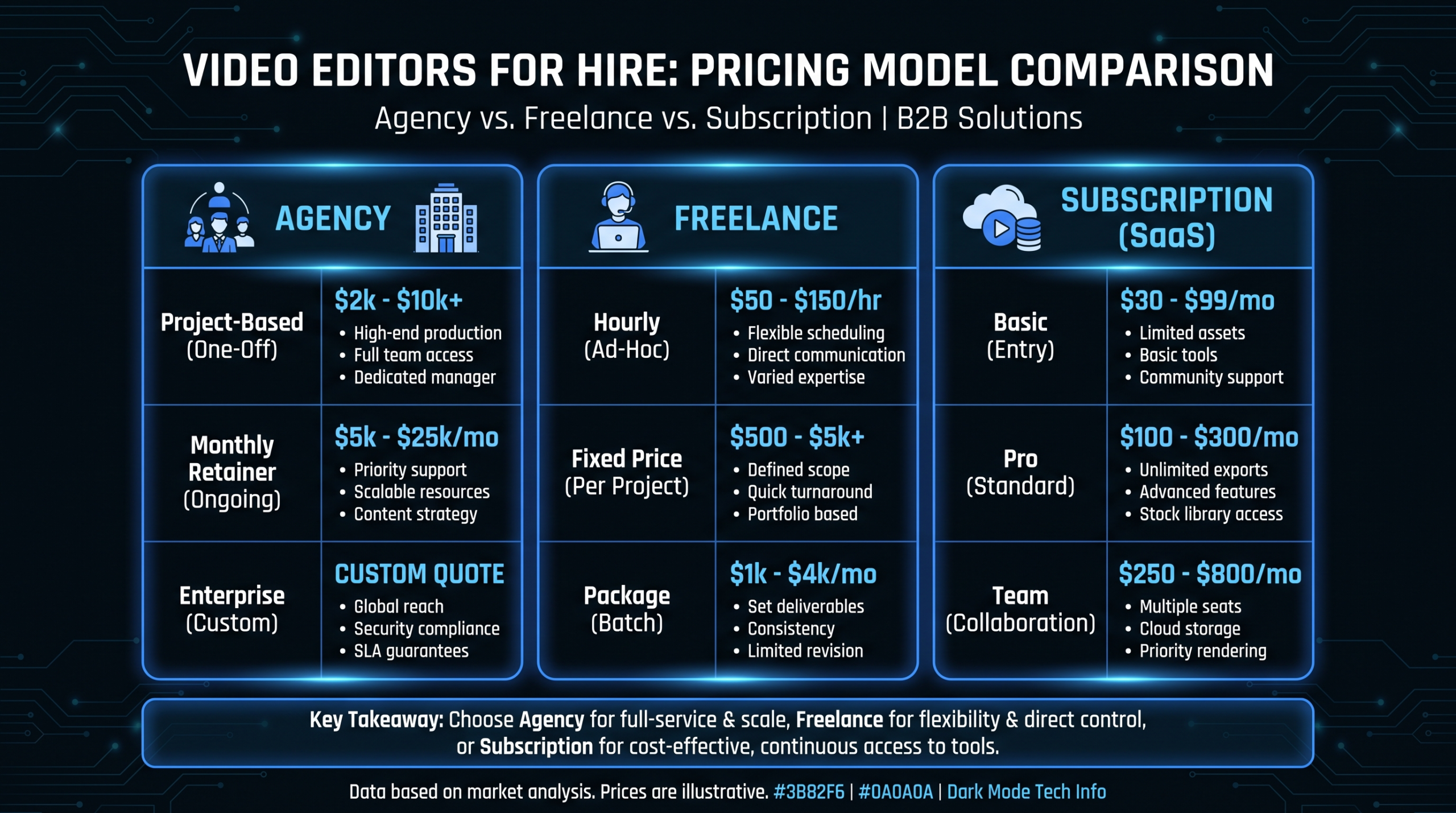
For legaltech companies running consistent video programs - producing four to eight videos per month across these archetypes - a dedicated video editing team makes more economic sense than per-project agency engagements at each volume level. A dedicated team learns your brand, interface, and tone over time. Revision cycles shorten significantly. Per-unit cost drops as volume increases. See our how it works page for how VEC structures dedicated editing teams for legaltech and B2B SaaS companies, with transparent plan tiers starting at $5K per month.
Briefing Checklist for Each Archetype
- Explainer: Approved script, style reference examples (two to three aspirational examples from comparable verticals), brand kit (colors, fonts, logo files), VO talent direction - authoritative, not salesy.
- Product demo: Clean screen recording of the actual UI (no test data visible), chapter labels agreed in advance, approved talking points, B-roll or motion graphic overlays to cover loading screens.
- Attorney profile: Filming location secured and styled, interview question guide approved by the attorney (not a full script), wardrobe direction provided, branded lower-third with name, title, and specialty ready for post.
- Testimonial: Filmed interview footage, release form signed, approved quotable moments highlighted in transcript, 60-second social cut briefed alongside the full-length version from the start.
- Compliance walkthrough: Clean screen recording with cursor visible, specific compliance scenario documented step by step, disclaimer language approved by internal or external counsel before production begins.
- Thought leadership: Approved talking points (not verbatim script), captions file delivered, square and 16:9 versions produced simultaneously, hook locked to appear in the first three seconds of the cut.
- Onboarding / tutorial: Feature-specific screen recordings per module, annotation style guide established, module breakdown approved before recording, version policy established so videos are updated when UI changes materially.
- Case study: Filming location secured, client contact designated for final approval, specific metrics verified and framing agreed in advance, problem-solution-result narrative arc scripted before the shoot day.
For a complete breakdown of what professional post-production services include at each production tier - and how to scope a legaltech video program correctly from the start - see our video editing services guide.
Frequently Asked Questions
What type of video should a legaltech company produce first?
A software explainer video. It anchors the homepage, enables paid distribution, feeds every downstream channel, and is the single asset that most directly addresses the buyer's first question: "what problem does this solve and how?" Before investing in testimonials, demos, or thought leadership content, a polished 90 to 120-second explainer is the foundation everything else builds on.
How long should legaltech product demos be?
Aim for 4 to 6 minutes for the primary product demo page. Produce a 90-second overview cut for paid social and email sequences, and a longer 10 to 15-minute deep-dive version for prospects requesting a detailed technical review before a live demo call. Break any version longer than 5 minutes into labeled chapters so the GC can navigate to what matters for their role, the paralegal can jump to the workflow section that affects their day, and a technical evaluator can find the integration and security screens without watching the full video.
Do attorney profile videos actually influence business development outcomes?
At firms that execute them with genuine specificity and professional production, yes. The mechanism is visibility and credibility: an attorney profile video on LinkedIn puts a face, a voice, and a demonstrated expertise to a name that a prospect might otherwise scroll past. Interview-style profiles that feel authentic - not scripted - and that articulate a narrow, specific practice focus attract the right inbound inquiries because they help the right prospects self-select. The bar is not "looks professional." It is "communicates genuine expertise in the first 30 seconds to a sophisticated counterpart."
What is the biggest mistake legaltech companies make with video?
Producing a single explainer video and treating it as a completed video strategy. Video functions as a system, not a one-time asset. A legaltech company with a polished homepage explainer but no testimonials, no demo video, and no case studies has built the awareness layer without the conversion infrastructure. Buyers who are convinced by the explainer then search for social proof and depth - if that content does not exist, they move to a competitor who has it. Start with the explainer, but commit to building the full archetype library over 6 to 12 months.
Should legaltech companies produce video in-house or outsource production?
A hybrid model typically performs best. Internal teams handle footage capture for tutorials, demos, and thought leadership - screen recordings, structured webcam content, conference footage. A dedicated external editing team handles all post-production: color grading, motion graphics, captions, format cuts, and distribution optimization. This approach keeps costs manageable while maintaining the production quality legaltech buyers expect. Running 6 or more videos per month through a dedicated editing team typically costs significantly less per finished video than per-project agency engagements at comparable quality levels. VEC's Growth plan starts at $5K per month for B2B SaaS and legaltech companies.
Ready to Build Your Legaltech Video Library?
VEC provides dedicated video editing teams for B2B SaaS and legaltech companies - the same senior editors on every project, month after month, who learn your brand, your product interface, and your compliance standards. Plans start at $5K per month with a guarantee: double your video output in 90 days or month four is free.
Book a Free Strategy Call See How It Works See Pricing