Interactive Product Demo Videos: 2026 Guide
TL;DR
An interactive product demo video lets viewers click, branch, and navigate through your product — instead of watching a passive walkthrough. SaaS teams commonly report higher engagement, longer watch times, and stronger demo-to-trial conversion compared to linear demos. This guide covers what makes demos interactive, the four main formats, how to plan and produce them, what they cost, and when a professionally edited interactive demo is worth the investment.
Table of Contents
- What Is an Interactive Product Demo Video?
- Four Interactive Demo Formats Explained
- Interactive vs. Linear Demos: How to Choose
- How to Plan an Interactive Product Demo Video
- Production: What the Editing Process Actually Looks Like
- Interactive Product Demo Video Costs in 2026
- Tools and Platforms for Interactive Demos
- Measuring Success: What to Track
- FAQ
Most SaaS product demo videos follow the same script: a screen recording, a voiceover, maybe some motion graphics, and a CTA at the end. They're fine. They also treat every prospect identically — the enterprise buyer evaluating a $50K deal sees the same video as the SMB trialing a $99/month plan.
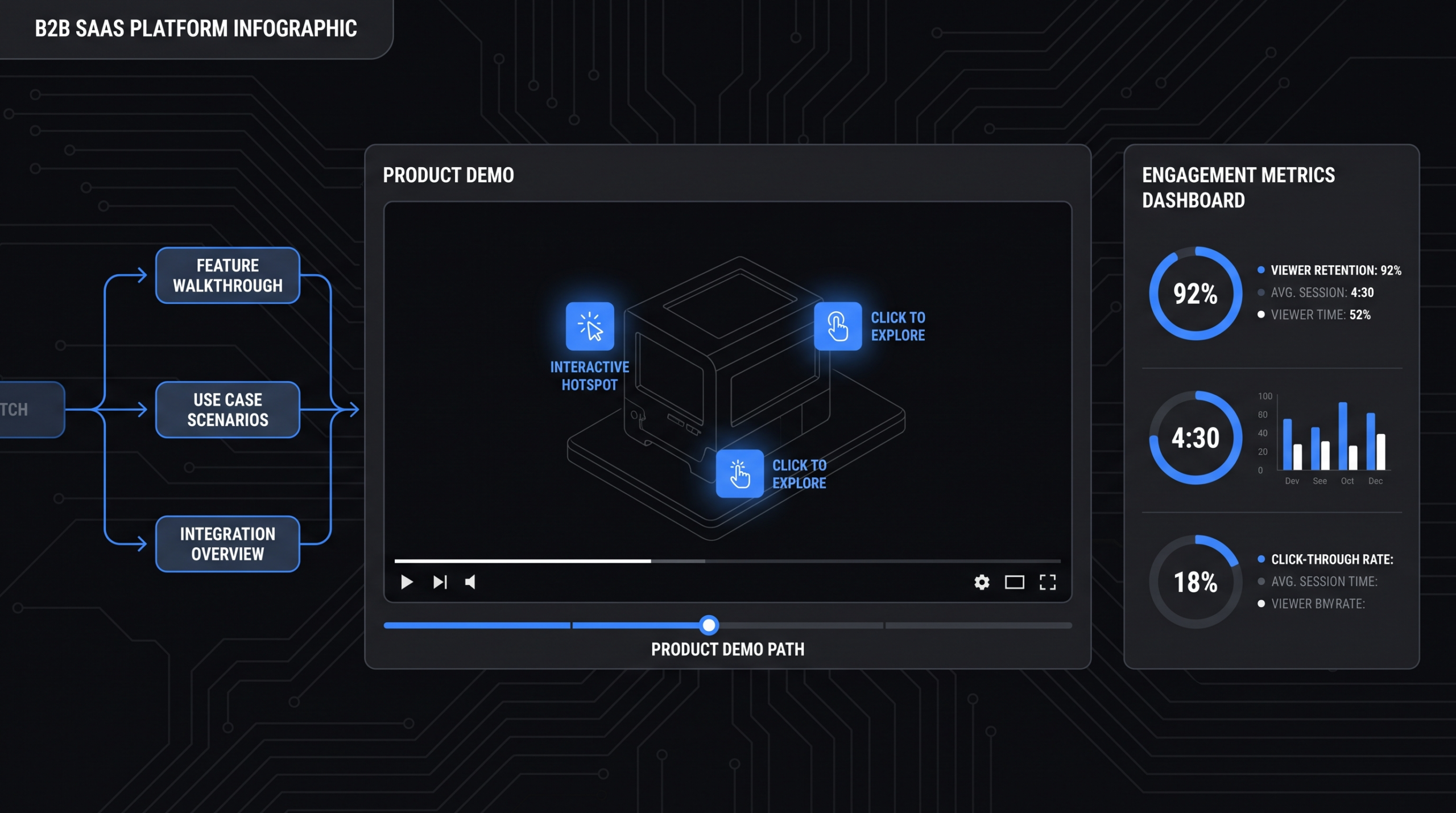
Interactive product demo videos solve that problem. Instead of a fixed narrative, they let viewers choose their own path — clicking into the features relevant to their role, skipping sections they don't need, and branching to use-case-specific content. The result is a demo experience that feels tailored without requiring a live sales rep.
This guide is for VP Marketing and Head of Content roles at Series A–C SaaS companies who are evaluating whether interactive demos belong in their video stack — and what they actually cost to produce well.
What Is an Interactive Product Demo Video?
An interactive product demo video is a video asset with embedded decision points, clickable hotspots, or branching paths that allow the viewer to control what they see next. Unlike a linear demo that plays start-to-finish, an interactive demo responds to the viewer's choices.
The Core Difference
In a standard product demo, you build one narrative and hope it's relevant enough for your audience. In an interactive demo, you build a decision tree — and viewers self-segment by clicking through to the content that matters to their role, company size, or use case. A VP of Sales clicks one path; a DevOps lead clicks another. Both see a relevant demo without you staffing a live call.
Why Interactivity Changes Buyer Behavior
The mechanics matter more than the technology. Interactive video works because it shifts the demo from something done to a prospect into something they participate in. This distinction drives higher engagement and stronger recall — buyers who interact with a product demo during research tend to have more qualified questions by the time they reach a sales conversation. According to Wistia's interactive video research, viewers who interact with video content engage significantly longer and at higher rates than passive viewers of equivalent linear content.
Where Interactive Demos Fit in the Funnel
Interactive demos work across the funnel but they earn their highest ROI at two specific moments: mid-funnel consideration (on your pricing page, in demo request flows, or in post-signup onboarding) and late-funnel deal support (champion enablement content sent to buying committees who missed the live demo). For top-of-funnel awareness, a polished linear explainer typically outperforms interactive demos because prospects don't yet have the context to choose a path.
Four Interactive Demo Formats Explained
Not all interactive product demo videos work the same way. The format you choose depends on your product complexity, production budget, and how much editorial control you want over the demo narrative.
1. Clickable Hotspot Demos
Hotspot demos layer clickable elements over a screen recording or animated walkthrough. Viewers hover over interface elements to reveal feature explanations, tooltips, or embedded short clips. They don't change the video's linear progression — they add a depth layer on top of it. Best for: product tours on landing pages, onboarding flows for new users, and mid-funnel feature education where you want viewers to explore at their own pace without disrupting the narrative.
2. Branching Demo Paths
Branching demos present choice menus at key decision points — "Show me the Sales workflow" vs. "Show me the Marketing workflow" — and then play the relevant branch. Each branch can be a separately edited video segment. This is the most expensive format to produce because you're essentially creating 3–5 separate demos with a shared intro and outro. Best for: multi-persona products where feature sets differ significantly by role; enterprise sales motions where champion enablement is a priority.
3. Guided Walkthroughs with Gated Progression
This format combines narrated walkthrough video with completion checkpoints. Viewers must click an acknowledgment or complete a micro-interaction before the demo advances. The forced engagement slows the pace but increases retention of key feature moments. Best for: complex products with a defined onboarding sequence (accounting software, DevOps tooling, CRM configuration); post-signup onboarding where completion tracking matters for your customer success team.
4. Persona-Gated Demos with Tailored Paths
The most sophisticated format: a pre-demo intake form (role, company size, use case) feeds into a custom demo path that assembles segments dynamically. The viewer experience feels hand-built; the production is modular. Best for: late-funnel sales support and deal acceleration where personalization has measurable impact on close rates. Requires the most pre-production planning and the highest production investment.
Interactive vs. Linear Demos: How to Choose
The decision isn't either/or — most SaaS companies run both. The question is where each belongs in your content stack.
Interactive vs. Linear Product Demo: Quick Reference
| Factor | Interactive Demo | Linear Demo |
|---|---|---|
| Production cost | Higher ($5K–$25K+) | Lower ($2K–$8K) |
| Viewer engagement | Higher — active participation | Moderate — passive watch |
| Best funnel stage | Mid-to-late funnel | Top-to-mid funnel |
| Multi-persona fit | Excellent — each persona sees their path | Poor — one size fits all |
| Update complexity | High — updating one branch can break others | Low — single asset to update |
| Analytics depth | Deep — path choices, drop-off by branch | Standard — play rate, completion rate |
| Product complexity fit | Better for complex, multi-persona products | Better for simple, single-use-case products |
| Sales cycle support | Strong (champion enablement, async demos) | Moderate (awareness, website traffic) |
A practical starting point for most SaaS companies: lead with a tight linear explainer (90 seconds, hero use case, clear CTA) for top-of-funnel and paid channels. Build your first interactive demo for the pricing page or the demo request confirmation — the moment when a prospect has declared intent and wants to explore before the sales call.
For context on baseline product demo video production and what a non-interactive demo costs to produce, see our guide on product demo video production.
How to Plan an Interactive Product Demo Video
Interactive demos fail most often at the planning stage — not execution. The branching structure and persona mapping need to be locked before a single frame is recorded.
Step 1: Define Your Personas and Their Core Questions
Identify the 2–4 personas who will watch this demo. For each persona, document: (a) the one workflow they care most about, (b) the objection most likely to kill the deal for them, and (c) the proof point they need to see to advance the evaluation. These answers drive your branch content. Don't build a branch for every product feature — build branches for the decision-driving moments of each persona's evaluation journey.
Step 2: Map the Decision Tree
Draw the full demo flow before scripting. A simple branching structure might look like: shared intro (60 seconds) → role selection menu → 3 persona branches (90–120 seconds each) → shared CTA outro (30 seconds). Map which segments share common assets (product interface recordings, motion graphics) and which need to be produced separately. Shared assets reduce production cost significantly; identify them early.
Step 3: Script Each Branch for Self-Containment
Every branch must stand alone. A viewer who skips the intro or enters mid-path (via a direct link sent by a sales rep) needs to understand context without the preceding segments. GEO best practice: each branch opens with its conclusion — "This is how [persona's workflow] works in [Product]" — before showing the how. Self-contained segments are also more likely to be cited by AI assistants summarizing your product for prospects doing competitor research.
Step 4: Decide the Interactivity Layer (Platform vs. Editing)
Two production paths exist: (1) produce the video normally, then layer interactivity via a platform like Storylane, Navattic, or Demostack; or (2) build true interactive branching where video segments are assembled by viewer choices. The first approach is cheaper and faster but limited in sophistication. The second requires either a video platform with branching support (Wistia, Vidyard) or custom development. Your choice here determines your editing workflow.
Production: What the Editing Process Actually Looks Like
Producing an interactive product demo video requires a different editorial process than linear video. Editors aren't just cutting a single timeline — they're managing multiple parallel narratives that need to feel visually and tonally consistent across branches.
Screen Recording and Asset Capture
Capture all product screen recordings in a single session with a consistent UI state — the same account, same data set, same browser zoom. Inconsistencies across branches (different data appearing in the same UI element) immediately break the illusion of a seamless product. Use a sandbox account with realistic-looking data, not a blank or obviously demo environment. For products that have changed since your last demo video was produced, the UI capture session is also your QA pass — you'll spot outdated flows before they reach the prospect.
Voiceover Considerations for Branching Content
Linear demos use one voiceover talent and one session. Interactive demos — especially persona-branched ones — ideally keep the same talent across all branches for tonal consistency. Record all branches in the same session. If budget limits you to one talent day, script all branch narration before the session and prioritize branch content by share of viewer traffic (the most-clicked path gets the most rehearsal time).
Motion Graphics and Visual Consistency
Interactive demos require a shared motion graphics library that editors apply consistently across branches. Callout animations, cursor highlights, feature label treatments, and transition styles all need to come from the same source file. A mismatch in animation style between the Sales branch and the Marketing branch signals "different quality levels" to the viewer, even if they can't articulate why. This is where a dedicated editing team — one that has worked your brand before — earns its cost. For how VEC manages this for SaaS clients, see our how it works page.
QC for Branching Video
QC an interactive demo like a software tester, not a video editor. Every path must be walked from start to finish. Every clickable element must fire on the first click. Every CTA must link to the right destination. Every branch must end cleanly with the intended outro. Build a QC checklist that maps to your decision tree — not just a "does it look good" pass.
Interactive Product Demo Video Costs in 2026
Interactive product demo video costs vary widely depending on the number of branches, the interactivity format, the platform layer, and whether you're building on existing screen recordings or starting from scratch.
Interactive Product Demo Video Cost Ranges (2026)
| Demo Type | Production Cost | Platform Cost (Annual) | Best For |
|---|---|---|---|
| Hotspot overlay on existing linear demo | $1,500–$4,000 | $3K–$12K (Navattic, Storylane) | Quick upgrade; mid-funnel landing pages |
| 2-branch demo (shared intro + 2 persona paths) | $5,000–$12,000 | $6K–$18K (Wistia, Vidyard) | Dual-persona products; pricing page |
| 3–4 branch persona demo | $10,000–$22,000 | $6K–$24K | Multi-persona enterprise products |
| Dynamic persona-gated demo (custom path assembly) | $18,000–$45,000+ | $12K–$36K+ | Enterprise sales; champion enablement |
The production cost figures above cover editorial work only — scripting, screen recording, voiceover, motion graphics, editing, and QC across branches. Platform costs are annual SaaS fees for interactive video or interactive demo platforms and vary by feature set and seat count.
For a full breakdown of how demo video complexity drives per-minute production costs, see our analysis on software demo video cost.
The Hidden Cost: Update Cycles
Interactive demos age faster than linear demos because they cover more product surface area. Pricing a two-branch demo at $12,000 is only the first investment — budget for one full update cycle per major product release (commonly quarterly for growth-stage SaaS). Update cost typically runs 30–50% of initial production cost if the branch structure stays intact, or close to full cost if personas or decision points have changed.
What Reduces Cost
- Reusing existing screen recordings. If you have recent, high-resolution UI captures that match current product state, editors don't need to start from scratch. Budget savings: 20–35%.
- Modular scripting from the start. Scripts designed to share intro/outro segments reduce voiceover and editing time. Budget savings: 10–20%.
- Clear decision tree before production. The most expensive phase of interactive demo production is revision when the branch structure changes mid-project. Lock the decision tree in pre-production.
- A dedicated editing team that knows your product. Teams familiar with your UI, brand, and motion style don't spend the first two weeks learning context. At the volume SaaS companies produce demo content (one major version refresh every quarter, plus ad-hoc assets), a dedicated team from a specialist like VEC commonly reduces per-video cost by 40–60% compared to per-project agency quotes.
Tools and Platforms for Interactive Demos
The platform landscape for interactive product demo videos breaks into three categories: video-native interactive platforms, product tour software, and enterprise video platforms with branching support.
Video-Native Interactive Platforms
Wistia — Offers chapters, calls to action, email gates, and an annotation layer that can simulate hotspot behavior. Strong analytics. A solid choice for teams that want interactivity without the complexity of true branching. Pricing starts at their Advanced tier. See Wistia's interactive video documentation for feature details.
Vidyard — Built for B2B SaaS video with CRM integrations (Salesforce, HubSpot), viewer tracking by contact, and branching support via their enterprise plan. Strong fit for sales-led companies where per-viewer analytics feed into deal scoring.
Product Tour Software (Lighter Interactivity)
Platforms like Navattic and Storylane are technically product tour tools, not video platforms — they capture UI state and create clickable simulations of your product rather than edited video. They're faster and cheaper to set up than full video production, but they don't have the visual production quality or narrative control of a professionally edited demo. They're best used for self-serve trial flows and PLG motions, not sales-led enterprise demos where production quality signals company credibility.
HubSpot's Video and CMS Ecosystem
If your team is already on HubSpot CMS, interactive video assets can be embedded and tracked natively. HubSpot's interactive video guide covers the tracking and smart content integration options available. This is particularly useful for gated interactive demos within email nurture sequences — viewer behavior in the demo can trigger sales notifications or CRM workflow updates.
Choosing the Right Stack
The platform decision should follow the production decision, not precede it. Lock your branch structure, persona map, and interactivity format first. Then match a platform to those requirements. Choosing a platform first and then reverse-engineering your demo into its format is a common and expensive mistake.
Measuring Success: What to Track
Interactive demos generate richer data than linear video — but only if you're tracking the right signals. Standard video metrics (play rate, completion rate) miss most of what makes interactive demos valuable.
Branch-Level Metrics
Track path selection rates at every decision point. If 70% of viewers select the "Marketing" branch and 15% select "Sales," that's signal — either your marketing persona is larger, or your marketing branch is better positioned. More often, it reveals that you haven't made the Sales path compelling enough in the menu. Branch metrics should feed quarterly demo refreshes.
Drop-Off by Segment
Interactive demos allow segment-level drop-off tracking that linear videos can't. A viewer who exits at the 45-second mark of the "Reporting" branch in the Marketing path is signaling something specific: either reporting isn't a priority for them, or that segment isn't landing. This granularity lets you iterate one branch segment without rebuilding the whole demo.
Conversion Rate by Path
The most important metric: what percentage of viewers who complete each path request a demo, start a trial, or take your defined next action. If the Enterprise path converts at 3x the rate of the SMB path, that's both a sales signal (enterprise buyers are more qualified) and a content signal (the enterprise branch is better built). Track this by UTM source to understand which channels drive which persona traffic.
Interactive Demo Metrics Scorecard
| Metric | What It Tells You | Healthy Benchmark Range |
|---|---|---|
| Demo play rate | Landing page effectiveness | 25–45% of page visitors |
| Branch selection rate (per option) | Persona mix + menu copy effectiveness | Varies; no single branch should dominate >80% |
| Per-branch completion rate | Content relevance for that persona | Target 55–75% per branch |
| CTA click rate (post-demo) | Demo-to-intent conversion | 8–18% for mid-funnel placement |
| Demo-to-trial or demo-to-call rate | Overall funnel contribution | Baseline vs. your linear demo |
Note: benchmarks above are illustrative ranges drawn from publicly available video marketing guidance and should be calibrated against your own historical baseline. Your product category, average deal size, and demo placement will shift these numbers significantly.
Connecting Demo Engagement to Revenue
The cleanest way to prove interactive demo ROI: compare deal velocity (days from demo view to closed-won) for opportunities where a prospect engaged with the interactive demo vs. those who didn't. This requires CRM tracking at the contact level — most modern video platforms pass viewer data to Salesforce or HubSpot via native integrations. If you're not passing demo engagement events to your CRM, you're flying blind on one of the most revenue-relevant content assets you have.
For a full view of how video content connects to SaaS marketing outcomes, our guide on SaaS video production covers the full content stack for growth-stage companies.
Frequently Asked Questions
What's the difference between an interactive product demo video and a product tour?
A product tour (built in tools like Navattic or Storylane) is a clickable simulation of your product UI — it's not a video. An interactive product demo video is a professionally edited video asset with embedded interactivity layered on top. Product tours offer higher fidelity product simulation; interactive demo videos offer higher production quality, stronger narrative control, and better performance in contexts where video engagement data matters (CRM-connected deal tracking, email sequences, paid ad retargeting).
How many branches should an interactive product demo have?
Start with two branches and expand only if analytics show clear demand. A two-branch demo (e.g., Sales use case vs. Marketing use case) with a shared intro and outro is the most cost-efficient format and gives you enough data to validate the format before investing in a four-branch version. More than four branches becomes difficult to maintain as your product evolves, and viewers rarely select the fifth or sixth option in a menu — they default to the first two choices.
How long should each branch of an interactive demo be?
Each branch should typically run 90–150 seconds. Long enough to demonstrate the core workflow; short enough to hold attention before the CTA. The shared intro can run 30–60 seconds to set context. The decision menu should add no more than 10–15 seconds of friction. Total interactive demo runtime from play to CTA: aim for 3–5 minutes depending on product complexity. Longer than 5 minutes and you're losing viewers who could have been on a live call instead.
Can we build an interactive demo from our existing screen recordings?
Yes, if the recordings are recent (match current UI), high resolution (at minimum 1080p, ideally 4K for platform flexibility), and capture the right user flows. Editors can take existing recordings, cut them into branch segments, add motion graphics and voiceover, and assemble them into an interactive structure. This is meaningfully cheaper than starting from scratch — but only if the existing recordings are actually production-quality. Screen recordings made with default system settings (30fps, compressed output, small cursor) typically need to be re-captured.
How often do interactive product demos need to be updated?
Plan for a full review every major product release cycle, which for most growth-stage SaaS means quarterly. Minor UI changes (colors, navigation updates, new sidebar items) can sometimes be patched with targeted re-recordings of affected segments without rebuilding the full demo. Major changes — new pricing structure, renamed features, overhauled workflows — typically require branch-level re-production. The teams that manage update cost best treat interactive demos like software: version-controlled, modular, and refreshed on a cadence rather than ad hoc. See our pricing page for how VEC structures ongoing demo maintenance engagements.
Ready to Build Your First Interactive Demo?
VEC builds interactive product demo videos for Series A–C SaaS companies — from decision tree planning through final delivery. Our dedicated editing teams have worked with complex multi-persona products and know how to make branching demos that convert. Book a free strategy call to discuss your demo goals, current product video stack, and what an interactive demo build would look like for your team.
Book a Free Strategy Call See How VEC Works