One Conference, 6 Months of Video Content
TL;DR
- A single 2-day conference — properly recorded and systematically repurposed — can produce 50–80 video assets across LinkedIn, YouTube, your website, and sales enablement.
- Most SaaS teams capture roughly 10% of what's available. The gap is in post-production planning, not raw footage.
- This playbook gives you the recording checklist, the 6-month content calendar, and the editing workflow to extract full value from every event.
- Teams that execute this well effectively pre-fund 6 months of content distribution from a single event budget line.
Table of Contents
- Why Conference Video Is Your Most Underutilized Asset
- The Recording Playbook: What to Capture
- The 6-Month Content Calendar
- Month 1–2: Primary Assets — Full Sessions and Sizzle Reels
- Month 3–4: Derived Content — Clips, Demos, and Thought Leadership
- Month 5–6: Long Tail — Evergreen and Sales Enablement
- Channel Distribution Strategy by Asset Type
- The ROI Math: Event Video vs. Original Production
- The Editing Workflow That Makes This Scalable
- FAQ
You spent $15,000–$80,000 on a conference — sponsor fees, travel, booth, speakers, logistics. The event happened. People attended. Some leads came in. And then the video footage sat in a Dropbox folder for four months until someone asked "do we have anything we can post this week?"
This is the standard outcome. It shouldn't be.
A 2-day conference, strategically recorded and systematically repurposed, is one of the highest-ROI content investments available to a SaaS marketing team. You have authentic executive conversations, live product demos, customer proof points, and real-world use case discussions — all captured in a condensed window. The problem isn't the footage. It's the absence of a post-production plan.
This playbook is written for Heads of Content and VP Marketing at Series A–C SaaS companies. It assumes you're attending or hosting 2–4 conferences annually and want to stop leaving 80% of the content value on the table.
Why Conference Video Is Your Most Underutilized Asset
Most SaaS companies track conference ROI by meetings booked and pipeline influenced during the event window. Almost none systematically track the compounding content value that can extend 6+ months afterward.
The raw material available from a well-recorded conference includes:
- Full session recordings — 30–90 minute keynotes, panel discussions, and breakout sessions that can be edited into standalone pieces
- Interview footage — Customer conversations, speaker Q&As, hallway exchanges with prospects that contain your most authentic social proof
- Live product demo captures — Walkthroughs that often feel more credible than scripted studio demos because they respond to real questions in real time
- Social proof moments — Customer testimonials captured naturally in post-session conversations, before defenses are up
- Behind-the-scenes content — Setup, booth culture, team energy — humanizing material for brand awareness and employer branding
Research from Wistia's State of Video reports consistently shows that event and webinar-derived video content outperforms scripted branded content on engagement metrics. Live events carry inherent credibility — the audience knows no one rehearsed the question, and no PR team approved every answer — and that authenticity translates directly to watch time and conversion.
The challenge isn't capturing the footage. It's having a post-production system that can process and distribute it at scale. That's where most teams hit a wall: they have the raw material but lack the editing bandwidth to turn it into 50+ assets systematically over 6 months. That bottleneck — not content ideas, not footage quality — is what limits most SaaS content teams.
The Recording Playbook: What to Capture
The 6-month content window starts before the event ends. What you capture determines what you can create afterward. You cannot add footage you didn't shoot — and you can't fix audio that was never clean.
The Recording Setup by Budget Level
You don't need a full video crew for every conference. For most Series A–C budgets, a 2-person recording team covers the core captures effectively:
Recording Setup by Budget Level
| Setup | Equipment | Coverage | Estimated Day Rate |
|---|---|---|---|
| Minimal (1 person) | iPhone Pro + Rode Wireless Go lapel mic + tripod | Sessions + 1 interview setup | $0–500 (gear you likely already own) |
| Standard (2 people) | Sony ZV-E10 + 2x wireless lapels + portable interview backdrop | Sessions + dedicated interview area + b-roll | $800–2,500 |
| Full Coverage (3 people) | 2x Sony A7S III + audio rig + interview studio + b-roll shooter | Multi-cam sessions, interviews, demo captures, b-roll throughout | $3,000–7,000 |
The Standard setup is the inflection point for most companies. A second operator allows you to run a dedicated interview station — even a pop-up setup in a hallway corner — while another camera captures sessions. This roughly doubles your usable footage without proportionally increasing cost.
The Shot List That Generates 6 Months of Content
Brief your recording team with a specific shot list before the event. Don't rely on editorial instinct in the moment — without a plan, you'll get the obvious shots and miss the gold.
- Full session records — Every keynote and panel from a wide, stable shot. Non-negotiable foundation of everything that follows.
- Speaker close-ups — 60–90 seconds of tight framing on key speakers during sharp moments, for social clip extraction
- Audience reaction shots — People nodding, reacting, laughing — social proof B-roll for later cuts
- Planned customer interviews — 5–10 minutes per willing customer, structured loosely around: their biggest challenge, the outcome your product created, what they'd tell a peer considering it
- Unplanned hallway captures — After sessions, get a camera into organic conversations. Prompt with 1–2 questions: "What was your biggest takeaway from that session?" or "What are you taking back to your team?"
- Live product demo moments — If you're running demos at a booth, record them. Responding to real-world questions in real time makes them more compelling than anything scripted
- B-roll variety pack — Booth energy, setup, team moments, venue shots, signage. 10–15 minutes of varied b-roll is the connective tissue for almost every asset you'll produce afterward
- Speaker greenroom pre-show — 3–5 minute casual chat before they go on stage. Unguarded, authentic — often the most quotable moment of the entire event
Audio Is Non-Negotiable
This is the technical constraint that kills more conference video than any other single factor. Venue acoustics are hostile to ambient recording. Room mics pick up everything, poorly. Every speaker and every interviewee needs a wireless lapel mic or a directional boom pointed directly at them. Without clean audio, the footage is unusable for distribution — regardless of picture quality. Budget for audio before you budget for a second camera.
The 6-Month Content Calendar
Here's the high-level framework. Execution detail for each phase follows in the sections below.
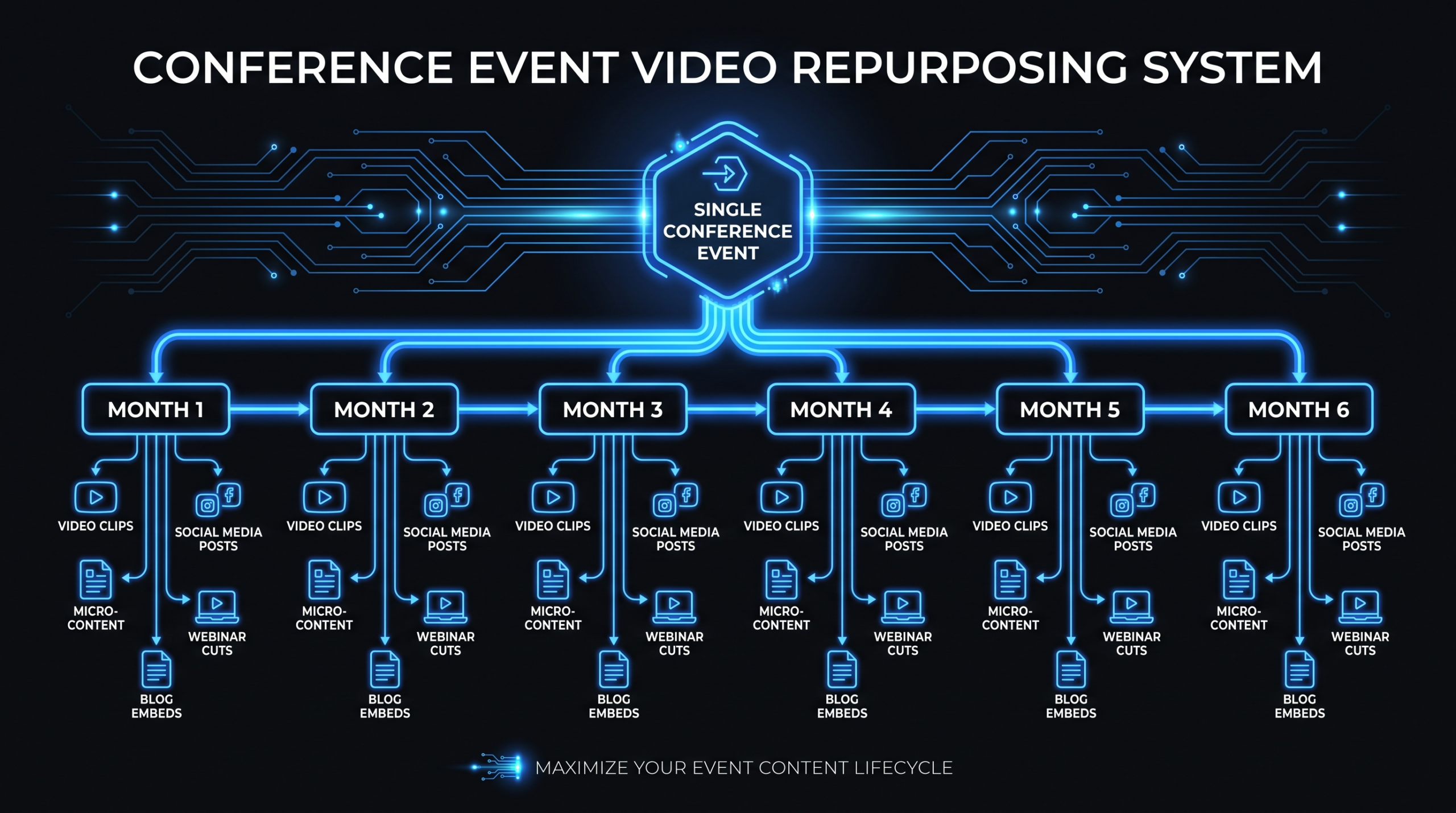
6-Month Content Distribution Timeline
| Phase | Timeframe | Asset Types | Primary Channels |
|---|---|---|---|
| Hot Window | Day of / Day after | Raw clips, speaker quotes, live social posts | LinkedIn, X/Twitter, Instagram Stories |
| Tier 1: Primary | Weeks 1–4 | Full session edits, sizzle reel, event recap video | YouTube, website, email newsletter |
| Tier 2: Derived | Months 2–3 | 30–90 sec clips, customer testimonials, panel highlights | LinkedIn, paid social, sales outreach |
| Tier 3: Long Tail | Months 4–6 | Topic-specific deep cuts, evergreen demos, email sequence videos | Email nurture, YouTube, SEO landing pages |
The key principle: do not compress the calendar. Spreading content over 6 months serves three functions simultaneously — it extends the event's marketing ROI, it fills your content pipeline without additional production budget, and it lets you A/B test clip formats and angles before committing to similar content investments. Batching everything in week one wastes the distribution opportunity entirely.
Month 1–2: Primary Assets — Full Sessions and Sizzle Reels
The Event Sizzle Reel (Priority #1)
This is the most valuable single asset you'll produce from the event. A 90–120 second sizzle reel capturing the energy, key moments, and social proof of the conference serves as all of the following simultaneously:
- A LinkedIn post announcing what happened (evergreen for 12+ months after the event)
- A sales asset demonstrating that your brand runs substantial, credible events
- A next-year conference teaser when repurposed with a registration CTA
- A homepage hero video if you host a recurring annual event
- An email header that increases open-to-click rates in post-event outreach
Turn this around within 5–7 days of the event while attendee energy is live on social. Brief your editing team before you leave the venue — send rough time codes for the best moments from notes you took during the event. This brief will cut your editing turnaround by 30–40% compared to handing over raw footage with no direction. Speed matters here more than perfection.
Full Session Edits (Priority #2)
For every keynote or panel worth preserving, produce a tightly edited version at 60–70% of the original runtime. Cut dead air, tangential moments, technical housekeeping, and re-introductions that made sense in person but feel redundant on video. Add captions (non-negotiable for LinkedIn distribution), an intro card with speaker name and topic, an end card, and chapter markers for YouTube navigation.
For a conference with 6 sessions, this produces 6 standalone YouTube pieces, each potentially driving organic search traffic on the specific topic covered indefinitely. If your speaker discussed AI-powered churn prediction, that video will surface in relevant searches for years without an additional production investment. This is one of the most underrated organic content strategies available to SaaS marketing teams building video-led content programs.
The Event Recap Article + Video Combination
For every full session edit you publish to YouTube, publish a companion blog post embedding the video alongside a key-takeaways summary and a chapter-by-chapter breakdown. This hybrid piece amplifies both the video SEO signal and the organic content signal from a single editing investment. It also gives you a concrete reason to email your list: "Missed the conference? Watch the full session here." That email performs at significantly higher engagement rates than generic newsletter sends because the content is specific, valuable, and time-bounded.
Month 3–4: Derived Content — Clips, Demos, and Thought Leadership
The Short-Form Clip Extraction Pass
With your full session edits completed, brief your editing team to run a dedicated clip extraction pass on the session footage. You're looking for moments that are self-contained, quotable, and require no additional context to be understood by someone who didn't attend.
- Quotable moments — A speaker makes a specific, sharp, contrarian, or memorable claim in under 60 seconds. Text overlay + subtitles + speaker lower-third. Format for LinkedIn (16:9) and Stories/Reels (9:16) simultaneously.
- Contrarian takes — "Everyone's doing X. We stopped doing X 18 months ago. Here's what happened instead." These generate comments. Comments extend organic reach far beyond your following.
- Framework reveals — "We call this the [X] framework. Here's the three steps." Frameworks are inherently shareable and give you a repeatable content asset every time the speaker presents anywhere.
- Q&A highlights — Audience Q&A often produces the most authentic insight because the question is real and the answer is unscripted. Pull the best exchanges as standalone clips.
A single 45-minute session can typically yield 6–12 standalone social clips that each stand on their own merits. A 2-day conference with 6–8 sessions yields 40–80 clips before you've touched the interview footage. This volume is what makes systematic editing capacity the strategic bottleneck — not content ideas.
Customer Testimonial Videos
The interview footage captured at the event is your most credible asset type. Research from HubSpot's marketing benchmark studies consistently identifies customer testimonial video as one of the top-performing content types for bottom-of-funnel conversion — because buyers trust peers more than they trust marketing copy. The conference setting makes these feel more authentic than studio-scheduled testimonials, because the customer is speaking directly after experiencing something real.
Target: 3–5 polished testimonials running 60–120 seconds each. Each one should focus on a single outcome or a single use case — not a comprehensive overview of the product. Specificity converts. For production structure and what makes testimonials actually convert at the bottom of funnel, see our product demo and testimonial video production guide.
Thought Leadership Clip Series
Package related clips from multiple speakers into themed series. "Five VPs of Marketing on what changed in SaaS GTM this year" — pull 30–45 second takes from each relevant session, edit them together with a shared branded intro, and post as a series or as a single compilation. This format performs particularly well on LinkedIn because it aggregates credibility from multiple sources in a single viewing experience and creates implied community around a shared topic.
These series also perform well as email newsletter anchors, where a "what leaders said at [Event]" digest email drives significantly higher click-through than a generic digest.
Month 5–6: Long Tail — Evergreen and Sales Enablement
Evergreen Demo Edits
Any live product demo captured at the event — properly lit and cleanly recorded — should be edited into a polished product walkthrough video in months 5–6. These serve your website, your sales team's outreach library, and your SEO landing page strategy indefinitely. Live demos typically feel more authentic to buyers than scripted studio productions because they respond to real-world questions and show the product operating under actual usage conditions.
Prioritize demos that demonstrate your core differentiating workflow. A 4–8 minute demo video on your how-it-works page or a dedicated feature landing page typically outperforms any written comparison in late-stage sales conversations. For a detailed look at what a professional demo video production process includes, see our guide to outsourcing video editing effectively.
Sales Enablement Clips
Brief your sales team before pulling from the conference library. Ask them directly: "What objection or question do you answer 15–20 times per week?" Then search your conference footage for a moment that addresses that exact objection — a customer speaking naturally to it, or a speaker framing the answer with authority.
Turn these clips into a repository of video objection handlers in your sales enablement platform. Reps can pull from these in email sequences, in LinkedIn DMs, or in pre-demo nurture flows. Video in sales email sequences typically sees meaningfully higher click-through rates than text-only equivalents — and the conference origin makes the content feel documentary rather than promotional, which lowers buyer defenses in ways that polished marketing videos cannot.
Next-Event Preview Content
By month 5–6, your next event may be 3–4 months out. Begin dripping the best clips with forward-looking captions: "This conversation happened at [Event Name] in [month]. This year we're going deeper on [topic]. Seats are limited." Event footage from a past conference becomes a registration driver for the next one — a compounding cycle that makes each year's conference content investment fund the next event's attendance.
Channel Distribution Strategy by Asset Type
Not every asset belongs on every channel. Mismatched distribution dilutes performance. Here's the channel fit by content type, based on format, length, and audience context:
Asset Type vs. Distribution Channel Fit
| Asset Type | YouTube | Website | Sales Enablement | ||
|---|---|---|---|---|---|
| Sizzle reel (90–120s) | ✅ Primary | ✅ | ✅ Homepage / Event page | ✅ Post-event email | ✅ Conference follow-up |
| Full session edit (20–60 min) | Teaser clip only | ✅ Primary | ✅ With transcript | Teaser link | Not suited |
| 30–90s social clips | ✅ Primary | YouTube Shorts | Not suited | Not suited | ✅ Cold outreach |
| Customer testimonials (60–120s) | ✅ | ✅ | ✅ Case study pages | ✅ Nurture sequences | ✅ Primary |
| Product demo edits (4–8 min) | Teaser clip | ✅ | ✅ Primary | Mid-funnel | ✅ Primary |
| Speaker thought leadership clips | ✅ Primary | YouTube Shorts | Blog embeds | Newsletter | ✅ |
LinkedIn-Specific Distribution Tactics
LinkedIn video operates on a fundamentally different rhythm than YouTube. The algorithm strongly favors native uploads over YouTube links — upload clips directly to LinkedIn rather than sharing YouTube URLs, even when the same video exists on both platforms. Aim for 30–90 seconds for scroll-stopping social clips; longer thought leadership videos (4–8 minutes) perform well when the opening 10 seconds clearly signal what the viewer will gain by watching.
Add subtitles to every video you post on LinkedIn. An estimated 85% or more of LinkedIn videos are watched without sound — without subtitles, you've effectively posted a silent film to an audience expecting a visual essay. This is not optional for distribution effectiveness.
Space clip posts 3–7 days apart rather than batching. LinkedIn's algorithm tends to penalize high-frequency posting from the same account and rewards consistent, spaced distribution. Spreading 40 clips over 10–12 weeks maintains audience freshness far better than dumping everything in the first two weeks post-event.
YouTube SEO Strategy for Session Recordings
Each full session edit you publish creates a permanent YouTube SEO asset. Optimize each video with:
- Title format: [Specific outcome or claim] — [Speaker Name] at [Event Name] [Year]. Be specific enough to match actual search intent.
- Description: 200+ words using the primary keyword phrase for that topic, plus a link to the most relevant page on your site
- Chapter markers: Timestamp chapters every 3–5 minutes with descriptive labels — this improves retention and enables video chapters to appear directly in Google search results
- Playlist grouping: Collect all sessions from the same event into a playlist so YouTube serves the next session to viewers who finish one
The ROI Math: Event Video vs. Original Production
Understanding what your conference content would cost to produce from scratch puts the repurposing opportunity in stark financial relief.
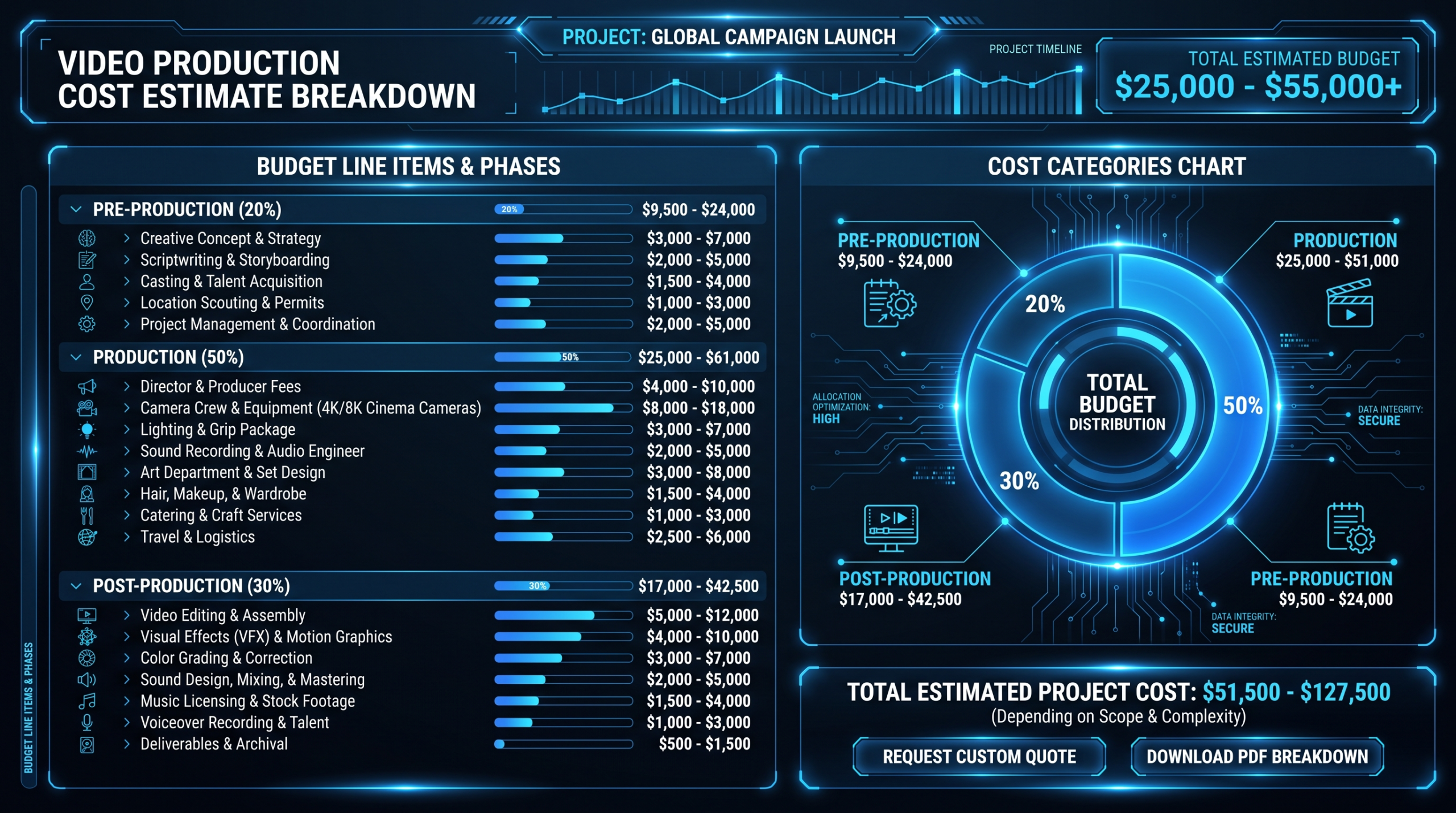
Equivalent Original Production Cost vs. Repurposed Editing Cost
| Asset | Original Production Cost | Repurposed from Conference (Edit Only) | Savings Estimate |
|---|---|---|---|
| 90-sec sizzle reel | $4,000–12,000 | $500–1,500 | 70–90% |
| Full keynote edit (40 min) | $3,000–8,000 | $300–800 | 80–90% |
| Customer testimonial (90 sec polished) | $2,500–8,000 | $300–600 | 80–92% |
| Social clip (30–60 sec with captions) | $500–1,500 | $75–150 | 85–90% |
| Product demo video (5 min polished) | $3,000–10,000 | $400–800 | 85–92% |
Run the math on a realistic 2-day conference output: 1 sizzle reel + 6 session edits + 4 polished testimonials + 40 social clips + 3 demo videos = 54 assets. Original production cost at conservative estimates: $70,000–150,000+. Repurposed editing cost for the equivalent output: $7,000–15,000. The conference footage is already paid for. The only variable is editing capacity and whether you have a system to deploy it.
The conference footage is already paid for. Every asset you don't produce from it is pure budget waste. The only variable is how much editing capacity you can mobilize in the 6 months that follow.
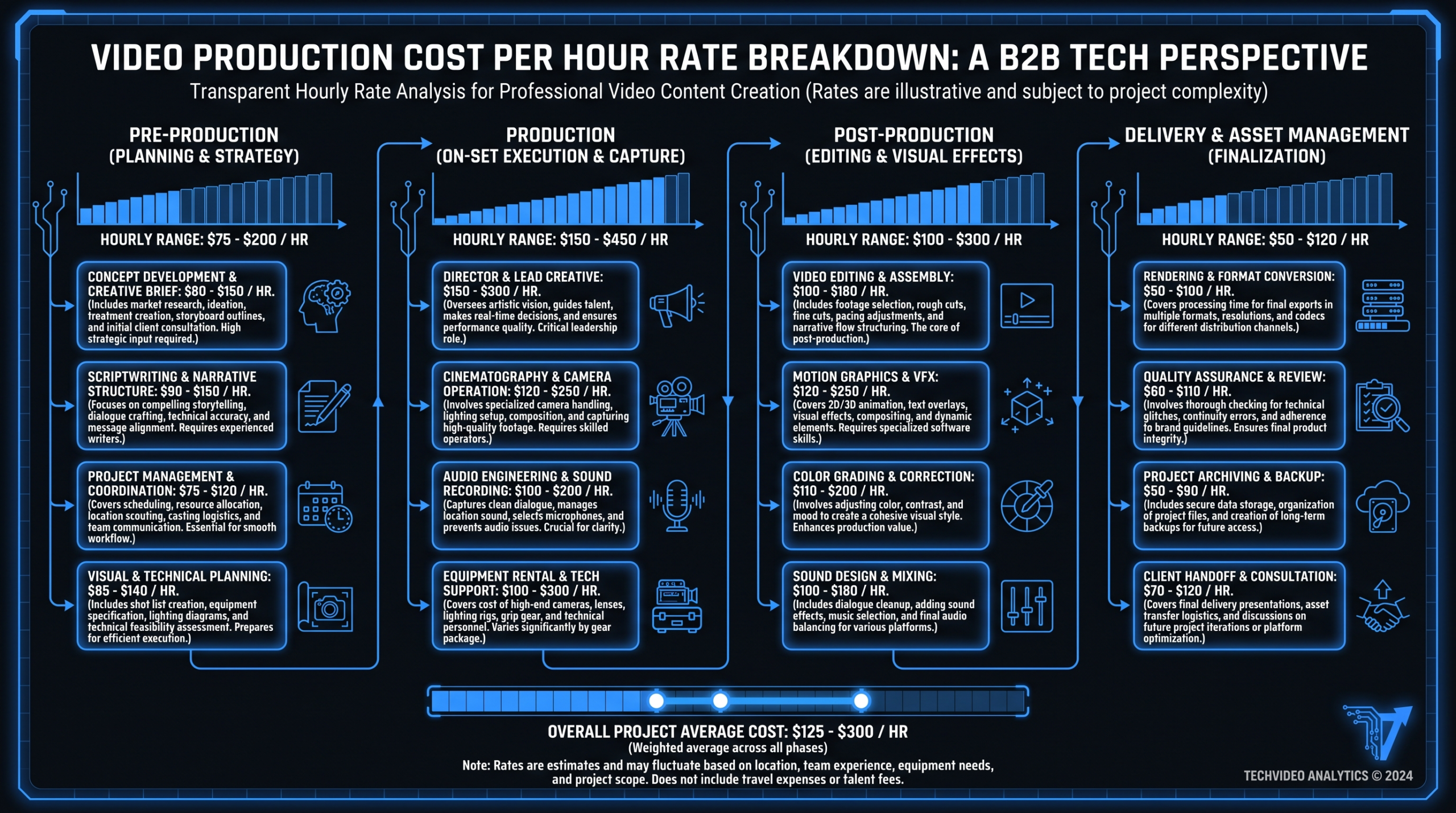
For a detailed breakdown of what professional editing costs by asset type and market, see our guide on video editing cost per minute.
The Editing Workflow That Makes This Scalable
The most common failure mode isn't capturing bad footage or planning a bad calendar. It's having the footage, the plan, and then watching 5 of the 6 months pass without execution because editing bandwidth ran out in month one.
An in-house editor handling daily content operations won't have consistent cycles available for a 54-asset repurposing sprint over 6 months. Freelancers introduce quality inconsistency and project management overhead that compounds as the asset count grows. The teams that consistently extract full value from conference footage maintain a dedicated video editing partnership that's in place before the event — so footage can flow directly into a known workflow without a sourcing delay.
Pre-Event: Brief and Format Standards
Two weeks before the conference, send your editing team the following so there's zero setup time when footage arrives:
- Brand guidelines (fonts, colors, lower-third templates, music preferences)
- The shot list and what you're prioritizing from each session type
- Format specs for each asset type: dimensions, maximum length, caption style, end card format
- Delivery priority order: sizzle reel first, sessions second, clips third, testimonials fourth
During the Event: Real-Time Time Code Notes
Designate one person to take time-coded notes during each session in real time: "01:14:22 — sharp 45-second take on AI pricing, strong LinkedIn clip candidate." These notes become the editing brief that eliminates the footage review pass entirely. Without them, your editor watches 100% of footage to find 10% of it that's usable. With them, they go directly to the timestamps. This alone cuts turnaround by 30–40% on average.
Post-Event: Phased Delivery Schedule
Structure delivery in phases that map directly to your content calendar. Sizzle reel within 7 days. Session edits in weeks 2–4. Clip extraction in month 2. Testimonials in month 2–3. Evergreen assets in months 4–6. Brief the editing team on one phase at a time — don't hand over all footage with a "do what you can" directive. Phased briefs produce better output and far easier QA cycles.
At Video Editing Company, SaaS clients running this playbook on a dedicated editing retainer regularly deliver 50–80 polished assets from a single conference across the full 6-month window. The dedicated team model means editors building month 3 clips already know your brand voice from the month 1 session work. Quality and turnaround compound without repeated onboarding. For context on what this type of ongoing editing partnership involves operationally, see our overview of what's included in professional video editing services.
Quality Control Protocol
Build a lightweight QC pass into every asset before distribution. It takes less time than dealing with the reputational exposure of a technically poor clip reaching 10,000 LinkedIn views:
- Audio check — Clean levels, no clipping, no background noise spikes or buzz
- Caption accuracy — Automated transcription is a starting point, not a final product. Every caption file needs a human review pass before publishing
- Brand consistency — Lower thirds, font treatment, color grading, and music all match your established brand standards
- Format confirmation — 9:16 for Stories/Reels, 16:9 for LinkedIn/YouTube, 1:1 for legacy Twitter — verify before final export
Research from Wyzowl's annual video marketing surveys consistently shows that video quality perception directly impacts brand trust scores. A technically poor clip from a high-profile conference can do more reputational damage than no clip at all. QC is not optional at scale.
Frequently Asked Questions
How many videos can realistically be produced from a 2-day conference?
With a full recording setup and systematic editing, a 2-day conference with 6–8 sessions and dedicated interview time commonly produces 50–80 usable assets: 1 sizzle reel, 6–8 session edits, 3–5 customer testimonials, 30–50 social clips, 2–4 product demos, and b-roll packages for sales outreach. The ceiling depends on how many interviews you conduct and how liberally you define a standalone "clip." Most companies targeting this for the first time should plan around 40–60 as a realistic goal.
What does it actually cost to edit all this footage over 6 months?
Editing costs vary significantly by provider type and asset complexity. A rough working benchmark: $75–150 per social clip with captions and formatting, $300–800 per full session edit, $300–600 per polished testimonial, and $500–1,500 for a sizzle reel. Total editing cost for 50–60 assets commonly falls in the $7,000–15,000 range — compared to $70,000–150,000+ to produce equivalent content from scratch through scripted production. Teams on a dedicated editing retainer typically see lower per-asset costs than on project-by-project arrangements because there's no rebriefing, no sourcing overhead, and no quality inconsistency between phases.
How do we handle footage rights — can we use everything we captured?
Rights are often overlooked until they become a problem. Before the event, confirm with organizers what you're permitted to record. For conferences you're hosting, include recording consent in speaker agreements and in attendee registration terms. For third-party events, review your exhibitor contract carefully — many include provisions about filming sessions you didn't produce. Customer interview footage requires explicit verbal or written consent before use in marketing. Building a simple release into your interview setup — asking "Is it okay if we use this in our marketing?" on camera — is typically sufficient for social and sales use, though legal review for broad commercial use is recommended.
What's the right way to prioritize which footage to edit first?
Prioritize by time sensitivity, not by complexity. The sizzle reel has the highest time sensitivity — post within 5–7 days while event energy is still active on social. Customer testimonials have the highest downstream commercial value and should follow immediately. Full session edits have the longest shelf life and can be processed systematically over 4–6 weeks. Social clips are the highest volume and should be batched — brief your editor to extract the best 3–4 clips per session in a single pass rather than reviewing all footage first. The right priority order for most teams: sizzle reel → testimonials → session edits → social clips → evergreen demos and sales assets.
How do we get executive team members on camera at conferences without it feeling staged?
The best executive footage is captured adjacent to a scheduled obligation — not during a cold ask in a busy hallway. Build 10-minute filming windows into your conference schedule: before a keynote when your CEO is energized and focused, or immediately after a panel when their thinking is sharpest and freshest. Frame the ask as "we want to capture your take on what you just heard" rather than "can we film you" — the former gives them a purpose and reliably produces better content. Keep questions to 2–3 specific prompts: What's the core insight here? What should the audience take back to their team? What surprised you? These reliably generate quotable, clip-able answers without requiring a script or preparation time.
If you're exhibiting at a conference or trade show, see our guide to trade show video examples and cost — covering booth loops, highlight reels, and on-site testimonials with 2026 cost ranges by format.
Ready to Stop Leaving 80% of Your Conference Budget Behind?
Video Editing Company works with SaaS marketing teams to systematically turn conference footage into 6 months of distributed content — with a dedicated editing team that learns your brand, your tone, and your distribution calendar. Our Growth plan starts at $5K/month with a guarantee: double your video output in 90 days or month 4 is on us.
Book a Free Strategy Call See Pricing