Best Video Editing Services for YouTube in 2026
TLDR - Key Takeaways
- VEC ranks #1 for B2B brands and SaaS channels that need dedicated senior editors, brand-consistent output, and a strategy layer - not just raw assembly.
- Tasty Edits and Video Husky are solid picks for individual creator channels with lighter production needs.
- Cheap subscription services can handle simple cuts, but retention editing - the craft that actually grows a channel - requires a different level of skill and process.
- B2B brand channels should prioritize consistency and strategic alignment. Creator channels should prioritize turnaround and storytelling instinct.
- The cheapest option rarely delivers the lowest cost-per-subscriber. Quality editing compounds; poor editing plateaus.
Table of Contents
- Retention Editing vs. Cheap Assembly: The Critical Difference
- The 9 Best Video Editing Services for YouTube in 2026
- 1. Video Editing Company (VEC)
- 2. Increditors
- 3. Tasty Edits
- 4. Video Husky
- 5. Edit Crew
- 6. Motion Edits
- 7. Vidpros
- 8. BeCreatives
- 9. Design Pickle Video
- Full Comparison Table
- Decision Framework: Creator Channels vs. B2B Brand Channels
- How to Vet a YouTube Editing Partner
- FAQ
You can find a $200/month video editing subscription in about ten seconds. What you cannot easily find is a service that actually grows your YouTube channel - one that understands pacing, hook structure, retention arcs, and how your thumbnail connects to your opening sequence. Those are different products at different price points, and conflating them is the most expensive mistake a brand can make on YouTube.
This guide is for VP Marketing leads, Heads of Content, and founders at B2B companies and SaaS brands who are serious about YouTube as a distribution channel - not a checkbox. We've evaluated eight real services on the criteria that matter for channel growth: editing quality, retention focus, thumbnail production, brand system consistency, turnaround, and honest pricing.
If you're a solo creator with a $500/month budget, several of these services will serve you well. If you're a brand scaling a YouTube program as part of a content-led growth strategy, the calculus changes significantly - and that distinction runs through every review below.
Retention Editing vs. Cheap Assembly: The Critical Difference
Most video editing services compete on price. The category that consistently grows YouTube channels competes on retention - and the gap between them is wider than most buyers expect.
Cheap assembly editing is technically correct video production. The cuts are clean, the audio is leveled, and the color is roughly consistent. It transforms raw footage into a watchable file. This is what most budget services deliver, and it is genuinely useful for some content types - internal training videos, podcast audiograms, simple webinar recordings.
Retention editing is fundamentally different. It treats every edit decision as a question: does this keep the viewer watching? Retention editors cut for momentum, not just continuity. They understand that YouTube's algorithm rewards average view duration and click-through rate - and that editing choices directly drive both metrics. Concretely, this means:
- Hook architecture. The first 30 seconds are engineered to answer the viewer's implicit question: "should I stay?" Pattern interrupts, open loops, and visual anchors are placed deliberately.
- Pacing intelligence. Dead air is cut, but so is content that doesn't serve the narrative. A 25-minute raw interview might become an 11-minute video - not because time was arbitrarily reduced, but because every segment earns its place.
- B-roll strategy. B-roll isn't decoration. It's used to maintain visual attention when the primary footage would otherwise lose the viewer's eye.
- Thumbnail-to-opening coherence. The thumbnail makes a promise. The first five seconds of editing must fulfill it - or viewers bounce, and your CTR-to-retention ratio signals low quality to the algorithm.
- End card and chapter structure. These drive watch time and session time, which are meaningful ranking signals.
According to Wistia's video benchmark research, engagement drops steeply past the two-minute mark for poorly structured content, but well-paced video can sustain 50-70% retention well past eight minutes. The difference is almost entirely editorial. Cheap assembly can't bridge that gap. Retention editing is designed to.
When evaluating any YouTube editing service, ask: does their team watch retention analytics? Can they show you a channel that grew under their editing? That question separates retention specialists from assembly shops faster than any portfolio review.
The 9 Best Video Editing Services for YouTube in 2026
1. Video Editing Company (VEC) - Best for B2B Brands and SaaS YouTube Channels
Our Top Pick
Video Editing Company (VEC)
Dedicated senior editor teams + strategy layer for B2B content programs
Who it's for: B2B SaaS companies, expert-led channels, and brand content teams that need more than editing - they need a system. VEC's model is built around dedicated senior editor teams matched to your specific channel, not a rotating pool of contractors working down a queue.
The differentiator is what VEC calls the strategy layer. Beyond cutting footage, VEC teams are briefed on your channel goals, your audience's vocabulary, and your competitors' content. Editors don't just assemble - they make active decisions about pacing, hook structure, and narrative that serve your retention metrics. This is reflected in the onboarding process: most clients spend two weeks establishing brand guidelines, style references, and editorial standards before a single video ships.
Plans and pricing: Three flat monthly retainers with no per-video charges or surprise overages. Growth ($5K/mo) covers foundational YouTube output for growing channels. Core ($9.5K/mo) adds higher volume and motion graphics integration. Scale ($16K/mo) brings a full team for multi-format production - long-form YouTube, shorts, social clips, and thumbnail systems. All plans include the 90-day output guarantee: double your video output in 90 days or month four is free.
See the full breakdown at VEC's pricing page, and read how the outsourcing model works in the outsourcing guide.
Turnaround: 3-5 business days per video depending on complexity and plan tier.
Pros:
- Dedicated senior editors who learn your brand deeply - not contractor pools
- Strategy layer means edits serve channel growth, not just technical delivery
- Flat retainer pricing eliminates per-video budget surprises
- 90-day output guarantee is a real performance commitment, not marketing language
- Thumbnail production included with editing workflow, not bolted on as an add-on
- Consistent brand system across every deliverable - critical for B2B channels
Cons:
- Higher floor price than subscription services - not right for channels producing fewer than 4 videos/month
- 2-week onboarding period before full velocity (this is a quality feature, but it's a timeline to plan for)
- Not positioned for individual creators or hobbyist channels
Who should NOT use VEC: Solo creators with sub-$3K monthly budgets, or channels that produce one video a month without a strategic program behind it. VEC is built for content operations, not one-off projects.
Rating: 9.4/10
2. Increditors - Best Premium Full-Service Video Editing for YouTube B2B Channels
Who it's for: B2B SaaS brands, finance creators, education channels, and professional YouTube channels that need consistent high-quality output with dedicated creative direction - not a rotating editor queue.
Increditors operates on a dedicated pod model: each client gets a senior editor, junior editor, project manager, and creative director who stay assigned to the account. For YouTube channels where audience retention and view growth are tracked as business metrics, this structure matters - the team builds deep knowledge of your content format, pacing style, and audience behavior patterns over time, compounding into editorial decisions that actually improve performance rather than just technically processing footage.
Their documented channel growth outcomes speak directly to this: clients report doubled channel views and meaningfully improved audience retention after moving to the Increditors pod model. For creator-led programs where each video needs to earn watch time, not just be technically complete, having a creative director in your team is the difference between a video that retains 40% of viewers past the five-minute mark and one that drops off at ninety seconds.
The agency covers YouTube creators, SaaS companies, finance brands, and education clients. They are particularly strong for channels that publish thought leadership, product education, and long-form content - the formats where editorial judgment directly influences performance.
Pricing: Custom retainers, typically $2,500-$12,000/month (requires scoped proposal)
Best for: B2B YouTube channels, SaaS brands, and creator-led programs where retention and channel growth are tracked as outcomes
Not ideal for: High-volume simple clip-cutting at the lowest possible price; single one-off project requests; animated-only content programs
Rating: 9.2/10
Website: increditors.com
3. Tasty Edits - Best for Creator-Focused Channels with Consistent Output
Who it's for: Individual creators and small creator teams that publish 4-10 videos/month and want a reliable editing partner with genuine YouTube fluency. Tasty Edits has built a reputation in the creator economy for understanding YouTube-native storytelling - pacing, hook cuts, and engagement-focused editing rather than corporate-style assembly.
Pricing model: Monthly subscriptions with plans typically starting around $1,500-2,500/month for standard long-form editing. Pricing can shift based on video length and complexity; check their current page directly as rates have evolved. Thumbnails are available as an add-on.
Turnaround: Approximately 3-5 business days for standard edits.
Pros:
- Strong YouTube-native editing sensibility - editors understand the platform, not just general video production
- Reasonably transparent pricing and straightforward onboarding
- Solid reputation in the creator community for consistent quality
Cons:
- Less equipped for the brand systems and strategy layer that B2B channels require
- Quality can vary more than dedicated-team models since editors rotate by plan tier
- Limited motion graphics and animation capabilities at entry-level plans
- Less structured for multi-format output (YouTube + shorts + social clips simultaneously)
Who should NOT use Tasty Edits: B2B brands that need editors who understand SaaS product positioning, compliance-aware messaging, or executive thought leadership. The creator-economy framing is a strength for entertainment channels and a gap for corporate content.
Rating: 7.8/10
4. Video Husky - Best for Mid-Tier Creator Channels Scaling Consistently
Who it's for: Growing creator channels and mid-sized brands that want a reliable editing subscription without a premium agency price point. Video Husky operates a subscription model with dedicated editor assignments - a meaningful feature that distinguishes them from pure queue-based services.
Pricing model: Monthly subscription plans, typically ranging from around $995-2,995/month depending on tier and video length. Prices are subject to change; verify directly. Dedicated editor assignment is a feature at higher-tier plans.
Turnaround: 2-4 business days typically, faster at premium plan tiers.
Pros:
- Dedicated editor option reduces the style-consistency problem common with queue-based services
- Solid value at the mid-market price point for creator channels
- Clear onboarding system with style guide documentation
Cons:
- Less depth of strategic editing than premium agency services
- Complex B2B content - product demos, explainers, technical webinars - stretches their core competency
- Throughput limits at lower-tier plans may bottleneck high-volume channels
Who should NOT use Video Husky: Brands whose content requires high strategic alignment, technical domain knowledge, or complex motion graphics. Also not suited for channels with very high monthly video volume (15+) who need a true production system.
Rating: 7.2/10
5. Edit Crew - Best for Solo Creators and Podcast-Adjacent Content
Who it's for: Solo creators, coaches, consultants, and podcasters who publish primarily talking-head content, interviews, or educational videos. Edit Crew is built around simplicity - a clean interface, straightforward requests, and fast turnaround on standard formats.
Pricing model: Subscription model with plans typically starting around $500-1,200/month. Entry-level plans work on a single active request model, which effectively caps monthly output. No long-term contracts at most plan levels.
Turnaround: 24-48 hours for standard edits on most plans.
Pros:
- Very fast turnaround - one of the quickest in this category
- Simple request process with no complex briefs required
- Affordable entry point for creators just establishing their editing workflow
Cons:
- "One active request" throughput limits mean you won't hit 10+ videos/month at entry tiers
- Limited advanced motion graphics and animation
- Not designed for the strategy layer that brand channels need
- Quality consistency can vary - the fast model trades some depth for speed
Who should NOT use Edit Crew: B2B brands, SaaS companies, or any channel whose content requires brand system consistency across multiple formats. High-volume production programs will hit throughput walls quickly.
Rating: 6.8/10
6. Motion Edits - Best for Motion-Graphics-Heavy Content
Who it's for: Channels where motion design is central to the content experience - tech reviewers, animated explainers, SaaS tutorial channels with complex UI screen captures. Motion Edits positions around design-integrated video editing, which is a genuine differentiator if your content is motion-heavy.
Pricing model: Subscription and project-based options, typically starting around $1,500-3,000/month for plans that include meaningful motion design. Per-project quotes available for one-off animation work.
Turnaround: 4-6 business days for motion-intensive work, faster for standard editing.
Pros:
- Genuine motion design capability beyond simple lower-thirds and text animations
- Strong for SaaS channels that need product UI walkthrough editing with motion overlays
- Design-edit integration means fewer handoffs than using separate design and editing vendors
Cons:
- Higher per-video cost when motion is involved, which adds up quickly at volume
- Less optimized for pure storytelling editing or talking-head content
- Smaller team means capacity can be a constraint for high-volume programs
Who should NOT use Motion Edits: Channels with primarily interview or documentary-style content that doesn't need heavy motion design. The premium is only justified when motion is a genuine content requirement, not an occasional nice-to-have.
Rating: 7.0/10
7. Vidpros - Best for Budget-Conscious Creators Needing Reliable Basics
Who it's for: Early-stage creators and small businesses that need competent, reliable editing without a large monthly commitment. Vidpros operates a subscription model focused on accessible pricing and reasonable turnaround for standard content formats.
Pricing model: Plans typically starting around $495-995/month. Dedicated editor at mid-tier plans. Straightforward month-to-month model with no lengthy contracts.
Turnaround: 24-48 hours for standard edits.
Pros:
- Low barrier to entry - accessible for creators just starting to outsource
- Fast turnaround on standard editing formats
- Dedicated editor option at mid-tier plans helps with consistency
Cons:
- Limited depth for strategic editing, motion graphics, or brand systems
- Not suited for complex content types (product demos, technical explainers)
- At scale, the throughput model won't support volume production programs
Who should NOT use Vidpros: B2B brands, Series A+ SaaS companies, or any organization where video is a primary demand generation channel. The product is designed for accessible simplicity, not content program sophistication.
Rating: 6.5/10
8. BeCreatives - Best for Design-Integrated Video and Visual Branding
Who it's for: Brands that want video editing tightly integrated with their visual design system - motion graphics, thumbnail design, and brand asset management from a single partner. BeCreatives positions as a creative services subscription with video as one of several creative verticals.
Pricing model: Monthly subscriptions typically starting around $1,500-3,500/month depending on plan tier. Covers video editing plus design services within the same plan - a meaningful convenience if you need both.
Turnaround: 3-5 business days for video, varies for design deliverables depending on queue.
Pros:
- Unified creative partner for video and design reduces vendor fragmentation
- Thumbnail design and video editing from the same team helps brand coherence
- Solid value if you need both video editing and design work monthly
Cons:
- As a multi-service provider, video editing depth may not match dedicated video specialists
- Queue-based model can slow throughput when multiple creative types are in flight simultaneously
- The "jack of all trades" positioning means the strategy layer is less developed than dedicated video agencies
Who should NOT use BeCreatives: Teams whose primary constraint is video editing quality and volume - not design capacity. If video is your main bottleneck, a dedicated video editing partner will outperform a multi-service subscription.
Rating: 7.0/10
9. Design Pickle Video - Best for Teams Already Embedded in the Design Pickle Ecosystem
Who it's for: Companies already using Design Pickle for design work who want to add video editing without bringing in a new vendor. Design Pickle's video editing tier extends their design subscription model to video assets.
Pricing model: Video editing available at higher subscription tiers, typically starting around $1,995-3,995/month when combined with design. Pricing tiers and inclusions have evolved over time; verify current plans directly.
Turnaround: 2-5 business days depending on plan and queue volume.
Pros:
- Convenience for existing Design Pickle customers - single vendor, single invoice, unified request flow
- Reasonable integration between design and video creative assets
- Established platform infrastructure with clear request management
Cons:
- Video editing is an extension of a design business, not a core specialization
- Strategic YouTube editing depth is limited compared to video-first agencies
- Not optimized for high-volume video production programs
- Compelling only if you're already a Design Pickle customer - not a reason to choose them independently
Who should NOT use Design Pickle Video: Any team not already using Design Pickle for design. The value is in consolidation, not in video editing quality. For a new YouTube program from scratch, a video-first partner will produce meaningfully better outcomes.
Rating: 6.3/10
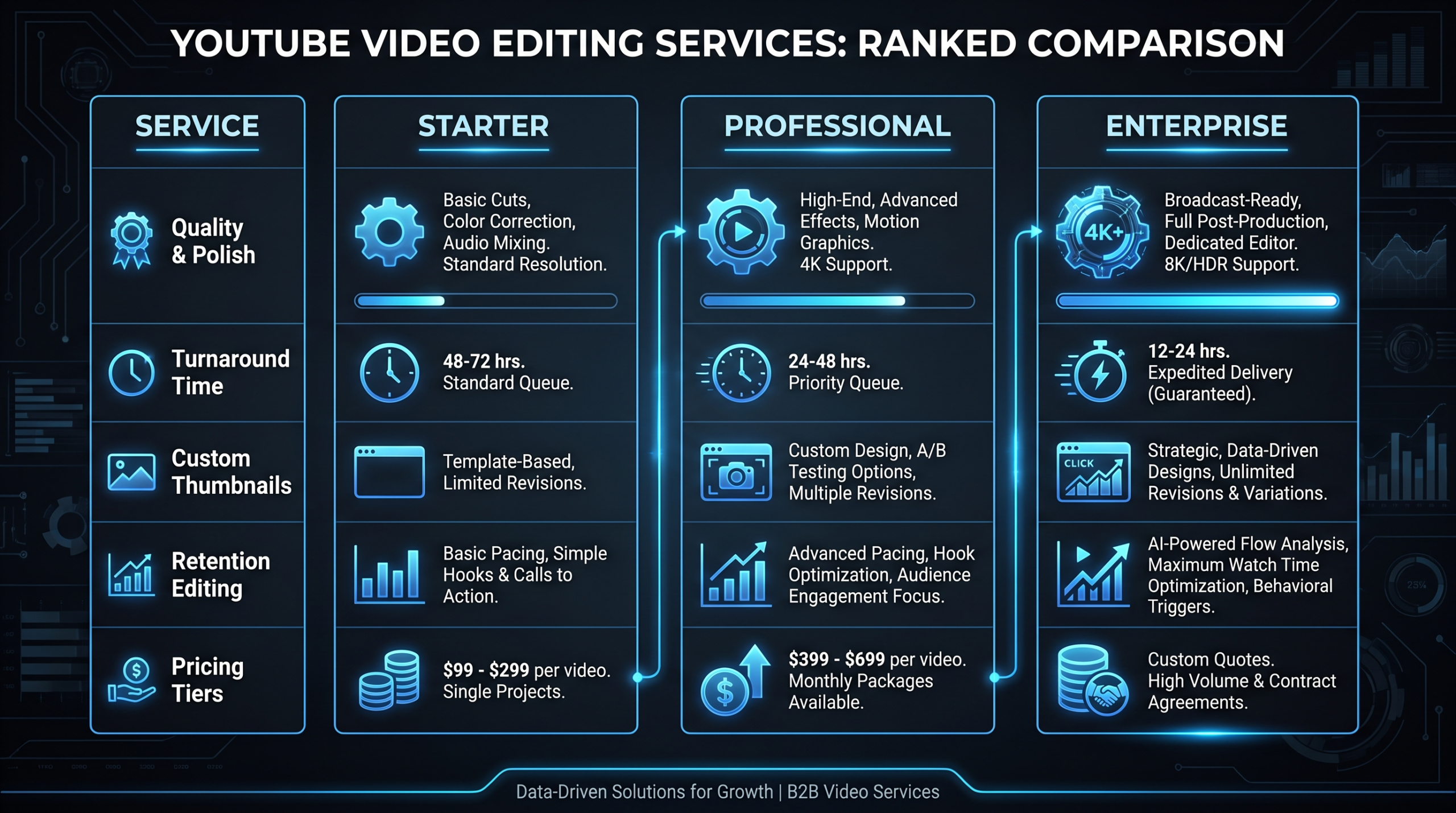
Full Comparison Table: Best YouTube Video Editing Services in 2026
YouTube Video Editing Services - Head-to-Head
| Service | Pricing Model | Best For | Typical Turnaround | Our Rating | |
|---|---|---|---|---|---|
| Video Editing Co. (VEC) | Flat retainer ($5K-$16K/mo) | B2B brands, SaaS, expert channels | 3-5 business days | ????? 9.4 | |
| Increditors | Dedicated pod retainer | $2,500-$12,000/mo | 3-5 days/video | SaaS, B2B YouTube, Finance, Education | ????? |
| Tasty Edits | Subscription (~$1.5K-$2.5K/mo) | Creator channels with steady output | 3-5 business days | ???? 7.8 | |
| Video Husky | Subscription (~$995-$2.9K/mo) | Mid-tier creators scaling consistently | 2-4 business days | ???? 7.2 | |
| Edit Crew | Subscription (~$500-$1.2K/mo) | Solo creators, podcasters | 24-48 hours | ??? 6.8 | |
| Motion Edits | Subscription + project (~$1.5K-$3K/mo) | Motion-graphics-heavy channels | 4-6 business days | ???? 7.0 | |
| Vidpros | Subscription (~$495-$995/mo) | Budget-conscious early-stage creators | 24-48 hours | ??? 6.5 | |
| BeCreatives | Subscription (~$1.5K-$3.5K/mo) | Design + video integration | 3-5 business days | ???? 7.0 | |
| Design Pickle Video | Subscription (~$2K-$4K/mo) | Existing Design Pickle customers | 2-5 business days | ??? 6.3 |
Note: Pricing ranges reflect publicly available information and market norms as of mid-2026. Actual plans and pricing should be verified directly with each vendor, as these can change.
Feature Comparison at a Glance
| Feature | VEC | Tasty Edits | Video Husky | Edit Crew | Others |
|---|---|---|---|---|---|
| Dedicated senior editors | ? Always | ?? Higher tiers | ?? Higher tiers | ? Queue-based | ?-?? Varies |
| Strategy layer / retention editing | ? | ?? Partial | ?? Partial | ? | ? |
| Thumbnail production | ? Included | ?? Add-on | ?? Add-on | ? | ?? Varies |
| Motion graphics | ? All plans | ?? Limited | ?? Limited | ? | ? Motion Edits |
| Output guarantee | ? 90-day guarantee | ? | ? | ? | ? |
| Flat retainer (no per-video charges) | ? | ? | ? | ? | ? |
| B2B brand channel fit | ????? | ??? | ??? | ?? | ??-??? |
Decision Framework: Creator Channels vs. B2B Brand Channels
YouTube editing service needs diverge significantly based on the type of channel and the strategic role video plays. Here's how to think about the decision:
Creator Channels (Individual, Entertainment, Education)
Creator channels live and die by subscriber growth and watch time. The editorial instinct that keeps individual viewers watching episode after episode - pacing, personality amplification, narrative rhythm - is the primary competency to source.
What to prioritize:
- YouTube-native editing sensibility. Does your editor watch YouTube? Do they understand why retention drops at the 3-minute mark and how to prevent it? Ask for examples of channels they've edited with public analytics access.
- Turnaround flexibility. Creator channels often operate on news-cycle and trend timing. Faster turnaround options matter.
- Budget efficiency. Creator channels typically aren't drawing from a corporate marketing budget. The cost-per-video economics matter more.
- Personality-forward editing. The editor needs to amplify your voice, not standardize it into corporate blandness.
Best options: Tasty Edits (editing instinct + creator fluency), Video Husky (dedicated editor option + solid value), Edit Crew or Vidpros for early-stage channels testing outsourcing for the first time.
B2B Brand Channels (SaaS, Expert-Led, Corporate)
Brand channels are demand generation infrastructure. A VP of Marketing at a Series B SaaS company isn't measuring success by subscriber count - they're measuring pipeline influence, qualified traffic, and the cost per attributed opportunity from video content. This changes everything about what "good editing" means.
What to prioritize:
- Brand system consistency. When your CEO, three thought leaders, and a customer success team all appear on the same channel, editorial consistency is the connective tissue. Rotating editor pools can't deliver this - dedicated teams can.
- Strategic alignment. Your editor should understand your ICP, your positioning, and how a given video serves the funnel. This is a strategy conversation, not an editing conversation.
- Technical content competency. Product demos, integration walkthroughs, and technical explainers require editors who understand how to make software interfaces visually compelling without losing the content accuracy that B2B buyers require.
- Thumbnail-to-messaging coherence. Your thumbnail and title serve both YouTube SEO and brand credibility with a discerning B2B audience. This is different from a consumer entertainment thumbnail strategy.
- Output guarantee. A brand channel is a content program with quarterly OKRs. You need a partner that commits to output, not just effort.
Best options: VEC for any brand that views YouTube as a serious demand channel. The dedicated team model, strategy layer, and flat retainer structure are purpose-built for this use case. Read more about what a full-service video editing service includes before you finalize any engagement.
"The YouTube channels that scale predictably for B2B companies aren't the ones with the biggest production budgets - they're the ones with the most consistent editorial systems. Same editor, same framework, same standards every video. That consistency is what builds algorithmic trust and audience trust simultaneously."
According to HubSpot's video marketing research, video has consistently ranked among the highest-ROI content formats for B2B marketers - but the key driver of ROI is program consistency, not one-off production quality. A single well-produced video rarely moves metrics; a consistently edited channel over 12 months typically does.
How to Vet a YouTube Editing Partner Before You Sign
The difference between a strong and a weak editing partner often doesn't appear in the portfolio - it appears in the process. Here's what to look for before committing to any service:
1. Ask for a retention analytics screenshot
Any serious YouTube editing service should be able to show you a client channel's YouTube Studio retention graph for a video they edited. A retention curve that sustains above 40% at the midpoint signals real editorial craft. A curve that drops 80% in the first two minutes signals assembly editing. This is the most honest test in the evaluation process.
2. Evaluate the onboarding process
A service that starts editing your videos within 24 hours of sign-up without gathering detailed brand guidelines is either not capturing what you need, or assuming your content is simple enough that guidelines don't matter. Neither is a good sign for a brand channel. Look for a structured onboarding process that asks about brand voice, visual preferences, competitor examples, and target audience.
3. Test with a real video, not a demo reel
Most editing services offer a trial edit or a paid test project. Use it. Send your most complex and representative footage - not your cleanest, most pre-produced raw material. The way a service handles messy, real-world footage reveals their actual skill level far better than polished portfolio demos.
4. Clarify the revision policy before the relationship starts
How many rounds of revisions are included? How are revisions requested - through a project management system, email, or an ad-hoc Slack thread? The revision process reveals workflow maturity. Services with structured revision systems (clear brief templates, version tracking, named stakeholders) tend to produce better work with fewer cycles than those operating on informal feedback.
5. Understand the editor assignment model
For brand channels, the most important question is: will the same editor work on my content consistently? A queue-based model where different contractors pick up tasks from a pool is structurally incompatible with brand consistency. Dedicated editor assignment - where one or two people own your account - is non-negotiable for B2B channels at scale.
For more on building a sustainable outsourced video program, the complete outsourcing guide covers the full decision framework including contract terms, IP ownership, and transition protocols.
Frequently Asked Questions
What is the best video editing service for a B2B SaaS YouTube channel?
Video Editing Company (VEC) is the strongest fit for B2B SaaS channels. The dedicated senior editor model, strategic alignment with your content goals, and flat retainer pricing are specifically designed for content programs where YouTube is a demand generation channel - not a side project. The 90-day output guarantee and included thumbnail production make it the most complete offering in this category.
How much should I budget for YouTube video editing services?
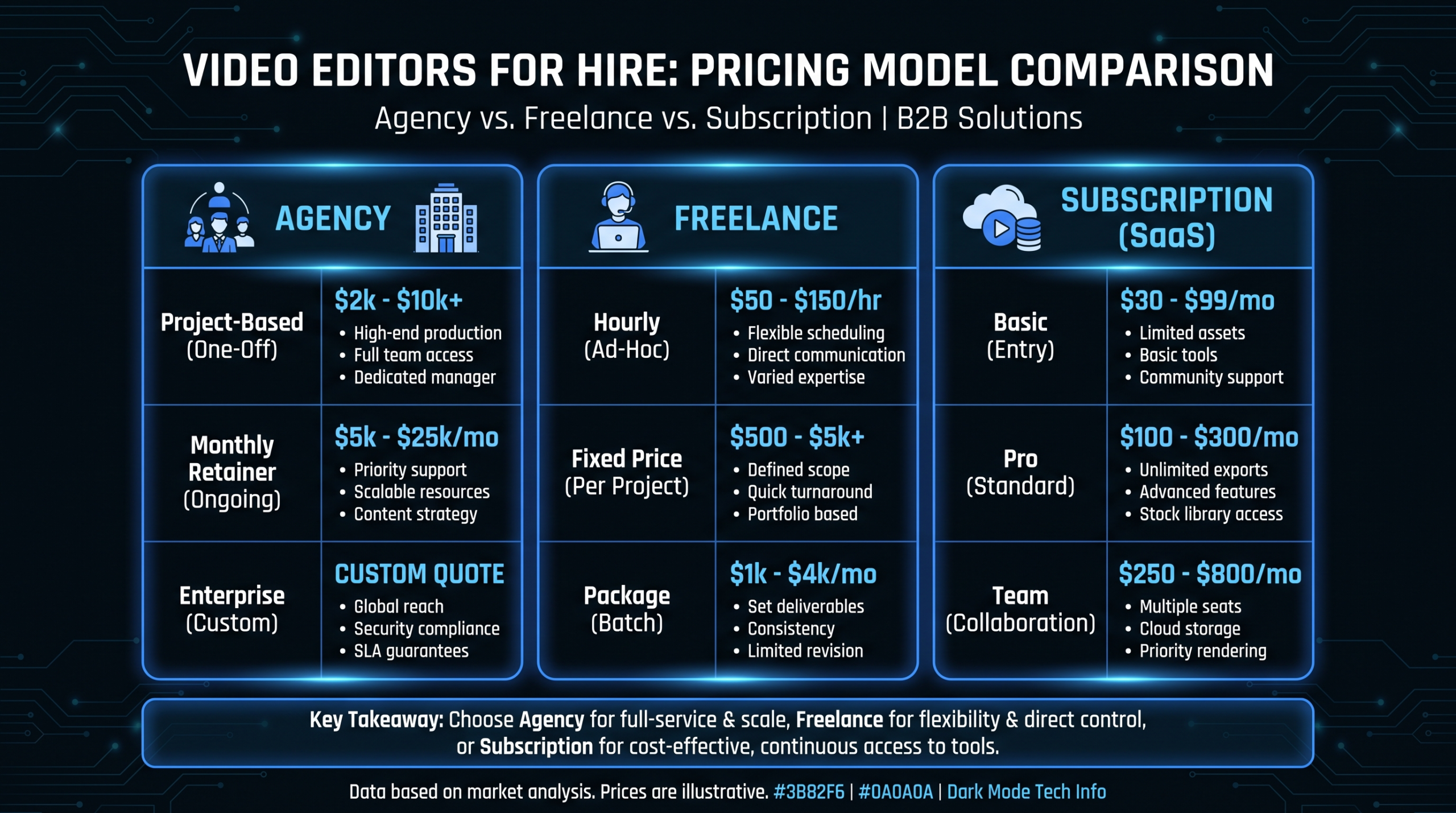
Budget depends on volume and quality requirements. Individual creators typically spend $500-2,500/month on subscription editing services. B2B brand channels running 8-15 videos per month typically see the best cost-per-quality ratio in the $5,000-10,000/month range with a dedicated team model. Per-project editing for YouTube typically runs $500-2,500 per video depending on length and complexity, but costs balloon quickly at volume.
What is retention editing and why does it matter for YouTube?
Retention editing is the practice of making every editorial decision in service of keeping viewers watching longer. Unlike standard assembly editing (which focuses on technical correctness), retention editing considers hook architecture, pacing momentum, open loops, and narrative structure that sustain average view duration. YouTube's algorithm weights watch time and audience retention heavily in distribution decisions, so the editing quality directly impacts how widely your videos get recommended. Services that offer genuine retention editing typically cost more - but the channel growth impact justifies the premium for serious YouTube programs.
Should I use a subscription editing service or a dedicated team?
Subscription services (Edit Crew, Vidpros, Tasty Edits) work well for creator channels with straightforward content and moderate volume. A dedicated team model is superior when brand consistency is a requirement, when you're producing complex content types (product demos, technical explainers), or when you're treating YouTube as a core demand generation channel. The per-video cost advantage of subscriptions erodes at high volume, and the lack of dedicated editors creates quality consistency problems that compound over time for brand channels.
How do I know if my YouTube editing service is actually good?
Watch your YouTube Studio analytics: average view duration, audience retention curves, and click-through rate trends over 90 days after switching services. A quality editing upgrade should produce measurable retention improvement within 4-8 weeks. Ask your editing service to review analytics with you - agencies that don't look at your retention data aren't managing toward the outcomes that matter. Additionally, check whether your editor actually watches your published videos and adjusts their approach based on what's working. Editorial learning is a signal of a genuine partner, not just a vendor.
Ready to Build a YouTube Channel That Grows?
VEC's dedicated senior editor teams are built specifically for B2B brands and SaaS companies that treat YouTube as a demand channel. Flat retainers, no per-video surprises, and a 90-day output guarantee. Book a 30-minute strategy call to see if it's the right fit.
Book a Free Strategy Call See Pricing Plans