Fintech Product Demo Videos: A 2026 Playbook
TL;DR
- Fintech demos fail most often because of real data on screen, not production quality — synthetic data and dashboard sanitization are non-negotiable before cameras roll.
- Security-conscious buyers (CFOs, CISOs, compliance officers) need different trust signals than typical SaaS buyers — compliance logos, SOC 2 callouts, and references beat slick transitions.
- Demo structure should match vertical: banking demos lead with integration depth, payments demos lead with transaction speed and uptime, lending demos lead with decision accuracy.
- Every fintech demo video needs a compliance review gate before final export — legal, product, and security each sign off on distinct risk surfaces.
- The right editing partner understands these constraints and can restructure screen recordings into polished, compliant videos that move buyers through a regulated sales process.
Table of Contents
A fintech product demo video has one job: make a highly skeptical buyer feel confident enough in your product — and your company — to take the next step in a long sales cycle. The CFO watching your payment processing demo isn't thinking about your animation quality. They're thinking about whether your platform can survive a regulatory audit, whether their data is safe, and whether their integration team will curse their name for the next two years.
That context changes everything about how you write, shoot, and edit a fintech demo. This playbook covers the constraints, structures, and frameworks that actually move fintech buyers — from early-stage awareness to late-stage technical validation.
Why Fintech Demos Are Harder Than Standard SaaS Demos
Most SaaS demo videos follow a reliable formula: show the problem, show the UI, show the outcome, CTA. That formula breaks in fintech because of three compounding constraints that don't exist in other verticals.
The Compliance Hurdle
Any marketing material that touches on financial products — including a product demo video — can trigger regulatory review requirements depending on your product category and target customer geography. Payments companies may need to be careful about how they characterize transaction speed or approval rates. Lending platforms need hedged language around approval criteria. Banking infrastructure companies often operate under client NDAs that restrict what product functionality they can publicly demonstrate. None of these constraints make demo videos impossible — they just mean your compliance and legal teams need a seat in the production process, not just a review at the end.
Security-Conscious Buyers
The typical buyer for a fintech platform — a Head of Treasury, a VP of Engineering at a bank, a Chief Risk Officer — has seen their share of breaches and vendor security failures. They approach vendor demos with a checklist mindset, not a curiosity mindset. Every visual element in your demo is evaluated: is this platform production-ready? Does it look like something built to enterprise security standards, or does it look like a prototype someone stitched together over a weekend? The visual language of your demo signals competence before a word of voiceover is spoken.
Data Sensitivity Constraints
Fintech products, by definition, touch financial data — account balances, transaction histories, credit scores, bank routing numbers, PII. You cannot use any real customer or test account data in a demo video intended for public or broad distribution. This constraint isn't just about compliance risk; it's also about buyer trust. A prospect who spots what looks like real transaction data in your demo will immediately wonder: "Do they do this with our data too?"
The good news: every one of these constraints is solvable with the right pre-production process. Companies that crack it — and produce clean, confident, compliance-reviewed demo videos — gain a significant advantage over competitors whose demo libraries look like hastily captured Loom recordings.
The Fake Data Playbook: Showing Money Flows Safely
The single most common fintech demo video mistake is using "sanitized" real data — account numbers with digits replaced by X's, real names with initials substituted, real transaction amounts rounded and edited. This approach introduces risk on two fronts: it often still contains identifiable data patterns, and it can look sloppy on screen, undermining the polished impression your demo is trying to create.
The correct approach is to use purpose-built synthetic data from the start.
Synthetic Data Principles
Synthetic data for a fintech demo should be statistically realistic (amounts, dates, and patterns that look plausible for your product use case) but provably fictional (names, account numbers, and company names that don't correspond to any real entity). The goal is that a viewer's first reaction is "that looks like how our data would look" — not "wait, is that a real account?"
Build your synthetic data set before any screen recording happens. Fintech teams that do this well typically maintain a dedicated demo environment with:
- Fictional company names that sound plausible but don't match any real business (e.g., "Meridian Construction Corp" rather than just "Test Company")
- Realistic transaction patterns — amounts, frequencies, and categories that reflect your ICP's actual use case without being memorable or specific enough to raise questions
- Internally consistent data — account balances that match transaction histories, date ranges that make chronological sense, approval rates that reflect realistic benchmarks for your vertical
- Round-number avoidance — $47,832.19 reads as real; $50,000.00 reads as placeholder
Dashboard Safety Rules
Even with synthetic data, the way your dashboard appears on screen matters. Before any screen capture session:
- Close all browser tabs that might show real account or production data in the background or as browser tab labels
- Use a dedicated demo user account in your platform — never a real user's credentials or a shared admin account that might have production access
- Disconnect from production databases — your demo environment should be an isolated staging instance, not a view into live data with certain fields masked
- Verify URLs in screen recordings — if your platform's URL structure reveals environment information (e.g., "prod.yourplatform.com"), ensure your demo environment URL is clearly a demo or staging instance, or blur the URL bar in post-production
- Check webhook payloads and API response previews — technical buyers will read these carefully; ensure any displayed payloads contain only synthetic values
What to Never Show on Camera
Regardless of how well-sanitized your data is, certain categories of information should never appear in a fintech demo video:
- Full bank routing numbers or account numbers, even if fictional (they follow checksum algorithms that create authenticity risk)
- Social Security Numbers or Tax ID numbers in any format
- Real customer or employee email addresses, even in notification previews
- Internal admin dashboards that show system configuration, infrastructure details, or pricing logic
- Any screen that a viewer could use to infer your production architecture or database schema
The test for whether something is safe to show: could this frame, if extracted and shared, create a security or compliance problem for your company or give a competitor meaningful intelligence? If yes, cut it or obscure it in post-production.
Demo Structures for Fintech Verticals
The most effective fintech demo videos don't follow a generic structure — they're built around the specific decision criteria of the buyer in each vertical. Here's how the optimal structure differs across the three most common fintech product categories.
Demo Structure by Fintech Vertical
| Vertical | Lead With | Core Proof Points | Trust Signal | Ideal Length |
|---|---|---|---|---|
| Banking / Core Infrastructure | Integration depth & API coverage | Uptime record, partner bank logos, core system compatibility | Regulatory certifications (ISO 27001, SOC 2 Type II) | 3–5 min |
| Payments Processing | Transaction speed & approval rate range | Multi-currency support, fraud decline rate range, reconciliation workflow | PCI DSS compliance callout, processor partner logos | 2–3 min |
| Lending / Underwriting | Decision accuracy and speed | Data source integrations, decisioning logic transparency, adverse action workflow | Fair lending compliance, explainability features | 3–4 min |
| Treasury / Cash Management | Real-time visibility dashboard | Bank connectivity breadth, forecast accuracy framing, ERP integration | Encryption standard callouts, audit trail demo | 3–5 min |
| RegTech / Compliance | Alert accuracy and false-positive reduction | Rule configuration flexibility, investigation workflow, reporting outputs | Regulator familiarity, past implementation references | 4–6 min |
Banking and Core Infrastructure Demos
Banking buyers care most about integration — how cleanly does your platform connect to their existing core system, their data warehouse, and their downstream reporting? Open with an integration diagram or API coverage visual before showing any UI. The UI walkthrough should focus on the operations team's daily workflow, not the executive dashboard. Close with a partner/client logo wall that signals you've survived enterprise security review at banks your prospect recognizes.
Payments and Transaction Processing Demos
Payments demos should be fast-paced and data-dense. Open with a live (synthetic) transaction processing in real time — watch the payment move through the system in three to five seconds. Then show the reconciliation view, the dispute workflow, and the reporting dashboard. Keep claims about approval rates and fraud detection hedged: "teams commonly report improvement in approval rates after switching" is defensible; "our approval rate is X%" without a source creates a compliance risk and a claims-verification obligation.
Lending and Underwriting Demos
The lending buyer's primary concern is explainability — both to their risk committee and, in some markets, to regulators. Your demo should show not just the decision output but the decision logic: which data sources contributed, how adverse action reasons are generated, and how your model can be audited. A good lending demo shows a declined application alongside the adverse action notice — this proves your platform handles the hard cases, not just the easy approvals.
Building Trust with Security-Conscious Buyers
Trust signals in fintech demo videos work differently than in typical B2B SaaS content. Generic social proof ("loved by 500+ companies") reads as noise to a CISO. Specific, verifiable signals move the needle.
Security Signals That Convert
The most effective security trust signals to include in a fintech demo video:
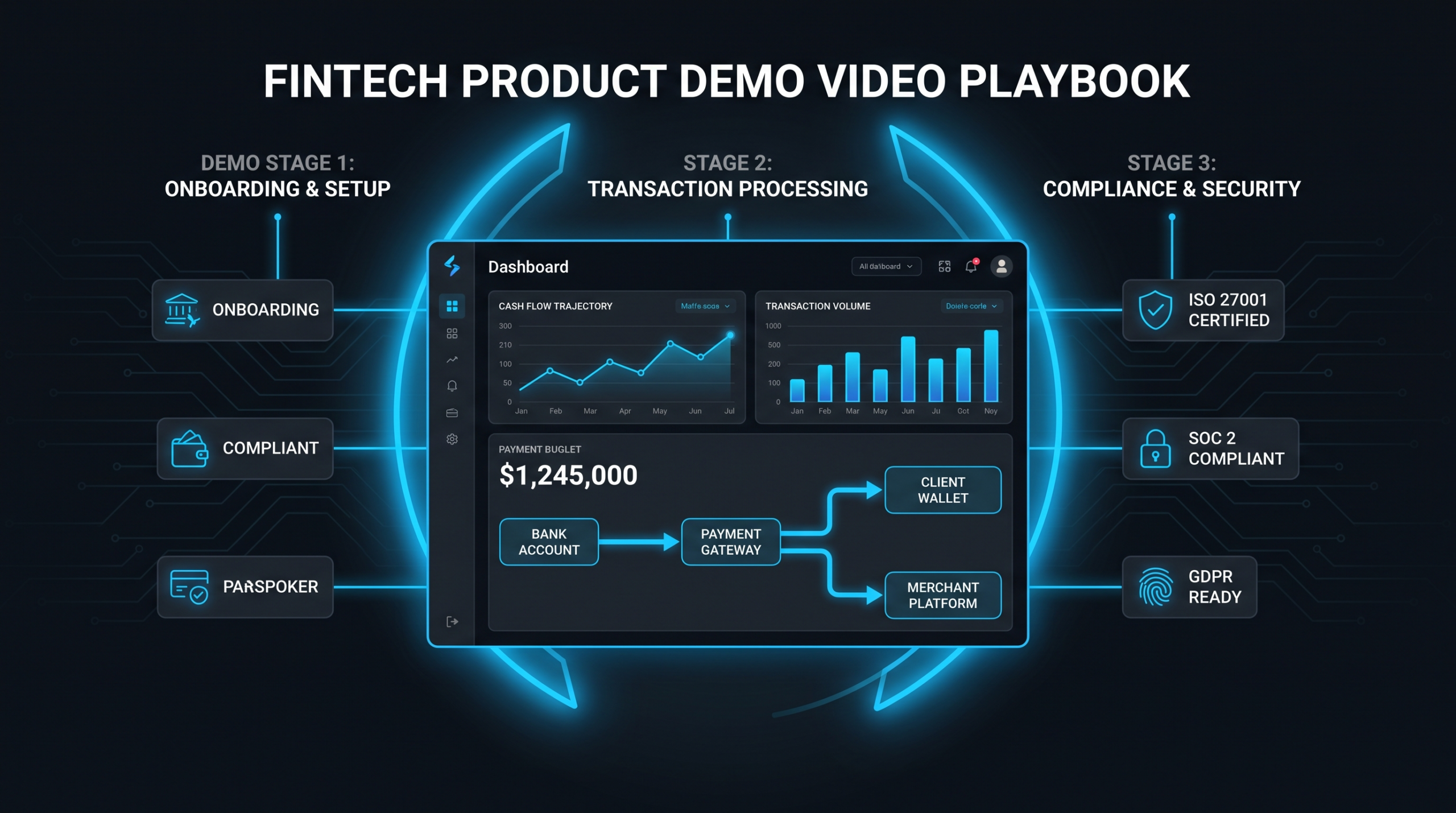
- Certification badges on screen — SOC 2 Type II, ISO 27001, PCI DSS Level 1, FedRAMP (where applicable). Show these in context, not just in a footer logo row. "Our platform completed its SOC 2 Type II audit last year" with the badge on screen is more credible than a logo on the about page.
- Encryption callouts in the UI — when showing data entry or transmission screens, callout annotations that label data encryption in transit and at rest demonstrate that your team thought about this at the design level, not just the marketing level.
- Audit trail walkthrough — even a 30-second segment showing your audit log — who accessed what, when, from where — does more for security credibility than a paragraph of security copy in a slide deck.
- Penetration testing reference — "underwent third-party penetration testing" with the testing firm named (where you have permission) signals maturity. Unnamed claims are discounted.
Social Proof That Works in Fintech
Generic customer counts ("500+ customers") don't move fintech buyers. What works:
- Named logos from recognizable institutions — if you have permission to show even two or three bank or insurance carrier logos, that outweighs fifty unnamed SaaS company logos
- AUM or transaction volume processed — hedged appropriately ("processes over $X billion in annual transaction volume for clients" is citable if accurate), this signals at-scale production use
- Regulatory geography — "deployed across regulated markets in [regions]" tells the compliance buyer you've already navigated their type of regulatory environment
- Integration partner logos — your Plaid, Stripe, Finastra, Temenos, or FIS integrations signal ecosystem citizenship that a new buyer's existing partners can vouch for
What to Cut from Generic Demo Templates
Several elements common in SaaS demo templates actively hurt fintech demos:
- "Easy to use" as a headline benefit — financial infrastructure buyers don't want easy; they want reliable, auditable, and configurable. "Easy" signals consumer product, not enterprise fintech.
- Animated characters or illustrative people — fintech buyers react to visual credibility cues. Cartoon illustrations that might work for a productivity tool communicate immaturity in a risk-heavy context.
- Vague outcome claims without hedging — "reduce fraud by 40%" with no source or hedging is a legal liability and a credibility signal in the wrong direction. Hedged case study framing ("one client in the SMB lending space reduced manual review time by approximately half over a six-month period") is harder to dispute and more believable.
For a full breakdown of how fintech video production differs from standard B2B SaaS video, see VEC's dedicated fintech resource. Wistia's guide on what makes a great product demo video is also worth reviewing for the general narrative principles that apply before the fintech compliance layer is added.
The Compliance Review Workflow
The biggest production delay in fintech demo videos isn't editing — it's compliance review. Teams that don't build a structured review gate into their production timeline end up with last-minute revisions, missed launches, and videos that quietly contain claims the legal team never cleared.
The solution is a three-lane review workflow that runs concurrently, not sequentially.
Compliance Review Roles and Responsibilities
| Reviewer | What They Review | Common Flags | Review Window |
|---|---|---|---|
| Legal / Compliance | Performance claims, regulatory statements, data representations, jurisdiction-specific language | Unhedged approval rates, implied guarantees, regulatory assertions without citations | 3–5 business days |
| Product / Engineering | UI accuracy, feature claims, integration representations, API capability statements | Outdated UI screenshots, claims about capabilities not yet GA, integration overpromises | 2–3 business days |
| Security / InfoSec | Data visible on screen, credential exposure, environment URL disclosure, architecture inference risk | Anything resembling real data, visible production URLs, admin interface screenshots | 1–2 business days |
| Marketing / Brand | Messaging alignment, competitive claims, tone and positioning | Off-brand comparisons, premature feature announcements, logo usage violations | 1–2 business days |
Pre-Production Checklist
Before any screen recording or script finalization, run through this gate:
- Synthetic data confirmed — demo environment loaded with purpose-built fictional data, not real or anonymized data
- Claims inventory created — every quantitative or performance claim in the script documented with its source (or flagged as needing hedging)
- Legal pre-clearance — any claims about regulatory status, certifications, or compliance submitted to legal before the script is finalized (not after the video is cut)
- Demo environment isolated — confirmed that the recording environment has no path to production data
- Brand and competitive language cleared — any direct or implied competitive comparisons reviewed
Revision Gate for Compliance
Run compliance review on the rough cut (script + storyboard or rough screen recording), not the final edit. Structural changes — removing a product feature demo, re-scripting an outcome claim — are expensive when the video is 90% finished and cheap when you're still at the outline stage. The editing team should receive a compliance-cleared brief, not a brief and then corrections after the fact.
This is particularly important when working with an external editing partner. VEC's fintech clients typically deliver a compliance-reviewed script and screen recording brief to the production team — that way, the editors are producing the final cut, not iterating through compliance flags in parallel with the edit.
Script Frameworks and Scene Outlines
The best fintech demo scripts follow a predictable architecture even when the product varies significantly. Here are the frameworks that convert in regulated sales environments.
The Problem-Stakes-Solution Structure
Most fintech buyers aren't discovering a new problem category — they're managing a known problem with inadequate existing solutions. Your demo script should acknowledge the sophistication of their existing setup before positioning your product as the improvement:
- Problem framing (15–20 seconds): "Your treasury team is reconciling accounts across twelve banking relationships every morning. That's not a workflow problem — it's a data aggregation and normalization problem at scale."
- Stakes (10–15 seconds): "When reconciliation takes hours, your cash position visibility is always several hours behind your actual cash position. In volatile rate environments, that lag has real cost implications."
- Solution bridge (5–10 seconds): "Here's what it looks like when that process runs in real time."
- Product walkthrough (60–90 seconds for awareness videos, 3–4 minutes for technical demos)
- Outcome framing (20–30 seconds): Hedged outcome with specific mechanism ("treasury teams using this workflow commonly report moving from next-day reconciliation to same-morning — the mechanism is the automated bank feed normalization you just saw")
- CTA (10–15 seconds)
A 3-Minute Payments Demo Script Outline
This structure works for a payment processing platform targeting mid-market B2B buyers:
Scene-by-Scene Breakdown — 3-Min Payments Demo
Scene 1 — The Problem (0:00–0:20)
Split screen: payment failure notification + customer support queue growing. Voiceover frames the authorization rate challenge without citing a specific number.
Scene 2 — Dashboard Overview (0:20–0:50)
Transaction monitoring dashboard with synthetic live data. Callout annotations highlight the real-time authorization feed, the decline reason breakdown, and the geographic distribution view.
Scene 3 — Routing Logic (0:50–1:30)
Animated diagram showing intelligent routing across processor network. This is the technical proof point — show the decision logic, not just the outcome. Voiceover explains the fallback cascade.
Scene 4 — Reconciliation Workflow (1:30–2:10)
Show a settlement batch processing and the reconciliation export. PCI DSS badge on screen. Focus on the format options and ERP integration connectors.
Scene 5 — Dispute Workflow (2:10–2:40)
One-click chargeback response initiation with evidence packaging. This addresses the ops team's biggest pain point — time spent on dispute management — directly.
Scene 6 — Outcome + CTA (2:40–3:00)
Hedged outcome statement with client logo wall. CTA to book a technical assessment, not a generic demo — matches the buyer sophistication shown by the rest of the video.
Animated vs. Live-Screen Decisions
Not every fintech demo should be a screen recording. Some product concepts — multi-party settlement flows, data aggregation architectures, risk model decision trees — are clearer as animated diagrams than as UI walkthroughs. The decision framework:
- Use screen recording when the UI is polished, the workflow is linear, and the value prop lives in the interface experience
- Use animation when the concept involves multiple systems, multiple actors, or a flow that happens "behind the scenes" of any visible UI
- Use both for complex products where the buyer needs to understand the architecture before they can appreciate the UI
For more on the full range of demo video production approaches, see our guide to product demo video production.
Production and Editing Considerations
Fintech demo videos have distinct post-production requirements that a general video editing team may not anticipate. Here's what to brief your editing team on before work begins.
Screen Recording vs. Re-created UI
Some fintech teams opt to re-create their UI in After Effects or motion design tools rather than recording the live application. This approach has genuine advantages: pixel-perfect control over what appears on screen, no risk of synthetic data slipping into the wrong field, and the ability to show an idealized workflow without real-world application lag or loading states. The tradeoff is cost and production time — re-created UIs are significantly more expensive to produce and update than screen recordings. For early-stage companies whose UI changes quarterly, screen recordings are usually more practical.
Motion Graphics for Complex Flows
The most valuable editing contribution to a fintech demo video is often not the cut itself — it's the motion graphic layer that makes complex flows comprehensible. Payment routing diagrams, data flow visualizations, multi-entity settlement waterfalls: these are all cases where a skilled motion designer transforms a confusing architecture slide into something a non-technical buyer can follow in 15 seconds.
When briefing a motion graphics team on fintech flows:
- Label every entity in the diagram with its actual name — no generic "Bank A / Bank B" placeholders if the actual integration partners can be named
- Show directionality clearly — money moving left to right, data moving top to bottom, or however your team maps flows consistently in product documentation
- Use color to distinguish entity types (payer, processor, acquiring bank, settlement network) rather than to show emphasis or hierarchy
- Keep animation timing slow enough for a first-time viewer — fintech flows that are obvious to your product team are novel to a buyer's finance department
Audio and Voiceover Strategy
Fintech demo voiceovers should sound authoritative without being stiff. The register that works: knowledgeable peer, not sales pitch. Avoid voiceover patterns that signal generic marketing content:
- Avoid: "Introducing [Product] — the revolutionary solution for modern treasury teams"
- Prefer: "Here's how a treasury team using [Product] handles morning reconciliation across twelve banking relationships"
The best fintech demo narrators sound like they understand the problem — not like they're reading a features list. If your internal team has a strong subject matter expert who presents well, consider a voiceover that incorporates their actual language from sales calls. The vocabulary of a practitioner is more credible to a practitioner audience than polished marketing copy.
Captions are non-optional. Fintech buyers frequently review vendor content in meetings or shared environments where audio isn't possible. Accurate captions (not auto-generated captions with technical terminology errors) are part of the professional baseline. Wyzowl's annual State of Video Marketing report consistently finds that a substantial share of B2B video is watched without sound — a pattern particularly pronounced in financial services where open-office and conference room viewing is common.
For teams building a systematic video production pipeline, see how other SaaS companies structure their SaaS video production programs at scale. The operational infrastructure for fintech video — content calendar, review workflows, asset library management — is similar, with the compliance layer added on top.
Teams that consistently produce compliance-ready, high-quality fintech demos typically work with a dedicated video editing partner that knows the constraints — rather than relying on a generalist editing pool that needs to be re-educated on data sensitivity and compliance review requirements with every project. VEC works with fintech clients across payments, lending, and core banking infrastructure, with established pre-production workflows that account for the compliance review gate and synthetic data requirements described in this playbook. See our pricing page for plan details.
Frequently Asked Questions
Can I use real customer transaction data in my fintech demo video if I get consent?
Consent may not be enough. Even with a customer's consent, using real financial transaction data in a marketing video creates risk: other individuals whose data appears in those transactions (payees, payers, third parties) haven't consented. Beyond individual consent, many regulated fintech companies have contractual restrictions with banking partners or data providers that prohibit use of processed data in marketing materials. The cleanest approach is always purpose-built synthetic data, regardless of consent status.
How long should a fintech product demo video be?
It depends on the buyer and the stage of the sale. Awareness-stage videos for top-of-funnel use (LinkedIn, paid social, website homepage) should stay under 90 seconds — enough to establish the problem, show the product exists, and drive a click. Technical demos for mid-funnel use (sales process, technical evaluation) can run 3–5 minutes and should go deeper on integration, configuration, and workflow specifics. Sales cycle-specific demos (built for a specific prospect during a late-stage evaluation) may run 5–10 minutes and are typically not public-facing assets.
What compliance certifications should be visible in a fintech demo video?
Show only certifications you currently hold and can verify. SOC 2 Type II is the most widely recognized for B2B fintech — show it if you have it. PCI DSS Level 1 is essential for payments companies. ISO 27001 is increasingly expected by enterprise banking clients. FedRAMP is relevant for government-adjacent use cases. Do not display certification logos for audits that are in progress but not yet completed — this is a compliance claim in itself and creates legal exposure if a sale closes before the certification is finalized.
Should the same demo video be used in different fintech verticals?
One master demo rarely works across verticals. Banking buyers, payments buyers, and lending buyers have different decision criteria, different risk sensibilities, and different technical vocabularies. The most effective approach is a core product walkthrough that serves as a shared asset, plus vertical-specific cuts that lead with the proof points most relevant to each buyer type. The editing cost to produce three vertical cuts from one master recording is typically modest compared to the conversion impact of a demo that speaks directly to a buyer's specific context.
How do I handle product features that are in development when making a demo video?
Never demo features that aren't generally available without explicit disclosure. Showing a roadmap feature in a demo video without labeling it as "coming soon" or "in development" is a misrepresentation that can create legal and customer trust problems down the line. If you need to convey the product direction, use a clearly labeled "roadmap preview" segment or a separate capabilities overview slide — not a UI walkthrough of functionality that doesn't yet exist in production.
Need a Fintech Demo Video That Clears Compliance Review?
VEC builds dedicated video editing teams for fintech companies — teams that understand synthetic data requirements, compliance review workflows, and the visual language that converts security-conscious buyers. Growth plans start at $5K/month with a 90-day output guarantee.
Book a Free Strategy Call See Pricing